

Today there are 72 different AI animation software. We spent 54 hours comparing the top 50 to find the seven best you can use to create high-quality animations.
What is the Best AI Animation Software?
1. Vyond Go
Our Verdict — Best Of The Best
Price: Starts at $49/month
Vyond Go is an innovative animation video tool that leverages artificial intelligence to generate animations in seconds. We think it’s the best because of its fast generation times, easy editing features, and robust prompt-to-video capabilities.
The Best Part:
It's all about speed. Vyond Go takes you from idea to animation faster than a New York minute. No more waiting around for inspiration or wrestling with complicated software — just prompt, edit, done!
The Worst Part:
A bit dry on editing tools. For all its cool features, Vyond Go could really use some basic stuff like visibility toggles and layering options — it's kinda like having a sports car that has no cup holder.
Get it if you want to create professional-quality animated videos in seconds with the help of generative AI.
I recommend you start off with their free 14-day trial, then get the Premium plan for $89/month.
(14-day free trial)
Best For
Vyond Go is best for businesses that want to create engaging video content quickly and efficiently.
Top Features
Instant video drafts. Vyond Go generates an editable first draft of your video in seconds — and the accuracy of the results will shock you!
It makes teamwork easy. Vyond Go's video collaboration tools are like having a digital huddle room where your team can create, edit and share videos in real time — no more endless back-and-forth over email!
Automated lip-syncing. Imagine having a personal animation director who syncs character lip movements to your voice overs perfectly — that's Vyond Go for you.
Choose your style, any style. Vyond Go feels like walking into an animation wardrobe, where you can pick from contemporary, business-friendly, or whiteboard styles to suit the vibe you're looking to get.
Speaks their language. Vyond Go instantly translates on-screen text and voice overs in 70+ languages, for you to reach global audiences.
Pricing

Vyond Go offers four pricing plans:
- Essential: $49/month for business owners and individuals who want to generate AI-powered animated videos from text prompts, with access to Vyond’s template library and basic customization features.
- Premium: $89/month for business owners who want to export high-definition videos and live chat support on top of the Essential features.
- Professional: $179/month for growing companies with multiple users requiring advanced collaboration tools and robust video customization options beyond the Premium offerings.
- Enterprise: Custom pricing, for larger companies that require comprehensive video production capabilities, powerful security features, and exclusive training from Vyond.
Annual subscriptions provide up to a 49% discount.
Try Vyond Go today with a free 14-day trial.
2. Pictory
Our Verdict — Best Budget Option
Price: Starts at $23/month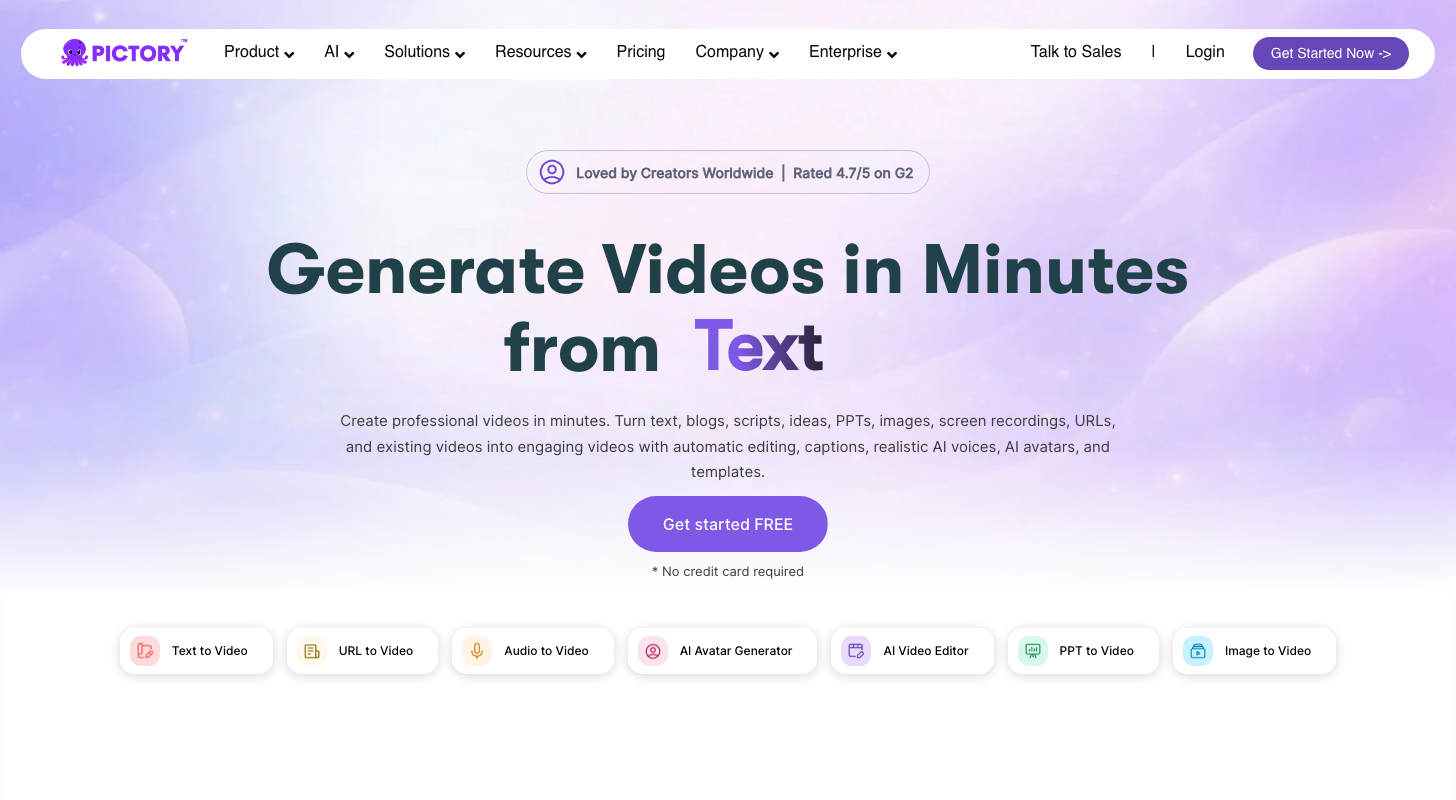
Pictory is a user-friendly AI-powered animation generator for solo creators. We think it’s the best budget option because of its cost-effective subscription plans, extensive library of licensed stock videos and images, and powerful text-to-video algorithm.
The Best Part:
It’s a one-stop shop. Pictory can take the place of transcription software, video editing tools, and social media content generators. This means you're not only saving time but also keeping your wallet happy by reducing multiple subscriptions!
The Worst Part:
AI voices lack a natural touch. While Pictory's AI-generated voices are better than the average, they still can't completely fool the ears — you can bypass this by uploading your own audio which syncs seamlessly with the text and video.
Get it if you're looking for an easy-to-use AI animation generator that works within your budget.
I recommend you get started with the free trial, then get the Standard plan for $23/month.
(free trial)
Best For
Pictory is best for individual creators who want a cost-effective solution for producing high-quality animated content.
Top Features
Transforms scripts instantly. Pictory takes your script and turns it into an animation in seconds.
Edit videos using text. Pick one of your videos in Pictory, play around with the transcribed text, and watch those unnecessary parts, filler words, and awkward pauses disappear like magic.
Turns blog posts into animations. With just a few clicks, Pictory transforms your blog posts into engaging animated videos that can boost engagement.
Creates shareable video highlights. With Pictory, you can easily turn long animations into short, engaging clips perfect for trailers or social media posts to boost engagement and drive sales
Adds captions seamlessly. No need to manually add subtitles anymore — let Pictory handle captioning while you focus on creating great animations.
Pricing
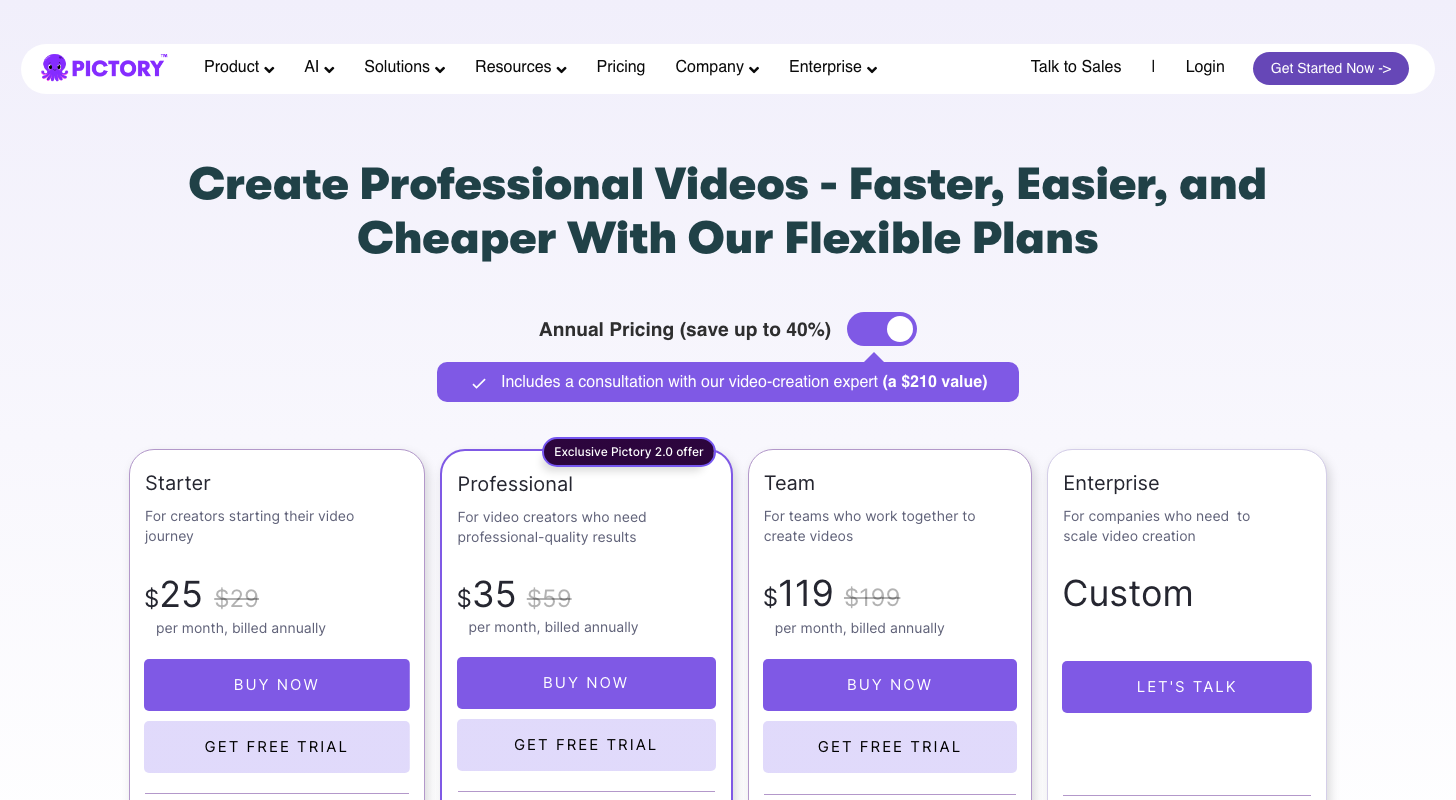
Pictory offers three pricing plans:
- Standard: $23/month for beginner content creators who want to create video animations from text using AI, add automatic captions and subtitles, and access millions of licensed stock videos and images — for up to 30 videos per month.
- Premium: $47/month for professional creators and smaller organizations that require advanced AI features, including automated voice-over synchronization, extended video creation time, and bulk download of videos — for up to 60 videos per month.
- Teams: $119/month for video creator teams who need sharing and collaboration features along with the ability to add up to three users per account, add branded templates, and create up to 90 videos per month.
Annual subscriptions provide a 15% discount.
Try Pictory today with a free trial.
3. Synthesys
Our Verdict — Best For Animated Clones
Price: Starts at $29/month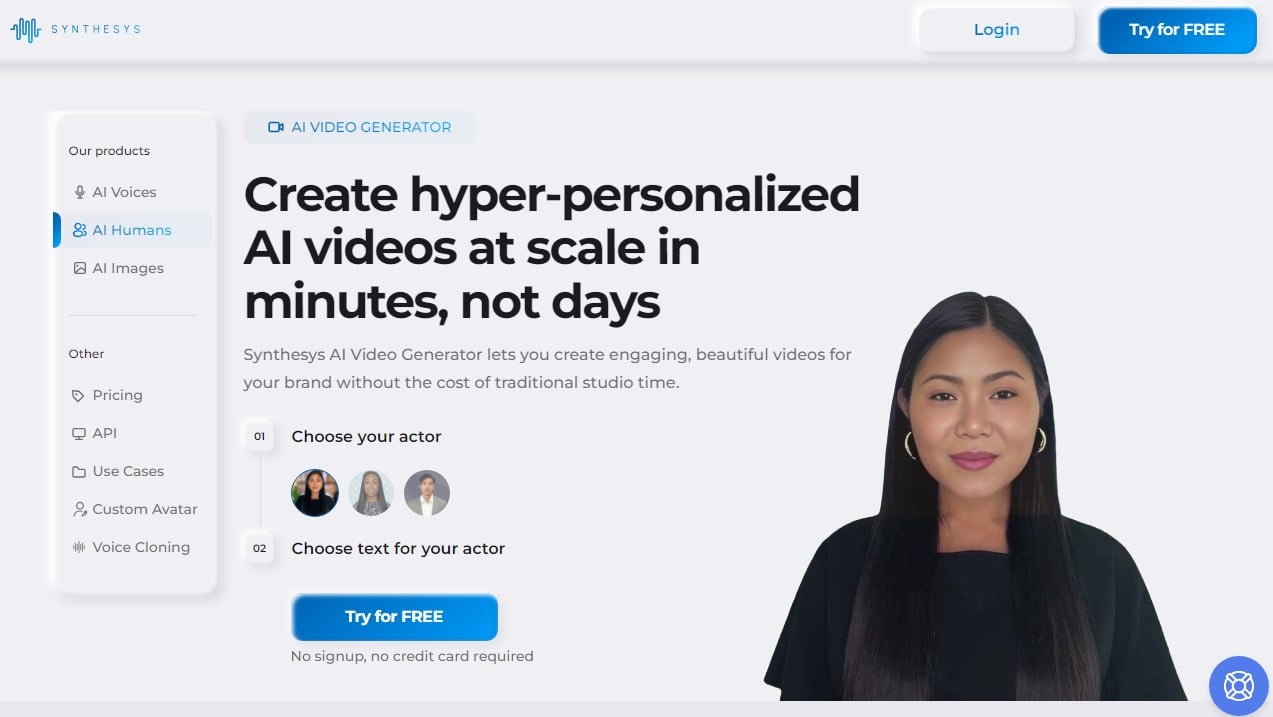
Synthesys is a cutting-edge AI animation generator with superb cloning capabilities. We think it’s the best for animated clones because of its natural human-like voices, easy-to-use interface, and wide range of animation avatars.
The Best Part:
Super lifelike voices. The realism in Synthesys' voiceovers is stunning, making the avatars sound and look like actual humans having a conversation.
The Worst Part:
Occasional mismatched expressions. Sometimes, Synthesys' avatars, now and then, may get it wrong with their facial expressions not really portraying the sentiment behind what's being said.
Get it if you want to create high-quality animation videos with lifelike voiceovers.
I recommend you get started with the Indie plan for $29/month.
(7-day money-back guarantee)
Best For
Synthesys is best for individuals who want quick and efficient ways to generate animations for small projects or training.
Top Features
It's incredibly user-friendly. Synthesys has an intuitive design which makes generating animations and professional voice-overs as easy as pie, even if you're not tech-savvy.
Generates lifelike animations. Say goodbye to robotic sounding narrations. Your animations will sound just like humans! And you can even clone yourself or your clients into an animated avatar.
Tons of voice options. Pick from over 65 professional voices (both male and female) to find the perfect match for your content… And you can even clone your voice.
Speak everyone’s language. Don’t wanna leave your international audience out in the cold? Synthesys supports over 145 languages (and counting).
Deep integration. Synthesys’ team will assist you in integrating the text-to-speech and text-to-video APIs into your software build.
Pricing
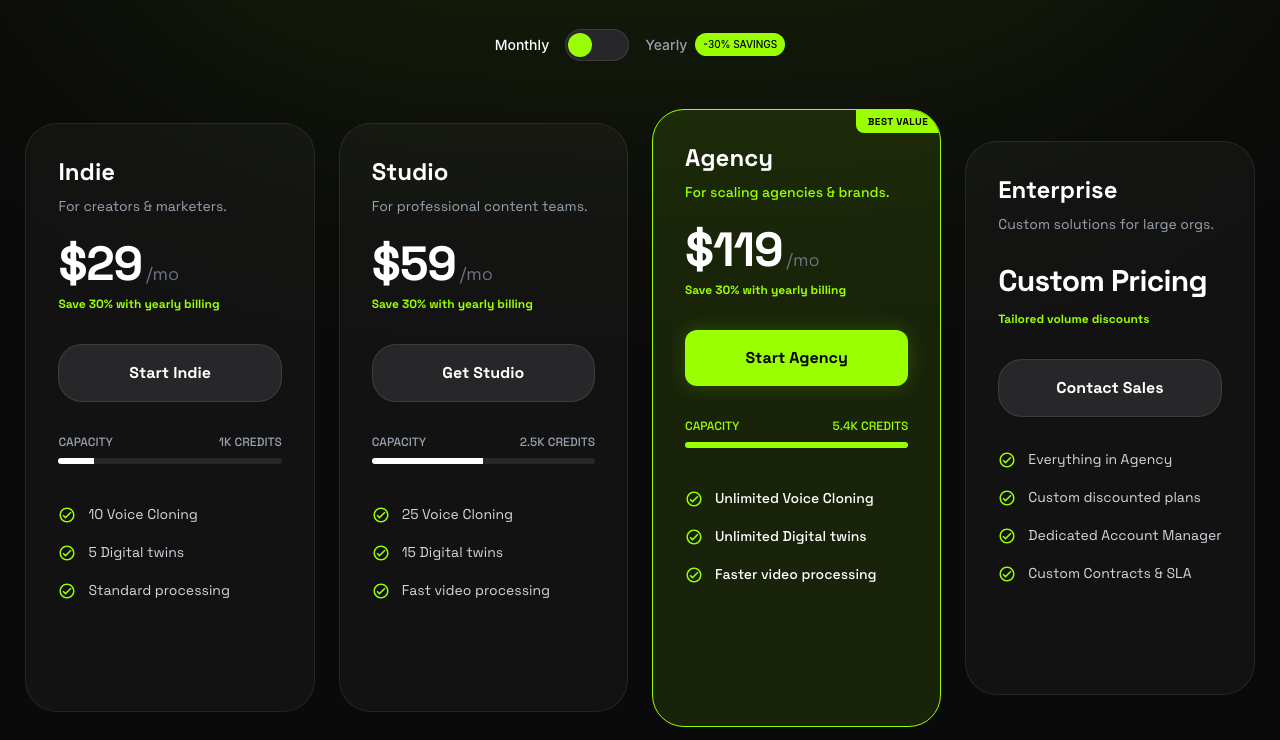
Synthesys offers three pricing plans:
- Indie: $29/month for 1,000 video credits and 5 digital twins.
- Studio: $59/month for 2,500 video credits and 15 digital twins.
- Agency: $119/month for 5,400 video credits and unlimited digital twins.
Annual subscriptions provide a 40% discount.
Try Synthesys today.
Our Top Three Picks
Here’s a quick summary of our top three picks:
Here’s a quick comparison of our top seven picks:
Tool | Entry Offer | Pricing |
|---|---|---|
Vyond Go | 14-day free trial | Starts at $49/mo |
Pictory | Free trial | Starts at $23/mo |
Synthesys | None | Starts at $29/mo |
Canva | 30-day free trial | Starts at $12.99/mo |
Veed.io | Free plan | Starts at $25/mo |
Synthesia | Free demo video | Starts at $30/mo |
Elai.io | Free plan | Starts at $29/mo |
Here are the top 50 AI animation generators we considered in this review:
- Vyond Go
- Pictory
- Synthesys
- Canva
- Veed.io
- Synthesia
- Elai.io
- InVideo
- Deepbrain AI
- HeyGen
- Colossyan
- Synths Video
- RenderForest
- Lumen5
- Doodly
- Toonly
- Animaker
- Powtoon
- Moovly
- Biteable
- Pencil2D
- Synfig Studio
- Animation Desk
- TupiTube
- OpenToonz
- Piskel
- Explee
- Blender
- Animatron Studio
- Wideo
- CrazyTalk Animator
- iClone
- VideoScribe
- Clip Studio Paint
- VideoTweeter
- Autodesk Maya
- Tellagami
- Stop Motion Studio
- FlipaClip
- Pixaloop
- Adobe Character Animator
- KeyShot
- Sketchfab
- Muvizu
- Mantra VR
- Video Maker FX
- Mango Animate
- Voki
- Puppet Pals HD
- Tumult Hype
Frequently Asked Questions About AI Animation Generators
What is the best AI animation generator?
Vyond Go is our top pick. You get fast generation, easy editing, and strong prompt-to-video, so you can turn an idea into a professional animated video in minutes.
What features should I look for in an AI animation generator?
Look for fast generation, easy editing, and strong prompt-to-video. Weigh language support and fit for your use case too, whether you make explainer videos or animated clones.
Is there a free AI animation generator?
Yes. Veed.io and Elai.io both have a free plan. Vyond Go, Canva, and Pictory give you a free trial instead, so you can test them before you pay.
Which AI animation tool can turn scripts into animations?
Reach for Pictory. It turns your scripts into animations instantly and converts blog posts into videos.
How do I create an animation with Vyond Go?
Choose a plan and log in, then write a script or start from a template. Customize it in the interface, add features like lip-syncing and motion graphics, then render and share your video.
Which AI animation tool is best for beginners?
Veed.io is our pick for beginners. For explainer videos specifically, reach for Synthesia.
Can AI turn a blog post into a video?
Yes. Pictory converts your blog posts into videos, and it turns scripts into animations instantly too.
Which other AI animation tools are worth trying?
Beyond the ranked picks, a few more are worth a look by use case. Try InVideo, HeyGen, Blender, and Adobe Character Animator.
Which AI animation tool supports the most languages?
Synthesys supports the most languages, and it is our pick for animated clones.
The Bottom Line
To recap, here are the best AI animation generators to try this year: