

Today there are 78 different AI cartoon generators. We spent 55 hours comparing the top 50 to find the seven best you can use to transform photos into cartoons.
What is the Best AI Cartoon Generator?
- Cartoonize — best of the best
- Fotor — best for ease of use
- Adobe Firefly — best for text-to-image cartoons
- Picsart — best customizing features
- ToonMe — best for selfies
- AILab Tools — best for anime-style
- Lunapic — best for quick cartoonizing
1. Cartoonize
Our Verdict — Best Of The Best
Price: Starts at $6.99/month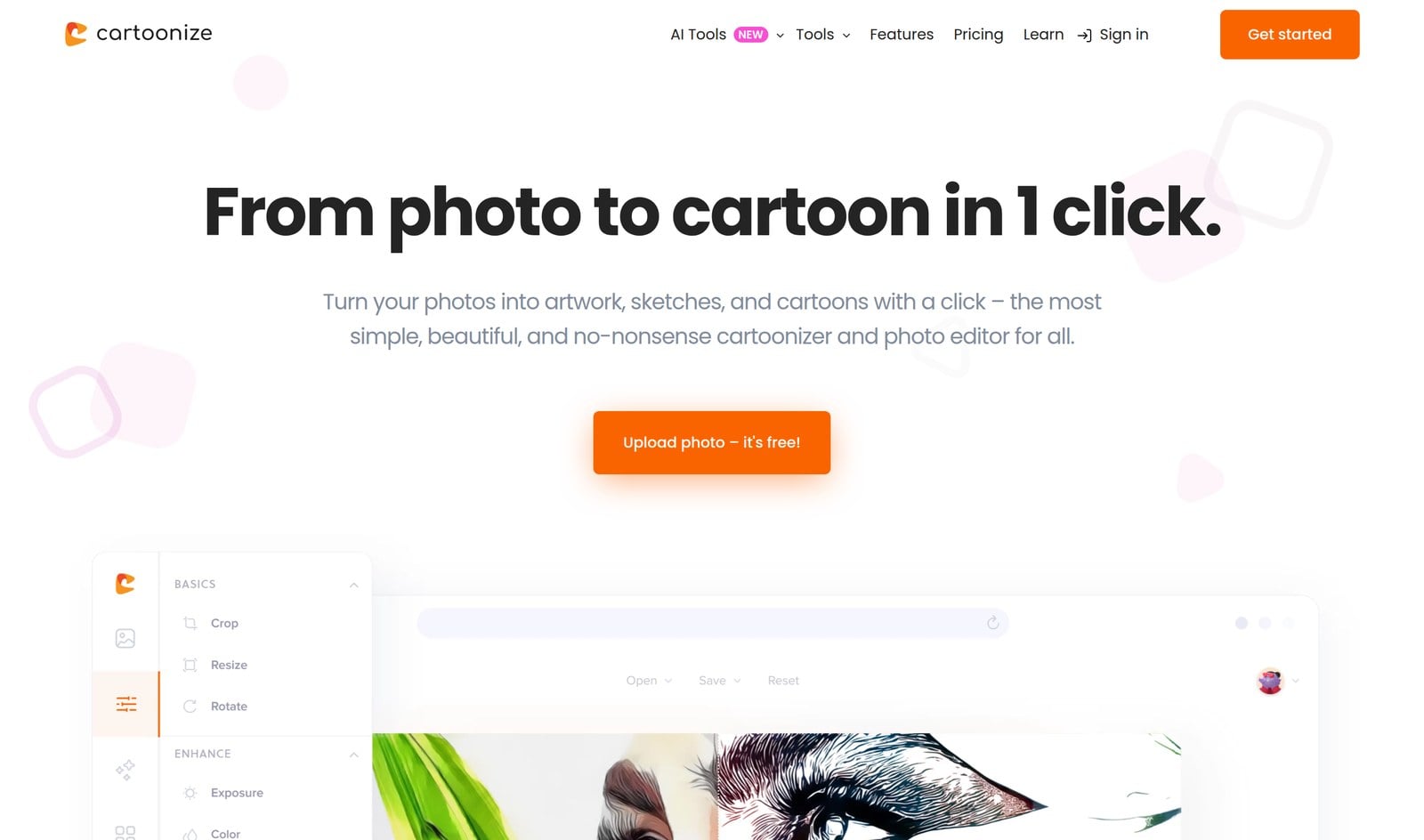
Cartoonize (formerly Colorcinch) is an intuitive photo editing and AI cartoonizing tool with impeccable attention to detail. We think it’s the best because of its high-quality cartoon generation, massive library of graphics and effects, and abundance of editing tools.
The Best Part:
Customization galore. Not only does Cartoonize turn your photos into cartoons, but it also allows you to edit them with tons of filters, effects, graphics, and icons.
The Worst Part:
Effects take time to apply. While the variety of filters and effects in Cartoonize is impressive, applying and exporting them can sometimes take a little longer than expected.
Get it if you want an all-in-one platform that can turn your photos into cartoons without breaking a sweat.
I recommend you start for free, then get Cartoonize Pro for $6.99/month billed annually.
(free plan)
Best For
Cartoonize is best for individuals who want to transform their photos into extraordinary and high-definition cartoons with just a few clicks.
Top Features
One-click cartoonizer. Turn any photo into a cartoon, a sketch, or a painting with the cartoonizer and hundreds of specialty effects.
Clean cutouts. The AI background remover strips the background from your photo in one click, so your cartoon stands out.
Huge asset library. Dress up your cartoons with over 4 million stock photos, vector graphics, and icons.
Anime looks too. The Photo to Anime AI tool gives your photo an anime makeover, with several anime styles to pick from.
Ready to print. Save your cartoon art at up to 400 DPI when you want to print it.
Pricing
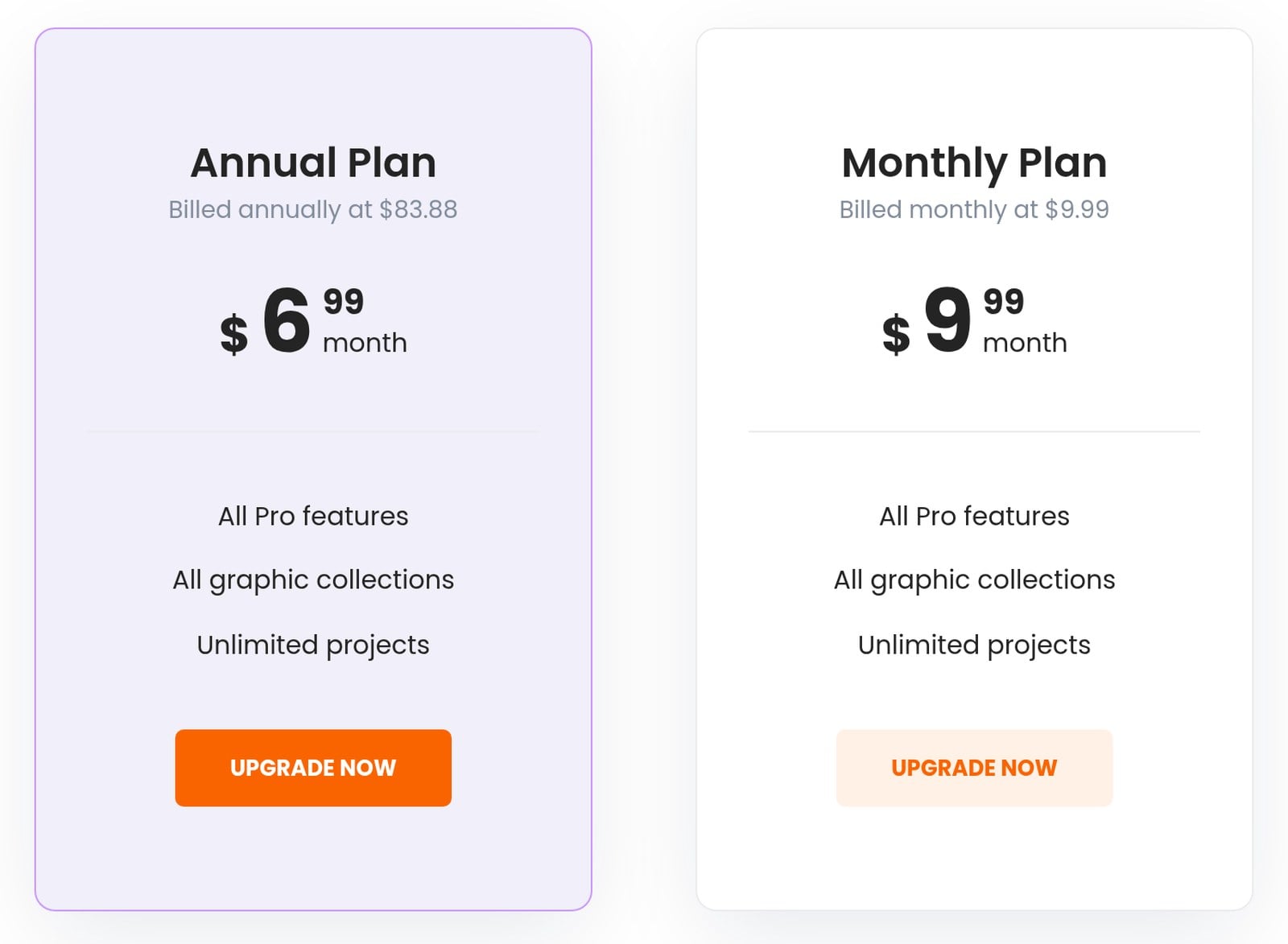
Cartoonize offers two pricing plans:
- Basic: Free, with no registration needed, for the core effects and features.
- Pro: $9.99/month, or $83.88/year ($6.99/month), for every premium effect, every graphic collection, and unlimited projects.
Annual subscriptions provide a 30% discount.
Try Cartoonize today with the free plan.
2. Fotor
Our Verdict — Best For Ease Of Use
Price: Starts at $10.99/month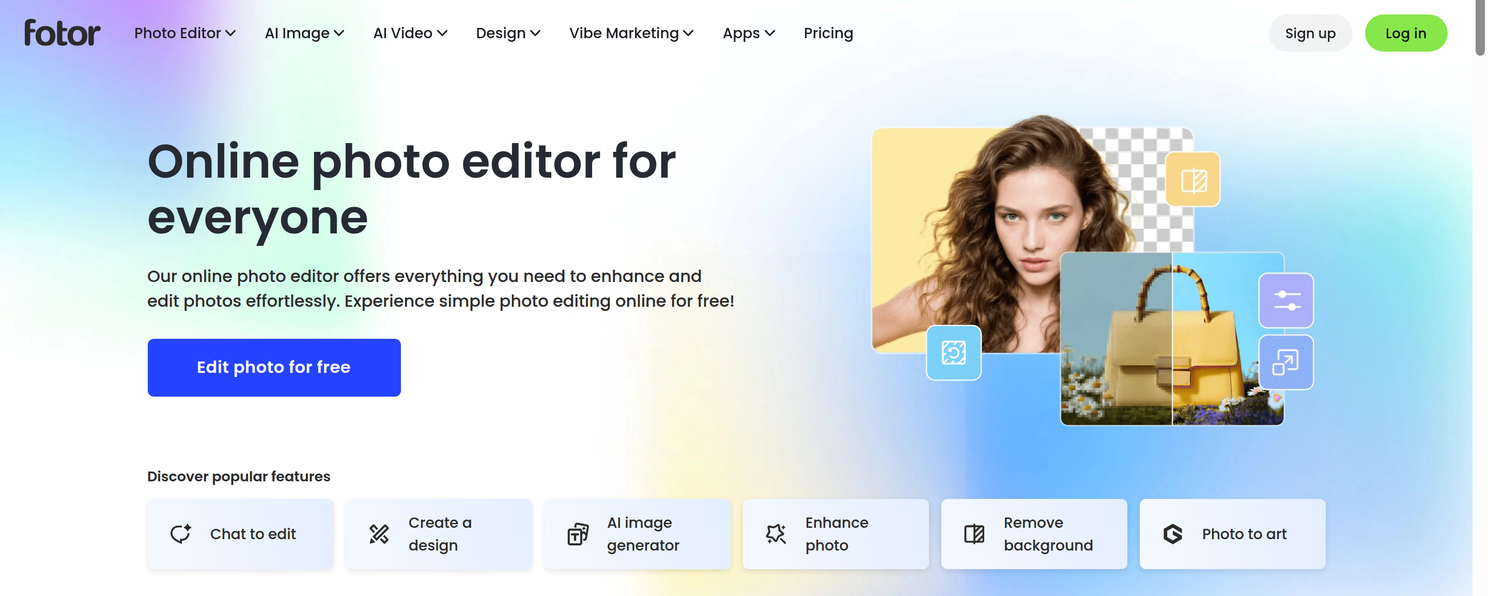
Fotor is a robust and user-friendly AI cartoon generator. We think it’s the best for ease of use because of its user-friendly interface, powerful AI cartoonizer, and variety of filters and effects.
The Best Part:
Very intuitive interface. Fotor boasts an easy-to-navigate platform that makes creating cartoons as simple as pie, even if you’re not tech-savvy.
The Worst Part:
Lacks more advanced features. While Fotor is packed with features, it doesn't quite hit the mark for advanced professionals who might be seeking extensive editing capabilities.
Get it if you want to transform your photos into unique cartoon creations in just one click, without any technical knowledge.
I recommend you start with the Free Basic plan, then get the Fotor Pro plan for $10.99/month.
(free plan)
Best For
Fotor is best for individuals who want to convert regular images into high-quality cartoons without getting overwhelmed by complex tools and features.
Top Features
Brings photos to life. Fotor's AI-powered cartoonizer can animate and add color to any image, turning even a simple selfie into a vibrant cartoon.
Paint without brushes. With Fotor's extensive selection of effects and templates, you can fine-tune your cartoons to perfection, easy peasy.
Cartoonize on-the-go. Thanks to Fotor's iOS and Android mobile apps, you can cartoonize your photos anytime, anywhere.
Cartoonize that beautiful view. With Fotor's landscape cartoon filters, you can convert your scenic shots into professional-looking cartoon landscapes.
Pet friendly. With Fotor's cartoon pet filter, you can transform your furry friends' photos into adorable cartoons you can post on social or send to family & friends.
Pricing
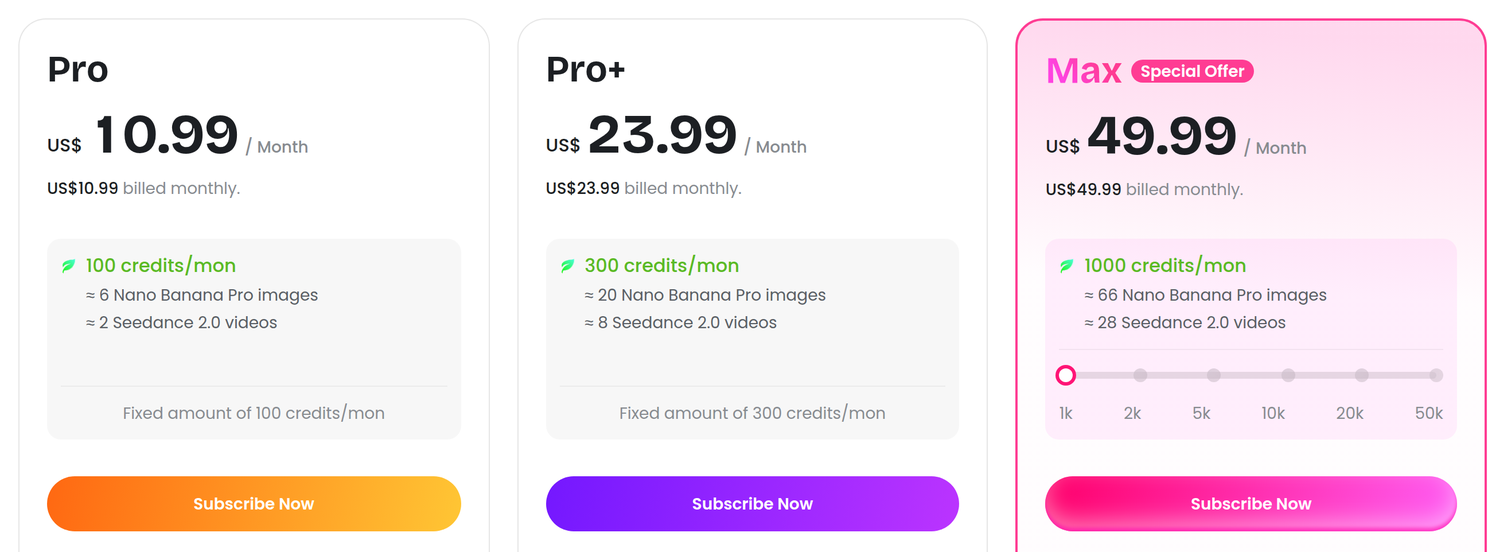
Fotor offers four pricing plans:
- Fotor Basic: Free forever, for hobbyists who want essential editing tools and don’t mind watermarks on their downloads.
- Pro: $10.99/month for 100 credits a month and 10 concurrent generations.
- Pro+: $23.99/month for 300 credits a month and 30 concurrent generations.
- Max: $49.99/month for 1,000 credits a month and 50 concurrent generations.
Try Fotor today with the free plan.
Our Verdict — Best For Text-To-Image Cartoons
Price: Starts at $9.99/month
Adobe Firefly is Adobe's AI-powered image and video generator. We think it's the best for text-to-image cartoons because of its prompt-based cartoon generation, wide choice of AI models from Adobe, Google, and other partners, and seamless integration with Photoshop on web and mobile.
The Best Part:
Type it, toon it. Adobe Firefly turns a simple text prompt into cartoon-style art in seconds — just describe the scene, pick a style, and let Firefly draw it for you.
The Worst Part:
Credits can run out fast. Every generation spends generative credits from your monthly allowance, so heavy experimenting can burn through your plan before the month is over.
Get it if you want to create cartoon-style art from text prompts instead of just filtering your photos.
I recommend you get the Standard plan for $9.99/month, then upgrade to the Pro plan for $19.99/month if you need more generative credits.
(free to start)
Best For
Adobe Firefly is best for creators who want to generate cartoon and illustration-style art from text prompts using Adobe's professional-grade AI tools.
Top Features
Draw with your words. Firefly's text-to-image generation turns your written prompts into cartoon and illustration-style art — no drawing skills required.
Pick your AI artist. Firefly lets you generate with AI models from Adobe, Google, and other partners, so you can run the same cartoon prompt through different models and keep the best result.
Fix it without redrawing it. With Firefly's Generative Fill, you can add, remove, or swap elements in your cartoon art just by describing the change.
Plays nice with Photoshop. Firefly integrates with Photoshop on web and mobile, so you can polish your cartoons with pro editing tools without leaving the Adobe ecosystem.
Make your cartoons move. Firefly's AI video generation lets you turn your ideas into animated clips, taking your cartoon art beyond static images.
Pricing
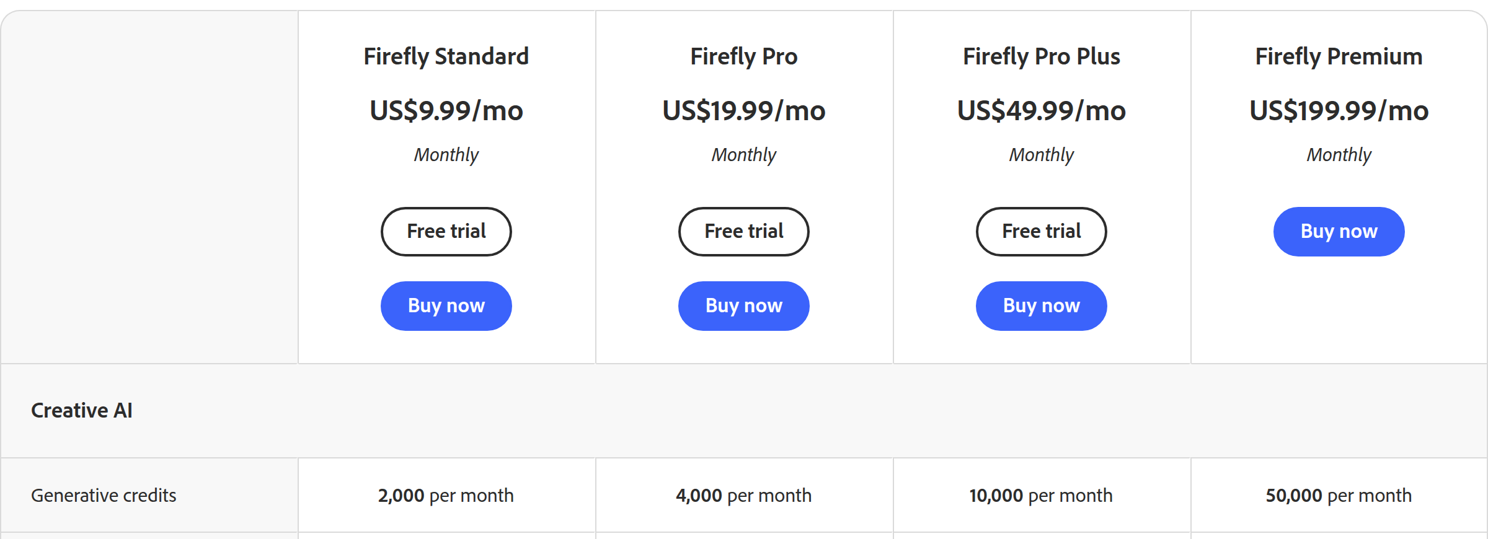
Adobe Firefly offers four pricing plans:
- Firefly Standard: $9.99/month for 2,000 monthly generative credits, with unlimited access to standard image features like Generative Fill.
- Firefly Pro: $19.99/month for 4,000 monthly generative credits, plus Adobe Photoshop on web and mobile and Adobe Express Premium.
- Firefly Pro Plus: $49.99/month for 10,000 monthly generative credits and up to 100 five-second videos.
- Firefly Premium: $199.99/month for 50,000 monthly generative credits and unlimited access to the Firefly Video Model.
Try Adobe Firefly today for free.
4. Picsart
Our Verdict — Best Customizing Features
Price: Starts at $15/month
Picsart is a versatile AI-powered cartoon generator and photo editing app. We think it offers the best customizing features because of its intuitive user interface, extensive customization options, and high-quality output results.
The Best Part:
You can let your creativity run wild. Picsart offers tons of pro-level customization features you can use to fine-tune your images until they're picture-perfect. You could experiment with different cartoon styles, adjust saturation levels for more vivid colors, or even layer on multiple filters.
The Worst Part:
Steep learning curve. While Picsart is packed with features, it can be a little overwhelming at first.
Get it if you want to turn your photos into cartoons and impress with professional-grade edits.
I recommend you start with a 7-day free trial, then get the Picsart Pro plan for $15/month.
(7-day free trial)
Best For
Picsart is best for creative individuals who want to experiment with different styles while turning ordinary snaps into high-quality cartoons.
Top Features
Say goodbye to generic photos. Let Picsart's AI-powered cartoon filters turn your ordinary images into extraordinary, colorful cartoons — all within mere seconds.
Rescue your dull backgrounds. Give those uninteresting backdrops a makeover using Picsart's background removal and replacement tools.
Unleash your inner Picasso. With Picsart's pro-grade effects and filters, transform your photos into trendy pop art, romantic watercolors, or even vibrant comic book styles.
Teamwork makes the dream work. Picsart’s team plan lets multiple members collaborate under one account, making it great for group projects.
High-resolution all the way. Whether it's JPG, PNG, or PDF, save your designs in high-res formats — making every cartoon detail crisp and clear!
Pricing
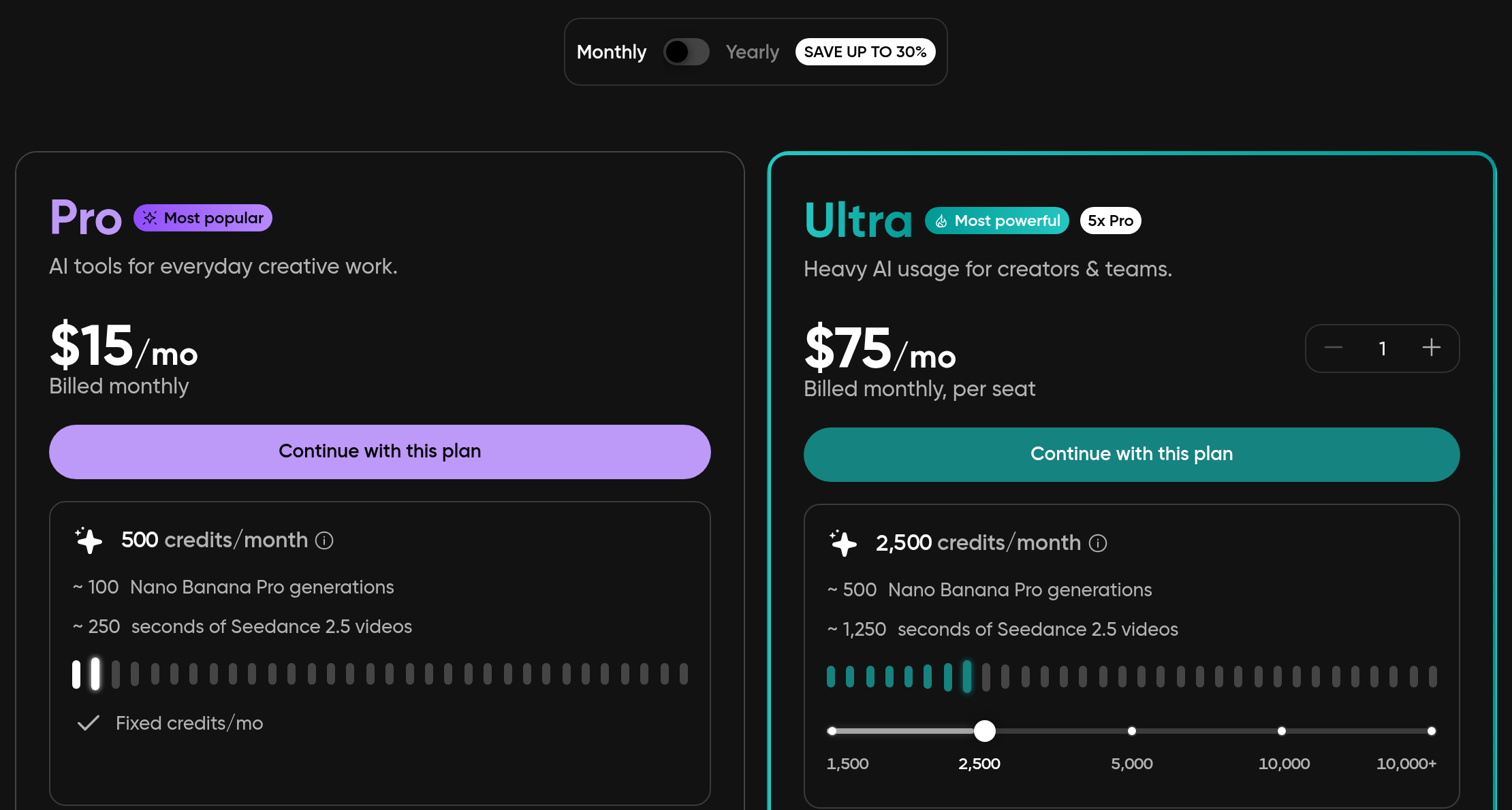
Picsart offers three pricing plans:
- Free: Free forever, for beginners and casual users who want to explore basic photo editing and cartoonizing features.
- Picsart Pro: $15/month for professional artists and designers who want access to templates, fonts, and stickers, as well as advanced tools for editing their cartoons and creative projects.
- Ultra: $75/month for power users who need higher usage limits and the most advanced AI tools for their cartoons and creative projects.
Annual subscriptions provide a 30% discount.
Try Picsart today with a free 7-day trial.
5. ToonMe
Our Verdict — Best For Selfies
Price: Free to download, with in-app purchases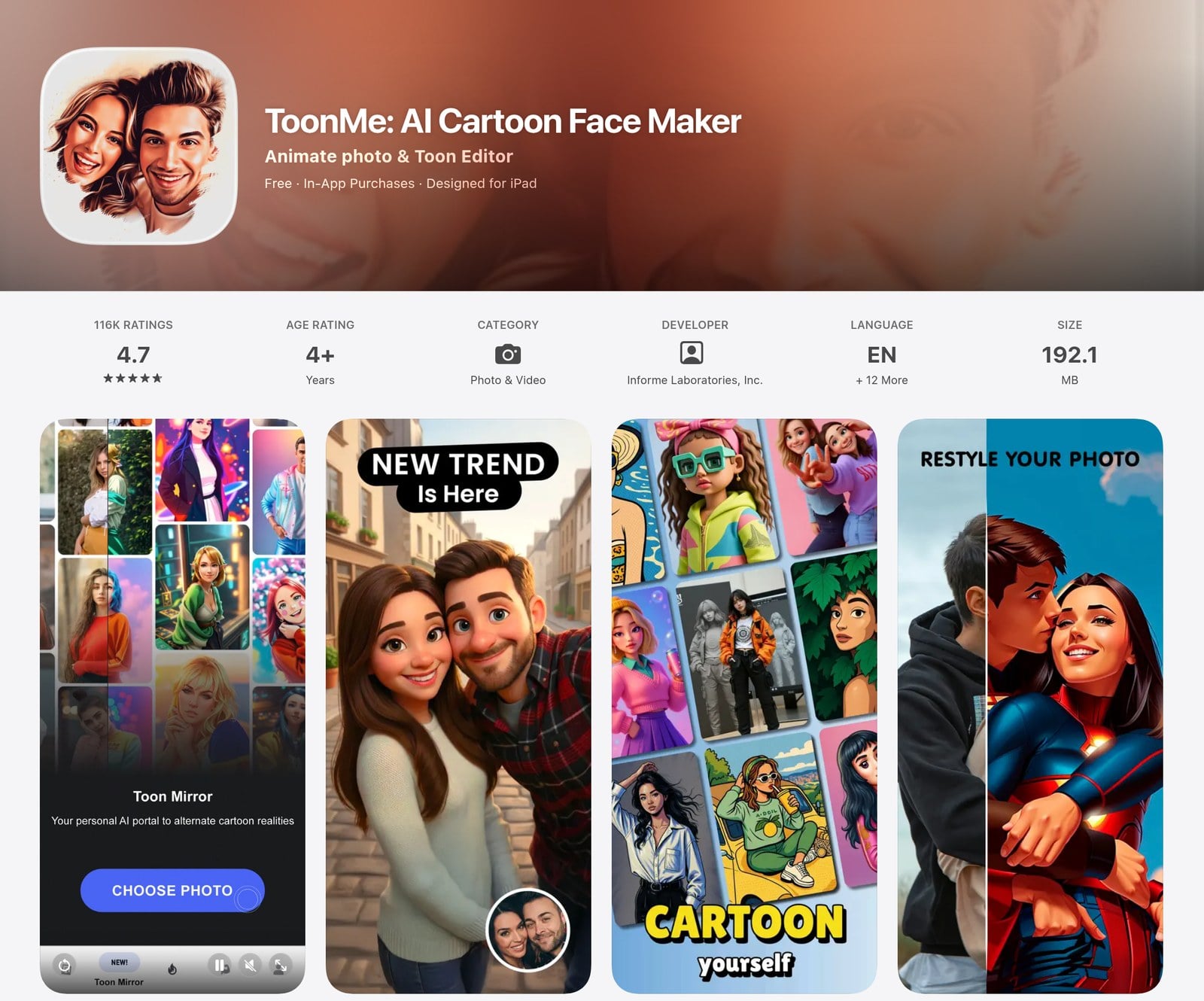
ToonMe is a selfie-to-cartoon app made by Informe Laboratories. We think it’s the best for selfies because it takes a single selfie and draws you as a cartoon in a matter of seconds.
The Best Part:
Looks hand-drawn. The app’s AI renders your selfie as a cartoon portrait with a hand-drawn feel, and you don’t need any drawing skills.
The Worst Part:
PRO costs extra. The best of ToonMe sits behind ToonMe PRO, an in-app subscription that renews automatically.
Get it if you want to turn your selfies into cartoons right on your phone.
I recommend you grab ToonMe for free, then go PRO once you’ve tried a few selfies.
(free download)
Best For
ToonMe is best for selfie lovers who want to turn their photos into cartoon portraits for social media.
Top Features
Selfie to toon. Snap or upload a selfie and ToonMe draws your cartoon self in seconds.
Style options. Choose among different cartoon styles until your portrait looks right.
Toon Mirror. Try on alternate cartoon versions of yourself with Toon Mirror.
Photo restyling. Give your existing photos a fresh cartoon look.
Android too. Besides the App Store, ToonMe is available on Google Play.
Pricing
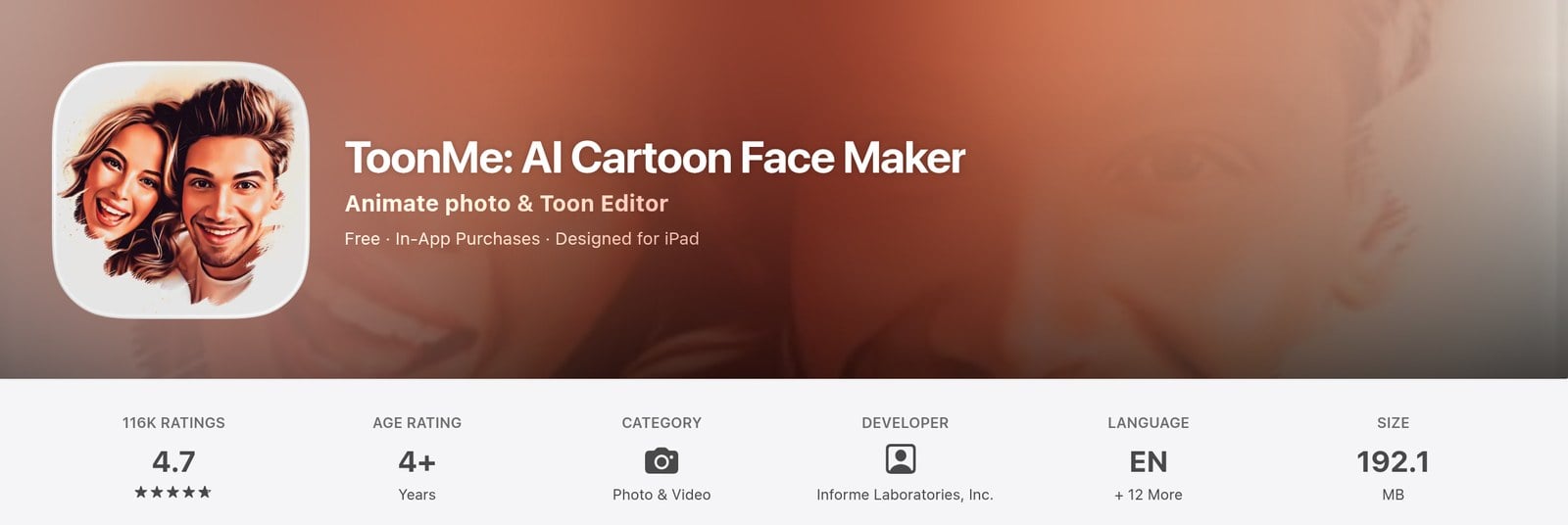
ToonMe offers two pricing plans:
- Free: Free to download, so you can cartoon your selfies right away.
- ToonMe PRO: In-app subscription, for users who want to unlock more of the app.
Try ToonMe today for free.
6. AILab Tools
Our Verdict — Best For Anime-Style
Price: Starts at $10/month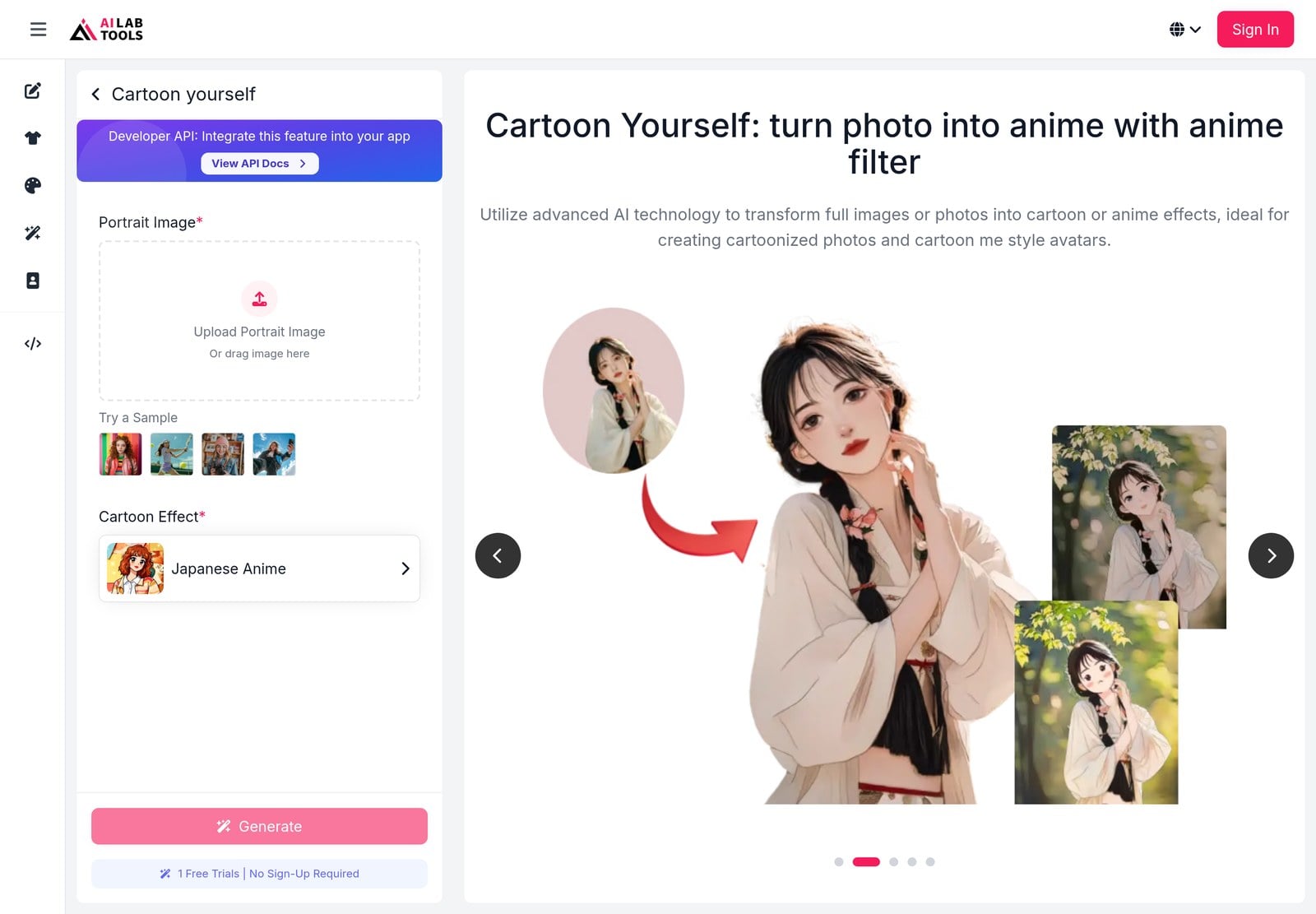
AILab Tools is an AI image platform with a dedicated photo-to-anime converter. We think it’s the best for anime-style cartoons because it turns your photos into dozens of cartoon effects, including Japanese anime, 90s retro anime, and shoujo manga.
The Best Part:
One-click anime. Upload a photo, pick an anime style, and AILab Tools converts it for you.
The Worst Part:
Credits run out. The free plan only gives you 5 credits a month, so regular use means paying for a subscription or a credit pack.
Get it if you want to turn your photos into anime-style art without learning a new editor.
I recommend you start with the free plan, then get the subscription plan for $10/month if you need more credits.
(free plan)
Best For
AILab Tools is best for anime fans who want to turn their photos into anime and manga-style art in a few clicks.
Top Features
Anime and manga styles. Turn your photos into Japanese anime, 90s retro anime, and shoujo manga art.
More cartoon effects. Go beyond anime with ukiyo-e and Pixar-style effects.
HD downloads. The free plan gives you 5 credits a month for watermark-free HD downloads.
Credits roll over. On a subscription, unused credits roll over automatically to the next month.
Commercial use. The subscription includes commercial usage, so you can use your anime art in your projects.
Pricing
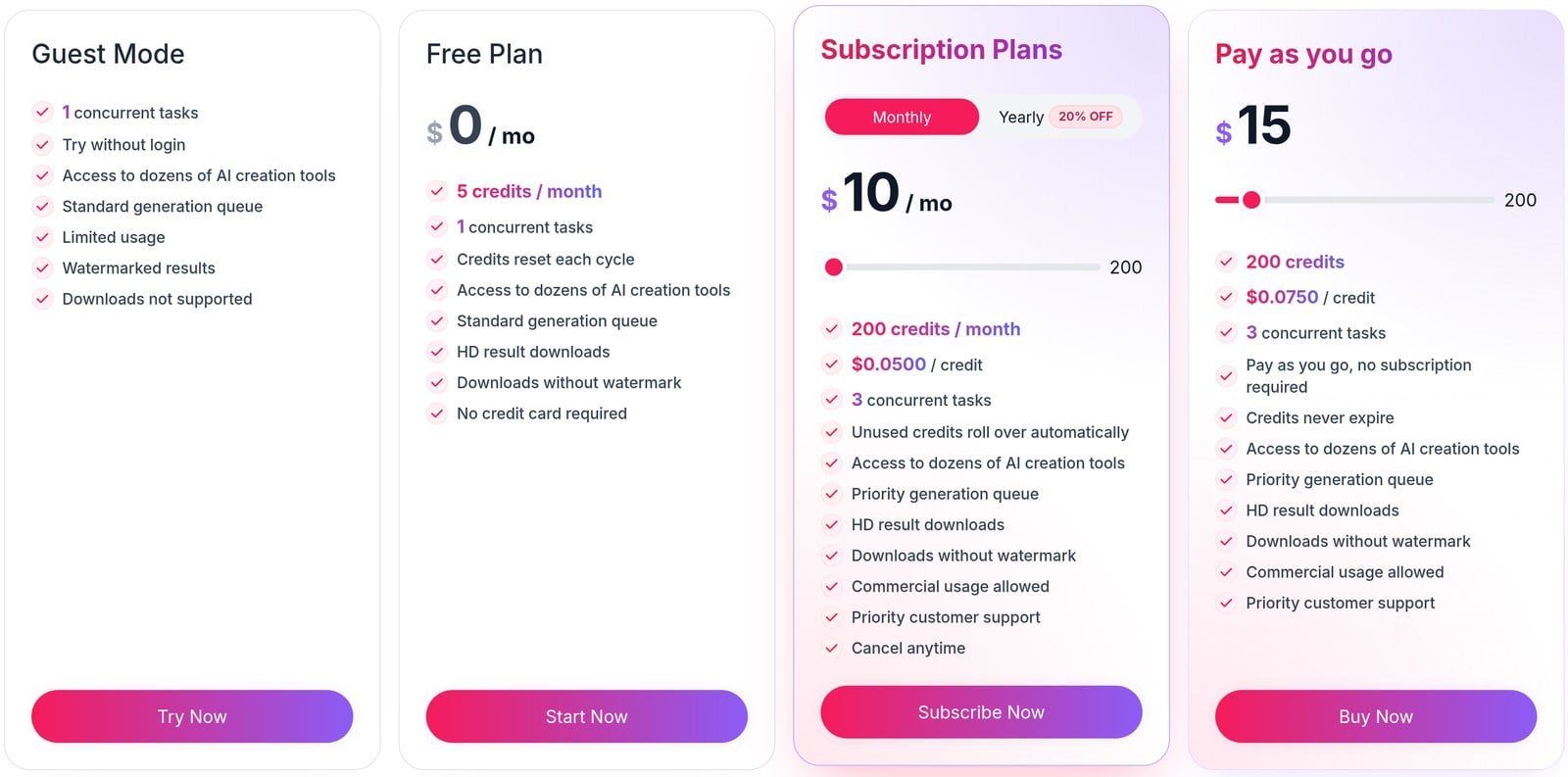
AILab Tools offers three pricing plans:
- Free: $0/month for 5 credits a month and watermark-free HD downloads.
- Subscription: $10/month for 200 credits a month that roll over, plus commercial usage.
- Pay as you go: $15 for 200 credits that never expire, with no subscription required.
Annual subscriptions provide a 20% discount.
Try AILab Tools today with the free plan.
7. Lunapic
Our Verdict — Best For Quick Cartoonizing
Price: Free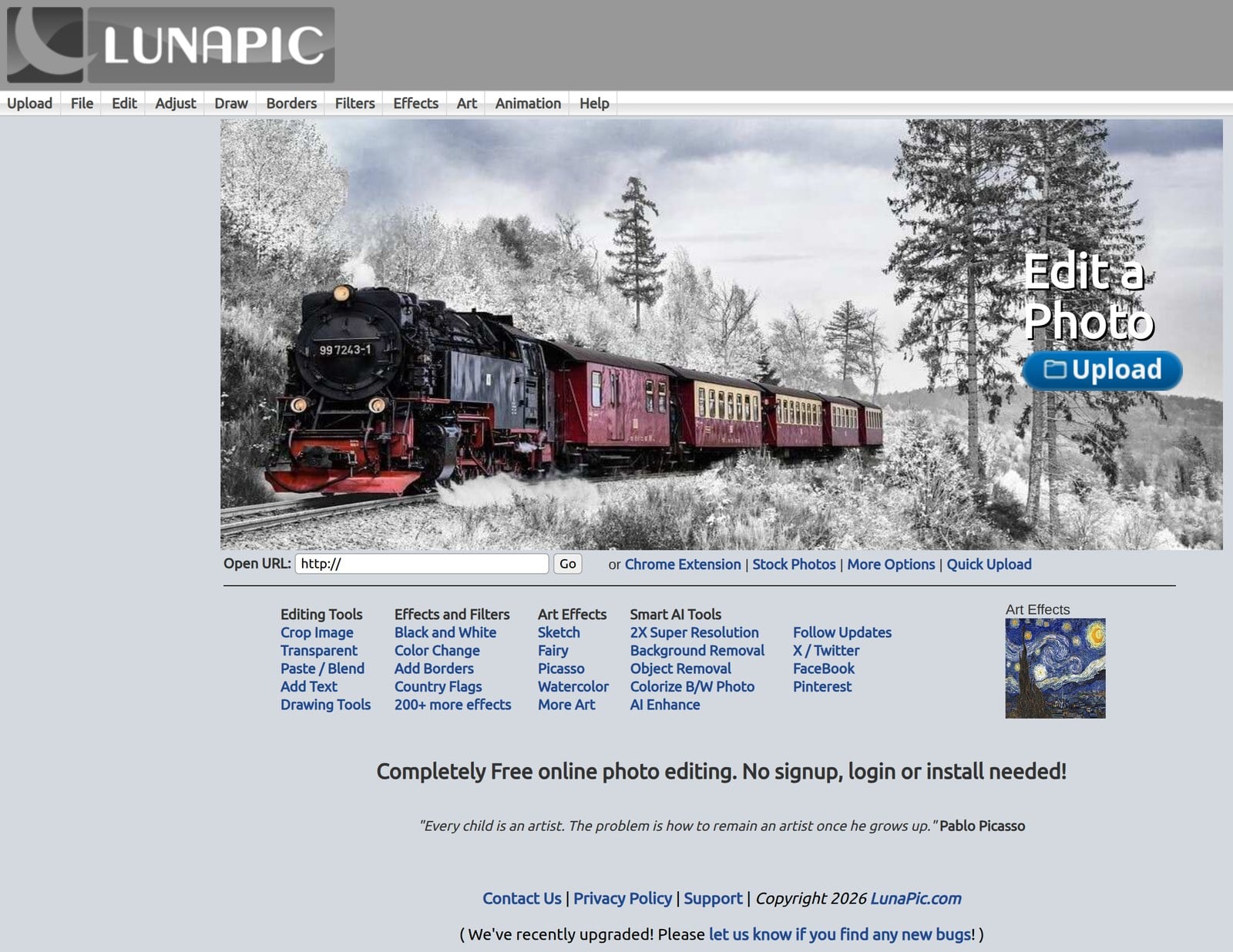
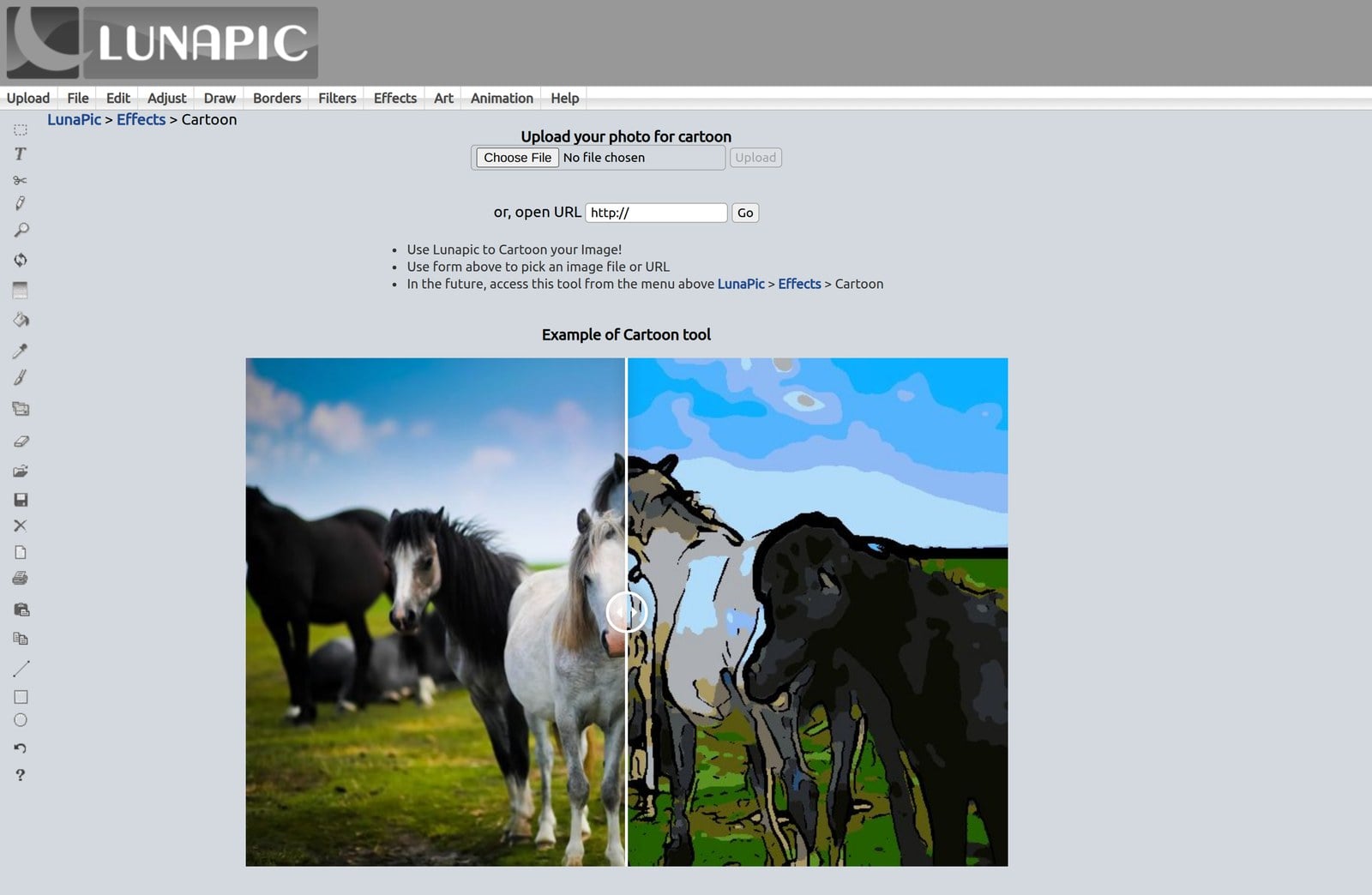
Lunapic is a free online photo editor with hundreds of effects, including a Cartoon tool. We think it’s the best for quick cartoonizing because you can cartoon a photo right in your browser, with no signup, login, or install needed.
The Best Part:
No strings attached. Lunapic is completely free to use, with no signup, login, or install needed.
The Worst Part:
Old-school interface. Lunapic’s menus look dated next to newer AI tools, so finding the right effect can take a few clicks.
Get it if you want to cartoon a photo in seconds without creating an account.
I recommend you upload a photo and try the Cartoon tool under Effects.
(free forever)
Best For
Lunapic is best for casual users who want to cartoon a photo quickly in their browser, for free.
Top Features
Cartoon tool. Upload a photo or paste an image URL and Lunapic turns it into a cartoon.
Art effects. Turn your photos into sketches, watercolors, or Picasso-style art.
Smart AI tools. Use 2X super resolution, background removal, object removal, and AI enhance on your images.
Colorize old photos. Bring black-and-white photos to life with Lunapic’s colorize tool.
Animation. Create animated effects from your photos with Lunapic’s animation tools.
Pricing
Our Top Three Picks
Here’s a quick summary of our top three picks:
- Cartoonize — best of the best
- Fotor — best for ease of use
- Adobe Firefly — best for text-to-image cartoons
Here’s a quick comparison of our top seven picks:
Tool | Entry Offer | Pricing |
|---|---|---|
Cartoonize | Free plan | Starts at $6.99/mo |
Fotor | Free plan | Starts at $10.99/mo |
Adobe Firefly | Free to start | Starts at $9.99/mo |
Picsart | 7-day free trial | Starts at $15/mo |
ToonMe | Free download | In-app purchases |
AILab Tools | Free plan | Starts at $10/mo |
Lunapic | None | Free forever |
Here are the top 50 AI cartoon generators we considered in this review:
- Cartoonize
- Fotor
- Adobe Firefly
- Picsart
- ToonMe
- AILab Tools
- Lunapic
- Canva
- BeFunky
- Deep Dream Generator
- Prisma AI
- Painnt
- Brushstroke
- Cartoon Camera Free
- Voilà AI Artist
- Cartoon Yourself
- Photo Lab
- MomentCam Cartoons & Stickers
- Clip2Comic & Caricature Maker
- Photo Cartoon Camera
- My Cartoon
- Photo Sketch Maker
- Cartoon Photo Editor
- Cartoon Photo Filters-CoolArt
- Image Cartoonizer
- ArtCam
- Cartoon Maker
- FotoSketcher
- Picas
- iCartoon
- Emolfi
- Pix2Pix
- Art Filter Photo Editor
- AgingBooth
- Caricature Maker
- Photo Cartoon Caricature Maker
- PicMagic Tools
- Cartoon Photo
- Sketch Master
- Avatoon
- Artweaver
- Toongineer Cartoon Photo Editor
- ArtistA
- GoArt
- Camera360
- Artecture Draw, Sketch, Paint
- Sketch Me!
- Pixlr
- Adobe Illustrator
- PicsArt Color
Frequently Asked Questions About AI Cartoon Generators
What is the best AI cartoon generator?
Cartoonize is our top pick overall. It is an intuitive photo editor and cartoonizer with sharp attention to detail, so you get high-quality results alongside deep editing tools.
Which AI cartoon generators stand out by use case?
Cartoonize is our overall pick and Fotor is our pick for ease of use. Reach for Adobe Firefly for text-to-image cartoons, ToonMe for selfies, AILab Tools for anime-style art, and Picsart for customizing features.
Is there a free AI cartoon generator?
Yes. Lunapic is free forever with no paid tier. Cartoonize, Fotor, and AILab Tools have free plans too, Adobe Firefly is free to start, ToonMe is free to download, and Picsart gives you a free trial.
Do free AI cartoon generators add watermarks?
Some do. Fotor's free plan adds a watermark to your downloads, and its paid plans remove it. On tools that watermark, upgrading is how you get clean exports.
Which AI cartoon generator is best for selfies?
ToonMe is our pick for selfies. It is free to download, with in-app purchases, so you can try it on a photo first.
What is the best AI cartoon generator for anime-style art?
AILab Tools is our pick for anime-style cartoons. Its free plan gives you monthly credits, so you can try it before you pay.
Which AI cartoon generator is easiest to use?
Fotor is our pick for ease of use, thanks to an intuitive interface and a strong cartoonizer. You can transform a photo in a single click.
Which AI cartoon generators are worth trying first?
Start with Cartoonize for high-quality results with deep editing, and Fotor for a fast one-click experience. From there, add ToonMe for selfies or AILab Tools for anime, depending on what you make.
Cartoonize vs Fotor: which AI cartoon generator should I pick?
Cartoonize is our overall pick and Fotor is our pick for ease of use, and both have free plans. Reach for Cartoonize when you want high-quality results with deep editing, and Fotor when you want a fast, one-click experience.
The Bottom Line
To recap, here are the best AI cartoon generators to try this year:
- Cartoonize — best of the best
- Fotor — best for ease of use
- Adobe Firefly — best for text-to-image cartoons
- Picsart — best customizing features
- ToonMe — best for selfies
- AILab Tools — best for anime-style
- Lunapic — best for quick cartoonizing