

Today there are 92 different AI grammar checkers. We spent 55 hours comparing the top 50 to find the seven best you can use to boost the quality of your writing.
What is the Best AI Grammar Checker?
- ProWritingAid — best of the best
- QuillBot — best for paraphrasing
- Ginger Software — best budget option
- Grammarly — best for writing across every app
- LanguageTool — best for multiple languages
- Trinka — best for academic writing
- Hemingway Editor — best for readability
Our Verdict — Best Of The Best
Price: Starts at $30/month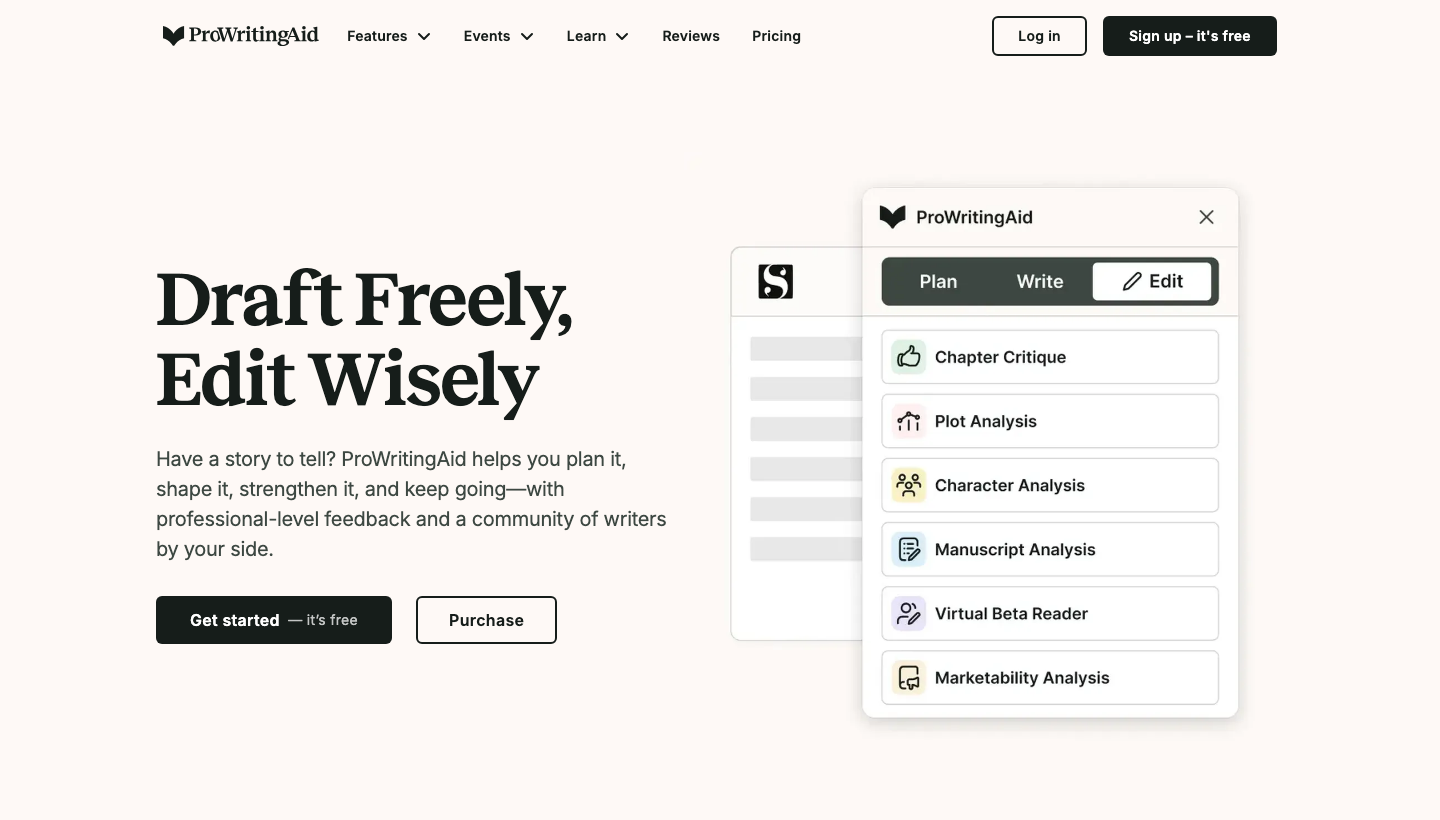
ProWritingAid is an AI editing tool for writers who want the most comprehensive grammar and style checker. We think it’s the best AI grammar checker because its reports go past typos and show you the patterns that keep making your writing weaker.
The Best Part:
- In-depth reports. ProWritingAid's reports help you understand your strengths and weaknesses, allowing you to improve your skills over time.
The Worst Part:
- It may be a bit overwhelming. ProWritingAid's massive collection of reports can be a tad overwhelming for newbies, making it tough to focus.
Get it if you want a comprehensive grammar checker that offers the most in-depth writing and grammar analyses in the industry.
I recommend you get started with the Free plan, then get the Premium plan for $120/year.
(free plan)
Best For
ProWritingAid is best for writers of all levels who want an AI-powered tool that corrects their grammar mistakes and enhances their writing style.
Top Features
- Take a deep dive. ProWritingAid's reports will reveal all of your writing’s strengths and weaknesses. You’ll get deep insights even human editors might fail to realize.
- Take it with you. ProWritingAid works on Microsoft Word, Google Docs, Scrivener, and web browsers. It even offers API access for developers.
- Get rid of clichés and redundancies. ProWritingAid helps you ditch overused phrases and repetitive language, to keep your writing more interesting to readers.
- Keep it consistent. Ensure your spelling, capitalization, and punctuation are consistent throughout all of your work. ProWritingAid will scan your document and spot any discrepancies.
- It’s like your personal grammar checker. ProWritingAid provides advice tailored to whatever you're writing. It’s excellent at generating context-specific tips and corrections.
Pricing
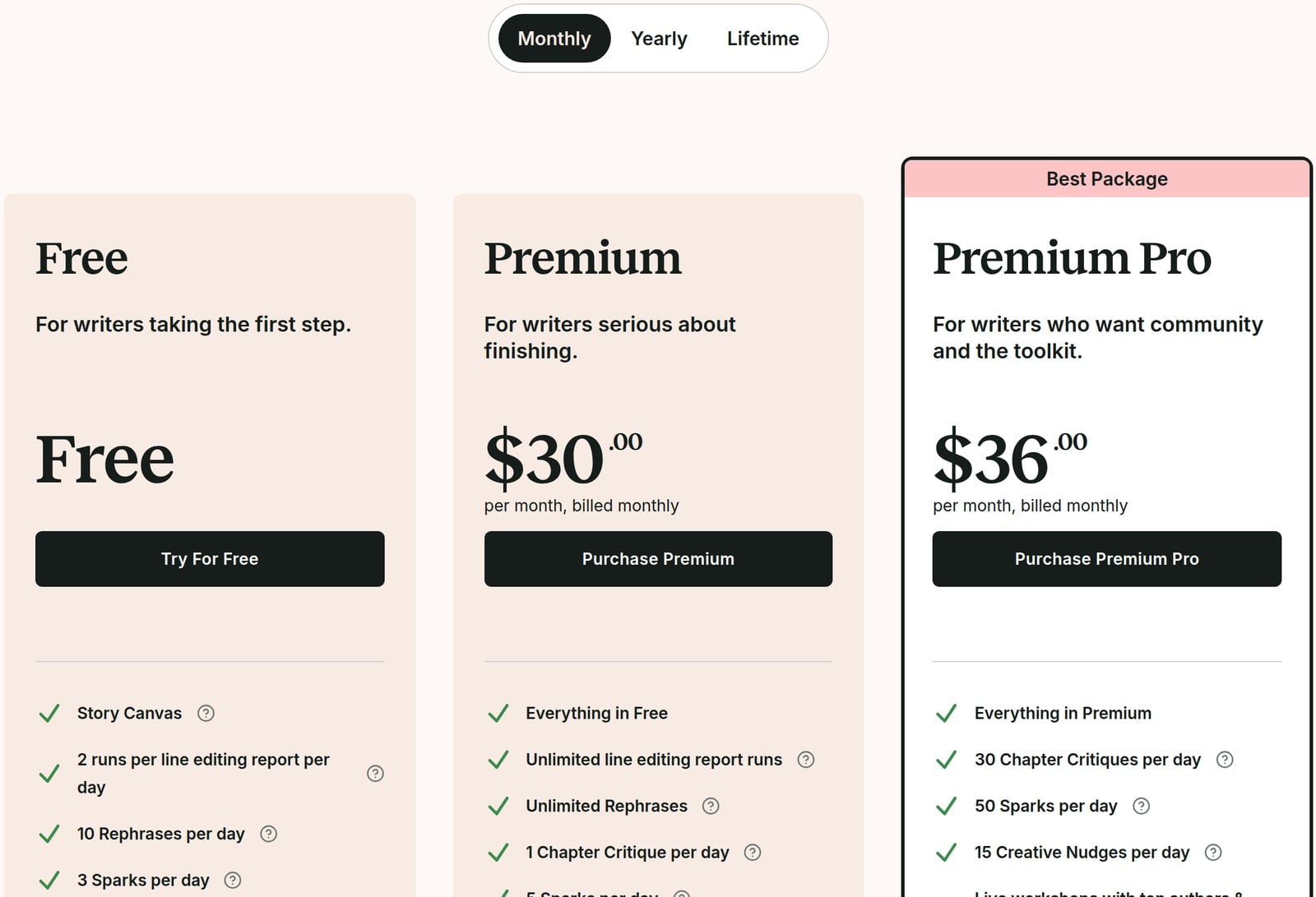
ProWritingAid offers five pricing plans:
- Free: Free forever, for writers who want grammar, spelling, and punctuation checks, plus 10 rephrases a day.
- Monthly Premium: $30/month for authors and professional writers who need unlimited word count, analyses, and advanced style improvements.
- Yearly Premium: $120/year for authors and professionals who want all the features of the Monthly Premium plan with a big discount.
- Lifetime Premium: $399 one-time payment, for authors and professional writers who want to unlock ProWritingAid's full power for life.
- Premium Pro: $36/month, $144/year, or $699 one time, for writers who also want 30 Chapter Critiques a day, live workshops with top authors and editors, and daily cowriting sprints.
The annual plan provides a 67% discount.
Try ProWritingAid today with the free plan.
2. QuillBot
Our Verdict — Best For Paraphrasing
Price: Starts at $19.95/month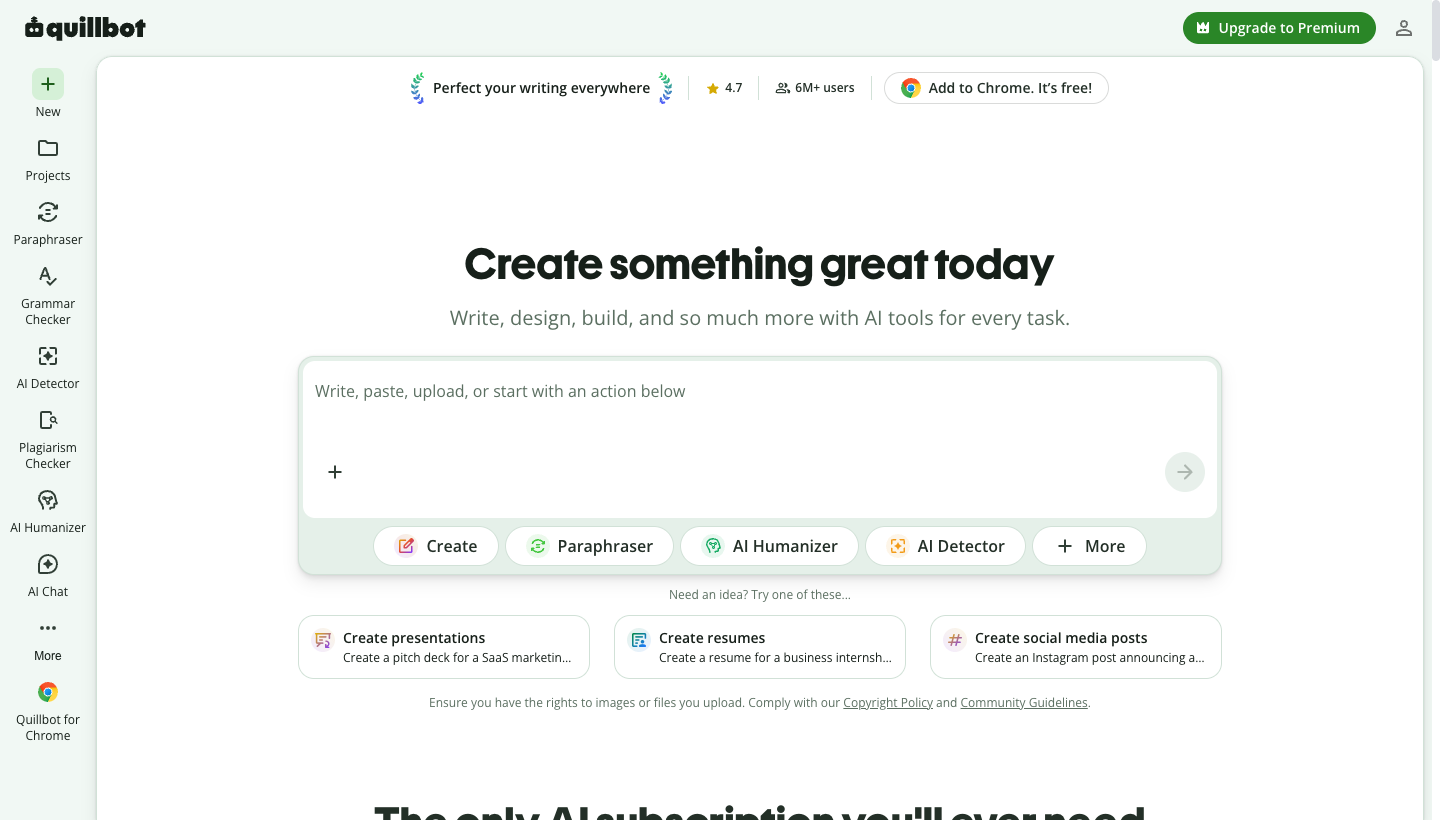
QuillBot is an AI writing assistant that pairs a dependable grammar checker with the strongest paraphraser in this roundup. We think it's the best for paraphrasing because it rewrites a clumsy sentence in more than 10 different styles, instead of only flagging it as weak.
The Best Part:
- It rewrites instead of just correcting. Most grammar checkers tell you a sentence is weak and leave you to fix it. QuillBot hands you a cleaner version of it, in the tone you asked for.
The Worst Part:
- The free plan runs out fast. You get 100 words per paraphrase and limited humanizer use, so the free tier works as a demo rather than a setup you can write in every day.
Get it if you want one place to fix your grammar, rewrite your sentences, summarize long documents, and check for plagiarism.
I recommend you get started with the Free plan, then upgrade to Premium for $19.95/month.
(free plan)
Best For
QuillBot is best for students and content writers who rewrite as much as they proofread.
Top Features
- Rewrite it until it reads right. Run any sentence through the paraphraser in more than 10 modes, from Academic to Simple, until it sounds like you meant it to.
- Clean up the whole draft. Paste or upload your document and the grammar checker fixes spelling, punctuation, and phrasing in a single pass.
- Catch borrowed lines first. Run your document through the plagiarism checker and find missed citations across more than 100 languages before anyone else does.
- Shrink a long read. Feed a report or a research paper to the summarizer and get a custom-length summary instead of skimming all of it.
- Take it where you already write. Add QuillBot to Chrome, Microsoft Word, or macOS so you can edit inside the apps you use, not just on their site.
Pricing
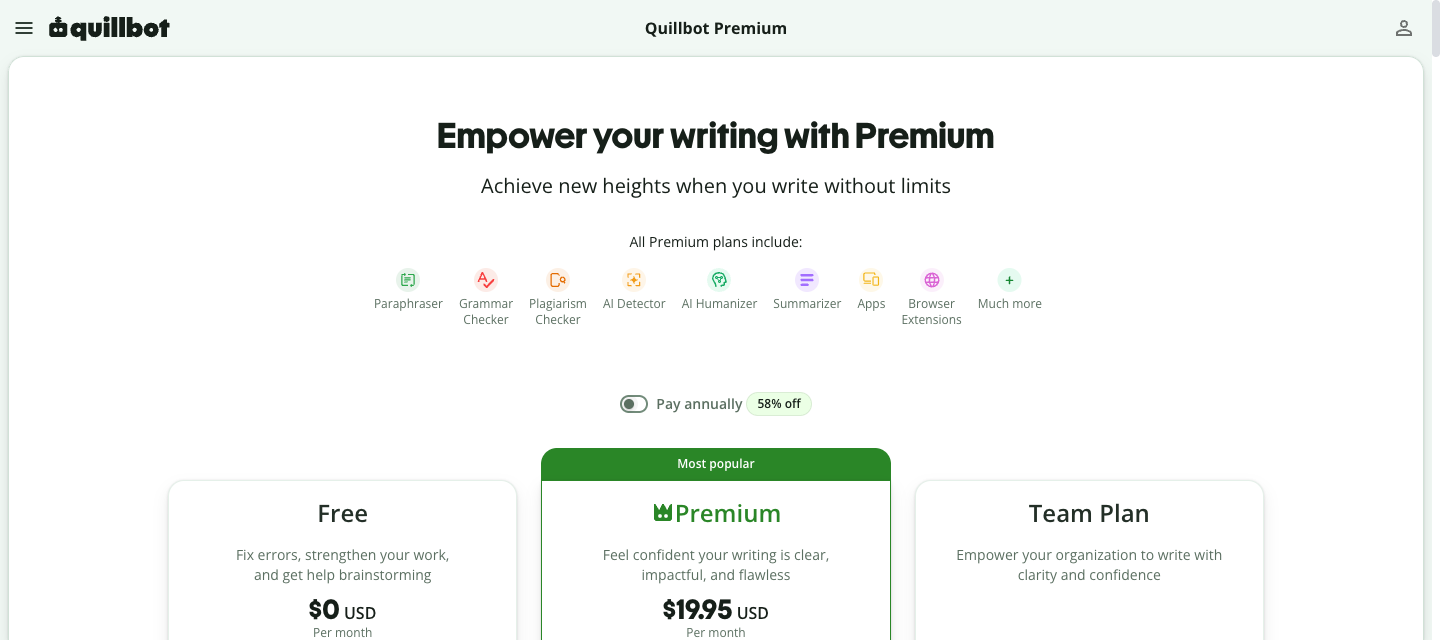
QuillBot offers three pricing plans:
- Free: Free forever, for writers who want basic grammar fixes and up to 100 words per paraphrase.
- Premium: $19.95/month, for writers who want unlimited paraphrasing, advanced grammar suggestions, and the plagiarism checker.
- Team Plan: Custom pricing, for organizations that want centralized billing, team usage metrics, and a user management dashboard.
Try QuillBot today with the free plan.
Our Verdict — Best Budget Option
Price: Starts at $13/month
Ginger Software is an incredibly affordable and user-friendly AI grammar checker that gets it done. We think it’s the best budget option because of how much punch it delivers for its modest price tag.
The Best Part:
- One-click bulk correction. Ginger Software lets you fix all grammar mistakes in your document with just one click, saving you the hassle of correcting each error individually.
The Worst Part:
- Inconvenient mobile app. Ginger Software's mobile app requires that you write within it for corrections, rather than working seamlessly with other apps on your phone.
Get it if you want an affordable AI grammar checker that you can use on your writing projects.
I recommend you get started with the Free plan, then get the Annual plan for $90/year, which works out to $7.50/month.
(free plan)
Best For
Ginger Software is best for students and writers who want an affordable AI grammar checker to polish their written content.
Top Features
- Always find the right words. Ginger Software's built-in thesaurus provides synonyms for not-so-great word choices, allowing you to quickly select the perfect fit and continue editing.
- Faster editing. Ginger Software's shortcuts let you access its features in a flash, making your editing process way more efficient.
- Sit back and relax. Ginger Software's text-to-speech feature reads your text aloud, helping you catch awkward phrasings or missed errors without having to reread the entire piece.
- It perfects your punctuation. Ginger Software helps you place commas, periods, and other punctuation marks correctly for flawless writing. It will even humanize your AI copy.
- Write together with your team. With Ginger Teams, multiple users can collaborate on docs to keep grammar and style consistent all the way through.
Pricing
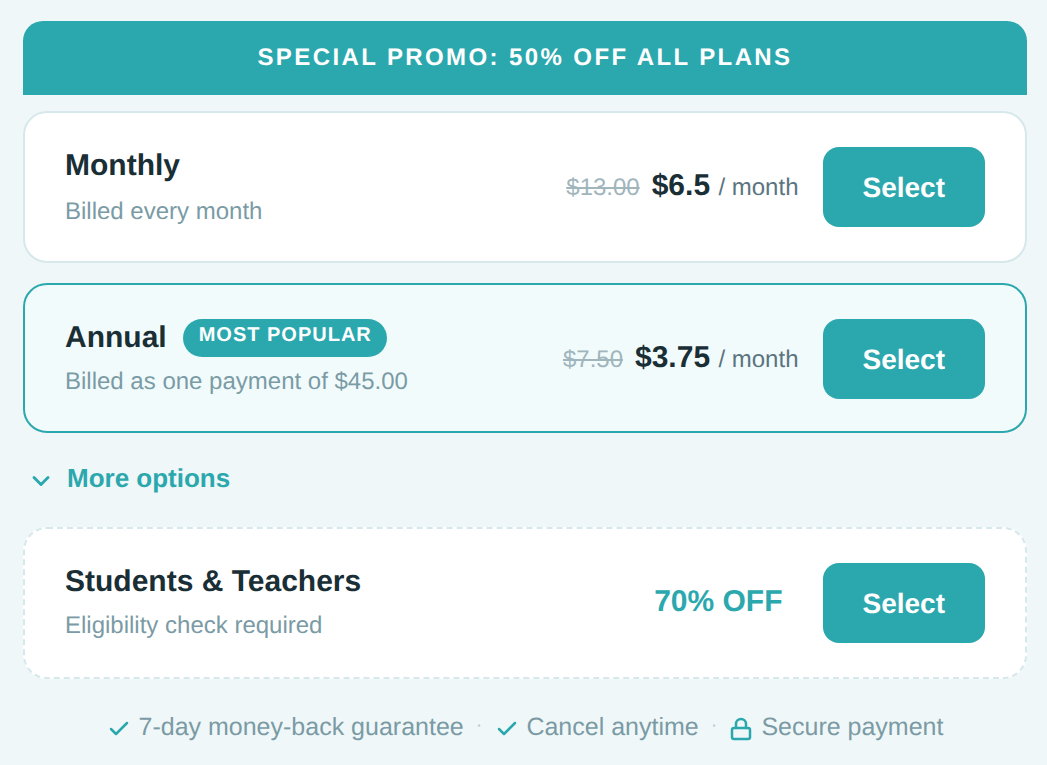
Ginger Software offers four pricing plans:
- Free: Free forever, for casual users who need basic grammar checking.
- Monthly: $13/month for users who require advanced features and unlimited access.
- Annual: $90/year, or $7.50/month, for individuals looking to save money while enjoying all premium features.
- Ginger Business: Custom pricing, for teams who want collaborative editing tools and centralized billing.
Annual plans provide a 42% discount. Ginger discounts these plans almost constantly, so you will usually find them marked down by 50% or more.
Try Ginger Software today with the free plan.
4. Grammarly
Our Verdict — Best For Writing Across Every App
Price: Starts at $12/month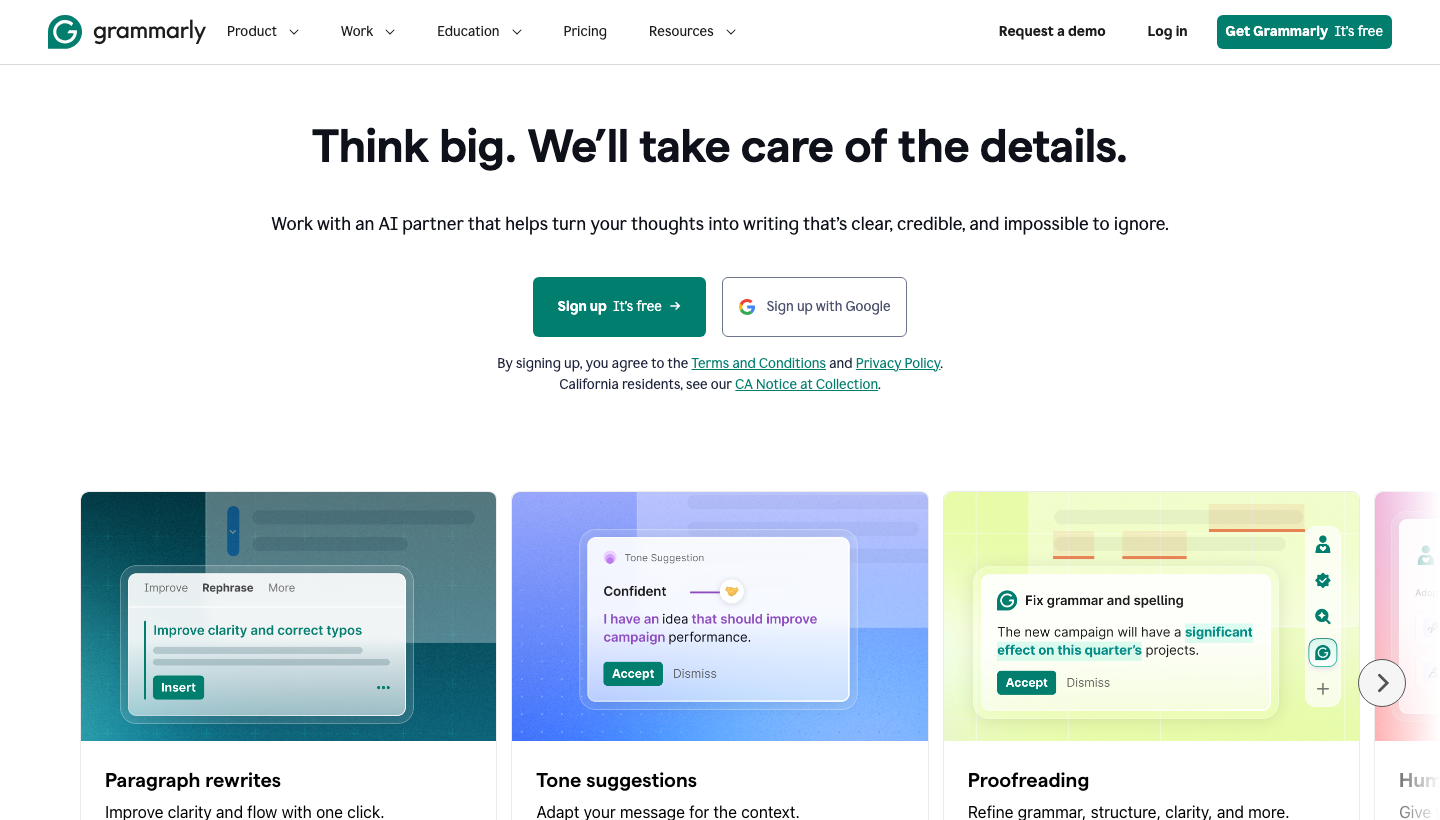
Grammarly is an AI-powered grammar checker that works on every device you write from. We think it's the best for writing across every app, because it plugs into Google Docs, Microsoft Word, your browser, and your phone keyboard, and corrects you in all of them.
The Best Part:
- It works across all platforms. Grammarly integrates seamlessly with your favorite apps such as Google Docs, Microsoft Word, and even your browser, making it easy to improve your writing on every occasion.
The Worst Part:
- Occasional false positives. Sometimes Grammarly may flag a word or expression as an error, when it's actually correct in context. It's important to double-check Grammarly's suggestions instead of taking them to heart.
Get it if you want to improve your writing skills and eliminate grammar mistakes with the help of an intelligent AI-powered tool.
I recommend you get started with the Free plan, then sign up for Pro at $12/month.
(free plan)
Best For
Grammarly is best for anyone who wants to improve the grammar in their writing.
Top Features
- Catch errors on the fly. Grammarly quickly identifies and fixes grammar, punctuation, and spelling mistakes as you type.
- Personalized recommendations. Grammarly adjusts its recommendations according to your goals, such as academic, professional, or casual writing.
- Create your own dictionary. Add words and jargon to your dictionary, so you can avoid false positives in spelling checks.
- Better every day. Learn from your mistakes with detailed explanations for each flagged error.
- Check grammar on the go. Take advantage of Grammarly with their keyboard apps for Android and iPhone. Keep your writing pristine, even when you're texting.
Pricing
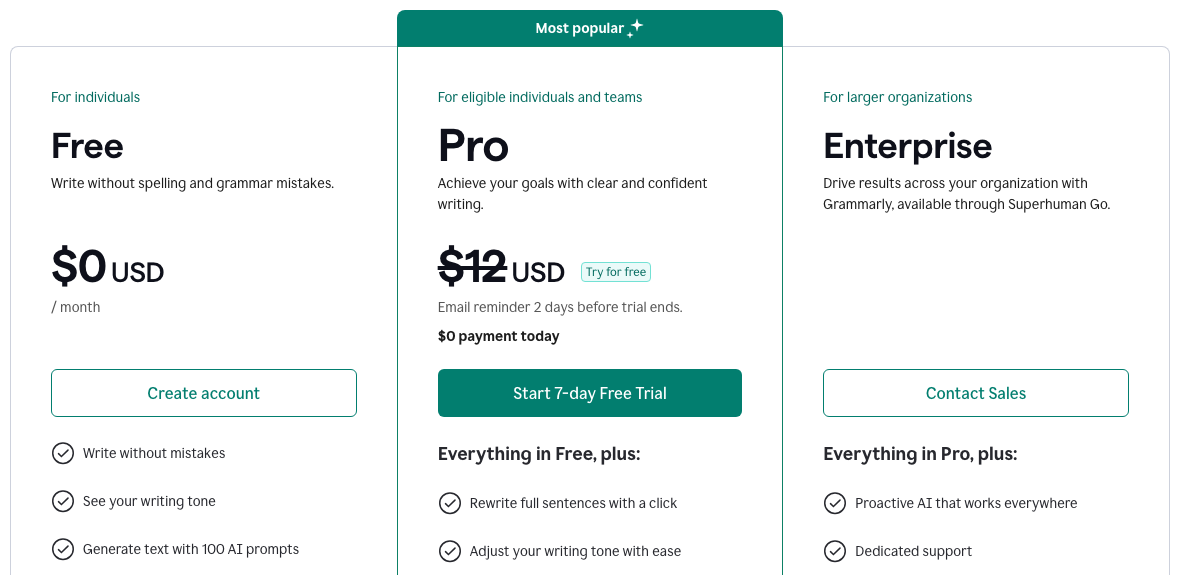
Grammarly offers three pricing plans:
- Free: Free forever, for writers who want to catch spelling and grammar mistakes without paying.
- Pro: $12/month for writers who want full-sentence rewrites, tone adjustments, unlimited suggestions, and plagiarism detection. It comes with a 7-day free trial.
- Enterprise: Custom pricing, for larger organizations that want dedicated support, custom roles and permissions, and data loss prevention.
Try Grammarly today with the free plan.
5. LanguageTool
Our Verdict — Best For Multiple Languages
Price: Starts at $24.90/month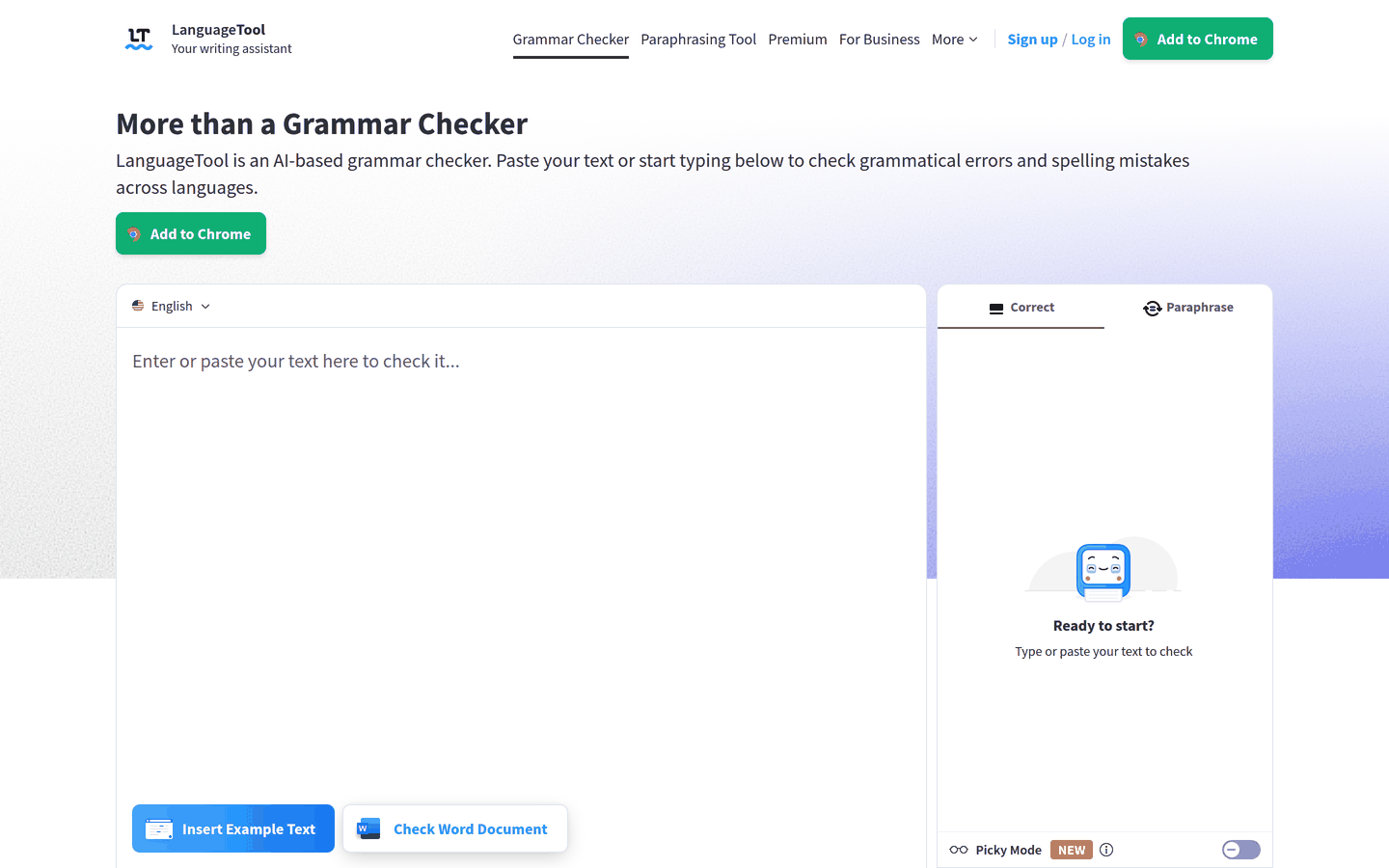
LanguageTool is an AI-based grammar checker that corrects grammar, punctuation, style, and spelling in more than 30 languages. We think it's the best for multiple languages, because German, Spanish, French, Dutch, Portuguese, and English all live in the same tool, so switching languages doesn't mean switching tools.
The Best Part:
- One checker for every language you write in. LanguageTool covers more than 30 languages and dialects, so a bilingual writer can keep a single tool for everything.
The Worst Part:
- The free plan caps your text. Free users can check up to 2,000 characters per text field, so longer documents have to go in pieces unless you move to Premium, which takes up to 150,000.
Get it if you write in more than one language and want a single grammar checker for all of them.
I recommend you get started with the free plan, then upgrade to Premium at $69.90/year.
(free plan)
Best For
LanguageTool is best for multilingual writers and teams who switch languages during the day.
Top Features
- Write in more than 30 languages. Check English, German, Spanish, French, Dutch, Portuguese, and many more without leaving the same editor.
- Plug it into your inbox. Add-ons for Gmail, Apple Mail, Thunderbird, and Outlook (in beta) check your emails before you hit send.
- Go picky when it counts. Turn on Picky Mode for a stricter pass over any text that has to be perfect before it goes out.
- Keep your own words. Save names and jargon to your personal dictionary, and LanguageTool stops flagging them as typos.
- Rephrase with AI. Premium gives you unlimited AI sentence rephrasing, while the free plan gets three rephrasings a day.
Pricing
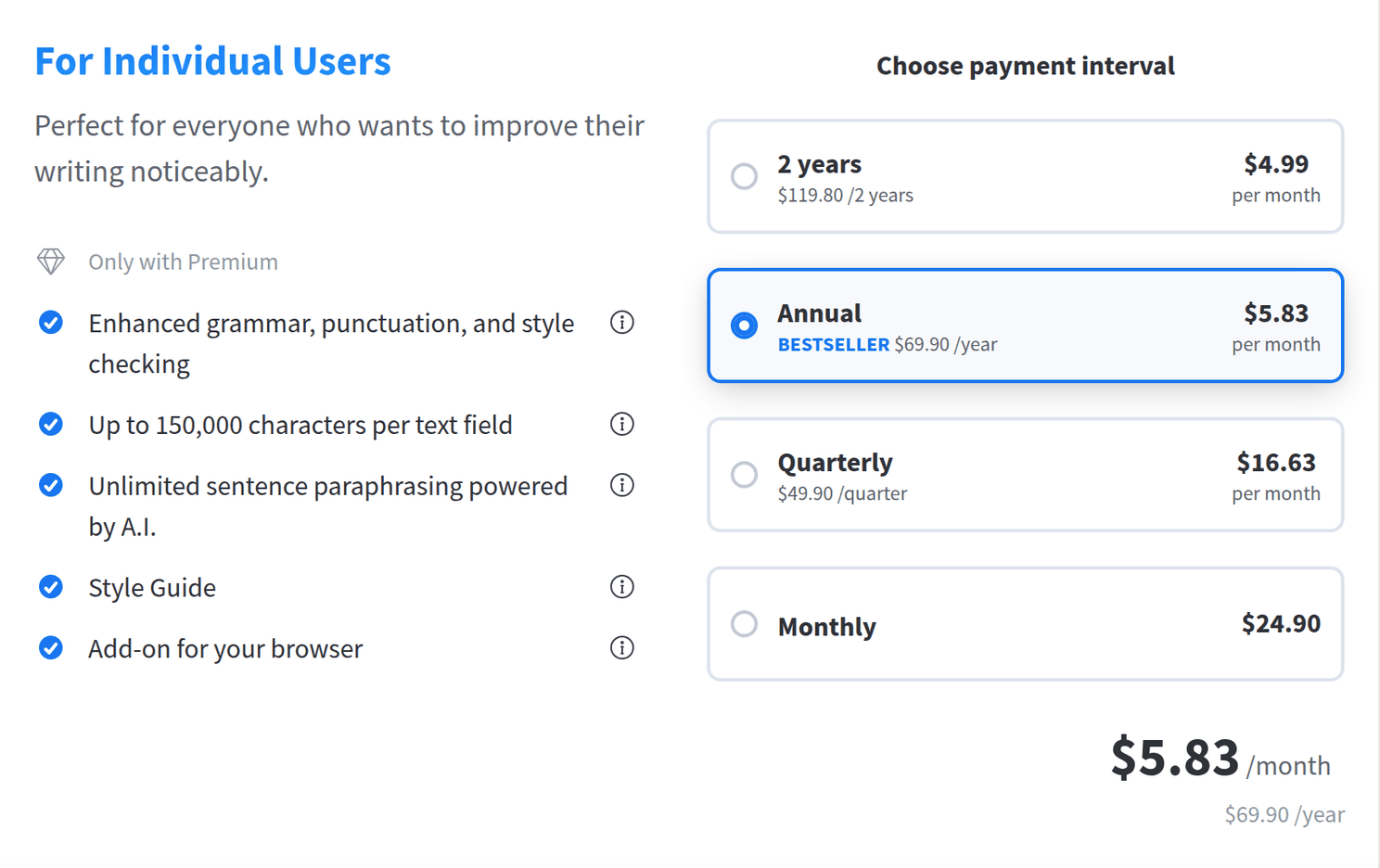
LanguageTool offers a free plan and a Premium plan with four billing options:
- Free: $0, for casual writers who want grammar, spelling, and punctuation checks on up to 2,000 characters per text field.
- Premium Monthly: $24.90/month, for writers who want Premium without a long commitment.
- Premium Quarterly: $49.90 every three months, for writers who want Premium for a single project.
- Premium Annual: $69.90/year, for writers who want Premium all year at a lower price. It is LanguageTool’s bestseller.
- Premium 2 Years: $119.80 every two years, for writers who want the lowest price per month.
Annual subscriptions provide a 77% discount.
Try LanguageTool today with the free plan.
6. Trinka
Our Verdict — Best For Academic Writing
Price: Starts at $20/month
Trinka is a privacy-first AI grammar checker built for academic and technical writing. We think it's the best for academic writing, because its Premium plan corrects your paper against the style guides researchers write to, like APA, AMA, IEEE, ACS, and AGU.
The Best Part:
- It speaks academic. On Premium, Trinka checks your paper against style guides like APA, AMA, IEEE, ACS, and AGU. Every plan, the free one included, also runs a technical spell check.
The Worst Part:
- The free plan is tight. The Basic plan gives you 5,000 words of writing assistance a month, which a single research paper can use up.
Get it if you write papers, theses, or technical documents and want corrections that follow academic style rules.
I recommend you get started with the free Basic plan, then upgrade to Premium at $20/month.
(free plan)
Best For
Trinka is best for students, researchers, and academics who want their writing ready for submission.
Top Features
- Proofread the whole file. On Premium, upload a Microsoft Word or LaTeX file and get it back with every correction as a tracked change.
- Stay consistent. Consistency checks flag the places where a long paper spells or formats the same thing two different ways.
- Check before you submit. Run plagiarism and AI-content checks on your draft before a reviewer does.
- Find the right journal. Journal Finder suggests journals that fit your manuscript, so you spend less time guessing where to submit.
- Write inside Word. Trinka’s native Microsoft Word app and browser extensions check your writing where you already draft.
Pricing
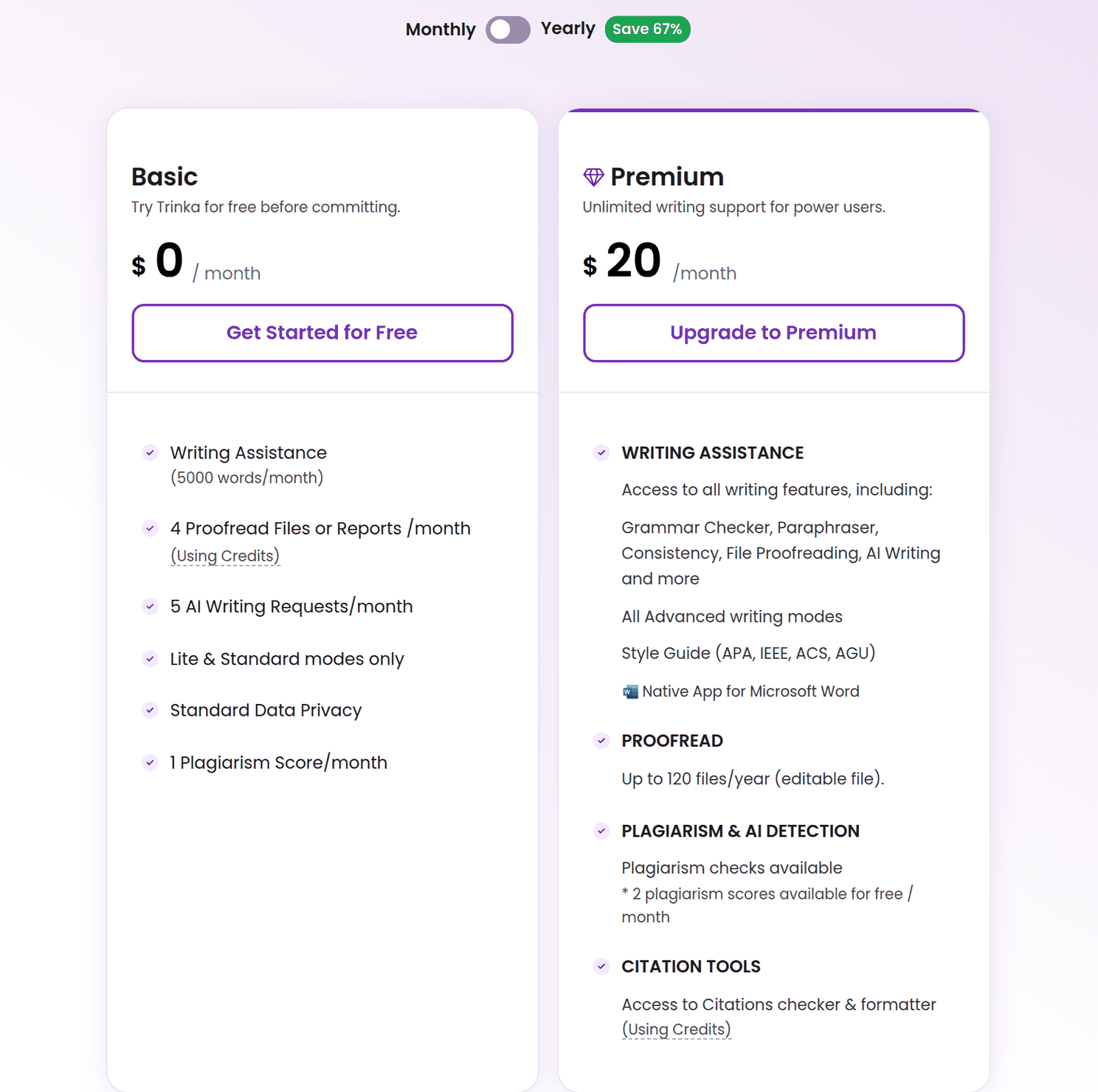
Trinka offers four pricing plans:
- Basic: $0/month, for writers who want to try Trinka with 5,000 words of writing assistance a month.
- Premium: $20/month, or $80/year on annual billing (marked down to $48 at the time of writing), for power users who want every writing feature, all advanced writing modes, and style guide corrections.
- Premium Plus: $125/year, billed annually only, for writers who want everything in Premium plus plagiarism and AI detection and file translation.
- Confidential Data: $500/year (marked down to $300 at the time of writing), billed annually only, for sensitive or proprietary content that needs an offline grammar checker and instant data deletion.
Annual subscriptions provide a 67% discount.
Try Trinka today with the free plan.
Our Verdict — Best For Readability
Price: Starts at $25/month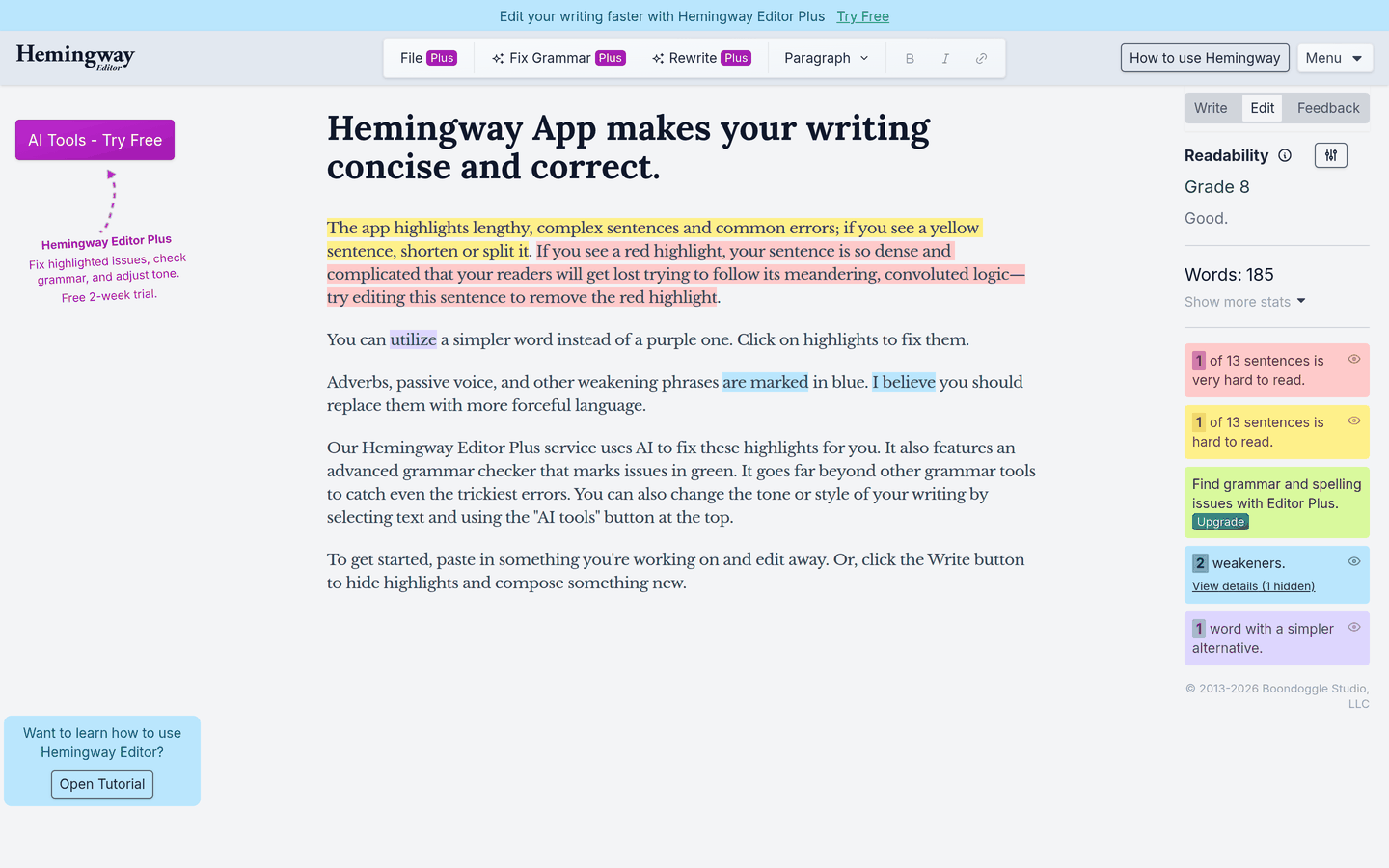
Hemingway Editor is a readability checker that color-codes what slows your reader down: long sentences, passive voice, adverbs, and complicated words. We think it's the best for readability, because it gives your text a grade level and shows you exactly which sentences push it up.
The Best Part:
- It shows you the problem. Yellow and red highlights mark the sentences that are hard to read, so you can see what to cut before you start cutting.
The Worst Part:
- The AI costs extra. Rewrites, grammar fixes, and tone changes live in Hemingway Editor Plus, a separate subscription on top of the free editor.
Get it if you want clear, simple writing that anyone can read in one pass.
I recommend you get started with the free web editor, then try Editor Plus with its 2-week free trial.
(free web editor)
Best For
Hemingway Editor is best for bloggers, students, and professionals who want their writing easier to read.
Top Features
- Get a readability grade. Hemingway scores your text by grade level, so you know when a draft is too dense for your audience.
- Spot the weak words. Adverbs and passive voice show up in blue, and purple highlights point to words with a simpler alternative.
- Fix it with a click. Editor Plus rewrites wordy sentences, fixes grammar, and can make your tone more confident, formal, or friendly.
- Write offline. The Hemingway Editor 3 desktop app for Mac and PC works without an internet connection.
- Publish straight to WordPress. Send a draft or a live post from the desktop app to WordPress, or export it to HTML, Markdown, Word, or PDF.
Pricing

Hemingway Editor offers four Editor Plus plans and a desktop app:
- Individual 5K: $25/month, or $100/year on annual billing, for writers who want 5,000 AI sentence rewrites a month.
- Individual 10K: $30/month, or $150/year on annual billing, for writers who want 10,000 AI sentence rewrites a month.
- Team 10K: $30/user/month, or $150/user/year on annual billing, for teams of up to 50 users who want every license on a single bill.
- Enterprise: Custom pricing, for organizations that need more AI credits and help with security assessments.
- Hemingway Editor 3: $19.99 one-time purchase, for writers who want the classic desktop editor for Mac or PC without the AI features.
Annual subscriptions provide up to a 67% discount.
Try Hemingway Editor today with the free web editor.
Our Top Three Picks
Here’s a quick summary of our top three picks:
- ProWritingAid — best of the best
- QuillBot — best for paraphrasing
- Ginger Software — best budget option
Here’s a quick comparison of our top seven picks:
Tool | Entry Offer | Pricing |
|---|---|---|
ProWritingAid | Free plan | Starts at $30/mo |
QuillBot | Free plan | Starts at $19.95/mo |
Ginger Software | Free plan | Starts at $13/mo |
Grammarly | Free plan | Starts at $12/mo |
LanguageTool | Free plan | Starts at $24.90/mo |
Trinka | Free plan | Starts at $20/mo |
Hemingway Editor | Free web editor | Starts at $25/mo |
Here are the top 50 AI grammar checkers we considered in this review:
- ProWritingAid
- QuillBot
- Ginger Software
- Grammarly
- LanguageTool
- Trinka
- Hemingway Editor
- WhiteSmoke
- Readable.io
- Jenni AI
- After the Deadline
- DeepL Write
- Microsoft Editor
- SentenceCheckup
- Writer
- Virtual Writing Tutor
- SpellCheckPlus Pro
- Reverso Speller and Grammar Checker
- Typely
- OnlineCorrection.com
- InstaText
- GramMark.org
- CorrectEnglish
- Prepostseo
- JetPack Proofreading Module for WordPress sites
- Antidote
- Outwrite
- WordRake
- Scrivener's Integrated Grammar and Spell Checker
- PerfectIt Proofreading Software for Professionals
- Smodin
- AutoCrit
- StyleWriter
- TextCortex
- Linguix Grammar & Spell Checker
- Wordvice AI
- Writefull
- Scribbr
- Sapling AI Writing Assistant
- ChatGPT
- Wordtune
- Grammar Slammer Deluxe
- ClearEdits Writing Editing Software
- Paperpal
- Ulysses' Grammar and Style Check
- ContentStudio's Content Editor & Grammar Checker
- Ludwig
- Zoho Writer's Grammar Checker and Style Guide
- Gramara
- Scribens
Frequently Asked Questions About AI Grammar Checkers
What is the best AI grammar checker overall?
ProWritingAid is our top pick overall. Its reports go deeper than a spell check and show you the habits that weaken your writing, so you fix the pattern instead of the typo.
Which AI grammar checkers are worth trying first?
The strongest options to start with are ProWritingAid, QuillBot, Ginger Software, Grammarly, LanguageTool, Trinka, and Hemingway Editor. These rose to the top after a long stretch of hands-on testing, so you can trust the shortlist.
Are there free AI grammar checkers?
Yes. The top-ranked tools all let you start free, with a free plan or a free version. Begin there, then upgrade based on your own needs once you know which one fits.
What makes Grammarly stand out?
Grammarly stands out because it fixes grammar, spelling, and clarity in real time across nearly every app you write in. You get the same editing whether you are in Google Docs, Word, or your inbox, which is why it is our pick for writing across every app.
Which AI grammar checker is the best budget pick?
Ginger Software is our budget pick, so reach for it if you want solid corrections without spending much. Trinka has a free Basic plan and Hemingway Editor has a free web editor, so you can start on either before you pay for anything.
What is the best AI grammar checker for multiple languages?
LanguageTool is the one to reach for if you write in multiple languages, since it checks many of them well. If you need something that runs across every platform instead, Grammarly is the stronger multi-platform pick.
What does ProWritingAid do best?
ProWritingAid is our best of the best, and in-depth analysis is why. You get detailed reports on weak spots in your writing, including clichés, redundancies, and consistency issues, so reach for it when you want to understand and fix patterns, not just typos.
Which AI grammar checker is best for readability?
Hemingway Editor is the one to reach for when readability is the goal. It flags dense sentences and complex phrasing so your writing stays clear and easy to read.
Grammarly vs ProWritingAid: which should I choose?
Both are excellent, but they solve different problems. Reach for ProWritingAid, our top pick, if you want deep reports on your writing weaknesses. Reach for Grammarly if you want clean, correct writing everywhere you type, across Google Docs, Word, and browsers. Try the free plans first, then upgrade to the one that fits how you write.
The Bottom Line
To recap, here are the best AI grammar checkers to try this year:
- ProWritingAid — best of the best
- QuillBot — best for paraphrasing
- Ginger Software — best budget option
- Grammarly — best for writing across every app
- LanguageTool — best for multiple languages
- Trinka — best for academic writing
- Hemingway Editor — best for readability