

Today there are 74 different AI image upscalers. We spent 43 hours comparing the top 50 to find the seven best you can use to improve the clarity and quality of your photos.
What is the Best AI Image Upscaler?
- Fotor — best of the best
- Gigapixel AI — best for photographers
- HitPaw — best for ease of use
- Icons8 AI Image Upscaler — best for web devs
- Luminar Neo Upscale AI — best for advanced photo editing
- AVC Labs Photo Enhancer AI — best for restoring damaged photos
- Stockphotos.com AI Image Upscaler — best for stock images
1. Fotor
Our Verdict — Best Of The Best
Price: Starts at $10.99/month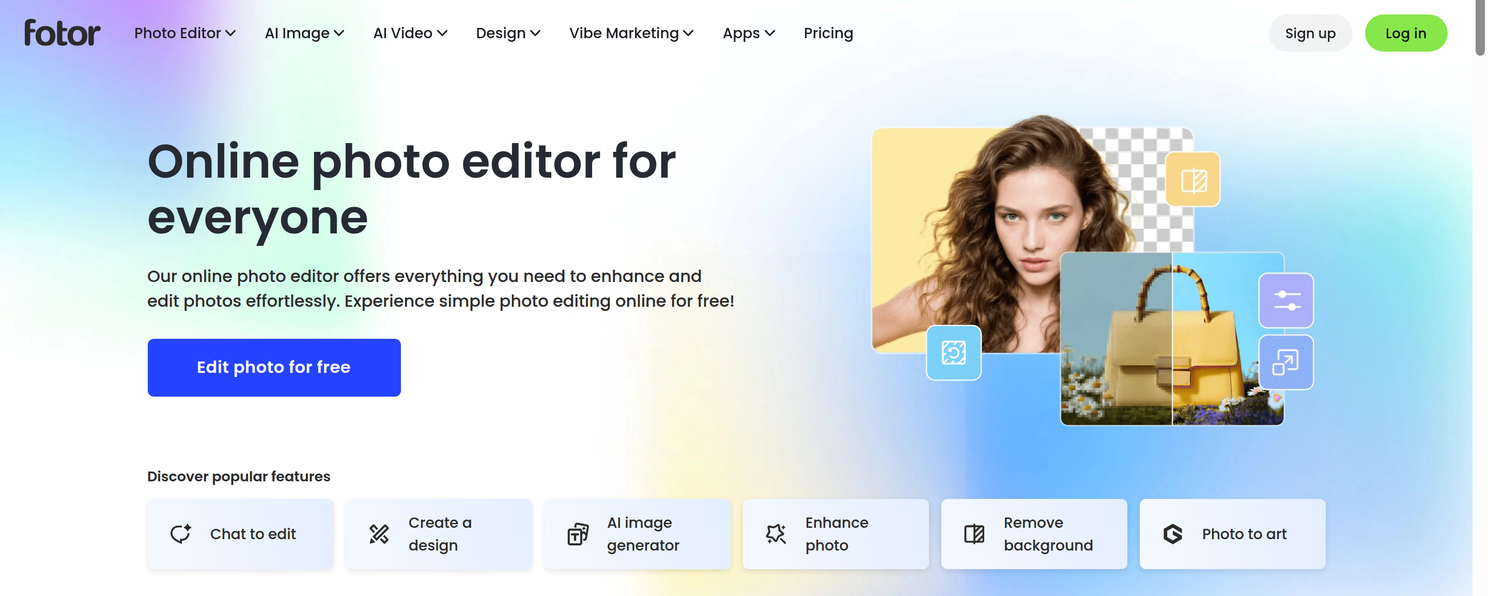
Fotor is a powerful, web-based AI solution that can upscale images with incredible results. We think it’s the best because of its advanced AI algorithms, user-friendly interface, and affordable pricing plans.
The Best Part:
It’s incredibly user-friendly. Fotor's intuitive web design and easy-to-navigate interface let even the most novice users enhance and upscale all kinds of images in no time.
The Worst Part:
Occasional slow processing times. Depending on your internet connection and image size, the upscaling process on Fotor might take longer than expected.
Get it if you want to turn your not-so-great photos into eye-catching visuals without breaking the bank or spending hours learning complicated software.
I recommend you give Fotor’s free plan a try, then get Fotor Pro for $10.99/month.
(free plan)
Best For
Fotor is best for individuals who want a user-friendly AI image upscaler to turn average photos into stunning masterpieces.
Top Features
Kiss pixelation goodbye. Fotor's AI-driven upscaling turns your low-res photos into crisp, clear works of art.
Tweak ‘em to perfection. Fine-tune brightness, contrast, saturation, and more with Fotor's comprehensive editing options.
Channel your inner Picasso. Choose from a vast selection of filters and effects to make your images pop.
Erase those oops moments. Remove blemishes, red-eye, and other imperfections with Fotor's retouching tools.
Express your heart. Add stylish text to your images using a large array of fonts and customizations.
Pricing
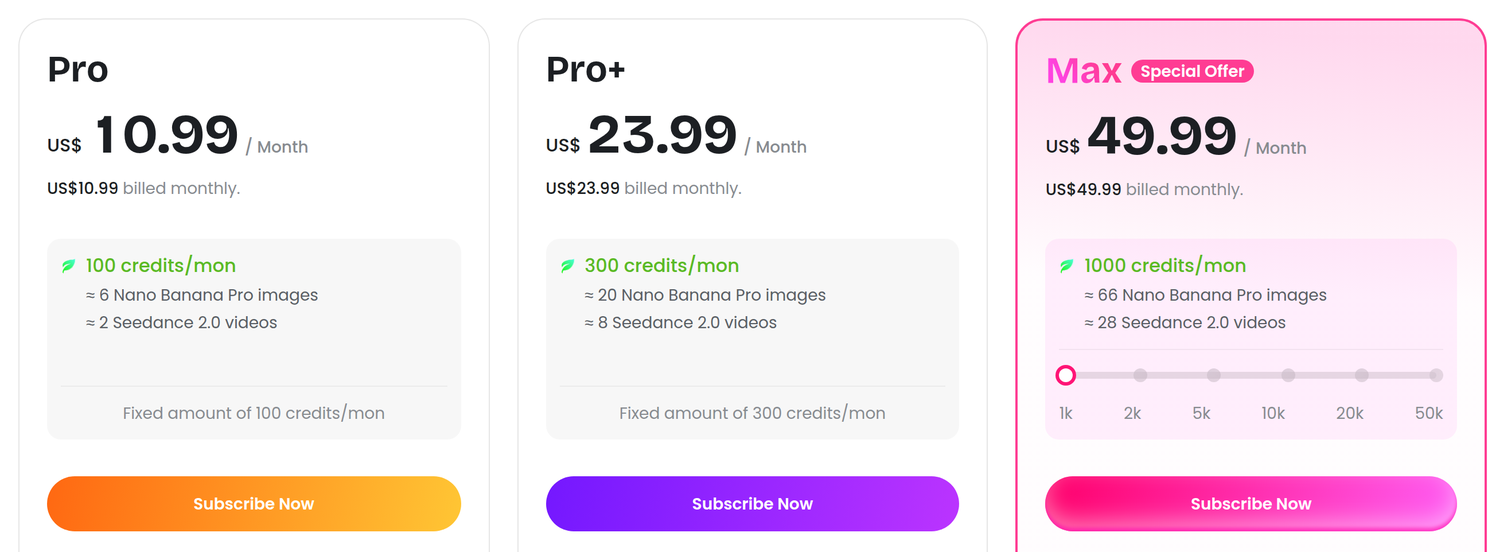
Fotor offers four pricing plans:
- Fotor Basic: Free forever, for casual users who want to test out editing, design, and upscaling features without any download options.
- Fotor Pro: $10.99/month, or $47.99/year, for 100 credits a month and 10 concurrent generations.
- Fotor Pro+: $23.99/month, or $69.99/year, for 300 credits a month, 30 concurrent generations, and 100 GB of cloud storage.
- Fotor Max: $49.99/month, or $167.92/year, for 1,000 credits a month, 50 concurrent generations, and 500 GB of cloud storage.
Annual plans provide up to a 76% discount.
Try Fotor today with the free plan.
2. Gigapixel AI
Our Verdict — Best For Photographers
Price: $149/year
Gigapixel AI is a top choice for pros in need of a heavy duty AI image upscaler. We think it’s the best for photographers because of its GPU acceleration support, mind-blowing detail enhancement, and quick previews of upscaled images.
The Best Part:
It’s supercharged with GPU power. Gigapixel AI has collaborated with top-notch CPU/GPU brands like Nvidia and Intel to optimize performance for large image files and batch processing.
The Worst Part:
It requires a powerful computer. Gigapixel AI craves a beefy GPU to run its high-powered features without any hiccups.
Get it if you want to level up your photography with an AI-powered upscaler that enhances every tiny detail.
I recommend you give the free trial a whirl, then subscribe for $149/year.
(free trial)
Best For
Gigapixel AI is best for professional photographers who want high-quality upscaling without sacrificing detail.
Top Features
Batch processing for the win. Upscale thousands of photos at once thanks to Gigapixel AI’s batch processing functionality.
Scale to the moon. Upscale your images to impressive resolutions by up to 6x without compromising image quality.
Effortless face enhancement. Gigapixel AI automatically detects and improves facial details in your photos without any manual retouching.
Customize your results. Find the perfect balance of sharpness and noise reduction in your images, by fine-tuning your results.
Keep it natural. Experience realistic upscaling with Gigapixel AI’s advanced algorithm to maintain true-to-life textures in your photos.
Pricing
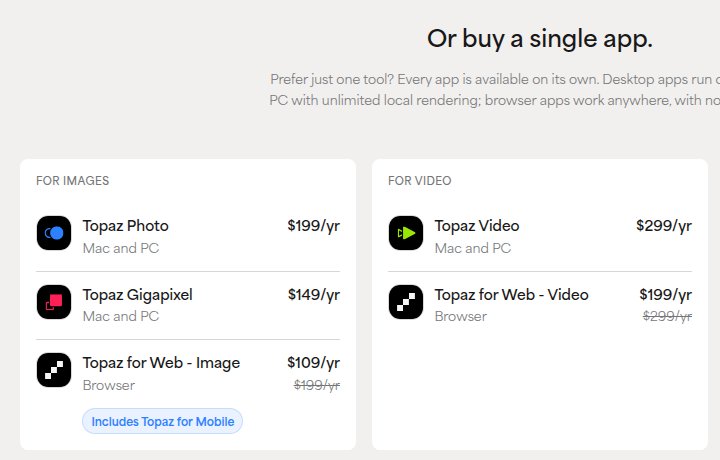
Gigapixel AI is sold as a yearly subscription:
- Topaz Gigapixel: $149/year for Mac and PC, with unlimited local and cloud rendering, for professional photographers who want cutting-edge image upscaling.
Try Gigapixel AI today with a free trial.
3. HitPaw
Our Verdict — Best For Ease Of Use
Price: Starts at $27.99/month
HitPaw is the most straightforward desktop AI image upscaler software. We think it’s the best for ease of use because of its swift processing speed, clutter-free interface, and compatibility with Windows and Mac OS.
The Best Part:
Sky's the limit. HitPaw gives you the freedom to enlarge images beyond standard options, allowing you to set your desired resolution for truly personalized upscaling results.
The Worst Part:
Prone to occasional crashes. HitPaw may experience hiccups when upscaling images to extreme levels, which can be frustrating.
Get it if you want an AI-powered upscaler that's simple to use and works efficiently on both Windows and Mac.
I recommend you start with the free plan, then get the Perpetual plan for $162.99.
(free plan)
Best For
HitPaw is best for those who would rather install software on their devices than rely on web-based apps.
Top Features
Blow up your images. Enlarge your images in 2x, 4x, and up to 8x.
Take the reins. Tweak image parameters, such as noise reduction, resolution, and export format, to get it just right.
Real-time preview magic. HitPaw lets you check the results of your upscaled images instantly so you can make adjustments as needed before hitting export.
Flexible pricing for all budgets. HitPaw offers a diverse range of pricing plans, from monthly to lifetime options.
One size fits all devices. Whether you're team PC or team Mac, HitPaw has got you covered.
Pricing
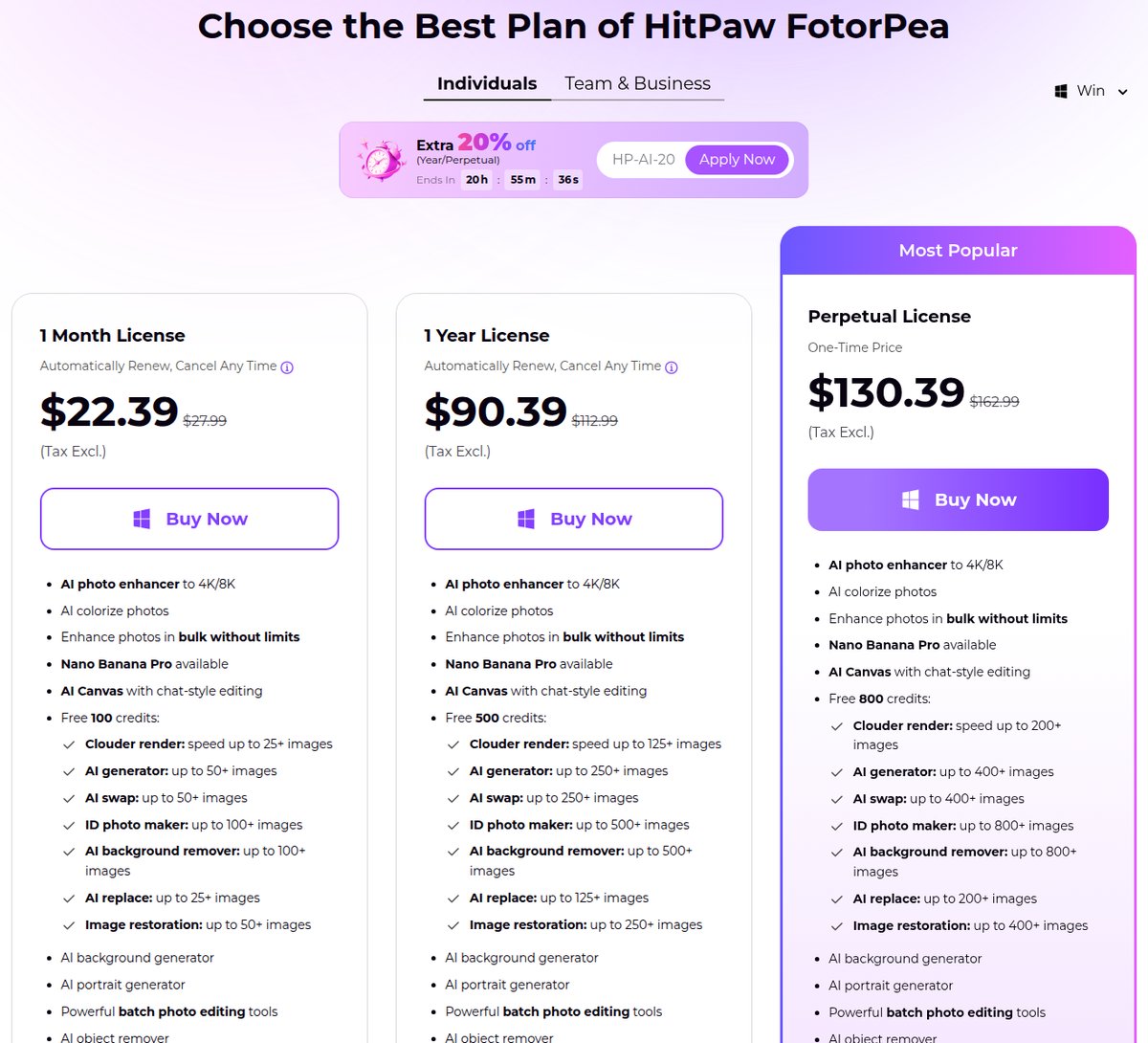
HitPaw FotorPea, HitPaw’s AI image upscaler, offers four pricing plans:
- Free plan: Free forever, for casual users who want to test out HitPaw’s upscaling features without exporting any images.
- 1 Month: $27.99/month for occasional users who need an efficient AI image upscaler on Windows.
- 1 Year: $112.99/year for dedicated users who upscale images regularly on Windows.
- Perpetual: $162.99 one-time payment, for long-term Windows users who want a reliable AI image upscaler without recurring costs.
Annual plans provide a 66% discount.
Try HitPaw today with the free plan.
Our Top Three Picks
Here’s a quick summary of our top three picks:
- Fotor — best of the best
- Gigapixel AI — best for photographers
- HitPaw — best for ease of use
Here’s a quick comparison of our top seven picks:
Tool | Entry Offer | Pricing |
|---|---|---|
Fotor | Free plan | Starts at $10.99/mo |
Gigapixel AI | Free trial | $149/yr |
HitPaw | Free plan | Starts at $27.99/mo |
Icons8 AI Image Upscaler | Free plan | Starts at $9/mo |
Luminar Neo Upscale AI | 30-day money-back guarantee | Starts at $14.95/mo |
AVC Labs Photo Enhancer AI | Free plan | Starts at $19.95/mo |
Stockphotos.com AI Image Upscaler | Free plan | Starts at $7 |
Here are the top 50 AI image upscalers we considered in this review:
- Fotor
- Gigapixel AI
- HitPaw
- Icons8 AI Image Upscaler
- Luminar Neo Upscale AI
- AVC Labs Photo Enhancer AI
- Stockphotos.com AI Image Upscaler
- Bigjpg
- Deep Image
- Vance AI Image Enlarger
- Photoshop’s Preserve Details 2.0
- Blow Up 3
- ImageEnlarger.com
- ON1 Resize
- Let's Enhance
- Reshade
- Pixlr
- Upscalepics
- AI Image Enlarger
- PhotoEnlarger
- Upscale Images with Neural Networks (PineTools)
- Upscaler
- ImgLarger
- BiggerPicture
- Pixelcut
- Resizing.app
- Upscale.media
- GIMP
- Img2Go
- Online Image Enlarger
- Imgupscaler
- Iloveimg
- Befunky
- Lunapic
- ResizePixel
- InPixio
- Upscayl
- Clipdrop
- Photoupz
- BIRME
- Simple Image Resizer
- Resize-Photos
- ImageResize.org
- Image Optimizer
- Tinypng
- Faststone Photo Resizer
- Free Picture Resizer
- PhotoRazor
- Fotosizer
- Bulk Resize Photos
Frequently Asked Questions About AI Image Upscaler Tools
What is an AI image upscaler?
An AI image upscaler uses artificial intelligence and deep learning to enhance low-resolution images. It fixes quality loss, blur, and color inconsistencies, turning low-res photos into crisp, clear results.
What is the best AI image upscaler?
Fotor is our top pick. You get advanced AI algorithms, a user-friendly interface, and affordable plans, so it is easy to get sharp results without a steep learning curve.
How do you use an AI image upscaler?
Upload your low-resolution image, pick the output resolution you want, and let the AI process it. That is the usual flow, and 4K is a common target output.
Is there a free AI image upscaler?
Yes. HitPaw is our pick for the best free photo enhancer. You can generate upscaled images for free, then pay for a subscription when you want to export the results.
What features matter most in an AI image upscaler?
Look for advanced AI algorithms, a user-friendly interface, and affordable plans, which are the traits behind our top pick. GPU acceleration and batch processing matter too when you handle large volumes of photos.
Which AI image upscaler is best for photographers?
Gigapixel AI is our pick for photographers. You get GPU acceleration and batch processing, so large volumes of photos move fast.
How much can an AI image upscaler enlarge an image?
Enlargement multiples vary by tool, and some push images well beyond their original size. HitPaw is one example, giving you several enlargement levels to choose from.
Which AI image upscaler is best for restoring damaged photos?
AVC Labs Photo Enhancer AI is our pick for restoring damaged photos. It is built to repair quality loss and imperfections in older or degraded images.
The Bottom Line
To recap, here are the best AI image upscalers to try this year:
- Fotor — best of the best
- Gigapixel AI — best for photographers
- HitPaw — best for ease of use
- Icons8 AI Image Upscaler — best for web devs
- Luminar Neo Upscale AI — best for advanced photo editing
- AVC Labs Photo Enhancer AI — best for restoring damaged photos
- Stockphotos.com AI Image Upscaler — best for stock images