

Every AI influencer generator promises a face that stays the same in every post, and the review pages for this category are full of people saying it does not. We compared 50 tools and kept the seven that actually hold a character together.
What is the Best AI Influencer Generator?
- Higgsfield — best of the best
- Influencer Studio — best for character consistency
- The Influencer AI — best for cloning your own face
- ComfyUI — best free option
- APOB AI — best budget pick
- ZenCreator — best pay as you go option
- HeyGen — best mainstream option
1. Higgsfield
Our Verdict — Best Of The Best
Price: Starts at $19/month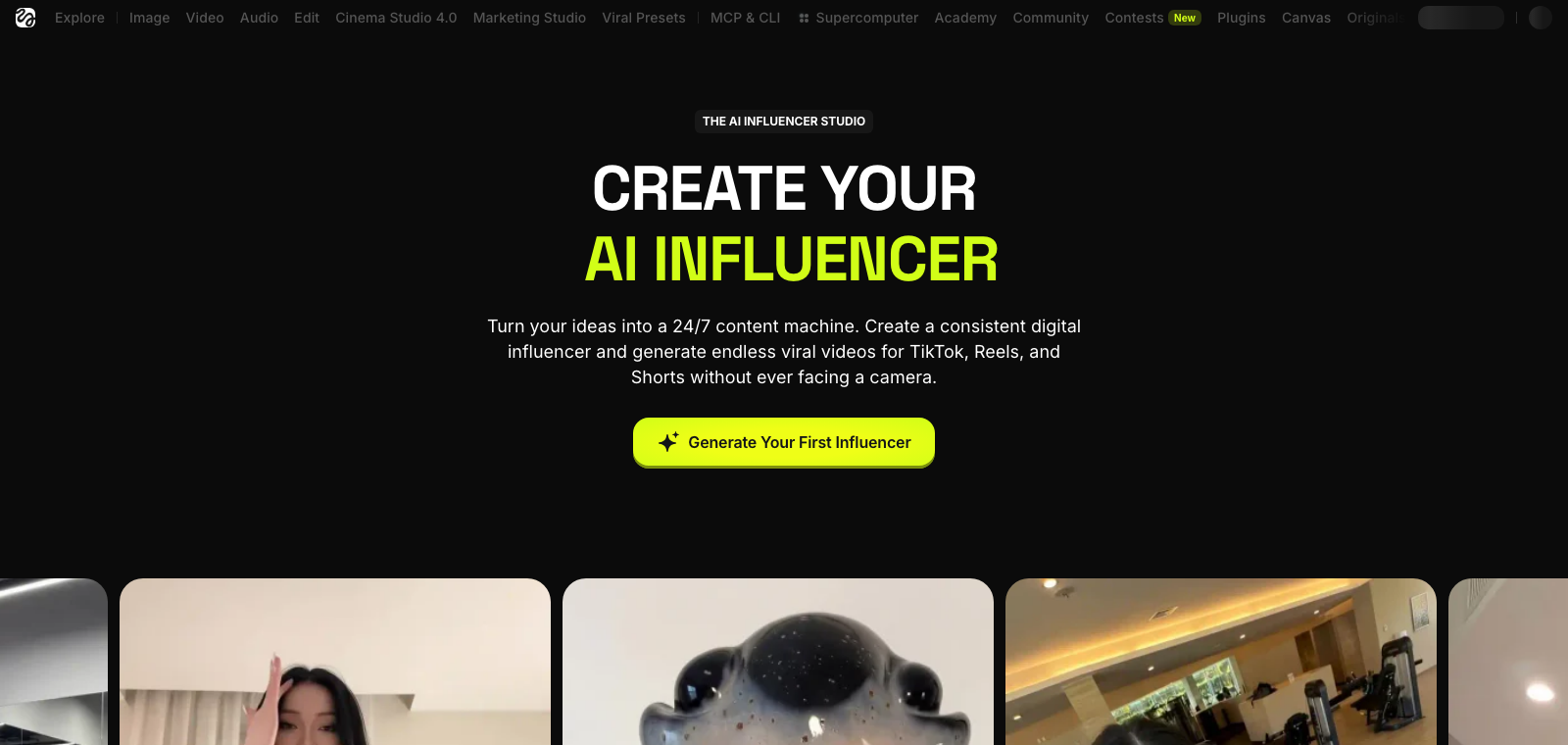
Higgsfield built a dedicated AI Influencer Studio around one workflow: describe your persona, lock her look with a single reference image, then animate her with Motion Control using your own reference video — with real commercial rights once you clear the free tier.
The Best Part:
Commercial rights, unlocked early. Starter costs $19 a month and already includes commercial use and Supercomputer generation, not just the free tier's single test run.
The Worst Part:
Even the leader can't fully lock a face. The anchor is a single reference photo you pick by hand, and Higgsfield's own blog runs a post titled “Why Does Your AI Character's Face Keep Changing?”
Get it if you want a dedicated AI influencer workflow with commercial rights built in from Starter up.
I recommend you start on Free to test the workflow, then move up to Starter for $19/month for commercial rights.
(free plan)
Best For
Higgsfield is best for creators who want a real AI influencer workflow with commercial rights included.
Top Features
Master image, once. Describe your persona in the generator, pick the result you like, and that image becomes the anchor Higgsfield reuses across every video that follows.
Direct the whole scene. Swap your character's outfit, add makeup, change her expression, or place a branded product in her hand with realistic lighting for a paid partnership.
Give your character a voice. Higgsfield Speak adds lipsync so your persona can talk on camera — it ships from the Plus plan up, alongside a dedicated UGC builder.
More characters as you grow. Starter allows up to 108 character generations a month, rising to 480 on Plus and 1,200 on Ultra.
You keep what you make. Higgsfield says you hold full commercial rights to what you generate, so you can monetize on TikTok, Instagram or YouTube.
Pricing
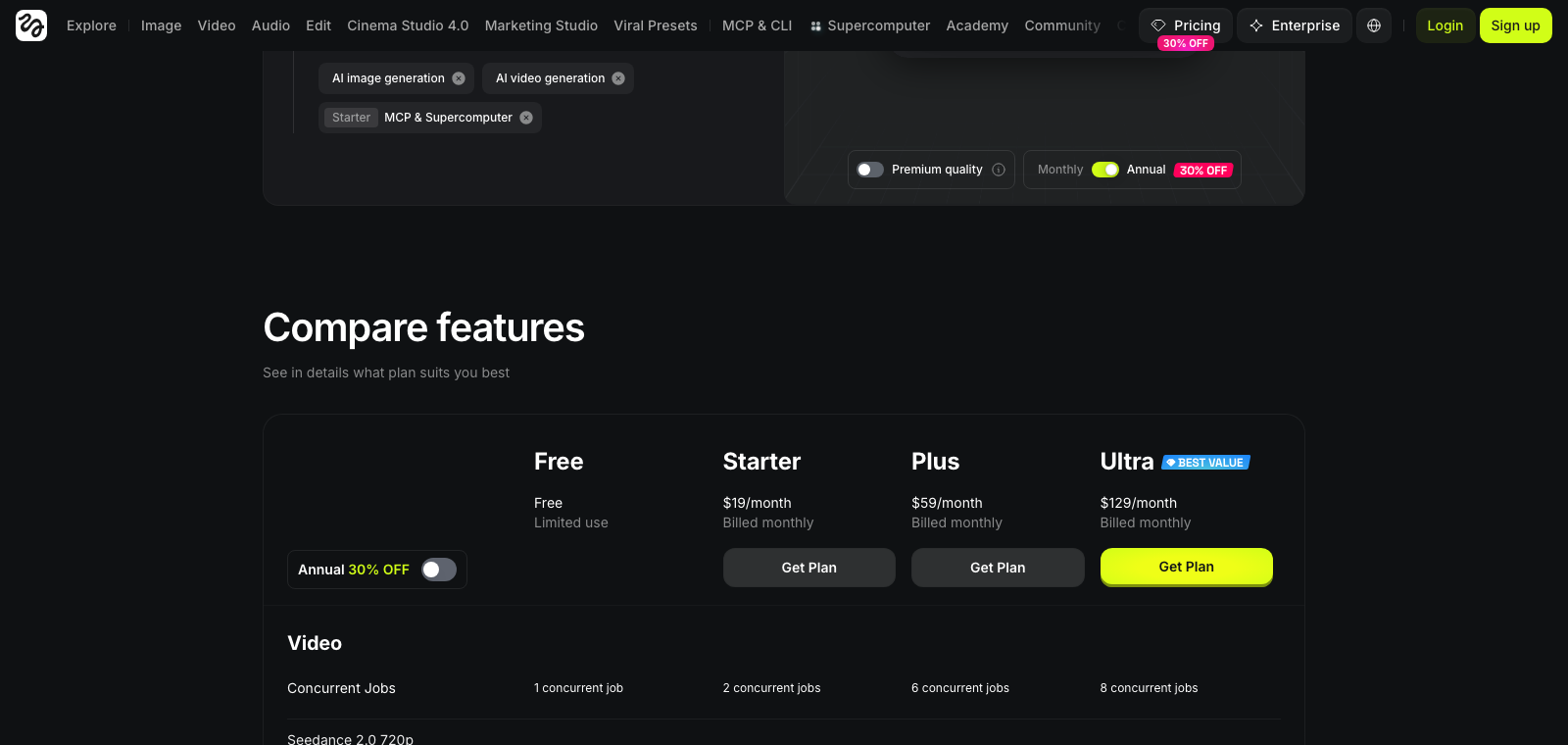
Higgsfield offers seven pricing plans:
- Free: Free forever, for one character generation, with no commercial-use rights.
- Starter: $19/month for 270 credits a month and up to 108 character generations.
- Plus: $59/month for 1,200 credits a month, every Seedance model, and the Speak lip-sync builder.
- Ultra: $129/month for 3,000 credits a month and unlimited parallel generations.
- Team: $79/month for 1,000 credits per seat a month, across a minimum of five seats.
- Scale: $215/month for 2,500 credits per seat a month, priority support and detailed analytics.
- Enterprise: Custom pricing, for unlimited seats, dedicated capacity and a service level agreement.
Annual subscriptions provide up to a 30% discount.
Try Higgsfield today with the free plan.
Our Verdict — Best For Character Consistency
Price: Starts at $49/month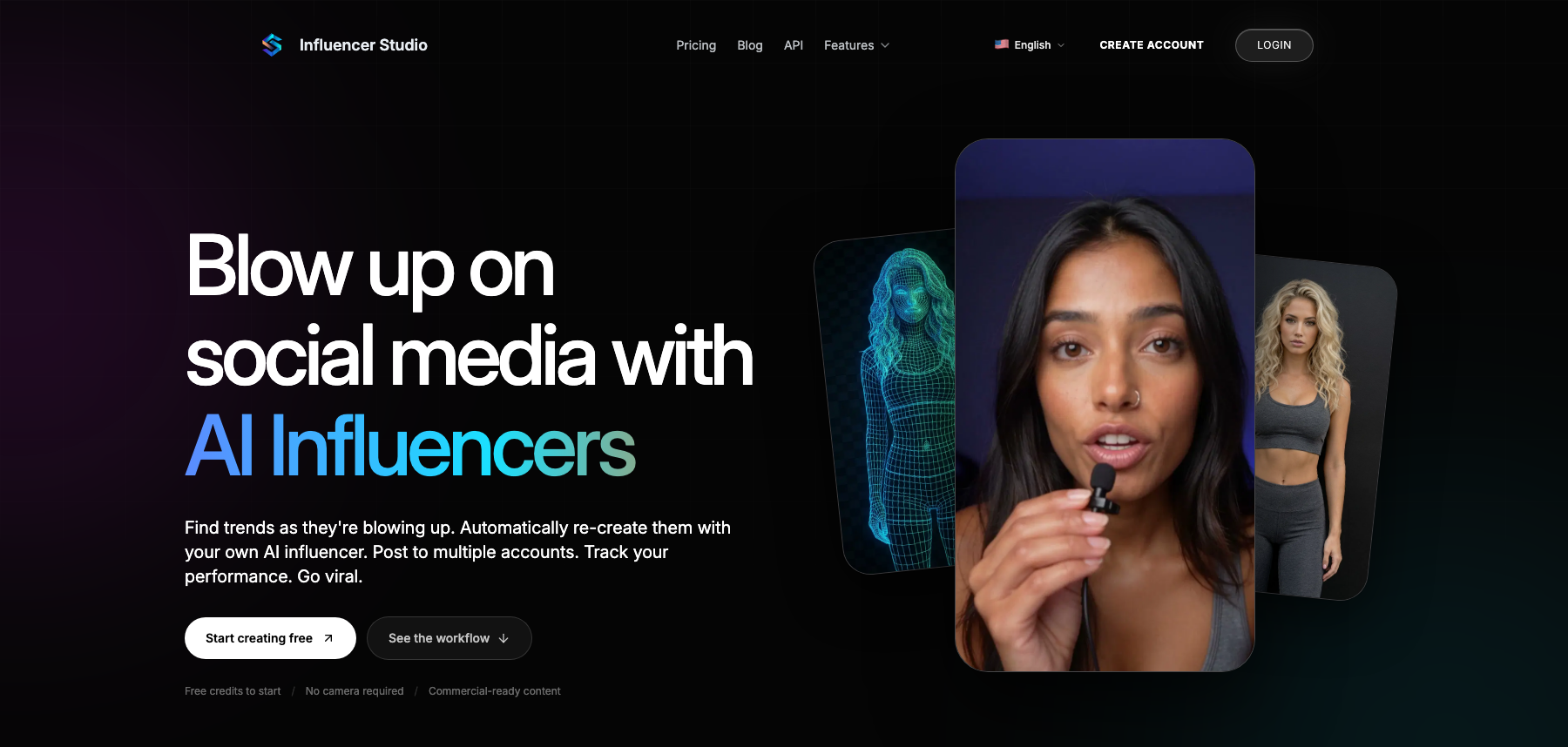
Influencer Studio trains an actual model on your character instead of reusing the same prompt over and over, and that is why it wins on character consistency. Upload 10 to 20 reference photos, wait five to 20 minutes, and every future shot pulls from a model built on that one face.
The Best Part:
Train it once, keep the face. Upload 10 to 20 photos of your character and the model trains in five to 20 minutes — after that, every new shot starts from the same face.
The Worst Part:
The model isn't yours. You license the photos and video it makes, but the terms keep ownership of the trained character model with the company.
Get it if you want one trained model behind every shot of your character.
I recommend you buy a pay-as-you-go pack first to test the face, then move to Creative at $49/month.
(starts at $49/month)
Best For
Influencer Studio is best for anyone who needs the same face across dozens of shots, not one lucky render.
Top Features
Beyond stills. The same trained model drives text-to-video, image-to-video, and talking-head clips with lip-sync, so your character can post video too.
A voice of its own. Text-to-speech, voice cloning, and multiple languages mean your character can narrate a video or answer back without borrowing a stock voice.
Open by policy. Its terms block real people, minors, and stolen IP — not fictional adult content.
Pay as you go costs the most. Influencer Studio labels the no-subscription option its highest price per credit, so buying packs instead of subscribing is the expensive way in.
Longer shots, real audio. Its newest model, Seedance 2.5, promises shots up to 30 seconds with native audio, not silent clips you dub later.
Pricing
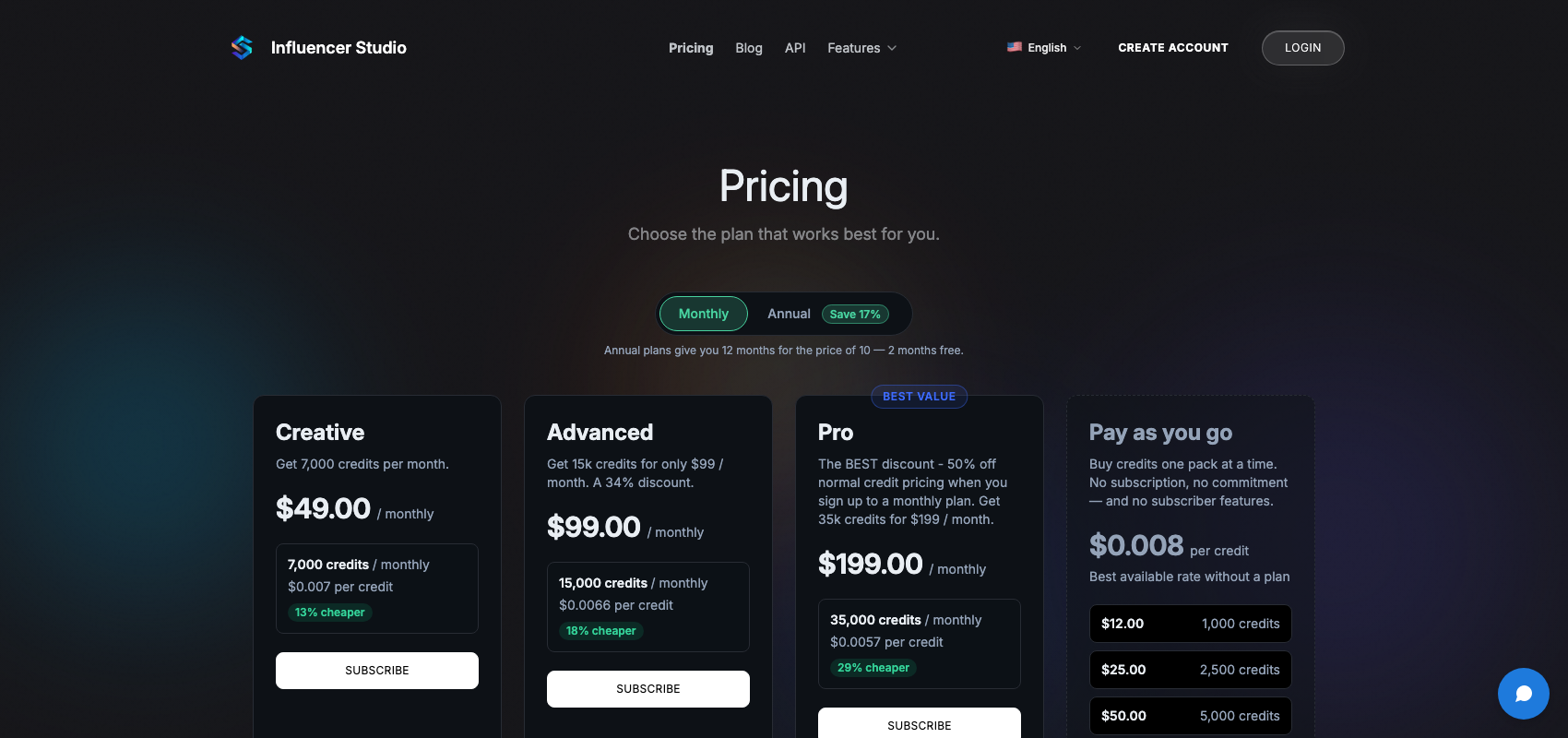
Influencer Studio offers four pricing plans:
- Creative: $49/month for 7,000 credits a month.
- Advanced: $99/month for 15,000 credits a month.
- Pro: $199/month for 35,000 credits a month.
- Pay as you go: $12 one time, for 1,000 credits, with no subscription.
Annual subscriptions provide a 17% discount.
Try Influencer Studio today.
Our Verdict — Best For Cloning Your Own Face
Price: Starts at $19/month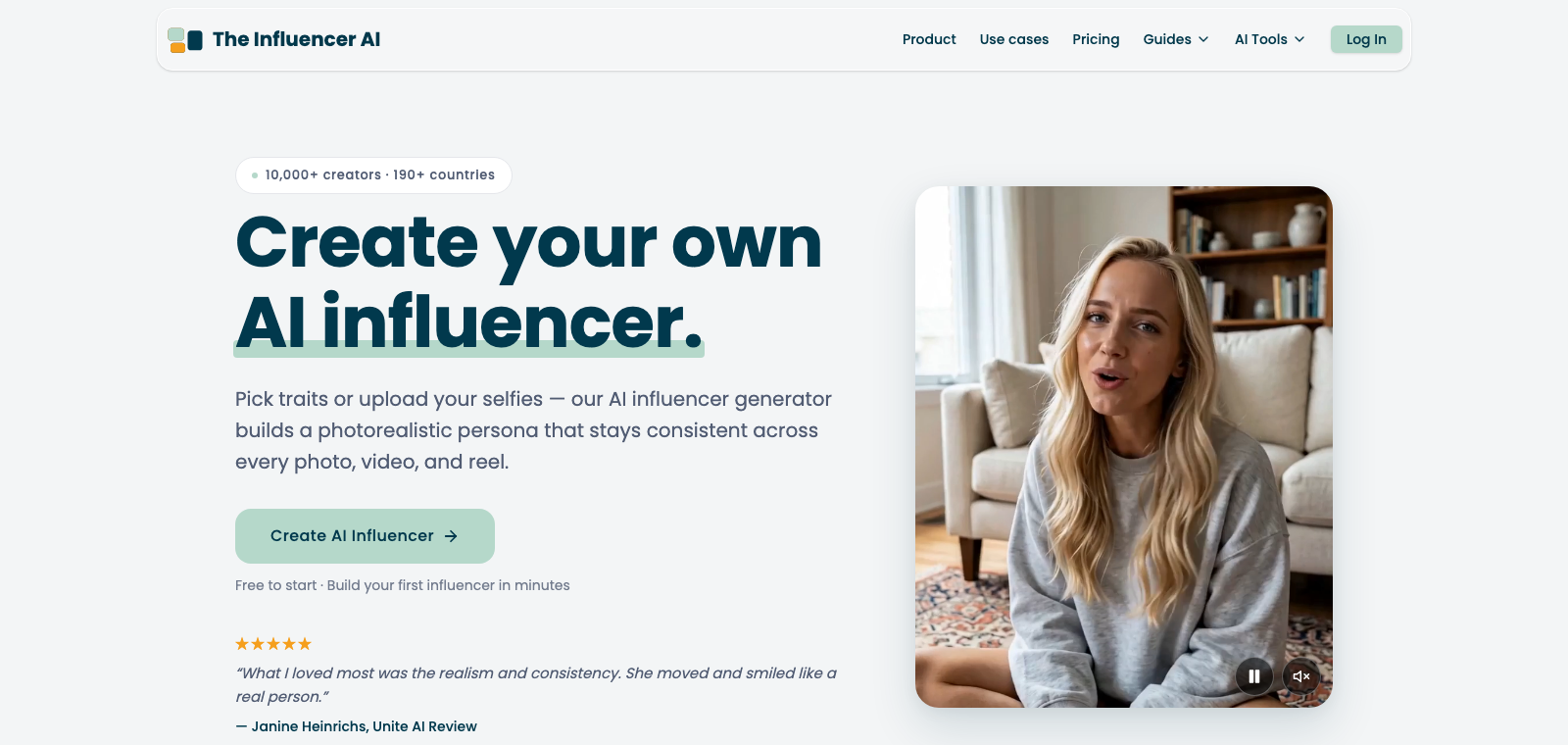
The Influencer AI built its name on one thing: turning your own face into a persona. AI Clone locks your identity from eight to 12 selfies, then holds that face across every photo and video you generate — nobody else here makes cloning yourself this quick.
The Best Part:
Your face, locked in. Upload eight to 12 selfies and about 10 minutes later you get a private model trained only on you — that identity then carries into every photo, talking video and reel it generates.
The Worst Part:
Fifteen seconds is the ceiling. Even on Enterprise at $199/month, video caps at 15 seconds, and Starter pays 19.0¢ per credit versus 13.3¢ on Enterprise — smaller plans cost more per unit.
Get it if you want to publish as yourself, not an invented face.
I recommend the three-day free trial, then Creator at $39/month once you need AI Clone.
(free trial)
Best For
The Influencer AI is best for creators who want their own face doing the posting, not a character built from scratch.
Top Features
Clone from selfies. Upload eight to 12 photos and AI Clone trains a private model of your face in about 10 minutes — no camera crew required.
Build a face from scratch. No photos on hand? The AI Influencer Builder assembles one trait by trait and previews it in eight to 30 seconds.
Talks in 40+ languages. Lip-sync keeps the same voice and face across more than 40 languages, so one persona covers every market.
Try on the product for you. Virtual try-on drops clothing or products onto your cloned face, so a single persona can model an entire catalog.
Borrow someone else's motion. Motion transfer maps movement from a reference clip onto your cloned face, so your persona can perform a take that already works.
Pricing
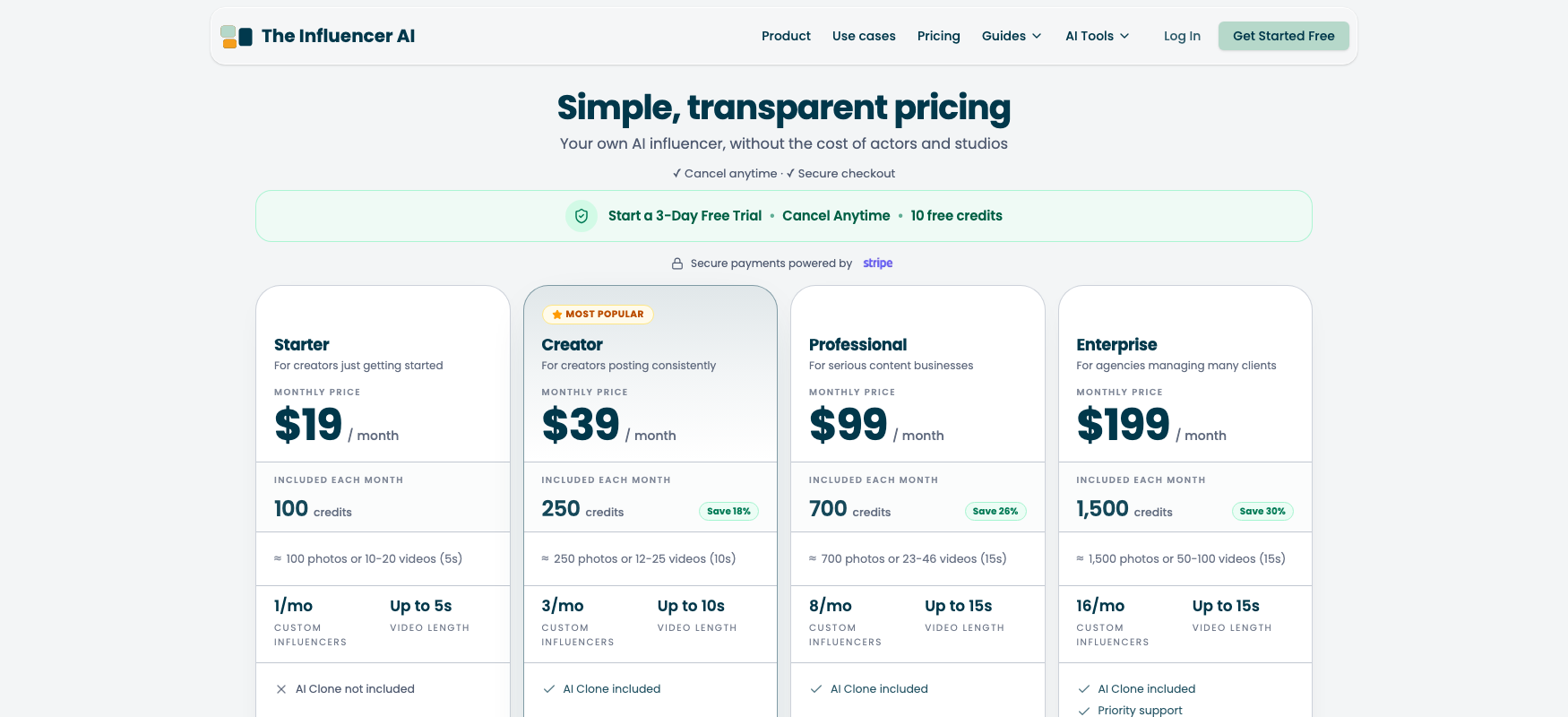
The Influencer AI offers four pricing plans:
- Starter: $19/month for 100 credits a month, one custom influencer and five-second videos.
- Creator: $39/month for 250 credits a month, three custom influencers and 10-second videos.
- Professional: $99/month for 700 credits a month, eight custom influencers and 15-second videos.
- Enterprise: $199/month for 1,500 credits a month, 16 custom influencers and priority support.
Every plan comes with a three-day free trial.
Try The Influencer AI today with the free trial.
4. ComfyUI
Our Verdict — Best Free Option
Price: Free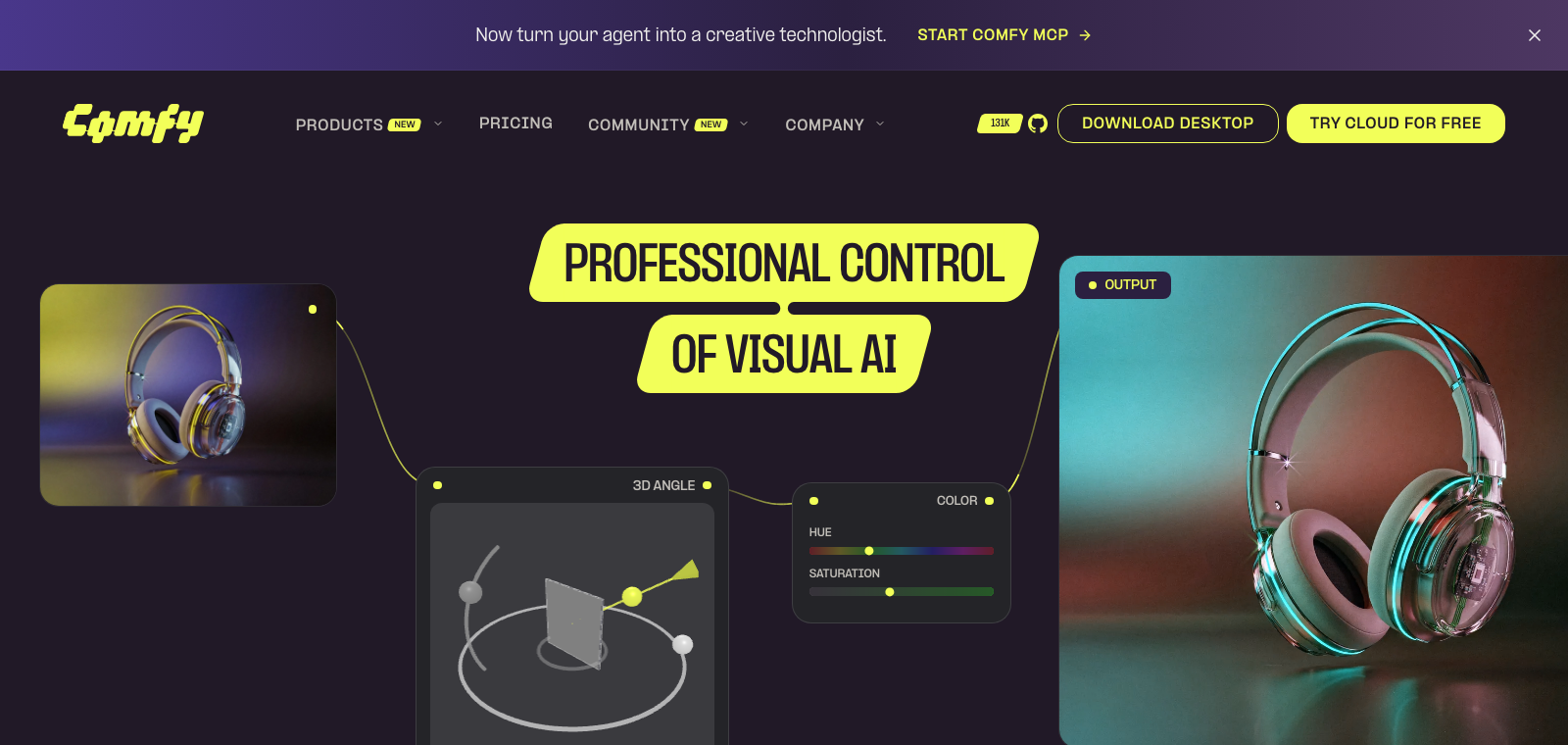
You don't need a subscription to hold one face across hundreds of posts. ComfyUI is the free, open-source app operators already use to run a small add-on file, trained on their own character, that teaches the image model that exact face — and the software itself costs nothing.
The Best Part:
The app costs nothing, forever. ComfyUI is open-source under GPL-3.0, runs on Windows, Mac or Linux, and carries no subscription of its own.
The Worst Part:
The learning curve is real. You build a workflow by wiring boxes together on a canvas, and a missing box breaks the whole run — beginners lose hours to that. Before you train anything you still need a consistent set of photos of your character.
Get it if you're willing to learn how the workflow is wired to keep one face forever.
I recommend renting a GPU by the hour to train your character file — a single run can cost just a few dollars.
(free app)
Best For
ComfyUI is best for operators who want to train their own character and keep the same face past a hundred posts.
Top Features
Train the face, not the prompt. Load a Flux model together with the file trained on your character's own photos, and ComfyUI holds that identity across a whole batch instead of reshuffling it every generation.
Runs on hardware you already own. ComfyUI installs on Windows, Mac, Linux and Apple Silicon, with a CPU-only mode when there's no GPU at all.
One model is commercial-clear. FLUX.1 schnell ships under Apache 2.0 — sell what you generate with it, no extra license needed.
The other model restricts itself, not you. FLUX.1 dev bars commercial use of the model, but the images it generates are cleared to sell.
No card, no problem. Rent an hour of GPU time on a service like RunPod or Vast.ai to train your character file, then walk away — no hardware to own or maintain.
Pricing
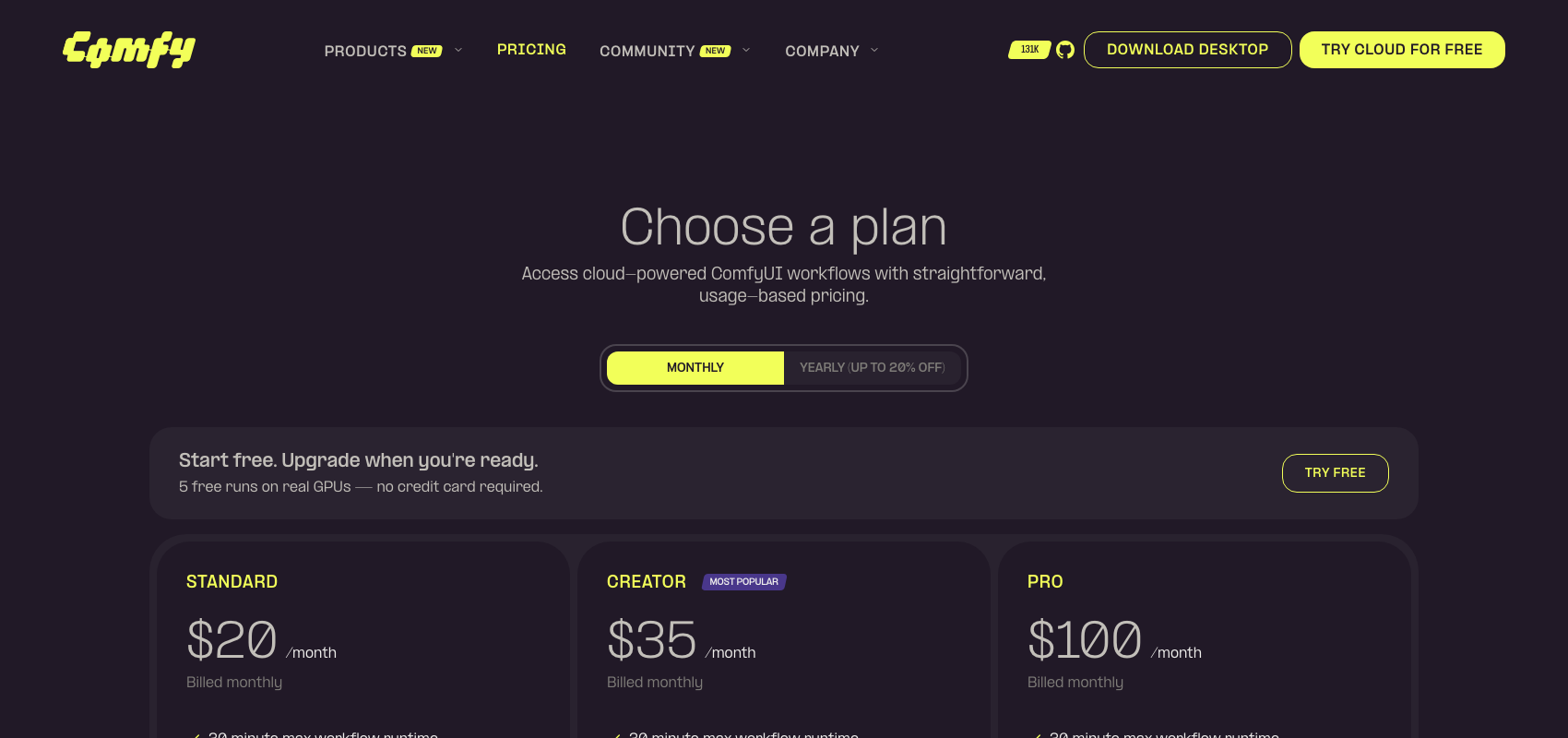
ComfyUI offers six pricing plans:
- Free: Free forever, for unlimited local generation on your own hardware, plus five free cloud runs.
- Standard: $20/month for 4,200 credits a month and 30-minute workflow runs.
- Creator: $35/month for 7,400 credits a month and your own imported models.
- Pro: $100/month for 21,100 credits a month and hour-long workflow runs.
- Team: $700/month for 147,700 credits a month and a shared credit pool for your members.
- Enterprise: Custom pricing, for more members, custom features and extra flexibility.
Annual subscriptions provide up to a 20% discount.
Try ComfyUI today with the free plan.
5. APOB AI
Our Verdict — Best Budget Pick
Price: Starts at $13.99/month
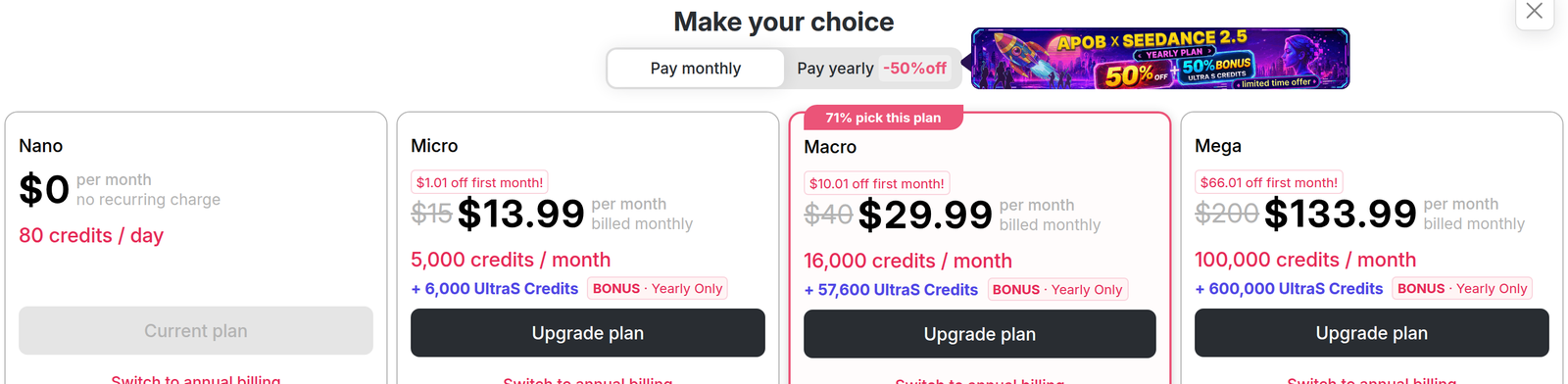
APOB AI is the best budget pick because it lets you test the whole idea before spending anything — the free plan hands out 80 credits every day, and Advanced Face-Lock trains an actual portrait model of your character instead of pointing you at a template. Paid plans start at $13.99 for the first month.
The Best Part:
Free credits, every day. The Nano plan renews 80 credits daily at no cost, so you get a running allowance to test the concept before you pay for anything.
The Worst Part:
The real bonus is yearly-only. Paid plans list a bonus stash of UltraS Credits that makes them look generous, but it's marked “Yearly Only” — pay month to month and that bonus line shows up crossed out, not delivered.
Get it if you want to test a full AI persona before you spend a single dollar.
I recommend you start on Nano's free daily credits, then upgrade to Micro at $13.99 for the first month, then $15/month.
(Nano plan)
Best For
APOB AI is best for anyone running on a tight budget.
Top Features
Face-Lock trains your face. Advanced Face-Lock trains a portrait model of your character, built to “maintain consistency across hundreds of posts.”
A persona that talks back. Lip Sync and Talking Avatar let your character speak directly to your audience, no separate voice tool required.
Your roster grows with you. Nano retains one trained portrait model; upgrade through Micro, Macro, and Mega and that climbs to two, eight, then 50.
Minutes, not per-clip limits. Talking Avatar time is metered per billing period — about four seconds a day on Nano, up to 83 minutes on Mega.
A free tier you can actually use. Eighty credits a day covers up to 32 images or six seconds of video daily — enough to test the whole idea before you pay.
Pricing
APOB AI offers four pricing plans:
- Nano: Free forever, for 80 credits a day, one portrait model and a watermark on everything.
- Micro: $13.99 for the first month, then $15/month for 5,000 credits a month and two portrait models.
- Macro: $29.99 for the first month, then $40/month for 16,000 credits a month and eight portrait models.
- Mega: $133.99 for the first month, then $200/month for 100,000 credits a month and 50 portrait models.
Annual subscriptions provide up to a 50% discount. Try APOB AI today with the free plan.
6. ZenCreator
Our Verdict — Best Pay As You Go Option
Price: Starts at $19.99 one time
Creators who post in bursts and go dark for weeks keep landing on ZenCreator, and for good reason. It skips subscriptions entirely: you buy a credit pack once, the credits never expire, and a failed generation refunds itself automatically.
The Best Part:
No subscription, ever. You buy a credit pack once and the credits sit in your account until you spend them — no monthly bill running while you take a month off.
The Worst Part:
No free look before you pay. There's no free plan to test the models on, and reviewers say the credit cost of the same feature crept up without warning.
Get it if you publish in bursts and would rather buy credits than carry a subscription.
I recommend starting with the Starter pack — 200 credits for $19.99.
(one-time purchase)
Best For
ZenCreator is best for creators who post in bursts and go quiet for a month at a time.
Top Features
Credits with no expiration clock. A pack you buy today still works months later, so a slow season never burns your unused balance.
Consistency without a trained model. ZenCreator saves the prompt and style settings from the shot that worked, then face-swaps the same face onto every new pose or background.
A separate video tool. The video generator turns a photo or text prompt into a clip with hook, proof and CTA templates plus automatic captions.
Failed jobs refund themselves. A generation that errors out returns the credit automatically.
Pay by card or crypto. ZenCreator takes cards and USDT/USDC across three networks, with an optional, capped auto top-up.
Pricing
ZenCreator offers four pricing plans:
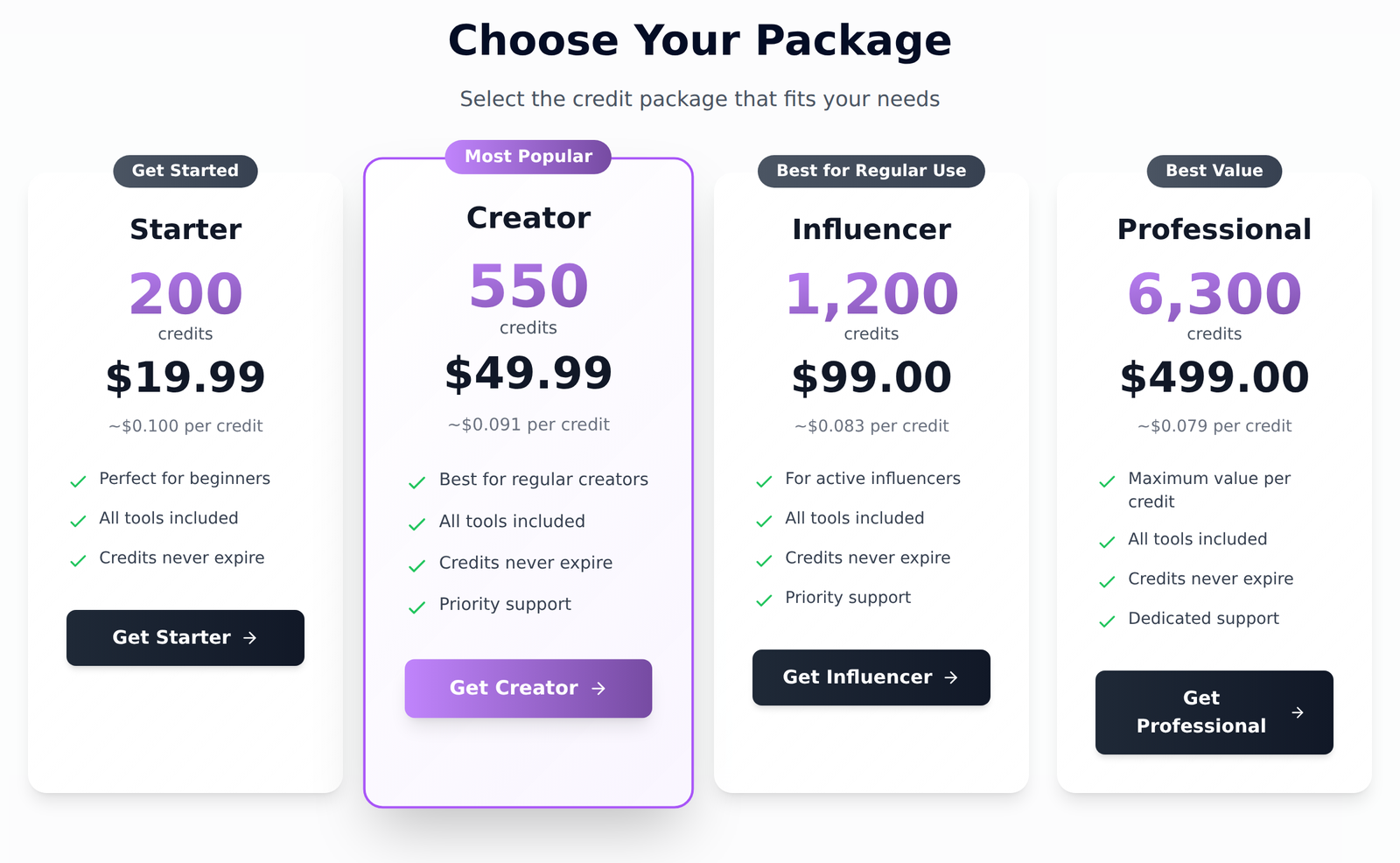
- Starter: $19.99 one time, for 200 credits that never expire.
- Creator: $49.99 one time, for 550 credits that never expire.
- Influencer: $99 one time, for 1,200 credits that never expire.
- Professional: $499 one time, for 6,300 credits that never expire.
Every plan comes with credits that never expire.
Try ZenCreator today.
7. HeyGen
Our Verdict — Best Mainstream Option
Price: Starts at $29/month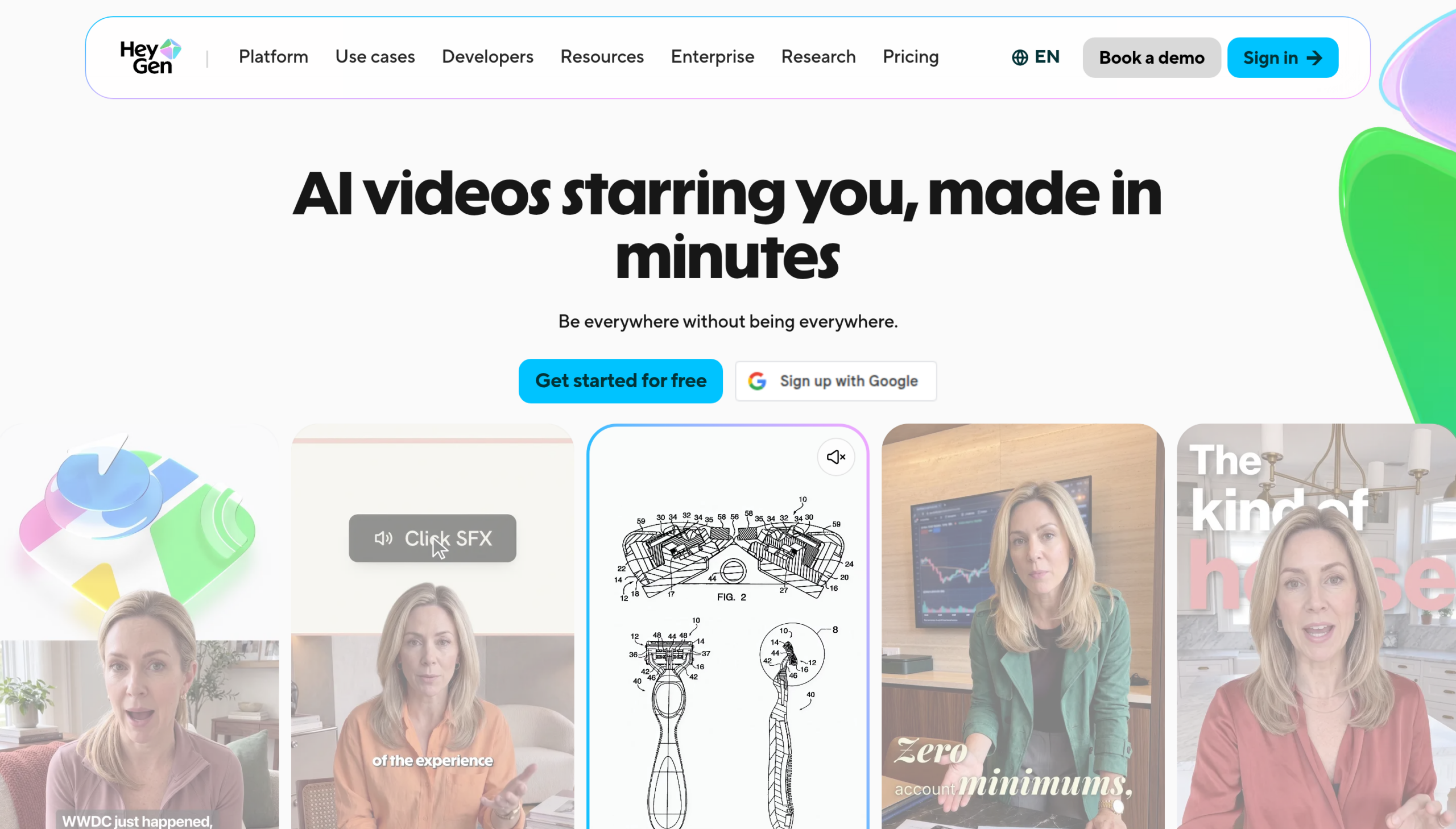
HeyGen never invents a face from nothing, and that is exactly why a marketing team reaches for it first: a library of 700+ licensed actors, a free plan with no card, and avatars you build from real footage or a single photo of your own. It scales a face that exists rather than dreaming up one that never did.
The Best Part:
Scale a face you already have. Record a short video or upload one photo and HeyGen turns it into an avatar that speaks your script, lip-synced, in 175+ languages and dialects.
The Worst Part:
No blank-slate faces. Every avatar traces back to a real person, and HeyGen still spends your credits when the result comes out unusable.
Get it if the face you want on camera already exists and you need it talking fast.
I recommend you start free, then move to Creator at $29/month for watermark-free exports.
(free plan)
Best For
HeyGen is best for anyone scaling a real face into talking video, not inventing one from scratch.
Top Features
Build your own avatar. Record a short video or upload one photo of your face, and HeyGen builds a custom avatar from it — a face that is not yours needs verified consent first.
Skip the camera. Choose from 700+ licensed stock avatars if you'd rather not appear yourself.
Speak any language. Lip-synced translation covers 175+ languages and dialects from one script on paid plans.
Script in, video out. Paste your lines and HeyGen adds gestures and delivery automatically — no filming, no editing timeline.
Priced to start small. Creator runs $29/month, or $24/month paid annually, and HeyGen does not publish an annual rate for Pro or Business.
Pricing
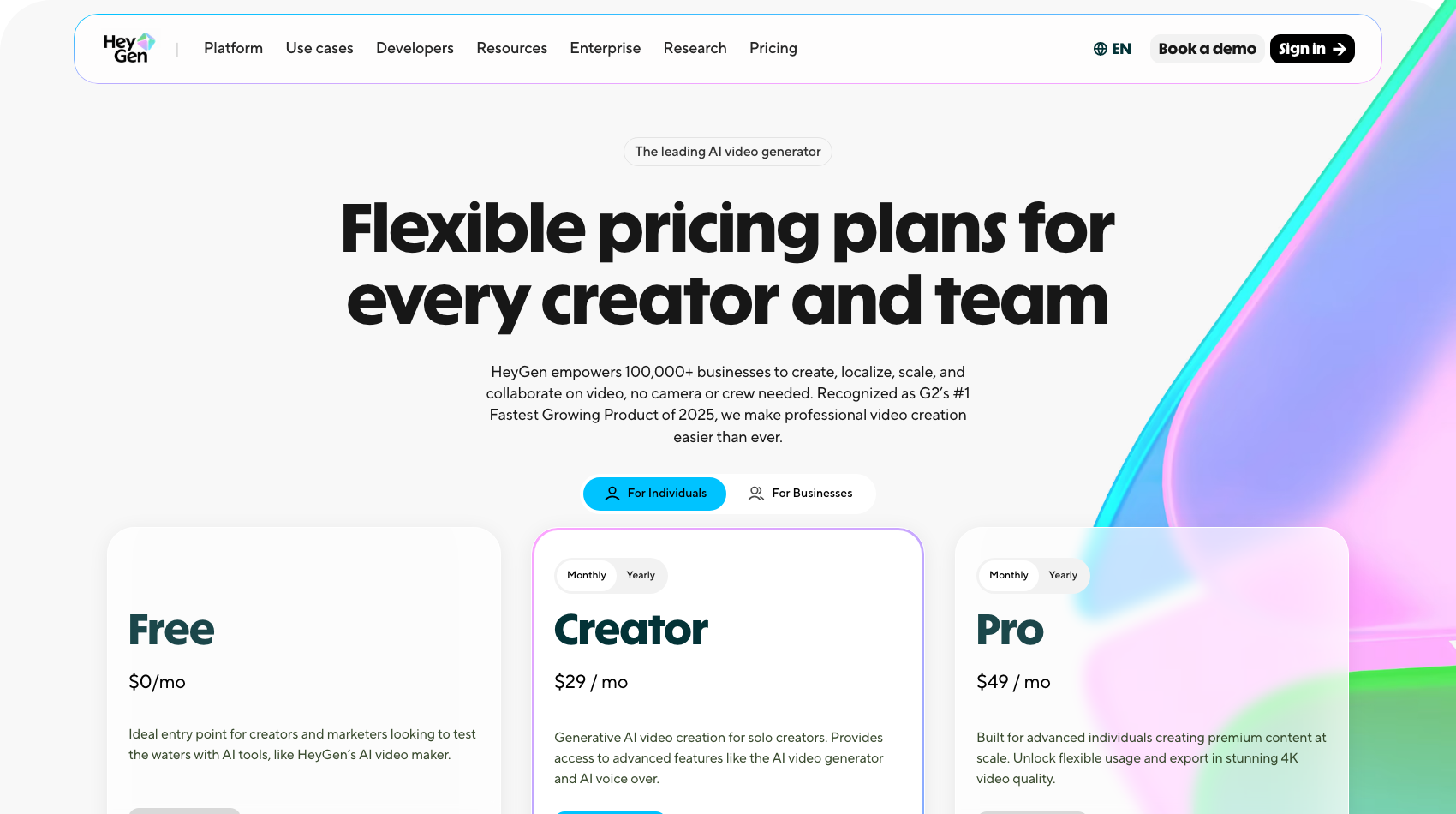
HeyGen offers five pricing plans:
- Free: Free forever, for three videos a month, with no credit card.
- Creator: $29/month for 600 credits a month and watermark-free exports.
- Pro: $49/month for 1,000 credits a month, on tiers that scale to 100,000.
- Business: $149/month for 1,500 credits a month, plus $20 for each extra seat.
- Enterprise: Custom pricing, for custom security, support and volume.
Every plan comes with unused credits that roll over for one more month.
Try HeyGen today with the free plan.
Our Top Three Picks
Here's a quick summary of our top three picks:
- Higgsfield — best of the best
- Influencer Studio — best for character consistency
- The Influencer AI — best for cloning your own face
Here's a quick comparison of our top seven picks:
Tool | Entry Offer | Pricing |
|---|---|---|
Higgsfield | Free plan | Starts at $19/mo |
Influencer Studio | No free plan | Starts at $49/mo |
The Influencer AI | Free trial | Starts at $19/mo |
ComfyUI | Free forever | Cloud from $20/mo |
APOB AI | Free plan | Starts at $13.99/mo |
ZenCreator | No free tier | Starts at $19.99 |
HeyGen | Free plan | Starts at $29/mo |
Here are the top 50 AI influencer generators we considered in this review:
- Higgsfield
- Influencer Studio
- The Influencer AI
- ComfyUI
- APOB AI
- ZenCreator
- HeyGen
- Glambase
- Synthesia
- SynthLife
- MakeInfluencer.ai
- Ryla
- Fannabe
- Danex AI
- MakeAIVideo
- Overchat AI
- Sozee
- Picovix
- Gluely
- Rawshot AI
- Vidnoz
- Foxy AI
- Argil
- Genfluence
- Eromify
- Fanvue
- Krea AI
- Leonardo AI
- Freepik
- Midjourney
- Civitai
- SeaArt
- Delphi
- RunComfy
- ThinkDiffusion
- Captions
- D-ID
- Yepic AI
- DeepBrain AI
- Colossyan
- Lucidpic
- Elai.io
- Tavus
- Creatify
- Arcads
- Topview
- Jogg AI
- Hedra
- PixVerse
- Kling AI
Frequently Asked Questions About AI Influencer Generators
What is an AI influencer generator?
An AI influencer generator is software that builds a persona you can post as — a face, a body and a voice you control — and then keeps producing new photos and videos of that same character, so every post still shows the same face.
Which AI influencer generator is best overall?
Higgsfield is our top pick overall. It has a dedicated AI Influencer Studio, a master image that anchors your character across every video, and commercial rights to what you generate from the Starter plan up.
Do AI influencers have to be disclosed?
Disclose it. Treat the persona like any other paid partnership and say so in the post, and say in the bio that the account is AI. Platforms handle synthetic media differently, and some go further than others — Fanvue, for one, verifies and badges creators who declare their profile is AI.
Which AI influencer generator is easiest to start with?
HeyGen is the gentlest place to start. Upload one photo of yourself, or pick from its stock avatar library, and it turns a script into a finished, lip-synced video without any manual editing.
Which AI influencer generator best keeps the same face?
Influencer Studio is the one built for that. It trains a model on 10 to 20 photos of your character, and every later shot comes from that model instead of from a fresh prompt, which is what keeps the face from drifting.
Which AI influencer generator is best pay as you go?
ZenCreator is our pick if you would rather buy credits than commit to a subscription. Its packages never expire, so you can generate a batch of content, then walk away for months without losing what you paid for.
What should I look for when choosing an AI influencer generator?
Test face consistency across dozens of generations, not just one demo image. Check whether you own commercial rights to the output, whether a failed generation still costs you credit, and whether the free tier lets you judge the tool honestly.
Can I make money with an AI influencer?
Yes — sponsorships, affiliate links and subscription content are the usual routes, same as with a human creator. Virtual influencers also draw more attention: independent tracking puts their engagement rate at roughly three times a human influencer's, which is why brands keep testing the format.
Higgsfield vs ComfyUI: which one should I choose?
Higgsfield is our best overall pick, while ComfyUI is the one to reach for if your budget is zero. Go with Higgsfield for the strongest all-around package, and ComfyUI if you are willing to train your own model for free.
The Bottom Line
To recap, here are the best AI influencer generators to try this year:
- Higgsfield — best of the best
- Influencer Studio — best for character consistency
- The Influencer AI — best for cloning your own face
- ComfyUI — best free option
- APOB AI — best budget pick
- ZenCreator — best pay as you go option
- HeyGen — best mainstream option