

Today there are 183+ different AI presentation makers. We spent 60 hours comparing the top 50 to find the seven best you can use to create your presentations.
What is the Best AI Presentation Software?
1. Gamma
Our Verdict — Best Of The Best
Price: Starts at $12/month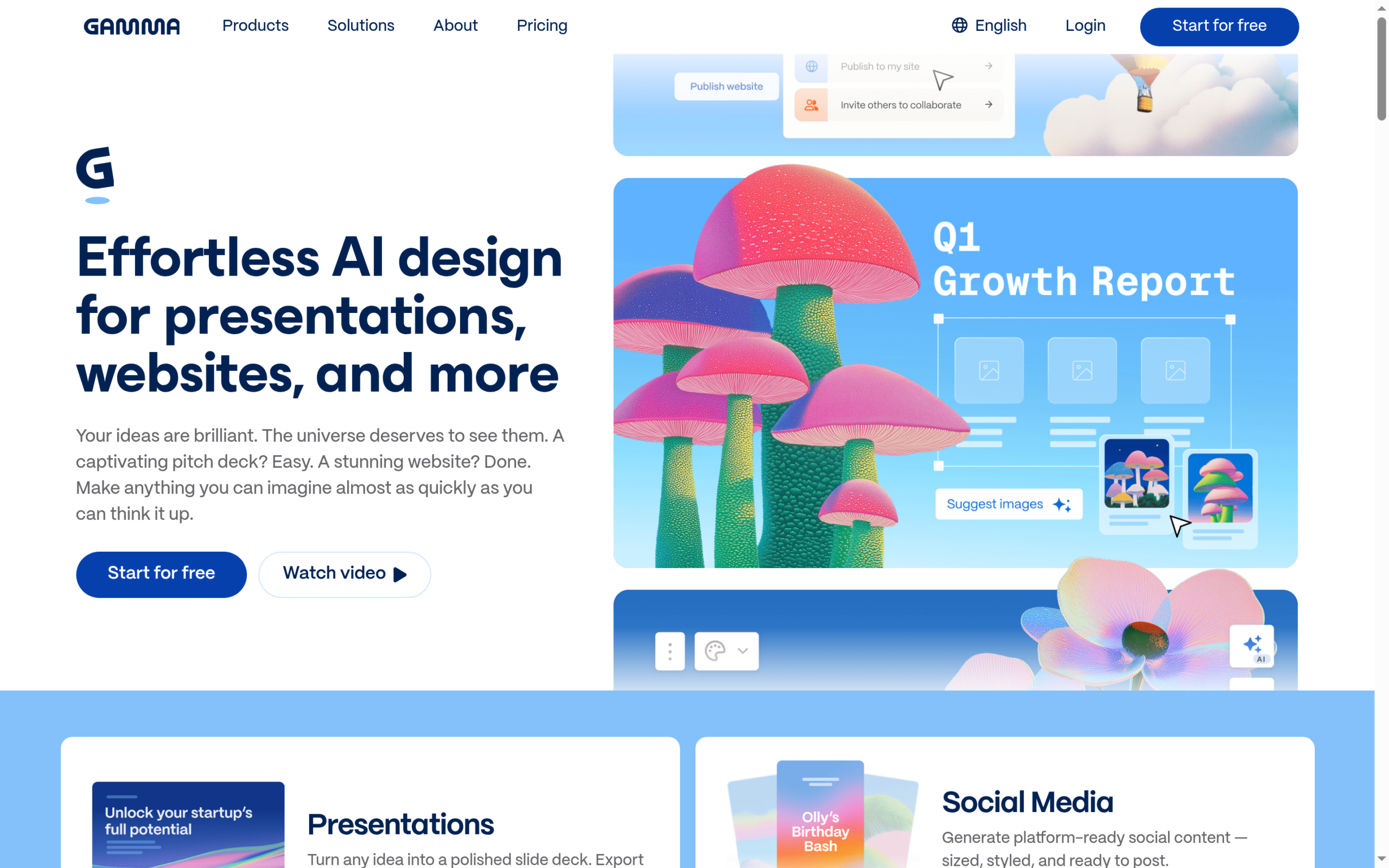
Gamma creates beautiful slide decks, websites, and more within a few clicks. We think it’s the best of the best because of how much it can do, with so little effort.
The Best Part:
Effortless AI design. One prompt and Gamma designs the whole deck for you. It handles presentations, websites, and more, with almost no effort on your end.
The Worst Part:
Credit limits. Gamma runs on monthly credits, and the free plan caps you at 10 slides per prompt, so heavy users will need a paid plan sooner or later.
Get it if you want the most flexible and beautiful AI presentation maker.
I recommend you get started with the free plan.
(free plan)
Best For
Gamma is best for business owners, agencies, content creators, and anyone who wants to create presentations that make jaws drop.
Top Features
Beyond slides. Gamma designs presentations, websites, and more from the same prompt, so a single tool covers everything you need to look sharp.
Import your old docs. Upload your existing PDF and PPTX files and have Gamma turn them into brand new presentations.
Export anywhere. Download your finished decks as PDF, PPTX, PNG, or Google Slides, so they work wherever you present.
AI images built in. The paid plans include advanced and premium AI image models that create the visuals for your slides, right inside the tool.
Make it yours. The Pro plan adds custom branding and fonts, analytics, and 10 custom domains, so everything stays on-brand.
Pricing
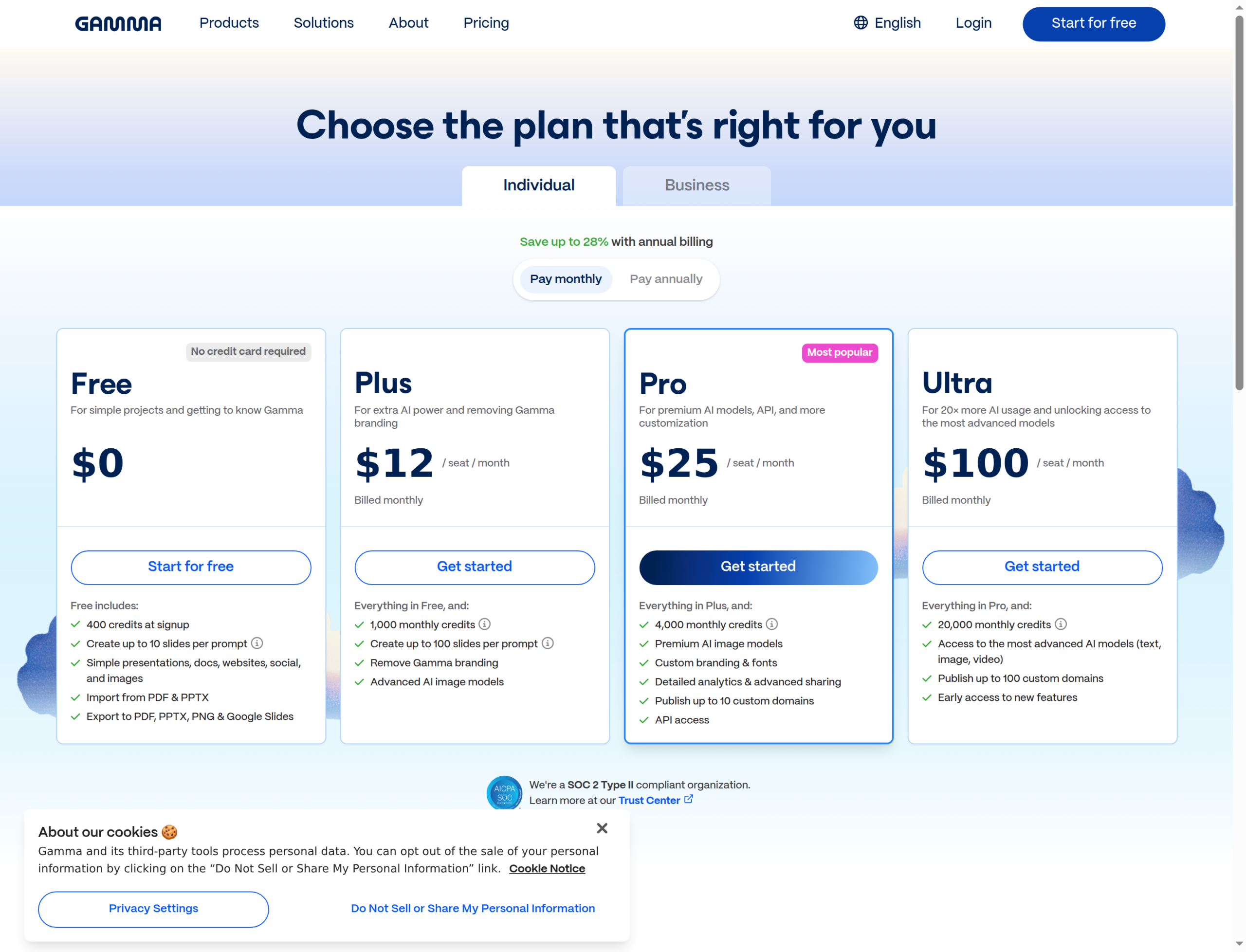
Gamma offers four pricing plans:
- Free: $0 for 400 credits at signup and up to 10 slides per prompt.
- Plus: $12/month, or $108/year, for 1,000 credits a month and up to 100 slides per prompt.
- Pro: $25/month, or $216/year, for 4,000 credits a month, custom branding and fonts, and analytics.
- Ultra: $100/month, or $1,080/year, for 20,000 credits a month and the most advanced AI models.
Annual subscriptions provide up to a 28% discount.
Try Gamma today with the free plan.
2. Beautiful.AI
Our Verdict — Best For Everyday Presentations
Price: Starts at $45/month
Beautiful.AI is a killer presentation maker that can create beautiful presentations with anything you throw at it. We think it’s the best for everyday presentations because of the automatic formatting features.
The Best Part:
Design autopilot. Beautiful.AI automatically adjusts and formats your slides as you add content. Forget those late nights fixing layouts.
The Worst Part:
Quirks across platforms. When you move between different devices or export your presentations to PowerPoint, you might notice font switches, space issues, or minor design inconsistencies like that.
Get it if you want to never have to lose your mind fixing your presentation layouts again.
I recommend you get started with the 14-day free trial.
(14-day free trial)
Best For
Beautiful.AI is best for anyone who sucks at designing, but still wants to create beautiful presentations.
Top Features
Template treasure chest. Start right with one of the 60+ smart slide templates that will guarantee your presentations look sharp.
Team sync superpowers. Share slides across your entire team, push updates to multiple slide decks at once, and keep all work consistent.
Analytics insights. Track the engagement and performance of your presentations with Beautiful.AI’s built-in analytics, to learn what works.
Phrases to slides. Whether you need a supporting quote, an explanation, or whatever it is — just ask Beautiful.AI the same way you’d ask ChatGPT your questions. Instead of an answer, you get a slide. Pretty sick.
Brandable. Set your brand colors, fonts, and logos once, and never lay eyes on an off-brand slide ever again.
Pricing
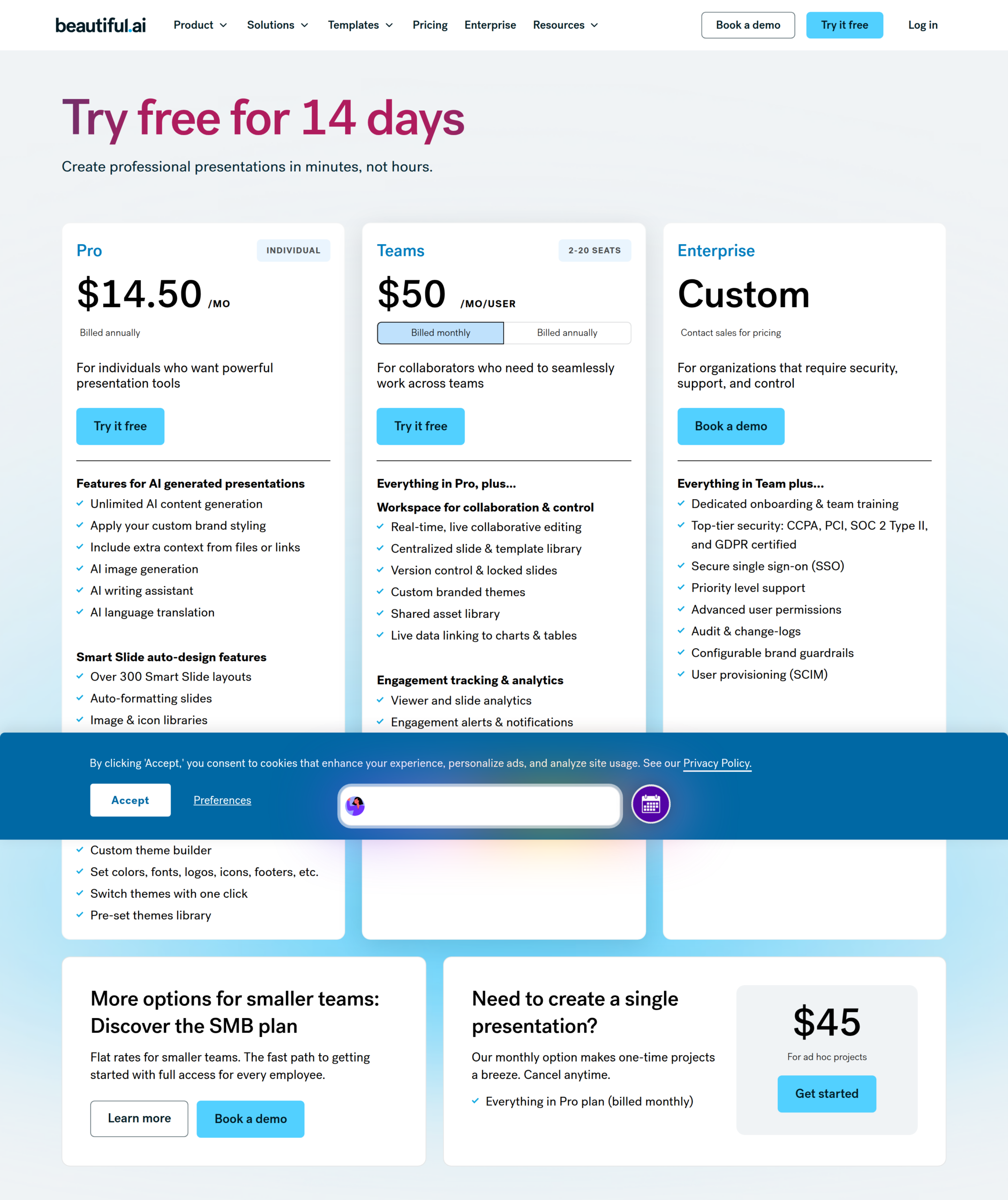
Beautiful.AI offers two pricing plans:
- Pro: $45/month, or $14.50/month billed annually, for 1 user with unlimited AI and 300+ Smart Slides.
- Teams: $50/month per user, or $40/month per user billed annually, for teams of 2 to 20 with real-time collaboration and analytics.
Annual plans provide up to a 68% discount.
Try Beautiful.AI today with a free 14-day trial.
3. Fotor
Our Verdict — Best For Beginners
Price: Starts at $10.99/month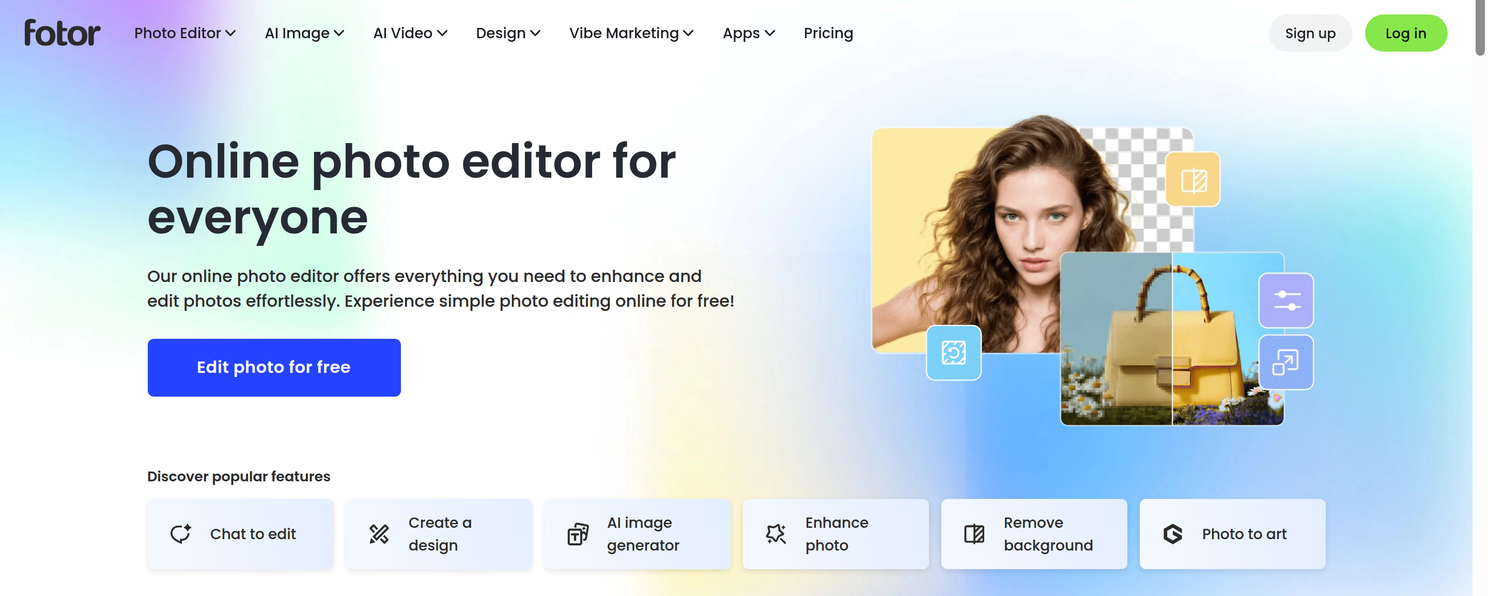
Fotor is a full-blown online photo editor that can create simple, yet eye-catching presentations on a whim. We think it’s the best for beginners because of how simple the entire process of creating your presentations is.
The Best Part:
In a snap. Type your topic or key points, and have Fotor’s AI turn them into structured, full-blown presentations, within seconds. Easy, easy, easy.
The Worst Part:
Not as refined. Fotor presentations are a bit more relaxed, and not as professional as some other options — which may not work in some situations.
Get it if you want a simple, straightforward way to create simple yet beautiful presentations.
I recommend you get started with the free plan.
(free plan)
Best For
Fotor is best for beginners who want to generate simple presentations quickly.
Top Features
Kill presentation boredom. Fotor will turn your complex tables and numbers into eye-catching charts and graphs automatically, making your stories clear.
Images on demand. Can’t find the perfect image for a slide? Just describe what you want, and let the AI create images that match your slide’s message.
Train it fast. Convert your existing content from Word, PDF, links, and more into brand new, sexy-looking presentations… with a single click.
Smart layout. No more fiddling. Fotor will automatically arrange your content for maximum visual impact, without your help.
Brand consistency. Upload your brand assets once, and Fotor keeps your presentations on-brand. Colors, logos, and styling… just the way you always wanted.
Pricing
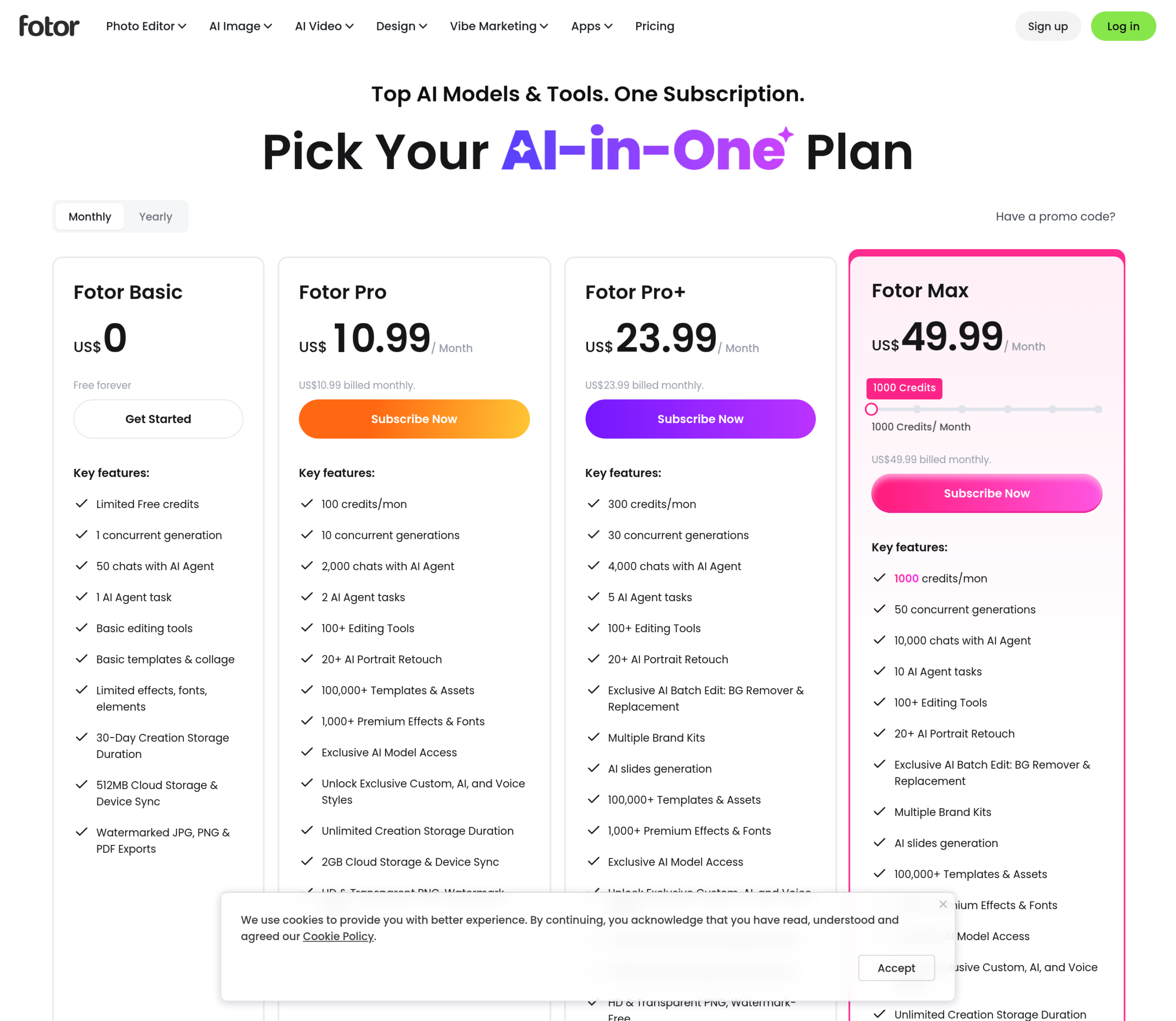
Fotor offers three paid plans:
- Fotor Pro: $10.99/month for 100 credits a month and watermark-free exports.
- Fotor Pro+: $23.99/month for 300 credits a month and AI slides.
- Fotor Max: $49.99/month for 1,000 credits a month.
Annual plans provide up to a 76% discount.
Try Fotor today with the free plan.
Our Top Three Picks
Here’s a quick summary of our top three picks:
- Gamma — best of the best
- Beautiful.AI — best for everyday presentations
- Fotor — best for beginners
Here’s a quick comparison of our top seven picks:
Tool | Entry Offer | Pricing |
|---|---|---|
Gamma | Free plan | Starts at $12/mo |
Beautiful.AI | 14-day free trial | Starts at $45/mo |
Fotor | Free plan | Starts at $10.99/mo |
Prezi | 14-day free trial | Starts at $7/mo |
Visme | Free plan | Starts at $29/mo |
Slidebean | Free plan | Starts at $84/yr |
Pitch | Free plan | Starts at $15/mo |
Here are the top 50 AI presentation maker tools we considered in this review:
- Gamma
- Beautiful.AI
- Fotor
- Prezi
- Visme
- Slidebean
- Pitch
- Decktopus
- DesignsAI
- Slides AI
- Canva
- Plus AI
- Kroma
- Sendsteps
- AI PowerPoint Designer
- SlidesGo
- Adobe Presentation Maker
- Chatgot
- AIPPT
- SlideSpeak
- Wonderslide
- WPS Office
- Keynote
- Mentimeter
- Uizard
- Pitchdeck for Figma
- Slidekick
- Slidev
- Wunderpresentation
- PitchBob
- Memorable
- SlideDog
- Instant AI for Google Slides
- Chronicle
- Hyperdeck
- Prevue
- DeckDeckGo
- Microsoft PowerPoint
- SlidesGPT
- Motionit
- Haiku Deck
- Powtoon
- Google Slides
- GPT Slides Maker
- SlideShare
- Tuti
- Zoho Show
- Presentations.AI
- Napkin AI
- Storydoc
Frequently Asked Questions About AI Presentation Makers
What is an AI presentation maker?
An AI presentation maker turns a prompt or your existing notes into a finished slide deck in a few clicks, handling layout, design, and structure for you. Instead of building slides one by one, you describe what you need and the tool generates a polished, responsive presentation.
What is the best AI presentation maker?
Gamma is our pick for the best overall because it creates beautiful decks from a single prompt with very little effort. For specific needs, Beautiful.AI is best for everyday presentations, Fotor is best for beginners, Prezi is best for visuals, Visme is best for complex data, Slidebean is best for startups, and Pitch is best for collaboration. The right choice depends on your design needs and how much data you present.
What makes Gamma stand out from other presentation makers?
Gamma turns a single prompt into a polished, finished deck with almost no manual setup, and it designs websites the same way. That one-prompt-to-finished-deck workflow is why it ranks best overall, while the other tools shine in narrower use cases like data-heavy decks or collaboration.
Is there a free AI presentation maker?
Yes. Gamma includes a free plan that lets you generate full presentations from a prompt, and Fotor is our pick as best for beginners. Free tiers usually cap features or exports, so teams building decks regularly often upgrade for more capacity.
How does Gamma create a presentation?
You give Gamma a single prompt and it designs the whole deck for you, up to 10 slides per prompt on the free plan and up to 100 slides per prompt on the Plus plan. It can also import your existing PDF and PPTX files, and export the finished deck to PDF, PPTX, PNG, or Google Slides.
Which AI presentation tool is best for data-heavy decks?
Visme is best for complex data because it is built to present detailed information clearly. If your decks lean on charts and dense data rather than simple visuals, Visme handles that better, while Gamma is the stronger pick for fast, polished general decks.
The Bottom Line
To recap, here are the best AI presentation maker software to try this year:
- Gamma — best of the best
- Beautiful.AI — best for everyday presentations
- Fotor — best for beginners
- Prezi — best visuals
- Visme — best for complex data
- Slidebean — best for startups
- Pitch — best for collaboration