

Today there are 73 different AI product photography tools. We compared the top 50 to find the seven best you can use to turn a plain product shot into a studio-quality photo today.
What is the Best AI Product Photography Tool?
1. Photoroom
Our Verdict — Best Of The Best
Price: Starts at $12.99/month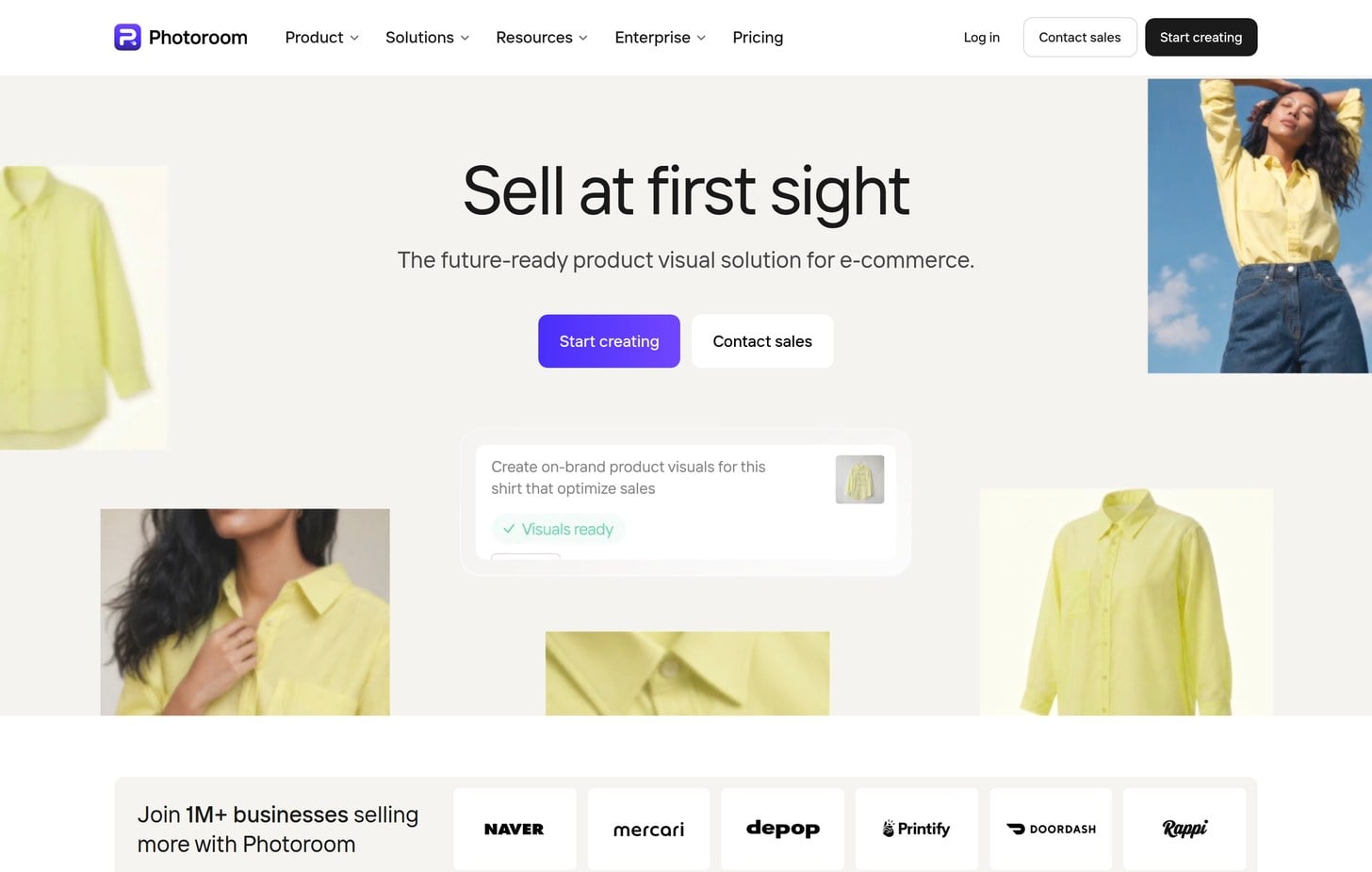
Photoroom is the tool the whole category gets measured against right now. We think it's the best of the best because Photoroom cuts a clean background in seconds, drops your product into an AI-generated scene from one prompt, and updates a full catalog in one Batch mode run.
The Best Part:
Quality per dollar. Pro unlocks unlimited core editing tools plus 8,000 AI credits and 1,000 exports a month for $12.99 — real headroom at a mid-tier price.
The Worst Part:
Toggle trap. Photoroom's pricing page opens on the yearly rate by default, so the number you see first is the discounted annual price, not the plain monthly one — flip the toggle before you compare plans.
Get it if you want the strongest all-around product photo editor without paying flagship prices.
I recommend you start with the free tools to test the editor, then upgrade to Pro for $12.99/month.
(free trial)
Best For
Photoroom is best for anyone who wants the sharpest product photo editor money can buy right now.
Top Features
Start from one shot. Feed Photoroom a single product photo and it cuts the background out in seconds, or hand it a full catalog and it keeps every product framed and lit the same way.
Edit the whole catalog at once. Batch mode applies the same background, shadow and crop across up to 250 images in one run, so you get a matched set instead of editing each photo by hand.
Models included. AI Fashion Models puts your clothing on a realistic generated model, so your product shots come out finished instead of flat on a hanger.
Built for the marketplace. Photoroom ships 1,000+ Amazon, Shopify and Etsy templates, so your exports meet spec without a second pass.
Backgrounds in the same seat. AI Backgrounds builds a scene around your product from a prompt or a preset, so you skip the separate design tool entirely.
Pricing
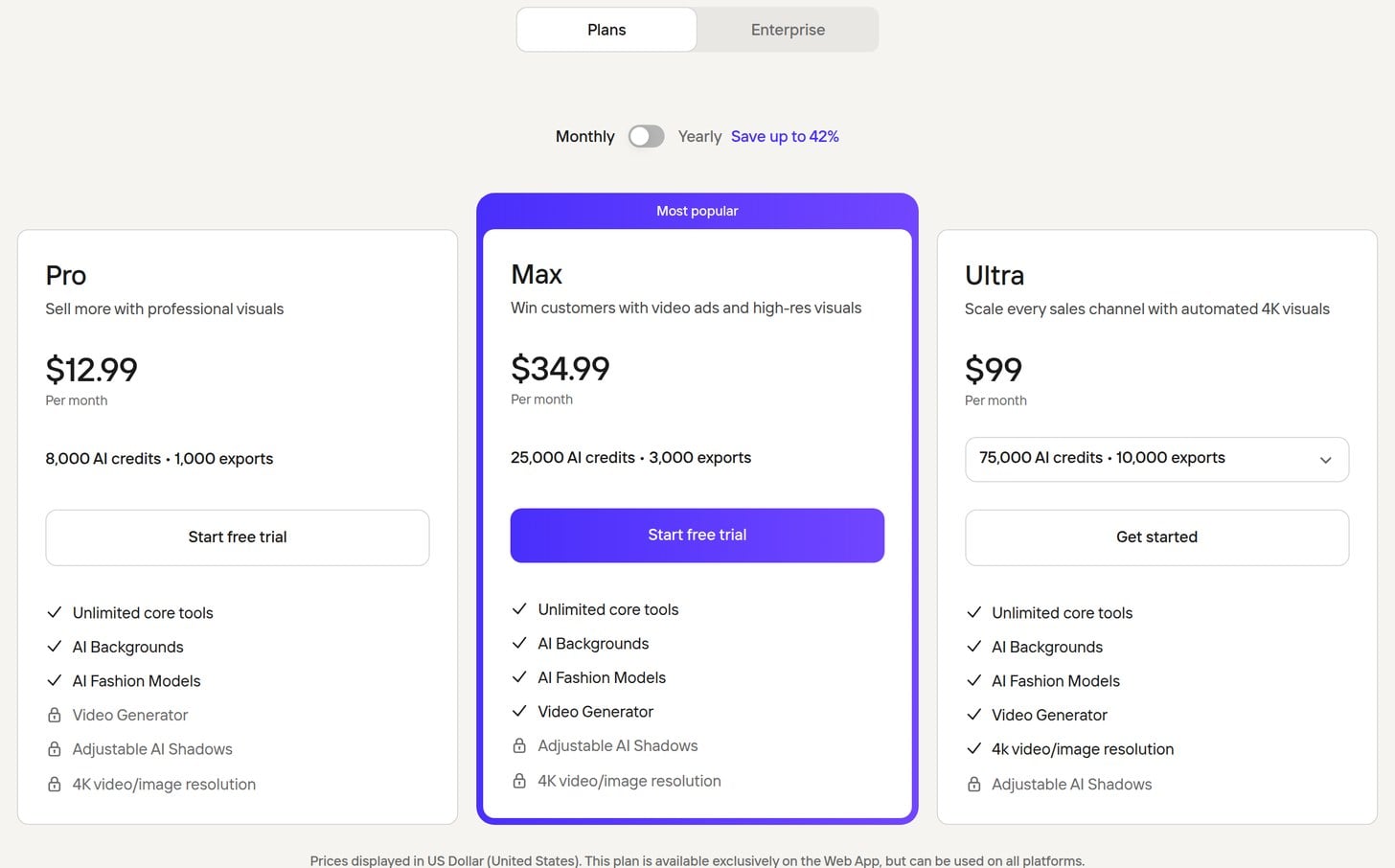
Photoroom offers four pricing plans:
- Pro: $12.99/month for unlimited core editing tools, AI Backgrounds, AI Fashion Models, 8,000 AI credits, and 1,000 exports a month.
- Max: $34.99/month for everything in Pro plus the Video Generator, 25,000 AI credits, and 3,000 exports a month.
- Ultra: $99/month for everything in Max plus 4K resolution, 75,000 AI credits, and 10,000 exports a month.
- Enterprise: Custom pricing, for adjustable AI shadows, visual QA tools, SSO, and dedicated onboarding.
Annual subscriptions provide up to a 42% discount.
Try Photoroom today with a free trial.
2. Claid.ai
Our Verdict — Best For Bulk Catalog Photos
Price: Starts at $15/month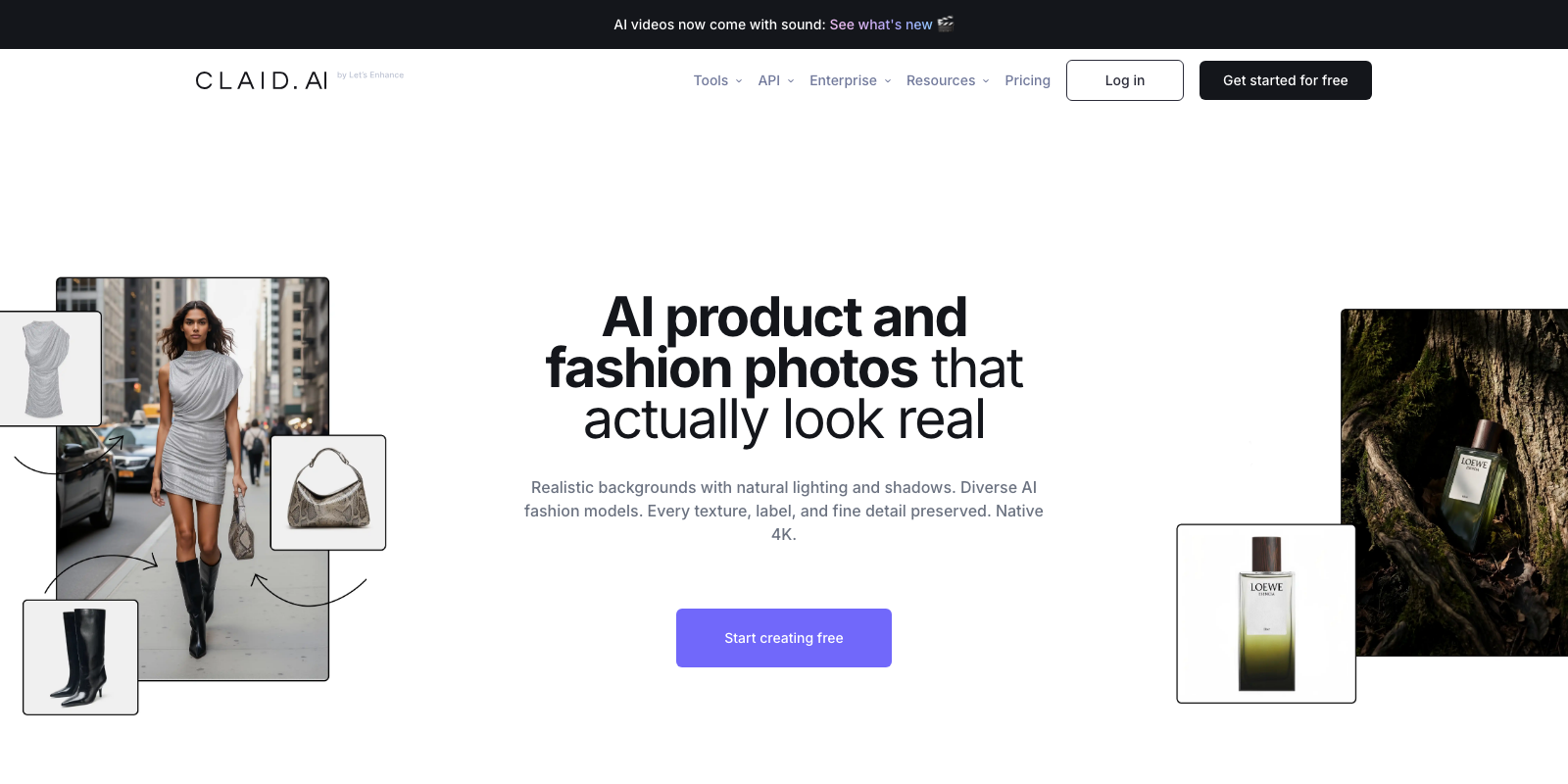
Claid.ai is where product photo editing stops being a manual grind and becomes a job you hand to software. We think it's the best for bulk catalog photos because it pairs heavy-duty batch editing with the toolset a catalog team needs — background removal, AI Photoshoot scenes, and marketplace exports.
The Best Part:
Batch, not one-by-one. API workflows and marketplace templates let you process images in bulk, so you're shipping catalogs instead of editing photos by hand.
The Worst Part:
Credits burn fast. Claid.ai's premium generations are hungry, and the 500 credits on Essentials disappear quickly at real catalog volume — budget for Pro if you ship weekly.
Get it if you want catalog photo editing that keeps up with a full catalog, not one photo at a time.
I recommend you start with the free trial, then upgrade to Essentials for $15/month.
(free trial)
Best For
Claid.ai is best for anyone shipping catalog images, where a distorted label is a return, not a shrug.
Top Features
Your spec, every image. Marketplace templates keep crop, background and export size consistent across the batch, which is the difference between a photo and a catalog.
Fix instead of reroll. AI Edit lets you change what a finished shot contains — swap the backdrop, clean up a reflection, extend the frame — without starting the shoot over.
4K exports. Pro plans render up to 4K with uploads as large as 64 megapixels, so deliverables hold up on a zoomed-in listing.
Every tool on one seat. Claid.ai bundles background removal, AI Photoshoot scenes and upscaling under one plan, so a single seat covers the whole catalog workflow.
Built for catalog volume. The pipeline is tuned for batch work — you feel it in how fast a batch goes from upload to marketplace-ready.
Pricing
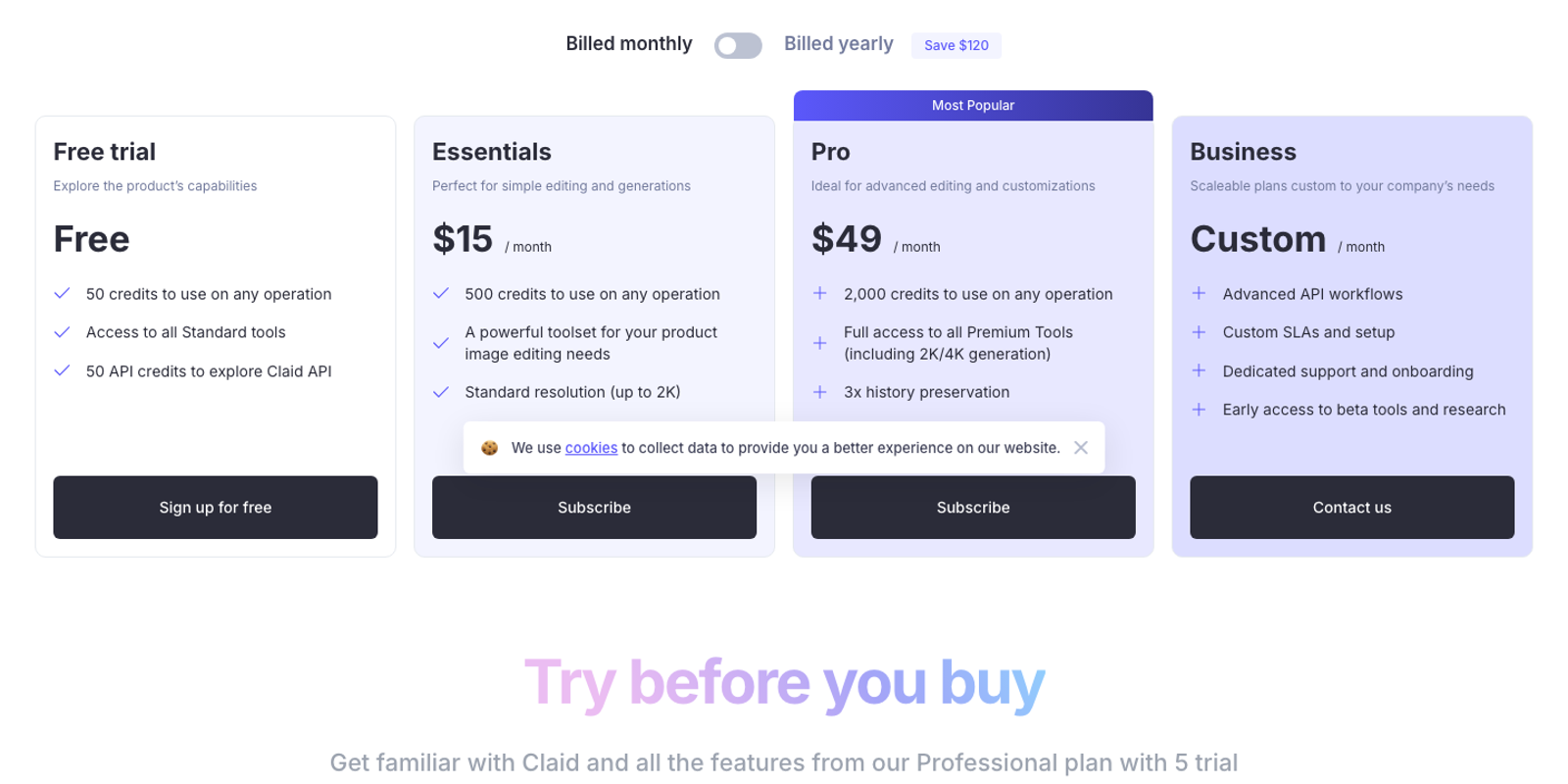
Claid.ai offers three pricing plans:
- Essentials: $15/month for 500 credits a month and the full editing toolset at up to 2K resolution.
- Pro: $49/month for 2,000 credits a month and full access to the premium tools, including 2K and 4K generation.
- Business: Custom pricing, for advanced API workflows, custom SLAs, and dedicated onboarding.
Annual subscriptions provide up to a 40% discount.
Try Claid.ai today with a free trial.
3. Flair.ai
Our Verdict — Best For Styled Brand Scenes
Price: Starts at $10/month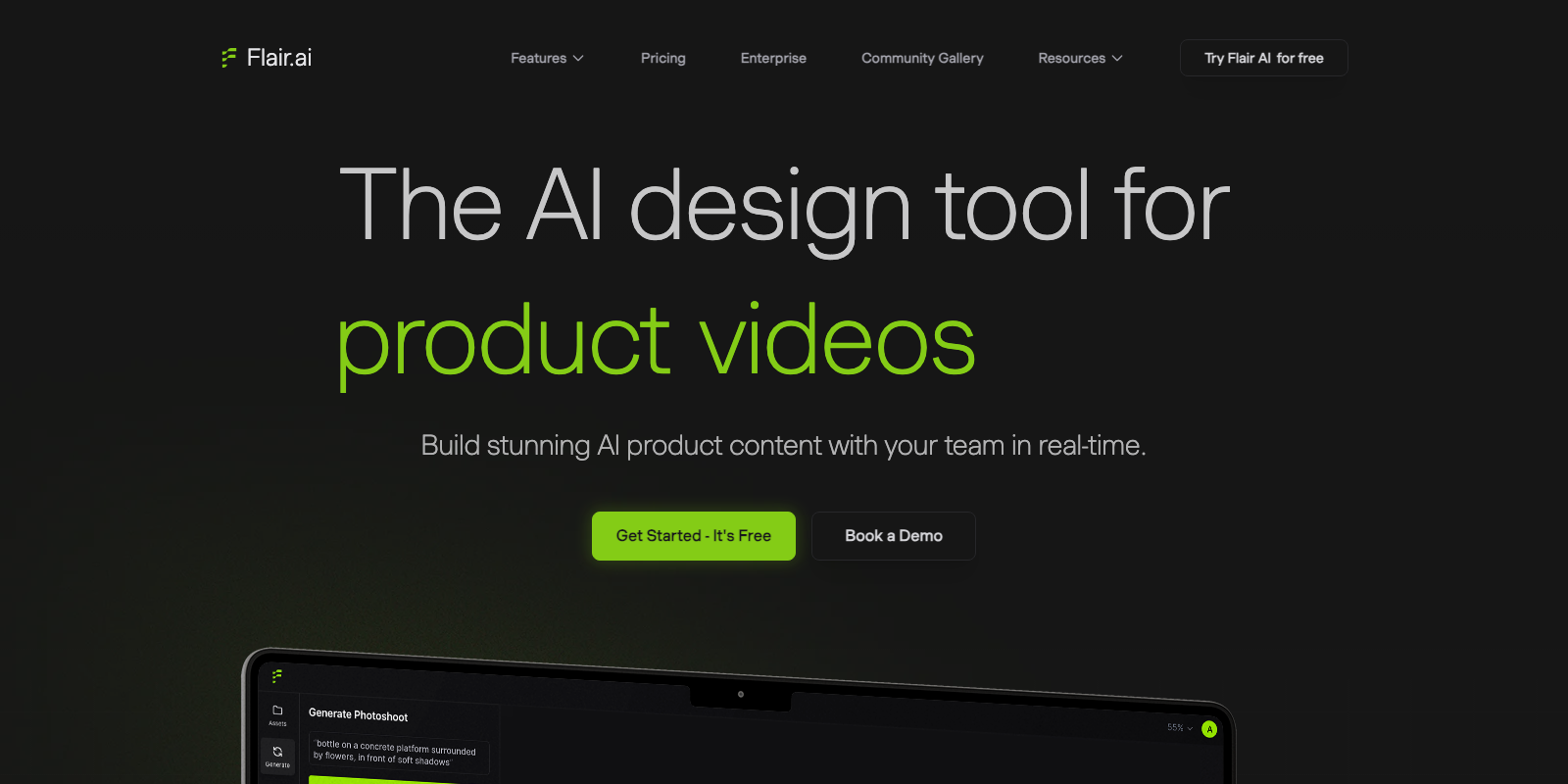
Flair.ai built its name on one thing: scenes you actually direct. It takes the best for styled brand scenes slot because you place props, lighting and backgrounds by hand — and a saved custom model keeps the same look consistent across an entire catalog shoot.
The Best Part:
Scene control first. Flair.ai's drag-and-drop editor is the most praised of the seven we tested — you place props, lighting and backgrounds by hand, which is exactly what one-click generators skip.
The Worst Part:
Free barely gets you started. The free plan caps out at one custom model and five generated images, and instant or ad generations burn four times that quota. Budget for Pro before you commit to a real shoot.
Get it if you want to art-direct the scene, not just prompt it.
I recommend you start on the free plan, then upgrade to Pro for $10/month once you need more renders and faster processing.
(free plan)
Best For
Flair.ai is best for brands staging one consistent look across a whole catalog, where matching scenes matter more than a single perfect shot.
Top Features
One model, every shot. Save a custom model once and Flair.ai reuses the same face and setting across a whole catalog — the cleanest way to keep a brand shoot consistent.
Clothes that fit themselves. On-model photography drops your garment or jewelry onto an AI model while keeping patterns and logos intact, so fashion shots skip the studio entirely.
Video without a camera. AI Product Videos turns a still into a short animation from a scene instruction, so a single generation is ready to post without a finishing pass.
Edit inside the scene. The real-time visual editor lets you nudge a prop, swap the lighting or adjust a background you mostly like, instead of re-rolling the whole generation.
Built to plug into a pipeline. The Flair API generates images, videos and marketing assets programmatically, so agencies can wire it straight into their own catalog workflow.
Pricing
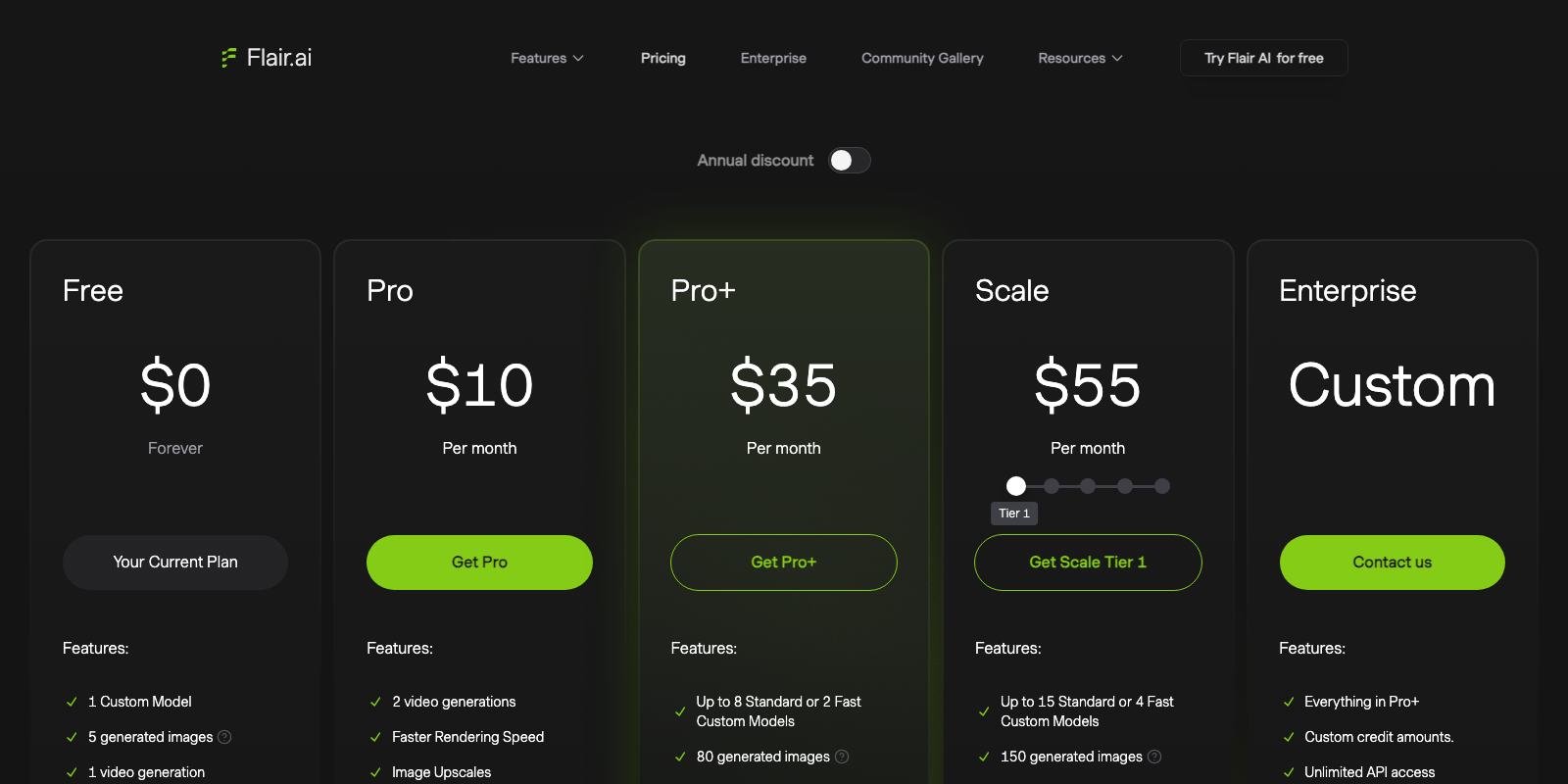
Flair.ai offers five pricing plans:
- Free: Free forever, for one custom model, five generated images, and one video generation.
- Pro: $10/month for two video generations, faster rendering, image upscales, and image variations.
- Pro+: $35/month for up to eight custom models, 80 generated images, three video generations, and a company commercial license.
- Scale: $55/month for up to 15 custom models, 150 generated images, five video generations, and early access to the product photography API.
- Enterprise: Custom pricing, for custom credits, unlimited API access, and priority support.
Annual subscriptions provide up to a 31% discount.
Try Flair.ai today with the free plan.
4. Pixelcut
Our Verdict — Best Free Option
Price: Starts at $10/month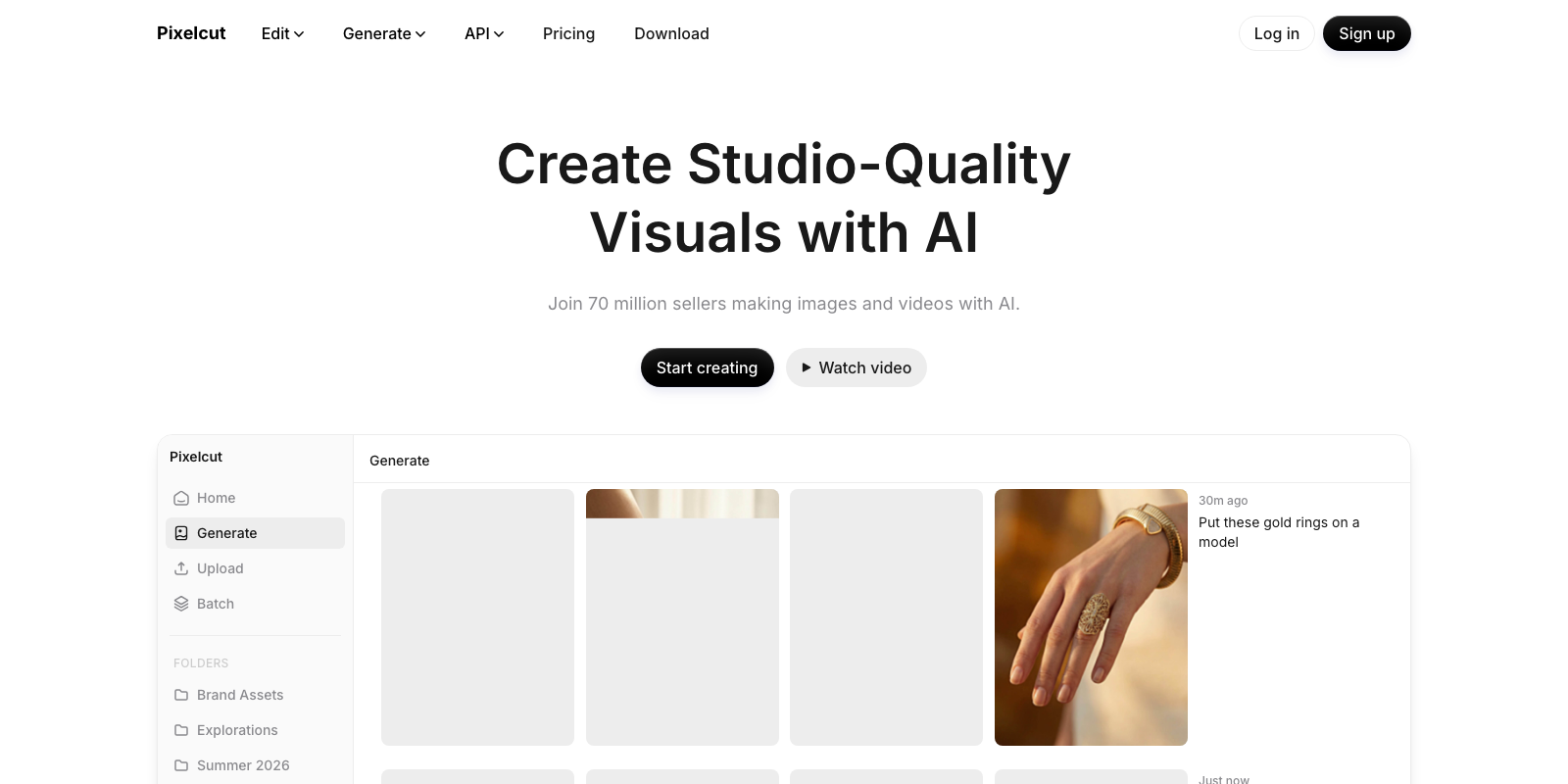
You don't need a budget to clean up product shots. Pixelcut earns the best free option slot because background removal and upscaling sit on the free tier already, with watermark-free exports.
The Best Part:
Built for volume. Pixelcut's bulk background remover handles up to 10,000 images in one batch, mapping clean edges around hair and fine detail whether you're prepping one listing or a whole catalog.
The Worst Part:
Not friction-free at scale. Recent updates have crashed on batch uploads for some sellers, and heavy users say the credit system runs dry fast once you move past occasional edits.
Get it if you want free, watermark-free background removal without a subscription.
I recommend you start on the free plan, then upgrade to Pro for $10 a month once you outgrow single-image edits.
(free plan)
Best For
Pixelcut is best for anyone who wants clean product shots at high volume and a free plan that doesn't nickel-and-dime you.
Top Features
Watermark-free, actually free. The free plan removes backgrounds and upscales images with no watermark stamped on the export, which is the bar this category needs to clear before you pay anything.
More than background removal. Product Studio lets you place an item on an AI model or a ready-made persona and generate on-model lifestyle shots, closer to a mini studio than a single-trick eraser.
Shadows out of the box. AI Shadow Effects add realistic depth to a cutout automatically, so a plain background swap doesn't look pasted-on.
Up to a hundred photos, one tap. The mobile Batch Editor strips backgrounds, swaps colors and resizes across up to 100 photos at once, straight from your phone.
One credit pool, every model. Paid credits unlock the same account across background removal, upscaling and image generation models like FLUX, Veo and Sora, instead of a separate bill per tool.
Pricing
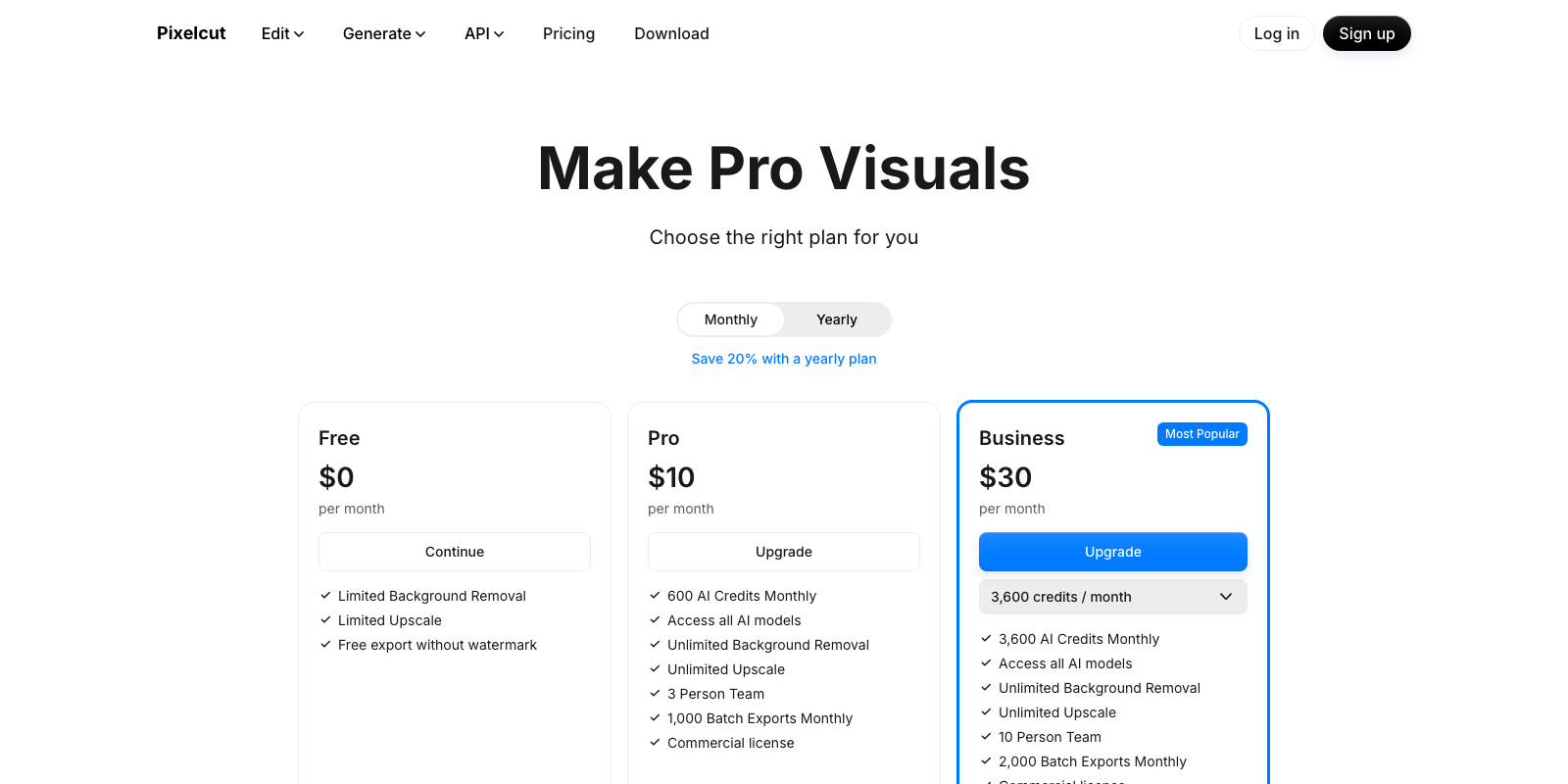
Pixelcut offers three pricing plans:
- Free: Free forever, for limited background removal and upscaling with watermark-free exports.
- Pro: $10/month for 600 AI credits a month, unlimited background removal and upscaling, and 1,000 batch exports.
- Business: $30/month for 3,600 AI credits a month, a team of 10 seats, and 2,000 batch exports.
Annual subscriptions provide a 20% discount.
Try Pixelcut today with the free plan.
5. Botika
Our Verdict — Best For On-Model Fashion Photos
Price: Starts at $55/month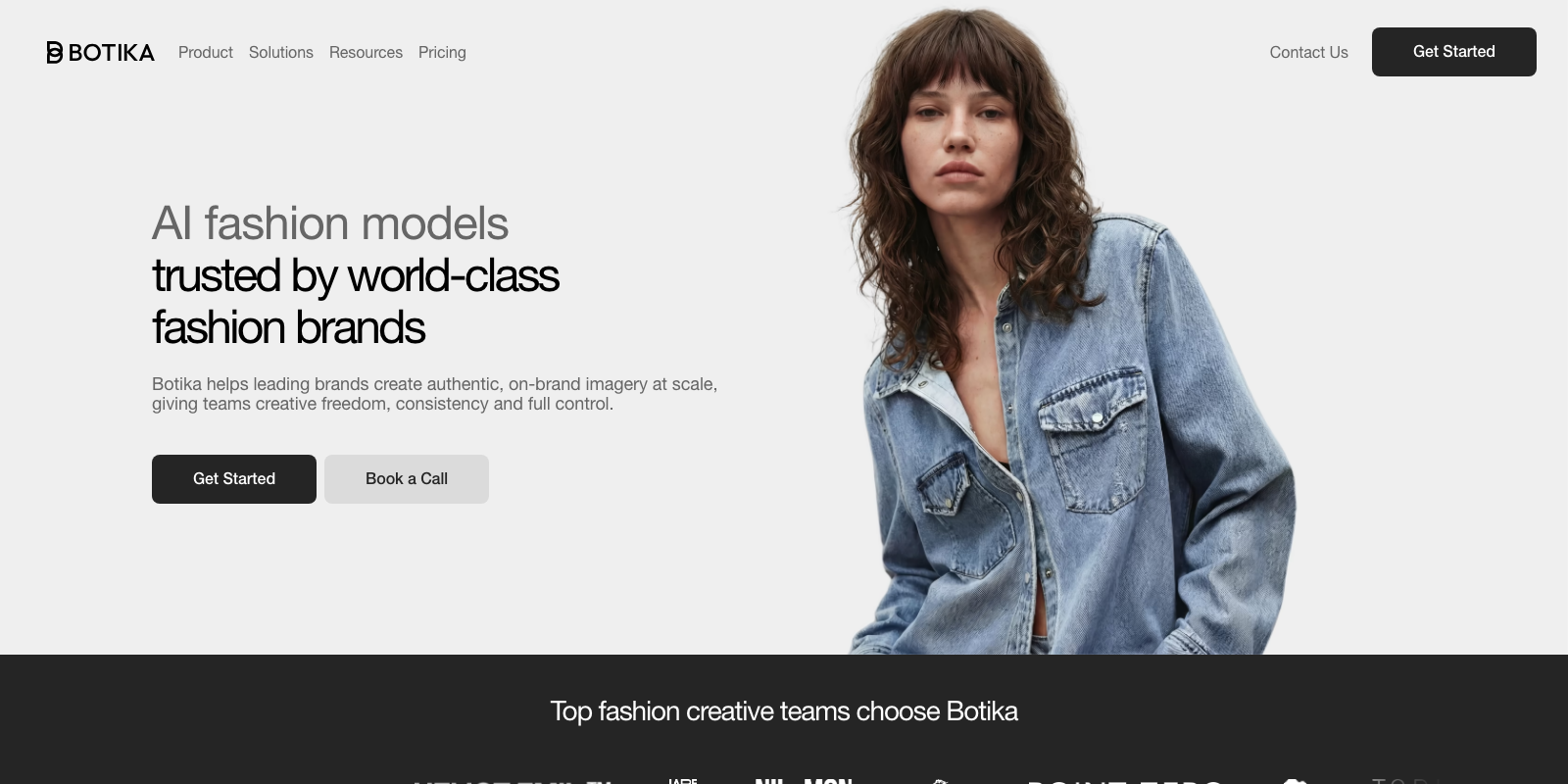
Botika is where a photo of clothes lying flat becomes a photo of someone actually wearing it. We think it's the best for on-model fashion photos because its model library spans dozens of body types and ethnicities, yearly plans add real retouching rounds to catch what the AI gets wrong, and the app plugs straight into your Shopify catalog.
The Best Part:
Models that vary. Botika's library spans dozens of AI models across ethnicities, body sizes, and styles, so the model in the photo can actually look like your buyer.
The Worst Part:
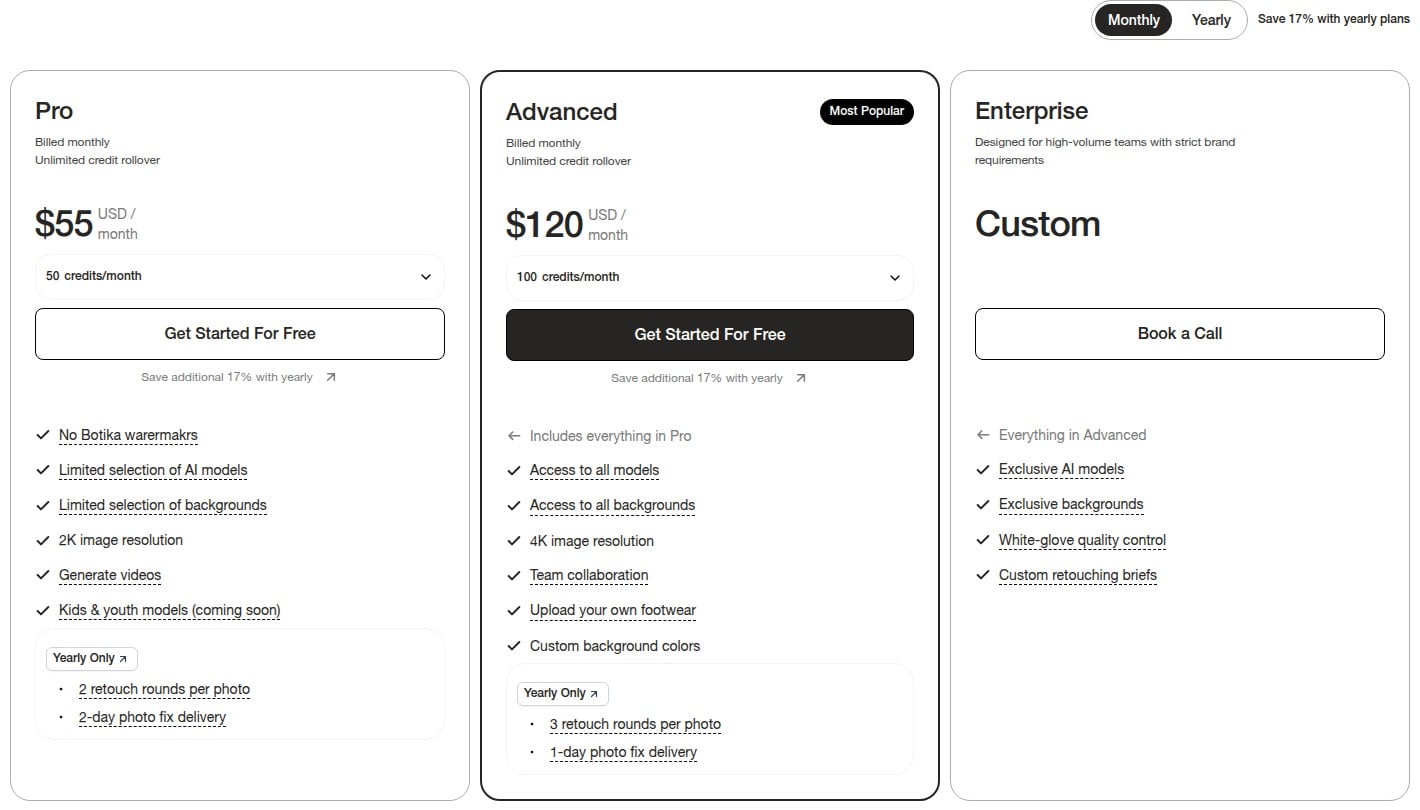
Retouching is yearly-only. The human retouch rounds — two on Pro, three on Advanced — only come with yearly billing, so on a monthly plan you fix whatever the AI gets wrong yourself.
Get it if you want a flat lay turned into a shot of someone actually wearing it.
I recommend you start with the eight free credits, then upgrade to Pro for $55/month.
(free trial)
Best For
Botika is best for anyone selling clothes online.
Top Features
Your model, not a redraw. Botika keeps the pose and body type from your original photo and swaps who's wearing the piece, so the garment itself never gets reinterpreted.
Video too, same photo. A single approved shot can also become a short product video for five credits, no separate shoot required.
Shopify-first. Botika plugs directly into your product catalog inside Shopify, so a listing goes from flat lay to on-model without exporting a single file.
A human backstop, not just AI. Yearly plans add retouching rounds with a real turnaround — two rounds in two days on Pro, three in one day on Advanced — before a bad hand ships.
Free trial with real credits. Eight credits land in your account with no card required, enough to actually test an on-model conversion before you commit to a plan.
Pricing
Botika offers three pricing plans:
- Pro: $55/month for 50 photo credits a month, a limited selection of AI models and backgrounds, 2K resolution, and video generation.
- Advanced: $120/month for 100 photo credits a month, every AI model and background, 4K resolution, and team collaboration.
- Enterprise: Custom pricing, for exclusive models and backgrounds, white-glove QC, and custom retouching briefs.
Annual subscriptions provide up to a 17% discount.
Try Botika today with the free trial.
6. Pebblely
Our Verdict — Best For One-Click Lifestyle Backgrounds
Price: Starts at $9/month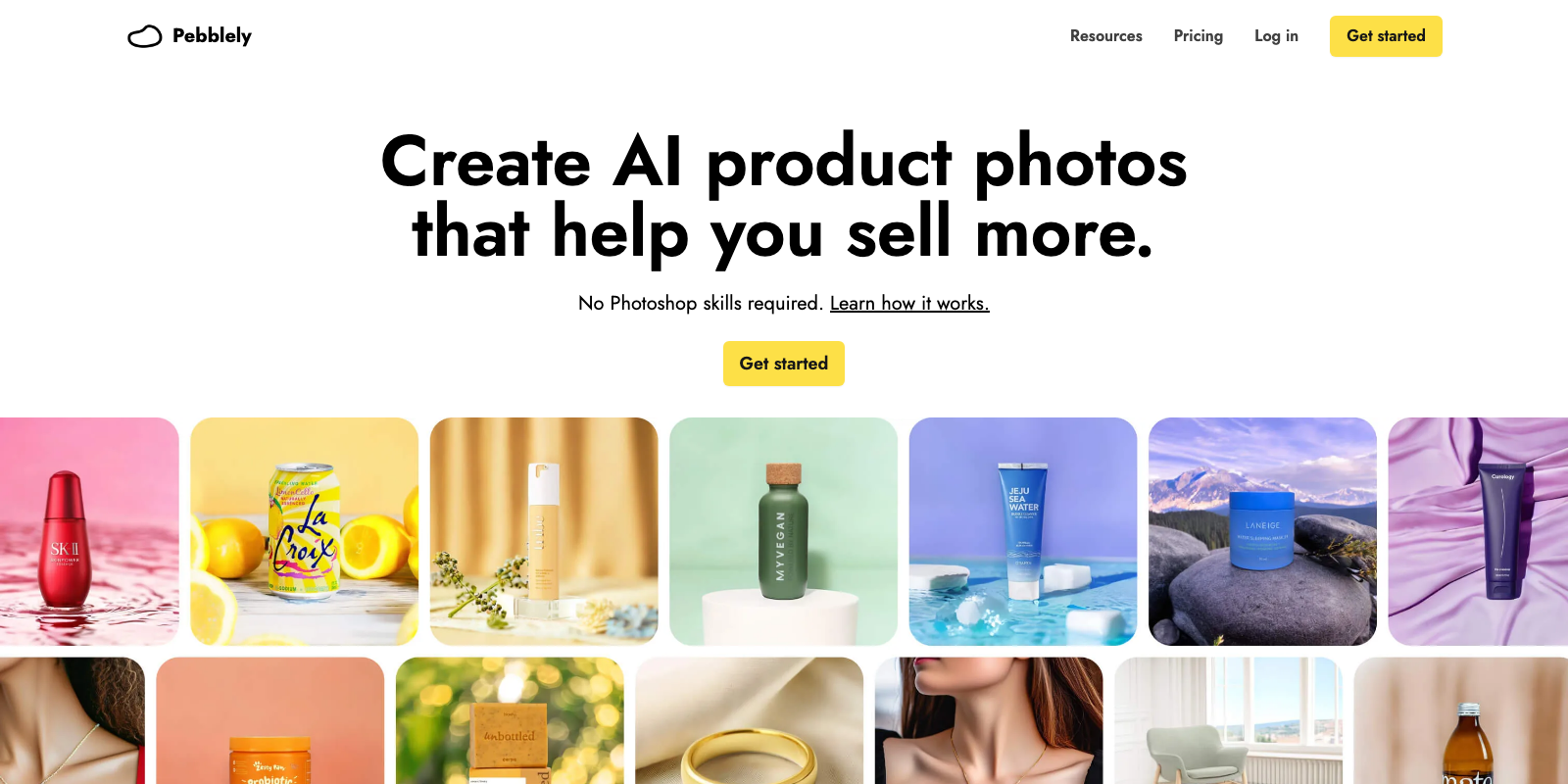
Sellers tired of booking studio time keep landing on Pebblely, and for good reason. It earns the best for one-click lifestyle backgrounds slot with automatic product detection and background swap, 40+ preset scene themes plus custom text prompts, and bulk generation for up to 25 products in one batch.
The Best Part:
One click, real backgrounds. Upload the product photo as-is — no manual cutout first — and Pebblely detects the product, drops in a new lifestyle scene, and renders matching shadows in seconds.
The Worst Part:
No safety net. Pebblely offers no free trial and no refunds, and Trustpilot reviewers report the AI sometimes changes the product itself in the render, burning paid credits on a bad image.
Get it if you want lifestyle product shots without staging a real shoot or opening a photo editor.
I recommend you get started with Lite, then upgrade to Basic for $19/month.
(Lite plan)
Best For
Pebblely is best for sellers who want plain product shots turned into lifestyle scenes without a studio.
Top Features
Forty-plus scenes deep. Pick from more than 40 preset themes — cafe, kitchen, beach, studio — or write a custom prompt for anything else.
No cutout required. Upload the product photo as-is and Pebblely detects it and strips the background automatically.
Batches of 25. Bulk generation runs up to 25 products through similar or varied backgrounds in one pass instead of one image at a time.
Shopify built in. A dedicated Shopify app generates product photos straight from the store admin panel.
Reference-matched. Upload a reference image and Pebblely mirrors its style, keeping backgrounds on-brand across products.
Pricing
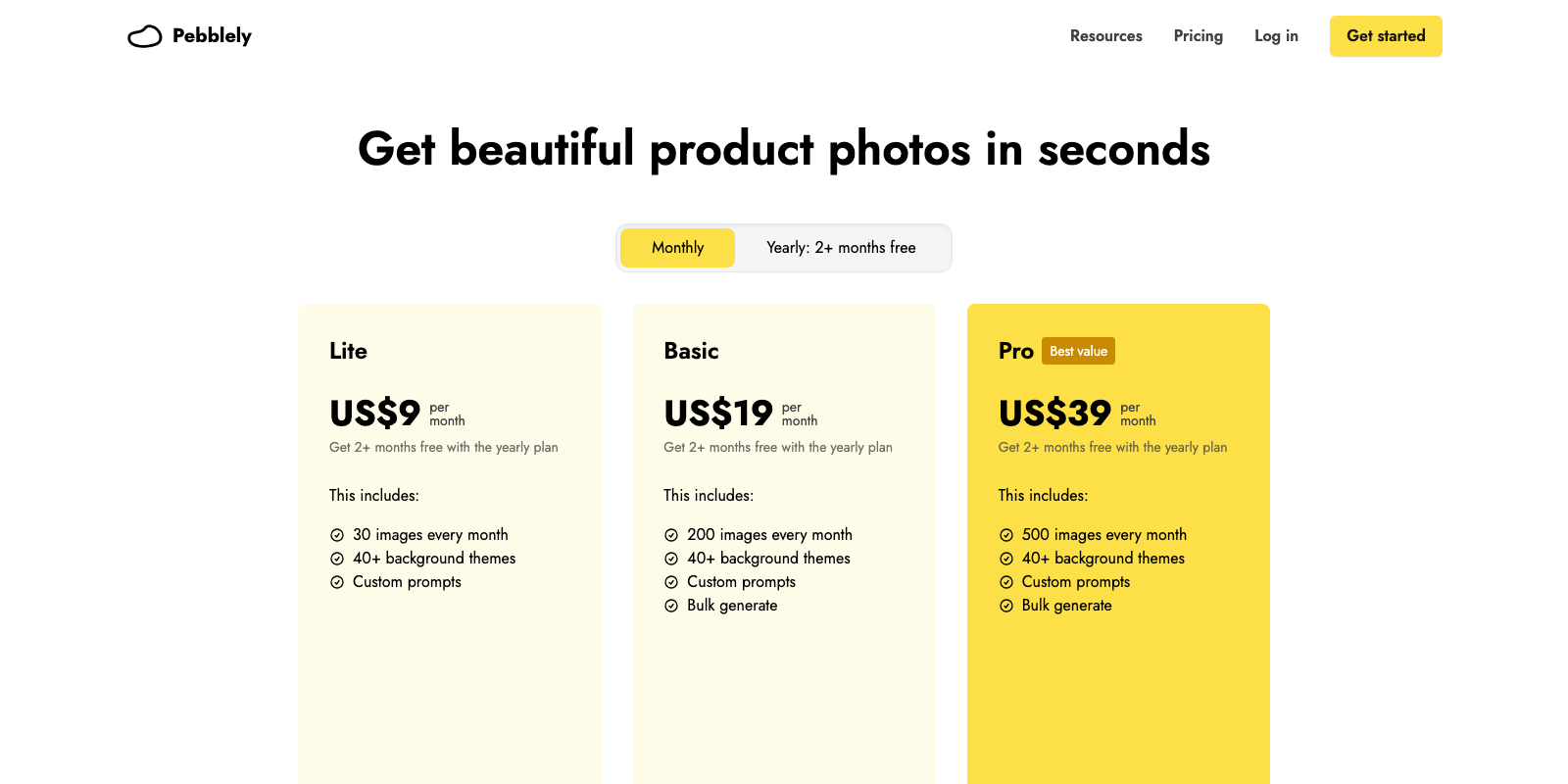
Pebblely offers three pricing plans:
- Lite: $9/month for 30 images a month, 40+ background themes, and custom prompts.
- Basic: $19/month for 200 images a month plus bulk generation.
- Pro: $39/month for 500 images a month plus bulk generation.
Annual subscriptions provide up to a 21% discount.
Try Pebblely today with the Lite plan.
7. PicWish
Our Verdict — Best Budget Option
Price: Starts at $9.99/month
PicWish doesn't try to out-feature the tools ranked above it. It wins the best budget option slot because background removal, retouch and AI backgrounds all sit inside one $9.99-a-month plan — skip the subscription entirely and pay per credit instead.
The Best Part:
One click, clean cut. PicWish's background remover isolates the subject automatically — no masking, no prompts, just a transparent or white background ready for a listing.
The Worst Part:
A tier below the leaders. PicWish's output sits under Photoroom, Pixelcut and Claid.ai on raw quality — fine for a marketplace listing, not for a hero shot at 4K.
Get it if you want clean product shots without paying for a subscription.
I recommend you start on the free plan, then upgrade to Pro for $9.99/month.
(free plan)
Best For
PicWish is best for anyone who wants a usable product photo fast, not the sharpest possible frame.
Top Features
Backgrounds from a sentence. Type a prompt or drop a reference image and PicWish generates a matching backdrop, up to 2048px, in one pass.
Batch by the pile. Drop up to 30 images at once and PicWish strips every background in the same pass.
100 HD downloads a day. Upgrading to Pro unlocks HD downloads across the core tools, plus 450 credits a month for the AI features.
The toolkit keeps growing. Retouch, object removal, watermark removal and an image enlarger all live behind the same one-click interface.
Cheap to start. At $9.99/month, Pro is among the cheapest paid plans of our seven — or skip it and pay per credit instead.
Pricing
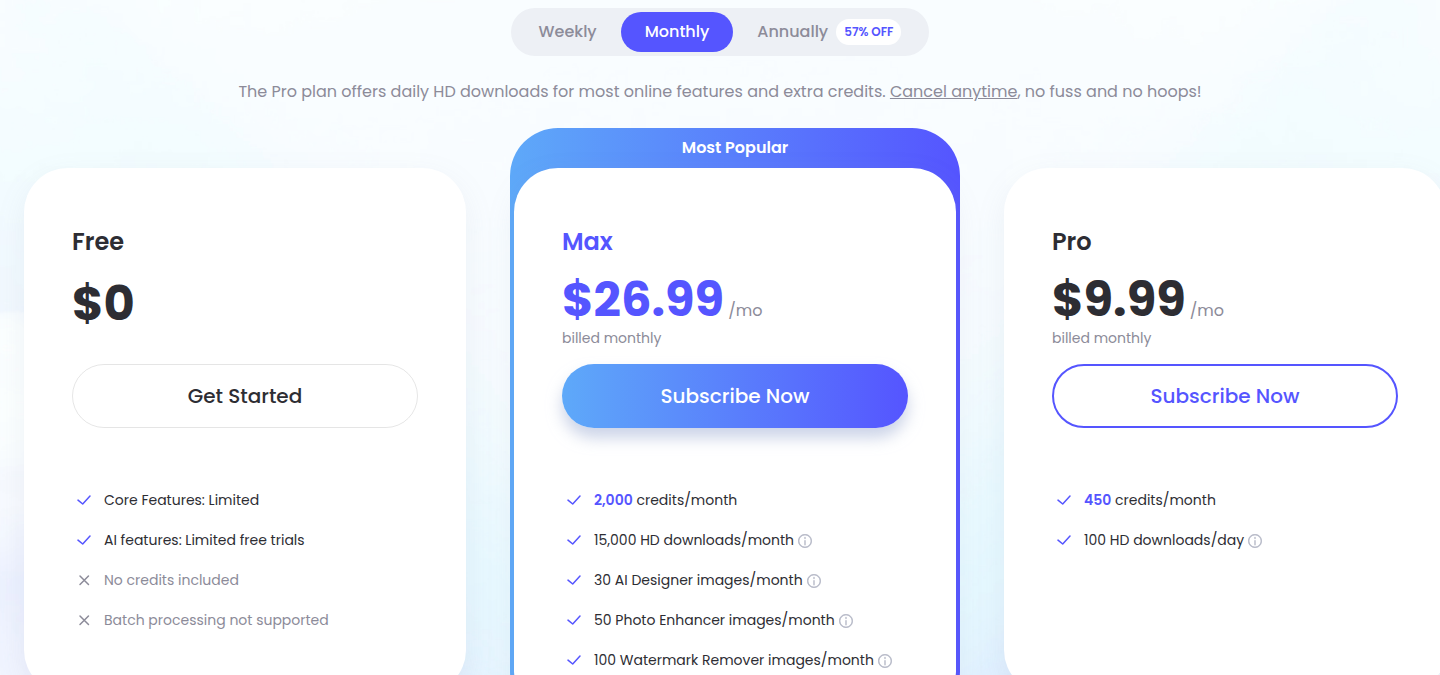
PicWish offers three pricing plans:
- Free: Free forever, for limited use of the core features and free trials of the AI tools.
- Pro: $9.99/month for 450 credits a month and 100 HD downloads a day.
- Max: $26.99/month for 2,000 credits a month, 15,000 HD downloads a month, and monthly allowances for AI Designer, Photo Enhancer, and Watermark Remover.
Annual subscriptions provide up to a 50% discount.
Try PicWish today with the free plan.
Our Top Three Picks
Here's a quick summary of our top three picks:
Here's a quick comparison of our top seven picks:
Tool | Entry Offer | Pricing |
|---|---|---|
Photoroom | Free trial | Starts at $12.99/mo |
Claid.ai | Free trial | Starts at $15/mo |
Flair.ai | Free plan | Starts at $10/mo |
Pixelcut | Free plan | Starts at $10/mo |
Botika | Free trial | Starts at $55/mo |
Pebblely | No free trial | Starts at $9/mo |
PicWish | Free plan | Starts at $9.99/mo |
Here are the top 50 AI product photography tools we considered in this review:
- Photoroom
- Claid.ai
- Flair.ai
- Pixelcut
- Botika
- Pebblely
- PicWish
- Caspa AI
- CreatorKit
- WearView
- SellerPic
- ZMO.ai
- Magic Studio
- WizStudio (WizCommerce)
- Canva
- Snapshot
- Fibbl
- Zakeke
- Mokker AI
- Kive
- WeShop AI
- Pic Copilot
- Mintly
- Nightjar
- Rewarx Studio AI
- Prodofoto
- PixelPanda
- Pro Photo Playground
- Snappyit
- Photta
- Adobe Firefly (Photoshop)
- Midjourney
- Nano Banana (Gemini) + Photoshop Generative Fill
- getimg.ai
- Lamina
- Dreamina
- Bandy AI
- Genlook
- Phot.AI
- Rendair AI
- ProductStage.ai
- PicLumen
- GreenOnion
- Designkit
- Glorify
- LightX
- Lensia
- Omi
- PixFocal
- Pokecut
Frequently Asked Questions About AI Product Photography Tools
What is an AI product photography tool?
AI product photography tools are apps that turn a plain product photo into a polished, sellable image — swapping the background, adding realistic shadows, and in some cases placing the item on an AI-generated model. Feed in one photo and the software outputsa finished, listing-ready photo.
Which AI product photography tool is best overall?
Photoroom is our top pick overall. You get AI Backgrounds, AI Fashion Models, and full-catalog batch editing in one editor, backed by the strongest brand reputation, which makes it the one to start with.
How do free and paid AI product photography tools differ?
Free tiers cap your credits, resolution or export count — and some watermark the output. Paid plans buy more generations, higher resolution and full commercial rights. Start free to learn a tool's look, then pay only once you know which engine fits your products.
Which AI product photography tool is the best budget option?
PicWish is our pick for the budget option because its paid plan is among the cheapest of the seven and the free tier still gives you usable exports for testing. Reach for it if you want low-cost photo editing without a steep learning curve.
Which AI product photography tool is best for on-model fashion photos?
Pick Botika when you sell apparel and need the product on a person rather than a hanger — its model library and Shopify-first workflow turn a flat lay into an on-model shot without booking a photographer.
Which AI product photography tool is best for one-click lifestyle backgrounds?
Pebblely is our pick for one-click lifestyle backgrounds. Pick a theme or write a prompt and it drops your product into a styled scene in one step, which makes it the fastest way to move a packshot off a plain background.
What should I look for when choosing an AI product photography tool?
Focus on how well it preserves your actual product — logo, texture and shape — since that is where these tools most often slip. Then check the practical side: batch or catalog support, export resolution, marketplace templates, and whether the free tier is enough to properly test it.
How many reference photos does an AI product photography tool need?
Most tools work from a single plain product shot and generate the background, shadow or model around it. Batch and catalog support matter more than any one generation, because a full listing set is built from several images processed the same way, not produced in one shot.
Photoroom vs Pixelcut: which one should I choose?
Photoroom is our best overall pick, while Pixelcut is the one to reach for if you want a strong result for free. Go with Photoroom for the top all-around package, and Pixelcut if your budget starts at zero.
The Bottom Line
To recap, here are the best AI product photography tools to try this year: