
Today there are 68 different AI research assistants. We spent 40 hours comparing the top 50 to find the seven best you can use to boost your research capabilities, with the help of AI.
What is the Best AI Research Assistant?
- Perplexity AI — best of the best
- Sourcely — best for academic work
- Elicit — best for scientific research
- Iris.ai — best for enterprises
- Research Rabbit — best for data visualization
- EndNote Click — best to eliminate paywalls
- Semantic Scholar — best free alternative
Our Verdict — Best Of The Best
Price: $20/month
Perplexity is a conversational search engine that lets you go deep into research, with any topic. We think it’s the best of the best because of how much time it saves, when compared to your regular internet searches.
The Best Part:
Time-bending powers. Perplexity will read and analyze multiple sources for you, and give you the abridged version of whatever you ask… without all that endless clicking you get on your search engine of choice.
The Worst Part:
Better for broad overviews. Perplexity does a great job at helping you understand topics, but it won’t go as deep as specialized AI’s — so it might oversimplify topics that are too complex.
Get it if you want a time-saving tool for getting more out of your internet searches.
I recommend you get started with the free plan.
(free plan)
Best For
Perplexity AI is best for people who want to get quicker answers to their everyday questions.
Top Features
Conversational interface. Think of Perplexity as a “Google” that you can talk to — ask your questions, and it will answer you in natural language, rather than a list of links for you to click through.
Deep dive. Keep asking follow-up questions to go deeper, and explore topics from different angles.
Real time info. Perplexity is able to deliver up-to-date info, in real time, even in events as dynamic as sports scores, for example.
Source by source. Get links to every original source used in Perplexity responses, which makes fact checking super easy.
Clean interface. There’s nothing to learn in order to get started. If you can search on Google, you can use Perplexity.
Pricing
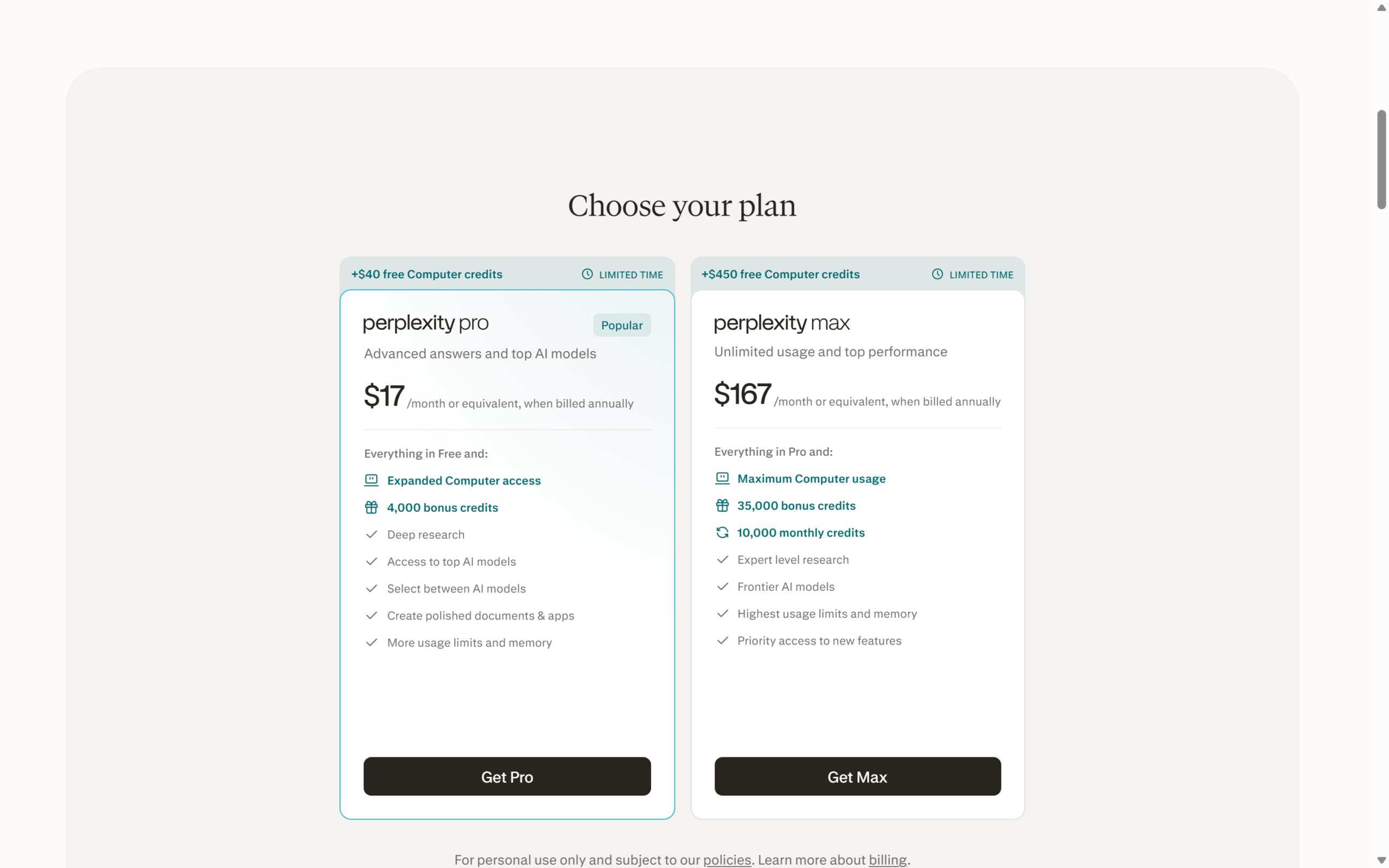
Perplexity offers two pricing plans:
- Pro: $17/month billed annually for advanced answers, deep research, and access to top AI models.
- Max: $167/month billed annually for unlimited usage, frontier AI models, and priority access to new features.
Try Perplexity AI today with the free plan.
2. Sourcely
Our Verdict — Best For Academic Work
Price: Starts at $17/month
Sourcely is the most incredible assistant when you’re going deep into academic research. We think it’s the best for academics because of how easy it makes to uncover tons of relevant sources.
The Best Part:
Smart research. Give Sourcely a title or a subject, and it will unearth tons of relevant sources for your content, in seconds, with all the relevant sources you could ask for.
The Worst Part:
Capped free trial. Sourcely’s free start only covers up to 300 characters, which is barely enough to even get started.
Get it if you want to spend way less time researching.
I recommend you get started with the free trial.
(free trial)
Best For
Sourcely is best for students and researchers who want fast and accurate sources for their content.
Top Features
All the relevant sources. With its contextual algorithm, Sourcely will find all of the sources you need for your research papers, even those hardest ones.
Recent vs old. Looking to filter out outdated, old sources and focus on the freshest info? You got it!
Trusted sources. If you want to prioritize the most cited sources, it’s easy to do so. That will also make your paper more trustworthy!
Summaries DFY. If you’re tired of reading through thousands of pages, Sourcely creates rich summaries to help you find the articles you should focus more of your time on.
Auto formats. Forget the pain that it is to get citations right. Let Sourcely format all of your citations in the right academic standards, with a single click.
Pricing
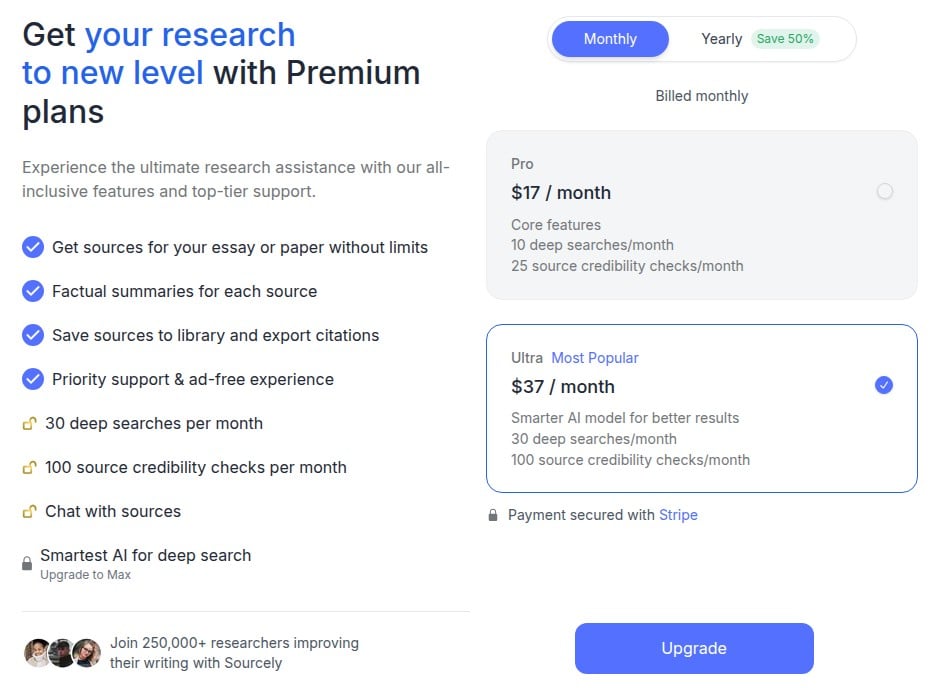
Sourcely offers two pricing plans:
- Pro: $17/month, or $9/month billed annually, for 10 deep searches and 25 source credibility checks per month.
- Ultra: $37/month, or $19/month billed annually, for a smarter AI model, 30 deep searches, and 100 source credibility checks per month.
Annual subscriptions provide up to a 49% discount.
Try Sourcely today with a free trial.
3. Elicit
Our Verdict — Best For Scientific Research
Price: Starts at $75/month
Elicit enables you to automate the time-consuming tasks and gather much more data, with way less time and effort. We think it’s the best for scientific research because of how efficient it is.
The Best Part:
Life saving. Elicit will help you save a ton of time in your research, so you’re spending more time on the meat of your research.
The Worst Part:
Always double check. As with any AI, you should check the context and sources it finds, to make sure your data is 100% good.
Get it if you want to pretend to have a superhuman reading ability.
I recommend you get started with the free plan.
(free plan)
Best For
Elicit is best for researchers, students, writers, and anyone who needs to go through hard-to-read scientific papers.
Top Features
Google-like powers. Elicit will help you to identify and find all relevant papers, even when the keywords are not exact matches, like a librarian.
Concise summaries. You’ll get customized, to the point abstracts of your research so you can find all the key information, as quick as a hare.
High-accuracy mode. With that mode, you can extract data from other academic papers to populate your article with highly accurate info.
Complete review on a whim. Find tons of articles, and summarize them all, eight by eight. Research with a bang.
More tools. Elicit is more than just a research assistant. You get text classification, summarization of complex concepts, you can chat to PDF files, papers, or articles… and a lot more.
Pricing
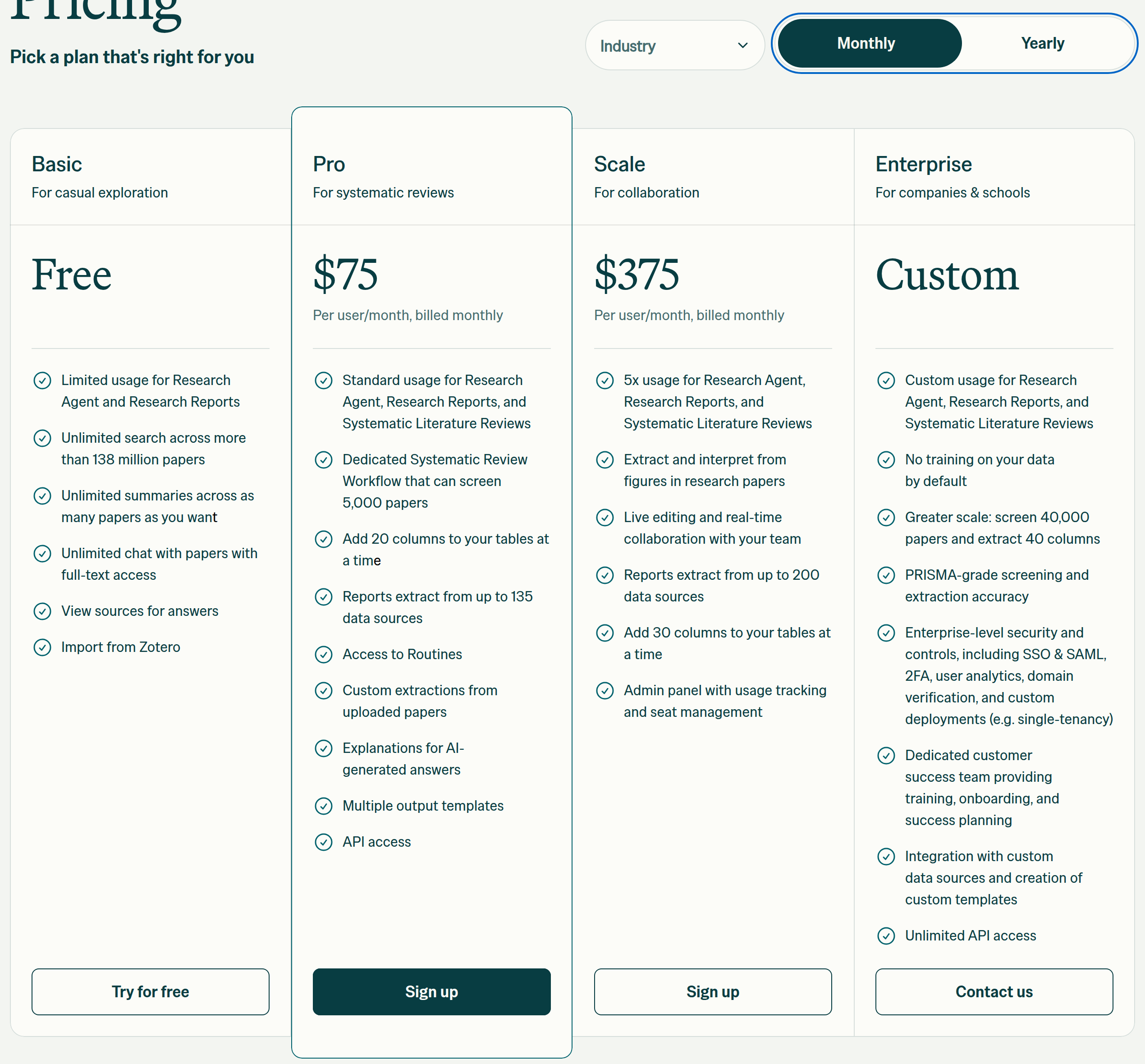
Elicit offers four pricing plans:
- Basic: Free, for casual exploration with unlimited paper search and summaries.
- Pro: $75/month for systematic reviews of up to 5,000 papers.
- Scale: $375/month for 5x usage, figure extraction, and real-time collaboration.
- Enterprise: Custom pricing, for companies and schools that need SSO, custom usage, and dedicated support.
Annual subscriptions provide up to a 39% discount.
Try Elicit today with the free plan.
4. Iris.ai
Our Verdict — Best For Enterprises
Price: Custom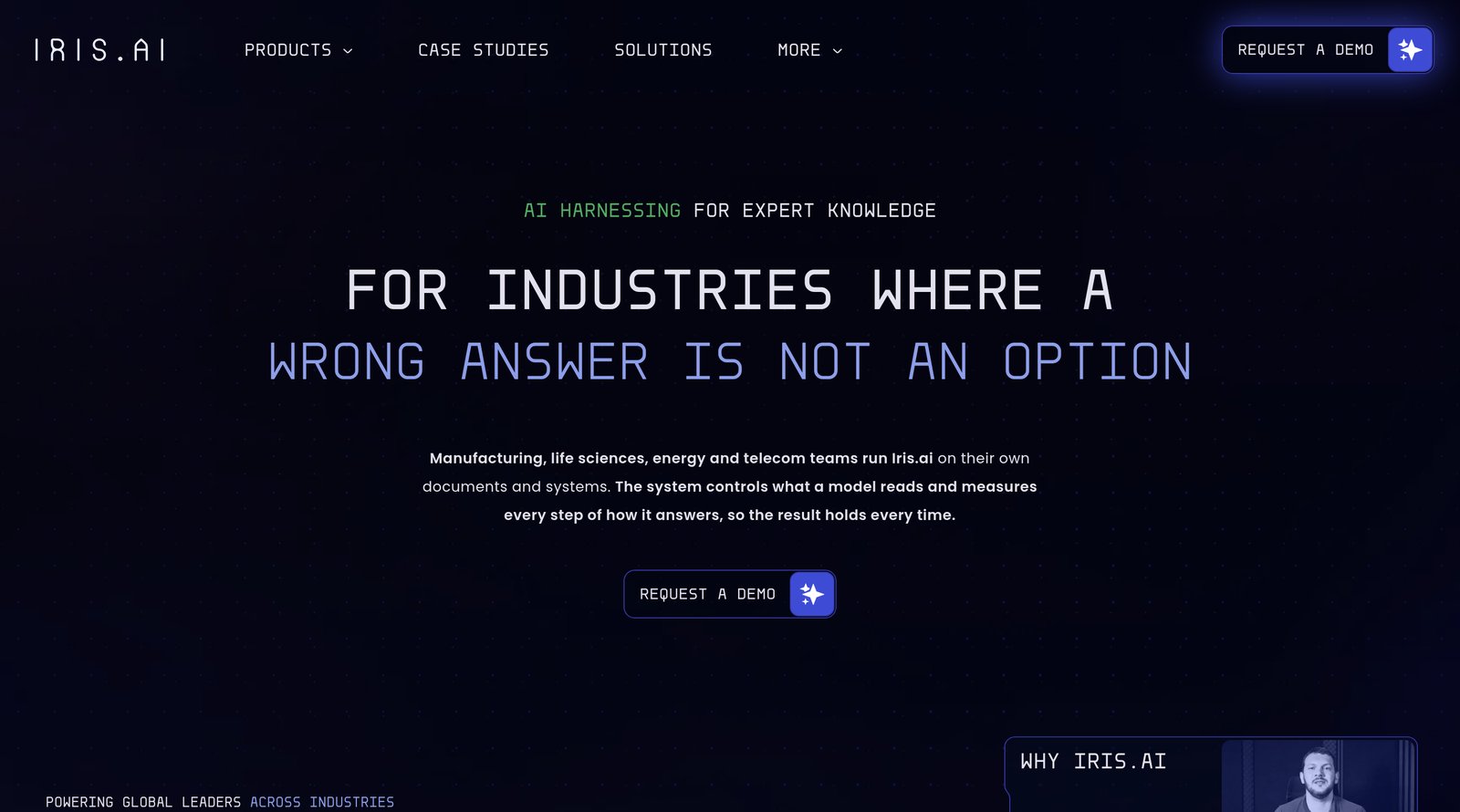
Iris.ai is an enterprise AI platform that turns internal R&D documents, research papers, and patents into a private knowledge base you can question. We think it’s the best for enterprises because it keeps every answer grounded in your sources, with the privacy and compliance controls regulated industries need.
The Best Part:
Answers you can trace. Every finding links back to its source, so your team can check the facts behind each answer.
The Worst Part:
Not for individuals. Iris.ai sells to companies through its sales team, so there’s no self-serve plan or public price.
Get it if your R&D team needs to dig through papers, patents, and internal documents in one private, secure place.
I recommend you request a demo of RSpace with a real research question your team is working on.
(free demo)
Best For
Iris.ai is best for R&D teams in manufacturing, life sciences, energy, and telecom that need verifiable answers from their research.
Top Features
One private workspace. Bring internal R&D documents, papers, and patents into a secure, private environment.
Interrogate your data. Ask questions of your document set instead of skimming page after page.
Smart filtering. Narrow millions of documents down to exactly what you need, going beyond keywords.
Facts, organized. Iris.ai pulls the data out of papers and patents into the same structure, units, and naming.
Automatic monitoring. Get updates on new publications in your field without running the search again.
Pricing
Iris.ai offers custom pricing plans:
- RSpace: Custom pricing, for R&D teams that want an AI literature review platform for papers, patents, and internal documents.
- Axion and Neuralith: Custom pricing, for enterprises that want their data and knowledge turned into an AI-ready engine.
Try Iris.ai today with a free demo.
Our Verdict — Best For Data Visualization
Price: Starts at $12.50/month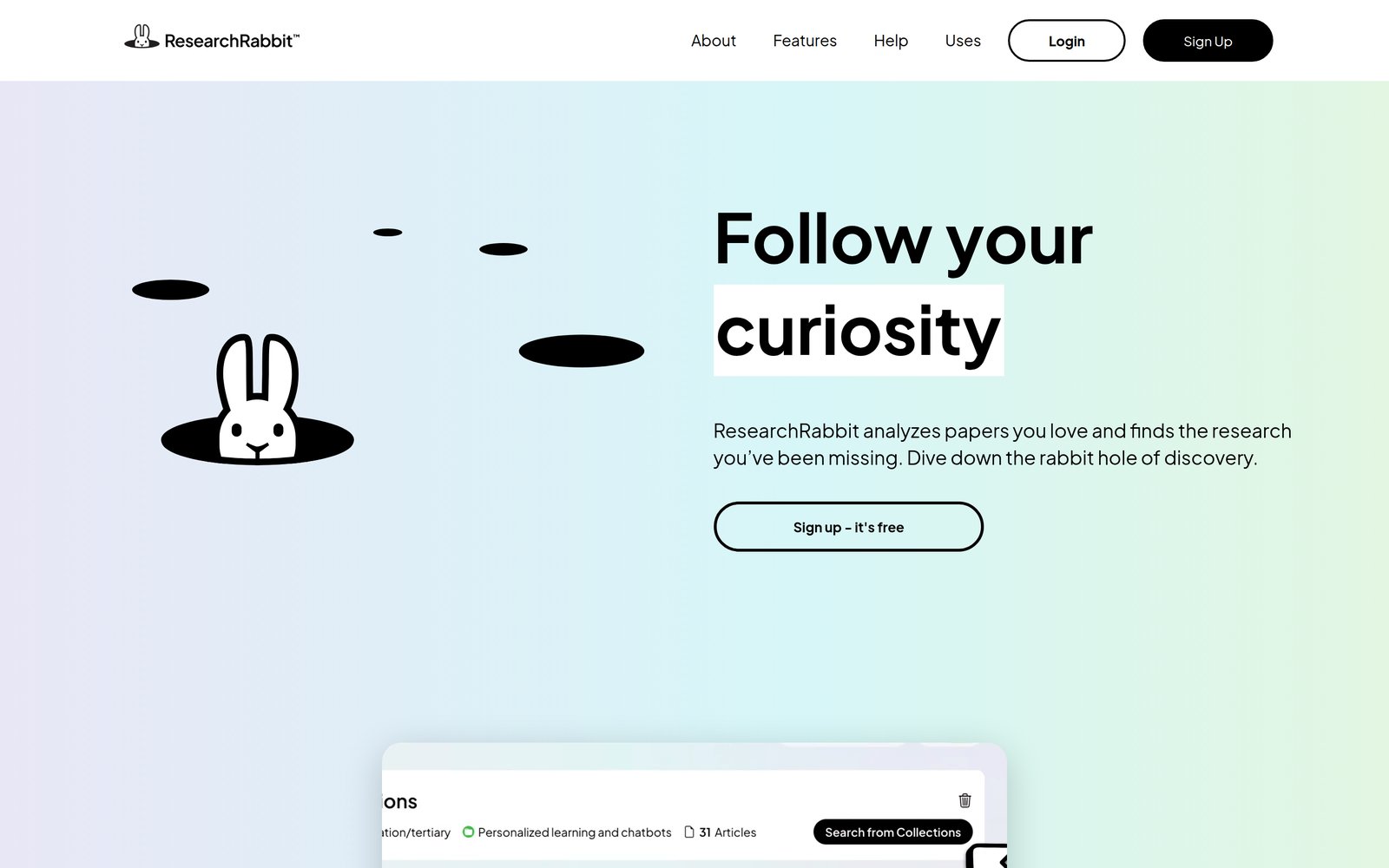
Research Rabbit is a literature discovery tool that takes the papers you already love and finds the research you’ve been missing. We think it’s the best for data visualization because it maps how papers, authors, and topics connect, so you can see your whole field at a glance.
The Best Part:
A map of your field. Start from one seed paper and explore a citation graph of related work, authors, and emerging topics.
The Worst Part:
Seed limit on Free. The free plan caps you at 50 seed articles, so large reviews need RR+.
Get it if you’re starting a literature review and want to see how the research connects.
I recommend you start with the free plan, then move to RR+ if your review outgrows 50 seed articles.
(free plan)
Best For
Research Rabbit is best for students and researchers who want to map a field visually and find the papers they’ve missed.
Top Features
Seed papers. Add the papers you love, and Research Rabbit uses them as seeds to find related work.
Citation graph. See how papers connect, and follow new authors and emerging topics from there.
Smarter recommendations. The more you explore, the more relevant Research Rabbit’s suggestions get.
Connect your library. Bring your reference library into Research Rabbit and see how your review fits together.
Unlimited searches. Search across 310+ million articles as often as you like, even on the free plan.
Pricing
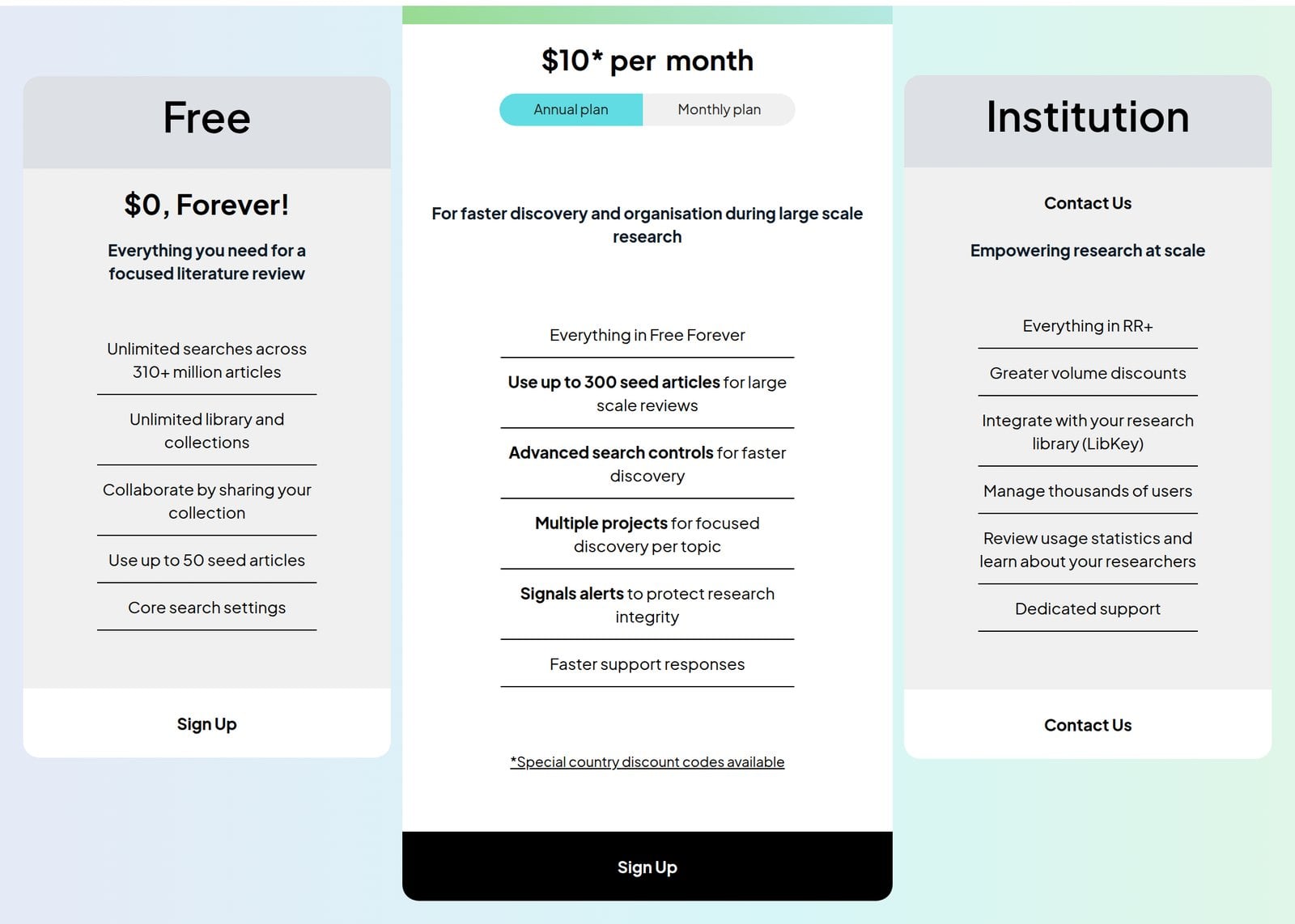
Research Rabbit offers three pricing plans:
- Free: Free forever, with unlimited searches across 310+ million articles, unlimited collections, and up to 50 seed articles.
- RR+: $12.50/month, or $10/month billed annually, for up to 300 seed articles, advanced search controls, multiple projects, and Signals alerts.
- Institution: Custom pricing, for institutions that want volume discounts, LibKey integration, and usage statistics.
Annual subscriptions provide a 20% discount.
Try Research Rabbit today with the free plan.
Our Verdict — Best To Eliminate Paywalls
Price: Free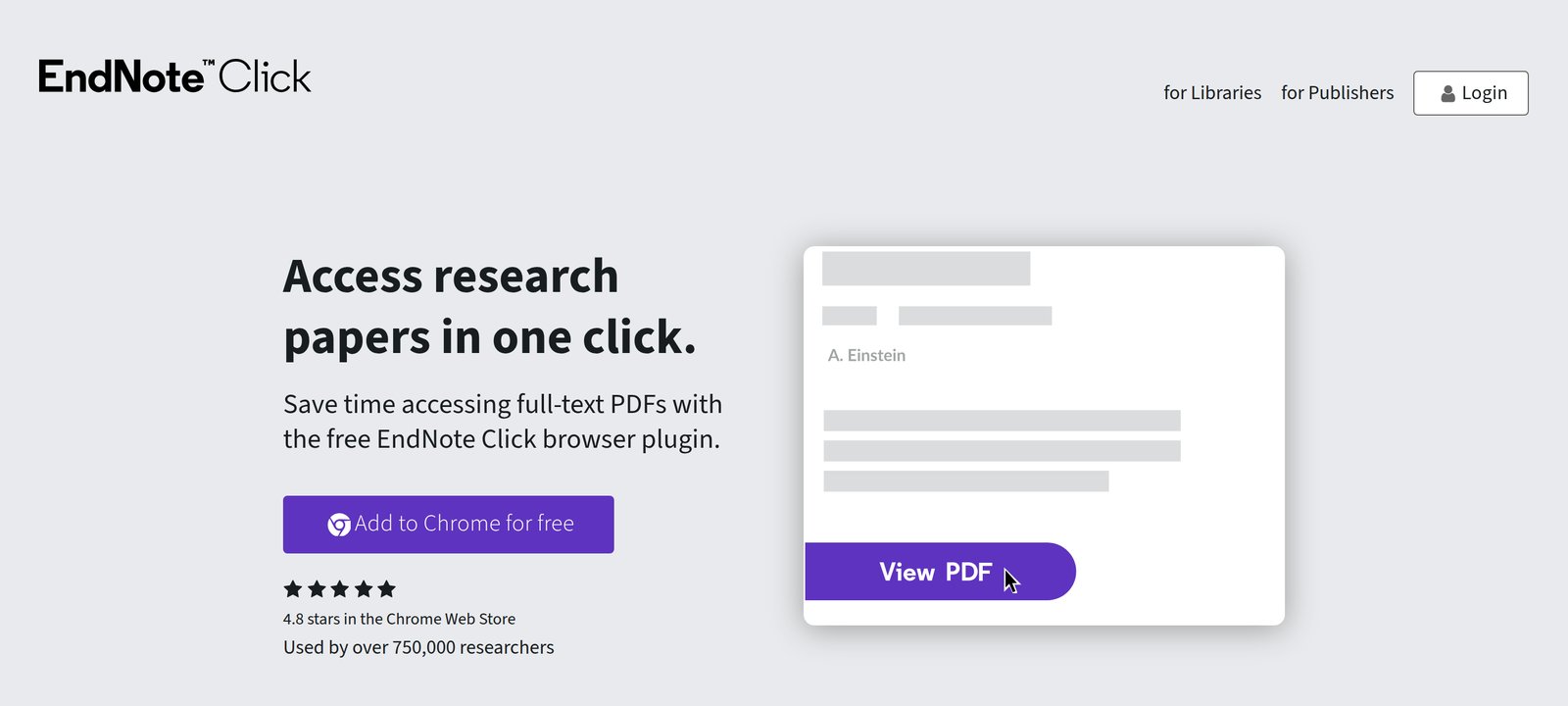
EndNote Click is a free browser plugin from the makers of EndNote that gets you to the full-text PDF of a research paper in one click. We think it’s the best to eliminate paywalls because it uses your library’s subscriptions and finds legal open access versions, so you skip the logins and redirects.
The Best Part:
One-click PDFs. A button shows up on article pages and search results across thousands of academic websites, and one click opens the PDF.
The Worst Part:
Depends on your library. Without library access, you only get the open access versions it can find.
Get it if you lose time to paywalls, logins, and redirects every time you look for a paper.
I recommend you add EndNote Click to Chrome for free, then check with your library that it’s set up for your institution.
(free plugin)
Best For
EndNote Click is best for students and researchers with library access who want to reach full-text PDFs faster.
Top Features
Works where you search. Get one-click PDF access on Web of Science, PubMed, arXiv, Scopus, and thousands more academic sites.
On or off campus. It uses your library’s authentication, whether you’re on campus or working from home.
Open access fallback. When your subscriptions don’t cover a paper, it looks for a legal open access copy.
Version of Record first. It goes for the publisher’s final version of a paper whenever you have access.
Exports anywhere. Send PDFs to Mendeley, EndNote, Dropbox, or Zotero, or save them to your desktop.
Pricing
EndNote Click offers a single pricing plan:
- EndNote Click: Free browser plugin, for anyone who wants faster access to full-text PDFs.
Try EndNote Click today for free.
Our Verdict — Best Free Alternative
Price: Free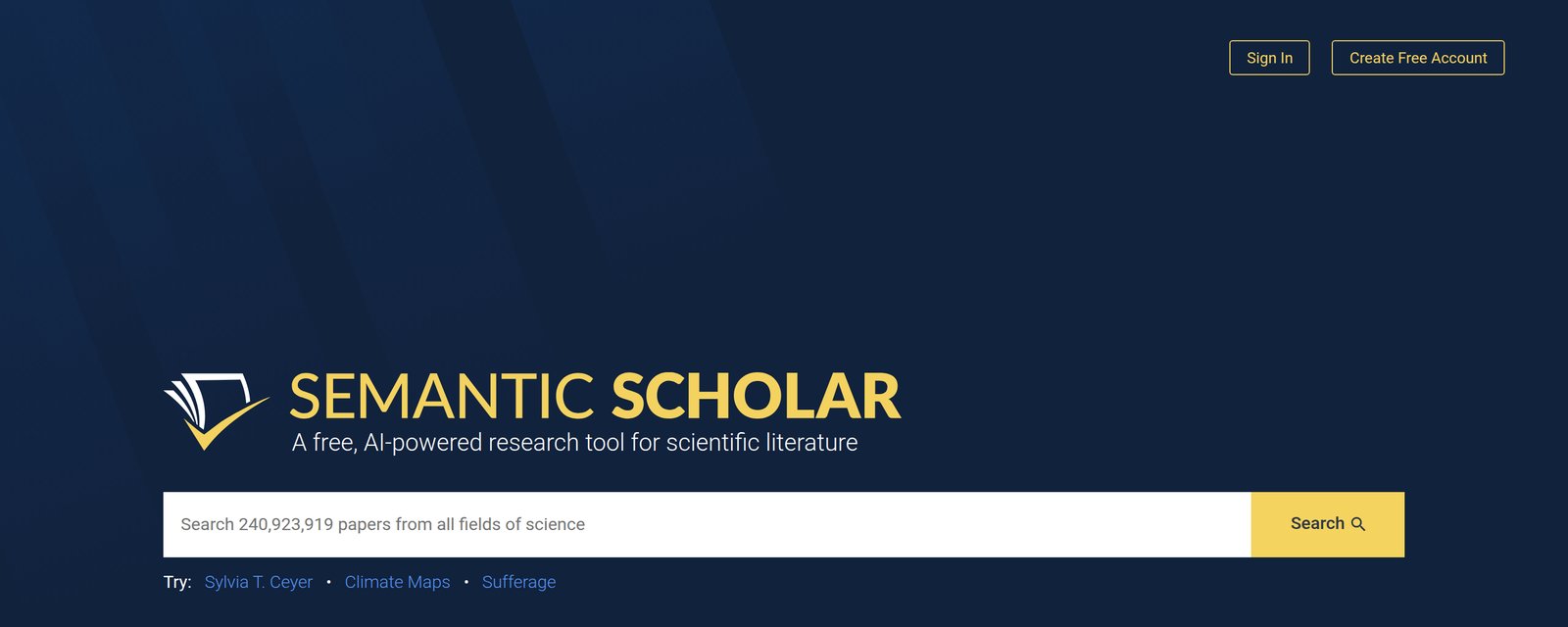
Semantic Scholar is a free, AI-powered research tool for scientific literature, built by Ai2. We think it’s the best free alternative because it searches more than 200 million papers and adds AI summaries, citation insights, and personalized feeds without asking you to pay.
The Best Part:
Free AI research tools. TLDR summaries, influential citations, and Research Feeds come at no cost.
The Worst Part:
Some AI features are limited. TLDRs cover nearly 60 million papers in a few fields, and Ask This Paper only works on some papers.
Get it if you want a free, smarter way to search and keep up with scientific papers.
I recommend you create a free account, save a few relevant papers to a library folder, and turn on Research Feeds.
(free account)
Best For
Semantic Scholar is best for students and researchers who want powerful paper search and recommendations for free.
Top Features
TLDR summaries. Scan super-short summaries of a paper’s objective and results right on the search results page.
Highly Influential Citations. See which citations had a significant impact on a paper, picked by a machine-learning model.
Research Feeds. Get AI-powered paper recommendations based on the folders in your library.
Alerts. Get emails about new citations of a paper or new papers from an author you follow.
Ask This Paper. Ask questions about a paper and get AI answers with supporting statements from the text.
Pricing
Semantic Scholar offers a single pricing plan:
- Semantic Scholar: Free, with search across 200+ million papers, a personal library, Research Feeds, and alerts.
Try Semantic Scholar today for free.
Our Top Three Picks
Here’s a quick summary of our top three picks:
- Perplexity AI — best of the best
- Sourcely — best for academic work
- Elicit — best for scientific research
Here’s a quick comparison of our top seven picks:
Tool | Entry Offer | Pricing |
|---|---|---|
Perplexity AI | Free plan | $20/mo |
Sourcely | Free trial | Starts at $17/mo |
Elicit | Free plan | Starts at $75/mo |
Iris.ai | Free demo | Custom |
Research Rabbit | Free plan | Starts at $12.50/mo |
EndNote Click | Free plugin | Free |
Semantic Scholar | Free account | Free |
Here are the top 50 AI research assistant tools we considered in this review:
- Perplexity AI
- Sourcely
- Elicit
- Iris.ai
- Research Rabbit
- EndNote Click
- Semantic Scholar
- Scite.ai
- Connected Papers
- Dimensions.ai
- Zotero
- Mendeley
- ReadCube Papers
- Paperpile
- Consensus
- CiteSeerX
- CORE
- BASE
- ArXiv
- bioRxiv
- ChemRxiv
- Explainpaper
- Julius AI
- CrossRef
- Scopus
- Web of Science
- ProQuest
- EBSCOhost
- AI2
- Scholarcy
- Litmaps
- Keenious
- Inciteful.xyz
- Logically
- Scinapse
- Researcher App
- AI Scholar
- Undermind
- PubChase
- Kudos
- Trinka AI
- Writefull
- SciSpace
- CiteAI
- Sparrho
- Atypon
- Paperguide
- Overleaf
- RefSeek
- Digital Science
Frequently Asked Questions About AI Research Assistant
What is an AI research assistant?
An AI research assistant reads and analyzes multiple sources for you and answers questions in plain language, saving the time you would spend clicking through search results. It works like a conversational search engine, summarizing topics, citing sources, and letting you dig deeper with follow-up questions.
What is the best AI research assistant?
Perplexity AI is our pick for the best overall because of how much time it saves compared with regular internet searches. For specific needs, Sourcely is best for academic work, Elicit is best for scientific research, Iris.ai is best for enterprises, Research Rabbit is best for data visualization, EndNote Click is the best for getting past paywalls through your library and open access, and Semantic Scholar is the best free alternative. The right choice depends on whether you do general or academic research.
How much does Perplexity AI cost?
Perplexity AI offers a free plan, so you can start asking research questions without paying. The free tier covers everyday searches and summaries, and a paid tier unlocks more advanced features, making it easy to test before deciding whether you need the upgrade.
Is there a free AI research assistant?
Yes. Perplexity AI has a free plan, and Semantic Scholar is our pick as the best free alternative for academic research. Free tiers usually limit advanced queries or model access, so power users tend to upgrade, but casual research is well covered for free.
How does Perplexity AI work?
Perplexity works like a Google you can talk to: you ask a question and it answers in natural language instead of a list of links. It reads multiple sources, delivers real-time information even for fast-changing topics, and links to every original source it used, which makes fact-checking simple.
What are the limits of Perplexity AI?
Perplexity is excellent for broad overviews but does not go as deep as specialized AI tools, so it can oversimplify very complex topics. For rigorous scientific or academic work, tools like Elicit or Sourcely are better suited, while Perplexity is the best pick for quick, everyday answers.
What do users love about AI research assistants?
- Saving hours of mindless scanning through hundreds of papers with instant auto-generated summaries
- Turning quick, messy notes into polished academic writing
- Having a personal research assistant always ready to find and analyze relevant articles
- Getting citation styles automatically applied across your entire document analysis
- Getting thousands of scholarly sources for relevant studies in an instant
- Having specialized language models that actually understand research questions and find actually relevant articles
- Streamlining the literature review process
- Academic researchers love how it handles reference management and bibliography formatting
- Accessing synthesized academic articles for more thorough comprehensive literature reviews
- Using AI-powered research tools to save time with citation analysis
- Executing quick literature reviews
The Bottom Line
To recap, here are the best AI research assistant software to try this year:
- Perplexity AI — best of the best
- Sourcely — best for academic work
- Elicit — best for scientific research
- Iris.ai — best for enterprises
- Research Rabbit — best for data visualization
- EndNote Click — best to eliminate paywalls
- Semantic Scholar — best free alternative