

Today there are 67 different AI tweet generators. We spent 58 hours comparing the top 50 to find the seven best you can use to generate compelling tweets.
What is the Best AI Tweet Generator?
- SocialBee — best of the best
- Postwise — best for multi-platform posting
- Tweet Hunter — best tweet library
- TweetyAI — best budget option
- Typefully — best for teams
- Simplified — best for tweet images
- Pallyy — best free tweet generator
1. SocialBee
Our Verdict — Best Of The Best
Price: Starts at $29/month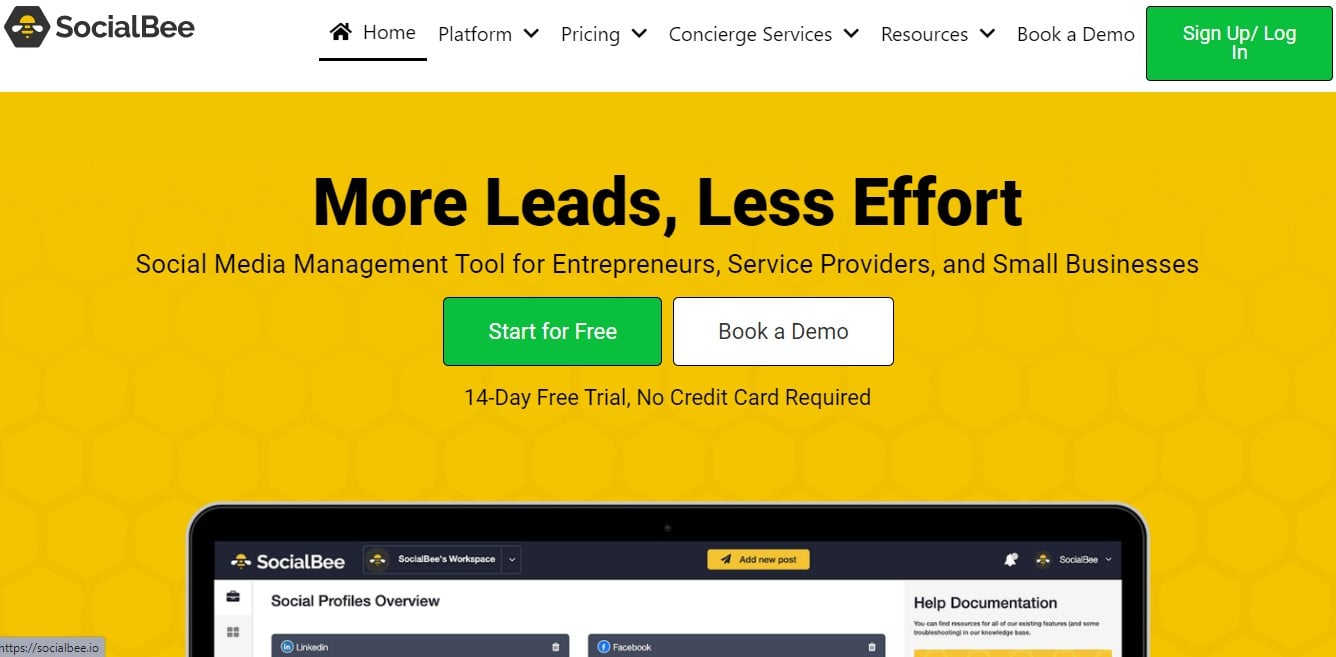
SocialBee is an all-in-one social media management app that can generate great AI tweets. We think it’s the best of the best because of its incredible collection of prompt templates to generate your tweets.
The Best Part:
- Feature-rich tweet generator. Publish your tweets across multiple profiles with a single click, enriched with images or videos, from a selection of over 1,000 prompt templates.
The Worst Part:
- Steep learning curve. SocialBee’s wide range of features can get a bit confusing for newcomers.
Get it if you want a powerful AI tweet generator to schedule and manage large numbers of tweets, without ever losing track of your content again.
I recommend you start with the 14-day free trial, then get the Bootstrap plan for $29/month.
(14-day free trial)
Best For
SocialBee is best for individuals and businesses who need a comprehensive tool to create engaging tweets and manage them with ease.
Top Features
- Have a full content calendar. SocialBee allows you to not only generate your tweets with AI but also effortlessly schedule them across multiple accounts.
- Make it sound right. Select from an extensive range of tones, such as fun, informal, and formal, to resonate with your brand’s voice.
- Streamlined content management. Keep your tweets in various categories to easily track results, and do more of what works best.
- Flexible calendar and scheduling. Experience a user-friendly overview of your posting calendar and efficiently schedule your posts by category, rather than having to manually schedule each and every tweet.
- Do more of what works. Retweet your best content every few months automatically to make sure you’re extracting more value out of the content that’s proven to work.
Pricing
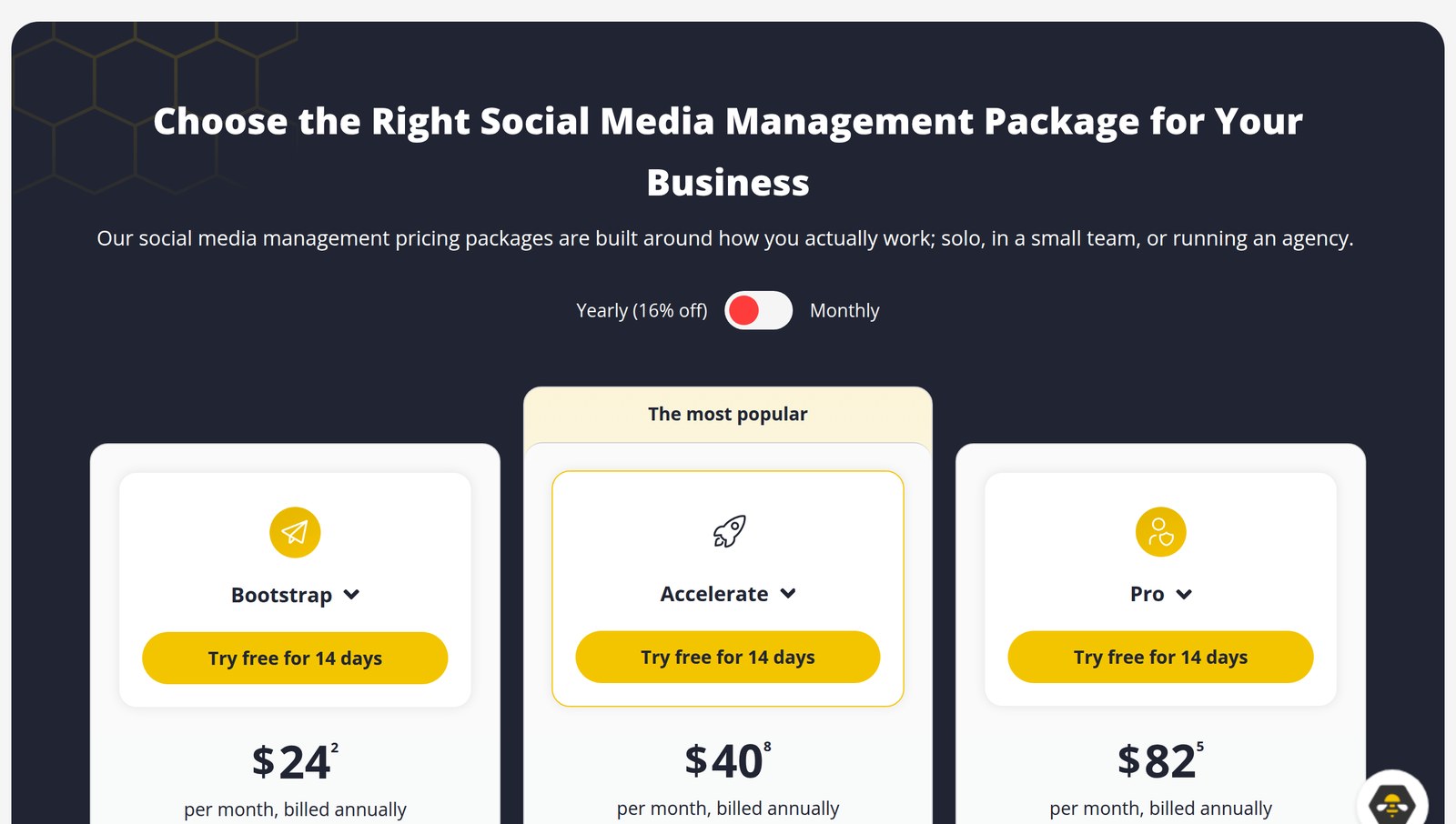
SocialBee offers three pricing plans:
- Bootstrap: $29/month (or $290/year) for solopreneurs who want to generate engaging tweets using AI and create an efficient posting schedule, for up to five social profiles.
- Accelerate: $49/month (or $490/year) for startups and small businesses that want to generate compelling tweets using AI and create an efficient social media schedule that brings revenue and engages followers, for up to 10 social profiles.
- Pro: $99/month (or $990/year) for freelancers and agencies that want to generate engaging AI tweets and create an efficient social media schedule that keeps a full sales pipeline, for up to 25 social profiles.
Annual plans provide a 17% discount.
Try SocialBee today with a free 14-day trial.
2. Postwise
Our Verdict — Best For Multi-Platform Posting
Price: Starts at $37/month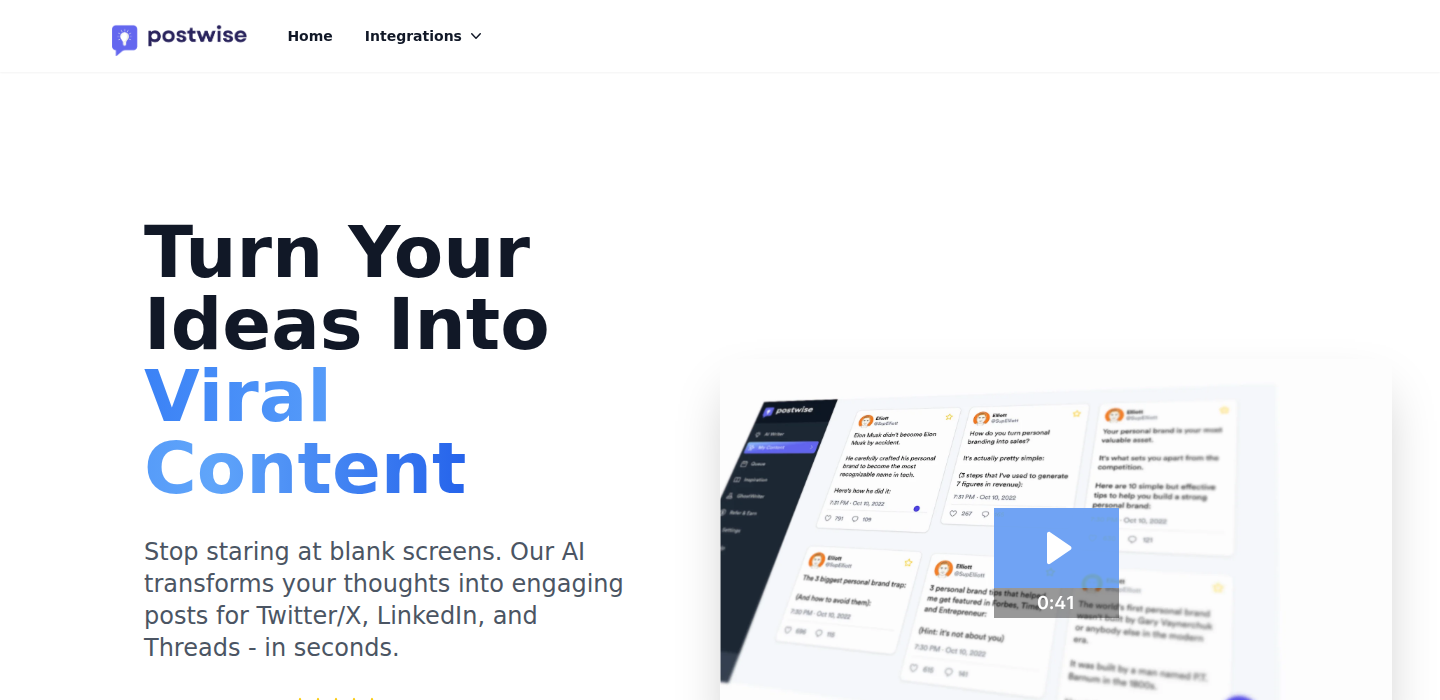
Postwise is an AI writer and scheduler for X, LinkedIn, and Threads. We think it’s the best for multi-platform posting because you write an idea once, and it shapes and schedules a version for each network from one dashboard.
The Best Part:
- One idea, three networks. You type a thought once, and Postwise turns it into posts for X, LinkedIn, and Threads, each one shaped for that platform’s format and audience.
The Worst Part:
- No free plan. Postwise gives you a 7-day trial, but after that the cheapest way in is the $37/month Basic plan, which is steeper than the free tiers TweetyAI and Pallyy hand you.
Get it if you want to keep X, LinkedIn, and Threads fed from a single writing session each week.
I recommend you get started with the 7-day free trial, then get the Basic plan for $37/month.
(7-day free trial)
Best For
Postwise is best for creators and founders who post on X, LinkedIn, and Threads and want to write, schedule, and grow all three from one place.
Top Features
- Beat the blank screen. Drop in a rough idea and the AI drafts several post options in seconds, so you pick and polish instead of starting from nothing.
- Your voice, not a robot’s. Train custom AI voices on your own writing, so the drafts read like you and not like a template.
- Batch a month in a sitting. Write your posts in one session and schedule them weeks ahead, with three months of scheduling on Basic and 12 months on Boss.
- Repurpose what already worked. Feed the viral post repurposing tool a post that did well and get fresh angles on it, instead of hunting for a new topic every day.
- See what lands. Engagement tracking and an analytics dashboard show which posts pull followers, so you do more of that and less of what flops.
Pricing
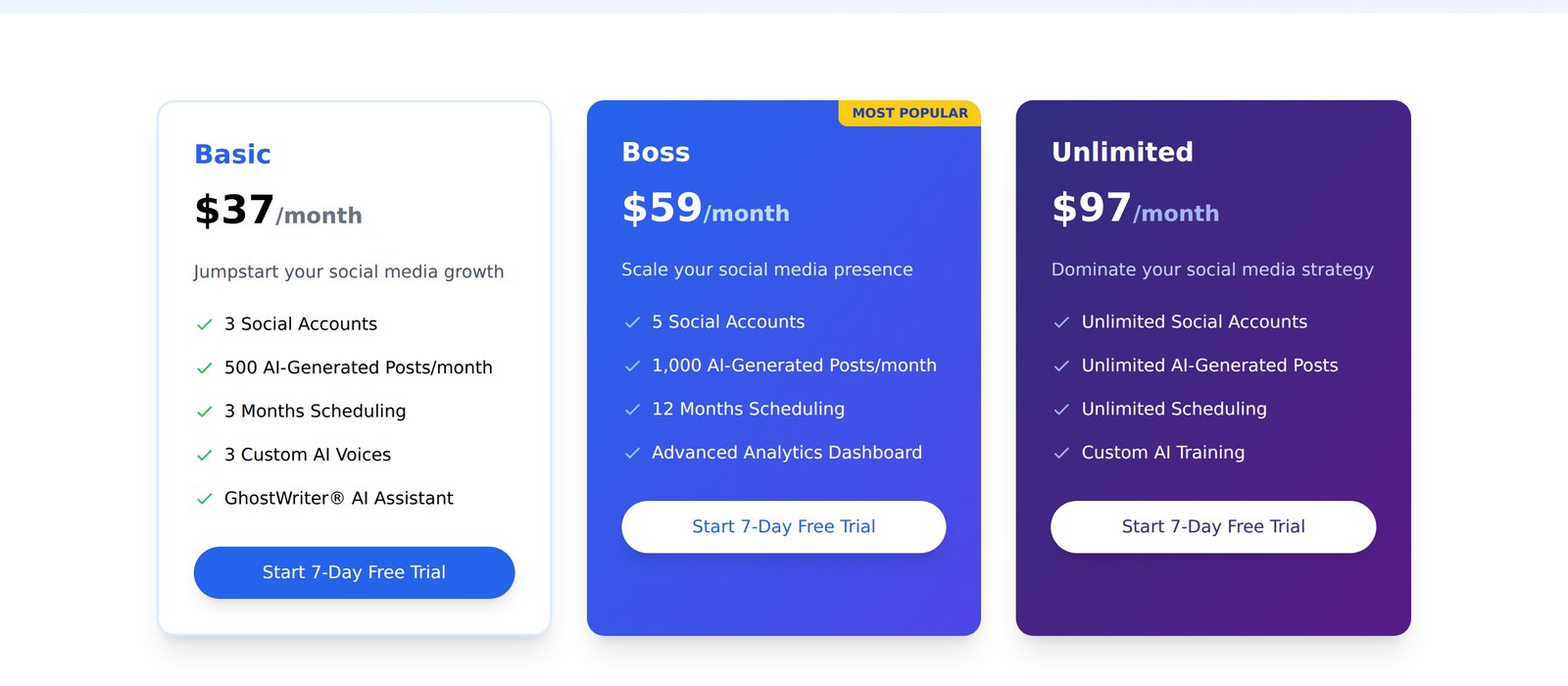
Postwise offers three pricing plans:
- Basic: $37/month for creators who want three social accounts, 500 AI-generated posts per month, three months of scheduling, and three custom AI voices.
- Boss: $59/month for creators who want five social accounts, 1,000 AI-generated posts per month, 12 months of scheduling, and the advanced analytics dashboard.
- Unlimited: $97/month for teams and agencies that want unlimited accounts, posts, and scheduling, plus custom AI training.
Annual subscriptions provide a 20% discount.
All paid plans come with a 30-day money-back guarantee.
Try Postwise today with a 7-day free trial.
3. Tweet Hunter
Our Verdict — Best Tweet Library
Price: Starts at $29/month
Tweet Hunter is a powerful solution for freelancers and entrepreneurs. We think it offers the best tweet library because of its massive library of viral tweets for you to model from.
The Best Part:
- Viral tweets library. Browse through over 2M viral tweets to replicate viral successes within your own brand
The Worst Part:
- Steep learning curve. Tweet Hunter’s can be overwhelming for new users, especially those with no previous experience with similar tools.
Get it if you want a powerful Tweet generator to craft engaging content with AI, grow your audience, and maximize your Twitter presence.
I recommend you start with the 7-day free trial, then get the Grow plan for $49/month.
(7-day free trial)
Best For
Tweet Hunter is best for ambitious writers and entrepreneurs who want a comprehensive solution to generate tweets and solidify their presence on Twitter.
Top Features
- CRM features. Tweet Hunter's CRM helps you identify leads, build relationships, and attract deals using Twitter.
- Evergreen tweets. Keep your best content front and center with automated scheduling, so your best tweets are never left behind, collecting virtual dust.
- TweetPredict. Get an idea of how well your tweet will pan out, before you even hit send, with Tweet Hunter’s AI-powered prediction capabilities.
- Automated engagement. Employ AI-generated responses to swiftly interact with followers’ comments and questions on Twitter.
- Trainable AI model. Develop a niche-tailored AI engine specific and train it to write tweets that perfectly mirror your preferences, audience, and tone.
Pricing
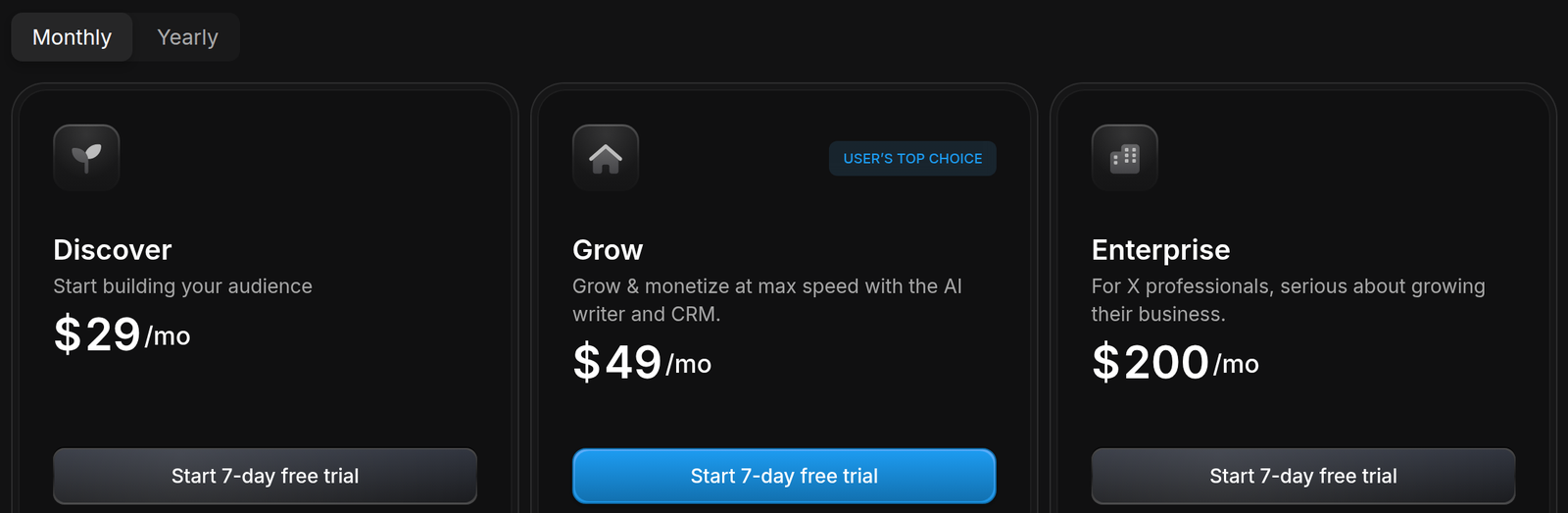
Tweet Hunter offers three pricing plans:
- Discover: $29/month for Twitter newbies who want to build an audience from scratch with a complete set of Twitter management features, without an AI tweet generator.
- Grow: $49/month for writers and entrepreneurs who want to monetize their Twitter presence and leverage AI writing to tweet more and increase engagement.
- Enterprise: $200/month for established Twitter influencers who want access to every feature in Grow, plus integrated ChatGPT and your custom trainable AI.
Annual plans provide up to a 26% discount.
Try Tweet Hunter today with a free 7-day trial.
4. TweetyAI
Our Verdict — Best Budget Option
Price: Starts at $3.99/month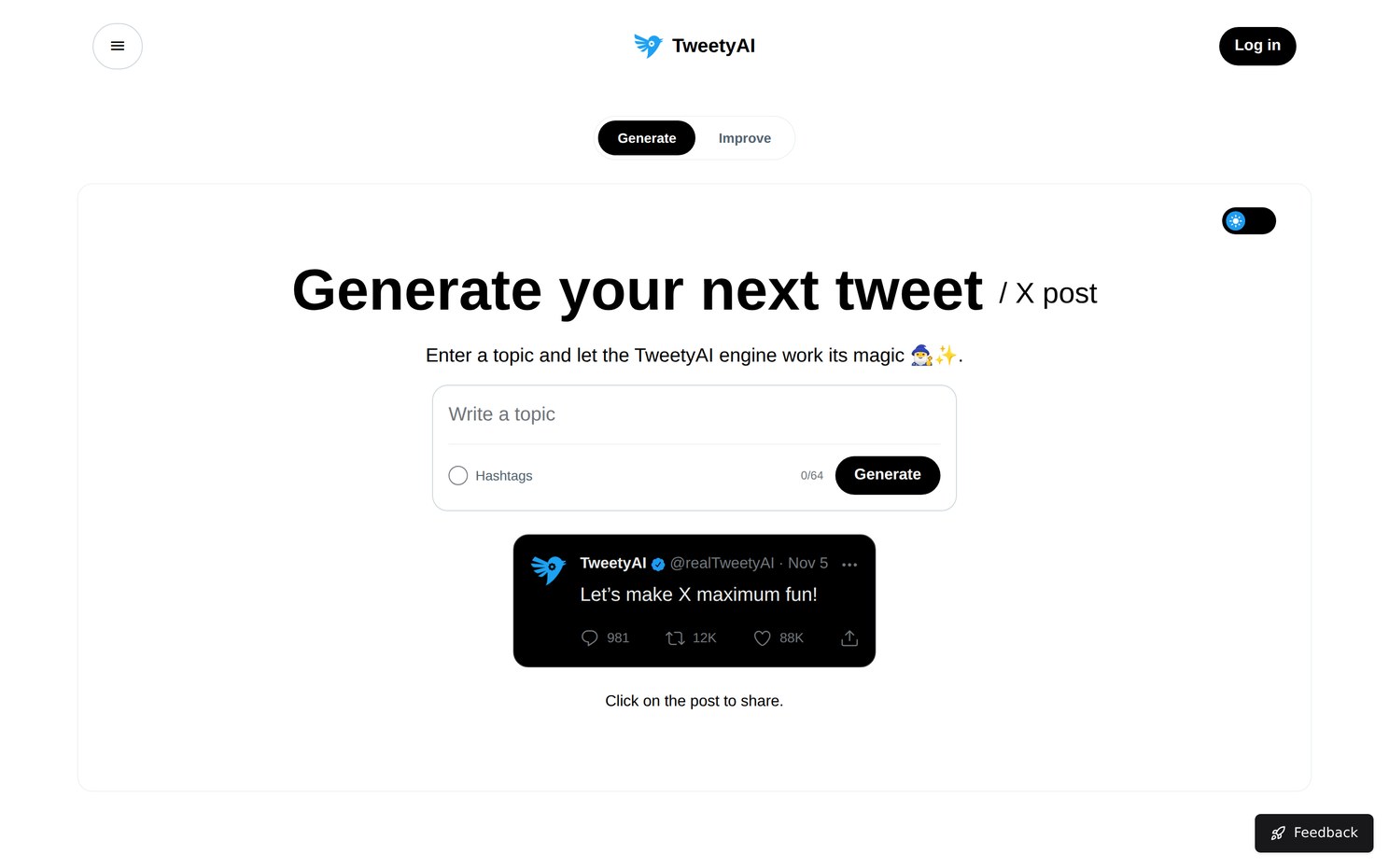
TweetyAI is a simple AI tweet generator that writes X posts on any topic you type in. We think it’s the best budget option because unlimited post generations cost just $3.99/month, and the free plan gives you three a day.
The Best Part:
- Cheap and simple. Type a topic, hit Generate, and you get a ready-to-post tweet, with unlimited generations for $3.99/month.
The Worst Part:
- Writing only. TweetyAI writes and improves posts, but it won’t schedule them or track how they perform.
Get it if you just want fresh tweet ideas fast and don’t need a full social media suite.
I recommend you test the free plan for a few days, then get PRO for $3.99/month if you hit the daily limit.
(free plan)
Best For
TweetyAI is best for solo creators on a tight budget who want quick tweets on any topic.
Top Features
- Any topic. Enter a topic or niche, and TweetyAI writes a post that sticks to it.
- Improve mode. Switch to the Improve tab to work on a post you already have.
- Optional hashtags. Switch on hashtags when you want them added to the post.
- One-click sharing. Click the generated post to share it.
- Commercial use. You can use the posts for brand promotion and social media marketing.
Pricing
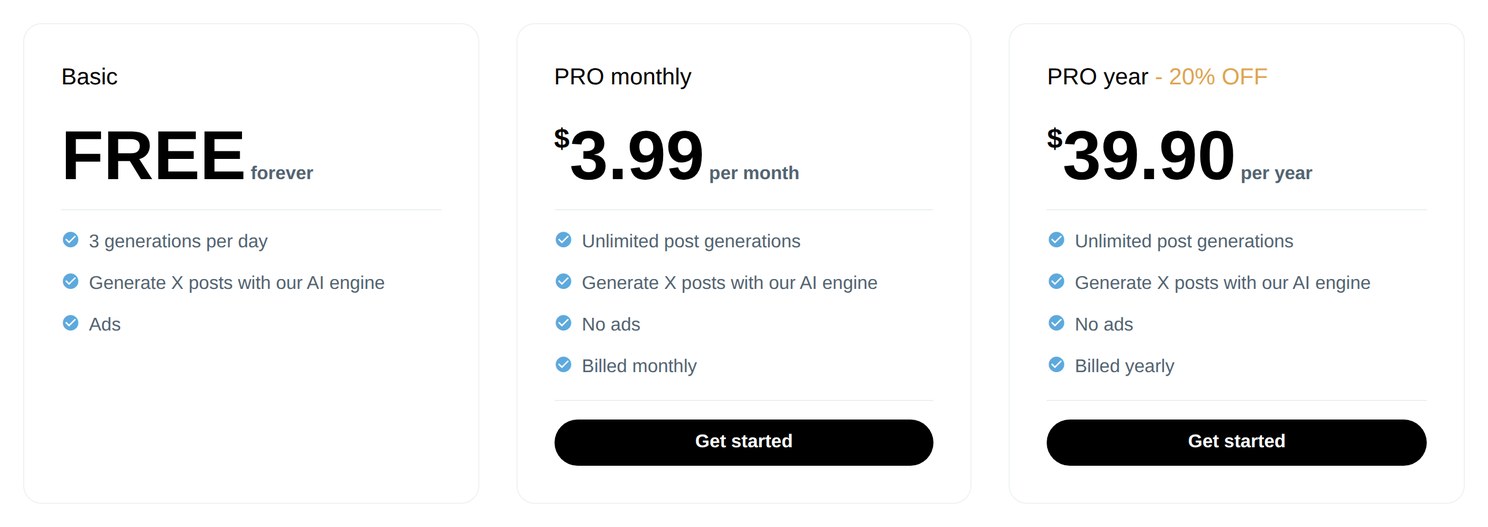
TweetyAI offers three pricing plans:
- Basic: Free forever, for 3 post generations a day, with ads.
- PRO monthly: $3.99/month, for unlimited post generations with no ads.
- PRO yearly: $39.90/year, for unlimited post generations with no ads.
Annual subscriptions provide a 17% discount.
Try TweetyAI today with the free plan.
5. Typefully
Our Verdict — Best For Teams
Price: Starts at $99/year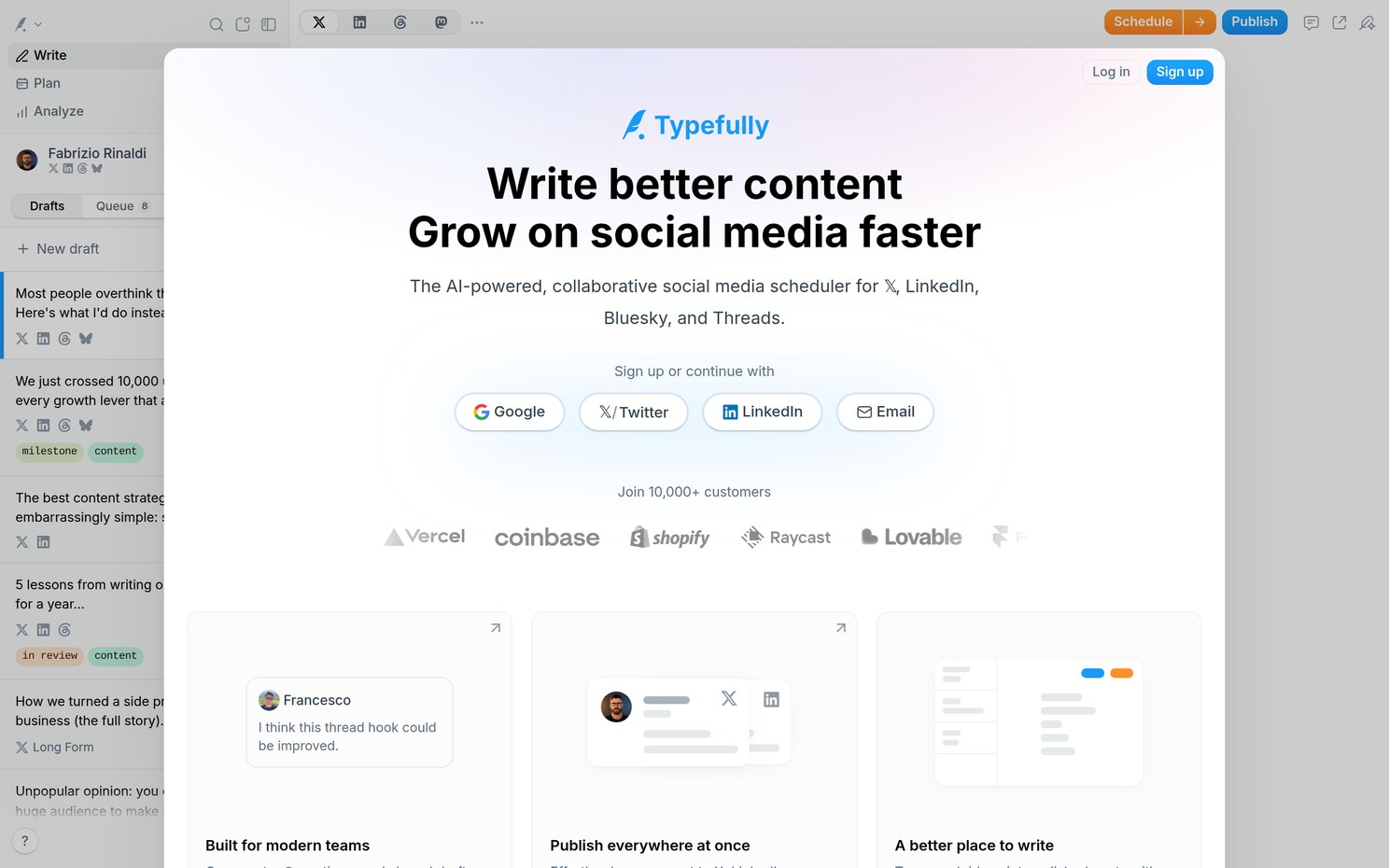
Typefully is a writing and scheduling app for X, LinkedIn, Threads, Bluesky, and Mastodon, with an AI assistant built into the editor. We think it’s the best for teams because shared drafts, comments, and roles let a whole team write and approve posts in one place.
The Best Part:
- Made for collaboration. Teammates comment on drafts, @mention each other, and get Slack pings when posts go live.
The Worst Part:
- AI isn’t on the free plan. The AI writing features start on Creator, so the free plan doesn’t include Typefully’s AI assistant.
Get it if several people write, review, and schedule posts for the same accounts.
I recommend you start on the free plan, then move your team to Business at $18/month per social set, billed yearly.
(free plan)
Best For
Typefully is best for marketing teams and agencies that write and publish social posts together.
Top Features
- AI that learns your voice. Brainstorm, rewrite, and expand drafts with AI, or ask it to make a post punchier.
- Publish everywhere. Cross-post to X, LinkedIn, Threads, Bluesky, and Mastodon at once.
- Shared drafts and comments. Send a draft link for feedback and keep the whole conversation next to the post.
- Team calendar. See what’s scheduled, in review, and ready to ship across every account.
- X analytics. Track detailed metrics, profile conversion rate, and your posting streaks.
Pricing
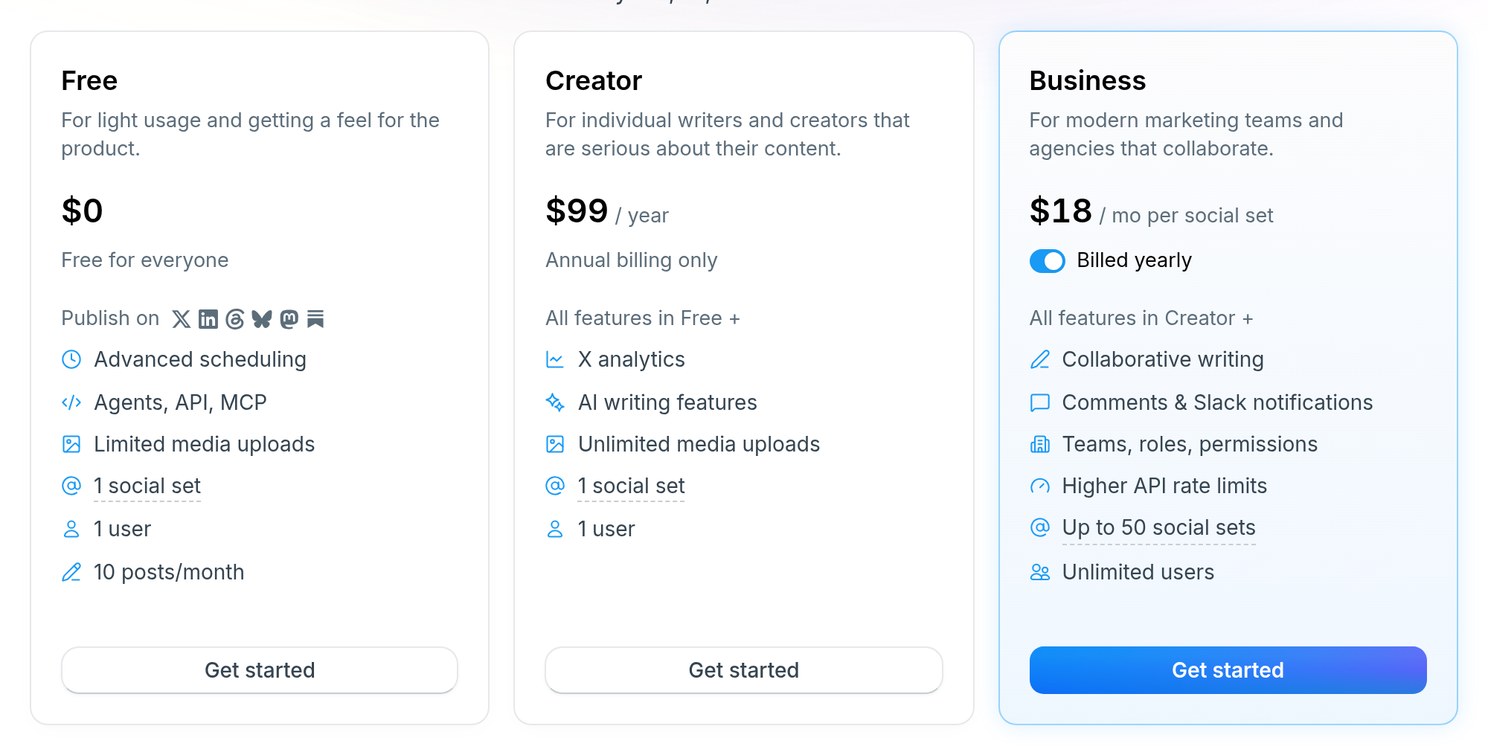
Typefully offers three pricing plans:
- Free: Free for everyone, for 10 posts a month, 1 social set, and advanced scheduling.
- Creator: $99/year, billed annually only, for 1,000 posts a month, X analytics, and the AI writing features.
- Business: $18/month per social set, billed yearly, for collaborative writing, comments, roles and permissions, and unlimited users.
Try Typefully today with the free plan.
6. Simplified
Our Verdict — Best For Tweet Images
Price: Starts at $29/month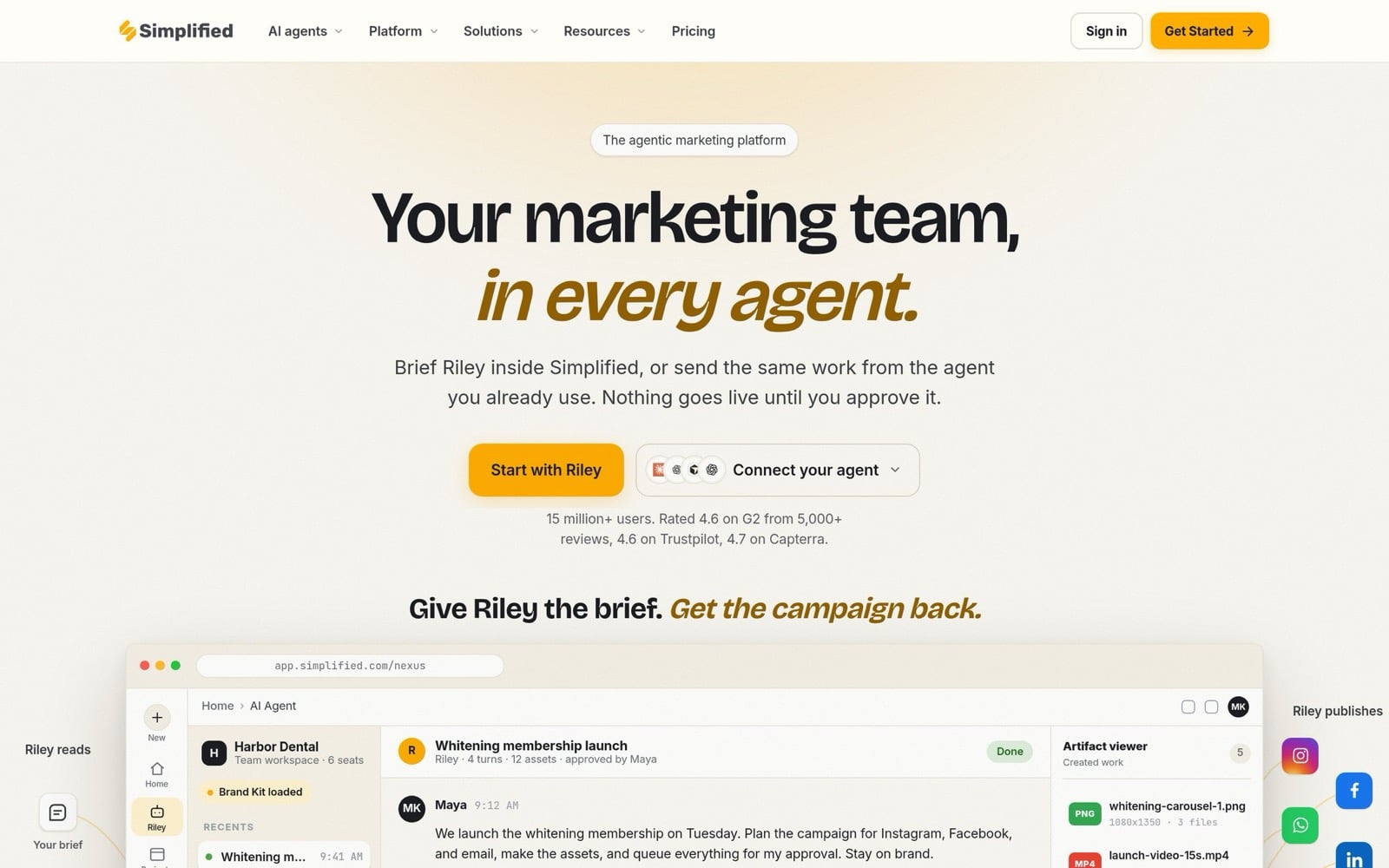
Simplified is an AI marketing platform that writes, designs, and schedules social posts in your brand kit. We think it’s the best for tweet images because the same tool that writes your tweet also designs the image that goes with it, and can even turn a tweet into a shareable image.
The Best Part:
- Words and visuals together. Generate the post copy and an on-brand image for it in one place, then schedule both.
The Worst Part:
- More than a tweet tool. Simplified is built to run whole campaigns with AI agents, which is a lot of platform if you only need tweets.
Get it if your tweets need eye-catching images and you don’t want to bounce between tools.
I recommend you start the 7-day free trial on Pro, which costs $29/month after the trial.
(7-day free trial)
Best For
Simplified is best for small businesses and freelancers who want AI copy, images, and scheduling in one app.
Top Features
- AI Social Post Generator. Generate social posts for X and other networks with AI.
- AI designs. Create images for your posts with built-in AI models, in your brand style.
- Tweet to Image. Turn a tweet into a shareable image.
- One-click scheduling. Plan everything on a social calendar and publish with one click.
- Unified inbox and analytics. Answer messages and track results across your accounts in one place.
Pricing
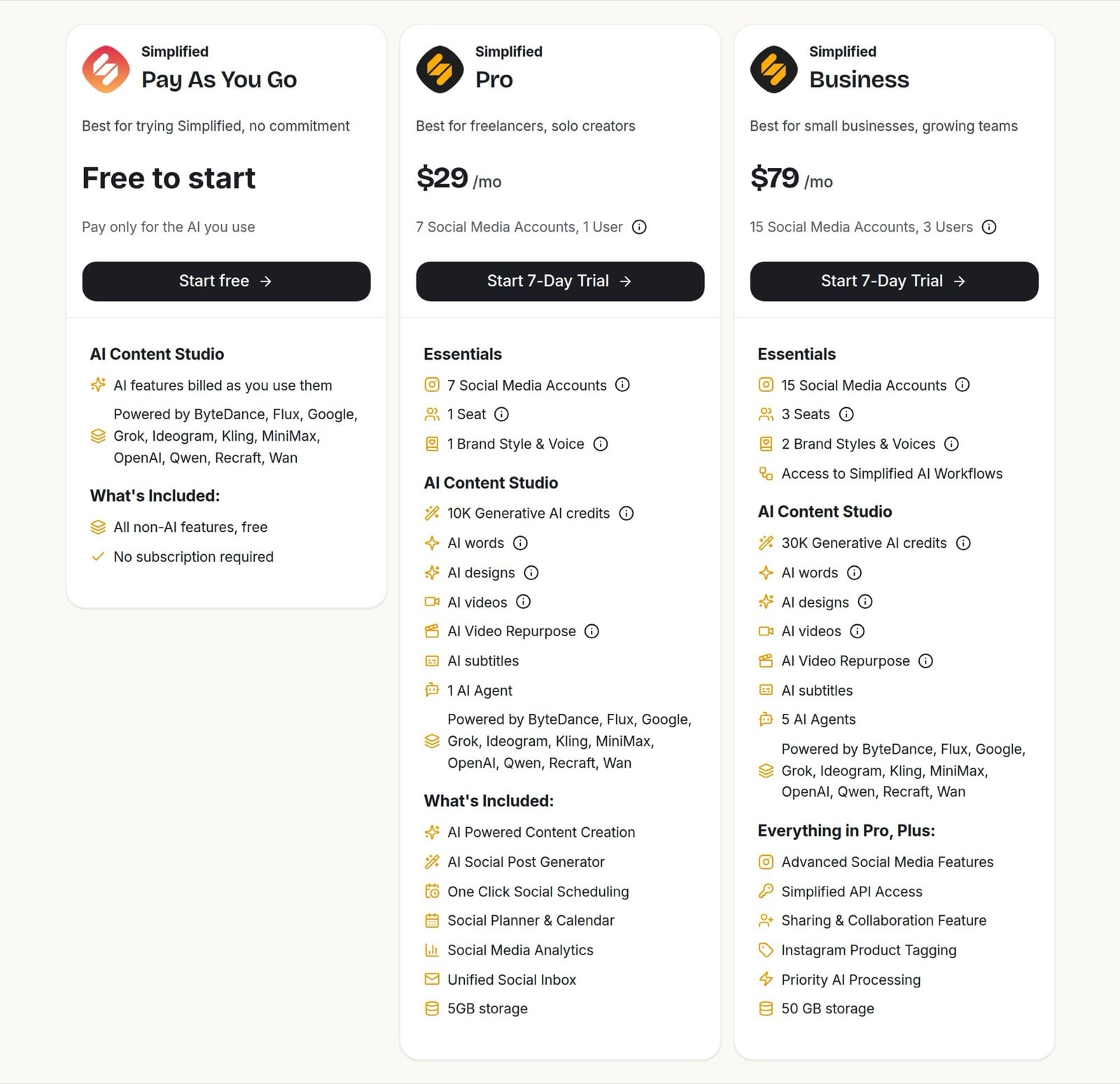
Simplified offers three pricing plans:
- Pay As You Go: Free to start, for anyone who wants to pay only for the AI they use.
- Pro: $29/month, or $19/month billed annually, for 7 social accounts, 1 seat, and 10K generative AI credits.
- Business: $79/month, or $49/month billed annually, for 15 social accounts, 3 seats, 30K generative AI credits, and API access.
Annual subscriptions provide up to a 38% discount.
Try Simplified today with a free 7-day trial.
7. Pallyy
Our Verdict — Best Free Tweet Generator
Price: Starts at $25/month
Pallyy is a social media scheduler that plans posts for X and other networks, with AI captions on its paid plans. We think it’s the best free tweet generator because the free plan schedules 15 image posts a month without a credit card, and AI captions are one upgrade away.
The Best Part:
- Free to start, no card. Sign up for free, connect your accounts, and schedule up to 15 image posts a month.
The Worst Part:
- AI captions cost extra. AI-generated captions and post ideas start on the Pro plan.
Get it if you want a free scheduler for your tweets and an easy path to AI captions later.
I recommend you start on the free plan, then get Pro for $25/month when you want AI captions and unlimited posts.
(free plan)
Best For
Pallyy is best for creators and agencies who want to plan tweets on a calendar for free before paying for AI.
Top Features
- AI captions. Generate captions for your posts on any paid plan.
- Content calendar. Drag and drop your tweets and other posts on one calendar.
- Client approvals. Share a link so clients or teammates can approve posts before they go live.
- Social inbox. Reply to Instagram, Facebook, and LinkedIn comments and messages in one place.
- Analytics. Track how your Instagram, Facebook, and LinkedIn posts perform, with up to five years of history on paid plans.
Pricing
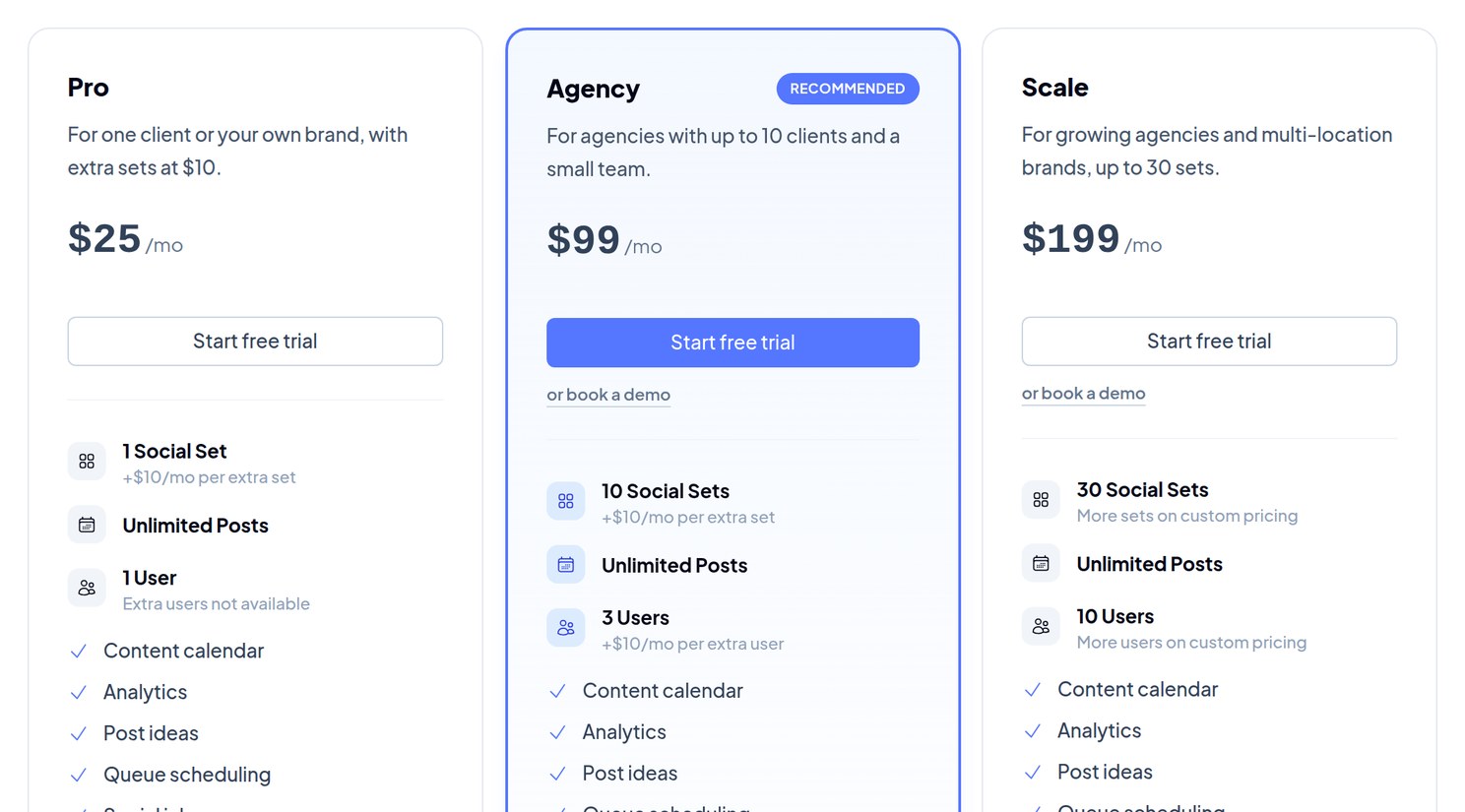
Pallyy offers four pricing plans:
- Free: Free, for 1 social set and 15 scheduled image posts a month.
- Pro: $25/month, for 1 social set, unlimited posts, and AI captions.
- Agency: $99/month, for 10 social sets, 3 users, and custom reports.
- Scale: $199/month, for 30 social sets and 10 users.
Try Pallyy today with the free plan.
Our Top Three Picks
Here’s a quick summary of our top three picks:
- SocialBee — best of the best
- Postwise — best for multi-platform posting
- Tweet Hunter — best tweet library
Here’s a quick comparison of our top seven picks:
Tool | Entry Offer | Pricing |
|---|---|---|
SocialBee | 14-day free trial | Starts at $29/mo |
Postwise | 7-day free trial | Starts at $37/mo |
Tweet Hunter | 7-day free trial | Starts at $29/mo |
TweetyAI | Free plan | Starts at $3.99/mo |
Typefully | Free plan | Starts at $99/yr |
Simplified | 7-day free trial | Starts at $29/mo |
Pallyy | Free plan | Starts at $25/mo |
Here are the top 50 AI tweet generators we considered in this review:
- SocialBee
- Postwise
- Tweet Hunter
- TweetyAI
- Typefully
- Simplified
- Pallyy
- Nichesss
- Writesonic
- Thatcan.be
- StoryLab.ai
- Publer
- Hootsuite
- Hypefury
- Tweetgen
- Tucktools
- GenerateStatus
- Grok
- Jasper
- Zeoob Tweet Generator
- Circleboom Publish
- Sprout Social
- Rytr.me
- FeedHive
- Later
- Sapling
- Speedwrite
- Scalenut
- CopyAI
- Gemini
- Hyperwrite
- GrowthBar
- Hypotenuse AI
- Postiz
- Taplio
- Frase
- Copymatic
- Writer.com
- WordTune
- LongShot
- ChatGPT
- ClosersCopy
- CopySmith
- Shortly AI
- Anyword
- Buffer
- TextCortex
- Content Box
- Article Forge
- Outranking.Io
Frequently Asked Questions About AI Tweet Generators
What is an AI tweet generator?
An AI tweet generator automates your social content, spinning out tweets and threads with barely any effort. Most give you tone options, scheduling, image generation, analytics, template libraries, and hashtag suggestions on top.
What is the best AI tweet generator?
SocialBee is our top pick overall. It is an all-in-one social management app with a large library of prompt templates for generating tweets, so you can post consistently without staring at a blank box.
Are AI tweet generators free?
Yes, several have free plans. TweetyAI writes 3 posts a day for free, while Typefully and Pallyy (image posts only) let you schedule posts for free and keep their AI writing tools on paid plans.
How do AI tweet generators work?
They automate your social content, turning a prompt into ready tweets and threads. On top of the writing, most add tone options, scheduling, image generation, analytics, template libraries, and hashtag suggestions.
Which AI tweet generator is best for posting on more than one platform?
Reach for Postwise when you post on X, LinkedIn, and Threads. You write an idea once, and it shapes and schedules a version for each network from one dashboard.
Which AI tweet generator is best for getting started?
TweetyAI is the entry-level pick and runs a free plan, so you can try it before you commit to anything paid.
Which AI tweet generator is best for teams?
Go with Typefully for teams and collaboration. Its Business plan adds collaborative writing, shared drafts, and comments, so a group works in one place instead of scattering drafts across tools.
Do AI tweet generators offer free trials?
Yes, most give you a free trial before you buy. SocialBee, Postwise, and Tweet Hunter all let you test-drive before committing to a paid plan.
What do users love about AI tweet generators?
- Social media managers and content creators can streamline their work
- The ability to generate captivating tweets from a list of tweet ideas
- Delivering AI-generated tweets that sound natural
- Social media marketers can create the perfect tweet for many specific events
- Scheduling of future tweets, setting up your posts in advance to be tweeted in optimal times
- Getting AI-generated hashtages for all their relevant tweets
- Saving vast amounts of valuable time thanks to AI-powered tool
- Having a range of post options for tone of voice, writing style, and post formats
- An intuitive interface that doesn't get in the way
- The ability to get auto-generated, high-quality images for all tweets
- Getting content ideas based on audience response
- Advanced features like analytics, testing, and automation
- Ability to tap from vast amounts of successful tweets on a library of ready-made templates
The Bottom Line
To recap, here are the best AI tweet generator software to try this year:
- SocialBee — best of the best
- Postwise — best for multi-platform posting
- Tweet Hunter — best tweet library
- TweetyAI — best budget option
- Typefully — best for teams
- Simplified — best for tweet images
- Pallyy — best free tweet generator