

Today there are 158 different AI voice changers. We spent 84 hours comparing the top 50 to find the seven best you can use to change your voice.
What is the Best AI Voice Changer?
- Speechify — best of the best
- Voxal Voice Changer — best for streaming
- AV Voice Changer — best for prank calls
- ElevenLabs — best for voice cloning
- Voicemeeter — best for audio mixing
- Clownfish Voice Changer — best for voice effects
- MorphVOX Pro — best for advanced features
1. Speechify
Our Verdict — Best Of The Best
Price: Starts at $100/year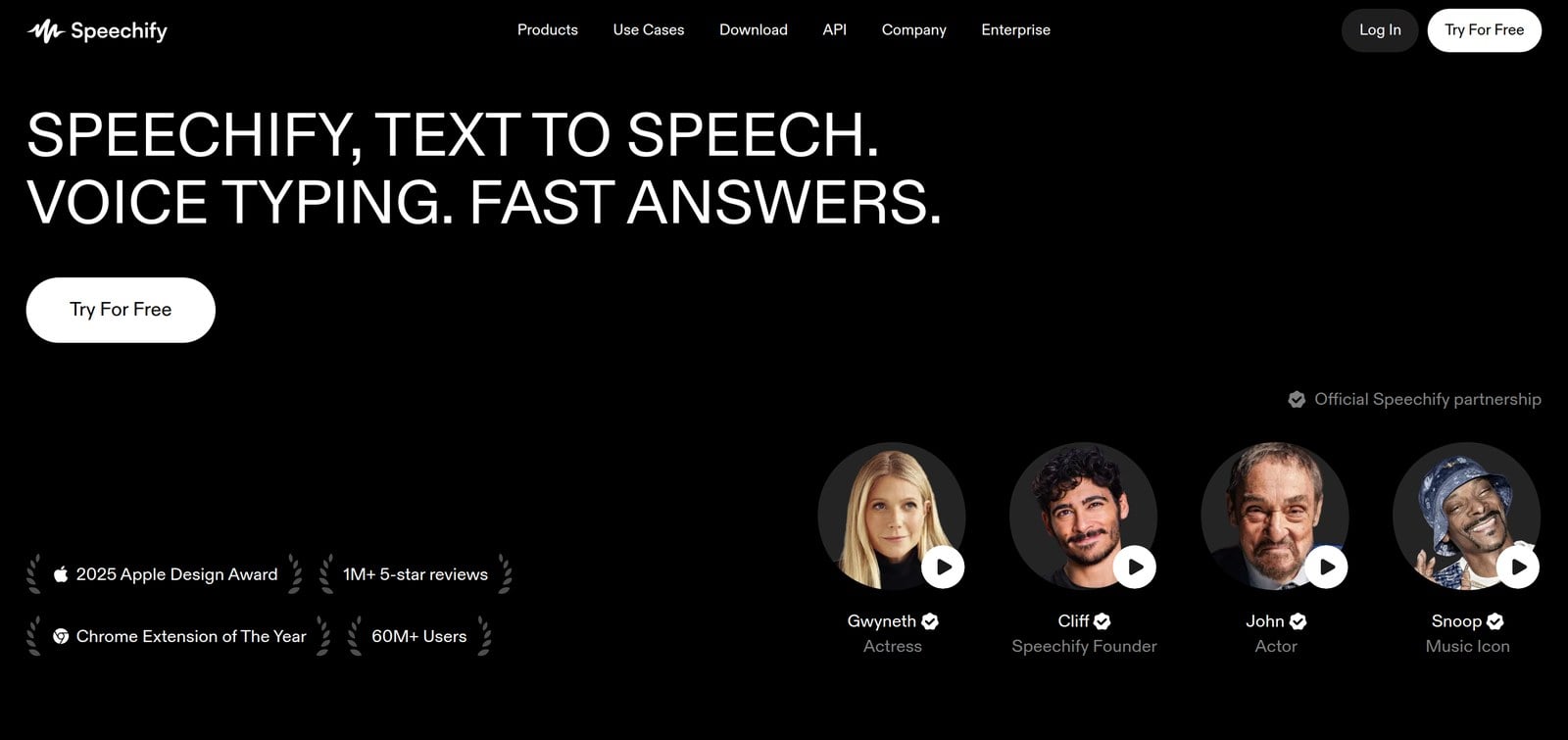
Speechify is the industry's top AI voice changing tool, thanks to its superior output quality. We think it’s the best because of its high-quality sound, customizable voices, and user-friendly interface.
The Best Part:
High-quality sound. Speechify stands out with its superior audio quality. This feature can turn heads as it turns your text into different voices with impressive clarity and realism
The Worst Part:
No real-time voice changing. Speechify doesn't offer real-time voice changing, which can be a deal-breaker for live streamers who want on-the-spot voice changing.
Get it if you want a top-notch tool for AI voice changing, creating multiple character voices in storytelling, and adding variety to your audio projects.
I recommend you get started with the free plan, then get the Studio Starter plan for $100/year.
(free plan)
Best For
Speechify is best for content creators and storytellers who want to spice up their audio projects with a variety of cool, AI-generated voices.
Top Features
Change voices on the fly. Need to create an audiobook with different characters? No problem! Speechify lets you change voices on the fly, making your storytelling extra engaging and fun.
Unlimited downloads. With Speechify's unrestricted download feature, you can take your converted audio files anywhere and listen anytime.
Fast lane support. Enjoy high-priority customer service when issues arise in the software — every minute counts on Speechify.
Sell it for profits. Create professional-sounding voice overs for promotional videos with Speechify’s commercial usage rights.
Teamwork makes the dream work. Collaborate on group projects that require various spoken parts with ease using Speechify's collaboration tool.
Pricing
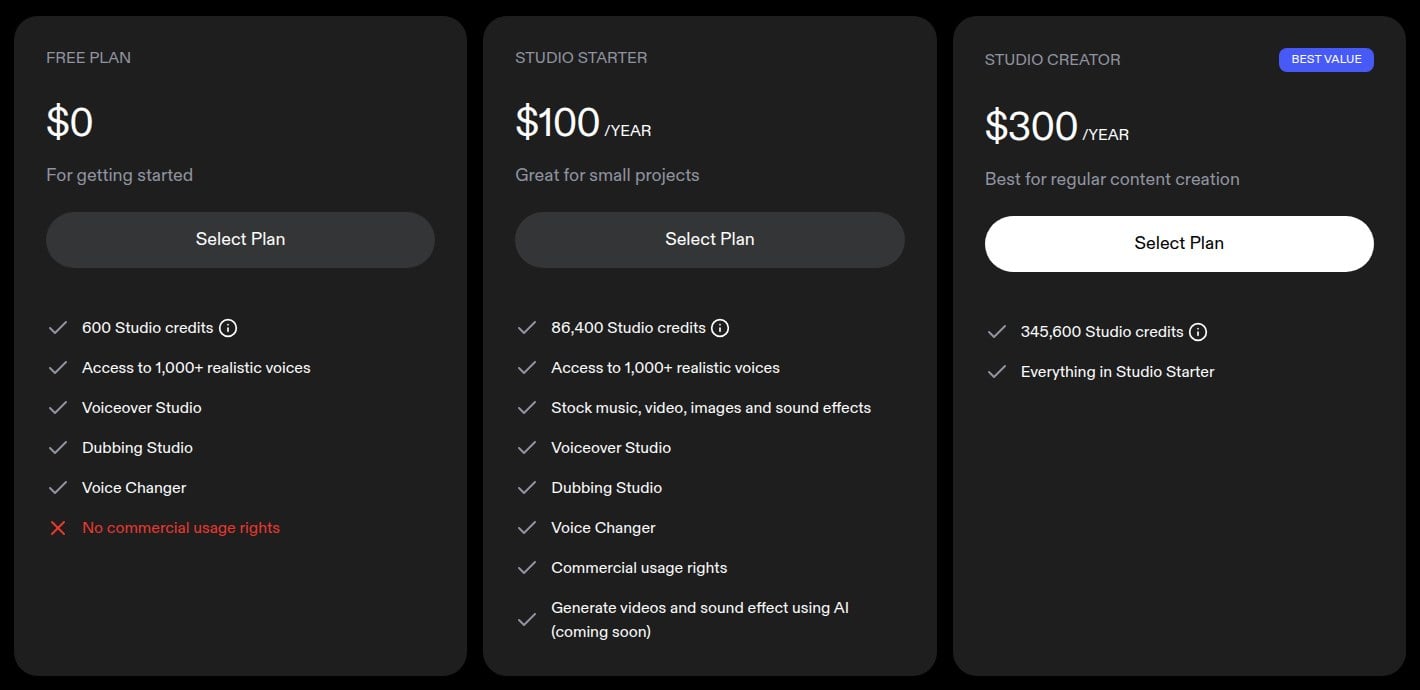
Speechify offers three pricing plans:
- Free: Free forever, for casual users who want to take Speechify for a spin and try the voice changer with 600 Studio credits, without commercial usage rights.
- Studio Starter: $100/year for professionals such as audiobook creators or podcasters who want 86,400 Studio credits a year, stock media, and commercial usage rights.
- Studio Creator: $300/year for creators who produce content regularly and want 345,600 Studio credits a year.
Try Speechify today with the free plan.
Our Verdict — Best For Streaming
Price: Starts at $11.64/quarter
Voxal Voice Changer is a live voice manipulation software for gamers, podcasters, and content creators. We think it’s the best for streaming because of its real-time voice changing capability, wide range of voices and effects, and easy integration with other applications.
The Best Part:
Real-time voice change. Voxal allows you to modify your voice in real time which means no post-production editing is needed. It changes your voice on the spot. Be it an alien, robot, or old woman — the options are endless!
The Worst Part:
Dated design. Voxal, despite its impressive capabilities, has an interface that looks like it was designed in the early 2000’s… Which might be a turn off for some.
Get it if you want to add some spice to your streaming sessions by altering your voice.
I recommend you get a Voxal Voice Changer subscription for $11.64/quarter.
(free version)
Best For
Voxal Voice Changer is best for streamers who want to add a layer of fun and engagement to their live broadcasts by changing their voice in real time.
Top Features
Keep your streams fun. With Voxal's real-time voice change, you can instantly switch between voices to keep your audience engaged and entertained.
Breathe life into characters. Easily create distinct voices for each character in your podcast or audio drama with Voxal’s recording features.
Immerse yourself in every game. Step up your game by morphing into any character you want using Voxal's diverse vocal effects — one night, you might be a scary alien; the next, a supervillain or even a cave monster!
Boost your prank game. With Voxal, you can easily change your voice and pull off the perfect prank call.
Add variety to business calls. Seamlessly integrate Voxal with Skype, Discord, or Teamspeak and bring a twist to those boring team meetings.
Pricing
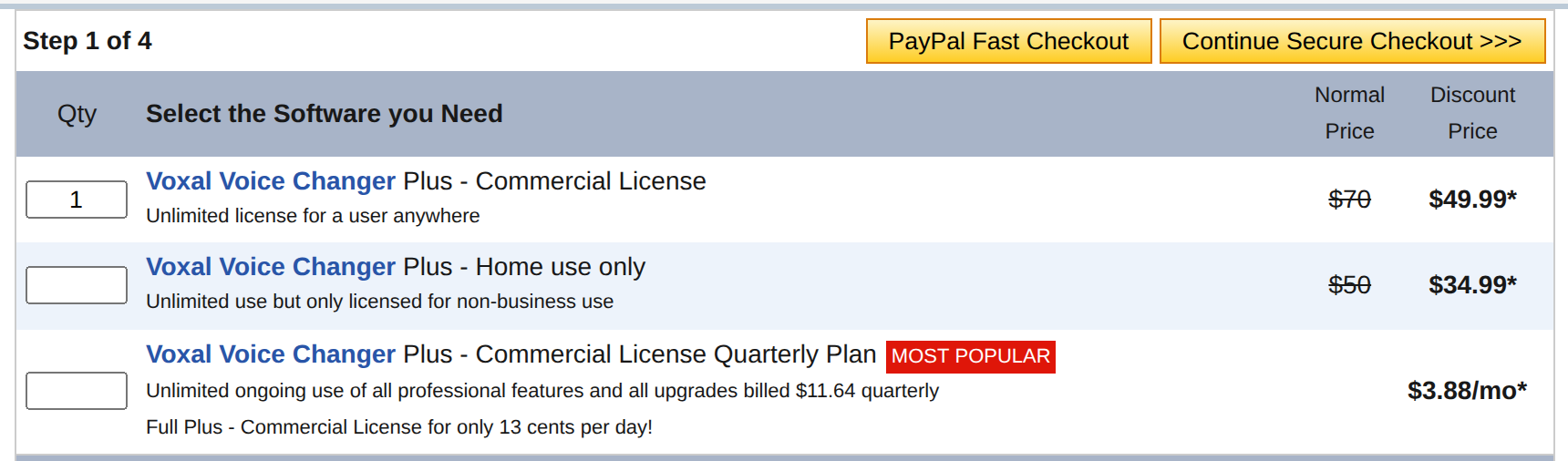
Voxal Voice Changer offers four pricing plans:
- Free: Free forever, for beginners who want to test out basic features within Voxal for home use only.
- Plus - Home use only: $34.99 one-time payment (normally $50), for personal use on home devices offering a complete set of features without commercial usage rights.
- Plus - Commercial License: $49.99 one-time payment (normally $70), for streamers who require full access to all advanced functionalities and commercial use rights.
- Plus - Commercial License Quarterly Plan: $11.64/quarter for businesses that want a cost-effective choice with free, regular updates and commercial rights.
Try Voxal Voice Changer today with the free version.
Our Verdict — Best For Prank Calls
Price: $89.96 one-time payment
AV Voice Changer is an AI voice changing software that's perfect for gamers, podcasters, and pranksters. We think it’s the best for prank calls because of its high-quality real-time voice changing capability, extensive library of hilarious sound effects, and easy-to-use interface.
The Best Part:
Real-time voice changing. AV Voice Changer lets you modify your voice on the spot, turning any conversation into hilariously unexpected pranks.
The Worst Part:
Steep learning curve. While AV Voice Changer is packed with features, it might take some time for you to get the hang of everything. So patience is key when you're just starting out.
Get it if you love pulling pranks on friends over phone calls.
I recommend you start with the free trial, then get the lifetime license for $89.96.
(free trial)
Best For
AV Voice Changer is best for individuals who want to have a good laugh pranking their friends and family.
Top Features
Morph your voice. Instantly change your voice into anything from a chipmunk's squeak to a robot's monotone.
They’ll never know it’s you. With AV Voice Changer's real-time voice modification, you can switch voices mid-call and keep your friends guessing.
Easy switch. If a prank goes south, use AV Voice Changer’s voice return function to quickly revert back to your normal voice.
Mark it up with humor. Use the preset funny voices like chipmunk, alien, or robot to get instant laughs during your prank calls.
It works on many channels. From Skype and Discord to in-game chats, AV Voice Changer effortlessly integrates with your apps, making it easy for you to change your voice just about everywhere.
Pricing
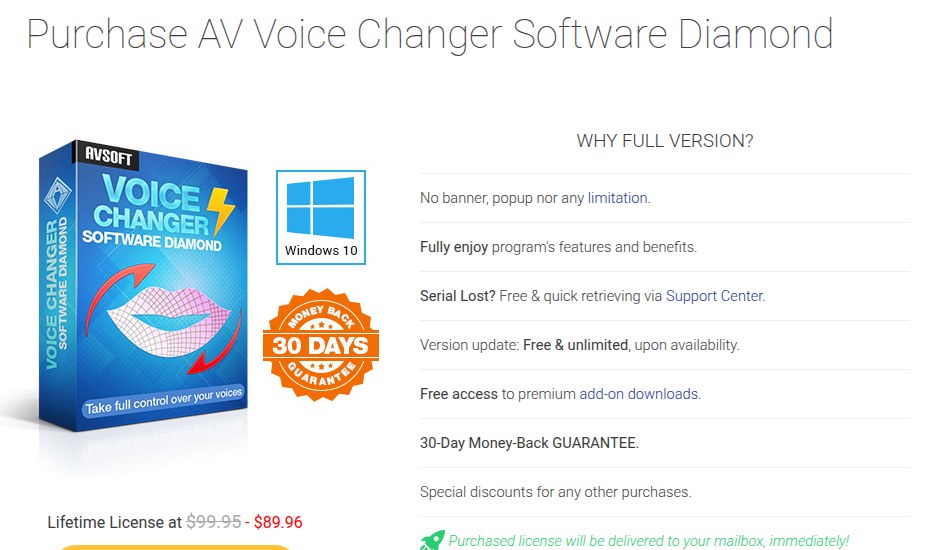
AV Voice Changer offers two pricing plans:
- Free Trial: Free forever, for casual users who want to make some quick prank calls with limited voices and features.
- Lifetime License: $89.96 one-time payment (normally $99.95), for professional pranksters and content creators needing full access to all voices and advanced features.
Try AV Voice Changer today with a free trial.
4. ElevenLabs
Our Verdict — Best For Voice Cloning
Price: Starts at $6/month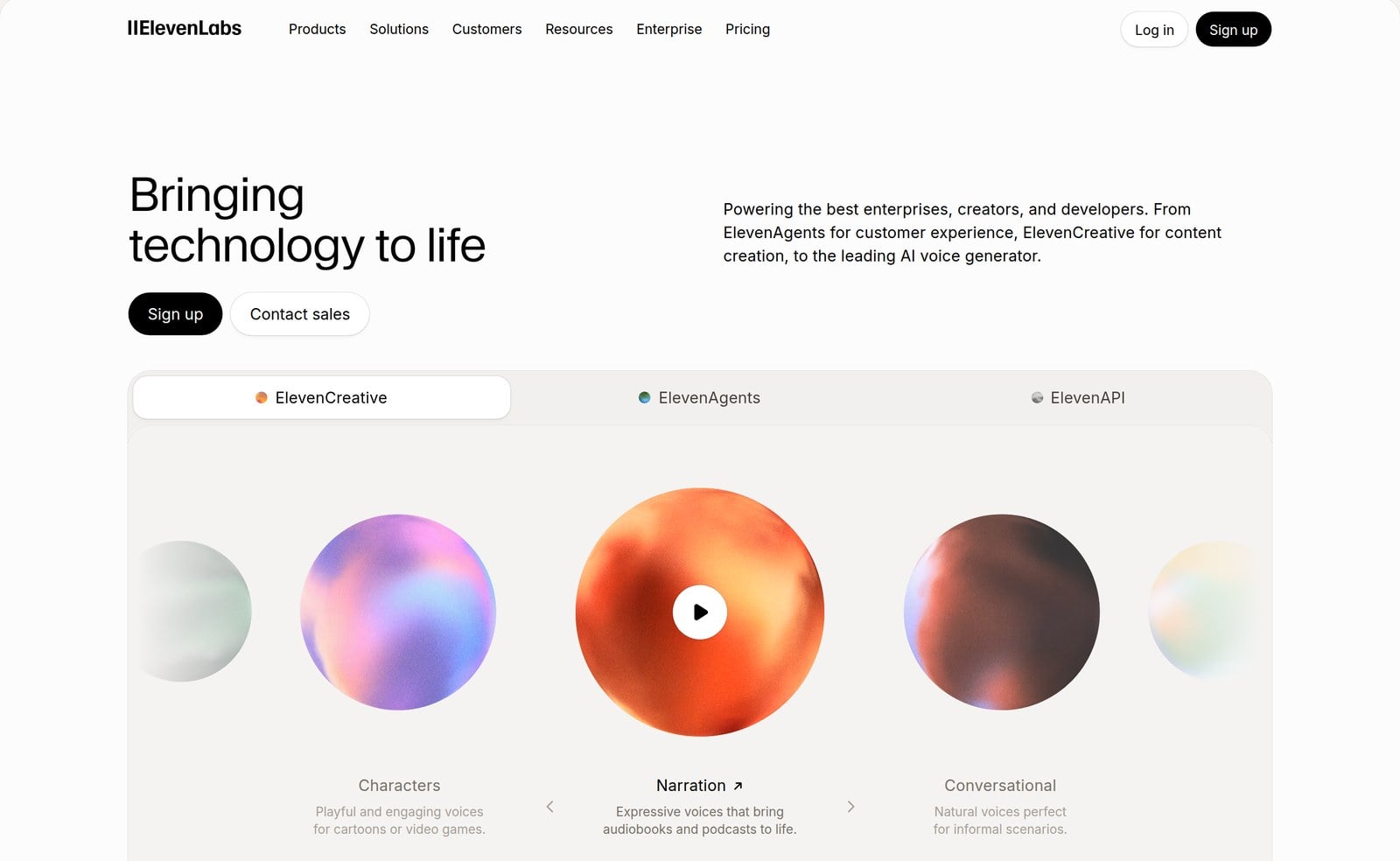
ElevenLabs is an AI voice platform whose Voice Changer turns your recording into a different voice while keeping your delivery. We think it’s the best for voice cloning because Instant Voice Cloning starts on the $6/month Starter plan, and Creator adds Professional Voice Cloning.
The Best Part:
It keeps your performance. The Voice Changer preserves your accent, emotion, whispers, and laughs, so the new voice still sounds like you acted it.
The Worst Part:
Record, then convert. The Voice Changer works on audio you record in the app or upload, so it fits videos and voiceovers better than live voice chat.
Get it if you want studio-quality voice changes and a clone of your own voice for videos, ads, and audiobooks.
I recommend you start with the free plan, then get the Starter plan for $6/month to clone your voice.
(free plan)
Best For
ElevenLabs is best for creators and voiceover artists who want realistic AI voices and a clone of their own.
Top Features
A huge voice library. Pick from over 10,000 voices, or design a brand-new one to use in your clips.
Record or upload. Speak right in the app or upload a short audio clip, then hear it back in another voice.
Clone yourself fast. Instant Voice Cloning on the Starter plan makes an AI copy of your own voice.
Pro-grade clones. Creator adds Professional Voice Cloning on top of Instant Voice Cloning.
More than voices. Use the same account for text to speech, dubbing, sound effects, and music.
Pricing
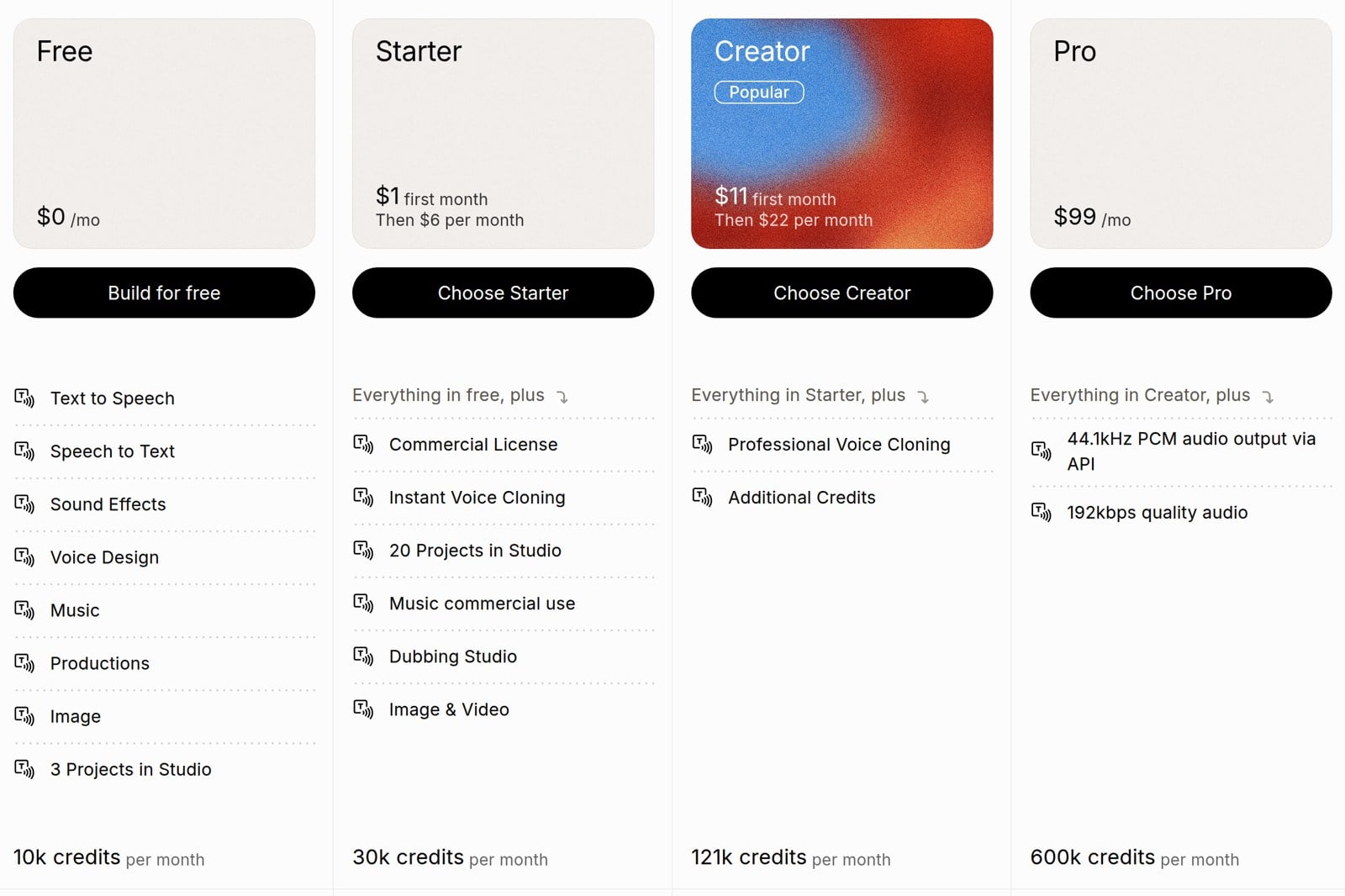
ElevenLabs offers four individual pricing plans:
- Free: Free forever, for 10,000 credits a month and 3 projects in Studio.
- Starter: $6/month, or $1 for your first month, for 30,000 credits a month, a commercial license, and Instant Voice Cloning.
- Creator: $22/month, or $11 for your first month, for 121,000 credits a month and Professional Voice Cloning.
- Pro: $99/month for 600,000 credits a month and 44.1kHz PCM audio output via the API.
Annual subscriptions provide a 17% discount.
Try ElevenLabs today with the free plan.
5. Voicemeeter
Our Verdict — Best For Audio Mixing
Price: Free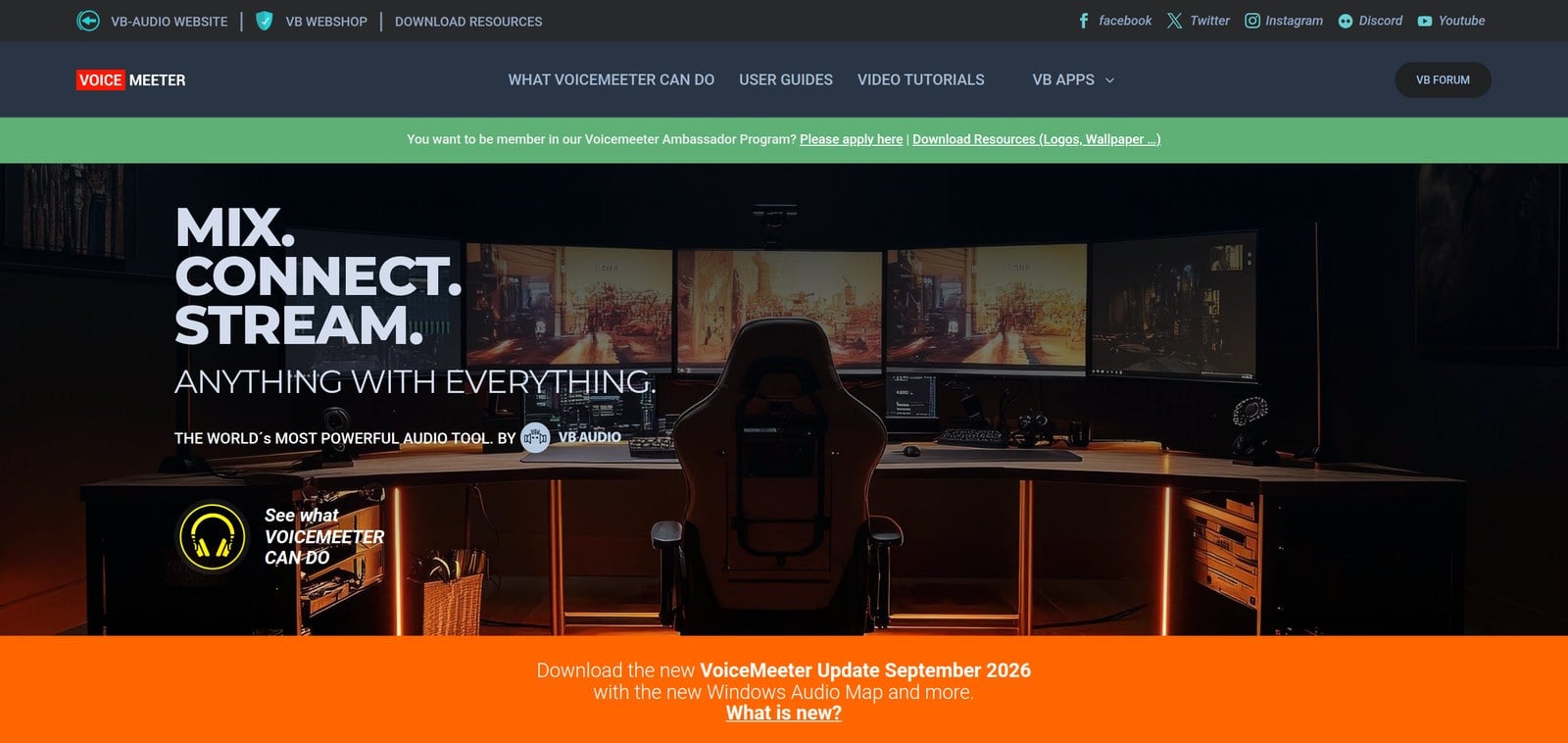
Voicemeeter is a virtual audio mixer for Windows that routes your mic, music, games, and apps through one console. We think it’s the best for audio mixing because it mixes three inputs to three outputs through two buses, and works as a virtual audio device in any app.
The Best Part:
Free to use. Voicemeeter is donationware, so you get every core function without paying, and buy a license if you find it useful or use it professionally.
The Worst Part:
Takes some setup. Routing inputs, outputs, and buses is powerful but technical, so plan to follow the user guide step by step on day one.
Get it if you want to mix your voice with your game, music, and calls before it reaches your stream or recording.
I recommend you start with the free version, then buy a license at the level that fits how you use Voicemeeter.
(free version)
Best For
Voicemeeter is best for streamers, podcasters, and gamers who want full control over every sound on their Windows PC.
Top Features
One mixer for everything. Blend your microphone, music player, browser, game, and Skype or other VoIP calls in a single console.
A virtual audio device. Apps see Voicemeeter as a real sound card, so you can send your mix anywhere.
Pro audio ready. It supports MME, Direct-X, KS, WaveRT, WASAPI, and ASIO, so it plugs into DAWs and audio interfaces.
Room to grow. Move up to Voicemeeter Banana or Potato, which include the standard version, when your setup outgrows it.
Works offline. Voicemeeter doesn’t need an internet connection and doesn’t collect any user data.
Pricing
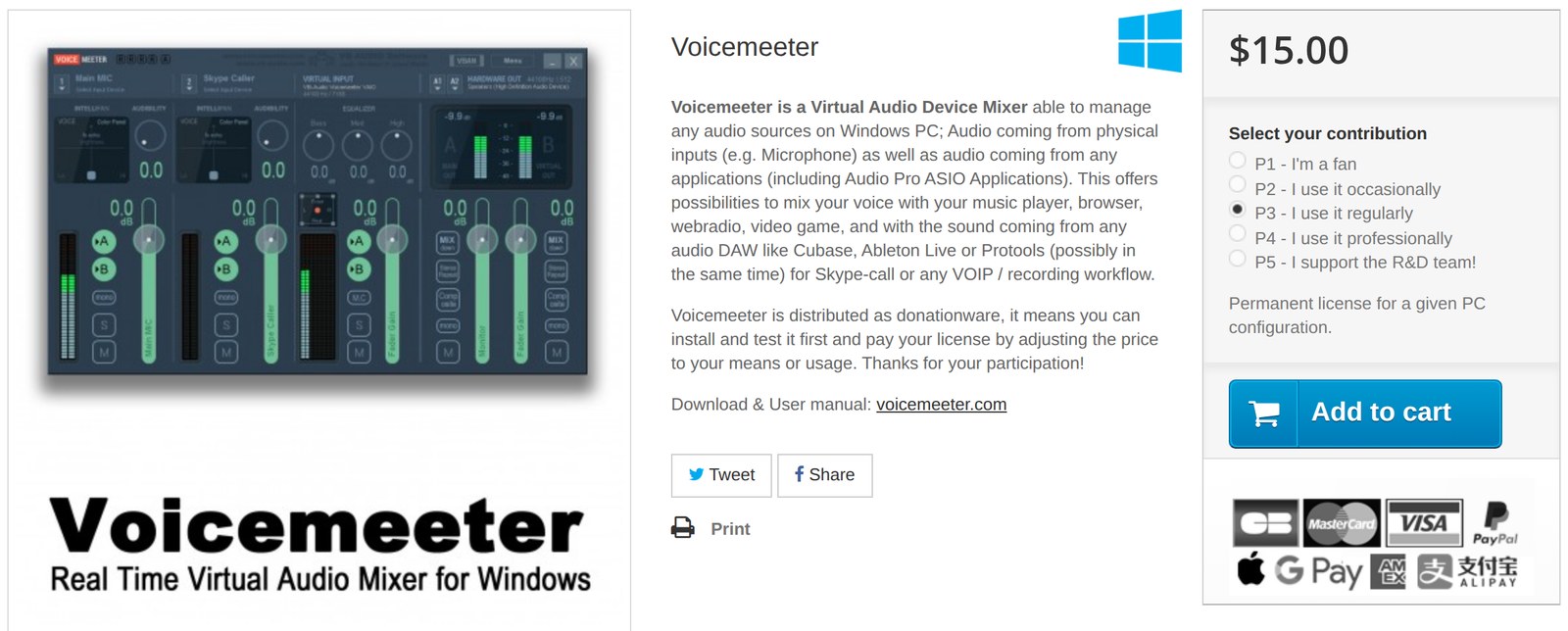
Voicemeeter offers two pricing plans:
- Free: Free to use, with all functions available, on Windows.
- License: Pay what you want across five levels, with $15 at the “I use it regularly” level, for a permanent license on one PC.
Try Voicemeeter today with the free version.
Our Verdict — Best For Voice Effects
Price: Free
Clownfish Voice Changer is a free voice changer for Windows that works at the system level, so every app that uses your mic hears the new voice. We think it’s the best for voice effects because it gives you a menu of instant effects, from Alien and Robot to Helium and Baby pitch.
The Best Part:
Works everywhere at once. Clownfish installs on your mic, so Discord, Steam, Skype, TeamSpeak, and Mumble all get the changed voice.
The Worst Part:
Effects first. The built-in menu is pitch shifts and filters like Robot and Radio, so it won’t match the realism of AI voice tools like ElevenLabs.
Get it if you want fun voice effects in every app on your PC without paying a cent.
I recommend you get started by downloading Clownfish Voice Changer for free on Windows 10 or 11.
(free version)
Best For
Clownfish Voice Changer is best for gamers and chatters who want quick, silly voice effects across all their apps.
Top Features
A full effects menu. Switch between Alien, Atari, Clone, Mutation, Radio, Robot, and male, female, helium, or baby pitch.
Dial in your own pitch. Use Custom pitch to find the exact sound you want.
Play sounds on a hotkey. The built-in sound player fires preset sounds the moment you press a key.
Music in your mic. Stream background music into your voice channel with the music player.
Add VST plugins. Load your own VST effects to push your voice even further.
Pricing

Clownfish Voice Changer offers one pricing plan:
- Free: Free of charge under the Clownfish license, for the full voice changer on Windows 10 and 11.
Try Clownfish Voice Changer today with the free version.
7. MorphVOX Pro
Our Verdict — Best For Advanced Features
Price: $39.99 one-time payment
MorphVOX Pro is a voice changer from Screaming Bee for online games and voice chat on Windows, with a separate MorphVOX Mac version. We think it’s the best for advanced features because it adds voice-learning, background cancellation, a soundboard, and fine-tuning tools on top of its voices.
The Best Part:
Clean, quiet sound. Ultra-quiet background cancellation makes it one of the cleanest-sounding voice changers around.
The Worst Part:
Results vary by voice. Screaming Bee says the morphed audio changes from speaker to speaker, so you need the free trial to hear how it works with yours.
Get it if you want to sound like your in-game character and fine-tune every detail of your voice.
I recommend you start with the free trial, then get MorphVOX Pro for $39.99.
(free trial)
Best For
MorphVOX Pro is best for gamers and role-players who want a polished character voice with pro-level controls.
Top Features
Voice-learning. MorphVOX Pro learns your voice to give you cleaner, more convincing results.
Fool them with backgrounds. Add a traffic jam or a busy mall behind your voice so you sound like you’re somewhere else.
A built-in soundboard. Load free sound packs and fire them off with quick keys while you talk.
Tune every detail. Pre and post graphic equalizers and voice comparison tools let you sculpt your sound.
Record your new voice. Morph audio files or save your changed voice straight to a file.
Pricing
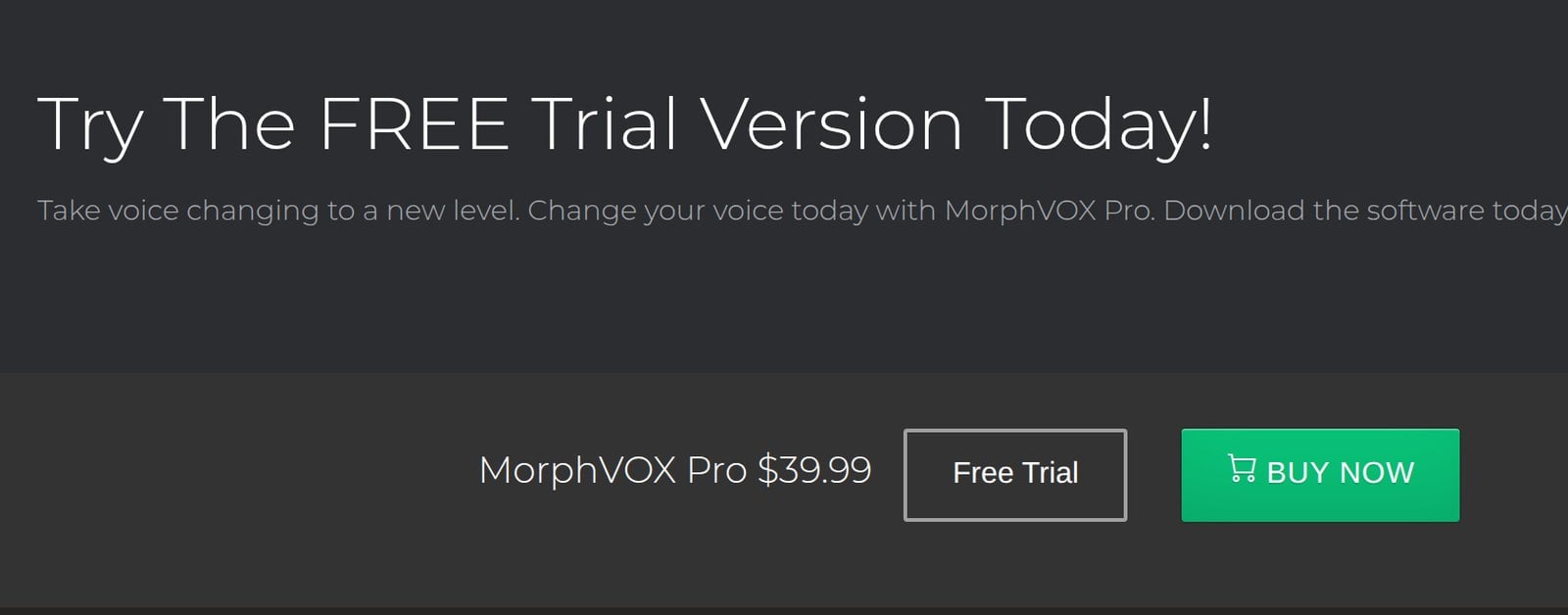
MorphVOX Pro offers two pricing plans:
- Free Trial: Free, for Windows users who want to hear how MorphVOX Pro changes their voice before buying.
- MorphVOX Pro: $39.99 one-time payment, for the full voice changer with all its voices, sounds, and tools.
Try MorphVOX Pro today with a free trial.
Our Top Three Picks
Here’s a quick summary of our top three picks:
- Speechify — best of the best
- Voxal Voice Changer — best for streaming
- AV Voice Changer — best for prank calls
Here’s a quick comparison of our top seven picks:
Tool | Entry Offer | Pricing |
|---|---|---|
Speechify | Free plan | Starts at $100/yr |
Voxal Voice Changer | Free version | Starts at $11.64/qtr |
AV Voice Changer | Free trial | $89.96 |
ElevenLabs | Free plan | Starts at $6/mo |
Voicemeeter | Free version | Free forever |
Clownfish Voice Changer | Free version | Free forever |
MorphVOX Pro | Free trial | $39.99 |
Here are the top 50 AI voice changers we considered in this review:
- Speechify
- Voxal Voice Changer Software
- AV Voice Changer
- ElevenLabs
- Voicemeeter
- Clownfish Voice Changer
- MorphVOX Pro
- Voicemod
- Fake Voice
- MasqVox Voice Changer
- All-in-One Voice Changer
- RoboVox Voice Changer
- SuperVoiceChanger
- Hero Voicer
- VoiceFX
- Voice.ai
- Altered
- FineVoice
- Funcall
- Voice Changer Plus
- Vidnoz AI Voice Changer
- Celebrity Voice Changer
- Lalals
- Uberduck
- Kits.ai
- Fish Audio
- Respeecher
- Resemble AI
- HitPaw VoicePea
- Media.io
- Veed
- Supertone Shift
- Murf Voice Generator
- MagicMic AI Voice Changer
- Voice Spice Recorder
- Jammable
- Musicfy
- Weights
- Filmora
- IVoice Voice Changer
- AlterCam Voice Changer
- CapCut
- Voice Swap
- Covers.ai
- Voxbox
- Descript
- TopMediai
- Podcastle
- MagicCall
- Voicechanger.io
Frequently Asked Questions About AI Voice Changers
What is the best AI voice changer overall?
Speechify is our top pick overall. You get state-of-the-art voice synthesis plus 1,000+ realistic voices, a built-in voice changer, and commercial usage rights on the paid plans, so you can ship what you make.
Are there any free AI voice changers?
Yes, several. Voicemeeter and Clownfish Voice Changer are free to use, Speechify runs a free plan, and Voxal Voice Changer has a free version.
What can you do with Speechify?
Speechify is the most realistic and most capable of the bunch. You get state-of-the-art voice synthesis, 1,000+ realistic voices, voiceover and dubbing studios, and commercial usage rights on the paid plans.
Which AI voice changer is best for voice cloning?
ElevenLabs is the pick for voice cloning. Instant Voice Cloning comes with the $6/month Starter plan, and the free plan lets you try the Voice Changer first.
Which AI voice changer is best for streaming?
Go with Voxal Voice Changer for streaming. It changes your voice in real time, offers a free version, and plugs into Skype, Discord, and Teamspeak.
Which AI voice changer is best for prank calls?
Reach for AV Voice Changer for prank calls. You get real-time voice changing plus preset voices like chipmunk, alien, and robot, with a free trial to try it out.
Can AI voice changers run in real time on Discord?
Yes, several run in real time on Discord. Voxal changes your voice live and hooks into Skype, Discord, and Teamspeak, and AV Voice Changer works across Skype, Discord, and in-game chat.
Can an AI replicate or mimic someone's voice?
Yes, and several tools do it. Speechify and AV Voice Changer can both mimic a voice, so you can recreate a specific sound when a project calls for it.
The Bottom Line
To recap, here are the best AI voice changers to try this year:
- Speechify — best of the best
- Voxal Voice Changer Software — best for streaming
- AV Voice Changer — best for prank calls
- ElevenLabs — best for voice cloning
- Voicemeeter — best for audio mixing
- Clownfish Voice Changer — best for voice effects
- MorphVOX Pro — best for advanced features