

Today there are 338 different ChatGPT AI apps. We spent 97 hours comparing the top 50 to find the seven best you can use to get better answers than the stock ChatGPT app.
What is the Best ChatGPT AI app?
1. Nova
Our Verdict — Best Of The Best
Price: Starts at $29.99/month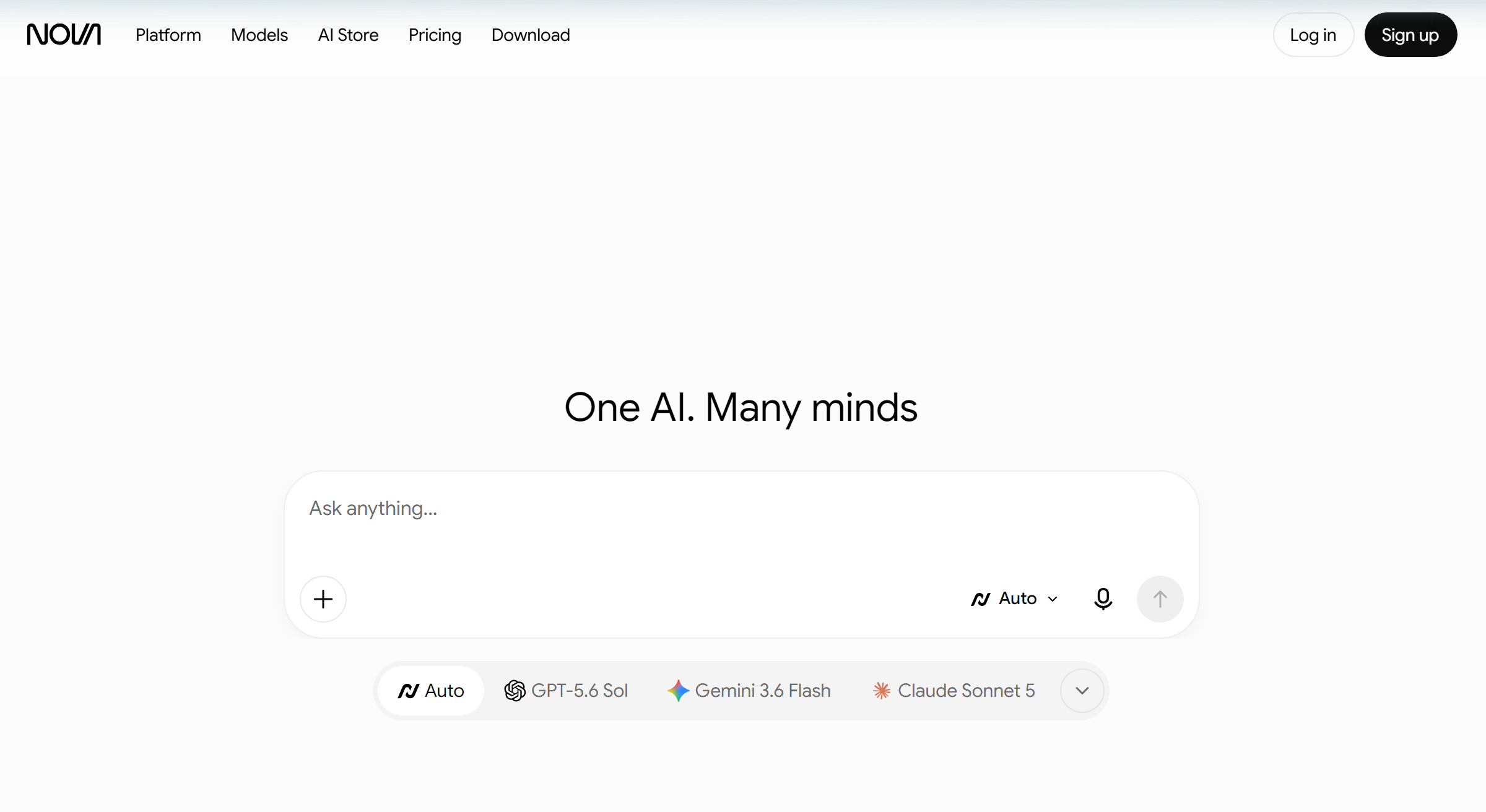
Nova is an AI assistant that puts GPT, Claude, Gemini and Grok in one app. We think it’s the best of the best because you can switch models in the middle of a conversation without losing context, and it runs on the web, iPhone, iPad, Mac and Android.
The Best Part:
Every top model in one place. Nova gives you models from OpenAI, Anthropic, Google and xAI under one account, so you stop paying for four separate chatbot subscriptions.
The Worst Part:
The free plan is tight. Free users get limited messages on a basic model, and the premium models only open up on Pro at $29.99/month.
Get it if you want a ChatGPT AI app that lets you pick the best model for every task.
I recommend you start on the free plan, then take the 1-week Pro trial for $1.99 before you commit to $29.99/month.
(free plan)
Best For
Nova is best for individuals who want ChatGPT, Claude and Gemini in one app instead of paying for each one separately.
Top Features
Switch models, keep the context. Swap between GPT, Claude, Gemini and Grok mid-conversation, and the new model picks up right where the last one left off.
Bring your old chats. Import your conversations from ChatGPT, Claude and Gemini, so you never lose the context of your past work.
Create beyond text. Generate images, music and video with the latest AI models without leaving the chat.
A built-in fact check. Nova has a fact check feature built to cut down on hallucinations before you use an answer.
Hands-free. Voice mode lets you talk to Nova instead of typing, which makes the mobile app even easier to use on the go.
Pricing
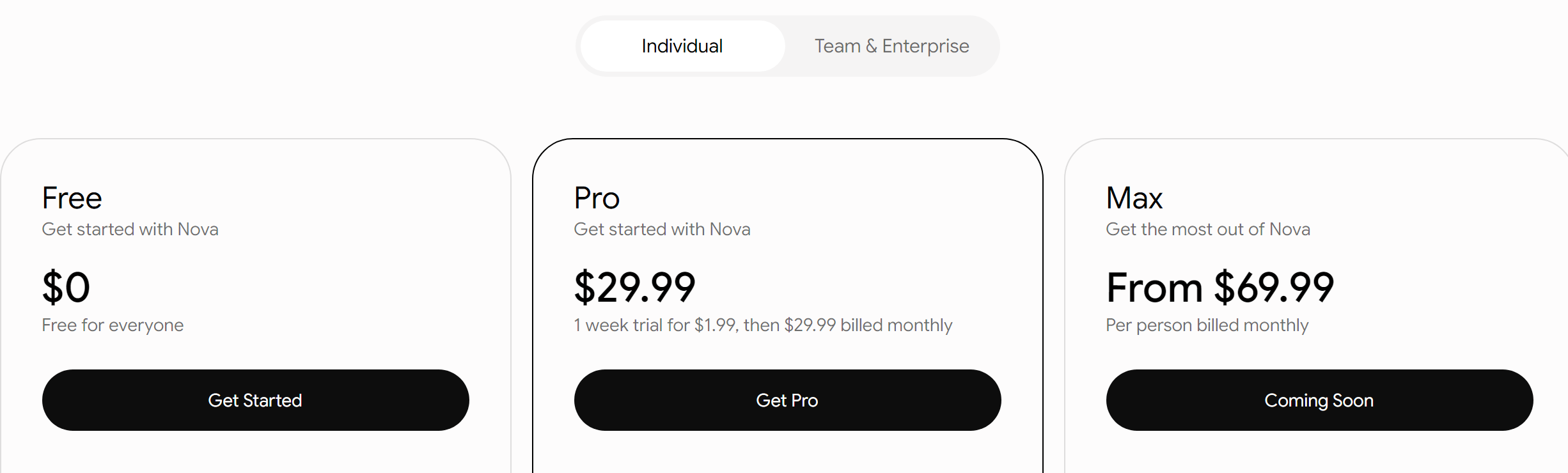
Nova offers three pricing plans:
- Free: Free forever, for limited messages on a basic model, plus web search and file uploads.
- Pro: $29.99/month, with a 1-week trial for $1.99, for every premium AI model, higher limits, image creation and Deep Research.
- Max: From $69.99/month per person, launching soon, for up to 10 times the usage limits of Pro.
Try Nova today with the free plan.
2. SudoWrite
Our Verdict — Best For NSFW Content
Price: Starts at $19/month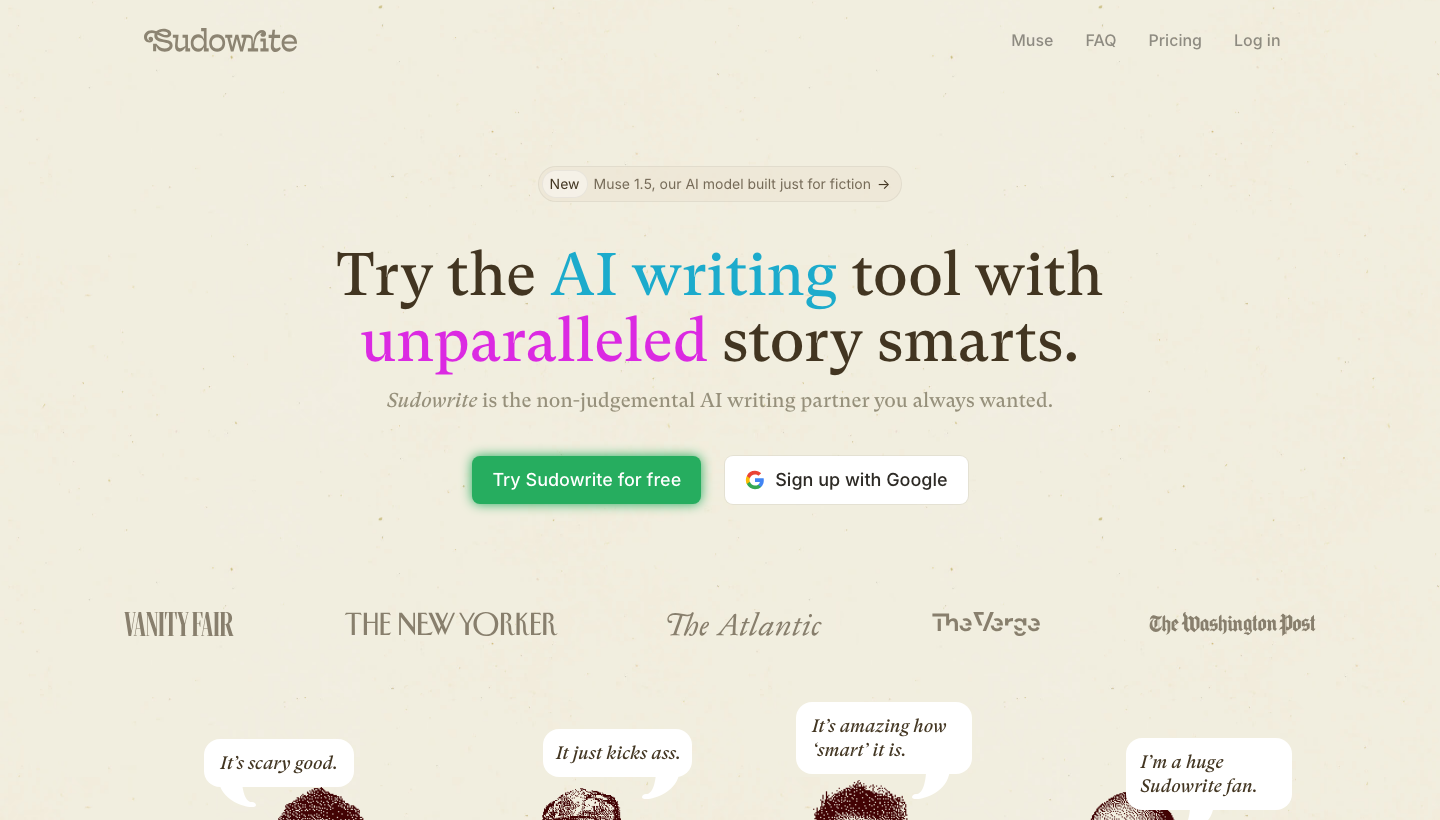
SudoWrite is an AI writing assistant with no adult content filters. We think it’s the best for NSFW content because your account won’t be blocked for dirty talk, its Chrome extension lets you use it in Google Docs, and its Muse model is built just for fiction.
The Best Part:
Filling the gap. SudoWrite shines where ChatGPT draws the line. If adult content creation is your thing, you can best add this AI app to your tech stack.
The Worst Part:
Different beast. Storytelling is the biggest strength of this AI app and that makes it less useful to people who just want to chat to an uncensored chatbot.
Get it if you want to generate erotic and pornographic texts without worrying about violating the strict ChatGPT policies.
I recommend you get started with the free trial, then upgrade to the Professional plan for $29/month.
(free trial)
Best For
SudoWrite is best for anyone who wants to bypass the strict NSFW restrictions of ChatGPT.
Top Features
Speak your dirty mind. Whatever fantasies you have, Sudowrite is eager to assist you from brainstorming to editing your explicit content.
Sextension. After you install the chrome extension, you can use the NSFW AI writing assistant directly in Google docs.
Peak performance. Sudowrite has a wide variety of built-in tools that speed up the process on every step of writing your spicy stories.
Mixing models. In order to generate content no other AI app can produce, Sudowrite runs on Muse, its own AI model built just for fiction.
All yours. All the content you create with Sudowrite belongs to you, even if you cancel your subscription.
Pricing
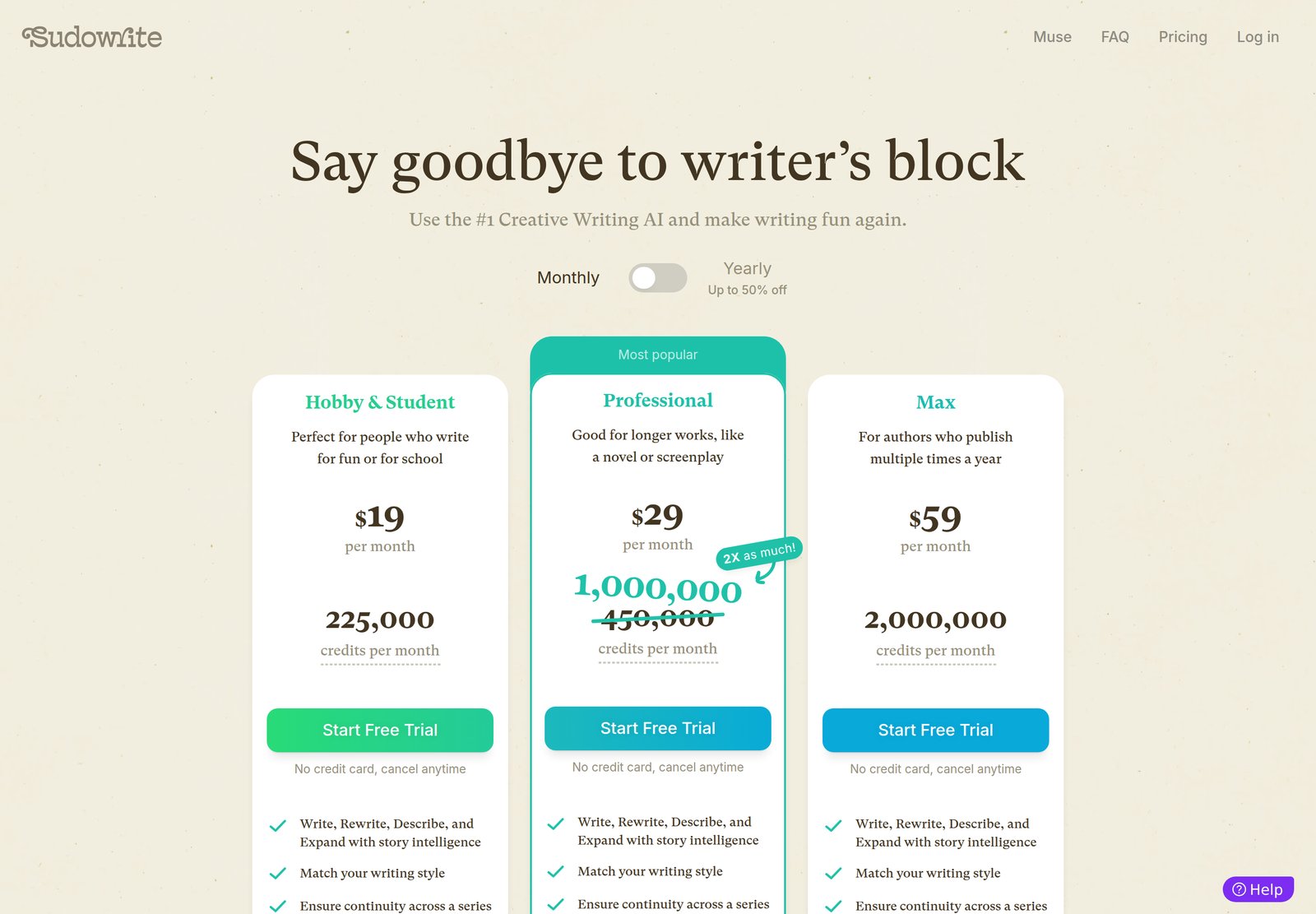
Sudowrite offers three pricing plans:
- Hobby & Student: $19/month for 225,000 credits per month, which is ideal for generating short NSFW content.
- Professional: $29/month for 1,000,000 credits per month (a current promo on the usual 450,000), with enough room to write a novel with AI.
- Max: $59/month for 2,000,000 credits per month, for authors who publish several books a year.
Annual subscriptions provide a discount of up to 47%.
Try Sudowrite today with a free trial.
3. PDF AI
Our Verdict — Best For Studying Documents
Price: Starts at $17/month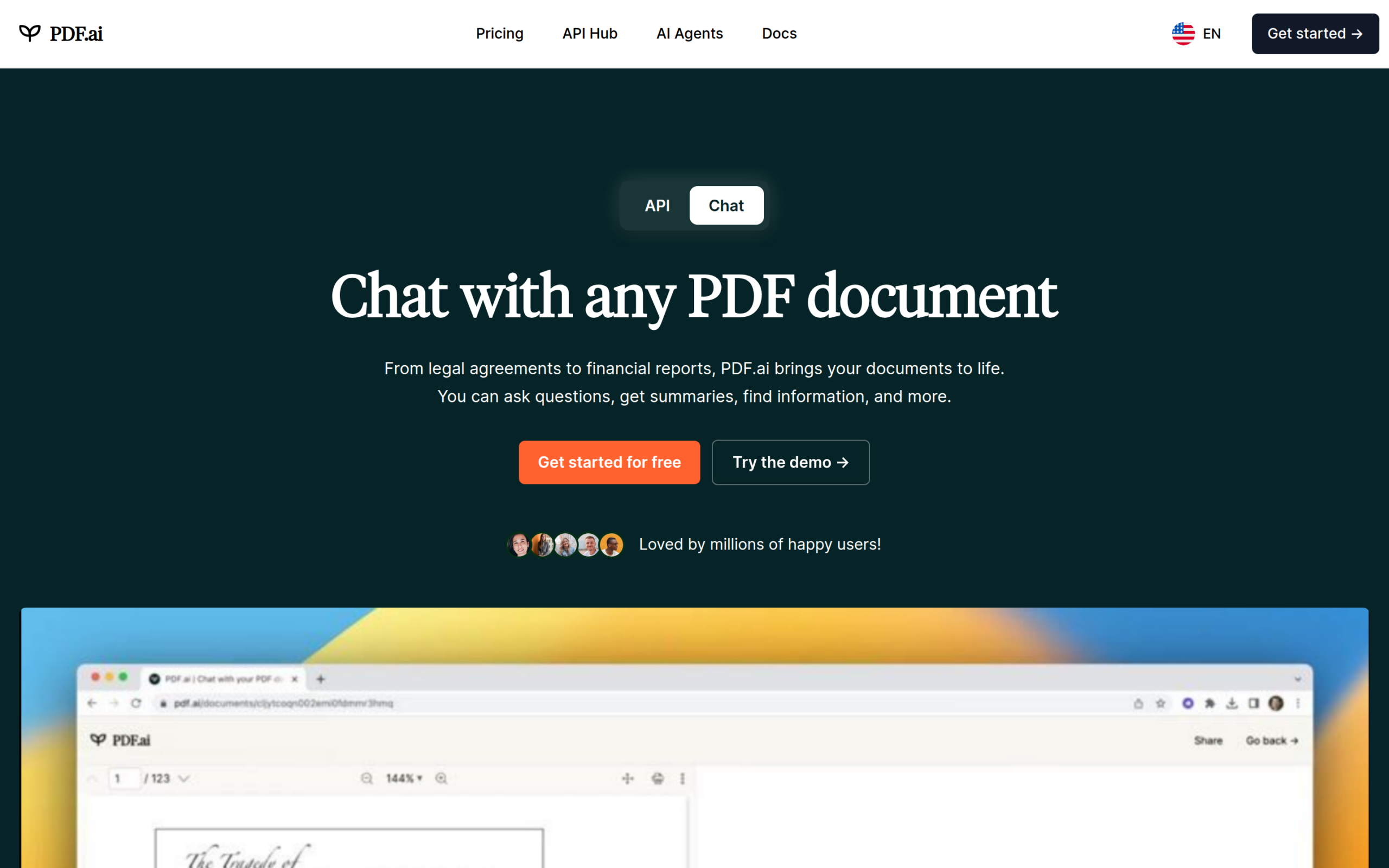
PDF AI is a site where you can upload PDF documents and ask ChatGPT any questions about them. We think it’s the best for studying documents because of how easy it is to use, the free plan to start with, and the clear answers with cited sources you get in no time.
The Best Part:
Unboring PDFs. You no longer have an excuse to store PDFs for later. Upload any PDF document and ask the AI app to summarize, paraphrase or explain the content in plain language.
The Worst Part:
PDF only. At this moment, you can only upload PDFs, so you will waste some seconds with converting other file types, such as docx, xlsx, etc.
Get it if you want to quickly analyze PDF documents with the help of a ChatGPT-style AI app.
I recommend you get the free plan, then upgrade to the Pro plan for $17/month.
(free plan)
Best For
PDF AI is best for anyone who wants to use ChatGPT for learning from documents.
Top Features
Small print. You can ask PDF AI to explain complex matters, such as legal documents, manuals, dissertations, reports and more, in plain English.
No made-up BS answers. PDF AI highlights the text in the document it used for its answers, which makes it easy to locate the original source.
Prompt action. The moment you upload a PDF, the app suggests questions you can ask. You can also save your own prompts and use them later for other PDFs.
Fast drive. After you have installed the chrome extension, you can directly chat in your browser with the AI app about the PDFs in your Google Drive or Dropbox.
File away your worries. With the Ultimate plan you can upload as many PDF files as you want and ask unlimited questions about them.
Pricing
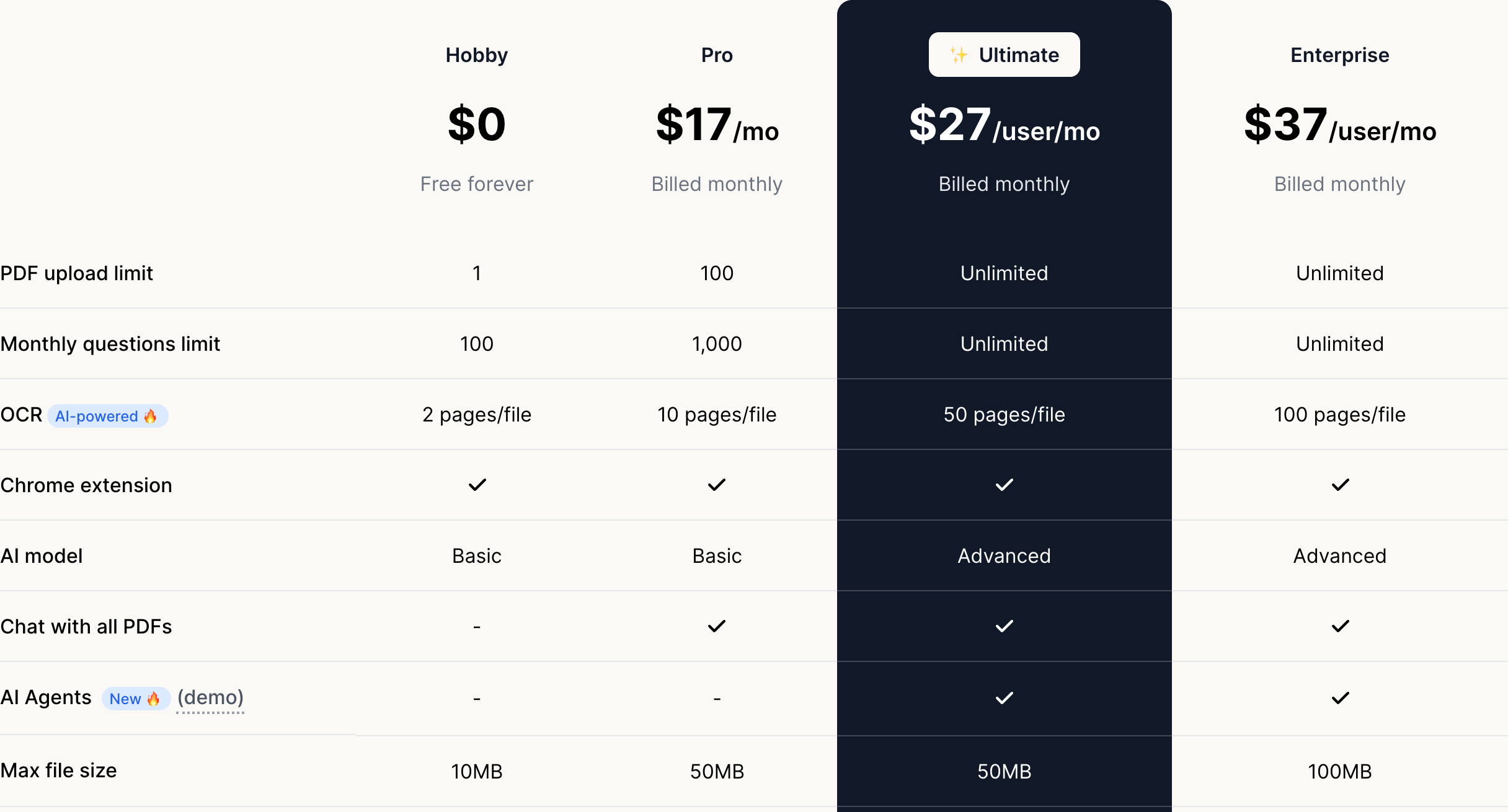
PDF AI offers four pricing plans:
- Hobby: Free forever, for 1 PDF and 100 questions a month.
- Pro: $17/month or $120/year, for 100 PDFs, 1,000 questions a month, and chat with all your PDFs at once.
- Ultimate: $27/user/month or $240/user/year, for unlimited PDFs and questions, the advanced AI model, and AI agents.
- Enterprise: $37/user/month or $360/user/year, for 100MB files and OCR on up to 100 pages per file.
Annual subscriptions provide up to a 41% discount.
Try PDF AI today with a free plan.
Our Top Three Picks
Here’s a quick summary of our top three picks:
Here’s a quick comparison of our top seven picks:
Tool | Entry Offer | Pricing |
|---|---|---|
Nova | Free plan | Starts at $29.99/mo |
SudoWrite | Free trial | Starts at $19/mo |
PDF AI | Free plan | Starts at $17/mo |
Frase | Free trial | Starts at $49/mo |
Rytr | Free plan | Starts at $9/mo |
Quillbot | Free plan | Starts at $19.95/mo |
ChatFAI | Free plan | Starts at $9/mo |
Here are the top 50 ChatGPT AI apps we considered in this review:
- Nova
- SudoWrite
- PDF AI
- Frase
- Rytr
- Quillbot
- ChatFAI
- ChatSonic
- Kimi
- Frank AI
- Jaq
- DeepSeek
- Cowriter
- Writer
- Empler
- Qwen Chat
- Word AI
- Neuronwriter
- Google Gemini
- Microsoft Copilot
- Perplexity
- YouChat
- KoalaChat
- Meta AI
- Personal AI
- Pi
- OpenAI playground
- Poe
- DeepAI Chat
- Claude
- Khanmigo
- Character.AI
- Snapchat My AI
- Grok
- SpicyChat
- Mistral Vibe
- Copy AI
- Dreampress
- Writesonic
- Subtxt
- NovelAI
- Alisu
- Bloom
- ELSA
- Jenni AI
- HuggingChat
- Fred
- Squibler
- Replika
- Elephas
Frequently Asked Questions About ChatGPT AI Apps
What is a ChatGPT AI app?
A ChatGPT AI app is a tool built on or around large language models that often adds features the standard ChatGPT lacks, like live web search, image generation, brand voices, or document analysis. Many bundle several AI tools into one platform for more than just chat.
What is the best ChatGPT AI app?
Nova is our pick for the best overall because it puts GPT, Claude, Gemini and Grok in one app and lets you switch models without losing context. For specific needs, Sudowrite is best for NSFW content, PDF AI is best for studying documents, Frase is best for SEO content, Rytr is best for short-form copy, Quillbot is best for content writers, and ChatFAI is best for character chat. The right choice depends on your main task.
What do you get with Nova's paid plan?
Nova Pro costs $29.99/month and unlocks every premium AI model, higher message limits, image creation with 10+ models and Deep Research. You can try it for a week for $1.99 before you commit.
Is there a free ChatGPT AI app?
Yes. Nova has a free plan with limited messages, and many of these tools have free tiers. Free options usually limit messages or model access, so users who want the most capable models and the full toolbox tend to move to a paid plan.
What can Nova do besides chat?
Nova generates images, music and video, builds slides, analyzes data and works with your documents, alongside chat. It can also search the web for current information and import your old chats from ChatGPT, Claude and Gemini.
Are Nova's answers always accurate?
No. Like other AI tools, Nova can get facts wrong, so you should double-check anything important. Its fact check feature helps, but human verification is still important before publishing.
What is the best AI chatbot like ChatGPT?
Nova is a powerful AI chatbot that provides a ChatGPT-like experience. It puts leading AI models from OpenAI, Anthropic, Google and xAI in one app, and it adds web search, image generation, voice mode and deep research on top.
Nova works as an all-in-one AI assistant, making it a valuable tool for various tasks. You can switch models mid-conversation without losing context, and it runs on the web, iPhone, iPad, Mac and Android.
It's essential to note that the choice of the "best" AI chatbot can vary depending on your specific needs and preferences. It's a good practice to explore and test different chatbots to find the one that aligns most closely with your requirements for natural language understanding, conversational capabilities, and additional features. But since we already did the hard work, you can save yourself tons of time by reading our findings elsewhere on this page.
What is the difference between ChatGPT and Nova?
ChatGPT and Nova overlap a lot, but they work differently. Here's a breakdown of their differences:
ChatGPT:
- Voice Commands: ChatGPT supports voice conversations, so you can talk to it and hear a spoken answer.
- Cutting-Edge AI Technology: It runs on OpenAI’s own GPT models for natural language understanding and generation.
- Creative Writing: ChatGPT can help with creative writing tasks, and it can also generate images from a description.
- Conversation with ChatGPT: You can chat with ChatGPT by text or by voice to get information, answer questions, or generate text.
- Updated content: ChatGPT can search the web to answer with current information and links to its sources.
- Conversation History: It saves your chats, and its memory can carry details from one conversation to the next.
- Key Features: data generation, language understanding, and text generation.
Nova:
- Voice Commands: Nova has a voice mode for hands-free chats.
- Cutting-Edge AI Technology: Nova gives you GPT, Claude, Gemini, Grok, Kimi and DeepSeek models in one app.
- Creative Writing: Nova writes, rewrites and improves content, and it also creates images, music and video.
- Conversation with Nova: You can switch models mid-conversation, and the new model picks up where the last one left off.
- Fact Check: Nova has a fact check feature built to cut down on hallucinations.
- Updated content: Nova can search the web for real-time information.
- Conversation History: You can import your past chats from ChatGPT, Claude and Gemini.
- Key features include chat, image generation, web search, deep research, voice mode and file analysis.
- AI Technology: Nova’s router picks the best model from leading AI providers for every task.
In summary, ChatGPT gives you OpenAI’s models in one app, while Nova gives you models from several AI companies in one place, plus model switching, chat import and a built-in fact check.
Are there other chatbots like ChatGPT?
Yes, there are several chatbots and AI models similar to ChatGPT. Some of them include:
- Google Gemini: Gemini is Google’s AI assistant, formerly known as Bard. It can chat, write, and help with research, and it comes with a free plan plus paid Google AI plans.
- Microsoft Copilot: Copilot is Microsoft’s AI chatbot, formerly known as Bing Chat. It is free to use on the web, on Windows, and on your phone.
- Nova: Nova, our top pick, is an AI assistant that puts models from OpenAI, Anthropic, Google and xAI in one app.
- AI-Powered Apps: With advancements in AI technology, apps built on leading AI models have emerged, offering improved natural language understanding and text generation capabilities.
These chatbots and AI models are designed to handle a range of tasks, including conversations, advanced tasks, content production, and providing accurate answers to complex questions. They may have different key features and applications, so the choice between them depends on your specific needs and preferences. Our list of best ChatGPT AI apps helps you make the right decision fast.
Is Nova better than ChatGPT?
The comparison between Nova and ChatGPT depends on your specific requirements:
- Conversation Basis: Both Nova and ChatGPT provide chat-like experiences and are based on advanced language models for natural language understanding and generation.
- Model Choice: If you want to compare answers from GPT, Claude, Gemini and Grok, Nova is the better choice, since ChatGPT runs on OpenAI’s models only.
- Chatbot App: Both can be used on the web and on mobile, and Nova also has apps for Mac and Apple Watch.
- Instant Answers to Questions and Accurate Responses: Both aim to provide accurate responses, and Nova adds a fact check feature built to cut down on hallucinations.
- Content creation workflows: Nova creates images, music and video from the same chat.
- Chat History and Follow-Up Questions: Both maintain chat history and allow follow-up questions.
- Extra Features: Nova lets you import your ChatGPT, Claude and Gemini chats, while ChatGPT is the simpler choice if one model is all you need.
- Accurate Outputs: Both are designed to generate accurate outputs, but the accuracy may vary based on the specific use case.
Ultimately, the choice between Nova and ChatGPT depends on the tasks you need assistance with. If you want several AI models in one subscription, model switching and chat import, Nova is a better fit. For a single-model assistant, ChatGPT remains a good choice.