
Today there are more than 653 different CRM software tools. We compared the top 50 to find the seven best you can use to manage your leads and close more deals today.
What is the Best CRM Software?
- Close — best of the best
- HubSpot — best free alternative
- HighLevel — best for marketing agencies
- Freshworks — best for customer support
- ActiveCampaign — best for marketing automation
- Pipedrive — best visual sales pipeline
- Zoho CRM — best affordable customizable CRM
1. Close
Our Verdict — Best Of The Best
Price: Starts at $19/month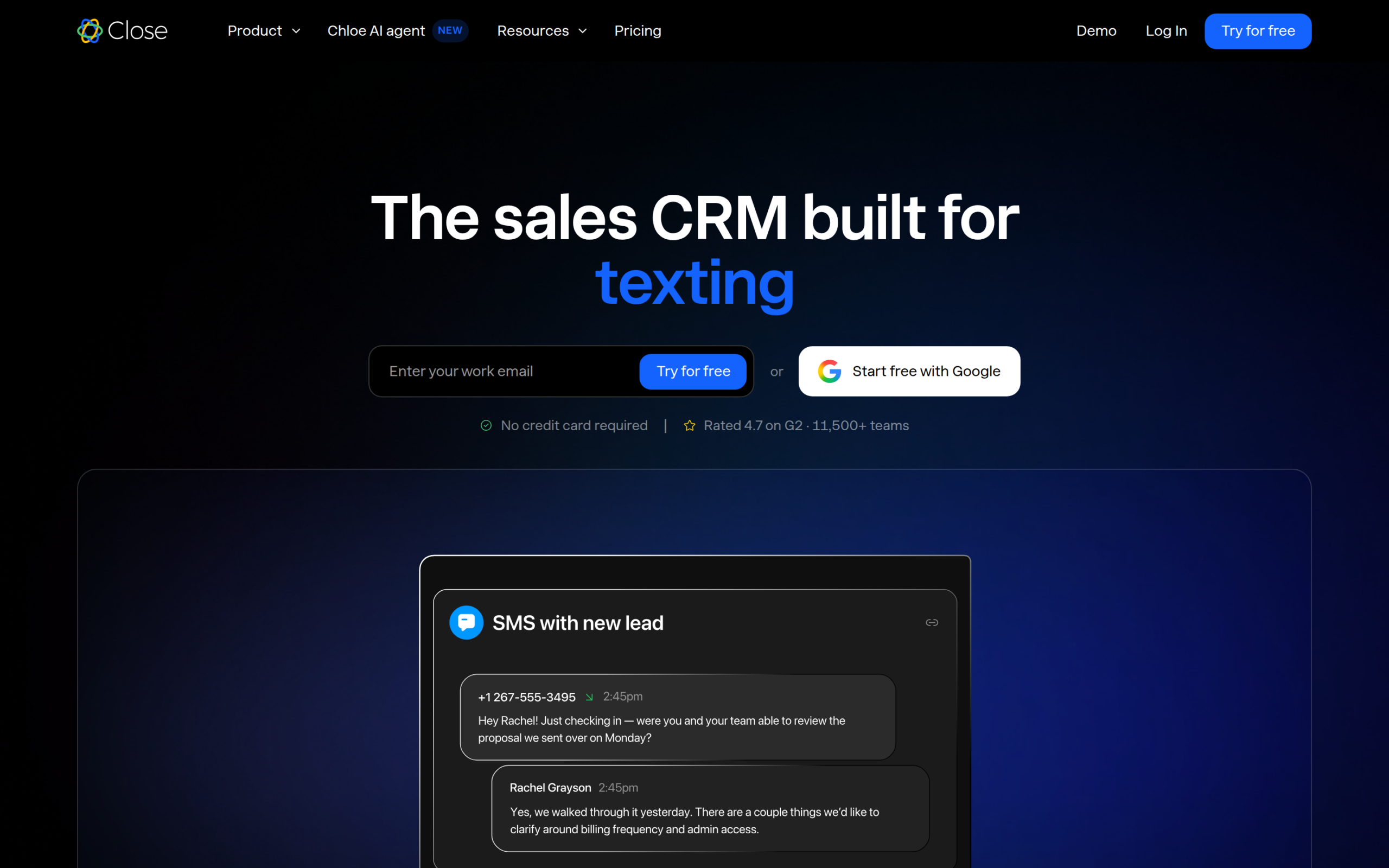
Close sets the bar for outbound sales teams right now. We think it's the best of the best because it puts calling, email, SMS, workflows, and your pipeline inside one workspace — reps stop bouncing between a dialer, an inbox, and a CRM — and small teams can start prospecting the same day they sign up.
The Best Part:
Every channel, one record. Close keeps calls, emails, and texts attached to the same lead, so reps stop hunting through separate tools for what was already said.
The Worst Part:
Calling costs extra. Phone numbers, premium lines, and the Call Assistant sit outside the per-user subscription and add their own usage fees. Budget for calling separately before you count on it every day.
Get it if your reps spend the day calling and following up, not just logging notes.
I recommend you start on Solo for $19 per user per month, then move up to Essentials for $49 per user per month once more than one person is selling.
(free trial)
Best For
Close is best for small outbound teams that want reps prospecting, communicating, and updating deals in one place.
Top Features
Built-in calling. Make and take calls right inside Close, with every call logged to the lead automatically.
Email and SMS together. Send one-to-one emails and texts from the same screen, so the full conversation stays attached to the deal instead of scattered across apps.
Busywork runs itself. Automate the follow-up sequences and pipeline tasks reps forget, available on the higher plans.
Chloe and AI agents. Included AI credits help reps qualify leads and move deals forward faster.
Answers without a spreadsheet. See rep activity, deal movement, and sales performance from one dashboard, no spreadsheet required.
Pricing
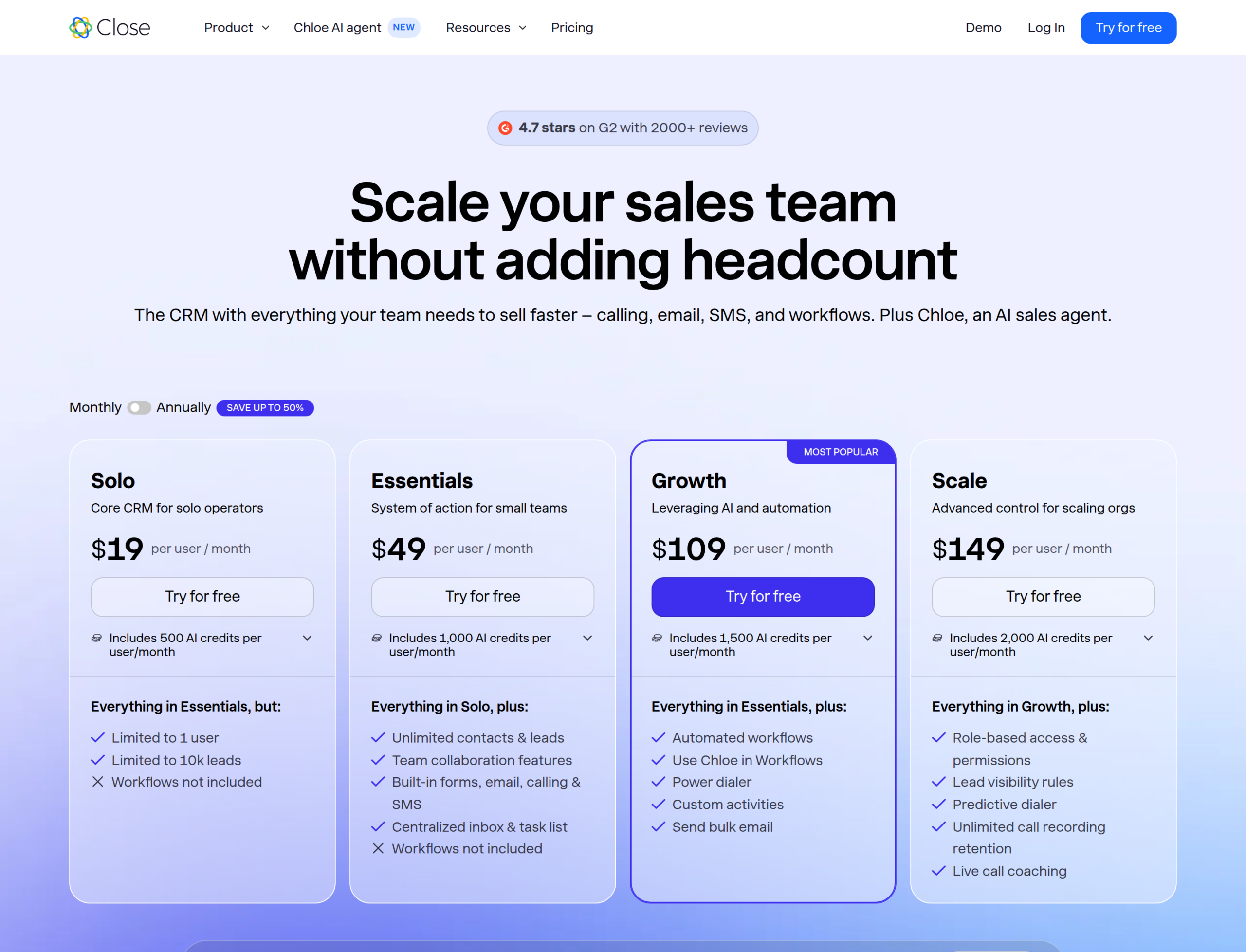
Close offers four pricing plans:
- Solo: $19/month per user.
- Essentials: $49/month per user.
- Growth: $109/month per user.
- Scale: $149/month per user.
Annual subscriptions provide up to a 53% discount.
Try Close today with a free trial.
2. HubSpot
Our Verdict — Best Free Alternative
Price: Starts at $10/month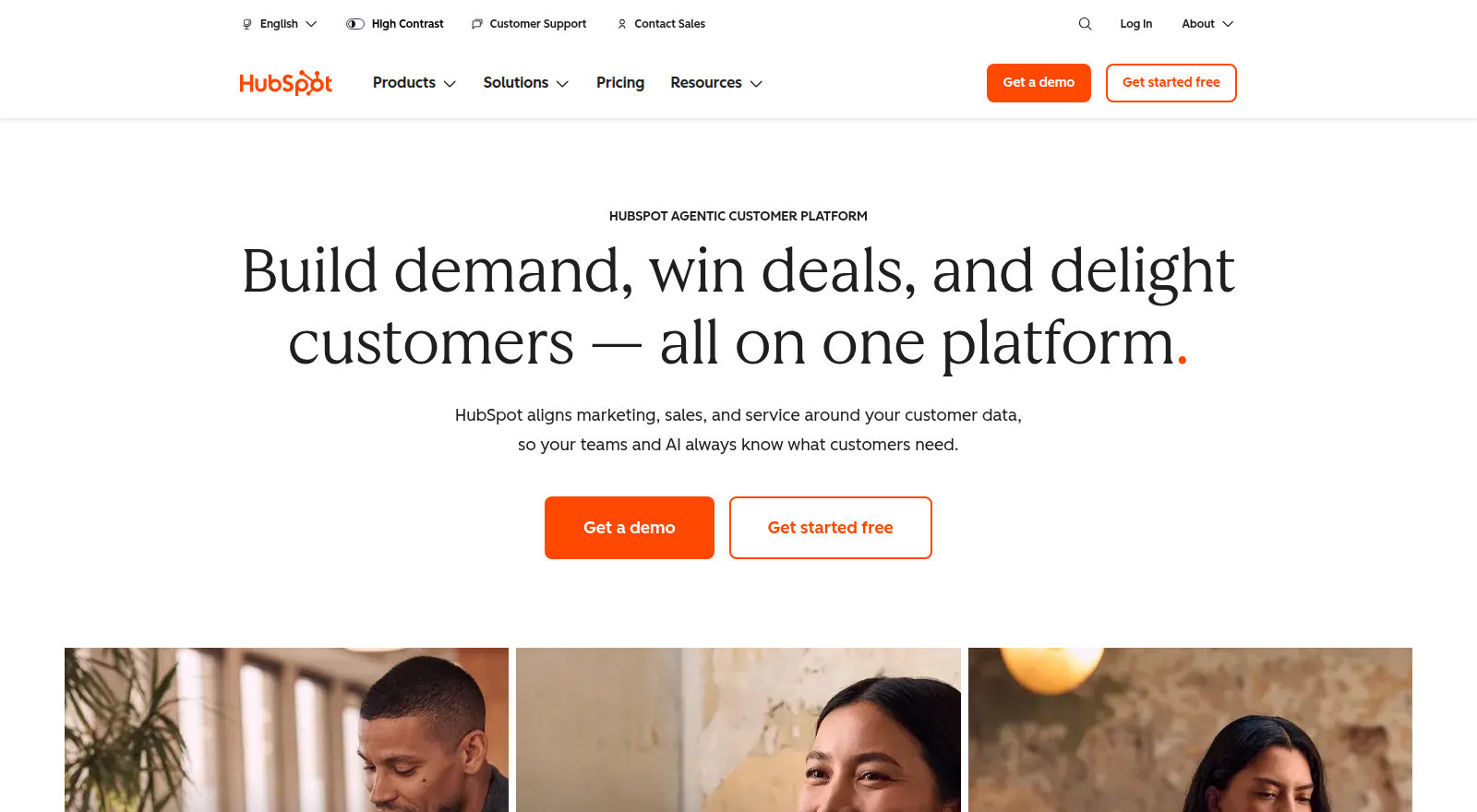
HubSpot built its name on one thing: a free CRM that never expires. It takes the best free alternative slot because you get contact management, deal pipelines, and meeting scheduling for up to two users at no cost, then connects straight into HubSpot's marketing, service, and content tools.
The Best Part:
Free that stays free. The core CRM never expires. You get contact records, company profiles, and deal tracking for up to two users without a trial clock running.
The Worst Part:
A steep next step. Professional costs $90 per seat a month on an annual commitment, plus a required $1,500 onboarding fee. Enterprise adds another $3,500 on top.
Get it if you want a free CRM today with room to grow into more tools.
I recommend you start free, then move to Starter at $10 per seat a month.
(free plan)
Best For
HubSpot is best for small businesses that want a capable free CRM and room to grow.
Top Features
Free contact management. Store contacts, companies, and deals for up to two users without paying a subscription.
Every deal in sight. Track opportunities and deal stages in a visual workspace, so your team always knows what closes next.
Booking without the back-and-forth. Let prospects book time on your calendar without a separate scheduling tool.
Follow-up on autopilot. Add sequences and customizable workflows once you move onto a paid tier, so follow-ups fire without a rep lifting a finger.
Grows into a full platform. Link your sales data with HubSpot's marketing, service, content, and data tools as your team grows.
Pricing
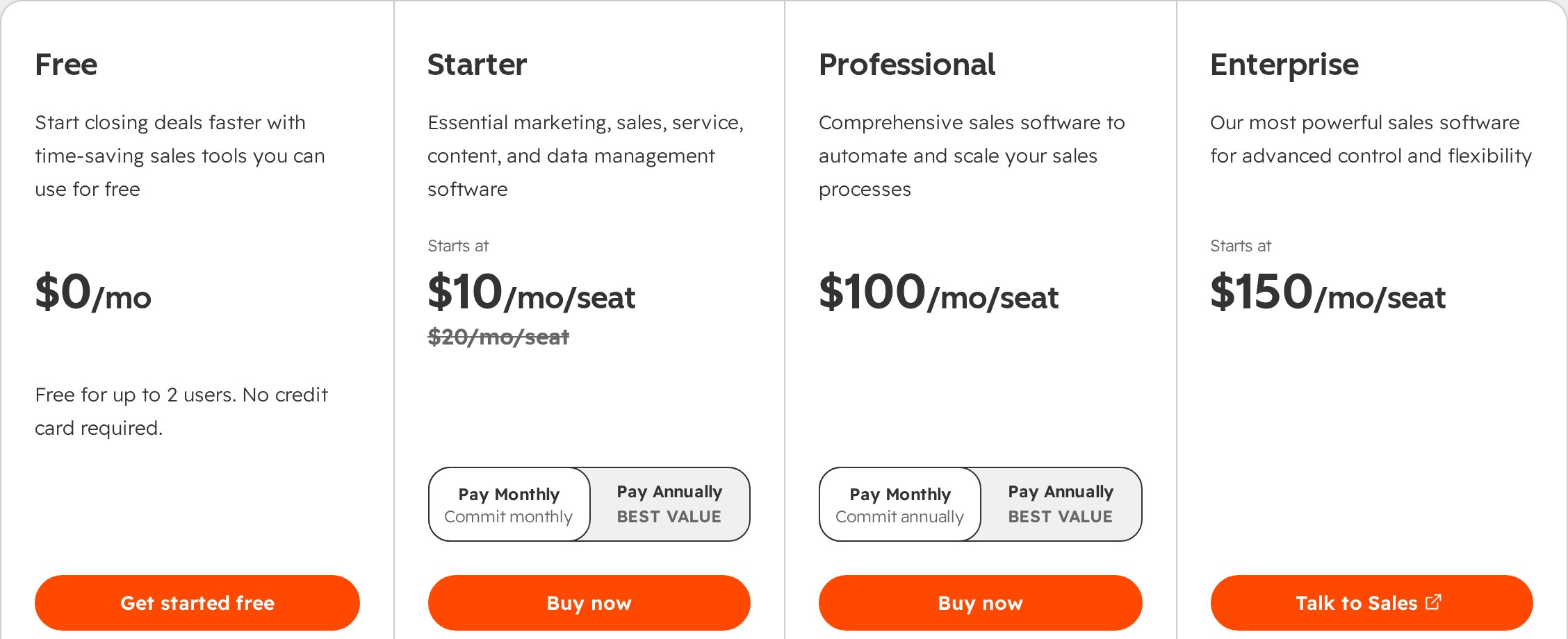
HubSpot offers four pricing plans:
- Free: Free forever, for up to two users.
- Starter: $10/month per seat, or $7/month billed annually, marked down from $20 for new customers.
- Professional: $100/month per seat, or $90/month billed annually.
- Enterprise: Starts at $150/month per user.
Annual subscriptions provide up to a 30% discount.
Professional onboarding costs $1,500. Enterprise onboarding costs $3,500. Selected AI use consumes HubSpot Credits.
You can get started with a free plan.
Try HubSpot today with the free plan.
3. HighLevel
Our Verdict — Best For Marketing Agencies
Price: Starts at $97/month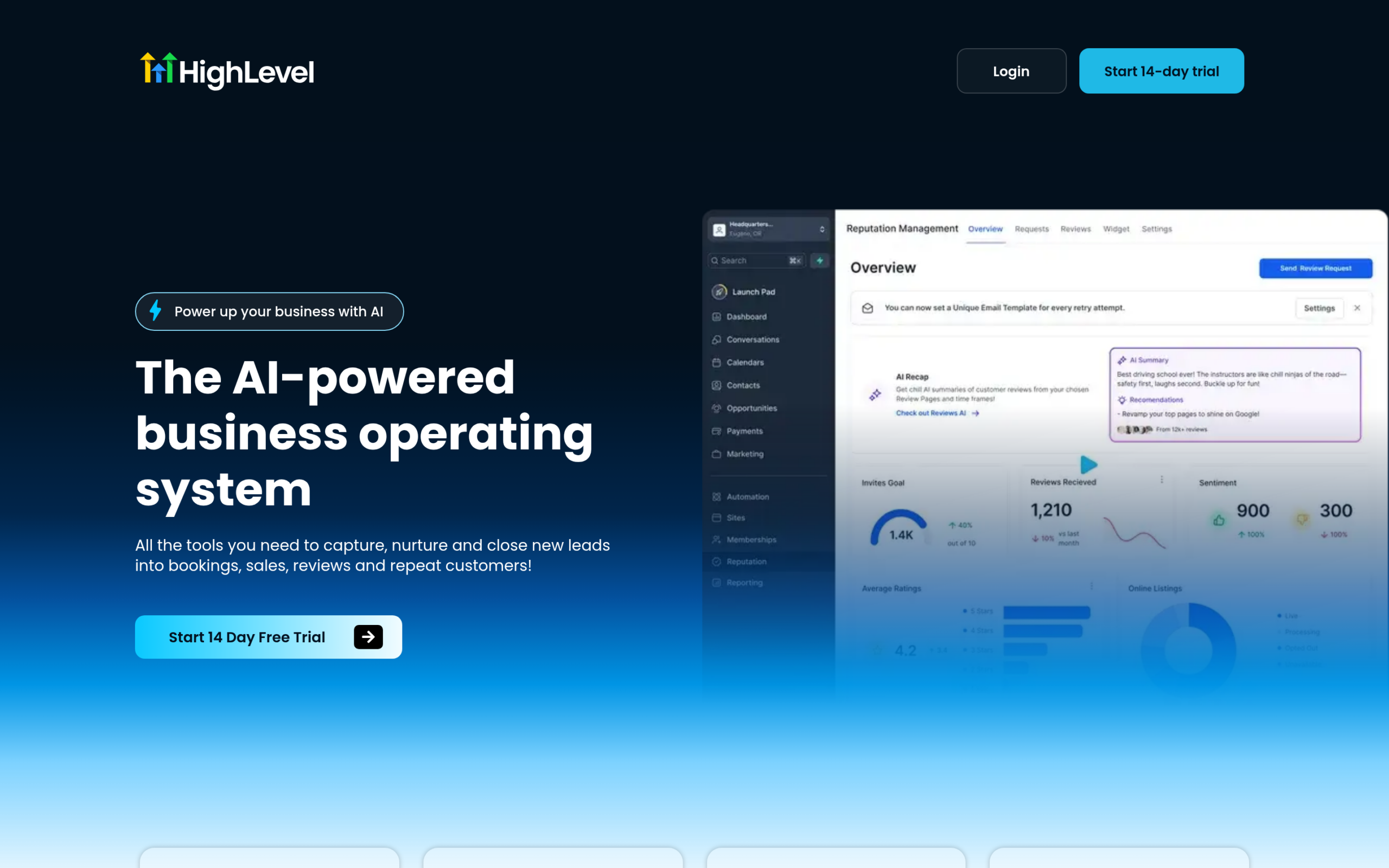
HighLevel earns the best for marketing agencies slot because it replaces a stack of separate tools with one platform. Pipelines, funnels, scheduling, email, and SMS live under one login, and unlimited users and contacts keep the core price steady as the team grows.
The Best Part:
Unlimited users and contacts. The subscription price stays the same whether the agency adds teammates or grows its contact list, so growth never triggers a surprise bill.
The Worst Part:
Add-ons pile up fast. Phone, SMS, email, AI, HIPAA compliance, and white-label apps often cost extra, so the sticker price rarely matches the final bill.
Get it if you want one platform to run every client's CRM, funnels, and follow-up.
I recommend the Unlimited plan at $297/month once you pass three clients.
(free trial)
Best For
HighLevel is best for agencies that want to run client CRM, marketing automation, funnels, and reporting from one platform.
Top Features
Client sub-accounts. Each client gets a separate space for contacts, campaigns, and reporting, so one login manages the whole roster.
Workflow automation. Build triggers that follow up across email, SMS, phone calls, and pipeline stages, so a lead never sits untouched between one stage and the next.
Funnels and landing pages. Build lead-capture pages and appointment flows inside the platform, so a client campaign never needs a separate page builder.
Snapshot library. Save one proven account setup as a template, then copy it into every new client in the same niche.
Resell it under your brand. SaaS Mode packages the platform as your own subscription product, available from the Founder tier.
Pricing
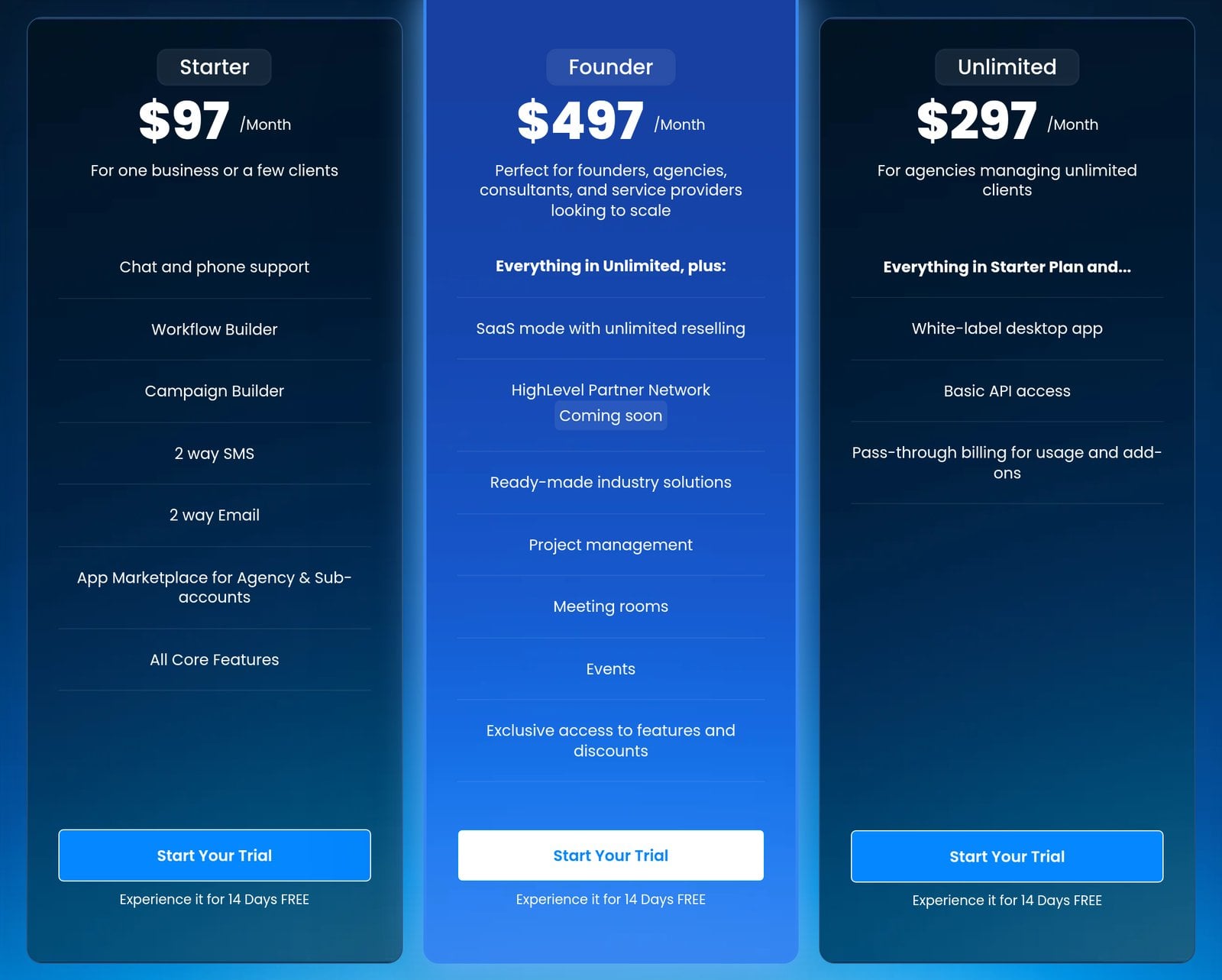
HighLevel offers four pricing plans:
- Starter: $97/month for agency account with up to three sub-accounts.
- Unlimited: $297/month for agency account with unlimited sub-accounts and rebilling at cost.
- Founder: $497/month for agency account with SaaS mode and unlimited reselling.
- Enterprise: Custom pricing, for organization.
Telecommunications, AI, white-label apps, HIPAA compliance, and selected services can cost extra.
You can get started with a free trial.
Try HighLevel today with a free trial.
4. Freshworks
Our Verdict — Best For Customer Support
Price: Starts at $23/month (Freshdesk)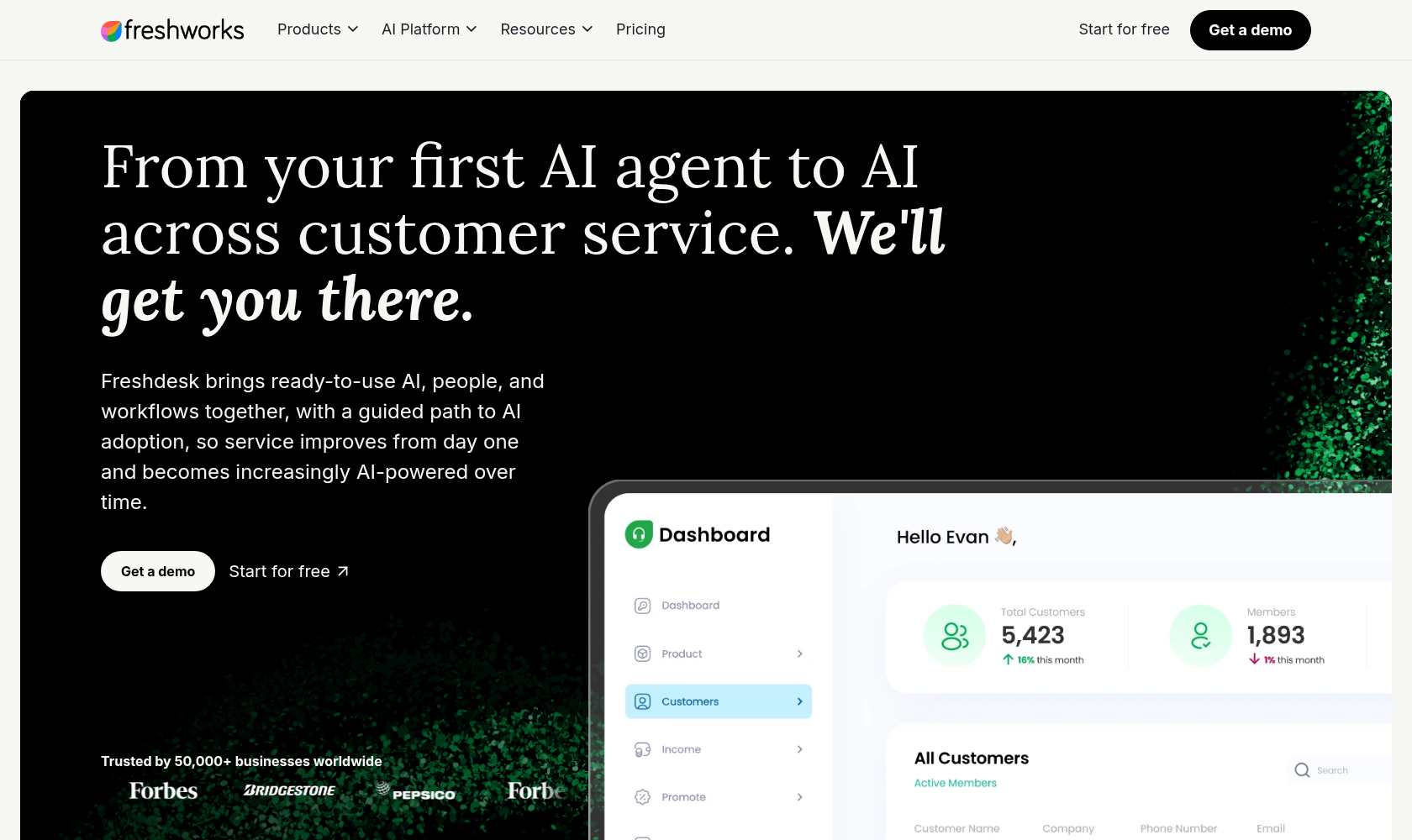
Freshworks earns the best for customer support slot because its Freshdesk help desk puts ticketing, a shared inbox, a customer portal, and a knowledge base into a $23-per-agent plan. Freshdesk is a help desk rather than a sales CRM, so budget for Freshworks' separate CRM product if you also need a pipeline.
The Best Part:
AI support on the entry plan. Freshdesk Growth includes your first 500 Freddy AI Agent sessions, so you can let AI handle customer requests before you pay for more.
The Worst Part:
Each product has its own price. The help desk does not include the sales CRM, which starts at $11 per user per month, and Freshdesk Omni, the version built for omnichannel support, starts at $35 per agent per month. Add up every product you need before you commit.
Get it if helping existing customers matters as much to you as closing new deals.
I recommend the 14-day free trial to start, then Freshdesk Growth at $23 per agent per month for email support.
(free trial)
Best For
Freshworks is best for support teams that want tickets, self-service, and AI agents in one help desk.
Top Features
Every request in one inbox. Pull customer conversations into a shared inbox with auto-assigned tickets, so your team avoids duplicate replies.
Customers help themselves. Publish a knowledge base and customer portal, so people can find answers and submit tickets without emailing an agent.
AI agents that resolve tickets. Freddy AI Agent understands what a customer is asking and takes action, with your first 500 sessions included on every plan.
Tickets find the right agent. Intelligent routing and multiple SLA policies, available from the Pro plan, keep urgent requests moving.
Reports ready from day one. Out-of-the-box reports show your response times and customer satisfaction, and Pro adds custom dashboards.
Pricing
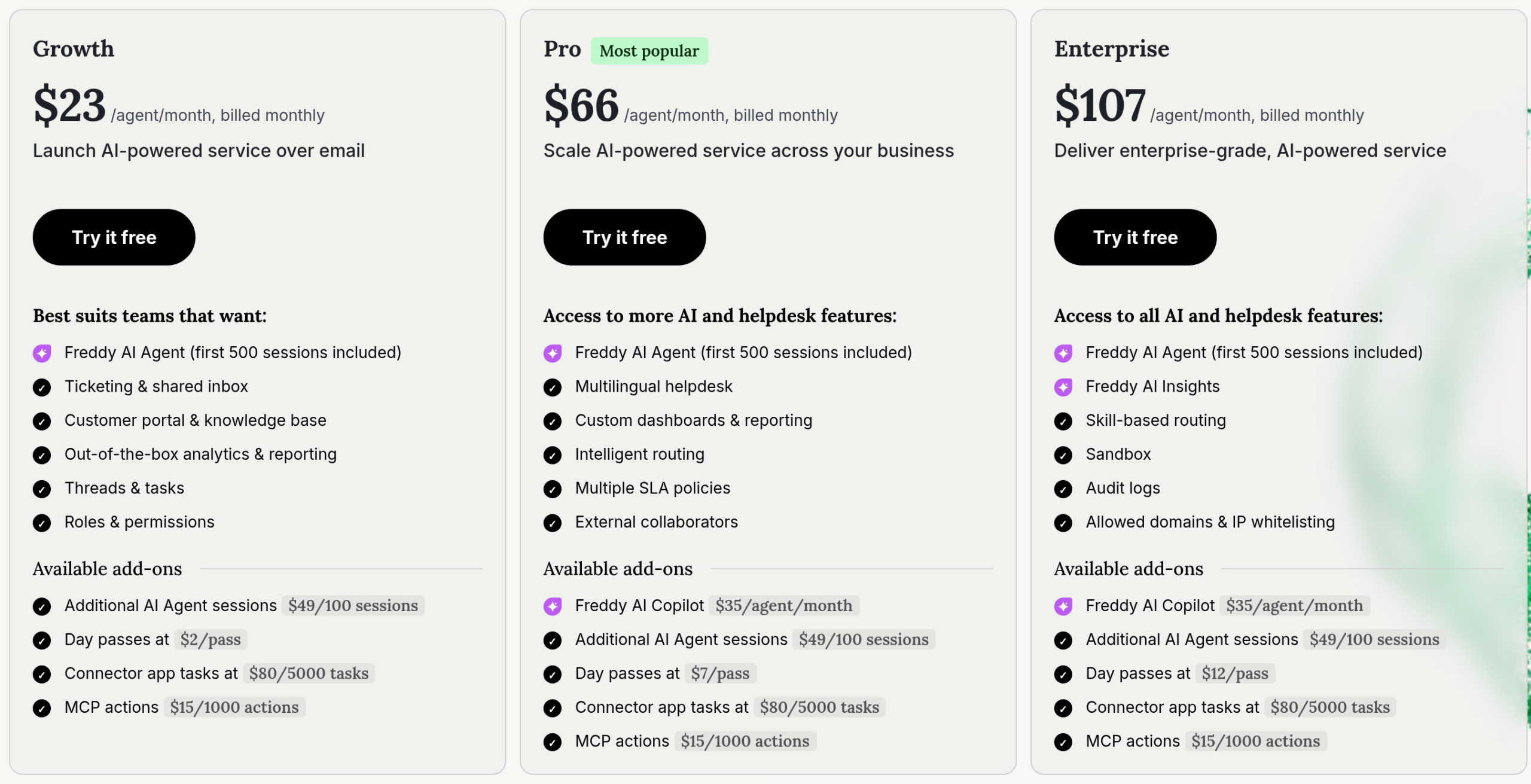
Freshworks' help desk product is Freshdesk, which offers three pricing plans:
- Growth: $23/month per agent.
- Pro: $66/month per agent.
- Enterprise: $107/month per agent.
Annual subscriptions provide up to a 17% discount.
Try Freshworks today with a 14-day free trial.
Our Verdict — Best For Marketing Automation
Price: Starts at $15/month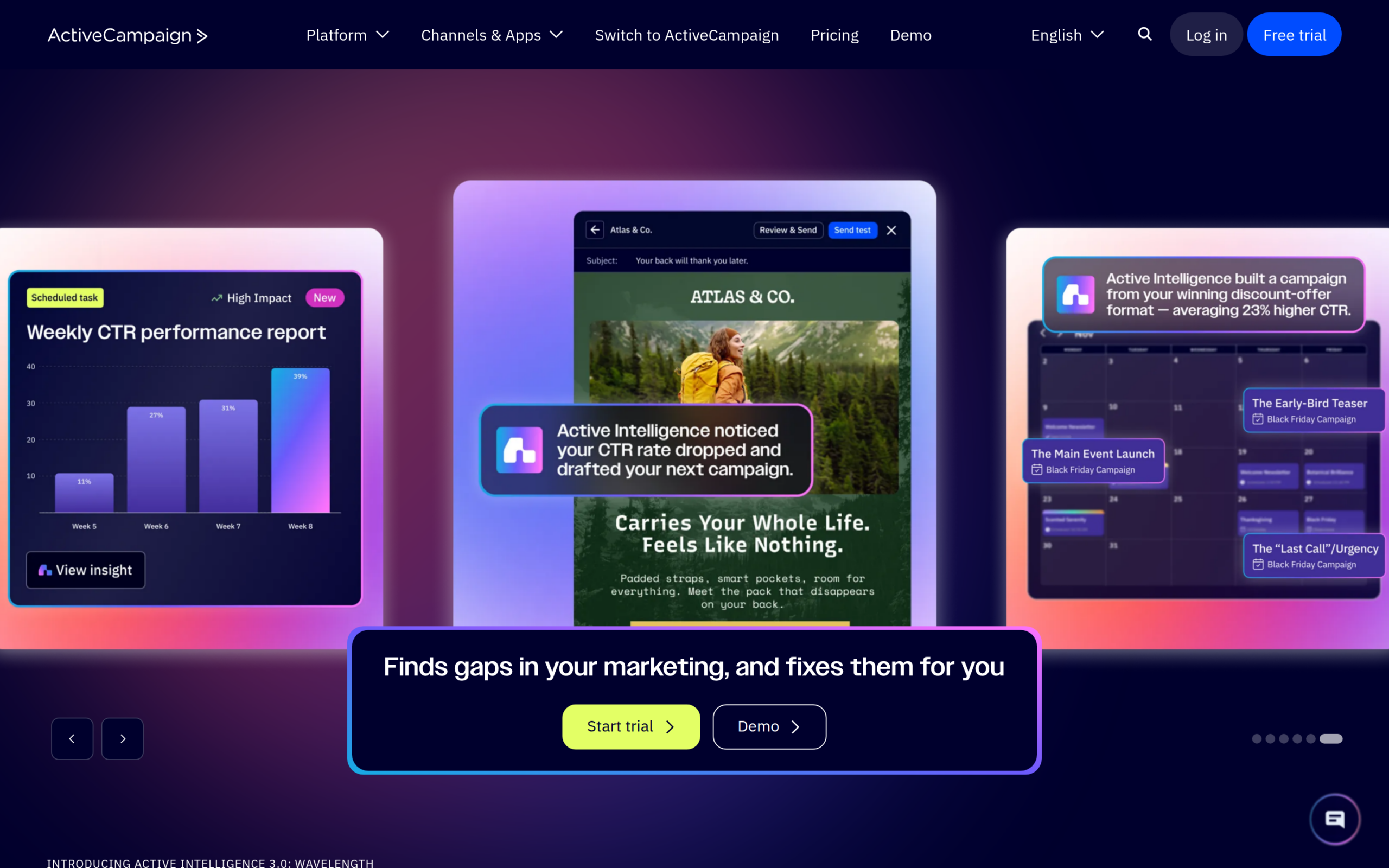
ActiveCampaign is what you reach for once your contact list outgrows simple email automation. We think it's the best for marketing automation because multi-step automation comes with every plan, and a CRM can sit right next to it — on Plus with the Enhanced CRM add-ons, you get deal records, lead scoring, and automated 1:1 email.
The Best Part:
Sales and marketing work together. With the Sales Engagement add-on, automated 1:1 emails go out based on what your customers do, so follow-up doesn't wait on a rep.
The Worst Part:
The Enhanced CRM costs extra. Pipelines and Sales Engagement are add-ons sold separately from Plus up, and Starter can't add them. Your final cost also depends on contact volume and channels, so it takes more work to compare against a flat per-seat CRM.
Get it if marketing behavior should drive your sales follow-up.
I recommend you start with the Plus plan at $49/month, billed annually, for 1,000 contacts, before the CRM add-ons. It's the lowest plan that can add the Enhanced CRM.
(free trial)
Best For
ActiveCampaign is best for teams that want marketing automation first, with sales follow-up driven by real customer behavior.
Top Features
Sales pipelines you can shape. Track every opportunity in a visual pipeline and customize the stages to fit your sales process, with the Pipelines add-on.
Lead scoring that ranks the room. Scores point your team to your most qualified prospects, with the Pipelines add-on.
Automations that run the sequence. Multi-step marketing automation comes with every plan. Plus gives you unlimited actions, while Starter caps you at five actions per automation.
Automations built for sales. Automate deal creation, assignments, and outreach once your CRM is set up. Sales automation comes with Plus and up, while deal records need a CRM add-on.
AI flags the strongest deals. Win probability helps your team focus on the deals with the most potential, with the Sales Engagement add-on.
Pricing
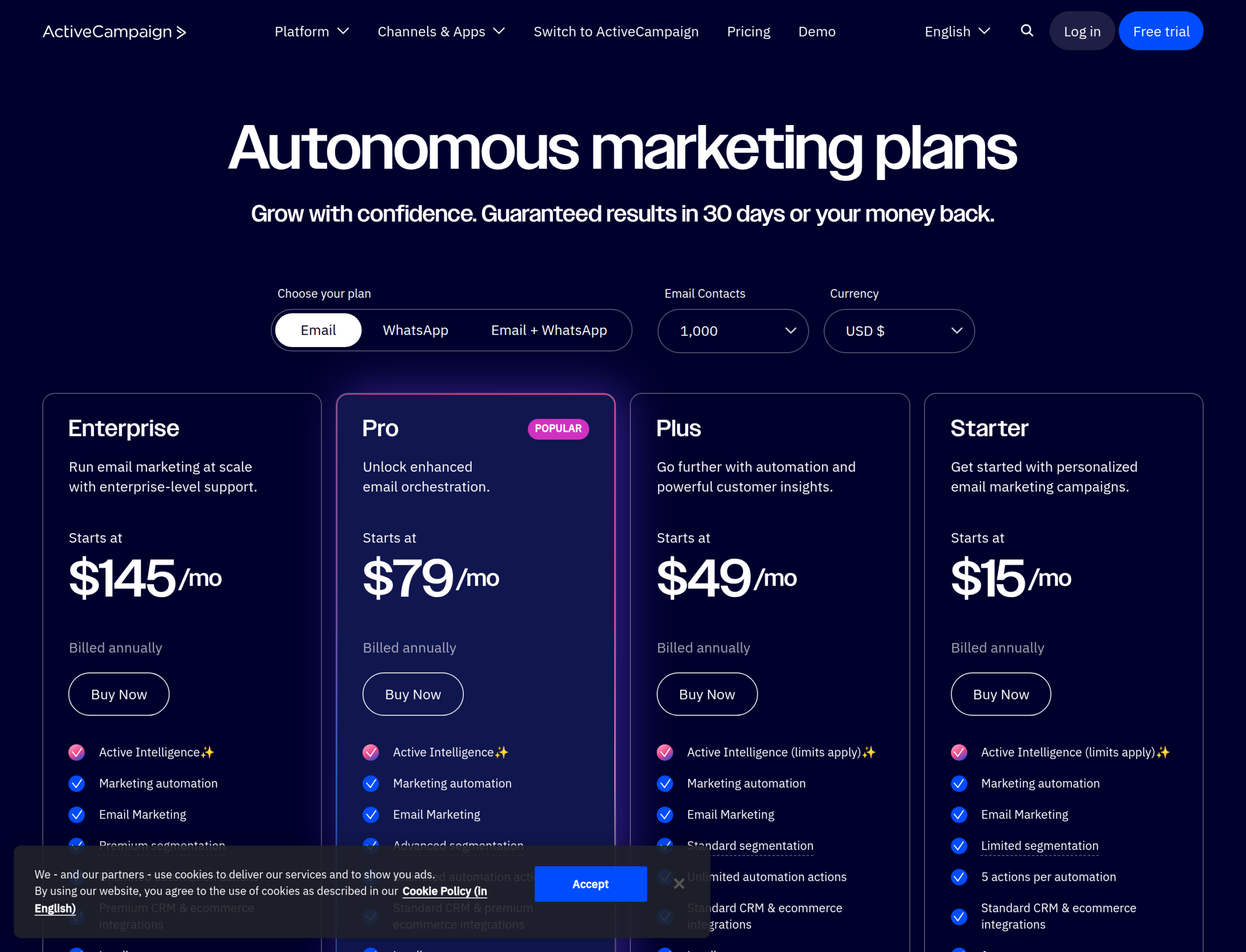
ActiveCampaign offers four pricing plans:
- Starter: $15/month billed annually, for 1,000 contacts.
- Plus: $49/month billed annually, for 1,000 contacts.
- Pro: $79/month billed annually, for 1,000 contacts.
- Enterprise: $145/month billed annually, for 1,000 contacts.
You can get started with a free trial.
Try ActiveCampaign today with a free trial.
6. Pipedrive
Our Verdict — Best Visual Sales Pipeline
Price: Starts at $24/month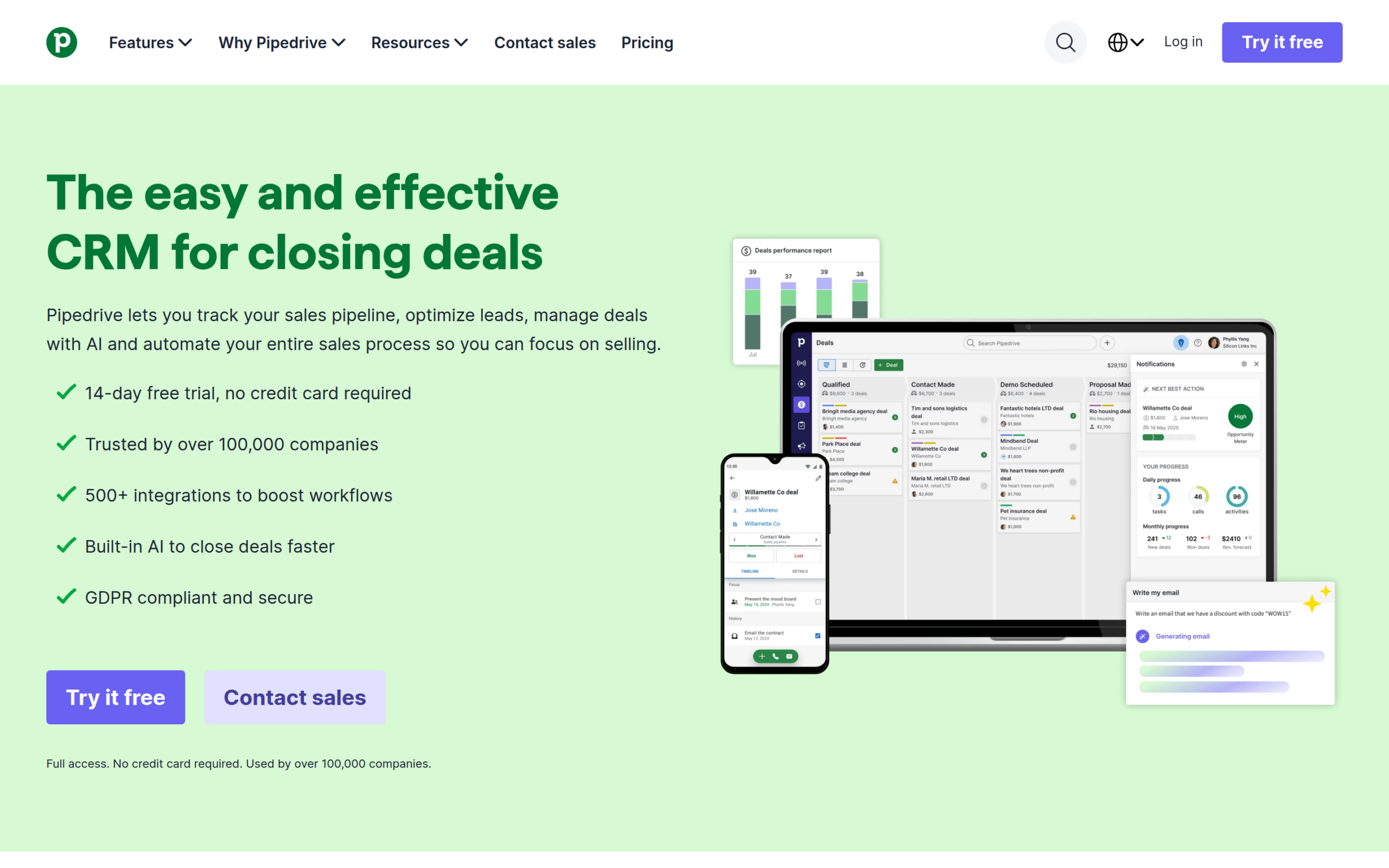
Pipedrive wins the best visual sales pipeline slot by keeping the board at the center of the workflow, not as an add-on. Deals move between stages with a drag, and every call, email, and next action stays tied to the opportunity, so reps always see what to do next without hunting through tabs.
The Best Part:
A pipeline you read in seconds. Stage colors and deal counts make the board readable at a glance, so keeping stages current takes less friction than logging updates into a spreadsheet.
The Worst Part:
Extras cost extra. LeadBooster and Projects cost extra on Lite and Growth, and Campaigns stays a separate purchase no matter which plan you pick.
Get it if pipeline clarity matters more than a broad marketing suite.
I recommend Lite at $24/month, then Growth for email sync.
(free trial)
Best For
Pipedrive is best for sales-led small businesses that want a focused, visual CRM with practical automation.
Top Features
Stages you drag, not guess. Move deals between customizable stages with a drag, so the board always matches where each deal really stands.
Every touch tied to the deal. Calls, meetings, emails, and the next action all attach to the opportunity, so reps never lose track of what comes next.
Follow-up that sends itself. Email sync tracks the conversation and automates follow-up on supported plans, so replies never wait on a rep's memory.
Sequences that run without you. Build nurturing sequences and workflow rules once, so repetitive outreach keeps moving without daily manual work.
Reports the pipeline writes itself. AI reporting surfaces sales activity straight from the pipeline, turning raw stage data into reports reps can act on.
Pricing
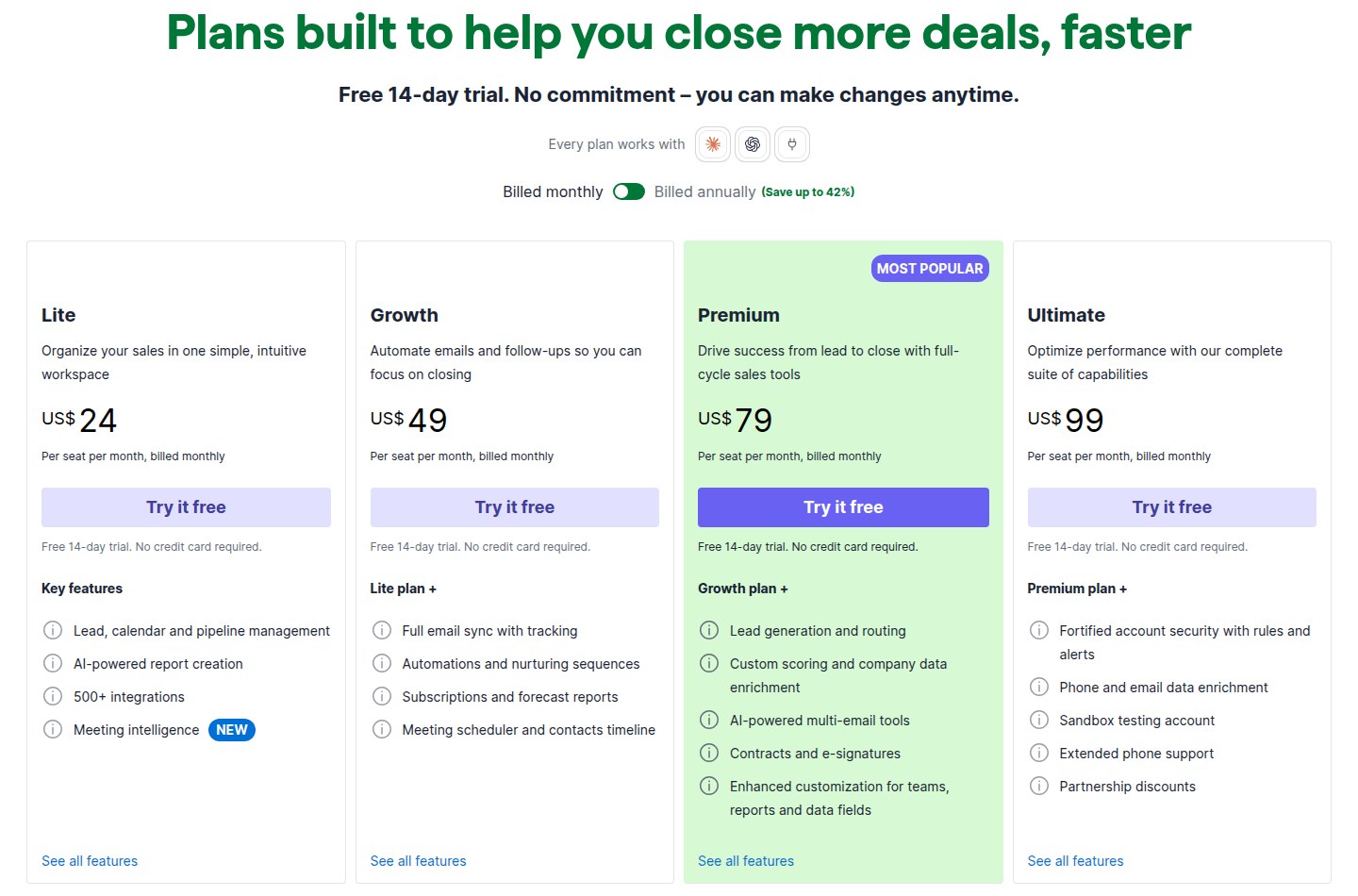
Pipedrive offers four pricing plans:
- Lite: $24/month per user, or $14/month billed annually.
- Growth: $49/month per user, or $39/month billed annually.
- Premium: $79/month per user, or $59/month billed annually.
- Ultimate: $99/month per user, or $79/month billed annually.
Annual subscriptions provide up to a 42% discount.
You can get started with a free trial.
Try Pipedrive today with a free trial.
7. Zoho CRM
Our Verdict — Best Affordable Customizable CRM
Price: Starts at $20/month
Zoho CRM covers the best affordable customizable CRM slot with room to grow: start free with three users, then add automation, forecasting, and custom fields as your process grows — without enterprise-level pricing at the entry point.
The Best Part:
Free for three users. The free edition covers real contact and deal management, and paid tiers add meaningful customization without an enterprise-level starting price.
The Worst Part:
Setup takes work. Zoho's editions, modules, and limits — plus its family of adjacent apps — can make initial configuration feel more complicated than simpler CRMs. Budget time to configure before you scale up.
Get it if you want room to customize your sales process without paying enterprise prices.
I recommend you start on the free plan, then upgrade to Standard at $20 per user/month once you outgrow three users.
(free plan)
Best For
Zoho CRM is best for budget-conscious small and midsize teams that want a CRM they can customize as they grow.
Top Features
Lead and deal tracking. Manage prospects, accounts, contacts, and opportunities in one pipeline built for growing sales teams.
Hands-off follow-up. Standardize follow-up and sales processes automatically once you move to a paid tier.
See next quarter coming. Give managers a forward view of pipeline performance, so the team can plan resources before deals close.
Deep customization. Add custom fields, modules, layouts, and process rules as your sales process gets more complex over time.
Zoho ecosystem. Connect CRM data with Zoho's finance, support, marketing, and productivity apps.
Pricing
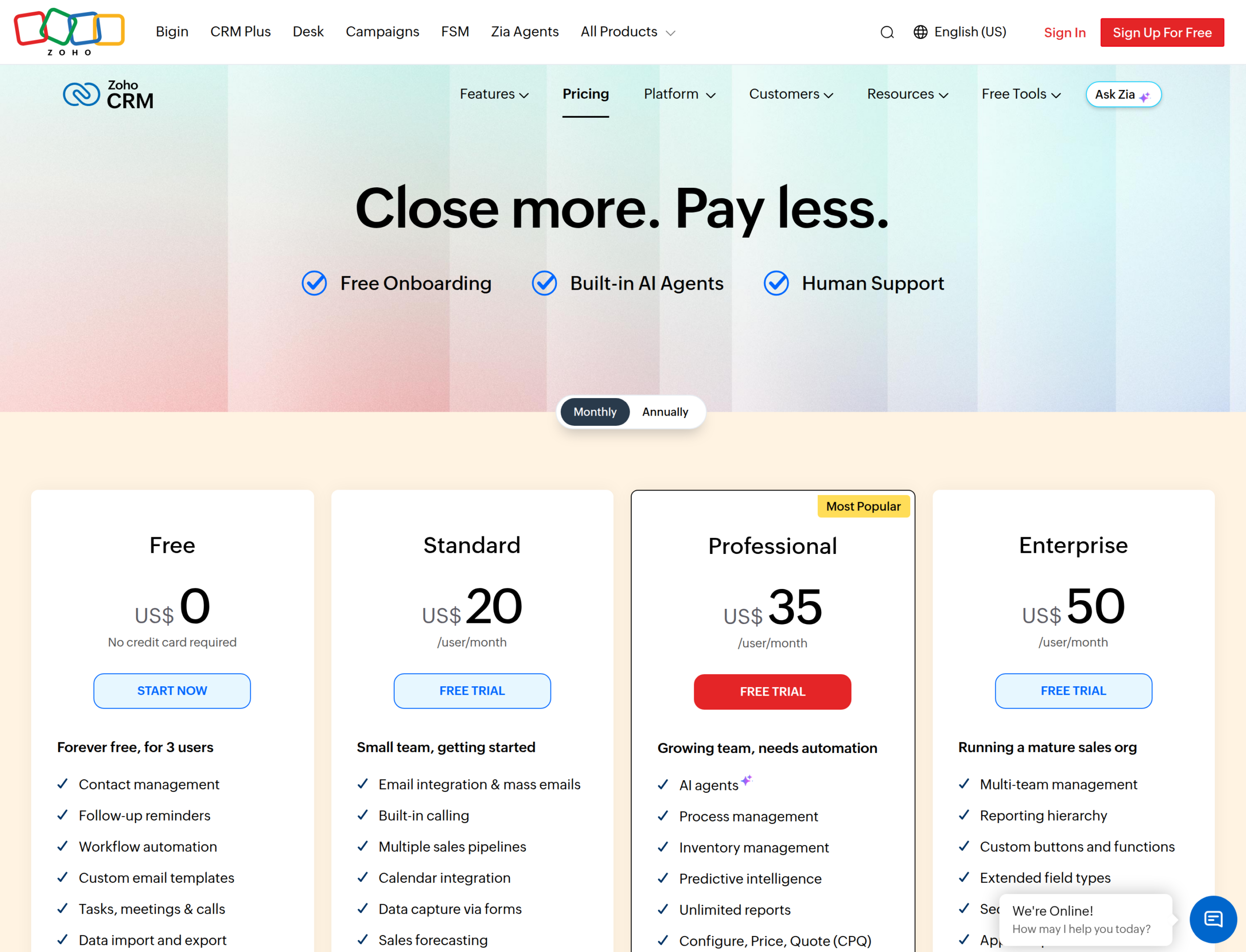
Zoho CRM offers four pricing plans:
- Free: Free forever, for up to three users.
- Standard: $20/month per user.
- Professional: $35/month per user.
- Enterprise: $50/month per user.
Annual subscriptions provide up to a 34% discount.
Try Zoho CRM today with the free plan.
Our Top Three Picks
Here's a quick summary of our top three picks:
Here's a quick comparison of our top seven picks:
Tool | Entry Offer | Pricing |
|---|---|---|
Close | Free trial | Starts at $19/mo |
HubSpot | Free plan | Starts at $10/mo |
HighLevel | Free trial | Starts at $97/mo |
Freshworks | Free trial | Starts at $23/mo (Freshdesk) |
ActiveCampaign | Free trial | Starts at $15/mo |
Pipedrive | Free trial | Starts at $24/mo |
Zoho CRM | Free plan | Starts at $20/mo |
Here are the top 50 CRM software tools we considered in this review:
- Close
- HubSpot
- HighLevel
- Freshworks
- ActiveCampaign
- Pipedrive
- Zoho CRM
- SalesForce
- Keap
- Coevera
- Zendesk Sell
- Nimble
- Copper
- Dynamics 365
- Less Annoying CRM
- Thryv
- Pipeline
- Salesflare
- Monday
- NetHunt
- Nutshell
- Insightly
- Creatio
- Vtiger
- Solid Performers
- EngageBay
- Streak
- Accelo
- Spiro
- SalezShark
- Daylite
- Sugar Sell
- Ontraport
- C2CRM
- OnePageCRM
- Workbooks
- Oracle Sales
- Membrain
- CompanyHub
- Scoro
- Capsule CRM
- Salesmate
- ConvergeHub
- Simply CRM
- HoneyBook
- Act!
- SuperOffice CRM
- SAP CRM
- Agile CRM
- Prospect CRM
Frequently Asked Questions About CRM Software
What is CRM software?
CRM software stores customer and prospect data in one place, tracks every call, email, and meeting, and organizes your sales activity around each deal. It shows where every opportunity sits in the pipeline, so nothing important slips through the cracks. Most platforms also automate follow-up tasks and report on deals won and lost.
Which CRM software is best overall?
Close is our top pick overall. It's built for high-volume outbound sales teams, with calling, texting, and email built into every deal, and paying for the year up front brings the per-seat price down.
What is the difference between a CRM and a spreadsheet?
A spreadsheet just stores rows of data — it does not track activity, remind you to follow up, or show where a deal stands. Most CRMs log calls and emails automatically, move deals through stages, and assign tasks so nothing falls through the cracks.
Which CRM software is best for marketing agencies?
HighLevel is our pick for marketing agencies. Plans include an agency account with client sub-accounts, and the Unlimited tier lets you rebill clients at cost. White-label apps and the other add-ons are priced separately, so price the setup you will actually run.
What is the best free CRM software?
HubSpot is our top free pick, with a free plan for up to two users. Zoho CRM is also worth a look, with a free edition for teams of up to three users.
Which CRM software is best for marketing automation?
ActiveCampaign is our pick for marketing automation. It pairs email and marketing automation with an Enhanced CRM you can add from the Plus plan up, and plan prices depend on how many contacts you have.
What should I look for when choosing CRM software?
Start with your daily sales motion — a calling-heavy team needs different tools than an inbound team or an agency managing client accounts. Then compare workflow, reporting, integrations, and migration effort. Finally, check the real cost at your required number of users and contacts.
How hard is it to move my data to a new CRM?
Easier than the fear of it. Most tools here import contacts, companies and deals from a spreadsheet, and many will map your fields for you or run the migration as a service. The real work is deciding what to bring across: haul in records you never touch and the new CRM ends up feeling exactly like the old one.
Close vs HubSpot: which one should I choose?
Close is our best pick for outbound sales teams, with calling and texting built into every deal. HubSpot is the better start if you want a free plan that grows into a wider platform. Pick Close for speed, HubSpot for room to expand.
The Bottom Line
To recap, here are the best CRM software tools to try this year: