

Today there are 176 different screen recording software. We spent 50 hours comparing the top 50 to find the seven best you can use to record your screen.
What is the Best Screen Recording Software?
- Loom — best of the best
- CyberLink Screen Recorder — best for gamers
- CleanShot — best for macOS
- Camtasia — best for online courses
- OBS Studio — best for multi-camera rigs
- Movavi Screen Recorder — best for remote screen captures
- Riverside — best for broadcasters
1. Loom
Our Verdict — Best Of The Best
Price: Starts at $18/month
Loom is the quickest, leanest, and best screen recorder there is. We think it’s the best of the best because of how much value it offers, even on the free plan.
The Best Part:
Amazing free plan. Loom delivers an incredible screen recording experience on the free plan, with great recording quality. A+.
The Worst Part:
Limited time on free plan. You can only record videos up to five minutes long on the free plan, which can be a pain for longer videos.
Get it if you want the best screen recorder for regular users.
I recommend you get started with the free plan.
(free plan)
Best For
Loom is best for everyday users who need to record and share videos without even thinking about it.
Top Features
Instant video sharing. Within a click or two, you’ll have recorded your screen and will have a link to share with anyone… with nothing to upload.
Director’s chair. Choose if you want to capture your screen, webcam, or both at the same time, for more personal screenshot videos.
Quick editing. Once you’re done recording, you can trim and edit out bits of your video, right before sharing.
Take action. You can add call-to-action buttons to your videos, in order to help viewers take the next step in your funnel.
Direct integration. You can hook Loom up with Gmail, Slack, Calendly, Salesforce, and other tools, for an extra bump in productivity.
Annual subscriptions provide a 17% discount.
Try Loom today with a free plan.
Our Verdict — Best For Gamers
Price: $34.99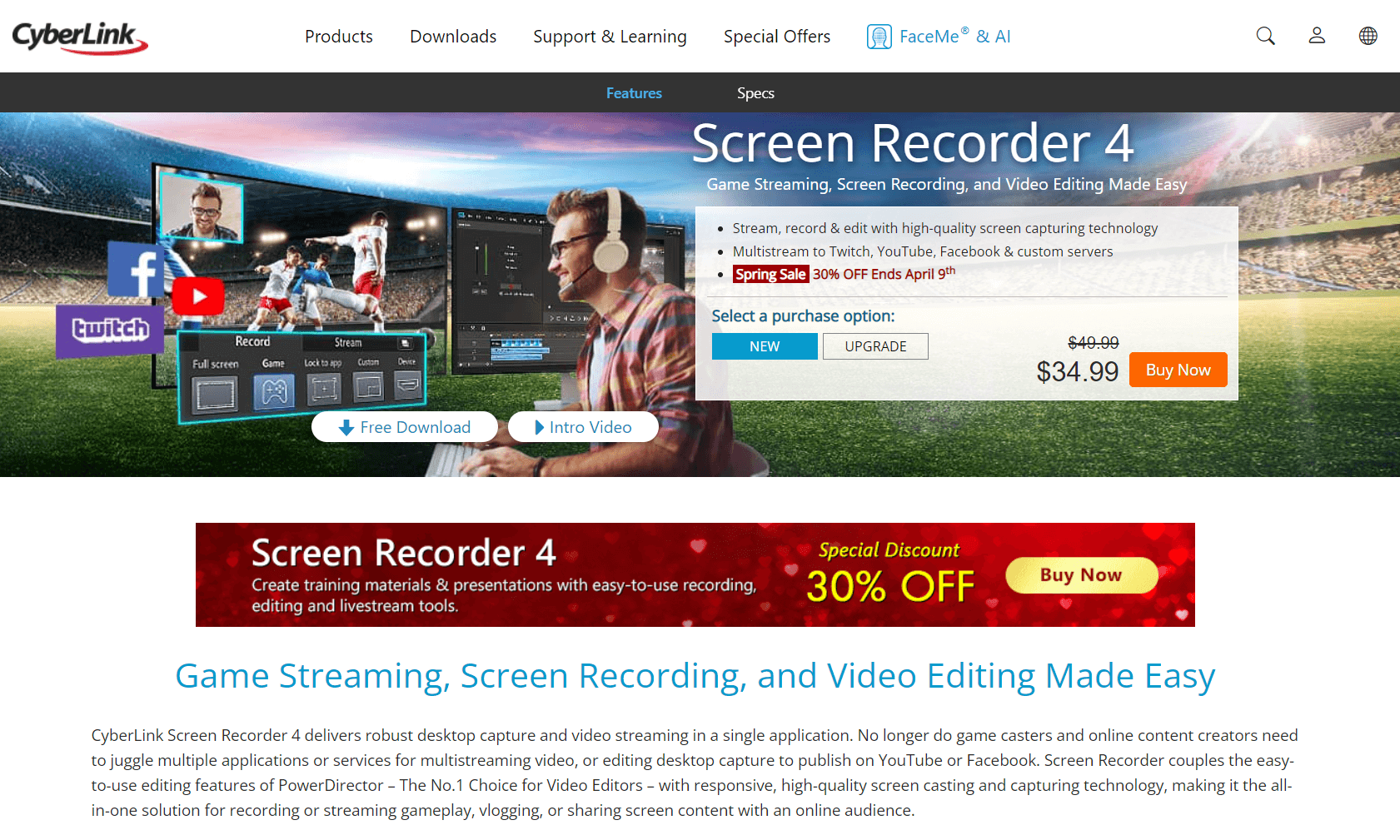
CyberLink Screen Recorder is an all-in-one recording, streaming, and editing solution that works wonders for gamers. We think it’s the best for gamers because of how complete of a solution it is.
The Best Part:
The one-stop-shop feel. Record your screen, edit your videos, and stream all your prowess… under one roof.
The Worst Part:
Windows or nothing. CyberLink Screen Recorder is a Windows-only software… No Apple for you!
Get it if you want the greatest screen recorder a gamer could ask for.
I recommend you get started with the 30-day free trial, then buy the Deluxe version for $34.99.
(30-day free trial)
Best For
CyberLink Screen Recorder is best for gamers who want a badass screen recorder without yet another subscription.
Top Features
One-time pay. Unlike most professional screen recorders out there, CyberLink doesn’t sell on a subscription model. Great news for your wallet!
Smooth recordings. All your recordings will look and feel like a million dollars, with a smooth frame rate and crisp details.
Light on the machine. Even older PCs can handle CyberLink Screen Recorder without lag, because it’s so light.
Easy mix. Record your webcam and audio on top of your screen, which is perfect for gamers, or for creating good ole’ tutorials, vlogs, or presentations.
Stream it away. Stream your games to Twitch, YouTube, Facebook, and up to two custom servers — all at once.
Try CyberLink Screen Recorder today with a free 30-day trial.
3. CleanShot
Our Verdict — Best For macOS
Price: $29 one-time payment
CleanShot enables mac users to create and share the best screenshots they could ever ask for. We think it’s the best for macOS because of how smooth it is.
The Best Part:
A better workflow. Take screenshots, annotate, edit, combine, share them with a link, drag-and-drop your screenshots and screen recordings into other apps… Everything to save your time.
The Worst Part:
Might be too much. People who just want a tool for a few screenshots might find that CleanShot is a bit of an overkill.
Get it if you want the best screenshot tool for your macOS device.
I recommend you get started with the Cloud Basic with a one-time payment.
(30-day money back guarantee)
Best For
CleanShot is best for macOS users who want a premium screenshot tool.
Top Features
More than it seems. The Scrolling Capture feature lets you take screenshots of stuff that doesn’t fit your screen, all at once.
Cloud storage. Up your screenshots to the cloud so you can retrieve them from any other device — with 1GB included in the lifetime plan!
More than screenshots. Capture screenshots, videos, and even create GIFs to create the right type of content, every time.
Text extraction. Take a screenshot of a text, and CleanShot lets you extract the text, copy, and paste… from a simple screenshot.
Screenshot to link. Have your screenshots uploaded to the cloud, and have an automatic shareable link, like magic.
Annual subscriptions provide a 15% discount.
You can get started with a 30-day money back guarantee.
Our Top Three Picks
Here’s a quick summary of our top three picks:
- Loom — best of the best
- CyberLink Screen Recorder — best for gamers
- CleanShot — best for macOS
Here’s a quick comparison of our top seven picks:
Tool | Entry Offer | Pricing |
|---|---|---|
Loom | Free plan | Starts at $18/mo |
CyberLink Screen Recorder | Free trial | $34.99 |
CleanShot | None | $29 one-time |
Camtasia | Free trial | Starts at $134.91/yr |
OBS Studio | None | Free |
Movavi Screen Recorder | Free trial | Starts at $19.95/mo |
Riverside | Free plan | Starts at $15/mo |
Here are the top 50 screen recording tools we considered in this review:
- Loom
- CyberLink Screen Recorder
- CleanShot
- Camtasia
- OBS Studio
- Movavi Screen Recorder
- Riverside
- Screen Studio
- Bandicam
- Snagit
- Adobe Captivate
- ScreenFlow
- Apowersoft Screen Recorder
- Screencast-O-Matic
- FlashBack Express
- TinyTake
- ShareX
- Icecream Screen Recorder
- Final Cut Pro
- HitPaw Screen Recorder
- Vmaker
- iSpring Suite
- Wondershare DemoCreator
- ActivePresenter
- Filmora Screen Recorder
- NVIDIA ShadowPlay
- AMD Radeon ReLive
- Gamecaster
- FBX Game Recorder
- XSplit Broadcaster
- Elgato Game Capture HD
- ZD Soft Screen Recorder
- MSI Afterburner
- Action! by Mirillis
- Fraps
- Xbox Game Bar
- QuickTime Player
- Ezvid
- ScreenRec
- Jing
- Kap
- Monosnap
- VLC Media Player
- SimpleScreenRecorder
- Peek
- Vidyard
- CloudApp
- Droplr
- Panopto
- Soapbox by Wistia
Frequently Asked Questions About Screen Recording Software
What is screen recording software?
Screen recording software captures what is on your screen, often along with your webcam and audio, so you can create tutorials, demos, course lessons, or quick explainer videos. Most tools let you record, lightly edit, and share the video with a link in just a few clicks.
What is the best screen recording software?
Loom is our pick for the best overall because it is the quickest, leanest recorder and offers strong value even on its free plan. For specific needs, CyberLink Screen Recorder is best for gamers, CleanShot is best for macOS, Camtasia is best for online courses, OBS Studio is best for multi-camera rigs, and Riverside is best for broadcasters. The right choice depends on whether you want speed, editing, or studio-quality capture.
What is Loom best for?
Loom is our pick for the best overall recorder because it is the quickest and leanest option and offers strong value even on its free plan. The free plan delivers high recording quality with a short per-video length limit, while paid plans remove that limit and add a money-back guarantee. For most everyday users the free plan is enough to start.
Is there a free screen recorder?
Yes. Loom has an excellent free plan, and OBS Studio is a free, open-source option that is our pick as best for multi-camera rigs. Loom's free tier caps recordings at a short length, so users who need longer videos usually upgrade to a paid plan.
What is the best screen recorder for Mac?
CleanShot is best for macOS because it is built specifically for Mac and integrates cleanly with the system. If you work mainly on a Mac and want recording plus polished screenshots, CleanShot is the specialized pick, while Loom remains the best all-around choice for quick sharing.
Can I record my screen and webcam at the same time?
Yes. Loom lets you capture your screen, your webcam, or both at once for more personal videos. After recording you can trim clips, add call-to-action buttons, and share instantly with a link, plus connect it to Gmail, Slack, Calendly, and Salesforce.
The Bottom Line
To recap, here are the best screen recording software to try this year:
- Loom — best of the best
- CyberLink Screen Recorder — best for gamers
- CleanShot — best for macOS
- Camtasia — best for online courses
- OBS Studio — best for multi-camera rigs
- Movavi Screen Recorder — best for remote screen captures
- Riverside — best for broadcasters