

Today there are 148 different t-shirt design software. We spent 79 hours comparing the top 50 to find the seven best you can use to design t-shirts.
What is the Best T-Shirt Design Software?
1. Printify
Our Verdict — Best Of The Best
Price: Starts at $29/month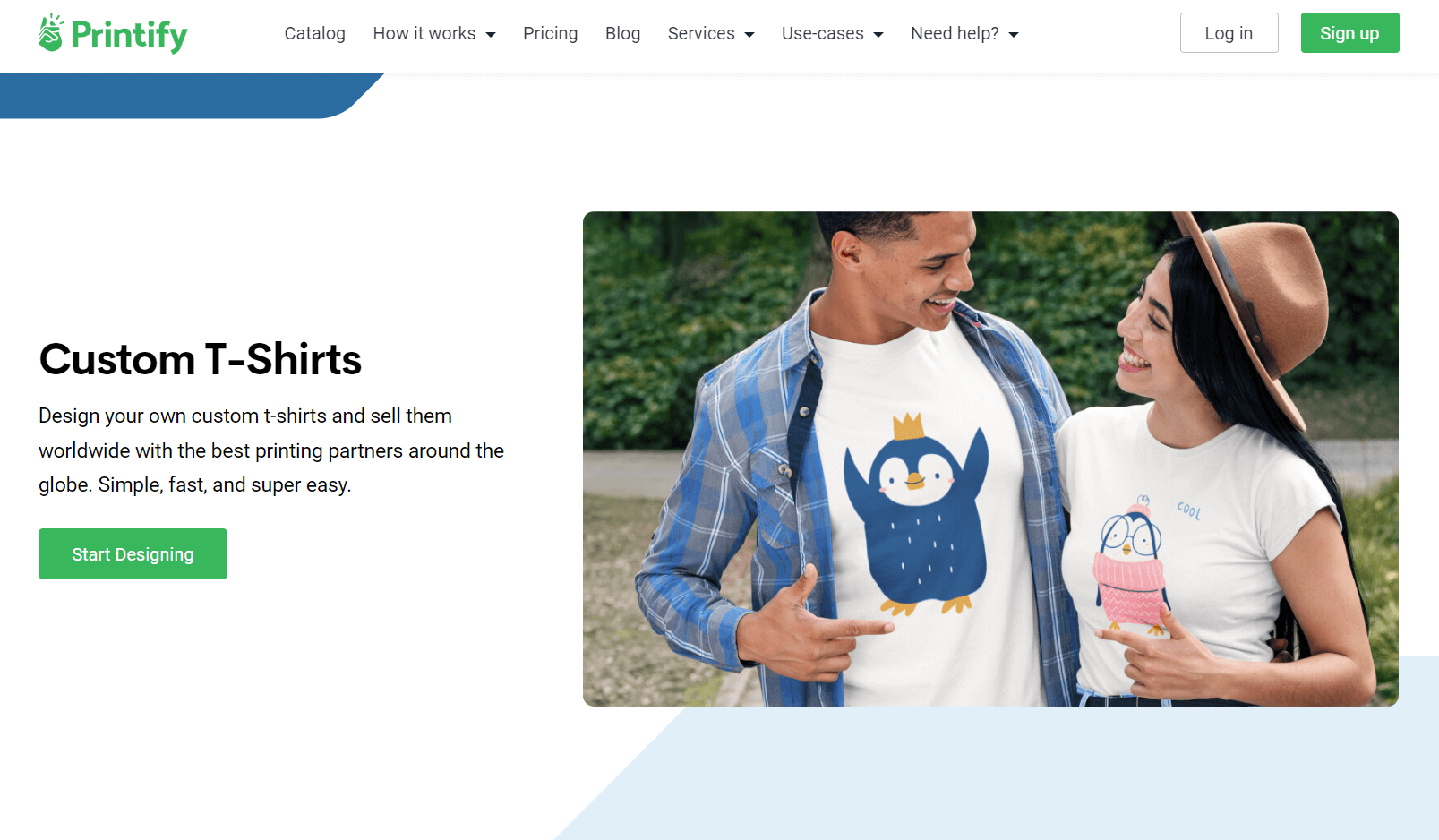
Printify is a user-friendly t-shirt design and drop-shipping solution for creators and businesses. We think it’s the best because of its extensive design library, speedy order fulfillment, and easy-to-use interface.
The Best Part:
Seamless ecommerce integration. Printify seamlessly connects with popular eCommerce platforms such as Shopify, WooCommerce, and Etsy, making selling your custom designs a breeze.
The Worst Part:
It’s not the cheapest. Printify’s catalog isn’t expensive, by any means, but it isn’t the cheapest one as well. At least you know the quality is always there.
Get it if you want an all-in-one solution to design, produce, and sell custom t-shirts that’ll keep customers coming back for more.
I recommend you try the free plan first, then upgrade to the Premium plan for $29/month.
(free plan)
Best For
Printify is best for creative entrepreneurs who want a user-friendly platform to help them create standout t-shirt designs they can sell, print, and deliver — without ever touching a single t-shirt.
Top Features
Run free. Add text, stock images, and even your own artwork to your t-shirt designs with Printify's user-friendly design editor.
Brand it up. Create custom neck labels for your t-shirts to showcase your logo and create your brand identity.
Keep it tidy. Manage your t-shirt designs and orders with Printify's easy-to-use dashboard.
See what it’d like in real life. Use Printify's 3D mockup generator to see your designs come to life on a range of t-shirt designs and sizes.
Skip the inventory stress. Printify's print-on-demand model ensures you never have to pay for stock. They’ll only print and ship after you sell.
Pricing

Printify offers three pricing plans:
- Free: Free forever, for beginners who want an easy-to-use platform to create and integrate custom t-shirt designs with popular eCommerce platforms.
- Premium: $29/month for creative entrepreneurs and businesses who want a 20% discount on all product costs.
- Enterprise: Custom pricing, for those who have 10,000+ orders per day and want unlimited access to Printify’s personalized support and features like API integration and dedicated account management.
Annual plans provide a 14% discount.
Try Printify today with the free plan.
2. Fotor
Our Verdict — Best For Non-Designers
Price: Starts at $8.99/month
Fotor is a user-friendly, feature-packed t-shirt design software. We think it’s the best for non-designers because of its intuitive interface, powerful editing tools, and extensive template library.
The Best Part:
Effortless creation. Fotor boasts a huge collection of easy-to-use tools, design elements, and t-shirt templates that allow you to quickly come up with designs for your products.
The Worst Part:
It may be a bit simple for some. Fotor's web-based nature means it might lack the advanced features available on pro-grade design software.
Get it if you want a user-friendly app that allows you to transform your creative ideas into stunning t-shirt designs, even as a complete beginner.
I recommend you get started with the free plan, then upgrade to the Fotor Pro plan for $8.99/month.
(free plan)
Best For
Fotor is best for creative individuals and business owners who want a feature-rich platform for designing custom t-shirts that even a 7 year old could use.
Top Features
Find your muse. Explore Fotor's extensive template library to find the ideal kickoff for your t-shirt designs.
AI-powered patterns. Let Fotor's AI Pattern Generator work its magic, creating one-of-a-kind, seamless patterns for you.
Stay on trend with stickers. Add fun and trendy stickers to your t-shirt designs to make them stand out.
Mix and match fonts. Select from Fotor’s 523 stylish fonts to create eye-catching text elements in your tees.
Keep it neat. Manage your projects efficiently with Fotor's handy folder organization feature.
Pricing
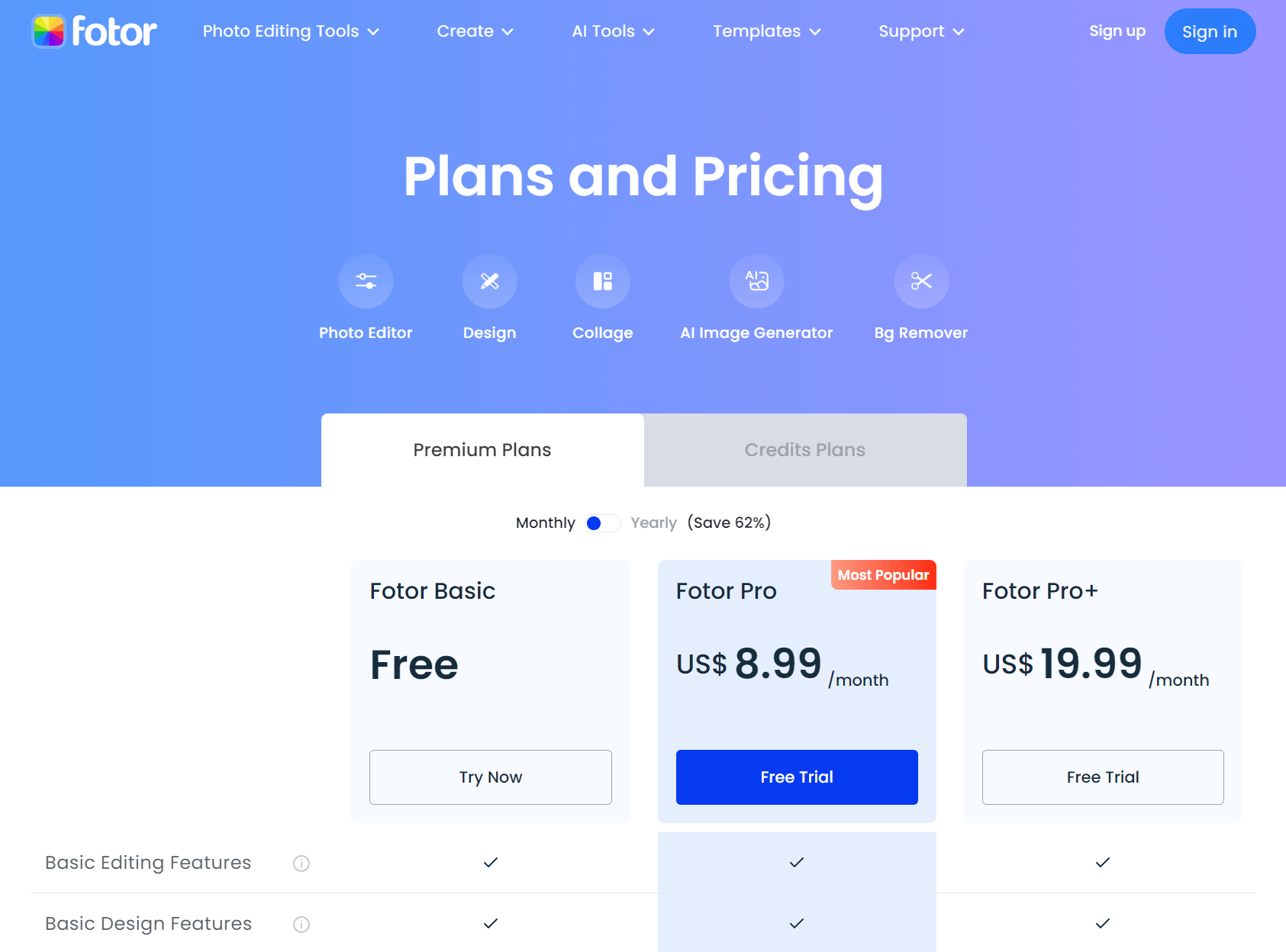
Fotor offers three pricing plans:
- Fotor Basic: Free forever, for beginners who want to get their feet wet in t-shirt design.
- Fotor Pro: $8.99/month for creative individuals and business owners who want access to premium design assets, AI-powered t-shirt design features, and up to 2 GB of cloud storage.
- Fotor Pro+: $19.99/month for businesses that want everything in the Fotor Pro plan, plus the option to use custom text fonts, with up to 10 GB of cloud storage.
Annual plans provide a 62% discount.
Try Fotor today with the free plan.
3. Canva
Our Verdict — Best Design Templates
Price: Starts at $14.99/month
Canva is an all-in-one design platform that can simplify the t-shirt design process. We think it offers the best design templates because of its extensive template library, wide range of customization options, and user-friendly interface.
The Best Part:
It’s packed with design templates. Canva offers a massive library of professionally designed templates specifically made for creating standout t-shirt designs.
The Worst Part:
Limited capability. Canva may feel restricting if you have experience with Photoshop, Corel Draw, and the likes.
Get it if you want access to an endless supply of creative assets and templates for crafting a ton of different t-shirt designs.
I recommend you get started with the free plan, then get the Canva Pro plan for $14.99/month.
(free plan)
Best For
Canva is best for individuals and business owners who want to create unique and stylish t-shirt designs quickly with a massive library of resources and DFY templates.
Top Features
Keep it on brand. Upload and save your brand's logo, colors, and fonts to create t-shirt designs that are true to your identity.
Get your sample tees quickly. Enjoy fast and free standard shipping for your pro t-shirt designs when you order samples to test out the final product.
Go green with style. Take pride in your t-shirt designs knowing they support sustainable production and partners with local businesses.
See it before your eyes. Get a sneak peek of how your design will look on a t-shirt with Canva's outstanding mockup tool.
Invite your team. Invite team members or friends to work together on your t-shirt designs in real-time using Canva's seamless collaboration feature.
Pricing
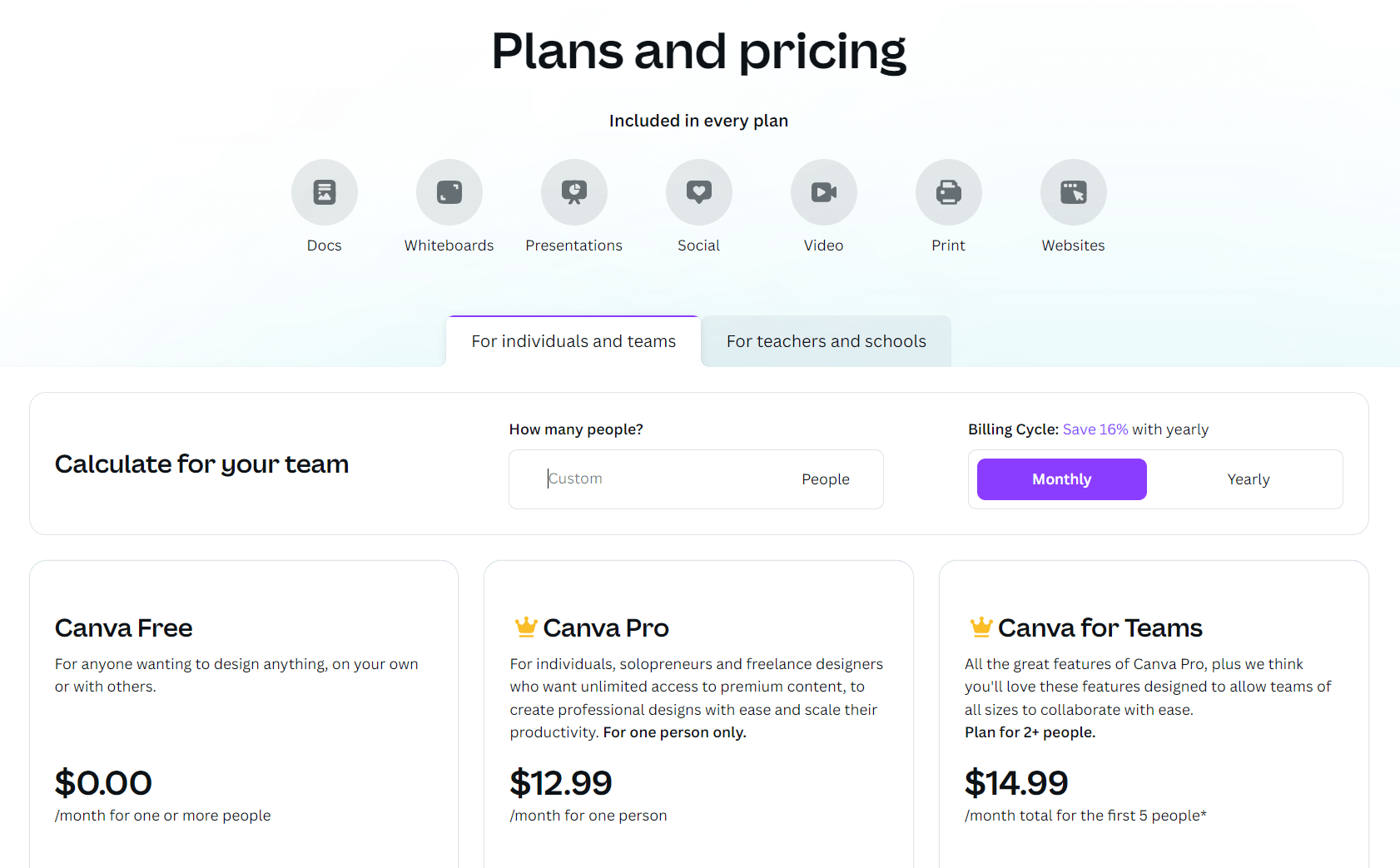
Canva offers three pricing plans:
- Canva Free: Free forever, for creatives who want an easy-to-use software to design t-shirts using over 250,000 free templates, 1+ million free photos and graphics, and 5 GB of cloud storage.
- Canva Pro: $14.99/month for creative individuals and businesses that want a user-friendly t-shirt design software with unlimited access to premium templates, over 100 million premium stock media, and up to 1 TB of free cloud storage.
- Canva for Teams: $30.00/month per person for teams of all sizes who want everything in the Canva Pro plan, plus collaboration features for creating t-shirt designs, such as approval workflows, real-time comments, and task management features.
Annual subscriptions provide a 20% discount.
Try Canva today with the free plan.
Our Top Three Picks
Here’s a quick summary of our top three picks:
Here’s a quick comparison of our top seven picks:
Tool | Entry Offer | Pricing |
|---|---|---|
Printify | Free plan | Starts at $29/mo |
Fotor | Free plan | Starts at $8.99/mo |
Canva | Free plan | Starts at $14.99/mo |
Printful | Free plan | Starts at $11.50 |
Adobe Illustrator | 7-day free trial | Starts at $31.49/mo |
Placeit | None | Starts at $14.95/mo |
Apliiq | Free plan | Custom |
Here are the top 50 best t-shirt design software we considered in this review:
- Printify
- Fotor
- Canva
- Printful
- Adobe Illustrator
- Placeit
- Apliiq
- Designhill T-Shirt Maker
- Threadless
- CorelDRAW
- Inkscape
- GraffixPro Studio
- Rush Order Tees
- DesignAShirt
- T-Shirt Factory Deluxe
- Snaptee
- Sonicshack T Shirt Designer
- Tee Designer Master
- CustomInk
- Teespring
- Crello
- ShirtMonkey
- Piktochart
- Bonfire
- Zazzle
- UberPrints
- SunFrog
- VistaPrint
- oShirt
- ShirtApp
- T-Shirt Maker by Designhill
- WhoopTee
- Personalized Tees
- BlueCotton
- Desygner
- Streetshirts
- PicsArt
- Fotor T-Shirt Designer
- Snappa
- Venngage
- Redbubble
- TeeChip
- Society6
- Merch by Amazon
- Shopify with Print-on-Demand apps
- Customized Girl
- TeePublic
- T-pop
- PrintShop by Designhill
- GearLaunch
Frequently Asked Questions About T-Shirt Design Software
What is the best t-shirt design software?
Printify is our top pick. Start on the free plan and move up to premium as your needs grow.
Is there free t-shirt design software?
Yes. Printify, Fotor, and Canva all give you a free plan. Start free and move to a paid tier once you need more room.
Which t-shirt design tool should I choose for my needs?
Match the tool to your job. Reach for Printify for all-around use, Fotor if you are not a designer, Printful for an ecommerce store, Placeit for mockups, and Apliiq for custom apparel. Start free where you can and upgrade when you outgrow it.
Which t-shirt design tool is best for non-designers?
Fotor is the one to reach for if you are not a designer. Start on the free plan and upgrade to pro once you need more.
Should I use Photoshop or Illustrator for t-shirt designs?
Reach for Illustrator most of the time. It is vector-based and ideal for designs you need to resize. Photoshop is raster-based and better when your design includes complex bitmap images.
What file type is best for t-shirt designs?
Vector files like SVG are best because you can scale them up or down without losing quality. Raster formats like JPEG and PNG are pixel-based, so they lose quality when you resize them.
What printing method should I choose for my t-shirts?
Match the method to your order. Screen printing wins on high-volume runs for its durability and color. DTG printing is ideal for designs with many colors or fine detail. Heat transfer fits small orders and personalized shirts.
Which t-shirt software is best for ecommerce store owners?
Printful is our pick for ecommerce store owners. For mockups, reach for Placeit, and for custom apparel, reach for Apliiq.
The Bottom Line
To recap, here are the best t-shirt design software to try this year: