

Today there are 157 different writing tools. We spent 87 hours comparing the top 50 to find the seven best you can use to streamline your writing process.
What is the Best Writing Tool?
1. Sudowrite
Our Verdict — Best Of The Best
Price: Starts at $19/month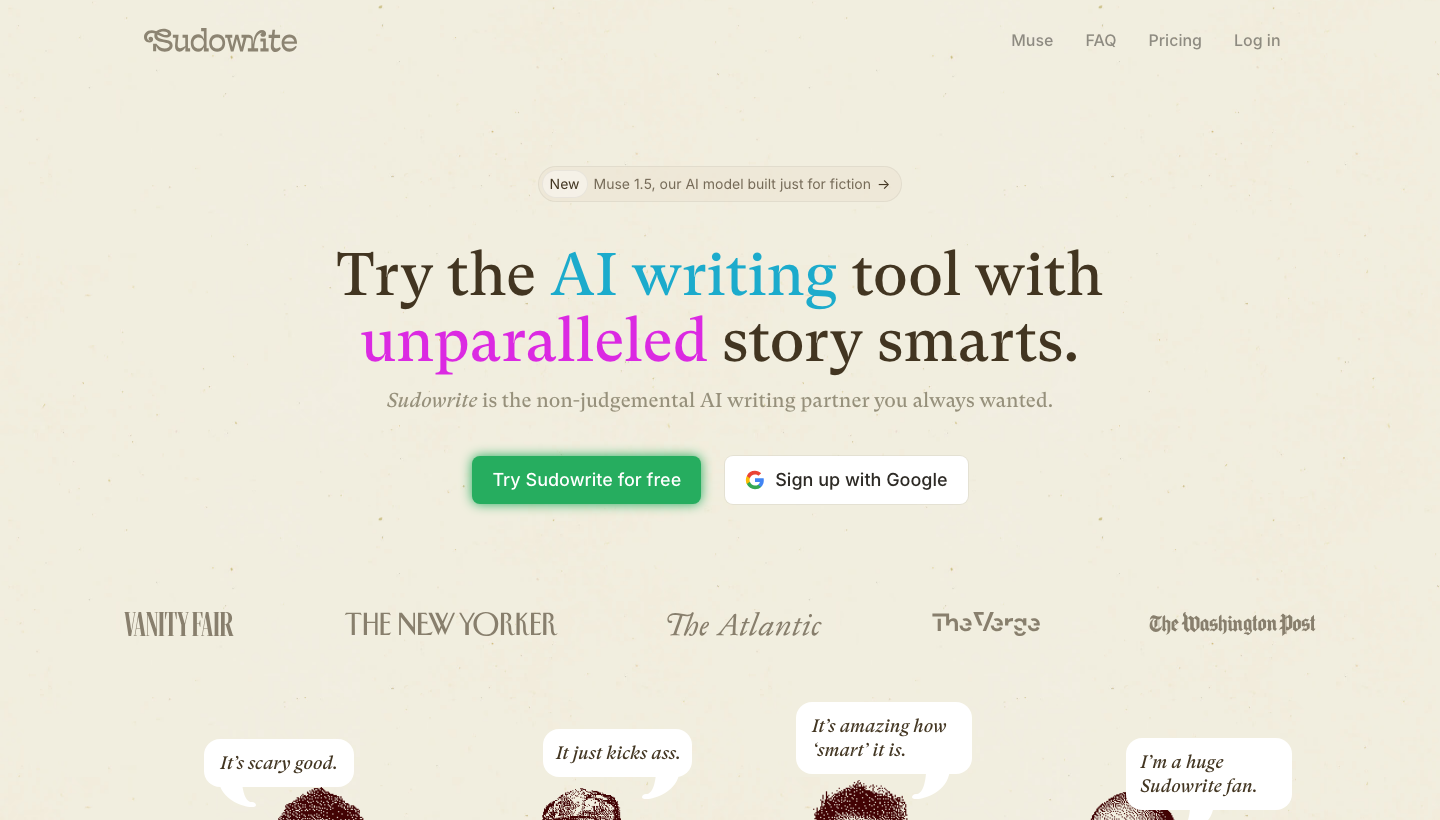
Sudowrite is an AI writing partner built by writers, for writers. We think it’s the best because its story intelligence carries a draft from the first line to the final chapter, in your own voice.
The Best Part:
- It writes like you. Sudowrite’s Write feature continues your draft in your own prose style, so every page keeps sounding like you wrote it.
The Worst Part:
- It's built for creative writing. If you mostly need marketing copy or business documents, a general-purpose writing tool is a better fit.
Get it if you want a writing tool that can carry a full-length manuscript without losing the plot.
I recommend you start with the free trial, then get the Professional plan for $29/month.
(free trial)
Best For
Sudowrite is best for novelists and storytellers who want long-form drafts that stay consistent from the first chapter to the last.
Top Features
Write, rewrite, describe, expand. Four core tools carry your draft forward with story intelligence, so the next paragraph fits the ones that came before it.
It matches your writing style. Feed Sudowrite your pages and it continues in your voice, instead of flattening everything into generic AI prose.
Continuity across a series. Sudowrite keeps characters and plot details straight across chapters, and even across sequels.
An AI chat built for fiction. Brainstorm, research, and edit with a chat tuned for storytelling, powered by Muse and Ballad, Sudowrite's fiction-only AI models, plus 30 industry-leading models.
Feedback on your work. Get developmental edits, line edits, and beta reads on the Professional plan and up, before any human reader sees the draft.
Pricing
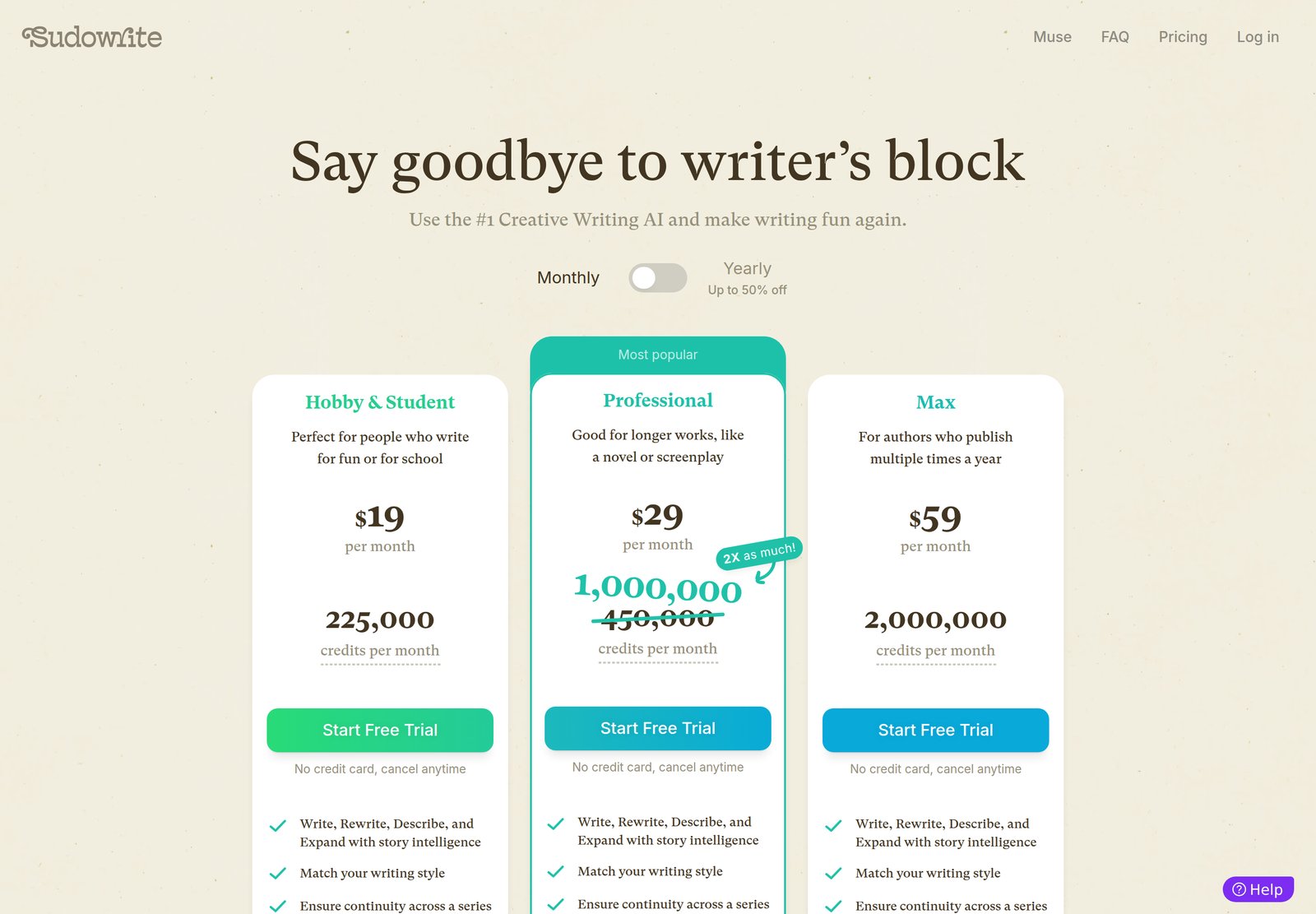
Sudowrite offers three pricing plans:
- Hobby & Student: $19/month, or $10/month billed yearly, with 225,000 credits per month for people who write for fun or for school.
- Professional: $29/month, or $22/month billed yearly, with 1,000,000 credits per month (a current 2X promo on the usual 450,000) for longer works like a novel or a screenplay.
- Max: $59/month, or $44/month billed yearly, with 2,000,000 credits per month and 12-month rollover for authors who publish multiple times a year.
Annual plans provide up to a 47% discount.
Try Sudowrite today with the free trial.
Our Verdict — Best For Authors And Professional Writers
Price: Starts at $30/month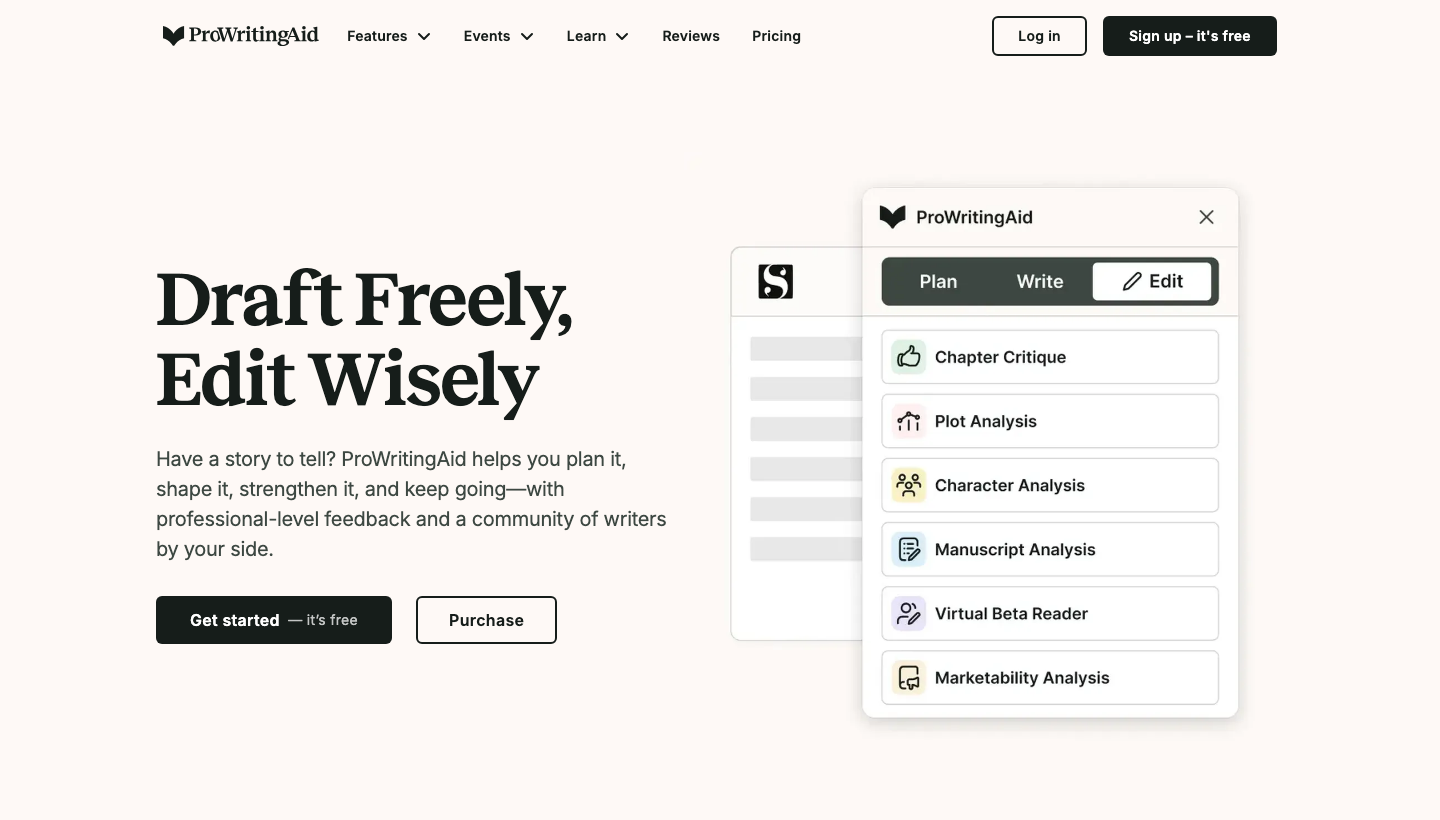
ProWritingAid is a powerful writing assistant with incredible editing tools. We think it’s the best for authors and professional writers because of its in-depth reports and tools to help your writing sing.
The Best Part:
- It’s your personal writing coach. ProWritingAid offers 20+ in-depth reports on your writing style, analyzing repetitiveness, vague wording, passive voice, and much more to help you develop as an author.
The Worst Part:
- Overwhelming number of reports. ProWritingAid's boatload of reports can feel overwhelming for new users, making it tricky to find your way around.
Get it if you want a comprehensive writing assistant that helps you develop as an author with tailored suggestions and in-depth analyses.
I recommend you start with the Free plan to test the waters, then upgrade to the Premium plan for $30/month.
(free plan)
Best For
ProWritingAid is best for authors and professional writers who want to create clean, error-free content.
Top Features
Keep your voice consistent. Create personalized style guides and dictionaries for yourself or your team to keep a unified writing style across all your projects.
Pick the best words. Use ProWritingAid’s built-in Word Explorer and contextual thesaurus to find just the right words for your message, without even leaving your document.
Edit anywhere, anytime. Keep your writing polished on sites like Twitter, Medium, and Wattpad with ProWritingAid's handy browser extensions.
Grow as a writer. Sharpen your skills with ProWritingAid's in-app suggestions, quizzes, and videos as you pen your masterpiece.
Harness the power of style. Boost your writing style and strength with ProWritingAid's hand-coded rules from expert copy editors.
Pricing
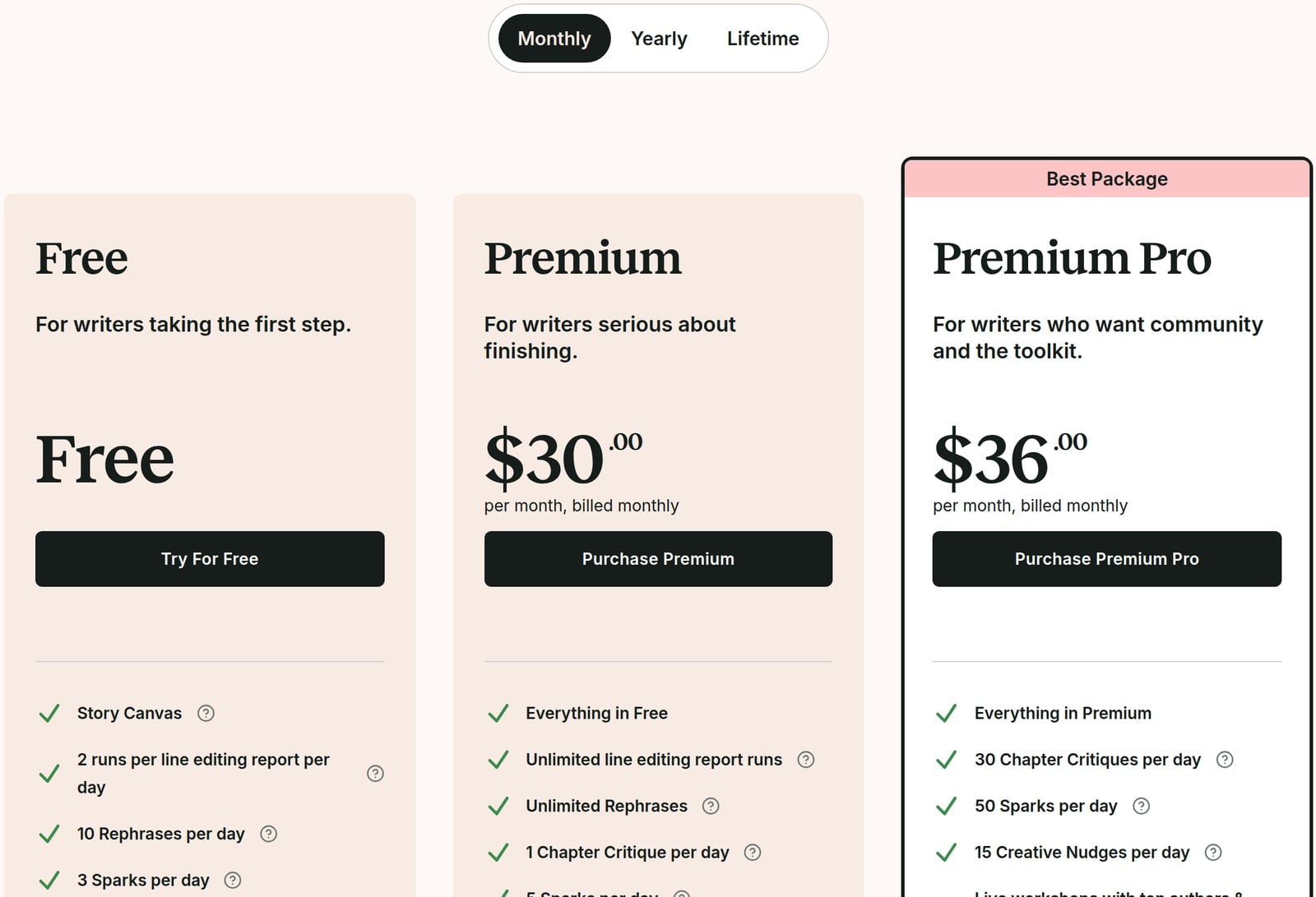
ProWritingAid offers five pricing plans:
- Free: Free forever, for writers who want grammar, spelling, and punctuation checks, plus 10 rephrases a day.
- Monthly Premium: $30/month for authors and professional writers who need unlimited word count, analyses, and advanced style improvements.
- Yearly Premium: $120/year for authors and professionals who want all the features of the Monthly Premium plan with a big discount.
- Lifetime Premium: $399 one-time payment, for authors and professional writers who want to unlock ProWritingAid's full power for life.
- Premium Pro: $36/month, $144/year, or $699 one time, for writers who also want 30 Chapter Critiques a day, live workshops with top authors and editors, and daily cowriting sprints.
Annual plans provide a 67% discount.
Try ProWritingAid today with the free plan.
3. Grammarly
Our Verdict — Best For Grammar Checks
Price: Starts at $12/month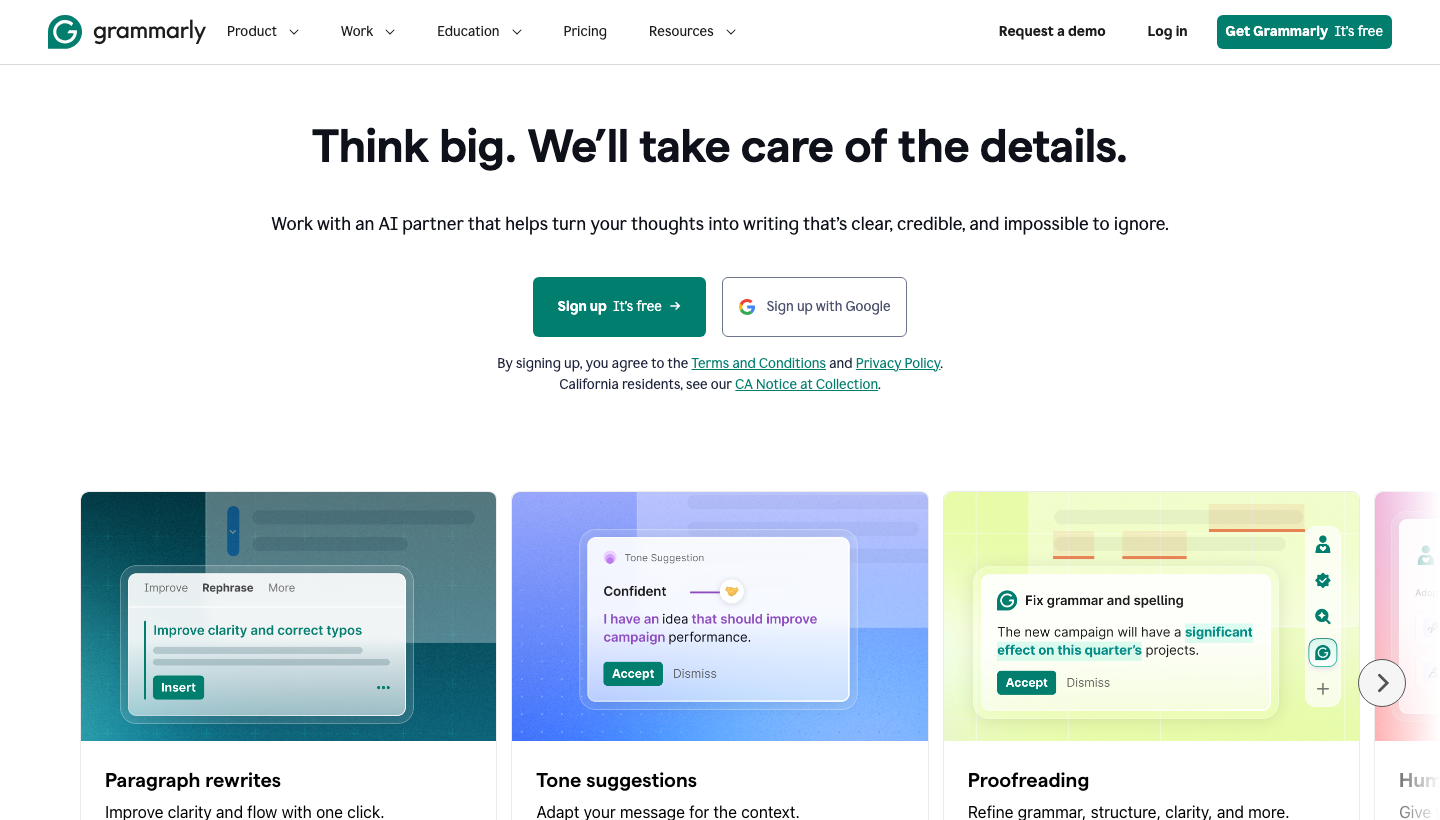
Grammarly is a beloved writing tool for improving grammar, punctuation, and writing style. We think it’s the best for grammar checks because it catches all those little grammar errors that often go unnoticed by writers.
The Best Part:
- It's a grammar lifesaver. Grammarly catches those small grammar errors that often slip past the human eye, making your writing more polished and professional.
The Worst Part:
- Occasionally misses context. Grammarly sometimes might misunderstand the context of your sentence, leading to incorrect suggestions.
Get it if you want spot-on grammar edits and practical writing suggestions that'll make even the toughest English teachers proud.
I recommend you start with the Free plan to test the waters, then get the Pro plan for $12/month.
(free plan)
Best For
Grammarly is best for students, professionals, and writers who want an extra pair of eyes on their writing and grammar.
Top Features
Keep it original. Effortlessly spot plagiarism in your work and make sure your writing stays as unique as you are.
Get personalized style tips. Get customized style suggestions based on your target tone and audience, so your writing always hits the mark.
Wherever you may roam. Access Grammarly's browser extension, mobile app, and feature-packed desktop app to polish your writing anytime, anywhere.
Level up your writing skills. Learn from detailed explanations for suggested edits, such as fixing verb tense, punctuation, and word choice.
Keep your tone in check. Gauge the tone of your writing and receive feedback on how to convey the right emotions and attitude.
Pricing
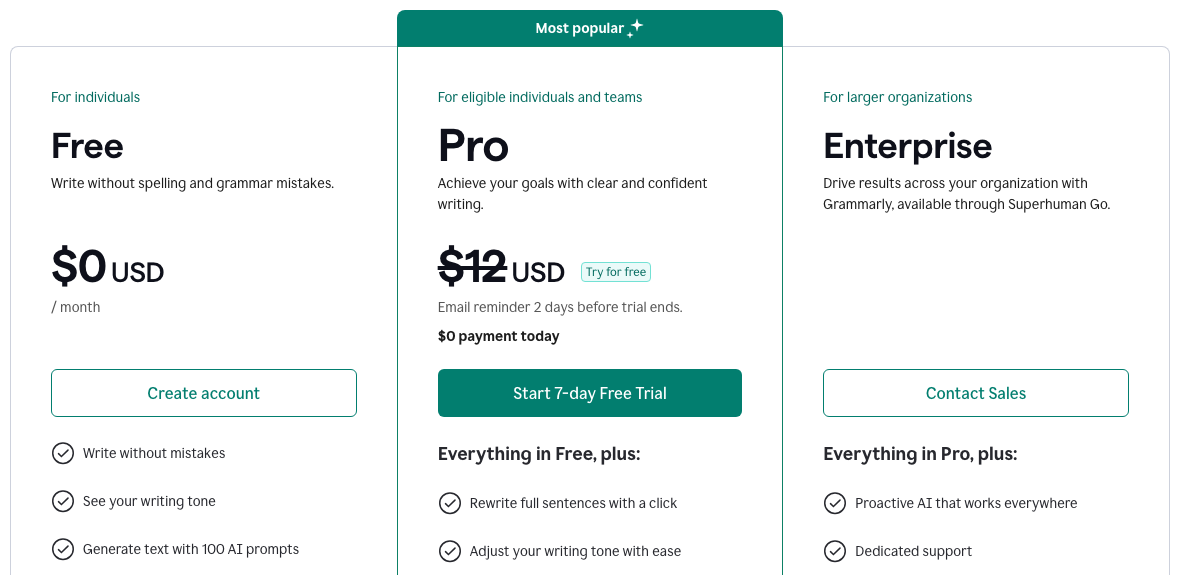
Grammarly offers three pricing plans:
- Free: $0/month for writers who want to fix spelling and grammar mistakes and see their writing tone.
- Pro: $12/month for writers who want full-sentence rewrites, tone adjustments, plagiarism and AI detection, and 2,000 AI prompts per month.
- Enterprise: Custom pricing for larger organizations that want dedicated support, custom roles and permissions, and data loss prevention.
Try Grammarly today with a free 7-day trial.
Our Top Three Picks
Here’s a quick summary of our top three picks:
- Sudowrite — best of the best
- ProWritingAid — best for authors and professional writers
- Grammarly — best for grammar checks
Here’s a quick comparison of our top seven picks:
Tool | Entry Offer | Pricing |
|---|---|---|
Sudowrite | Free trial | Starts at $19/mo |
ProWritingAid | Free plan | Starts at $30/mo |
Grammarly | Free plan | Starts at $12/mo |
Scrivener | 30-day free trial | Starts at $23.99 |
Airstory | 7-day free trial | Starts at $25/mo |
Evernote | Free plan | Starts at $14.99/mo |
Kit | Free plan | Starts at $39/mo |
Here are the top 50 writing tools we considered in this review:
- Sudowrite
- ProWritingAid
- Grammarly
- Scrivener
- Airstory
- Evernote
- Kit
- Microsoft Word
- Google Docs
- Hemingway Editor
- Final Draft
- Ulysses
- Calmly Writer
- Trello
- Dragon Naturally Speaking
- FocusWriter
- WriteMonkey
- LibreOffice Writer
- Cold Turkey Writer
- Bear
- Notion
- Pages
- Typora
- Scapple
- Zoho Writer
- iA Writer
- Byword
- Reedsy
- Squibler
- Novlr
- Celtx
- WriteRoom
- Fade In
- Plottr
- WriteItNow
- WriteCheck
- Rough Draft
- Ellipsus
- ZenPen
- MindMeister
- Coggle
- yWriter
- Manuskript
- LanguageTool
- Dabble
- Storyist
- JotterPad
- Campfire
- LivingWriter
- Day One
Frequently Asked Questions About Writing Tools
What is the best writing tool overall?
Sudowrite is our top pick. Its fiction-first story intelligence is what puts it in front.
What makes Sudowrite the best writing tool?
Its story intelligence is the reason it ranks first: it continues a draft in your own style and keeps characters and plot consistent. That is what makes it our top overall pick among these tools.
Are there free writing tools?
Yes. Several give you a free plan, including ProWritingAid, Grammarly, Evernote, and Kit. ProWritingAid's free plan caps how many reports and rephrases you get a day.
Which writing tool is best for authors and novelists?
ProWritingAid is our pick for authors and professional writers. For novels specifically, reach for Scrivener.
Which tool is best for grammar checking?
Grammarly is the one to reach for when you want grammar checks, and it gives you a free plan too.
Which writing tools made the cut?
Seven made the cut, each matched to a specific use case. We compared a wide field to get there.
Which tool is best for email marketing?
Kit is our pick for email marketing, and it gives you a free plan too.
Which tool is best for research-heavy writing?
Airstory is the one to reach for when your writing is research-heavy. It is one of our seven picks.
What should I look for when choosing a writing tool?
Weigh grammar checking, a user-friendly interface, project organization, and real-time collaboration. Also consider templates and prompts, AI integration, formatting, and whether the tool helps you build a consistent writing habit.
What to look for when buying a writing tool?
- Getting encouraged to having a consistent writing habit
- Running the grammar checker to find grammar mistakes
- User-friendly interface to avoid a steep learning curve
- Compatilibility with their standard word processing software
- Organizational features to manage multiple projects
- Working with fellow writers via real-time collaboration tools
- Content writers can speed up their writing with a wide range of templates and prompts
- Artificial intelligence integration for smart writing
- The ability to create beautiful ebooks in a snap
- Real-time collaborative editing features for team projects
- An advanced formatting tool for publishing needs
- The right balance between essential and fancy tools
- Specific abilities, like AI lyrics writers for example
The Bottom Line
To recap, here are the best writing tools to try this year:
- Sudowrite — best of the best
- ProWritingAid — best for authors and professional writers
- Grammarly — best for grammar checks
- Scrivener — best for novels
- Airstory — best for research-heavy writing
- Evernote — best for note-taking
- Kit — best for email marketing