
Today there are over 50 different AI 3D model generators, from web apps to open-source models. We compared the top 50 to find the seven best you can use to turn an image or a text prompt into a usable 3D model.
What is the Best AI 3D Model Generator?
- Meshy — best of the best
- Tripo AI — best for game-ready models
- Hyper3D Rodin — best for realistic textures
- Sloyd — best free option
- 3D AI Studio — best for trying multiple AI models
- Hi3D — best for 3D printing
- Neural4D — best for product design
1. Meshy
Our Verdict — Best Of The Best
Price: Starts at $20/month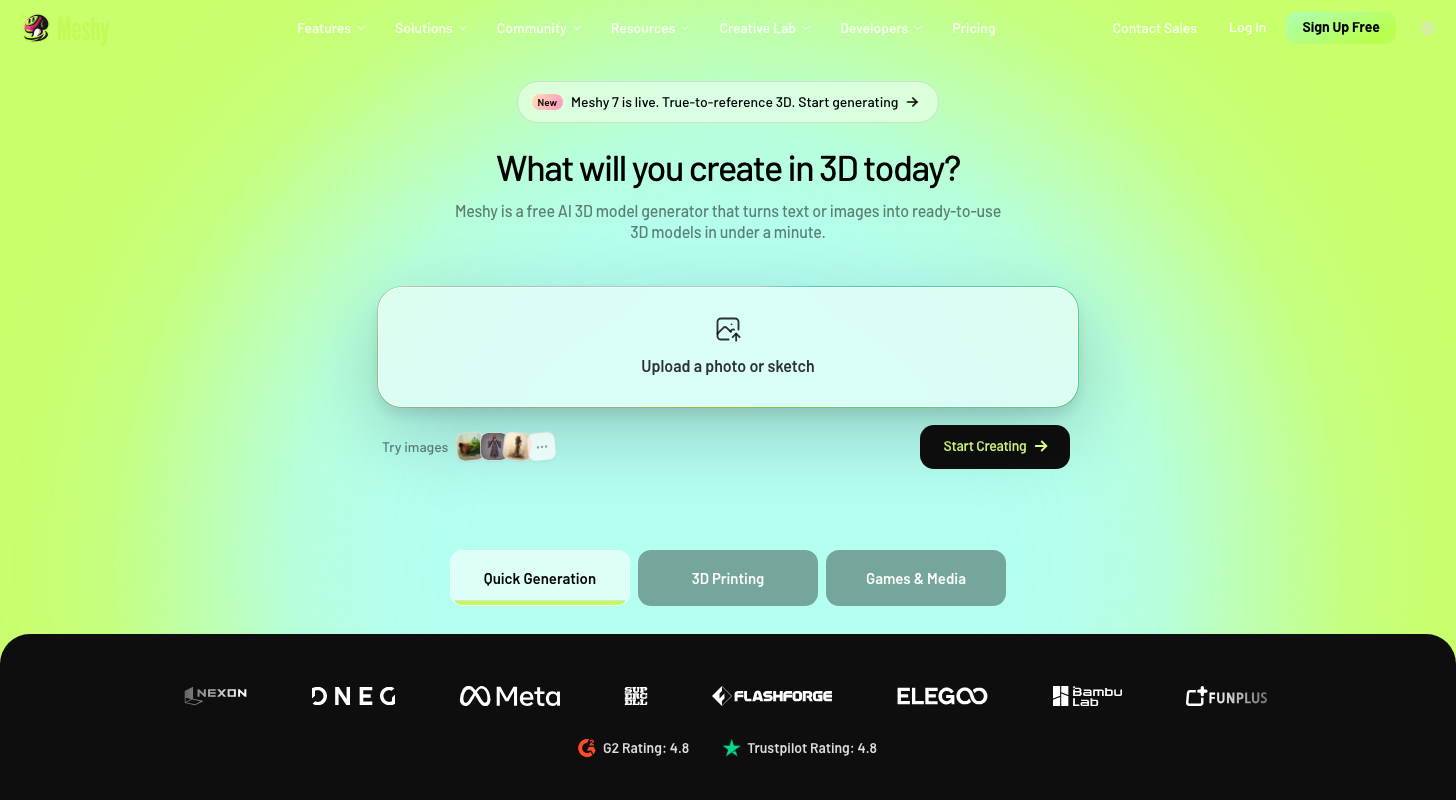
Meshy is the 3D generator the rest of this list gets measured against. We think it's the best of the best because it turns text or an image into a textured 3D model in about a minute, adds rigging (the skeleton that lets a character move) and animation, and exports to formats like FBX, OBJ and GLB.
The Best Part:
Fast and finished. Meshy says most text-to-3D generations complete in about a minute, and the model comes back with textures already on it.
The Worst Part:
Credits go quickly. The Free plan gives you 100 credits a month and a standard text-to-3D generation costs 20, so you get a handful of tries. Some users also say the geometry needs cleanup in Blender.
Get it if you want a fast, all-in-one route from a prompt or photo to a textured, animated 3D model.
I recommend you start on the Free plan (100 credits a month, no credit card), then move to Pro once you run out — $10 for the first month, then $20/month.
(free plan)
Best For
Meshy is best for anyone who needs usable 3D assets fast: indie game devs, 3D printing makers and creators who can't model by hand.
Top Features
Start from text or a photo. Type a prompt or upload a photo, sketch or concept art, and Meshy builds a textured 3D model from it.
Make it move. Auto rigging adds the skeleton and the Animation tool moves it, so a static model becomes a character.
Take it anywhere. Download your model in eight formats, including FBX, OBJ, GLB, STL and BLEND.
Stay in your editor. Blender and Unity plugins connect Meshy to the tools you already use.
Know what you can use. Free outputs carry a CC BY 4.0 license (commercial use with attribution), and paid plans add a Private license with no attribution required.
Pricing
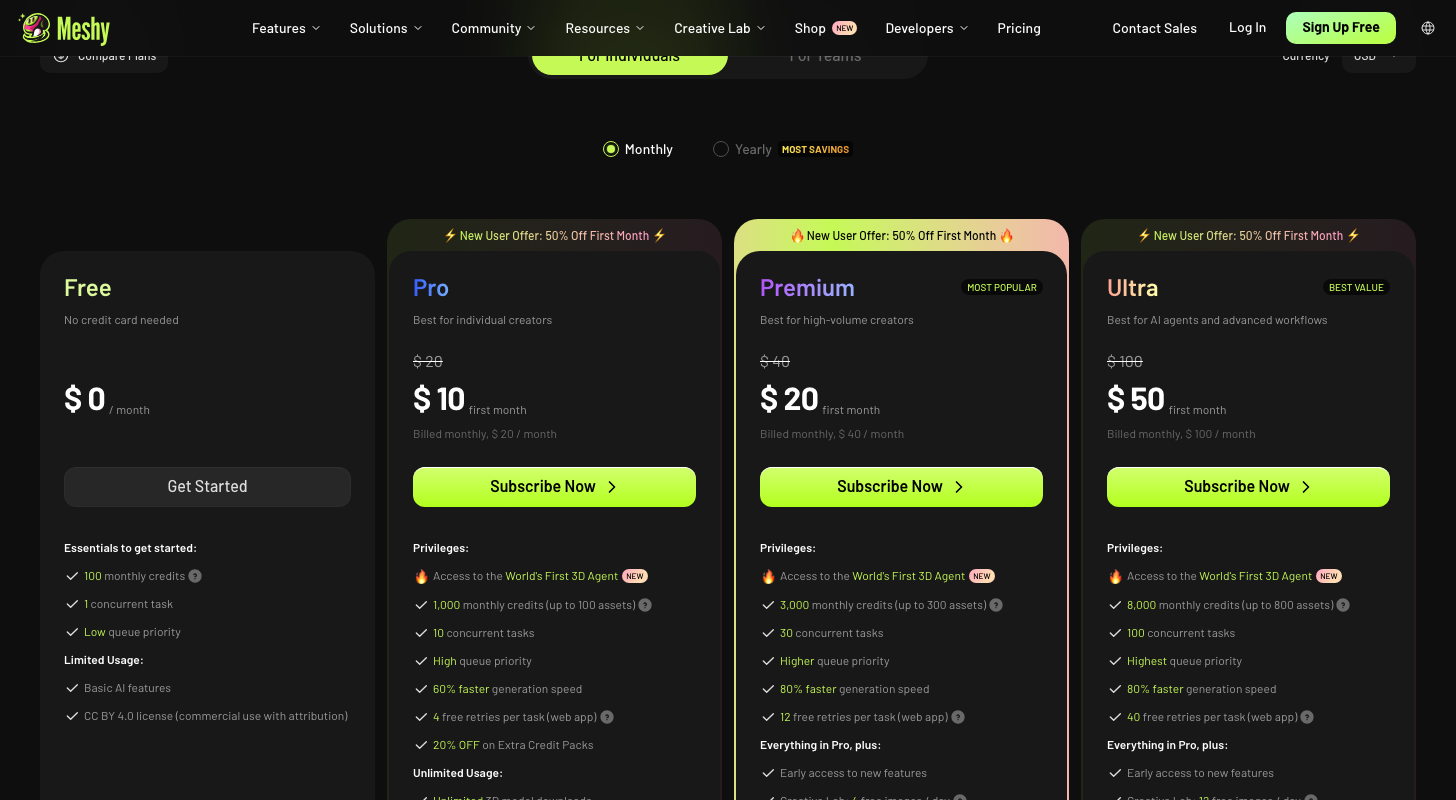
Meshy offers four pricing plans:
- Free: Free forever, for 100 credits a month.
- Pro: $10 for the first month, then $20/month for 1,000 credits a month, or up to 100 assets.
- Premium: $20 for the first month, then $40/month for 3,000 credits a month, or up to 300 assets.
- Ultra: $50 for the first month, then $100/month for 8,000 credits a month, or up to 800 assets.
Try Meshy today with the free plan.
2. Tripo AI
Our Verdict — Best For Game-Ready Models
Price: Starts at $20/month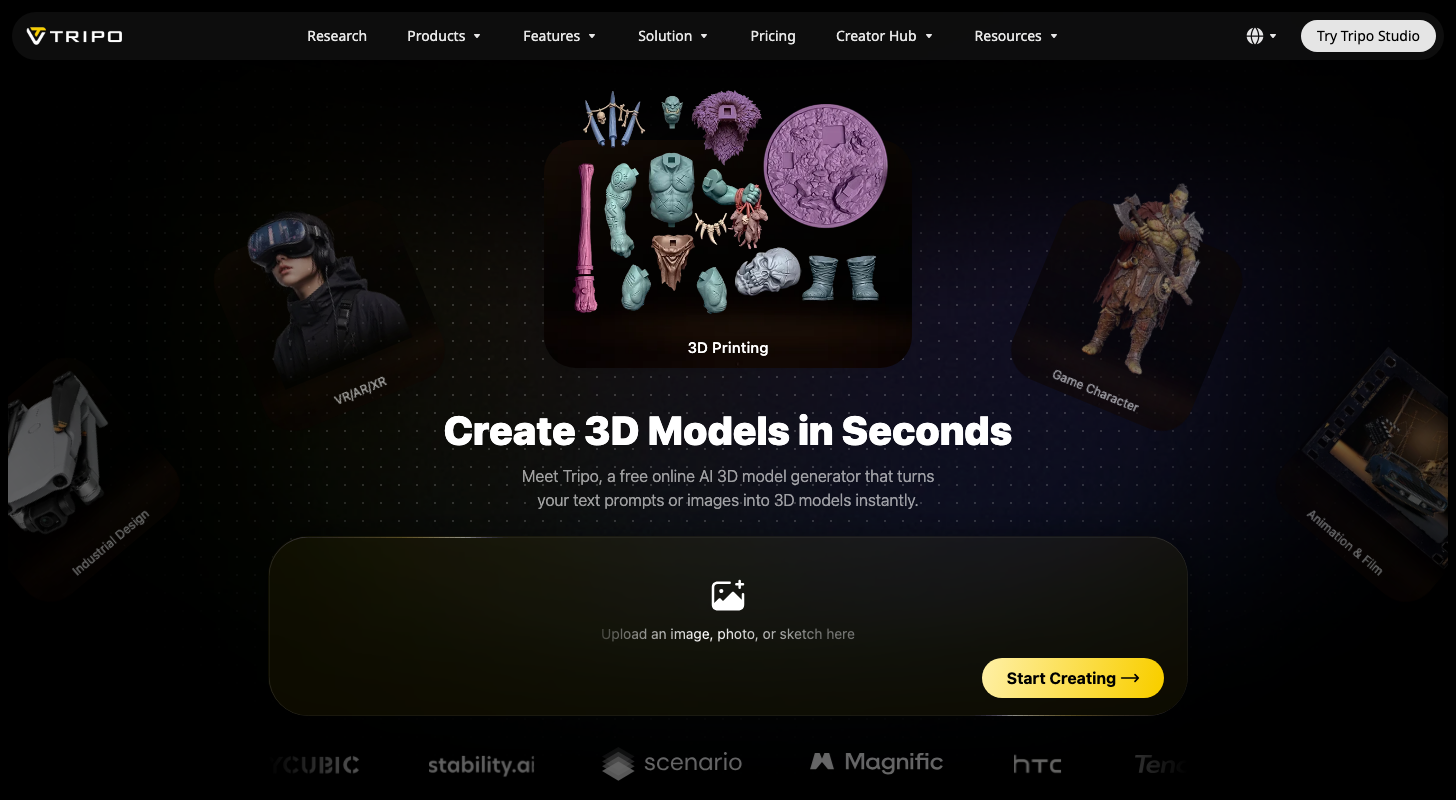
Most AI 3D models look fine in a viewer and fall apart inside a game engine. Tripo AI is built for that handoff, and we think it's the best for game-ready models because of its Smart Low Poly meshes (lightweight models that run smoothly in an engine), automatic character rigging and a bridge to Blender, Unity, Unreal and Godot.
The Best Part:
Clean meshes. Tripo says its Smart Mesh makes quad meshes from 500 to 25K polygons that are engine-ready, so you spend less time fixing geometry before it goes into your project.
The Worst Part:
Free is public. The Free plan gives you 200 credits a month (about 13 models), but every model is public and for non-commercial use only. Shipping a game means paying for Pro.
Get it if you want 3D assets that are light enough and rigged well enough to use in a game.
I recommend you start with the 200 free credits, then move to Pro for $20/month.
(free plan)
Best For
Tripo AI is best for anyone building a game or prototype, who needs characters and props that import cleanly instead of a pile of meshes to repair.
Top Features
Make it move. Auto-rigging adds the skeleton (the joints that let a character move) to humans, animals and stylized characters, with no manual setup.
Keep it light. Smart Low Poly builds low-poly meshes with hand-crafted topology (how the polygons are laid out), and works best on simple inputs.
Go sharp on textures. Max plan users get 8K textures, so close-ups on a hero asset still hold up.
Send it to your engine. The DCC Bridge sends your model straight into the programs you build with — Blender, 3ds Max, Unity, Unreal, Maya, Cocos, Godot and ZBrush — so you skip exporting and importing by hand.
Export what you need. Tripo exports to USD, FBX, OBJ, STL, GLB or 3MF, and says a photo can become a textured model in under a minute.
Pricing
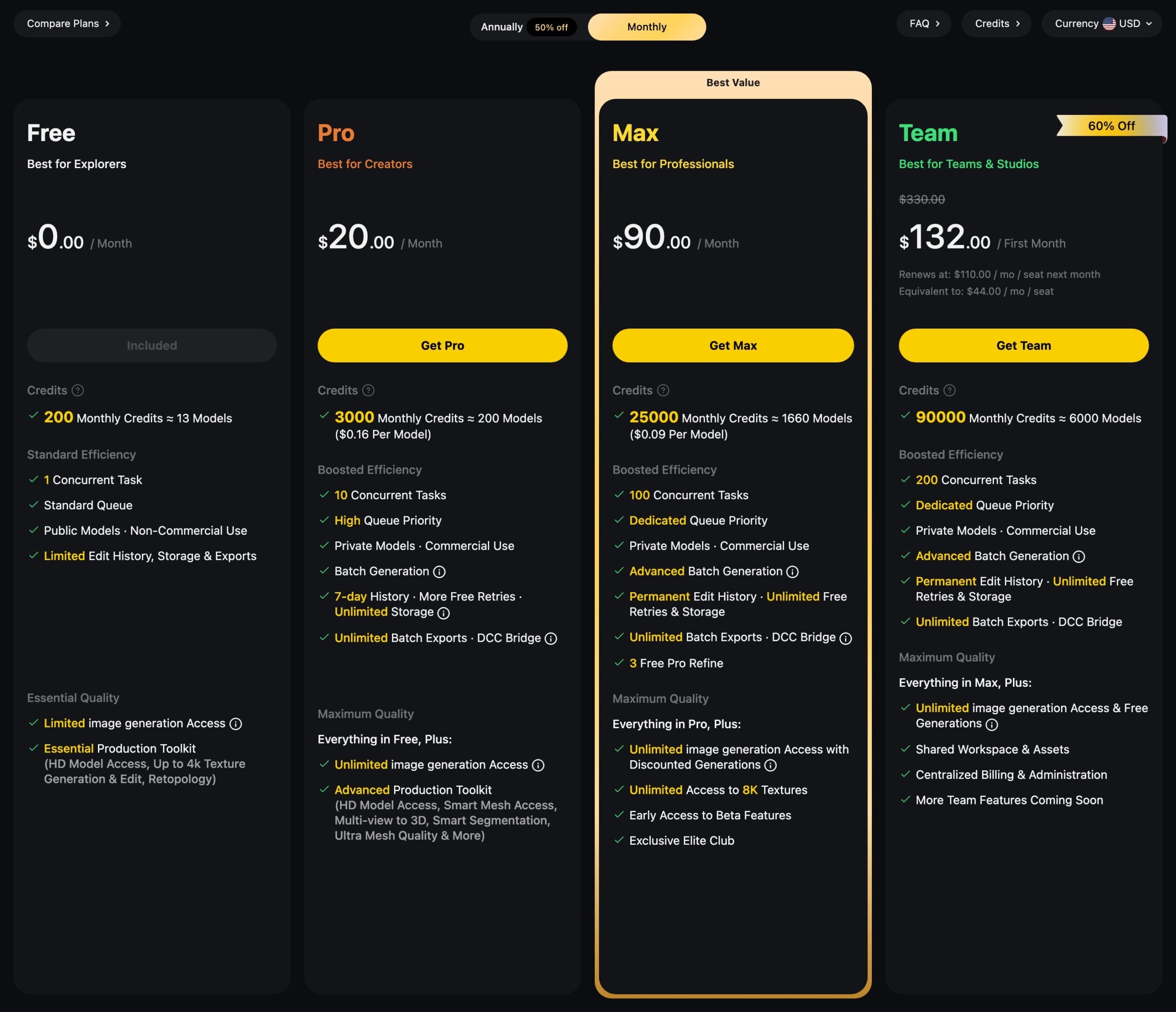
Tripo AI offers four pricing plans:
- Free: Free forever, for 200 credits a month, or about 13 models.
- Pro: $20/month for 3,000 credits a month, or about 200 models.
- Max: $90/month for 25,000 credits a month, or about 1,660 models.
- Team: $132 for the first month, then $330/month for three team seats ($110 per seat), with 90,000 credits a month.
Try Tripo AI today with the free plan.
Our Verdict — Best For Realistic Textures
Price: Starts at $30/month
Hyper3D Rodin turns a single image or a text prompt into a 3D model you can actually use. We think it's the best for realistic textures because of its HD Texture feature, Multi-image to 3D and Smart Low-Poly mode, which trims the model for game engines.
The Best Part:
Texture first. Feed it one image or several, and HD Texture paints surfaces that carry fine detail up close, while baked normals (small surface bumps stored in the texture) add relief a flat color never could.
The Worst Part:
Billing is the sore spot. Hyper3D's Fulfillment Policy calls payments final and non-refundable, with refunds only for system errors or a service that doesn't match its description. Trustpilot reviewers (2.9 out of 5) complain about charges after a trial and subscriptions they couldn't cancel themselves.
Get it if you want 3D models with textures that look finished.
I recommend you start on the Free plan, where you generate and preview for free and pay $1.50 per credit only when you confirm a result.
(free previews)
Best For
Hyper3D Rodin is best for anyone building game assets, renders or product shots, where a bare, flat-looking surface gives the model away.
Top Features
Start from several photos. Multi-image to 3D takes extra views of the same object, so the tool isn't guessing what the back looks like.
Game-friendly meshes. Smart Low-Poly cuts the polygon count (the tiny faces that make up the shape), so the model runs smoothly in a game engine.
Control the surface. HD Texture and Custom Texture let you decide how a material looks instead of accepting the first result.
Take it into your tools. Plugins cover Blender, Unity, Unreal and Godot, and you can export GLB, USDZ, FBX, OBJ or STL files.
Look before you pay. On the Free plan you preview what it generates first, and credits get spent only when you confirm the result.
Pricing
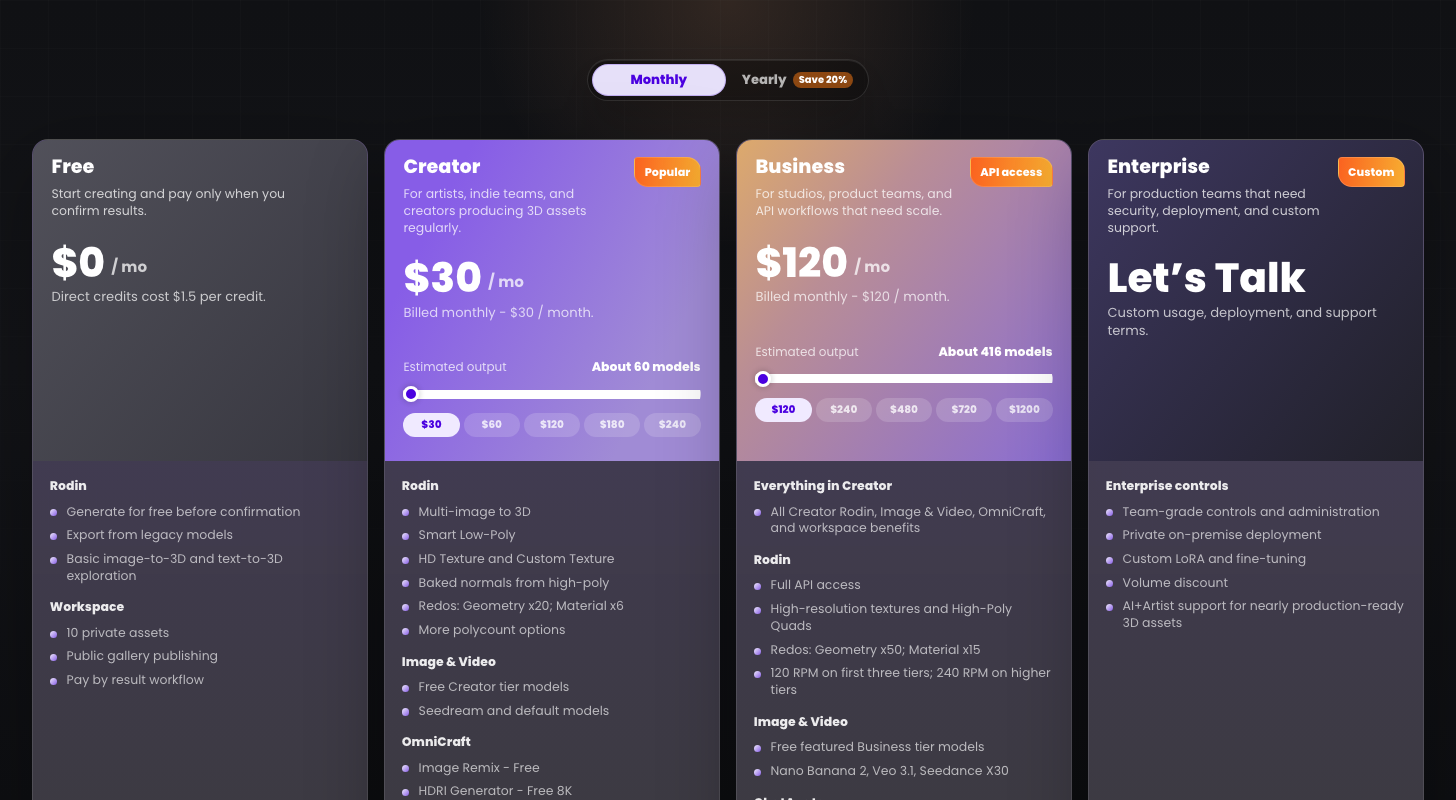
Hyper3D Rodin offers four pricing plans:
- Free: Free forever, for generating and previewing models, with $1.50 per credit for the ones you keep.
- Creator: $30/month for about 60 models a month.
- Business: $120/month for about 416 models a month and full API access.
- Enterprise: Custom pricing, for studios that need on-premise setups and custom training.
Annual subscriptions provide a 20% discount.
Try Hyper3D Rodin today with free previews.
4. Sloyd
Our Verdict — Best Free Option
Price: Starts at $15/month
You don't need a budget to start making 3D models. We think Sloyd is the best free option because of its Guest plan: one AI generation a day, plus unlimited templates you can tweak right in your browser.
The Best Part:
Templates with sliders. Pick a parametric template, drag the sliders and toggles, and export a game-ready asset. No modeling skills required, and it doesn't touch your daily AI generation.
The Worst Part:
One a day, personal use only. The free plan gives you a single AI generation per day and a personal-use license, so a real project outgrows it fast. Some Trustpilot reviewers also complain about slow support.
Get it if you want to try AI 3D generation before paying a cent.
I recommend you start on the free Guest plan, then upgrade to Sloyd Plus — $7.49 for the first month, then $15/month.
(free plan)
Best For
Sloyd is best for anyone who wants game-ready props on a free plan and only plans to pay once the volume picks up.
Top Features
Start from a prompt or a picture. Sloyd turns text or images into 3D models, and Plus makes those generations unlimited.
Animate your props. Plus adds rigging, the skeleton that lets a character move, and animation, so your model can walk instead of just standing there.
Export what your tools need. Guest gets GLB and OBJ. Paid plans export GLB, OBJ and FBX, which work with Unity, Unreal, Godot and Blender.
Retexture in 4K. Plus includes AI retexturing at 4K, so you can restyle a model without rebuilding it from scratch.
Plug it into your engine. Plus comes with plugins for Unity, Unreal and Blender, plus a commercial license for the games you ship.
Pricing
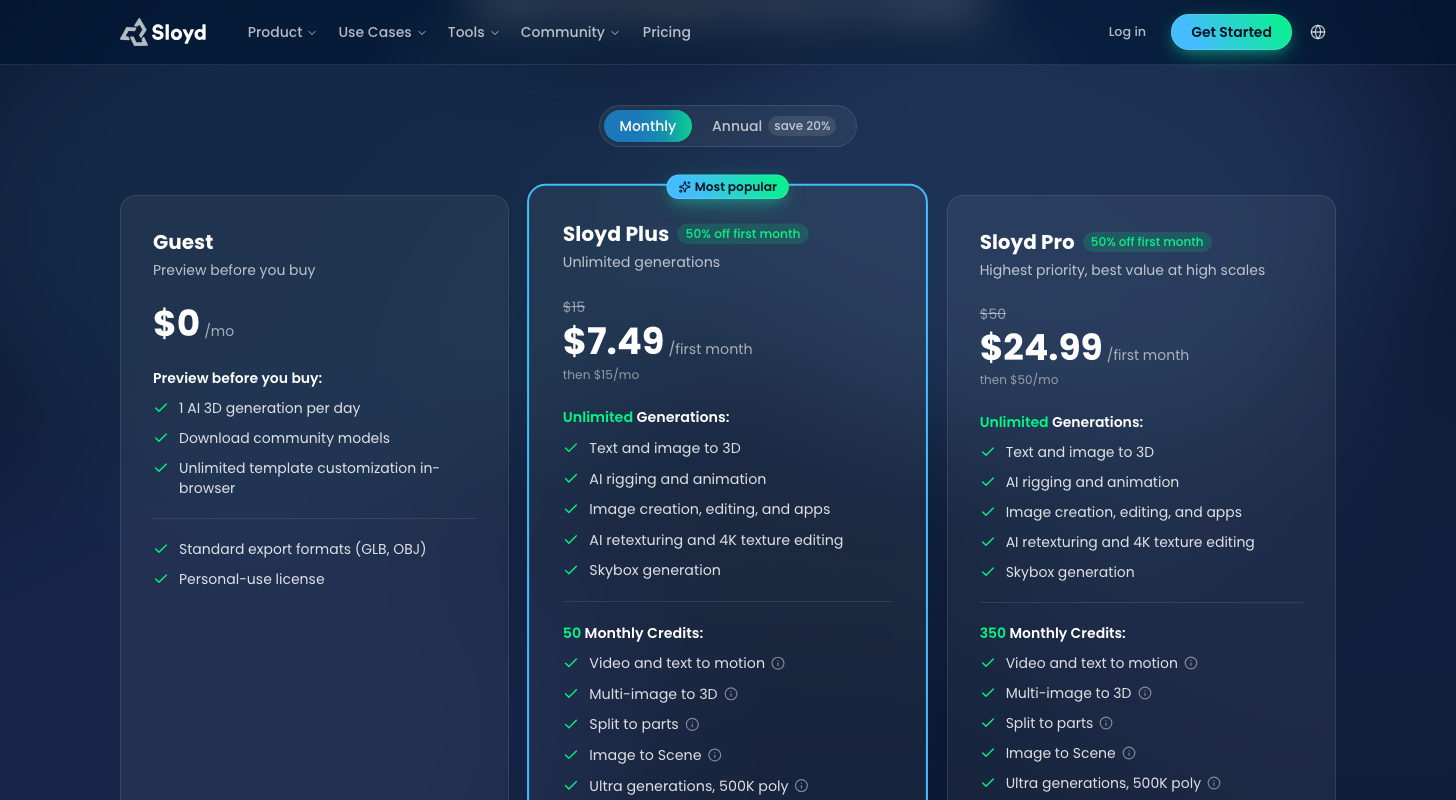
Sloyd offers three pricing plans:
- Guest: Free forever, for one AI 3D generation a day and unlimited templates.
- Sloyd Plus: $7.49 for the first month, then $15/month for unlimited text and image to 3D generations.
- Sloyd Pro: $24.99 for the first month, then $50/month for 350 credits a month and the right to resell your models.
Annual subscriptions provide a 17% discount.
Try Sloyd today with the free plan.
5. 3D AI Studio
Our Verdict — Best For Trying Multiple AI Models
Price: Starts at $19/month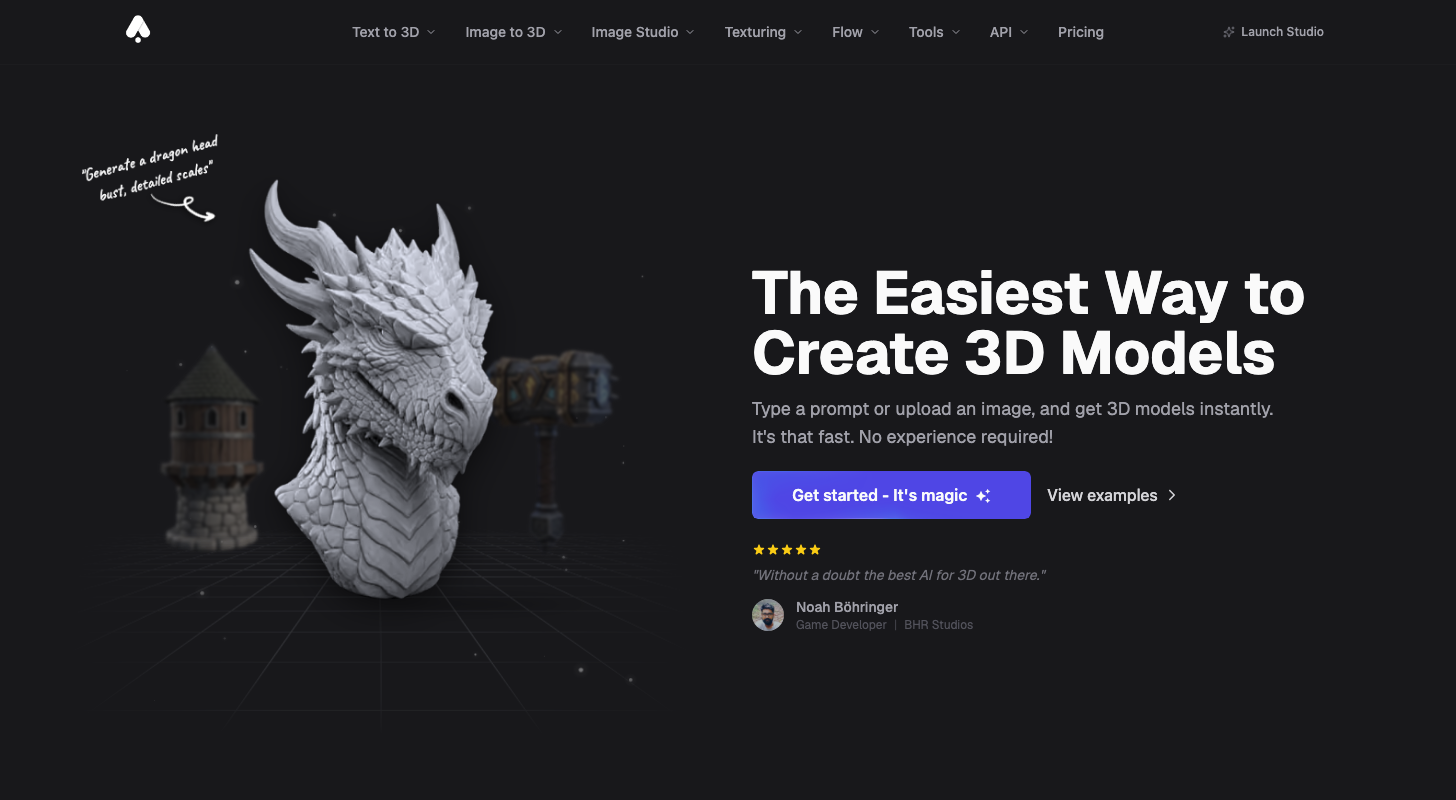
Not sure which AI engine handles your image best? 3D AI Studio lets you find out in one workspace. We think it's the best for trying multiple AI models because it puts its own Prism engines next to Meshy, Tripo, Rodin and Hunyuan, lets you switch engines on every generation, and gives you 100 free credits a month with no credit card.
The Best Part:
One image, many engines. Run the same upload through Prism, Meshy, Tripo or Rodin and keep the result you like — no extra accounts to open.
The Worst Part:
Free credits go fast. Image to 3D costs 20 credits per generation, so the 100 free credits a month cover about five models before you need a paid plan.
Get it if you want to test several 3D engines on one image and keep the best result.
I recommend you start with the 100 free credits, then move up to Basic at $19/month.
(free credits)
Best For
3D AI Studio is best for anyone who wants to compare Meshy, Tripo, Rodin, and Hunyuan on the same image without opening a separate account for each.
Top Features
Switch engines per generation. The site lists its own Prism engines plus Meshy, Tripo, Rodin, and Hunyuan, and you can swap between them whenever you like.
Get a draft in about a minute. The site's FAQ says Prism Turbo creates draft models in 50-90 seconds, while the higher-quality engines take a few minutes.
Export to your own tools. Download as GLB, OBJ, FBX, STL, or USDZ and open the file in Blender, Unity, or your 3D printing slicer.
Clean it up at no extra cost. Texture AI and remeshing — rebuilding a messy model into cleaner geometry — are free with any plan.
Keep what you make. Your assets are private to your account, and the site says you own them and can use them commercially.
Pricing
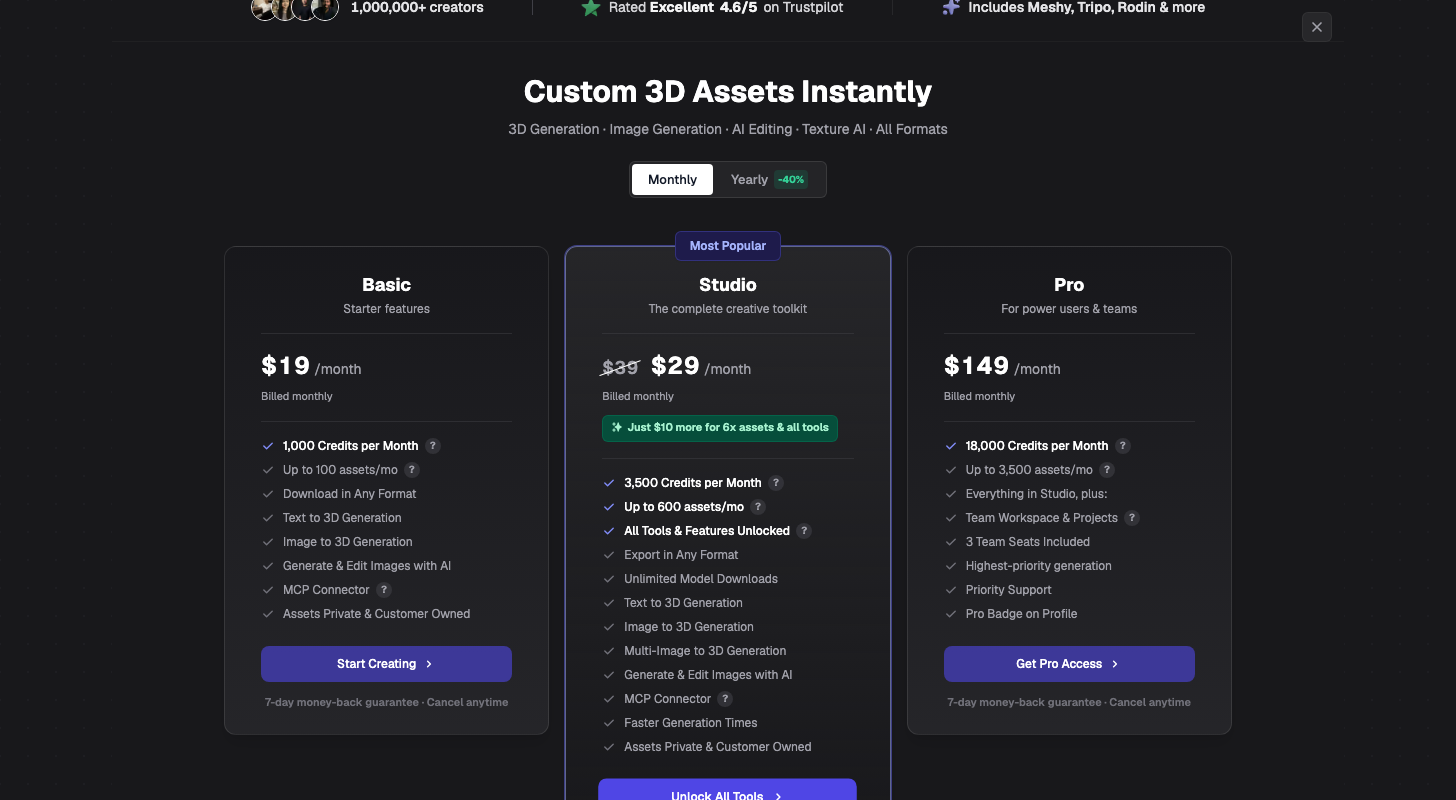
3D AI Studio offers three pricing plans:
- Basic: $19/month for 1,000 credits a month, or up to 100 assets.
- Studio: $29/month for 3,500 credits a month, or up to 600 assets.
- Pro: $149/month for 18,000 credits a month and three team seats.
Annual subscriptions provide up to a 37% discount. Try 3D AI Studio today with free credits.
6. Hi3D
Our Verdict — Best For 3D Printing
Price: Starts at $19.90/month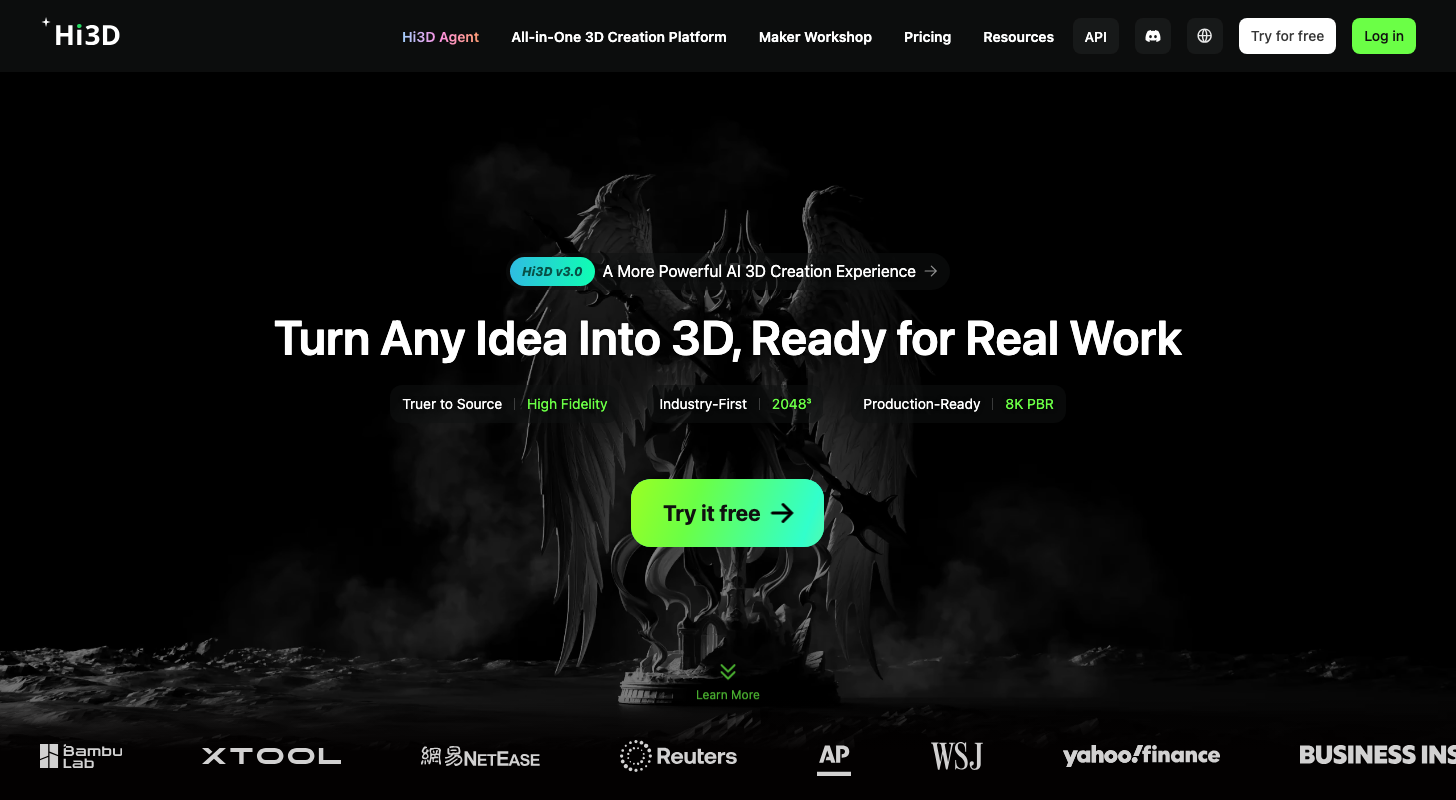
Hi3D (formerly Hitem3D) turns an image into a 3D model, and it's built with printing in mind. It earns the best for 3D printing slot with Split to Print, Multi-color Print and a Send to printer option, plus integrations with slicers (the apps that prep a model for your printer).
The Best Part:
Made for the print bed. Most generators stop at a pretty model and leave the printing part to you. Hi3D connects to Bambu Studio, OrcaSlicer, Snapmaker, Creality Print and ElegooSlicer.
The Worst Part:
The free plan won't hand over a file. Free comes with 100 credits, but no 3D model downloads, and the models you make are public (CC BY 4.0). Reviewers also say credits vanish fast and artifacts show up on some models.
Get it if you want to go from a picture to something you can actually print.
I recommend you get started with the free plan, then upgrade to Pro — $9.90 for the first month, then $19.90/month.
(100 free credits)
Best For
Hi3D is best for anyone who owns a 3D printer and wants a model from a photo or drawing without learning to sculpt.
Top Features
Split it before you print. Split to Print is part of the Hi3D workflow, so you can prep a model for your printer without leaving the tool.
Print it in color. Multi-color Print is built in, so a model doesn't have to come out as one flat shade of plastic.
Send it to the printer. Hi3D's plan comparison lists a Send to printer option and Smart Layout, so the model can go from Hi3D to your print queue with fewer steps.
Export what your printer reads. Hi3D exports STL, the format most printers expect, plus GLB, OBJ, FBX and USDZ for games, AR and visuals.
Start from one image. Hi3D says its image to 3D workflow takes minutes, and Multi-view to 3D is there when one photo isn't enough.
Pricing
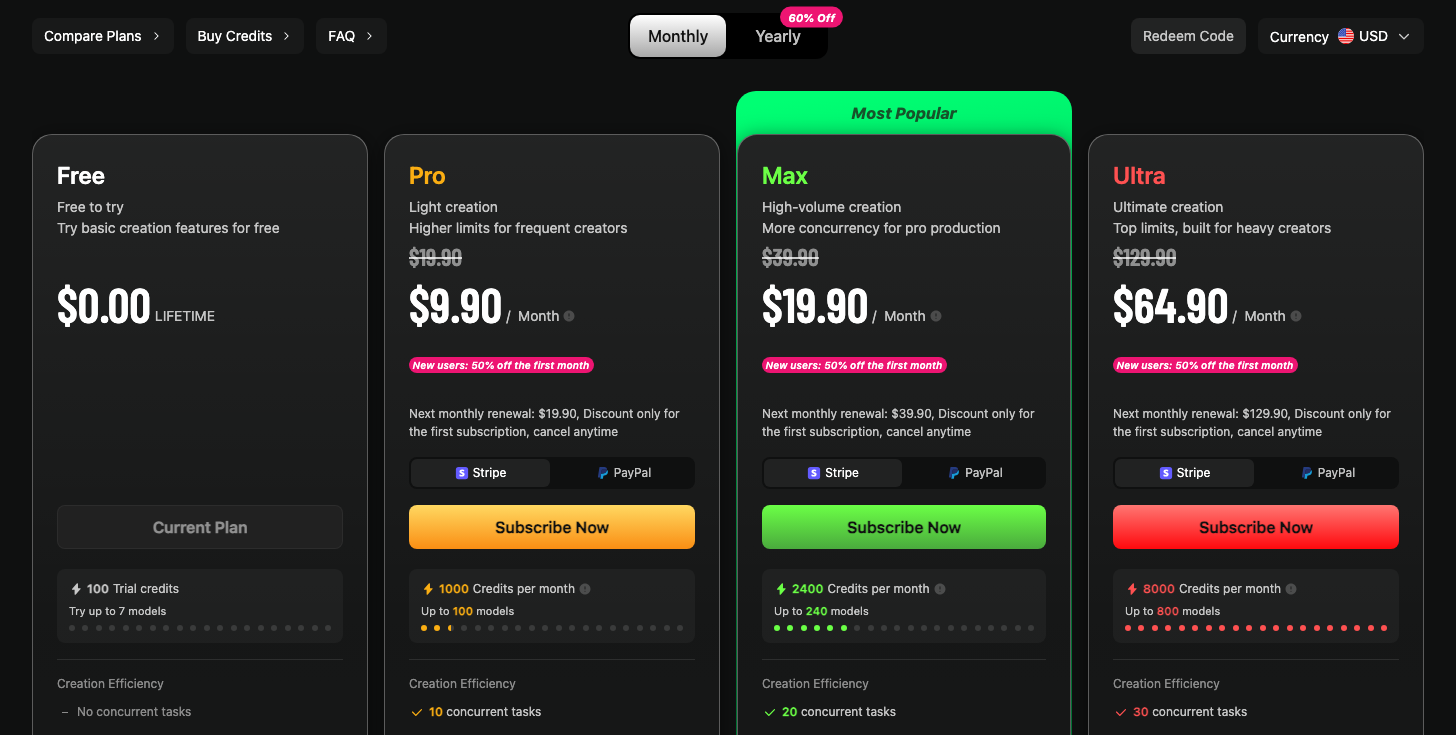
Hi3D offers four pricing plans:
- Free: Free forever, for 100 trial credits for life.
- Pro: $9.90 for the first month, then $19.90/month for 1,000 credits a month, or up to 100 models.
- Max: $19.90 for the first month, then $39.90/month for 2,400 credits a month, or up to 240 models.
- Ultra: $64.90 for the first month, then $129.90/month for 8,000 credits a month, or up to 800 models.
Try Hi3D today with 100 free credits.
7. Neural4D
Our Verdict — Best For Product Design
Price: Starts at $19.90/month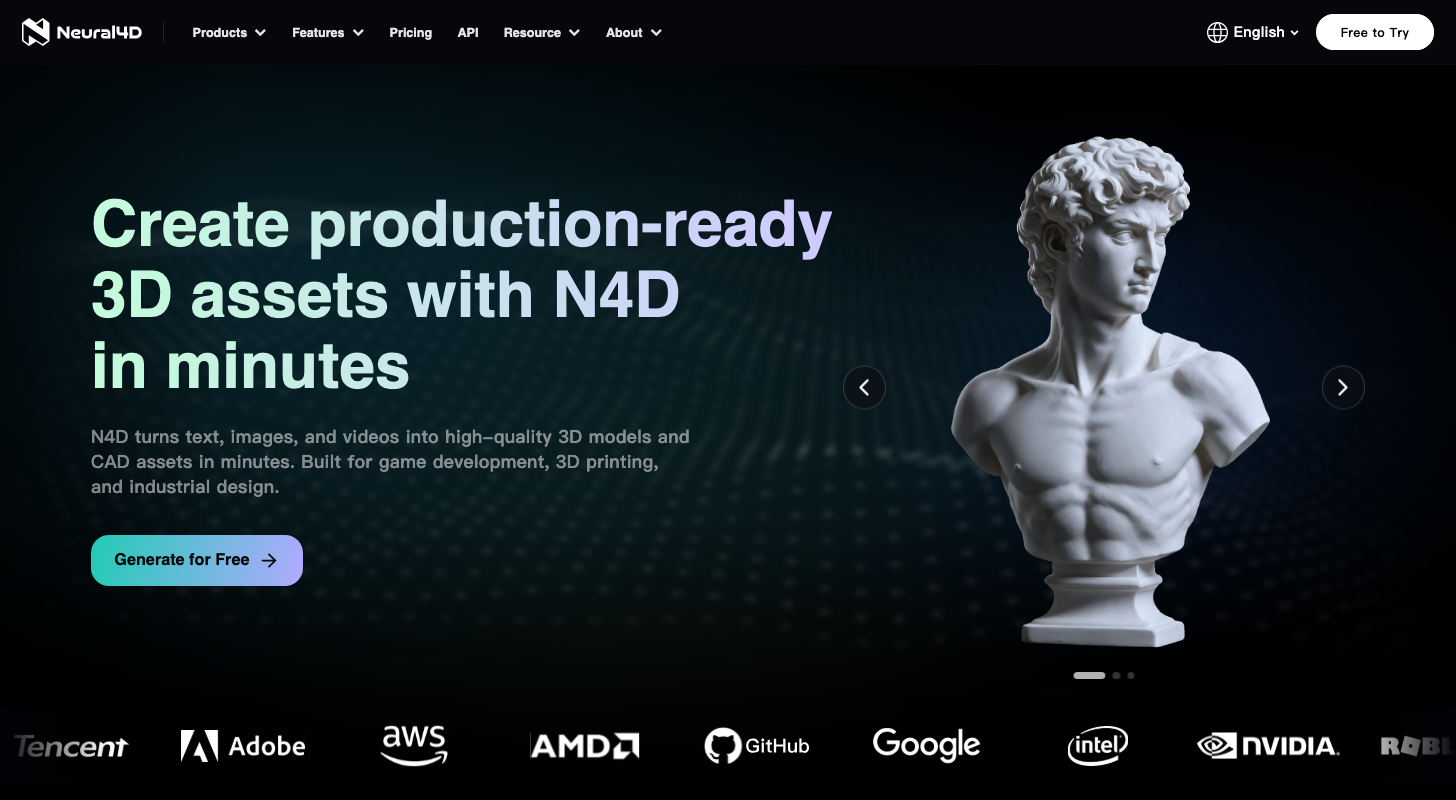
Neural4D turns text, images and videos into 3D models and CAD files (the exact-measurement kind engineers use) in minutes. We think it's the best for product design because of its Specialized CAD Agent and the STL export that goes straight to a 3D printer.
The Best Part:
Parts with exact sizes. The Specialized CAD Agent builds functional parts from plain language, like a bracket connector, and Neural4D's own blog says the model re-renders in about two seconds after each change.
The Worst Part:
Free means public domain. On the free plan, what you generate enters the public domain, and Neural4D asks you to credit it on any commercial page — you only own your models on a paid plan.
Get it if you want a functional part you can measure, tweak and print.
I recommend you get started with the free plan (50 credits a week), then upgrade to Go — $9.90 for the first month, then $19.90/month.
(free plan)
Best For
Neural4D is best for anyone who designs physical parts or products and wants a printable file fast, not a sculpted character.
Top Features
Print it straight away. Models export to STL, so they can go from the screen to a 3D printer without a detour.
Start from anything. Feed it a sentence, a photo or a video and get a 3D model back.
Open it in any tool. Download in six formats: .obj, .fbx, .glb, .usdz, .stl and .blend.
Failed runs cost nothing. Credits spent on a generation that fails from a system error are refunded automatically within a few minutes.
Split and color. Part Split and Smart Multicolor, available on the paid plans, break a model into pieces and add color for multicolor prints.
Pricing
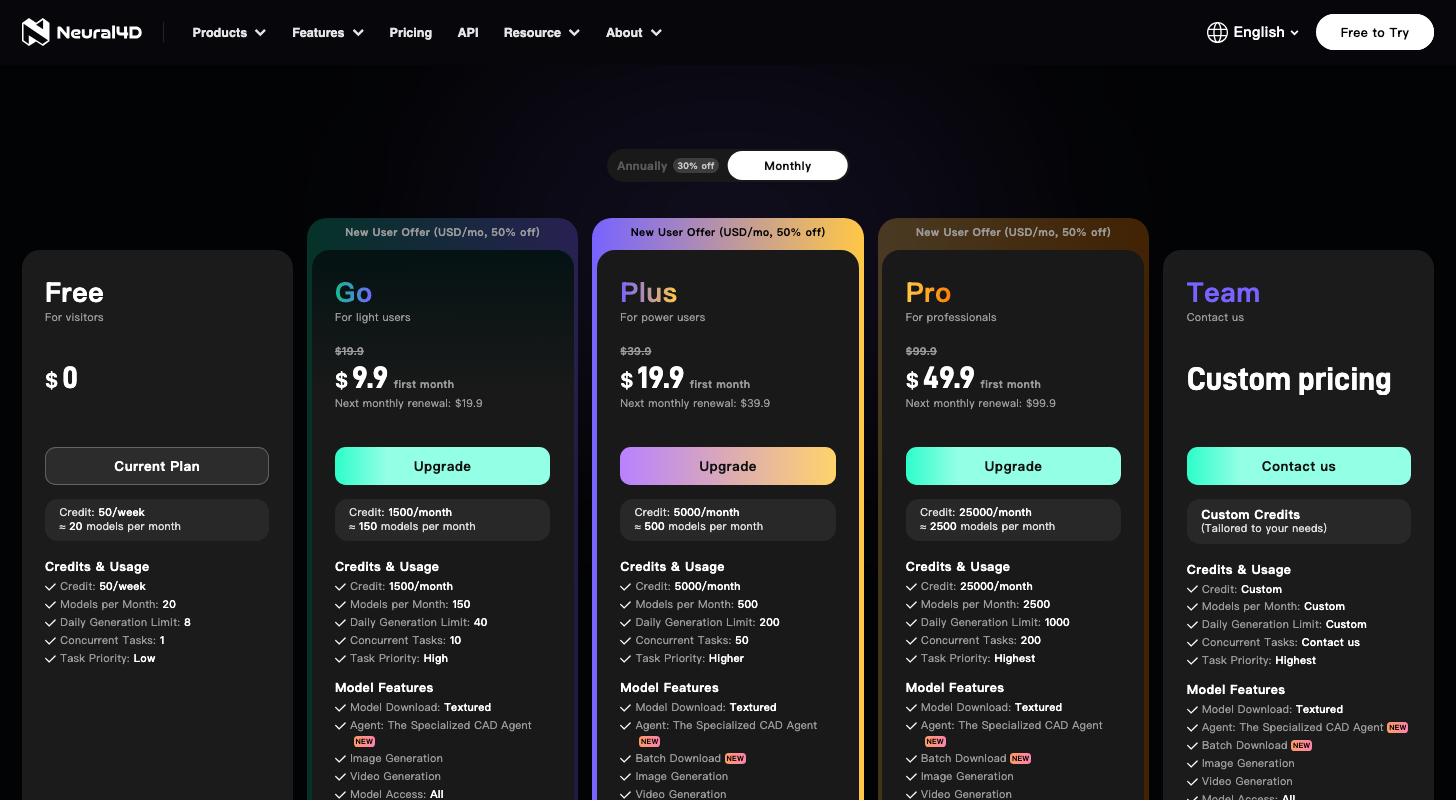
Neural4D offers five pricing plans:
- Free: Free forever, for 50 credits a week, or about 20 models a month.
- Go: $9.90 for the first month, then $19.90/month for 1,500 credits a month, or about 150 models.
- Plus: $19.90 for the first month, then $39.90/month for 5,000 credits a month, or about 500 models.
- Pro: $49.90 for the first month, then $99.90/month for 25,000 credits a month, or about 2,500 models.
- Team: Custom pricing, for teams that need custom credits.
Annual subscriptions provide a 30% discount.
Try Neural4D today with the free plan.
Our Top Three Picks
Here's a quick summary of our top three picks:
- Meshy — best of the best
- Tripo AI — best for game-ready models
- Hyper3D Rodin — best for realistic textures
Here's a quick comparison of our top seven picks:
Tool | Entry Offer | Pricing |
|---|---|---|
Meshy | Free plan | Starts at $20/mo |
Tripo AI | Free plan | Starts at $20/mo |
Hyper3D Rodin | Free previews | Starts at $30/mo |
Sloyd | Free plan | Starts at $15/mo |
3D AI Studio | Free credits | Starts at $19/mo |
Hi3D | 100 free credits | Starts at $19.90/mo |
Neural4D | Free plan | Starts at $19.90/mo |
Here are the top 50 AI 3D model generators we considered in this review:
- Meshy
- Tripo AI
- Hyper3D Rodin
- Sloyd
- 3D AI Studio
- Hi3D
- Spline
- Tencent Hunyuan3D
- Microsoft TRELLIS
- Kaedim
- Meta SAM 3D
- Neural4D
- Polycam
- Alpha3D
- Stable Fast 3D
- Roblox Cube 3D
- Krea
- Scenario
- Zoo Text-to-CAD
- RapidDirect AI Creator
- Customuse
- Stable Point Aware 3D
- InstantMesh
- OmniPart
- Magic 3D
- Modelfy 3D
- Backflip AI
- Adam CAD
- Womp
- PrintPal
- Step1X-3D
- Direct3D-S2
- PartCrafter
- Seed3D
- Seele AI
- STL AI
- Leonardo.ai
- Layer AI
- Manex3D
- Snap Lens Studio
- Autodesk Flow Studio
- Avaturn
- WorldEngen
- Shap-E
- CraftsMan3D
- Unique3D
- LGM
- Ludo.ai
- Rosebud AI
- TripoSR
Frequently Asked Questions About AI 3D Model Generators
What is an AI 3D model generator?
An AI 3D model generator is software that turns a text prompt or an image into a 3D model you can rotate, texture and export. Most tools hand you a file in formats like GLB, OBJ or STL. Once you have an STL file, you can prepare it in 3D printing software.
Which AI 3D model generator is best overall?
Meshy is our top pick overall. It turns text or an image into a textured 3D model in about a minute, adds rigging and animation, exports to eight formats including FBX, GLB and STL, and has a free plan, which makes it the one to start with.
How do free and paid AI 3D model generators differ?
Free plans cap your credits and often limit what you can do with the model. Meshy’s free output is licensed CC BY 4.0, so commercial use needs attribution, and Tripo’s free plan is non-commercial with public models. Paid plans add more credits and private models. Start free to test the quality, then pay once you know which tool fits your images.
Which AI 3D model generator is best for product design?
Neural4D is our pick for product design. It turns text, images and video into 3D models and CAD files, and its Specialized CAD Agent builds CAD models from plain-English descriptions. The free plan gives you weekly credits to test the generator before you pay.
What is the best AI 3D model generator for realistic textures?
Pick Hyper3D Rodin when surface detail matters. It has an HD Texture option and Multi-image to 3D, so you can feed it several photos of the same object. You can also generate for free and pay only when you confirm a result.
Which AI 3D model generator is best for 3D printing?
Hi3D is our pick for 3D printing. Split to Print and Multi-color Print are built in, it exports STL, and it lists integrations with slicers like Bambu Studio, OrcaSlicer and Creality Print.
What should I look for when choosing an AI 3D model generator?
Start with the output: does the model look clean from every angle, and are the textures sharp? Then check the export formats for your use case, such as STL for printing or FBX for game engines. Last, read the license and the credit math, and make sure the free plan is enough to test the tool properly.
How long does it take to turn an image into a 3D model?
It depends on the tool. Meshy says its image-to-3D takes about a minute, and Tripo says a textured model is ready in under a minute. On 3D AI Studio, the Prism Turbo engine makes draft models in 50-90 seconds. Neural4D and Hi3D say it takes minutes, and Hyper3D Rodin and Sloyd promise seconds. Complex models and busy queues on free plans can take longer.
Meshy vs Sloyd: which one should I choose?
Meshy is our best overall pick, while Sloyd is the best free option. Go with Meshy for the fuller package: textures, rigging and animation in one place. Choose Sloyd if you want to start without paying: the free Guest plan gives you a daily AI generation plus unlimited templates in your browser.
The Bottom Line
To recap, here are the best AI 3D model generators to try this year:
- Meshy — best of the best
- Tripo AI — best for game-ready models
- Hyper3D Rodin — best for realistic textures
- Sloyd — best free option
- 3D AI Studio — best for trying multiple AI models
- Hi3D — best for 3D printing
- Neural4D — best for product design