

Today there are over 100 different AI dance video generators. We compared the top 50 to find the seven best you can use to make a photo dance today.
What is the Best AI Dance Video Generator?
1. Viggle
Our Verdict — Best Of The Best
Price: Starts at $9.99/month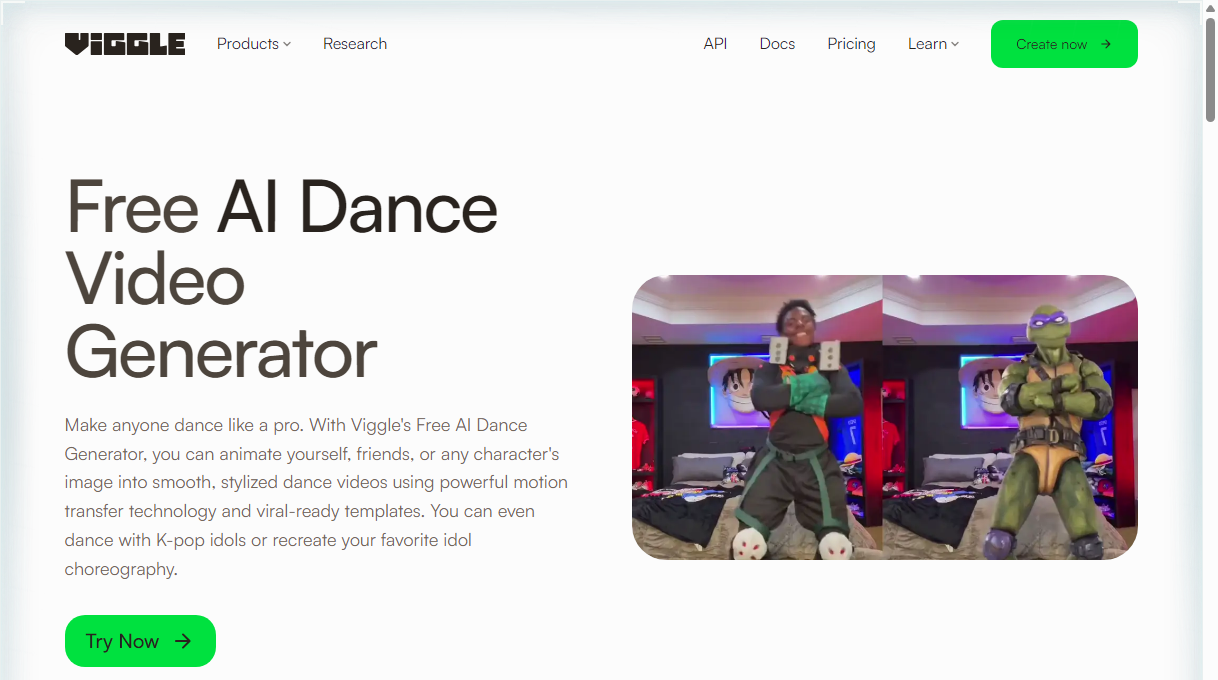
Viggle is a dance generator built around one idea: a single photo becomes a full-body character that dances. We think it's the best of the best because of its library of 8,000+ templates, its ability to copy the moves from a clip you upload, and a free plan that gives you five dance videos a day.
The Best Part:
A template for every trend. Viggle's dance page lists 8,000+ free templates, from TikTok challenges and K-pop routines to ballet spins and afrobeat.
The Worst Part:
Thin free plan. Free gives you five dance videos a day, but Viggle's pricing table lists No watermark only for Pro, Live and Max. Check how your free clips look before you post them.
Get it if you want to turn one photo into a dancing character without filming anything.
I recommend you start on the free plan to test a few templates, then move to Pro at $9.99/month once you want no watermark and 80 credits a month.
(free plan)
Best For
Viggle is best for anyone who wants to put themselves, an avatar, a drawing or a pet into a trending dance.
Top Features
Start from one photo. Upload a selfie, a character image or a drawing, and Viggle turns it into a full-body character ready to dance.
Copy any clip. Upload a dance video you like and the character performs the same moves as in the video. Paid plans accept clips up to 10 minutes.
Try it before you sign up. Viggle says you can generate one video on its dance page without signing in, and signed-up free users get five dance videos a day.
Stay in control of who dances. Viggle's community rules say “Do not use photos of your friends, family, or anyone else without consent.”
Room to scale. Pro runs up to four generations at once, Live runs six and Max runs 10, so batches of trend videos don't queue up one by one.
Pricing
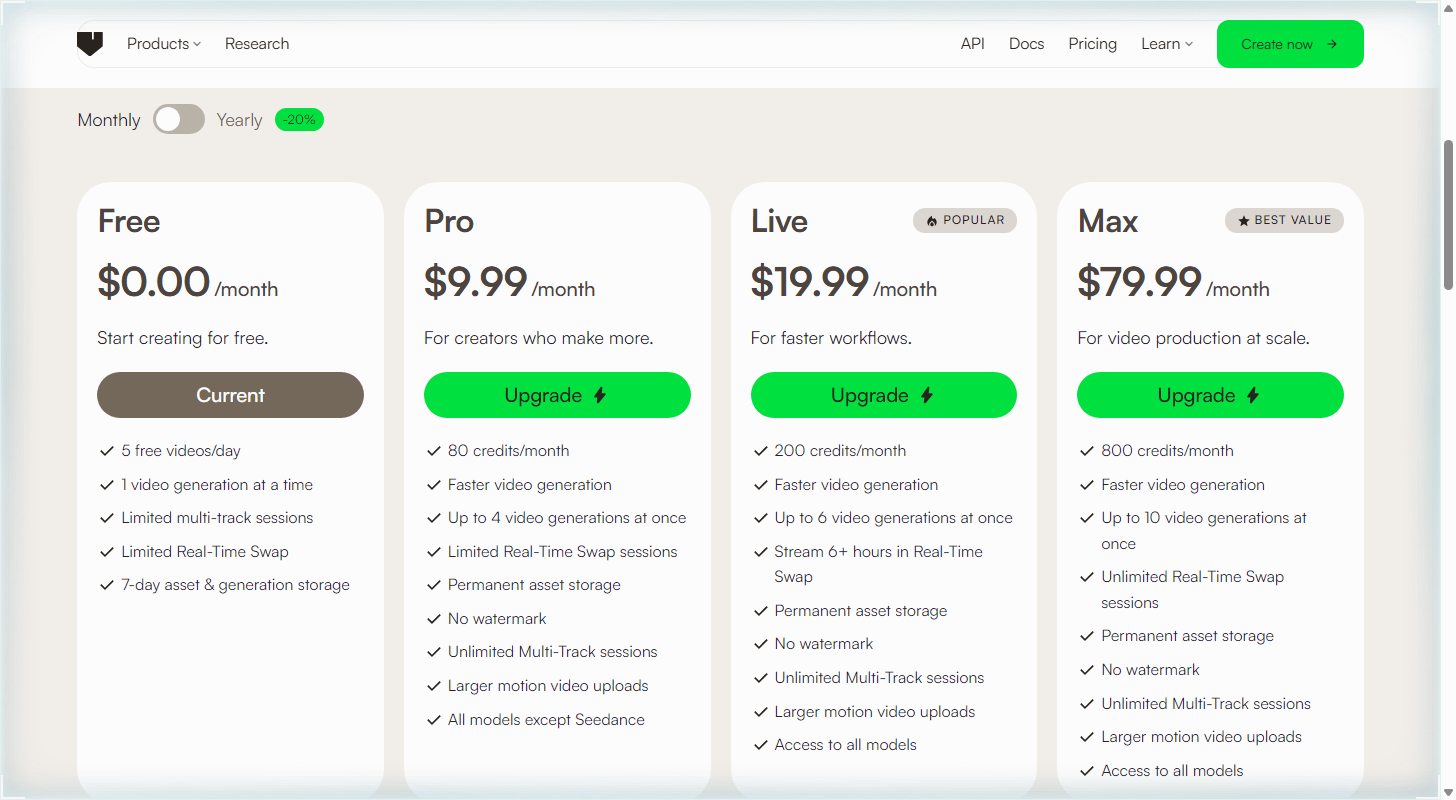
Viggle offers four pricing plans:
- Free: Free forever, for five free dance videos a day.
- Pro: $9.99/month for 80 credits a month.
- Live: $19.99/month for 200 credits a month.
- Max: $79.99/month for 800 credits a month.
Annual subscriptions provide a 20% discount. Try Viggle today with the free plan.
2. Kling AI
Our Verdict — Best For Realistic Motion
Price: Starts at $8.80/month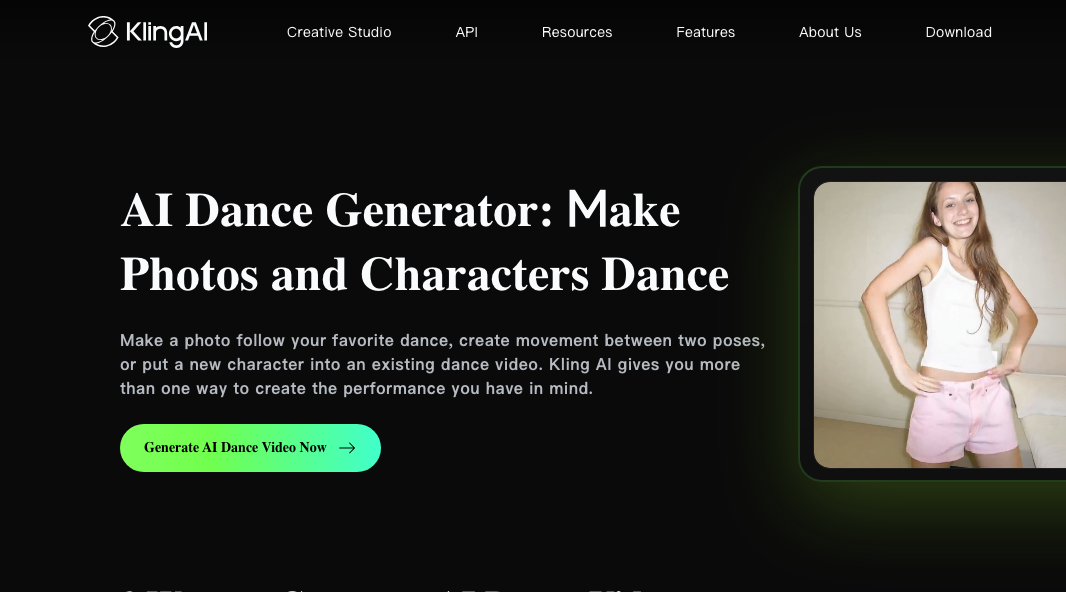
Kling AI is the one to open when you want a dance that looks like a person moved it. We think it's the best for realistic motion because of its Motion Control tool, which copies the steps from a clip you upload onto your photo, and its 1080p output.
The Best Part:
Real steps, not guesses. Motion Control takes a dance clip from three to 30 seconds and applies those moves to your photo, so the character follows the choreography you picked.
The Worst Part:
No monthly credits for free. Kling AI's free tier comes with no monthly credits, and its daily free credits are listed as a subscriber perk. It also sits at 1.2 out of five on Trustpilot across 405 reviews, with complaints about credits and billing.
Get it if you want a photo to copy a real dance, step for step.
I recommend you start with Standard: $6.99 for the first month, then $8.80/month.
($6.99 first month)
Best For
Kling AI is best for anyone who has a dance clip they love and wants their own character doing it, with smooth, believable movement.
Top Features
Copy any move. Upload your own dance clip, or pick a move from the Motion Library, and Kling AI maps it onto your photo.
Bring your character. Kling AI says humanlike anime, game, mascot and 3D characters usually match best, so your avatar can dance too. Pets may move less predictably.
Sharp output. Motion Control currently supports 720p and 1080p generation, enough for TikTok and Reels.
Dance between two poses. Give it a start and an end pose and Kling AI builds the dance that connects them.
Up to 30 seconds of reference. Motion Control accepts dance reference videos from three to 30 seconds long.
Pricing
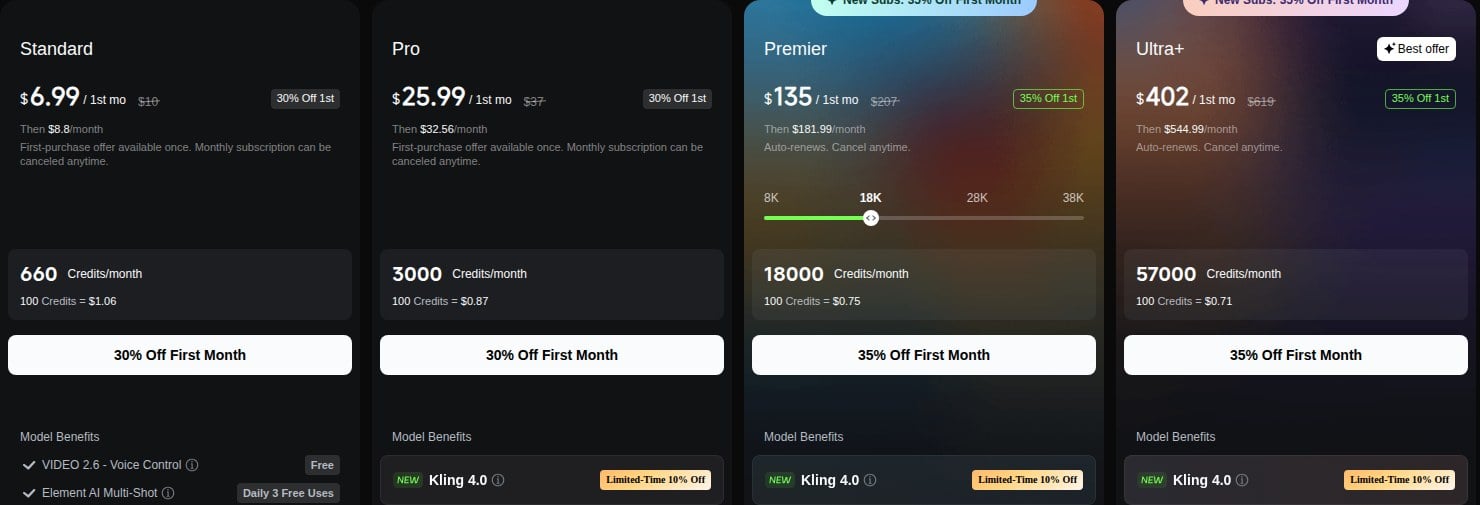
Kling AI offers four pricing plans:
- Standard: $6.99 for the first month, then $8.80/month for 660 credits a month.
- Pro: $25.99 for the first month, then $32.56/month for 3,000 credits a month.
- Premier: $135 for the first month, then $181.99/month for 18,000 credits a month.
- Ultra+: $402 for the first month, then $544.99/month for 57,000 credits a month.
Annual subscriptions provide a 25% discount.
Try Kling AI today with a $6.99 first month.
3. Pollo AI
Our Verdict — Best For Copying Real Dance Moves
Price: Starts at $15/month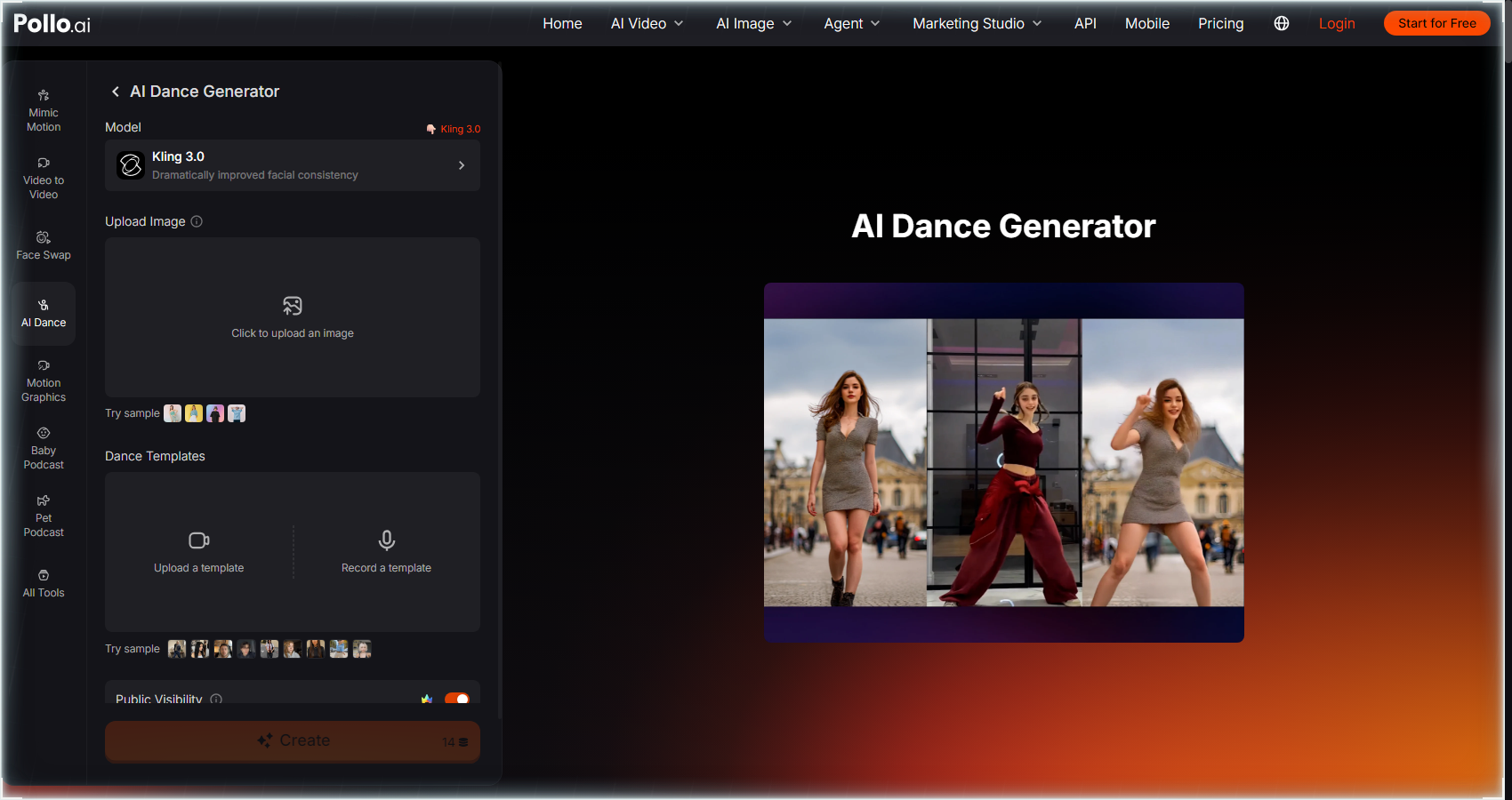
Pollo AI is an AI video site that runs several video models, with a dedicated AI Dance page. We think it's the best for copying real dance moves because you can record or upload your own steps, and a photo of yourself, your character or your pet performs them.
The Best Part:
Your steps. Pollo AI's Dance Templates section lets you record or upload your own routine — your photo then performs it, so the result follows moves you actually picked, not just a preset.
The Worst Part:
Credits go fast. On the AI Dance page, the Create button showed 14 credits with the Kling 3.0 model when we checked, and Lite gives you 400 credits a month that don't roll over. Trustpilot reviewers praise the speed but say the credits run out quickly.
Get it if you want to copy real dance moves onto your own photo.
I recommend you get started with the 20 free credits, then upgrade to Lite for $15/month.
(free credits)
Best For
Pollo AI is best for anyone with a routine in mind, like a clip of your own steps, who wants a photo of themselves, a character or a pet to perform it.
Top Features
Dance your own routine. Record or upload your own steps in Dance Templates and Pollo AI applies them to your photo.
Start from a trend. The template library covers TikTok dances, hip-hop and breakdance, so you can skip the choreography.
Mimic a motion. Mimic Motion takes your photo plus a motion template and has the photo repeat those moves.
Pick your speed. Mimic Motion offers a Standard mode for fast, smooth motion and a Pro mode for more precise movement.
Faces hold up. The dance page runs on Kling 3.0, which Pollo AI describes as “dramatically improved facial consistency.”
Pricing
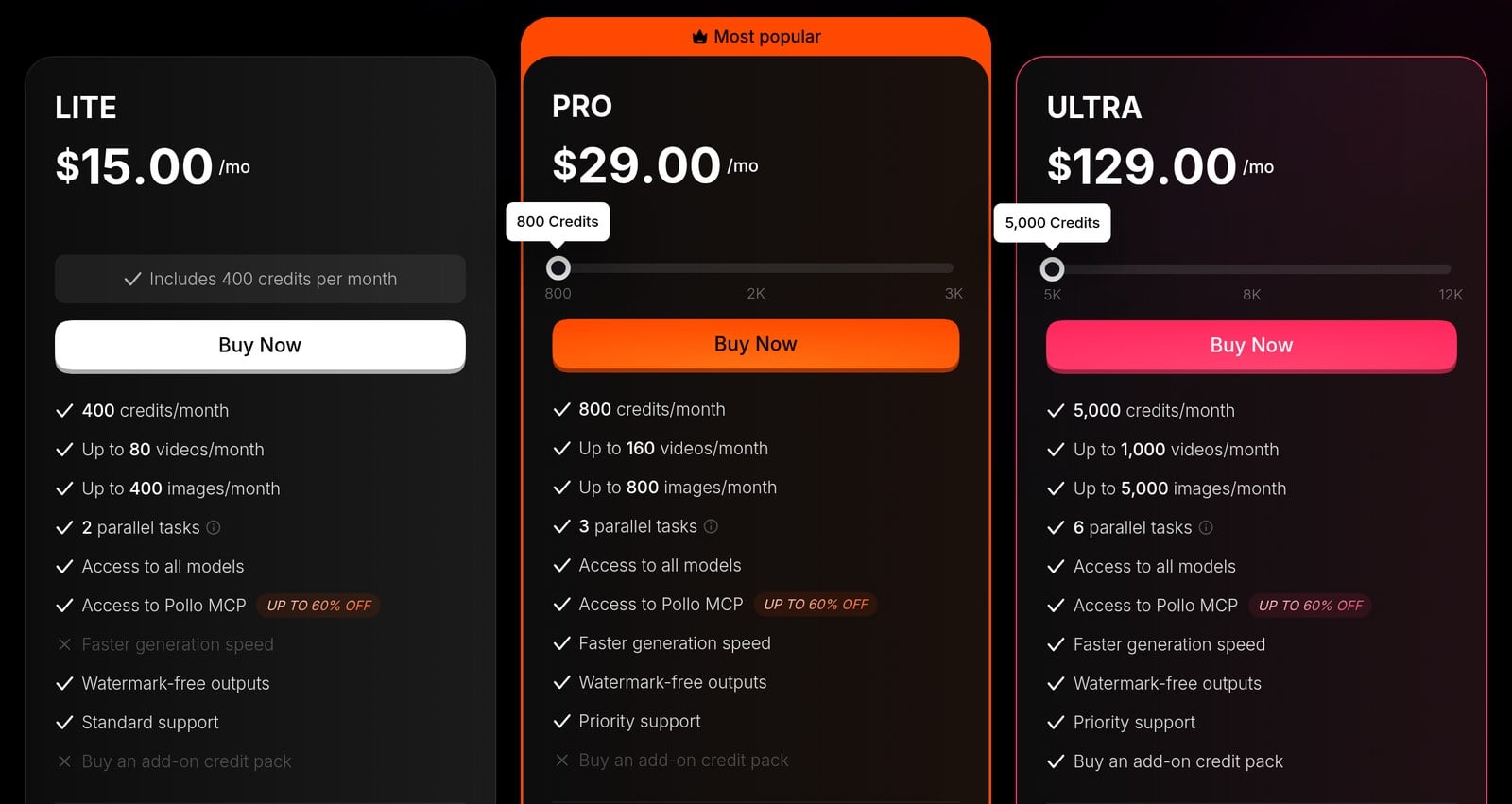
Pollo AI offers three pricing plans:
- Lite: $15/month for 400 credits a month.
- Pro: $29/month for 800 credits a month.
- Ultra: $129/month for 5,000 credits a month.
Annual subscriptions provide up to a 50% discount.
Try Pollo AI today with free credits.
4. Vidnoz
Our Verdict — Best Free Option
Price: Starts at $12.99/month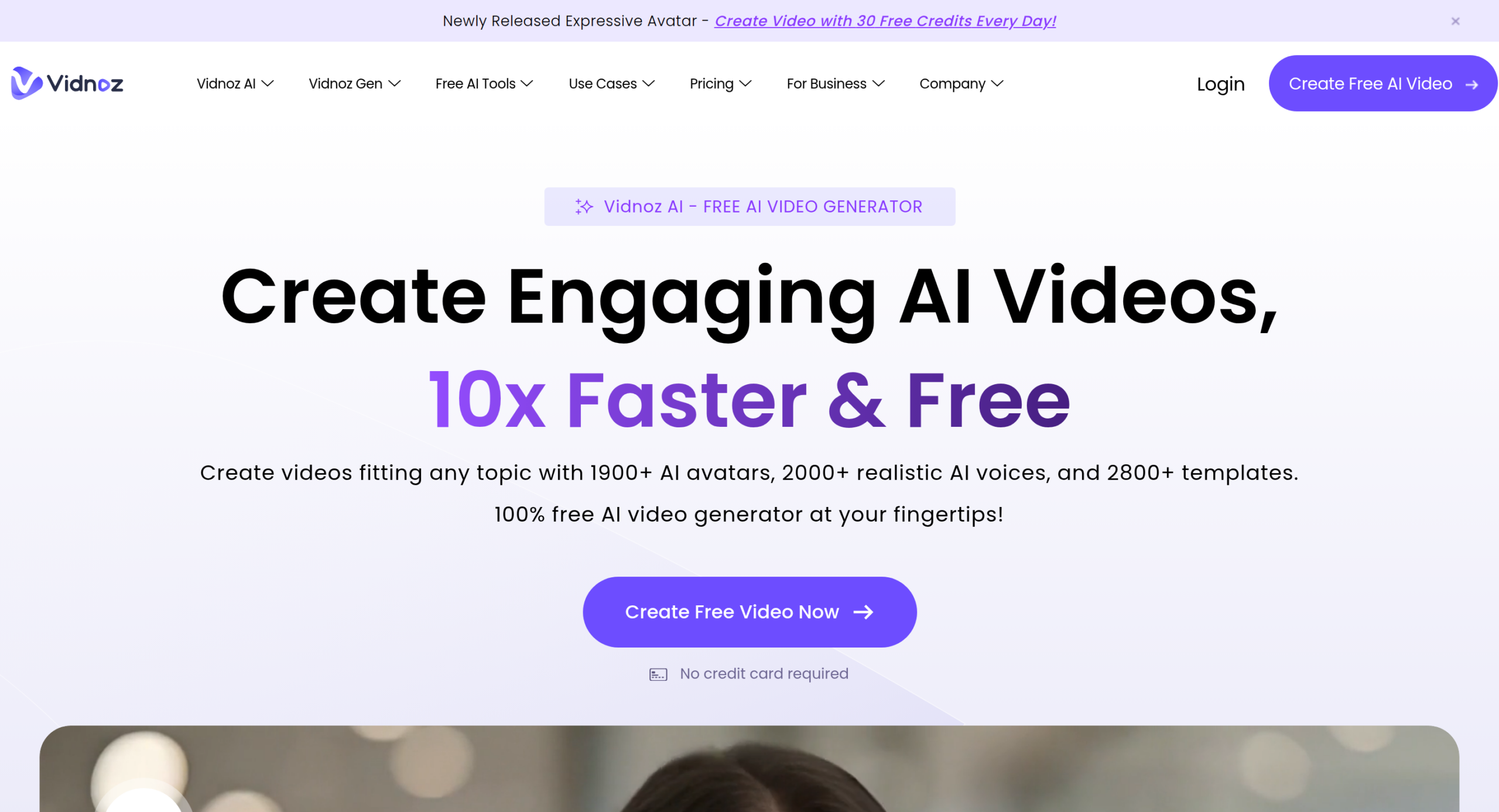
You don't need a subscription to make a photo dance. Vidnoz earns the best free option slot because its Photo Dance tool is free to use — the page says it's “100% free” — with 115+ dance moves and songs to pick from, or your own template if you'd rather upload one.
The Best Part:
Pick a move, hit go. Upload a photo, choose a song and a dance motion, then click Generate Now. Vidnoz says it takes “a few clicks and several minutes,” so it's a fast way to test a trend.
The Worst Part:
The free part has a catch. Vidnoz sits at 2.1 out of five on Trustpilot across 82 reviews, and some reviewers say they couldn't get a free video to finish at all. Treat the free promise as something to test before you build a posting plan around it.
Get it if you want a dancing photo without paying a cent.
I recommend you start with Photo Dance on the free plan, then move to 180 Credits at $12.99/month if you want your dance videos without a watermark.
(free plan)
Best For
Vidnoz is best for anyone who wants to make a selfie, an anime character or a mascot dance without paying or installing anything.
Top Features
Pick your move. Choose from 115+ trending dance motions and music, so you don't have to design a routine from scratch.
Bring your own steps. Prefer your own choreography? Upload your own template and the tool builds a custom dancing video around it.
Any picture works. Vidnoz lists selfies, anime art, Iron Man and even statues as photo sources, and recommends a clear full-body photo of your character.
Download for free. You can download your dance video at no cost and share it to TikTok, Facebook and Discord. Free videos carry a Vidnoz watermark and stay in your account for seven days.
Nothing to install. It runs in your browser, so there's no app to download and no iOS or Android requirement.
Pricing
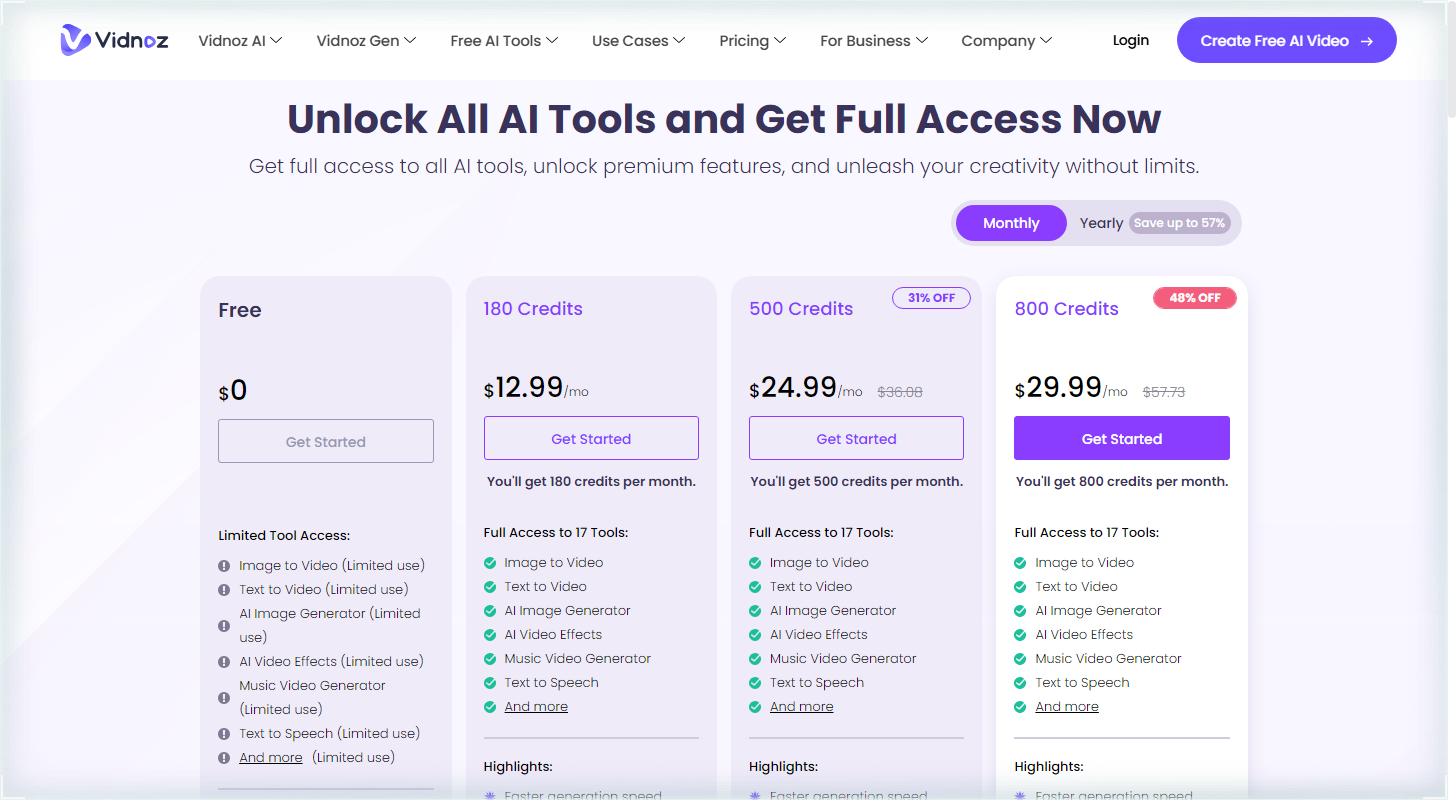
Vidnoz offers four pricing plans:
- Free: Free forever, for limited use of Photo Dance, with a watermark and seven-day storage.
- 180 Credits: $12.99/month for 180 credits a month, or 18 dance videos, with no watermark.
- 500 Credits: $24.99/month for 500 credits a month, or 50 dance videos.
- 800 Credits: $29.99/month for 800 credits a month, or 80 dance videos.
Annual subscriptions provide up to a 23% discount. Try Vidnoz today with the free plan.
5. DomoAI
Our Verdict — Best For Viral Dance Trends
Price: Starts at $13/month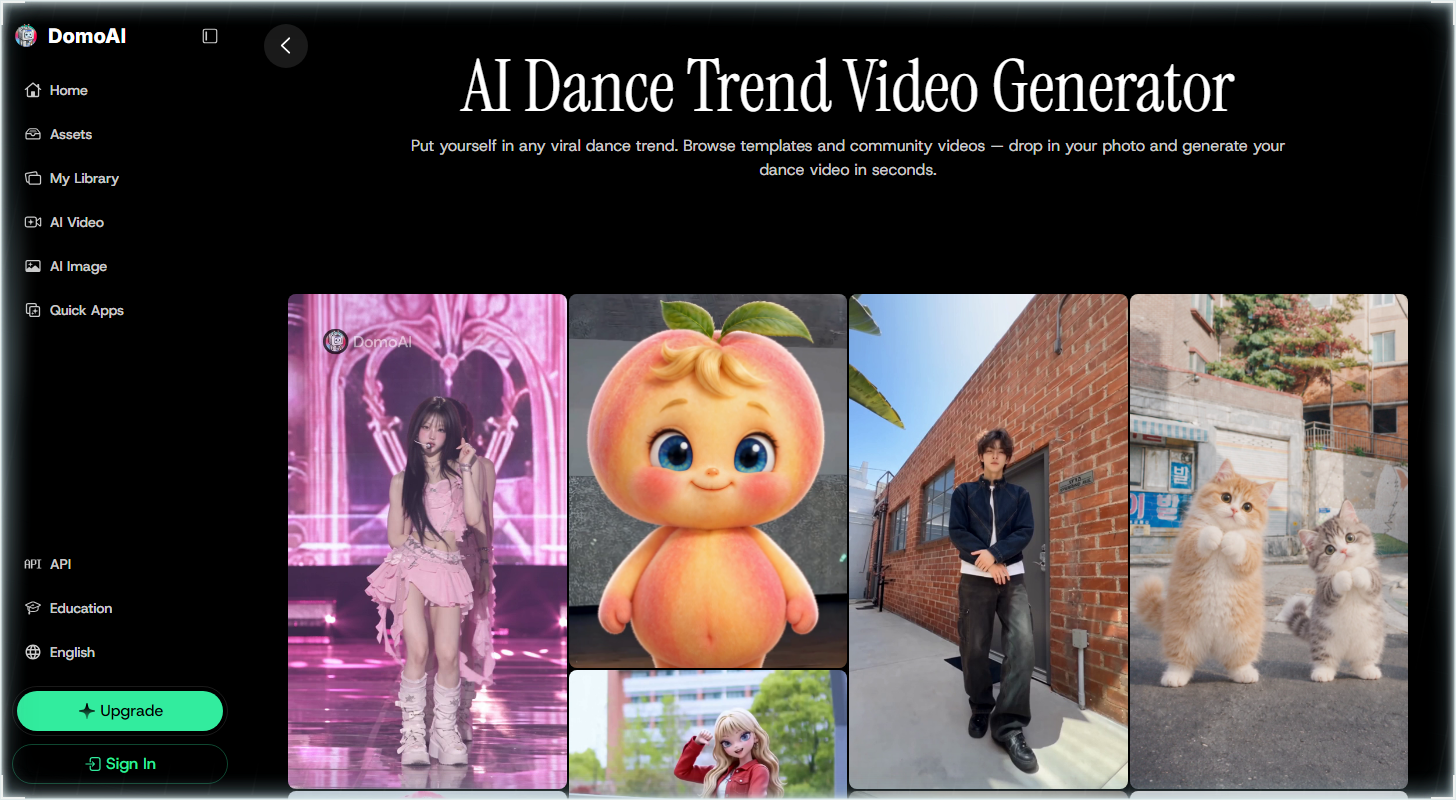
DomoAI is a video generator with a page built for dance trends. We think it's the best for viral dance trends because of its template library, its community videos you can browse for ideas, and its Character to Video tool that makes a photo copy the moves from a dance clip.
The Best Part:
Jump on any trend. Browse dance templates and community videos, drop in your photo, and DomoAI builds your own version of the dance.
The Worst Part:
No refunds. DomoAI says it “does not offer refunds for already paid fees,” and canceling only stops the next renewal. Basic runs $13/month if you pay month to month, so test with the free signup before you pay.
Get it if you want to put yourself or a character into a trending dance.
I recommend you start with the free sign-up to test a trend, then move to Basic at $13/month.
(free sign-up)
Best For
DomoAI is best for anyone chasing viral dance trends with one photo of themselves, a character, or a pet.
Top Features
Match a dance clip. Upload a dance clip as your reference video (the one the character copies) plus a character image, and Character to Video matches the choreography.
Not just people. DomoAI says Character to Video works on humans, animals, and any character, so your pet or mascot can join the dance.
No filming needed. You don't have to record yourself dancing. A reference video supplies the choreography, and your photo supplies the dancer.
Longer clips. Videos run up to 15 seconds on Seedance 2.0 and up to 30 seconds on DomoAI 2.4.1, though the 20 and 30 second lengths need Pro or Team.
Clean exports. Paid-plan output is watermark-free and carries commercial rights, so you can post it on a brand account.
Pricing
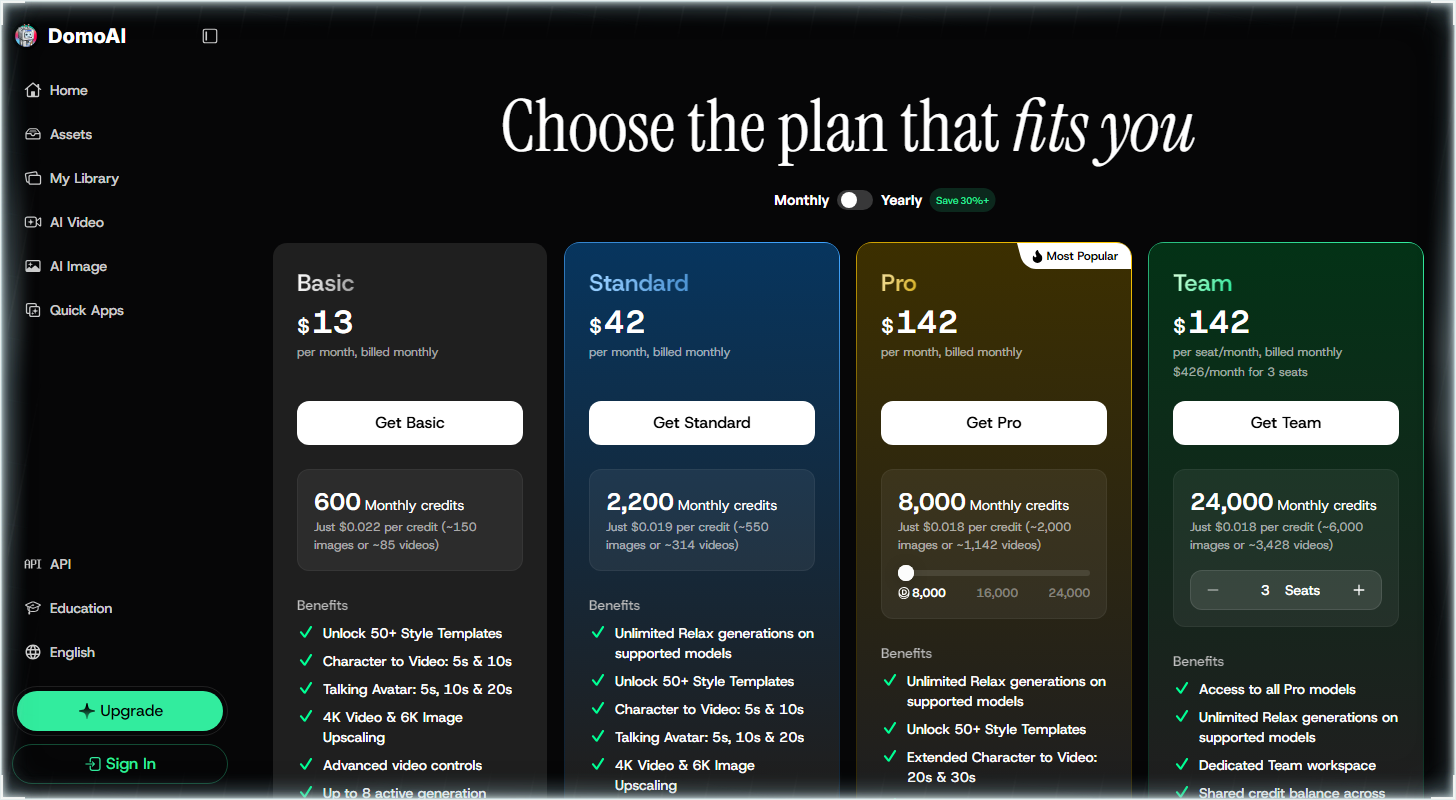
DomoAI offers four pricing plans:
- Basic: $13/month for 600 credits a month.
- Standard: $42/month for 2,200 credits a month and unlimited generations in the slower Relax mode.
- Pro: $142/month for 8,000 credits a month.
- Team: $142/month for each seat, with 24,000 credits a month for a three-seat team.
Annual subscriptions provide up to a 31% discount. Try DomoAI today with a free sign-up.
6. GoEnhance
Our Verdict — Best For Replacing Dancers In Videos
Price: Starts at $9.99/month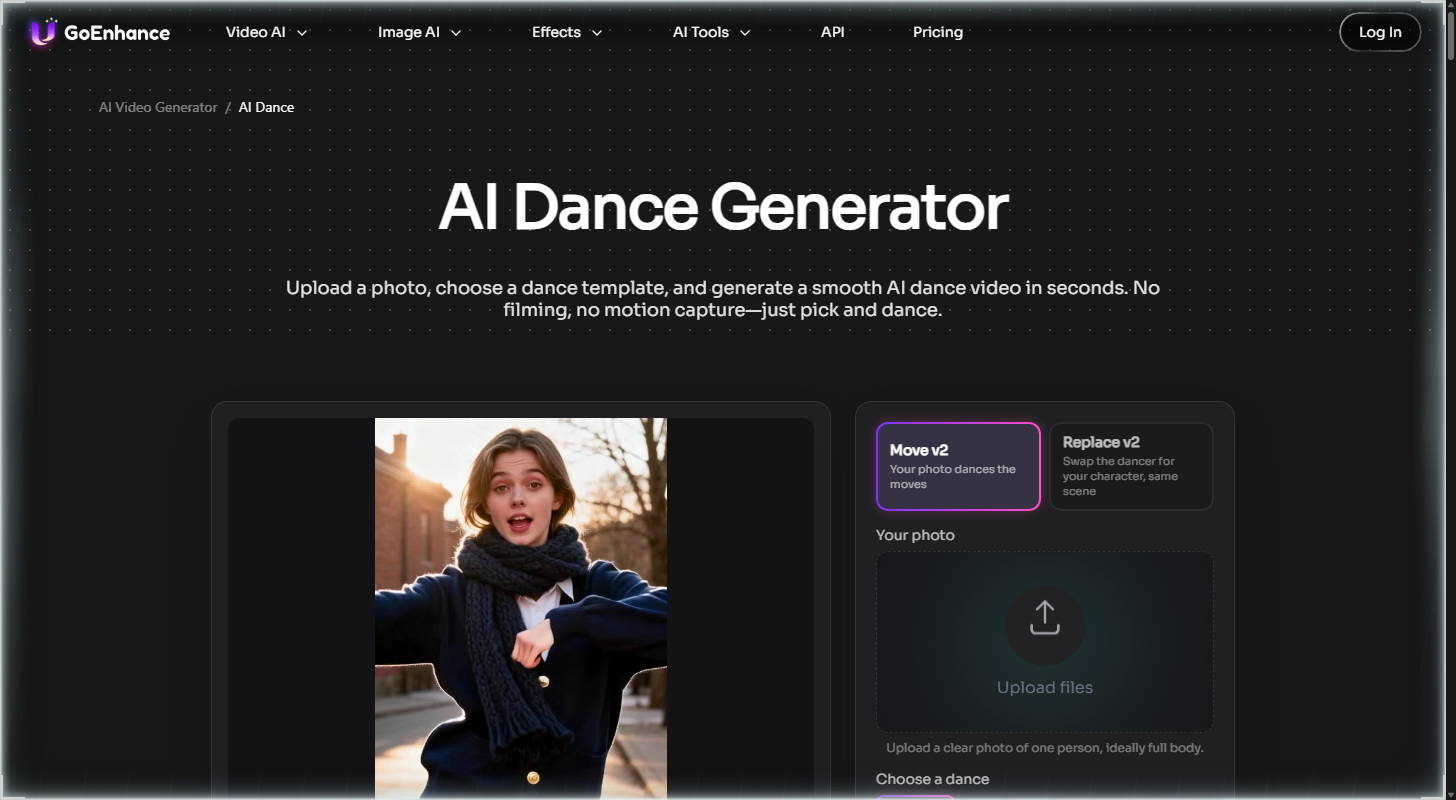
GoEnhance starts from the other end: you bring a dance clip you like, and it puts your own character into it. We think it's the best for replacing dancers in videos because of its Replace v2 mode, its 30+ dance templates, and the option to upload your own video.
The Best Part:
Three ways in, one page. GoEnhance puts Replace v2 next to Move v2 and Kling Motion, so you can swap the dancer in a clip you like or make your photo copy the moves from the same screen, starting at $9.99/month.
The Worst Part:
Basic is personal use only. GoEnhance says commercial use is only for Standard, Pro and Mega subscribers, and Standard runs $24.99/month billed monthly. Refunds are off the table too, since you waive them at sign-up.
Get it if you want to drop your character into a dance video that already exists.
I recommend you start with the 30 free tokens you get after logging in, then move to Basic for $9.99/month if you want watermark-free exports.
(30 free tokens)
Best For
GoEnhance is best for anyone who wants their own character, avatar or mascot to take over the dancer in a clip they already like.
Top Features
Swap the dancer. Replace v2 takes the dancer out of a video and puts your character in, with the scene left as it was.
Make your photo dance. Move v2 copies the moves from a reference dance video (the clip whose steps you want) onto your photo.
Pick a template or bring your own. You get 30+ built-in dance templates, or you can upload your own dance video or reuse one from your history.
Three motion models. GoEnhance lists Move (the Move v2 mode above), Kling Motion and Replace, so you can try a different engine on the same clip.
Two resolutions, one private mode. Videos come out in 480p or 720p, and Private Mode is on the feature list for clips you'd rather not share.
Pricing
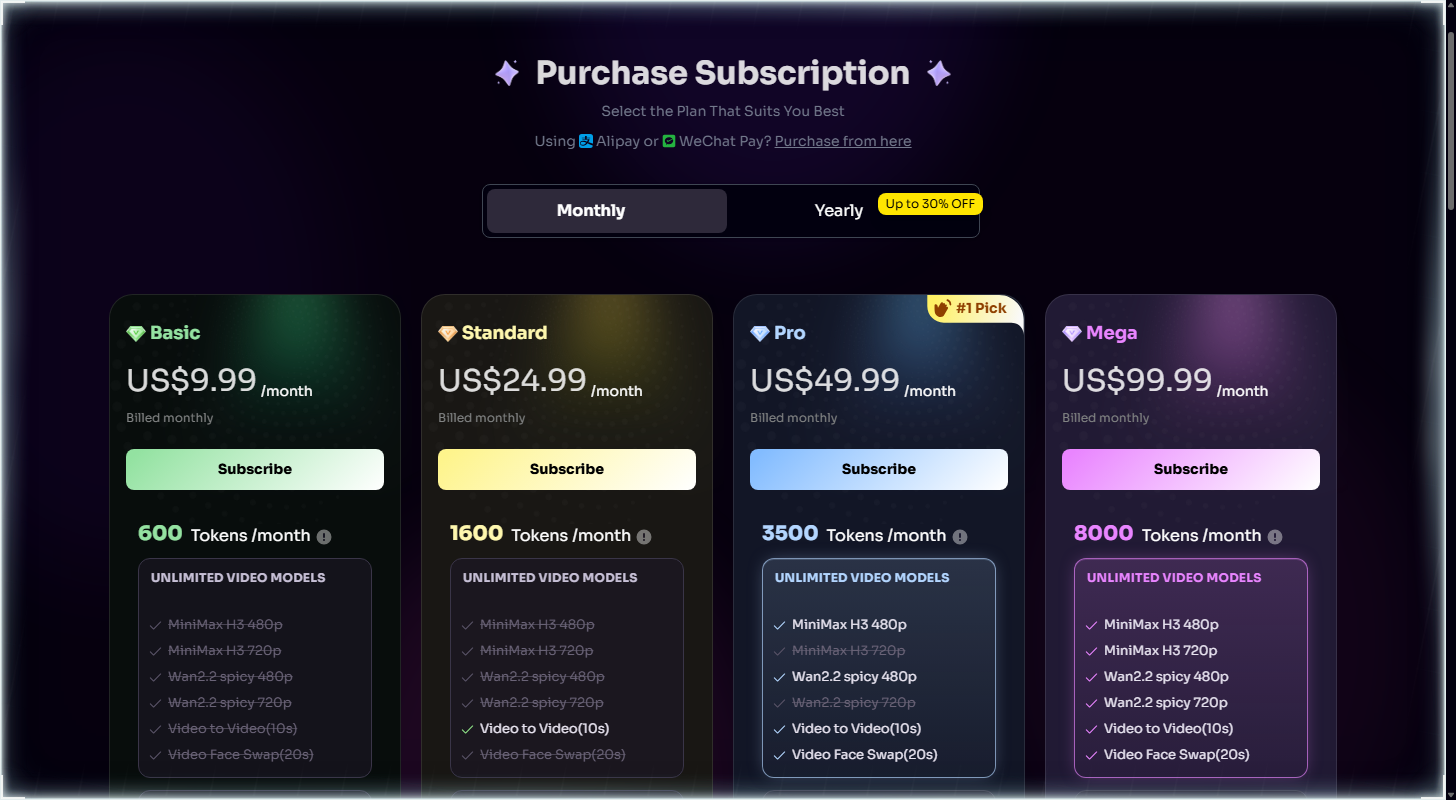
GoEnhance offers four pricing plans:
- Basic: $9.99/month for 600 tokens a month for personal use.
- Standard: $24.99/month for 1,600 tokens a month and a commercial license.
- Pro: $49.99/month for 3,500 tokens a month.
- Mega: $99.99/month for 8,000 tokens a month.
Annual subscriptions provide up to a 30% discount.
Try GoEnhance today with 30 free tokens.
7. PixVerse
Our Verdict — Best For Fun Dance Templates
Price: Starts at $10/month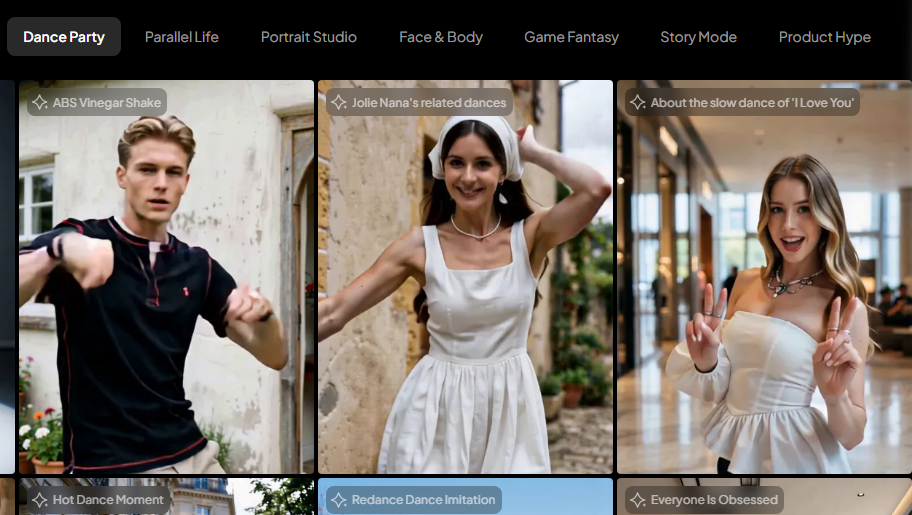
PixVerse is built around templates: open the Dance Party category, pick a dance, add a photo, and it does the rest. We think it's the best for fun dance templates because of its Dance Party library, its daily free credits, and a layout that doesn't ask you to learn a video tool first.
The Best Part:
Pick a dance, add a photo. Dance Party has templates like “Thriller Dance” and “Vogue Walk”, so you choose the moves first and the photo second. No prompt to write.
The Worst Part:
The reviews are rough. PixVerse sits at 2.3 out of five on Trustpilot from 127 reviews, and reviewers complain that a subscription doesn't cover every credit you end up spending. Credits are worth watching.
Get it if you want a quick dance clip from a photo, with the moves already picked for you.
I recommend you get started with the free plan (60 starting credits plus 30 a day), then upgrade to Standard for $10/month.
(free credits)
Best For
PixVerse is best for anyone who wants to see themselves or their character doing a trending dance fast, without filming a thing.
Top Features
Free credits every day. The free plan starts you with 60 credits and adds 30 more each day, so you can test a few templates before you pay. Free videos go up to 540p.
Dance first, effects second. Beyond Dance Party, the template tab has other categories like Face & Body, so one photo can go a lot of directions.
No watermark on paid plans. Standard lists “Watermark-free & Ad-free” and goes up to 720p, which is plenty for a TikTok or Reel.
4K when you need it. The Pro plan goes up to 4K and unlocks more video models, for $30/month billed monthly.
Cheap to start. Standard is $10/month, or $8/month billed yearly as $96, and it comes with 1,200 credits every 30 days plus 60 daily.
Pricing
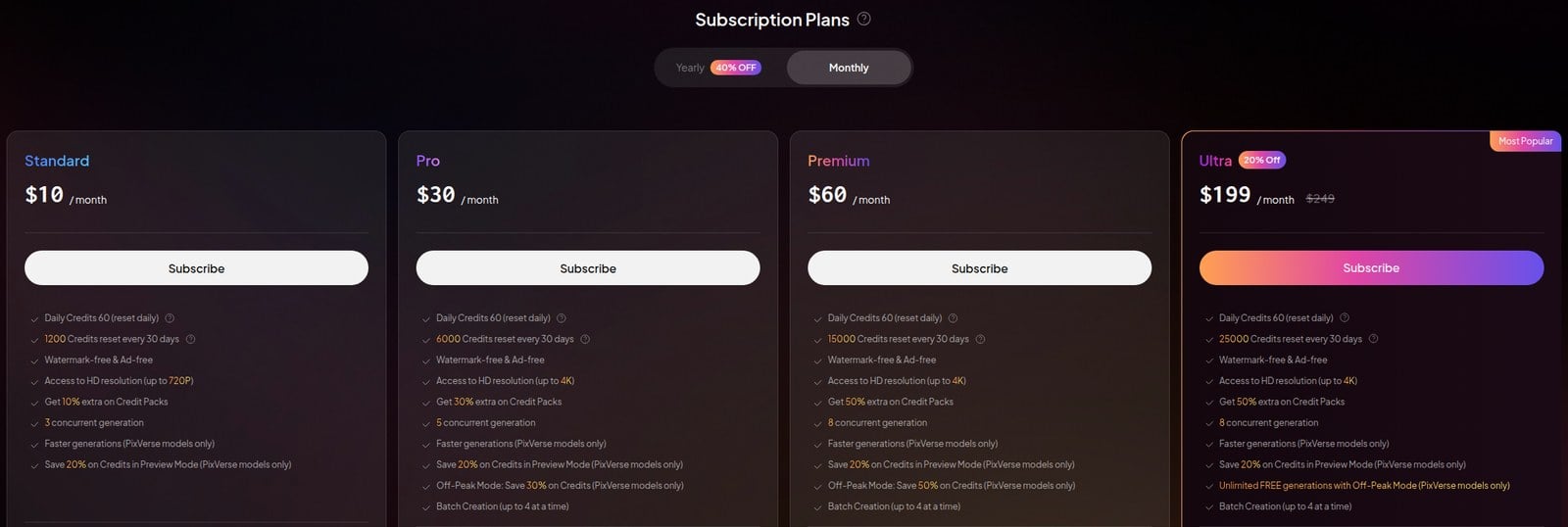
PixVerse offers four pricing plans:
- Standard: $10/month for 1,200 credits a month.
- Pro: $30/month for 6,000 credits a month and 4K videos.
- Premium: $60/month for 15,000 credits a month.
- Ultra: $199/month for 25,000 credits a month.
Annual subscriptions provide up to a 25% discount.
Try PixVerse today with free credits.
Our Top Three Picks
Here's a quick summary of our top three picks:
Here's a quick comparison of our top seven picks:
Tool | Entry Offer | Pricing |
|---|---|---|
Viggle | Free plan | Starts at $9.99/mo |
Kling AI | $6.99 first month | Starts at $8.80/mo |
Pollo AI | Free credits | Starts at $15/mo |
Vidnoz | Free plan | Starts at $12.99/mo |
DomoAI | Free sign-up | Starts at $13/mo |
GoEnhance | 30 free tokens | Starts at $9.99/mo |
PixVerse | Free credits | Starts at $10/mo |
Here are the top 50 AI dance video generators we considered in this review:
- Viggle
- Kling AI
- Pollo AI
- Vidnoz
- DomoAI
- GoEnhance
- PixVerse
- Runway
- Dreamina
- Freebeat
- Higgsfield
- YouCam
- HeyGen
- Luma Dream Machine
- Pika
- Hailuo AI
- Vidu
- Krikey AI
- FlexClip
- MyEdit
- Aitubo
- Kaiber
- Movely
- CapCut
- Makefilm
- MagicLight
- Magic Hour
- HitPaw
- Gaga AI
- Media.io
- Clipfly
- Vidgo
- Dreamlux
- Vidwud
- Filmora
- DeepMotion
- OpenArt
- Krea
- Canva
- Fotor
- Dzine
- Vheer
- AI Danza
- ImageToVideo AI
- Mango AI
- Alici AI
- Moveas
- InVideo
- Hedra
- Live3D
Frequently Asked Questions About AI Dance Video Generators
What is an AI dance video generator?
An AI dance video generator is software that takes a photo and makes the person or character in it perform dance moves. You pick a dance template or upload a clip of the moves you want, and the tool copies that movement onto your picture, so you can turn a photo into a video.
Which AI dance video generator is best overall?
Viggle is our top pick overall. Its dance page has 8,000+ free templates, a single photo becomes a full-body dancing character, and signed-up free users get five dance videos a day, which makes it the easiest one to start with.
How do free and paid AI dance video generators differ?
Free tiers cap your credits, resolution or daily videos. PixVerse, for example, gives you 60 starting credits plus 30 a day, up to 540p. Paid plans buy more generations, and some add commercial rights. Vidnoz's Photo Dance is free to use without a subscription, with a watermark on free videos, so it is our best free option.
Which AI dance video generator is best for fun dance templates?
PixVerse is our pick for fun templates. Its Dance Party category pairs your photo with templates like “Thriller Dance” and “Vogue Walk”, and the free plan is enough to try a few. Reach for it if you would rather pick a dance than build one.
What is the best AI dance video generator for realistic motion?
Pick Kling AI when you want the movement to look real. Motion Control takes your photo plus a reference video (a clip of the dance, 3 to 30 seconds long) and generates in 720p or 1080p. It works best on humanlike characters, including anime and mascots.
Which AI dance video generator is best for replacing dancers in videos?
GoEnhance is our pick for swapping the dancer. Its Replace v2 mode is described on the site as “Swap the dancer for your character, same scene”, so the video stays as it is and only the performer changes. You can use one of 30+ templates or your own clip.
Can I use someone else's photo in an AI dance video?
Only with their permission. Viggle's community rules say: “Do not use photos of your friends, family, or anyone else without consent.” Kling AI also tells you to get permission before using a recognizable person's photo. Stick to your own photo, a character of yours, a pet, or a photo from someone who said yes.
Which AI dance video generator is best for copying real dance moves?
Pollo AI. Its AI Dance tool lets you upload or record your own template, so your real steps get copied onto the photo, and Mimic Motion works from a reference video (a clip of the moves you want copied). If you just want to jump on a trend, DomoAI is our pick for viral dance trends.
Viggle vs Vidnoz: which one should I choose?
Viggle is our best overall pick, while Vidnoz is the one to reach for if you want to pay nothing. Go with Viggle for 8,000+ templates, upload your own clip, and five free dance videos a day. Go with Vidnoz for 115+ dance motions with music at no cost, and upgrade only if you want your videos without a watermark.
The Bottom Line
To recap, here are the best AI dance video generators to try this year: