

Today there are 61 different image to video AI tools. We compared the top 50 to find the seven best you can use to turn a still image into a moving clip today.
What is the Best Image to Video AI?
1. Kling AI
Our Verdict — Best Of The Best
Price: Starts at $6.99/month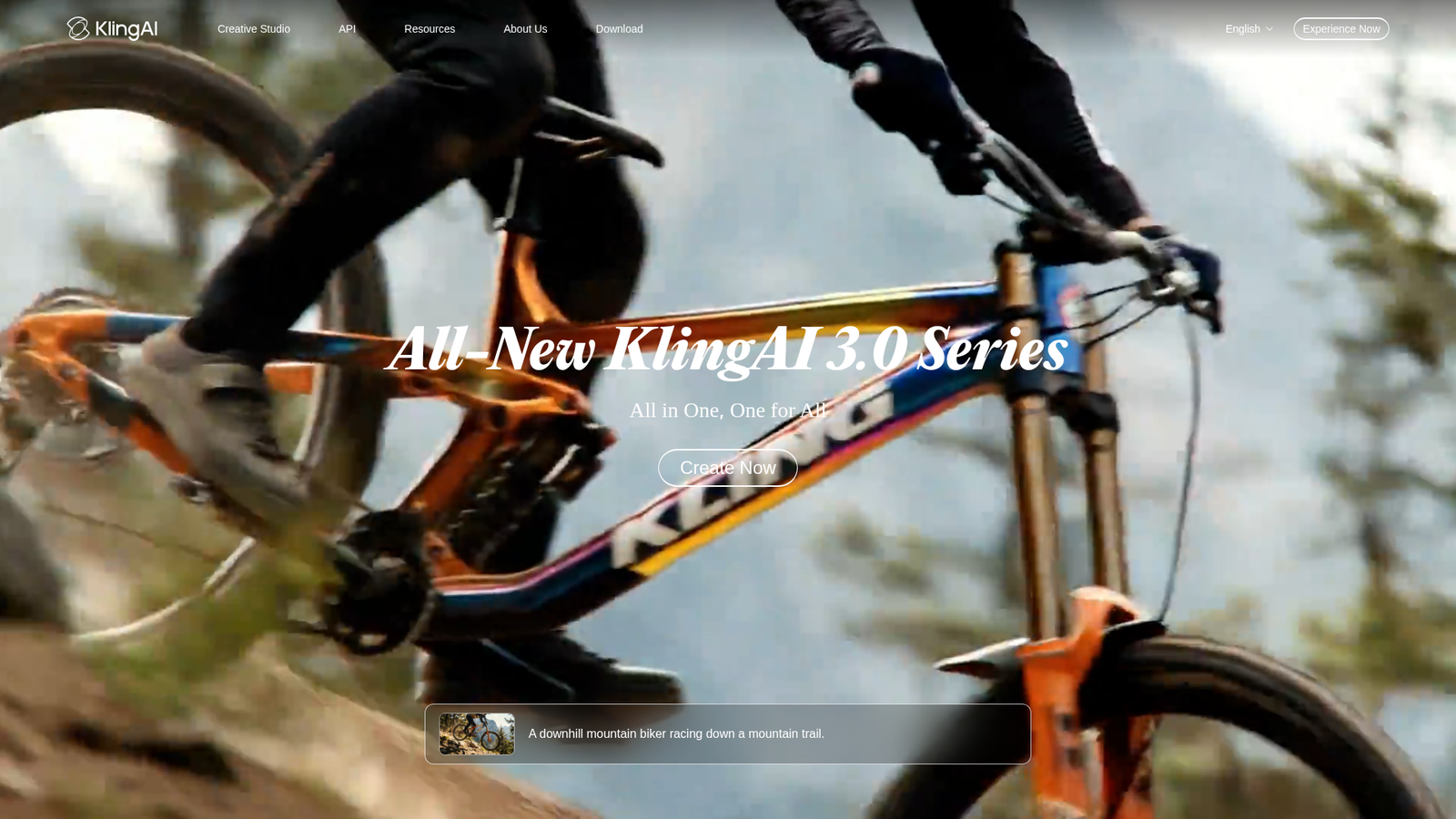
Kling AI is the tool the whole category gets measured against right now. We think it's the best of the best because Kling animates your image in native 4K, holds a character consistent across a multi-shot storyboard, and the all-new Kling 4.0 adds native 30-second generation with stable, dynamic motion.
The Best Part:
Quality per dollar. Kling 3.0 generates clips with synced native audio, and Kling 4.0 goes up to 30 seconds natively — top-shelf output at mid-tier prices.
The Worst Part:
Promo maze. Kling's checkout is a wall of first-month discounts and renewal percentages, so the price on the card is rarely the price you'll pay in month two. Check the renewal number before you commit.
Get it if you want the strongest overall image to video engine without paying flagship prices.
I recommend you start on the free tier to feel the model out, then upgrade to Standard at $6.99 for the first month and $8.80/month after that.
(free plan)
Best For
Kling AI is best for anyone who wants the sharpest image animation money can buy right now.
Top Features
Start from any frame. Feed Kling a single image and it builds the motion around it, or hand it a reference set and it keeps faces, outfits and props consistent from shot to shot.
Direct the whole scene. The multi-shot storyboard mode chains up to six cuts into one continuous sequence, so you get an edited-feeling clip out of one generation instead of stitching takes yourself.
Sound included. Kling 3.0 generates native audio with the video, in multiple languages, so your animated image comes out as a finished clip, not a silent draft.
4K without upscaling. Output is native 4K on the current model — you're not paying a second tool to upscale a soft 1080p render.
Image model in the same seat. Image 3.0 ships alongside the video models, so you can generate the still and animate it without ever leaving the app.
Pricing
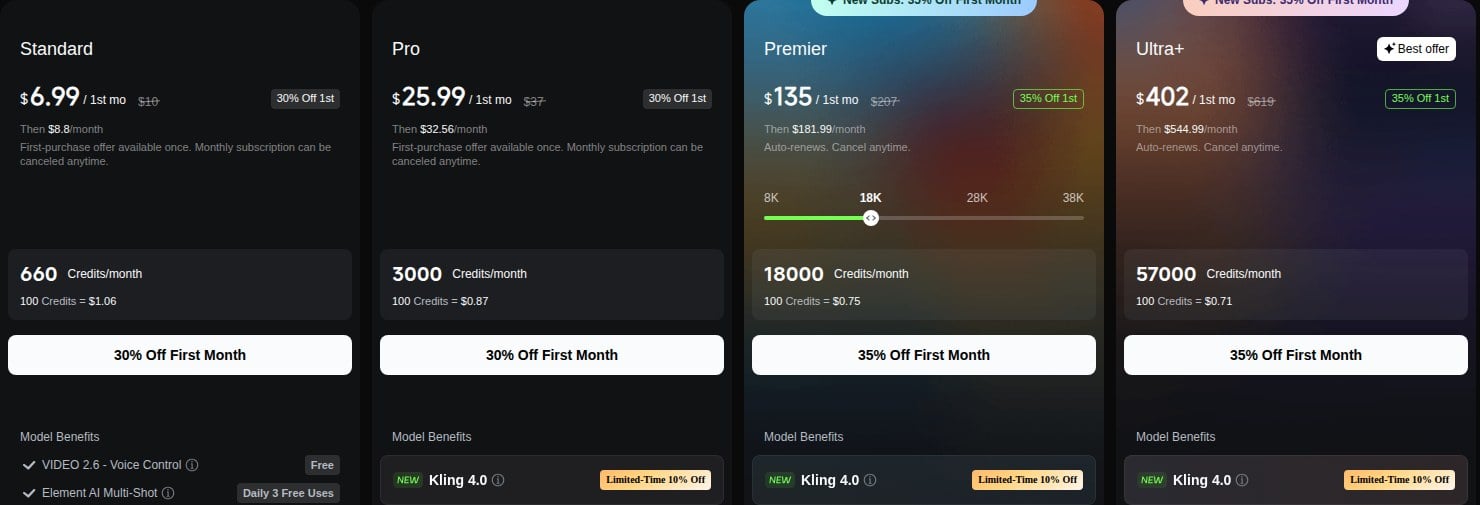
Kling AI offers four pricing plans:
- Standard: $6.99 for the first month, then $8.80/month, for 660 credits — enough to test real workloads.
- Pro: $25.99 for the first month, then $32.56/month, for 3,000 credits — the volume tier.
- Premier: $135 for the first month, then $181.99/month, for 18,000 credits, with credit tiers from 8,000 to 38,000.
- Ultra+: $402 for the first month, then $544.99/month, for 57,000 credits, built for heavy production.
Try Kling AI today with the free plan.
2. Runway
Our Verdict — Best For Professionals
Price: Starts at $15/month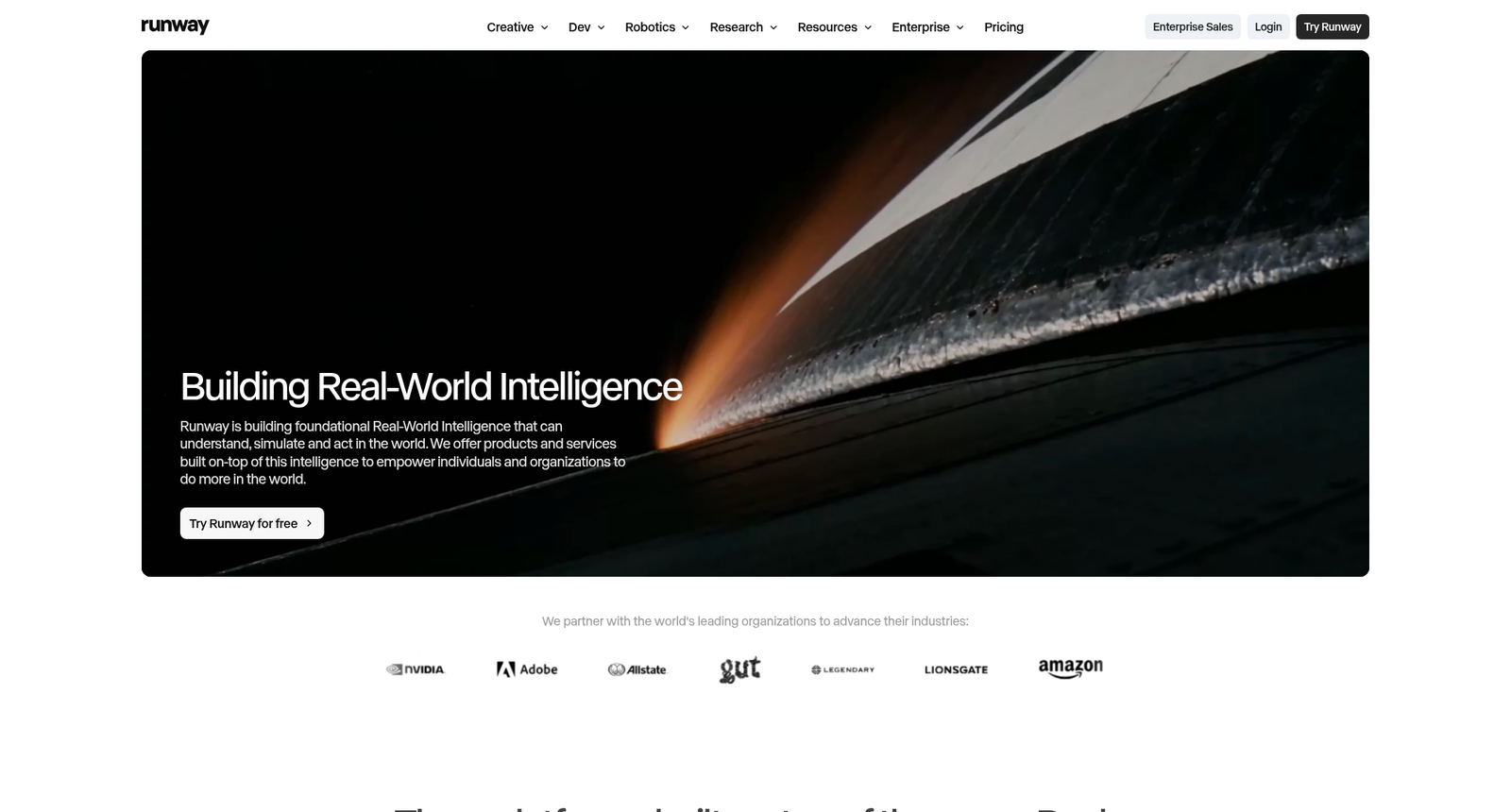
Runway is where image to video stops being a toy and becomes a production tool. We think it's the best for professionals because Gen-4.5 pairs top-tier motion quality with the control stack pros actually need — camera moves, motion brush, and reference-driven character consistency.
The Best Part:
Control, not luck. Motion brush, camera controls and reference images let you decide what moves and how, so you're directing the shot instead of rerolling until the dice land.
The Worst Part:
Credits burn fast. Runway's top-quality generations are hungry, and the 625 credits on Standard disappear quickly at production quality — budget for Pro if you ship client work weekly.
Get it if you want image to video with the control of a real production pipeline.
I recommend you get started with the free credits, then upgrade to Standard for $15/month.
(free trial)
Best For
Runway is best for anyone animating images for client work, where a near-miss is a redo, not a shrug.
Top Features
Your character, every shot. Reference-driven consistency keeps the same face and wardrobe across generations, which is the difference between a clip and a campaign.
Fix instead of reroll. Aleph-style editing lets you change what a finished shot contains — remove an object, restyle it, extend it — rather than regenerating and praying.
4K masters. Gen-4.5 leads the pack on motion quality, and every paid plan adds 4K upscaling, so deliverables hold up on a big screen.
Other models on tap. Runway now hosts partner models alongside its own — Pro and Max plans include unlimited Seedance 2.5 — so one seat covers several engines.
Sixty million users' worth of polish. That many hands have sanded this interface down — you feel it in how fast you get from image to usable shot.
Pricing
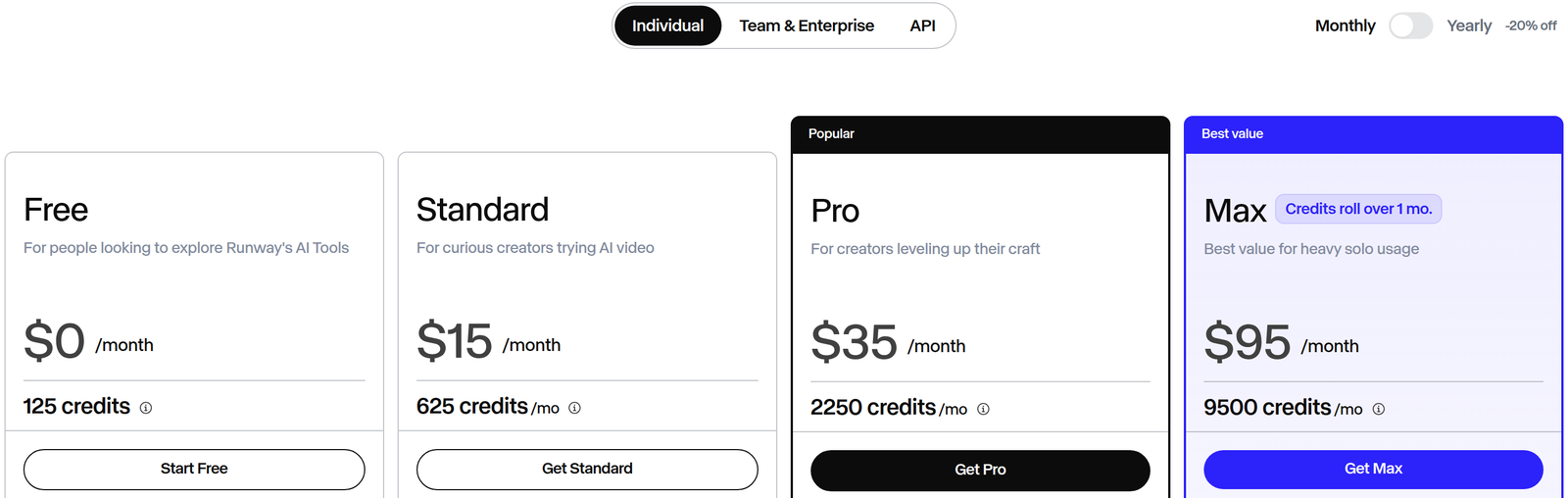
Runway offers three pricing plans:
- Standard: $15/month for 625 credits — the entry point for solo creators.
- Pro: $35/month for 2,250 credits.
- Max: $95/month for 9,500 credits, with credit rollover.
Annual subscriptions provide a 20% discount.
Try Runway today with a free trial.
3. Hailuo AI
Our Verdict — Best For Realistic Motion
Price: Starts at $10.50/month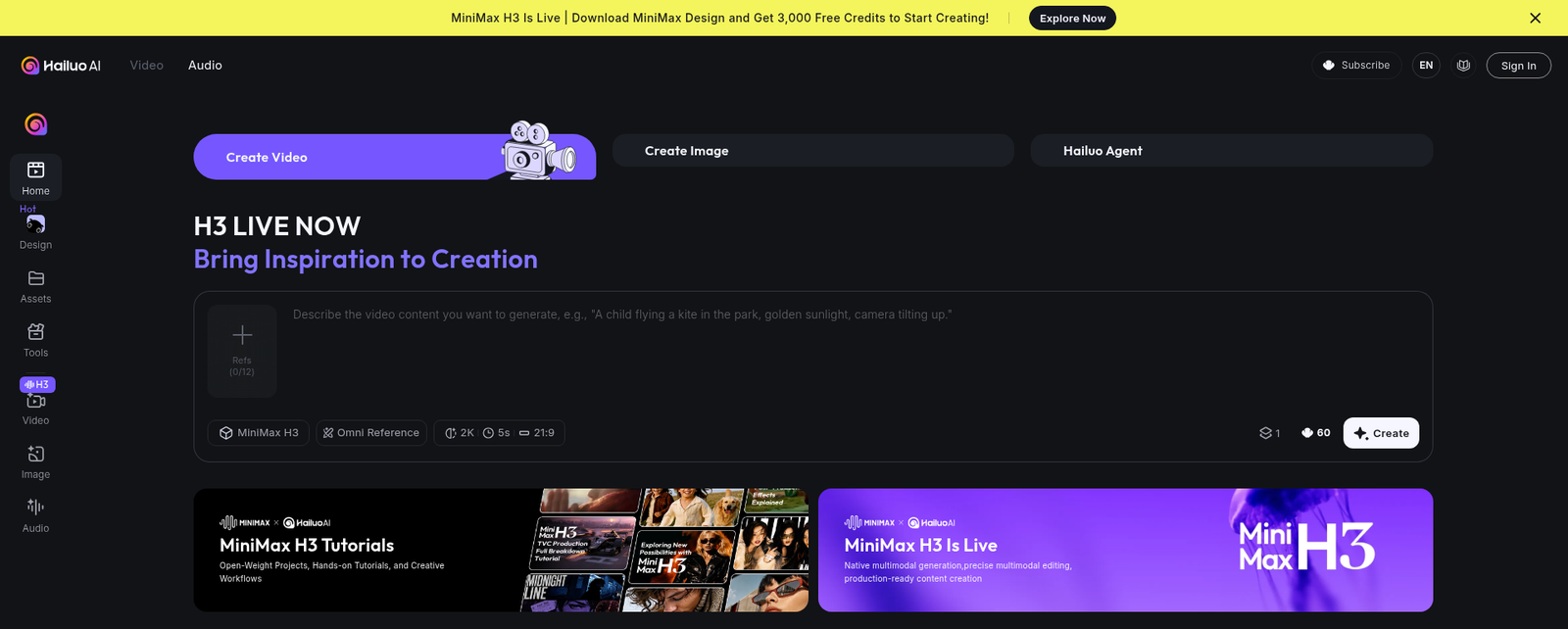
Hailuo AI built its name on one thing: motion that obeys physics. It takes the best for realistic motion slot because water, fabric and hair actually behave — and the new H3 model outputs 15-second 2K clips with native stereo audio.
The Best Part:
Physics first. Hailuo's motion is the most praised of the seven we tested — look like they are filmed, not generated, which is exactly what image animation usually gets wrong.
The Worst Part:
The discounts never end. Every plan wears a permanent "% OFF" tag and the header advertises a price the plan cards don't quite match. The product is real; treat the urgency theatre as decoration.
Get it if you want your animated images to obey gravity.
I recommend you get started with the free trial credits, then upgrade to Standard for $10.50/month.
(free trial)
Best For
Hailuo AI is best for anyone animating people and physical scenes, where fake-looking motion kills the shot.
Top Features
First and last frame. Give it a start image and an end image and H3 generates the journey between them — the cleanest way to art-direct an image-to-video shot.
Motion you can transfer. Motion transfer maps movement from a reference clip onto your still, so you can make a portrait perform a take that already works.
2K with stereo sound. H3 clips come out at 2560x1440 with native stereo audio, so a single generation is publishable without a finishing pass.
Edit inside the clip. Generative editing reworks a shot you mostly like instead of forcing a fresh roll, which saves credits and keeps the take you fell for.
Big-name models bundled. Upper tiers fold in third-party engines alongside Hailuo's own, so one subscription lets you cross-check the same image on several models.
Pricing
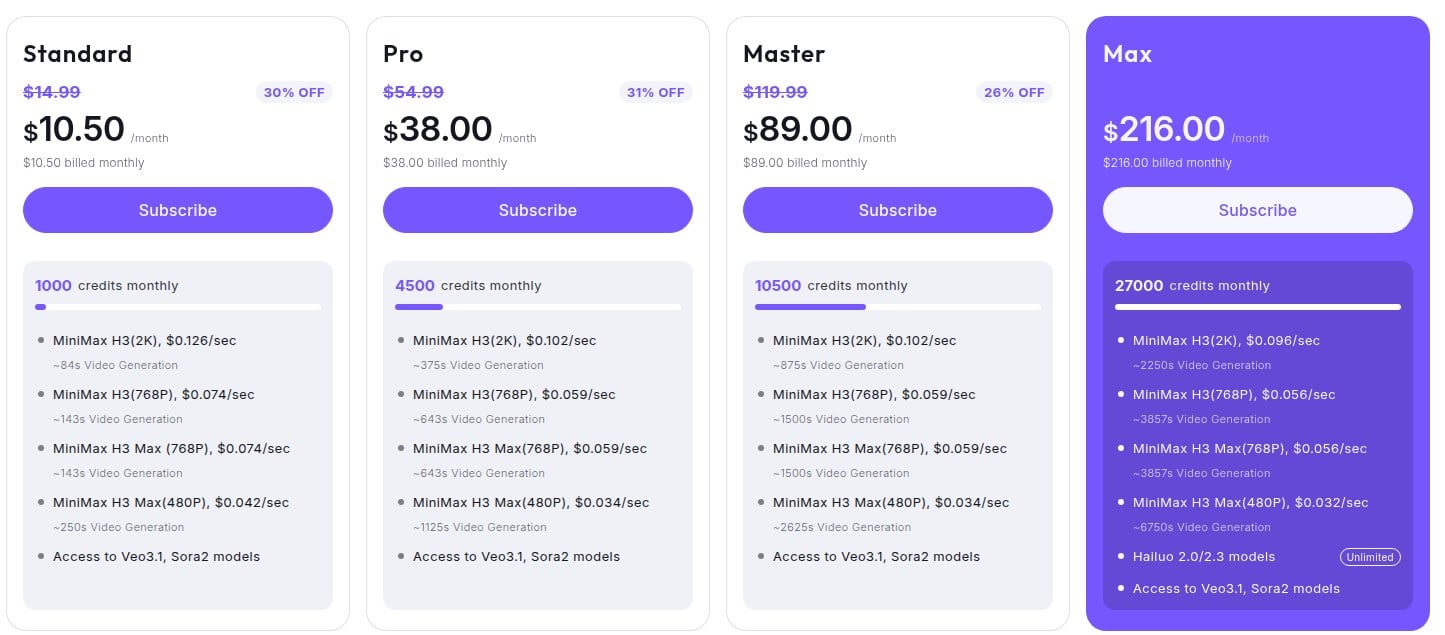
Hailuo AI offers four pricing plans:
- Standard: $10.50/month for 1,000 credits.
- Pro: $38/month for 4,500 credits.
- Master: $89/month for 10,500 credits.
- Max: $216/month for 27,000 credits.
Annual subscriptions provide up to a 20% discount.
Try Hailuo AI today with a free trial.
4. Google Veo
Our Verdict — Best Free Option
Price: Starts at $4.99/month
You don't need a budget to animate with a frontier model anymore. Google Veo earns the best free option slot because Flow's Frames to Video mode — Veo 3.1 animating your still image — is on the free tier, with 50 credits refreshing every single day.
The Best Part:
Physics that hold up. Veo 3.1 leads the field on prompt adherence and physical realism — water pours, fabric drapes and cameras move the way you asked, with native audio baked into the clip.
The Worst Part:
Not everywhere yet. Flow is region-locked in a number of countries and the daily free credits are gone quickly once you start iterating — expect to hit the ceiling on day one of a real project.
Get it if you want frontier-grade image animation before paying a cent.
I recommend you get started with the free credits, then upgrade to Google AI Plus for $4.99/month.
(free plan)
Best For
Google Veo is best for anyone who wants the most cinematic result per prompt and a free tier that's actually useful.
Top Features
Frames to Video, literally. Drop in a start frame — or a start and an end frame — and Flow generates the motion between them, which is exactly the image-to-video workflow this list is about.
A real scene builder. Flow isn't a bare prompt box: you extend shots, manage clips and build sequences in one place, closer to an editing bay than a slot machine.
Audio out of the box. Veo 3.1 generates synced sound and dialogue with the footage, so a talking-head or ambient scene arrives finished.
Fifty fresh credits a day. The free allowance resets daily instead of once a month — a frontier model you can practice on every day for free.
One subscription, whole stack. The paid tiers ride on your Google AI plan, so the same subscription covers Gemini, Gemini Notebook and Flow credits rather than one more standalone bill.
Pricing
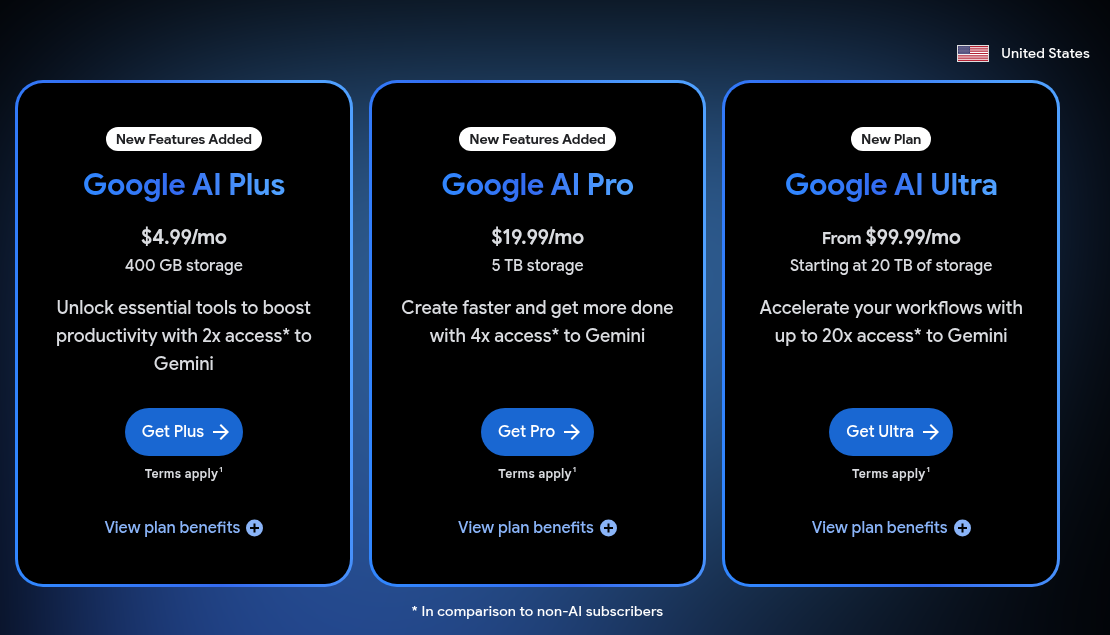
Google Veo offers four pricing plans:
- Free: Free forever, for 50 Flow credits a day.
- AI Plus: $4.99/month for 200 Flow credits plus the wider Google AI feature set.
- AI Pro: $19.99/month for 1,000 Flow credits and higher limits across Google's AI tools.
- AI Ultra: Starts at $99.99/month as Flow credits jump to 10,000+ for production use.
Every plan comes with the full Flow app, Gemini and Gemini Notebook access, and monthly Flow credits.
Try Google Veo today with the free plan.
5. PixVerse
Our Verdict — Best For Viral Videos
Price: Starts at $10/month
PixVerse is where animated images go viral. We think it's the best for viral videos because its template library turns a single photo into a trending clip on social media in one tap, the mobile app is the strongest in the category, and its free tier is the most usable for real work.
The Best Part:
Templates that trend. PixVerse ships a constantly refreshed shelf of viral effect templates — you supply the image, it supplies the format that's currently everywhere on TikTok.
The Worst Part:
Discount badges everywhere. The yearly toggle advertises 40% off, but against the monthly prices the real saving is 20% on most plans, and Ultra's $199 monthly price already sits under a crossed-out $249.
Get it if you want one photo turned into a post-ready clip before your coffee cools.
I recommend you get started with the free daily credits, then upgrade to Standard from $10/month.
(free plan)
Best For
PixVerse is best for anyone feeding social accounts.
Top Features
V6 under the hood. The house model handles image animation with lip-sync and character consistency, so your subject keeps their face through the whole clip.
Seedance on tap. PixVerse hosts ByteDance's Seedance models alongside its own, including 30-second single-take generation — long clips without leaving the app.
Phone-first. The mobile app is a real creation tool, not a viewer, so the photo you just took can be animated and posted from the same device.
A canvas, not just a queue. The canvas workflow lays out generations side by side so you can iterate on a shot visually instead of scrolling a history feed.
Free tier that works. Daily free credits are enough to actually ship something, which is why PixVerse keeps getting cited as the most usable free tier in the category.
Pricing
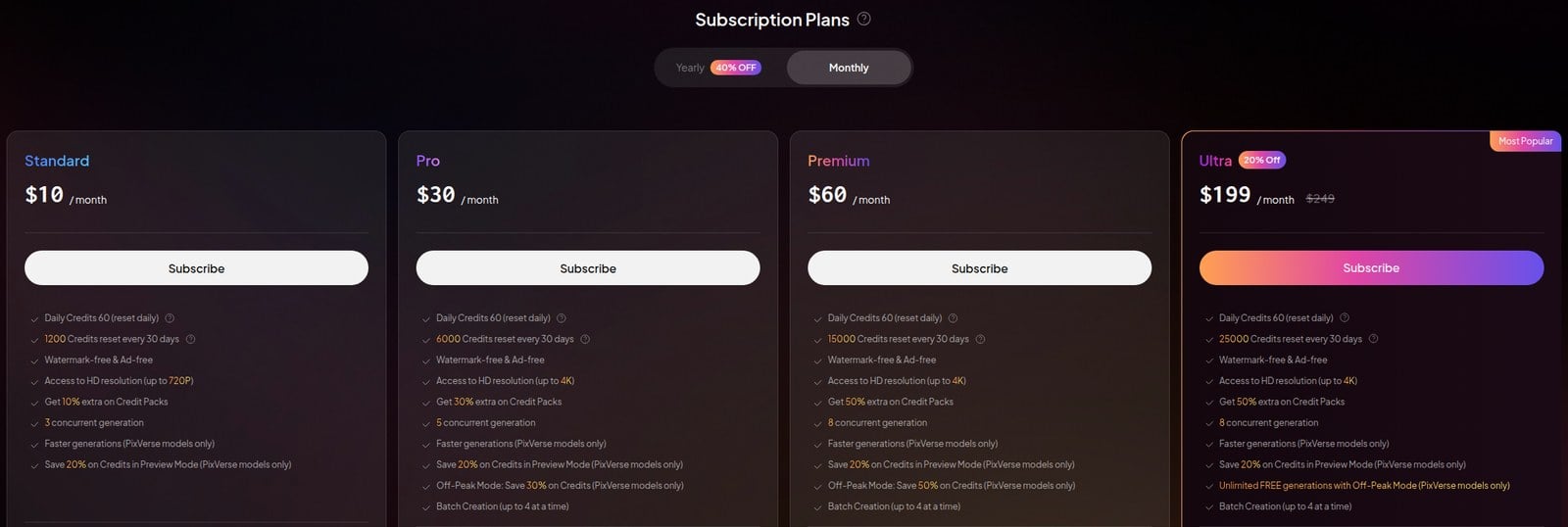
PixVerse offers five pricing plans:
- Free: Free forever, for credits that refresh daily.
- Standard: $10/month for 1,200 credits every 30 days plus 60 daily credits, at up to 720p.
- Pro: $30/month for 6,000 credits every 30 days, up to 4K, and off-peak savings.
- Premium: $60/month for 15,000 credits every 30 days and eight concurrent generations.
- Ultra: $199/month for 25,000 credits every 30 days and unlimited free off-peak generations on PixVerse models.
Annual subscriptions provide up to a 25% discount.
Try PixVerse today with the free plan.
6. Vidu
Our Verdict — Best For Anime
Price: Starts at $10/month
Anime creators keep landing on Vidu, and for good reason. It earns the best for anime slot with a dedicated anime art to video mode, character consistency held from up to seven reference images, and an off-peak quota of up to 200 videos a day on its top plan.
The Best Part:
Drawn, not filmed. Most video models treat anime as an afterthought and it shows. Vidu's anime mode keeps line weight, cel shading and character design intact while it adds the motion.
The Worst Part:
Off-peak is a paid perk. The off-peak quota starts on Premium at 20 videos a day, and the free plan sticks to 540p clips, so serious anime work needs a paid plan.
Get it if you want your illustrations animated without watching them melt into photorealism.
I recommend you get started with the free plan, then upgrade to Standard for $10/month.
(free plan)
Best For
Vidu is best for anyone whose source images are drawn rather than photographed.
Top Features
Seven references deep. Reference-to-video accepts up to seven images of the same character, so the animated version matches the model sheet instead of improvising a cousin.
First and last frame control. Set the opening and closing frames and Vidu fills the motion between them — storyboard-level control over a drawn shot.
Fast enough to iterate. Generations come back in roughly 10 seconds on the stream model, so refining a shot feels like sketching instead of waiting on a render farm.
1080p output. Clips render at full HD, which covers social and web use for animated illustration work.
Off-peak at volume. Ultimate adds an off-peak quota of up to 200 videos a day on top of its 10,000 monthly credits.
Pricing
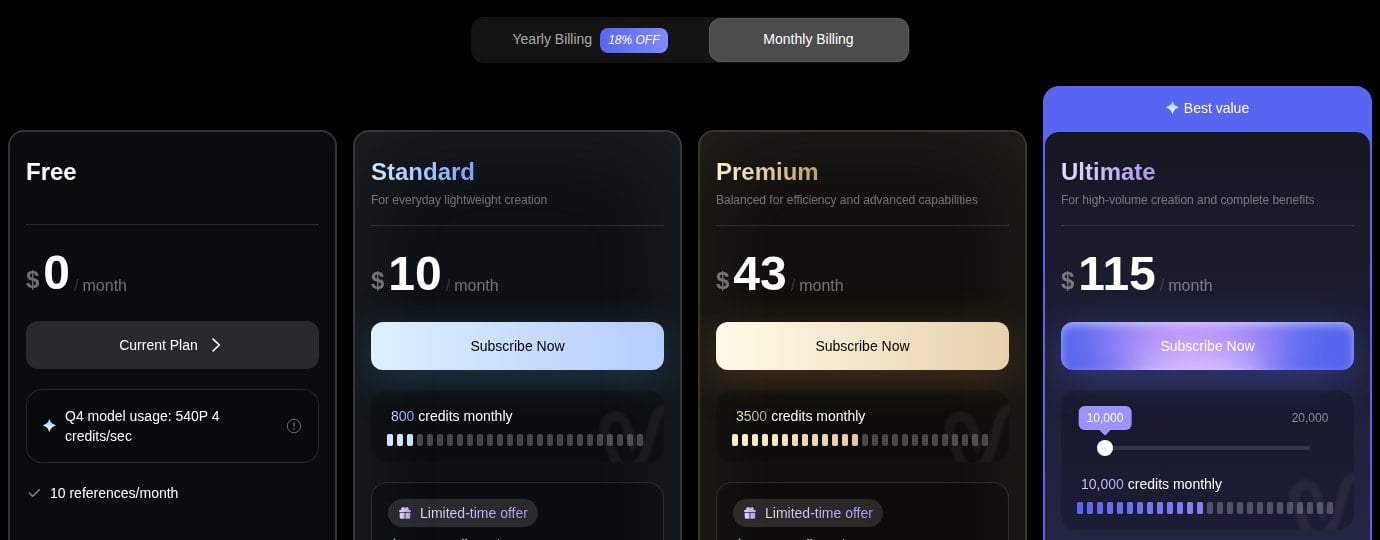
Vidu offers four pricing plans:
- Free: Free forever, for 540p generation with the Q4 model and 10 references a month.
- Standard: $10/month for 800 credits.
- Premium: $43/month for 3,500 credits and 20 off-peak videos a day.
- Ultimate: $115/month for 10,000 credits and 200 off-peak videos a day.
Annual subscriptions provide up to an 18% discount.
Try Vidu today with the free plan.
7. Pika
Our Verdict — Best For Beginners
Price: Starts at $10/month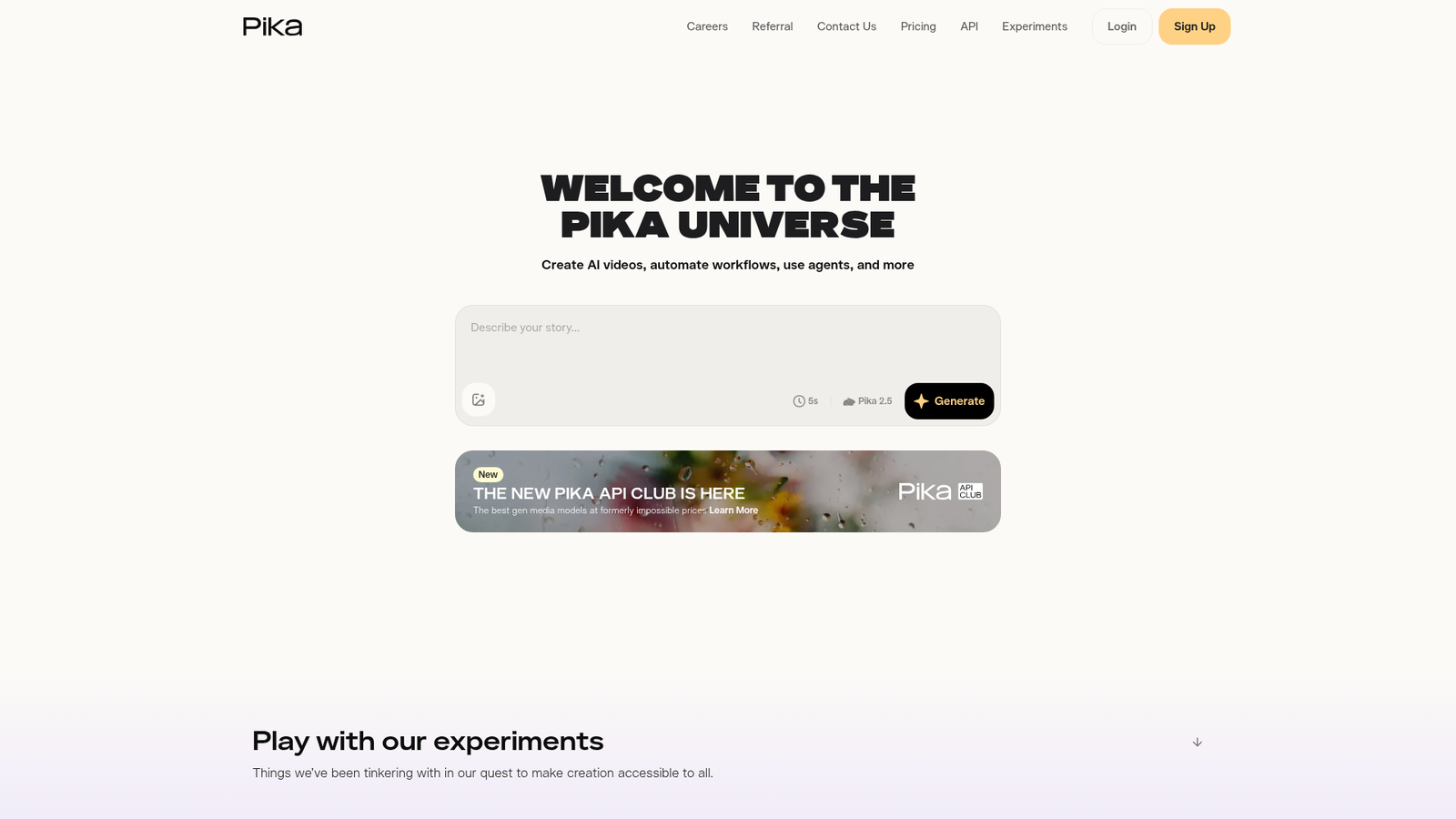
Pika asks nothing of you before it delivers. It wins the best for beginners slot because every job lives in its own simple app — Video Studio, Extend Video, Color Grade, Character Studio — and the whole platform assumes you've never touched a video tool before.
The Best Part:
One app per job. Pika splits the work into self-contained apps like Product Shot, Camera Director and Swap Anything, so you pick the task instead of engineering a prompt.
The Worst Part:
No free credits. The Free plan includes no monthly credits (you buy packs from $25), and Starter has no commercial license, so client work starts on Creator at $35/month.
Get it if you want to animate photos for fun without learning anything first.
I recommend you start on Starter for $10/month, then move to Creator at $35/month when you need the commercial license.
(free plan)
Best For
Pika is best for anyone who wants playful results in the first five minutes, not the best possible frame.
Top Features
Keyframes for humans. Pikaframes animates between up to five stills with Pika 2.5 — the same keyframe trick the pro tools use, wrapped in a beginner-proof interface.
Every shape of post. Seven aspect-ratio presets cover TikTok, Reels, Shorts, square and widescreen without cropping math.
Every model in one seat. Every plan includes all models, from Pika 2.5 to Seedance 2.5, Veo 3.1 and MiniMax H3, with no watermark even on Free.
Apps keep coming. Video Studio, Extend Video, Pika Soundtrack and Character Studio sit side by side, and the app shelf keeps growing.
Cheap to start. At $10/month ($8/month billed yearly), Starter is among the cheapest paid plans of our seven — with a lot less to learn.
Pricing
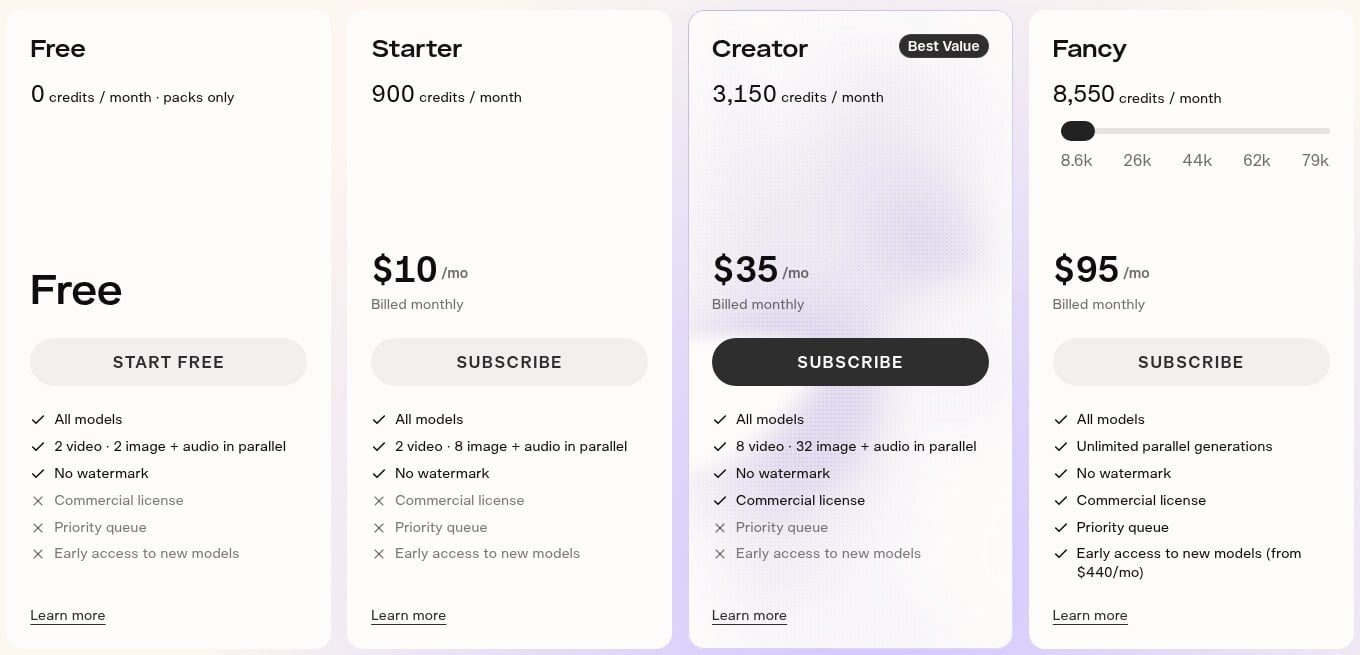
Pika offers four pricing plans:
- Free: Free forever, with no monthly credits, so you buy credit packs as you need them.
- Starter: $10/month for 900 credits.
- Creator: $35/month for 3,150 credits and a commercial license.
- Fancy: $95/month for 8,550 credits, scaling up to $880/month.
Annual subscriptions provide a 20% discount.
Try Pika today with the free plan.
Our Top Three Picks
Here's a quick summary of our top three picks:
Here's a quick comparison of our top seven picks:
Tool | Entry Offer | Pricing |
|---|---|---|
Kling AI | Free plan | Starts at $6.99/mo |
Runway | Free trial | Starts at $15/mo |
Hailuo AI | Free trial | Starts at $10.50/mo |
Google Veo | Free plan | Starts at $4.99/mo |
PixVerse | Free plan | Starts at $10/mo |
Vidu | Free plan | Starts at $10/mo |
Pika | Free plan | Starts at $10/mo |
Here are the top 50 image to video AI tools we considered in this review:
- Kling AI
- Runway
- Hailuo AI
- Google Veo
- PixVerse
- Vidu
- Pika
- Seedance
- Wan
- Grok Imagine
- Meta AI Vibes
- Adobe Firefly
- Midjourney Video
- Luma Dream Machine
- Krea
- Freepik AI Suite
- Pollo AI
- Kaiber
- DomoAI
- LTX Studio
- Dreamina
- Magic Hour
- Genmo
- Flowith
- MindVideo
- HeyGen
- Synthesia
- D-ID
- Hedra
- Vidnoz
- Akool
- Digen AI
- BIGVU
- Creatify
- CapCut
- Canva AI Video
- Wondershare Filmora
- invideo
- VEED
- FlexClip
- Pictory
- VideoGen
- MyHeritage Deep Nostalgia
- Motionleap
- Remini
- CyberLink PhotoDirector
- Immersity AI
- HunyuanVideo
- CogVideoX
- Stable Video Diffusion
Frequently Asked Questions About Image to Video AI
What is image to video AI?
Image to video AI is software that takes a still image and generates a moving clip from it — animating the subject, the camera, or both. The current generation adds native audio, multi-shot sequences and resolutions up to 4K, so a finished video.
Which image to video AI is best overall?
Kling AI is our top pick overall. You get native 4K, character consistency across multi-shot storyboards, and the best quality-per-dollar in the category, which makes it the one to start with.
How do free and paid image to video AI tools differ?
Free tiers cap your credits, resolution or speed — and some watermark the output. Paid plans buy more generations, higher resolution and commercial rights. Start free to learn a tool's motion style, then pay only when you know which engine fits your images.
Which image to video AI is best for beginners?
Pika is our pick for beginners because every task lives in its own simple app, with nothing to configure. Reach for it if you want a finished effect before you finish the settings menu.
What is the best image to video AI for realistic motion?
Pick Hailuo AI when physics matter — water, fabric, hair and collisions move like the real world, and the H3 model outputs 15-second 2K clips with native stereo audio.
Which image to video AI is best for anime?
Vidu is our pick for anime and illustration. Its dedicated anime mode preserves line work and cel shading, and reference-to-video holds a drawn character consistent from up to seven reference images.
What should I look for when choosing an image to video AI?
Focus on motion quality on your kind of images, character consistency across shots, and whether you get first/last-frame control. Then check the practical side: resolution, native audio, credit prices, and whether the free tier is enough to properly test it.
How long can an AI-generated video clip be?
Most engines generate in short bursts — a handful of seconds per clip — then let you extend the shot or chain several together. That is why storyboards and character consistency matter more than raw clip length: a finished video here is stitched from several generations, not produced in one.
Kling AI vs Google Veo: which one should I choose?
Kling AI is our best overall pick, while Google Veo is the one to reach for if you want frontier quality for free. Go with Kling AI for the top all-around package, and Veo if your budget starts at zero.