

Today there are 70 different AI filmmaking tools. We compared the top 50 to find the seven best you can use to make a real film with AI today.
What is the Best AI Filmmaking Software?
- Runway — best of the best
- LTX Studio — best all-in-one film studio
- Google Flow — best for cinematic realism
- ComfyUI — best free option
- Kling AI — best for multi-shot scenes
- Higgsfield — best for camera control
- Pollo AI — best budget pick
1. Runway
Our Verdict — Best Of The Best
Price: Starts at $15/month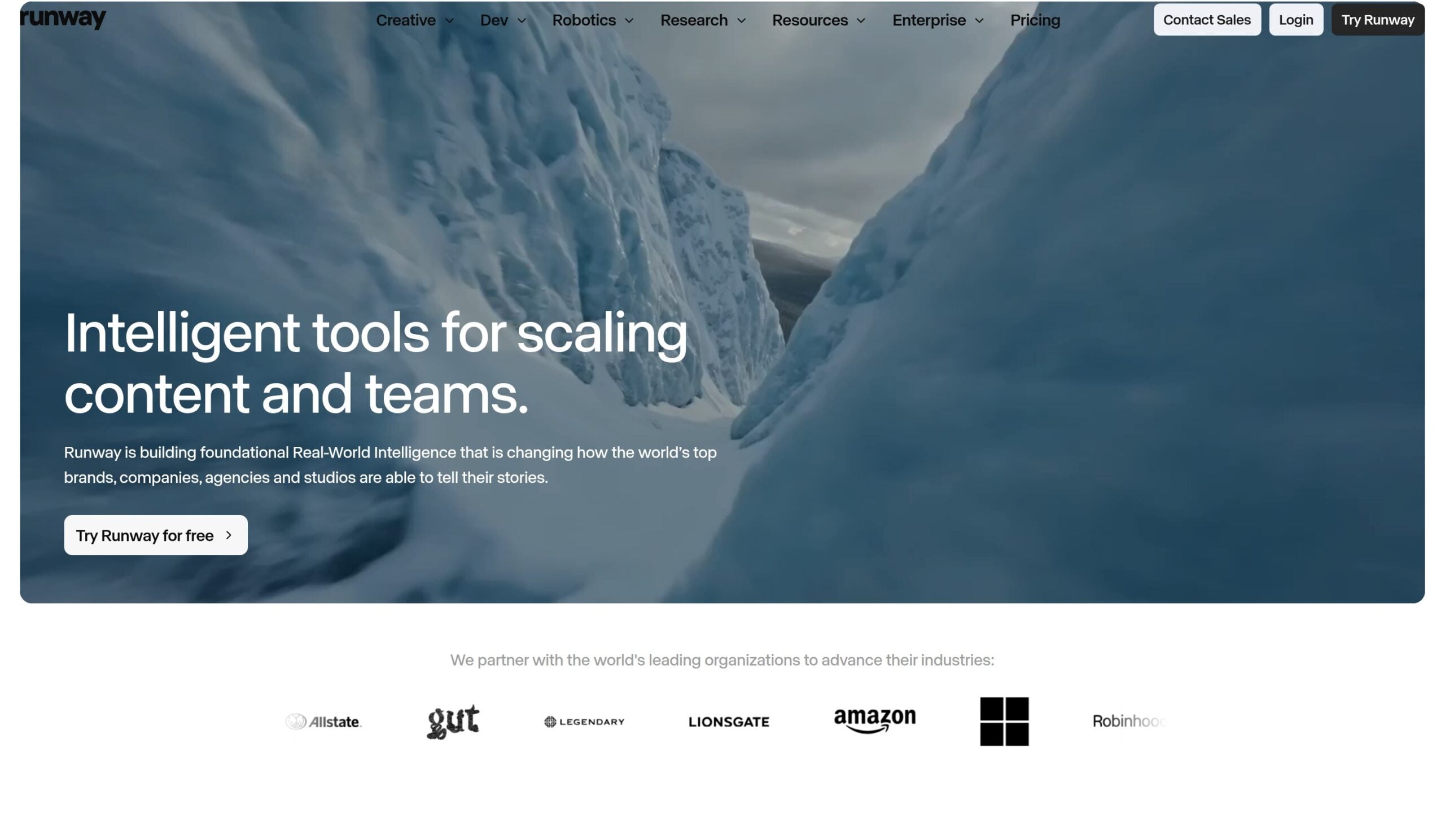
Runway is the tool every other name on this list gets measured against. We think it's the best of the best because it shows up in 20 of the 23 expert roundups we checked, Lionsgate uses it on final production work, and it puts credits back when a generation fails — still rare among AI video tools.
The Best Part:
Debuted at #1. Gen-4.5 launched at the top of the Artificial Analysis text-to-video board, the independent site that ranks AI video models by blind viewer votes, with 1,247 Elo points in late 2025.
The Worst Part:
720p at the source. Every clip from Runway's own Gen models starts life at 720p and 4K comes from an upscale after the fact — and if your editor needs studio-grade files, you'll need the $95 Max plan or an Enterprise contract for those exports. Budget for Max if your film is headed to a big screen.
Get it if you want the strongest overall video model with a real film industry track record.
I recommend you start on the free plan to test the models, then upgrade to Standard for $15/month.
(free plan)
Best For
Runway is best for filmmakers who want the model every rival is chasing.
Top Features
Direct the camera in plain words. Gen-4.5 follows detailed camera choreography written straight into your prompt, so you can call a slow push-in or a whip pan the way you'd brief a camera operator.
Act the scene yourself. Film yourself performing, hand Act-Two a character reference, and it transfers your movement, speech and expression onto the character in takes up to 30 seconds long.
Reshoot without reshooting. Edit one frame and Aleph 2.0 propagates the change through the clip — swap the backdrop, relight the scene or shift day to night with the rest of the shot preserved.
Every big model in one seat. Your credits also run Veo 3.1, Kling 3.0 and Seedance, so you can route each shot to whichever model handles that kind of footage best.
Failed takes don't cost you. When a generation errors out on Runway's side, the credits go back to your account within minutes — a policy Runway puts in writing, and most rivals don't.
Pricing
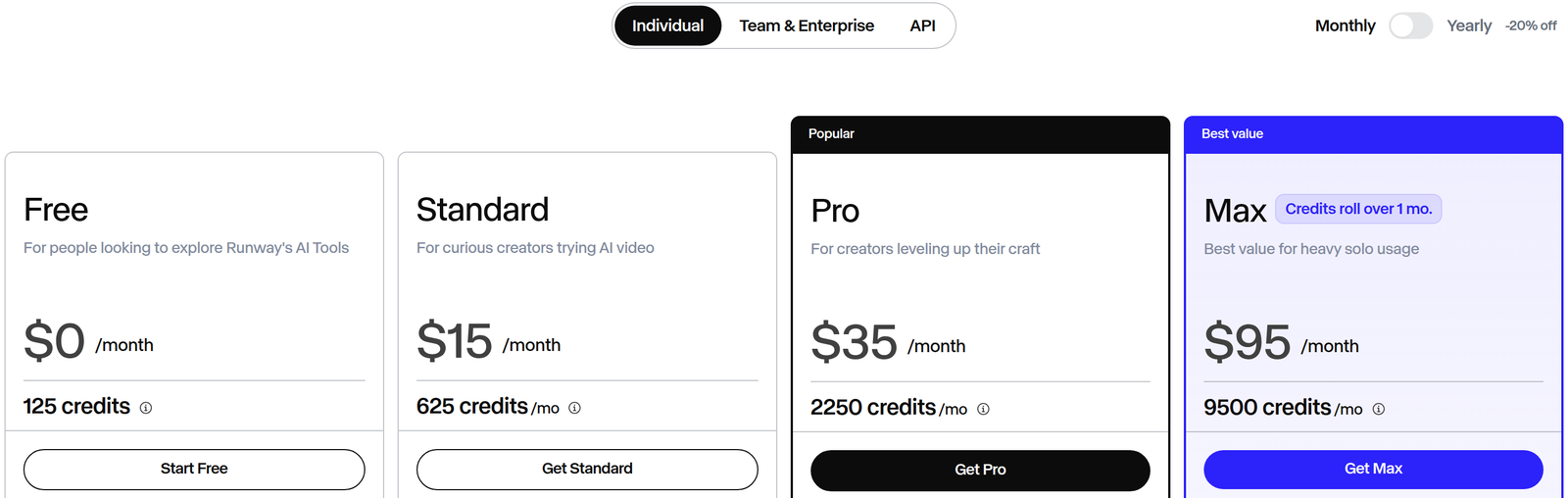
Runway offers five pricing plans:
- Free: Free forever, for 125 one-time credits, a selection of generative models to test concepts and 5GB of asset storage.
- Standard: $15/month for 625 credits a month (about 52 seconds of Gen-4.5), every image and video model including Gen-4.5, Veo 3.1 and Kling 3.0, 4K upscaling and no watermarks.
- Pro: $35/month for 2,250 credits a month (about 187 seconds of Gen-4.5), custom voices for lip sync and 100GB of asset storage.
- Max: $95/month for 9,500 credits a month (about 791 seconds of Gen-4.5), one-month credit rollover, studio-grade export formats and HDR generations.
- Enterprise: Custom pricing, for custom credit packages, single sign-on, workspace analytics and configurable teamspaces.
Annual subscriptions provide a 20% discount.
Try Runway today with the free plan.
2. LTX Studio
Our Verdict — Best All-In-One Film Studio
Price: Starts at $15/month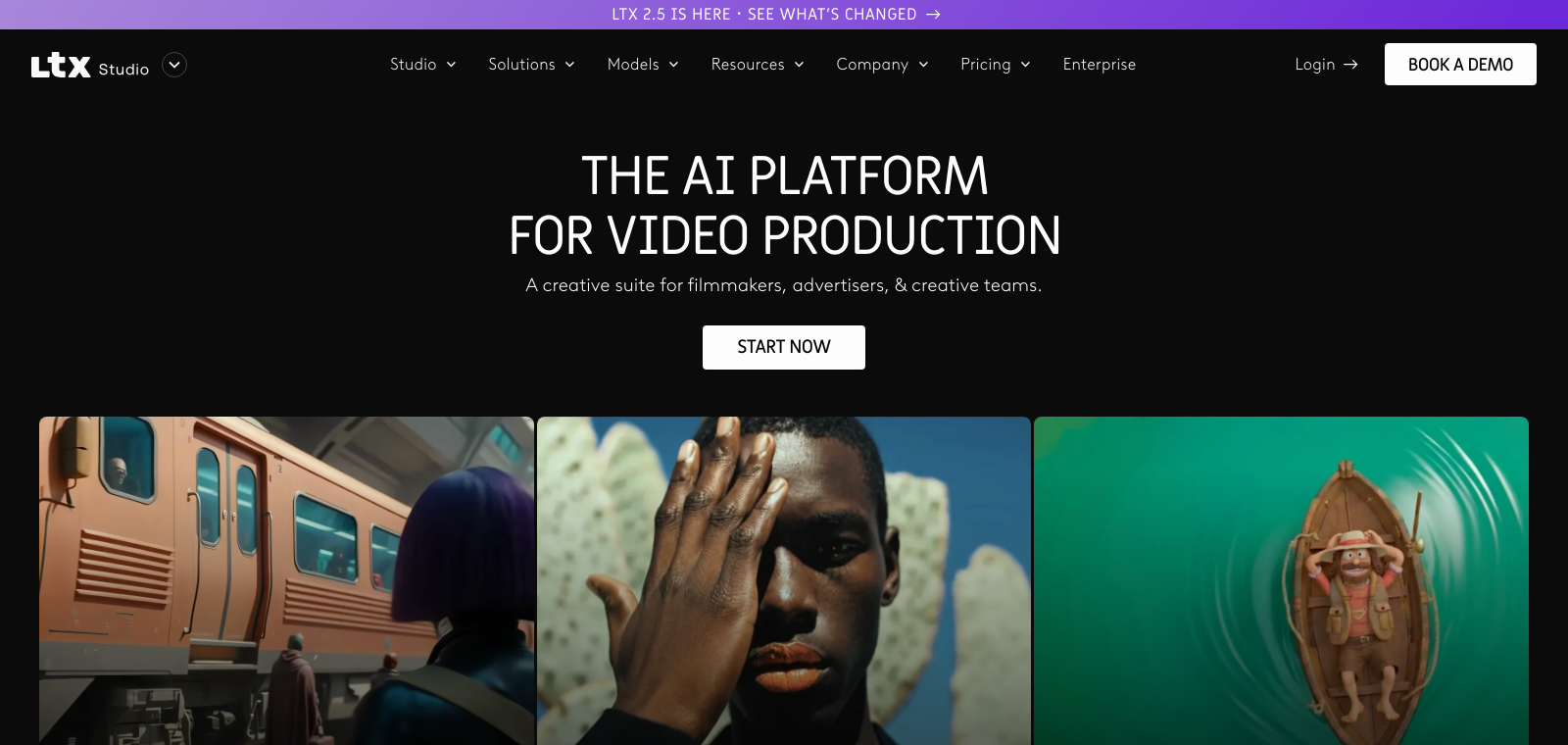
LTX Studio is where AI filmmaking stops meaning one clip at a time and becomes an actual pipeline. We think it's the best all-in-one film studio because a single project carries you from script to storyboard to timeline to a finished pitch deck, with characters that hold from scene to scene.
The Best Part:
One project, every stage. Upload a script and LTX Studio breaks it into scenes and shots, then hands you a storyboard, a timeline editor and sound design in one place.
The Worst Part:
Credits expire monthly. Unused credits vanish at the end of every month with no rollover, and the cost per generation shifts with length and quality — move up to Pro if you export finished videos every week, since it lets you buy extra credits whenever you run out.
Get it if you want script, storyboard, shots and pitch deck under one roof.
I recommend you get started with the free plan, then upgrade to Standard for $35/month.
(free plan)
Best For
LTX Studio is best for anyone pitching and producing whole projects, not generating one clip at a time.
Top Features
Your character, every scene. Elements saves your people, props and locations as named assets — type @ plus the name in any prompt and LTX Studio rebuilds that same character in the new shot.
Pitch decks in one click. Hitting Share exports a designed PDF with synopsis, characters, locations, mood board and color palette — a sales document straight out of the project.
Sound built in. AI voiceovers, auto sound effects and background music live in the same project as your shots.
Other engines on tap. Standard adds Kling 3.0 Pro and Seedance 2.0 alongside the in-house LTX models, and Pro unlocks the Veo 3.1 model line-up — one seat, several engines.
Directors already use it. Oscar winner Taika Waititi says “it can accelerate the whole creative process,” and by LTX's own count 135k producers and creative teams are on it.
Pricing
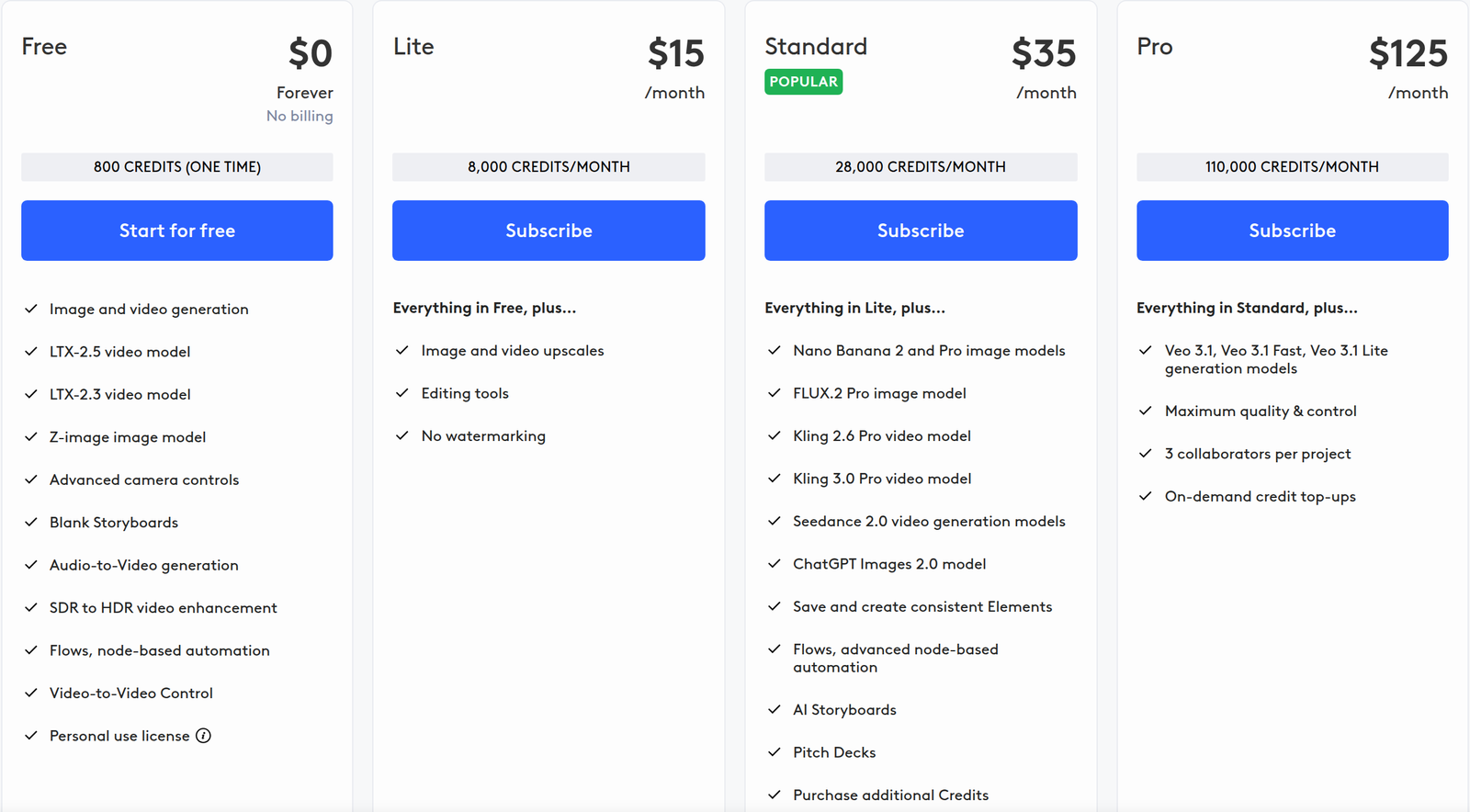
LTX Studio offers five pricing plans:
- Free: Free forever, for 800 one-time credits, image and video generation with the LTX-2.5 and LTX-2.3 models, camera controls and blank storyboards, for personal use.
- Lite: $15/month for 8,000 credits a month, image and video upscales, editing tools and no watermarking.
- Standard: $35/month for 28,000 credits a month, third-party models including Kling 3.0 Pro and Seedance 2.0, AI storyboards, pitch decks and a commercial-use license.
- Pro: $125/month for 110,000 credits a month, the Veo 3.1 model line-up, three collaborators per project and on-demand credit top-ups.
- Enterprise: Custom pricing, for custom credit volumes, custom LTX-2.3 model training and centralized brand controls.
Annual subscriptions provide a 20% discount.
Try LTX Studio today with the free plan.
3. Google Flow
Our Verdict — Best For Cinematic Realism
Price: Starts at $4.99/month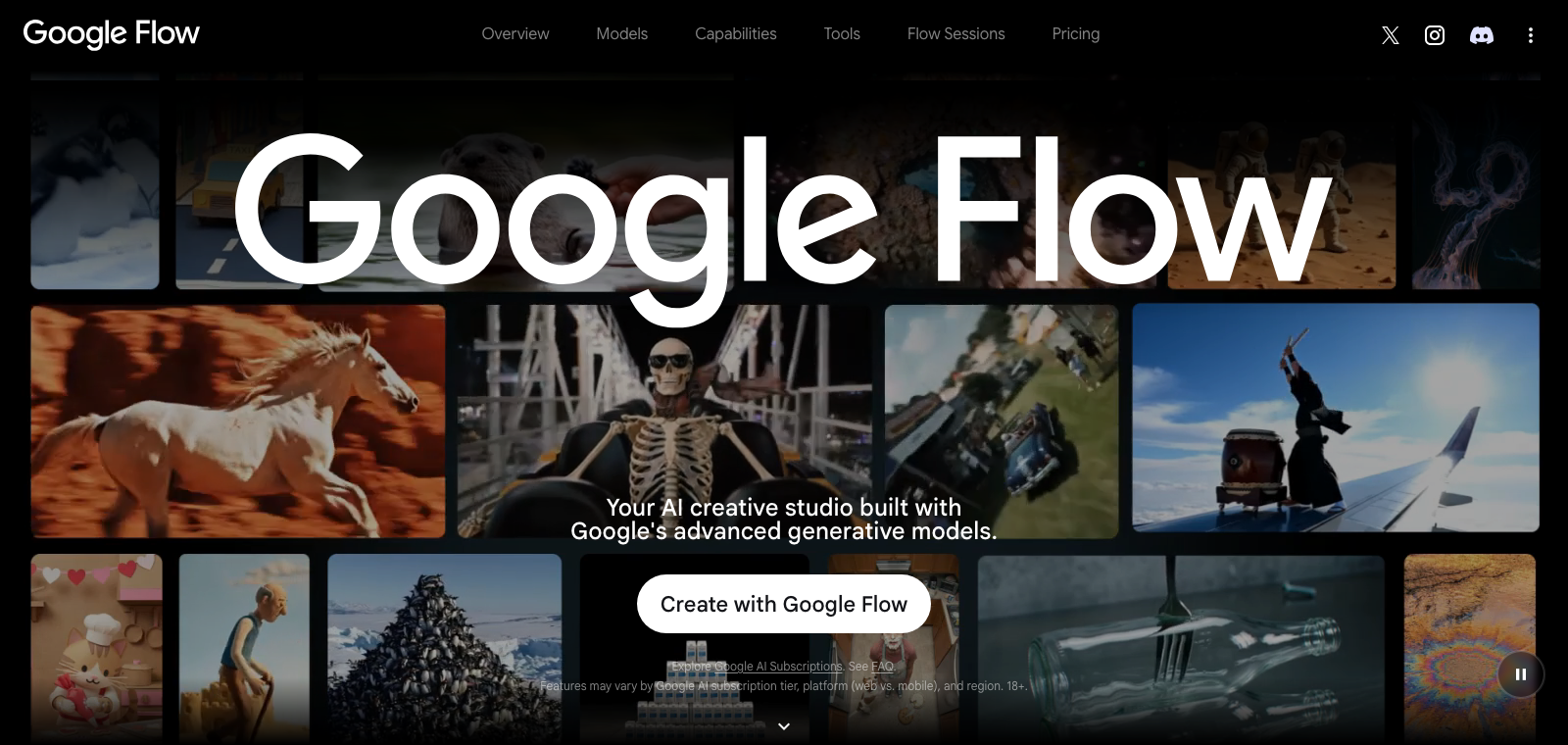
Google Flow is the studio Google built around Veo 3.1, and it takes the best for cinematic realism slot because its footage is the closest to camera-real on this list — and clips can come out with sound effects, ambience and dialogue already attached.
The Best Part:
The realism has receipts. Google tunes Veo 3.1 to follow real-world physics and your written directions, and the work is already on festival screens — “ANCESTRA”, which mixed Veo with live-action footage, premiered at Tribeca in 2025.
The Worst Part:
Credits burn per attempt. Google bills every generation whether you keep it or not — one Veo 3.1 Quality generation costs 100 credits, so a month of Google AI Pro buys 10 tries. Budget your shots before you press go.
Get it if you want shots that look filmed, not generated.
I recommend you get started with the free daily credits, then upgrade to Google AI Pro for $19.99/month.
(free plan)
Best For
Google Flow is best for filmmakers chasing photoreal shots, where one hint of fake motion breaks the scene.
Top Features
Start frame, end frame. Hand Frames to Video an opening image and a closing image and it builds the shot between them — you decide exactly where the move starts and ends.
References that stick. Ingredients to Video takes reference images for a character, scene or object, so your lead keeps the same face from setup to setup.
Audio in the same pass. Veo 3.1 generates sound effects, ambient sound and dialogue natively, so a take leaves the tool with its soundtrack on.
Rescue the near-miss. Scenebuilder edits and extends existing shots while keeping characters consistent, so you fix the flawed take instead of generating it again from scratch.
Three engines, one login. Google Flow bundles Veo 3.1 for video, Nano Banana for images and Gemini Omni for editing, so the whole pipeline lives in one place.
Pricing
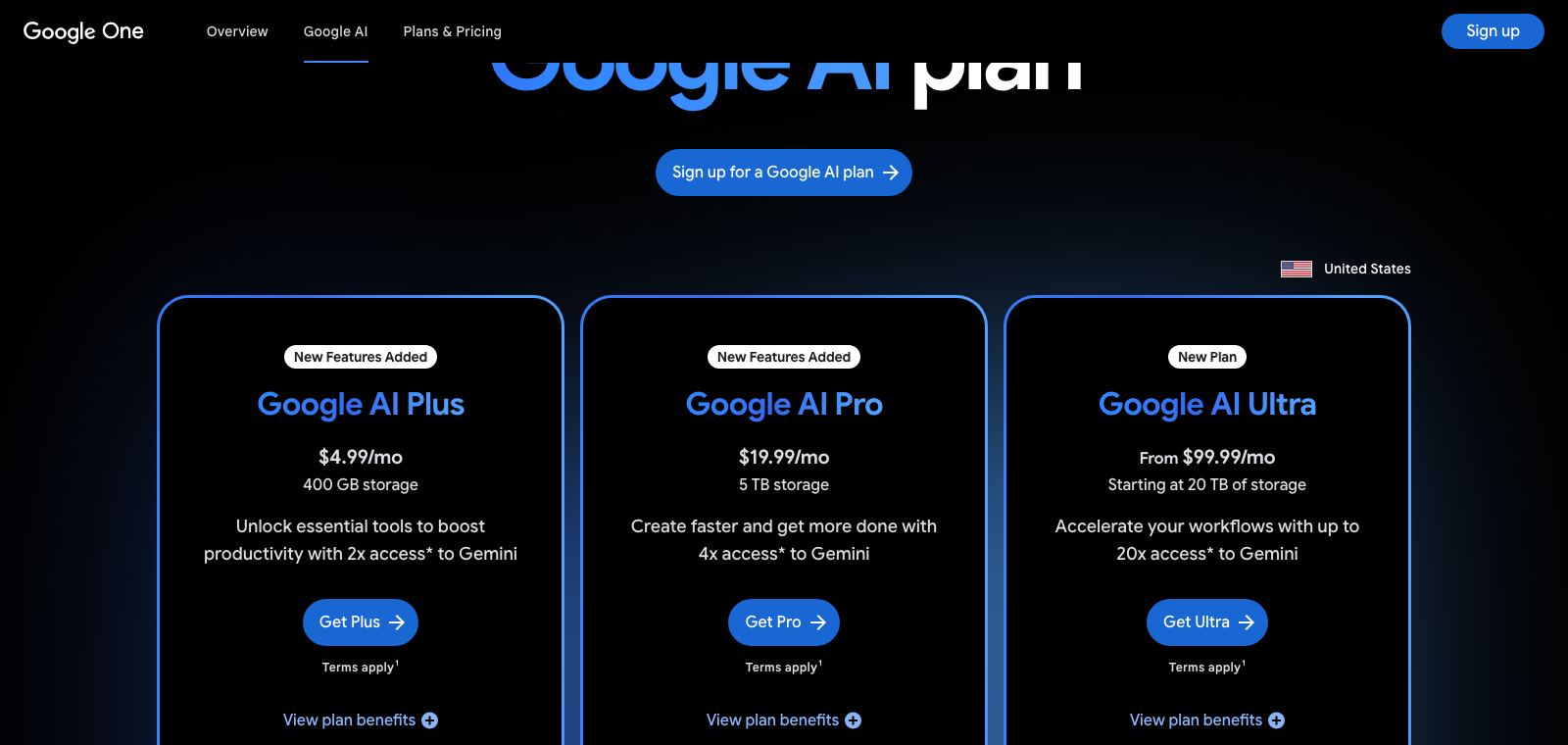
Google Flow offers four pricing plans:
- Free: Free forever, for 50 Flow credits/day (no rollover), Veo 3.1 Lite/Fast/Quality only, 2K image upscaling.
- Google AI Plus: $4.99/month for 200 Flow credits/mo + 50/day free, 1080p video upscaling, video generation in Gemini and Google Flow.
- Google AI Pro: $19.99/month for expanded access to image, music and video generation models in Gemini and Google Flow, plus 5TB of storage.
- Google AI Ultra: Starts at $99.99/month for higher access to video generation in Google Flow with the full Veo 3.1 line-up, Project Genie, and 20TB of storage or more.
Every paid plan comes with a monthly pool of AI credits.
Try Google Flow today with the free plan.
4. ComfyUI
Our Verdict — Best Free Option
Price: Starts at $20/month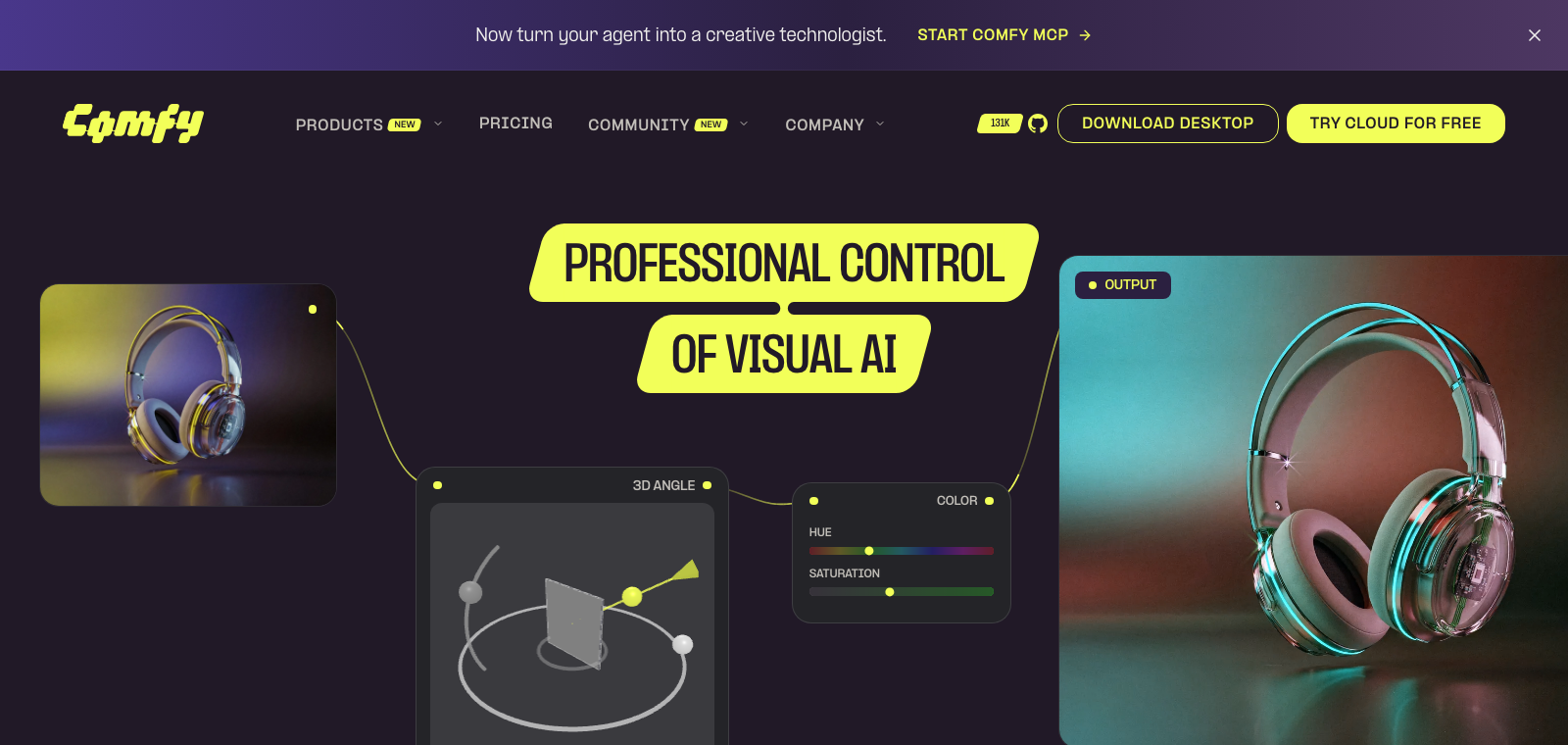
You don't need a subscription to make films with a top-tier model. ComfyUI earns the best free option slot because the software is free and open source, the Wan 2.2 model is free for commercial work, and every clip renders on your own computer — once you own the hardware, nobody bills you again.
The Best Part:
Free with no strings. ComfyUI and the Wan 2.2 model are both free, and the license lets you sell what you make — no subscription, no server queue, no platform filter.
The Worst Part:
Your graphics card is the paywall. You need a serious gaming-class graphics card to run the bigger models comfortably, and even then a single five-second take can render for several minutes — ten takes of one scene can eat an hour.
Get it if you want unlimited takes on your own hardware without paying a cent.
I recommend you start with the free local route, then upgrade to Comfy Cloud Standard for $20/month.
(free plan)
Best For
ComfyUI is best for anyone who wants unlimited generations on their own hardware, running open models like Wan 2.2 that make no claim on your outputs.
Top Features
First frame to last frame. One of the stock Wan 2.2 templates takes your opening and closing frames and fills in the motion between them — you storyboard the endpoints, the model shoots the move.
Templates before node spaghetti. Official Wan 2.2 templates ship in the built-in library — text-to-video, image-to-video and a lighter mixed version — so your first video is one click, not an evening of setup.
Direct with a real performance. Fun Control reads pose, depth or line art from a control video, so an actor's actual movement drives the generated clip.
No queue, ever. Videos generate on your own graphics card — no priority tier ahead of you, no traffic-hour slowdown; the only wait is your hardware's speed.
Installs like a normal app. Comfy Desktop ships native installers for Windows, macOS and Linux, and the lighter Wan model runs on a mid-range gaming graphics card.
Pricing
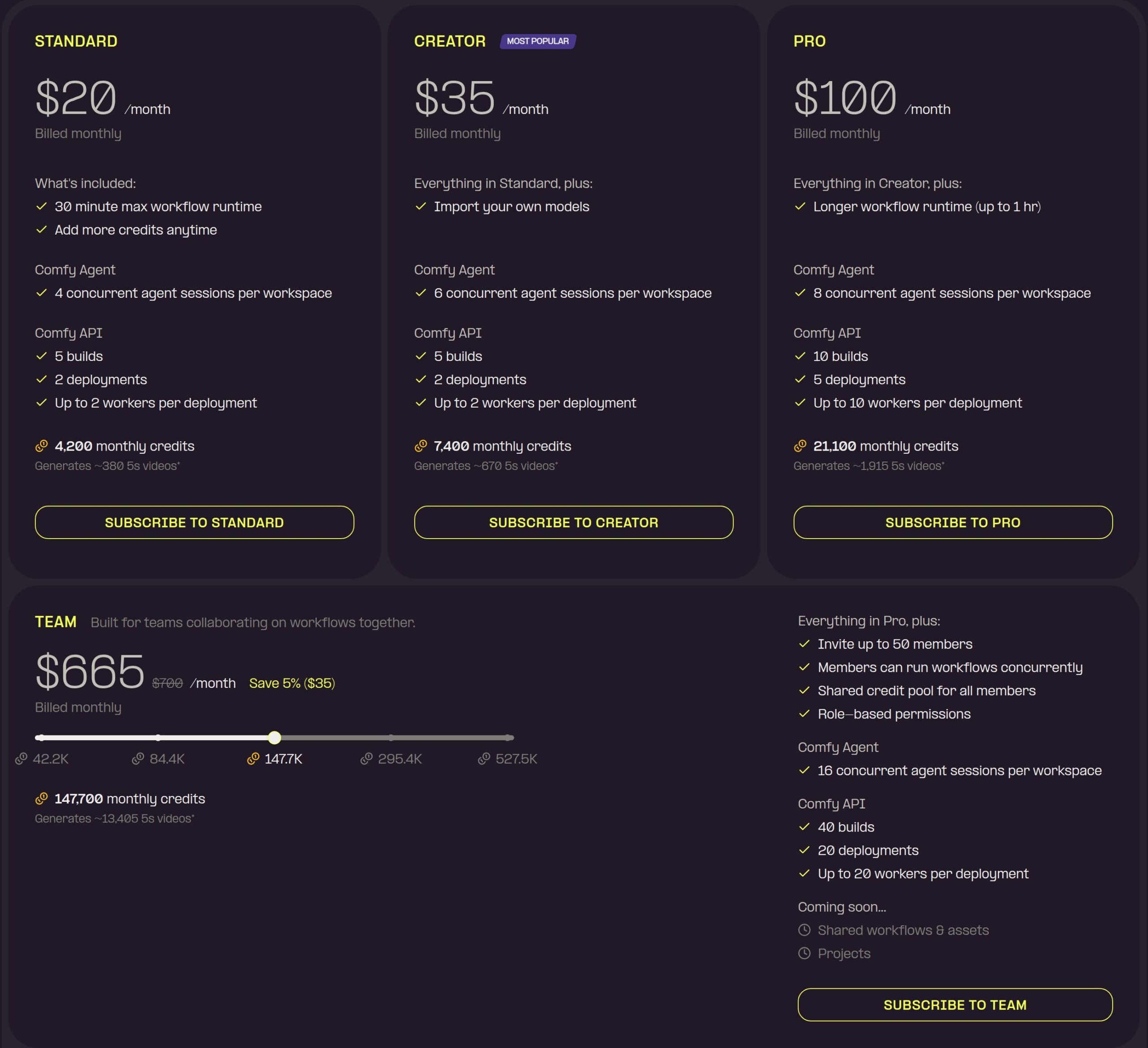
ComfyUI offers six pricing plans:
- Free: Free forever, for unlimited local generation on your own hardware, plus five free cloud runs.
- Standard: $20/month for 4,200 credits a month and 30-minute workflow runs.
- Creator: $35/month for 7,400 credits a month and your own imported models.
- Pro: $100/month for 21,100 credits a month and hour-long workflow runs.
- Team: $700/month, currently discounted to $665/month, for 147,700 credits a month and a shared credit pool for your members.
- Enterprise: Custom pricing, for more members, custom features and extra flexibility.
Annual subscriptions provide up to a 20% discount.
Try ComfyUI today with the free plan.
5. Kling AI
Our Verdict — Best For Multi-Shot Scenes
Price: Starts at $6.99/month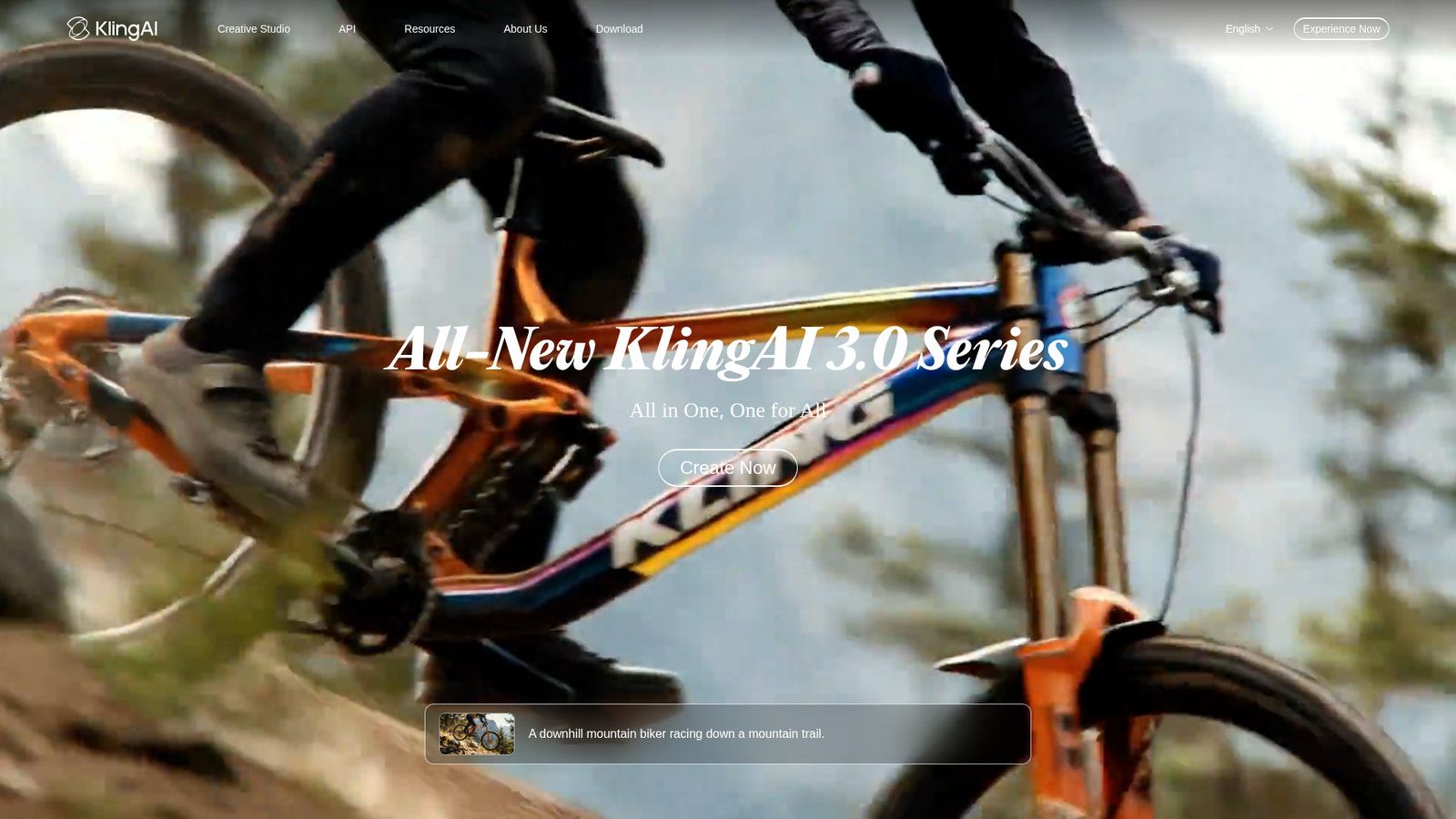
Kling AI is where a scene stops being one shot at a time. We think it's the best for multi-shot scenes because Kling VIDEO 3.0 cuts between up to six camera angles in one generation, Subject Binding locks your character's face and voice through every cut, and Kling 3.0 Omni ships the audio already synced. The newer Kling 4.0 pushes motion stability and audio-visual performance further still.
The Best Part:
Six cuts, one generation. VIDEO 3.0 plans up to six camera cuts on its own, or you switch to Custom Multi-Shot and dictate each shot's duration, framing, angle and camera move.
The Worst Part:
Credits evaporate monthly. Subscription credits expire one month after they land, with no rollover — and native 4K burns 30 credits a second, so a single 15-second 4K clip swallows 450 credits of your plan.
Get it if you want a scene that cuts between camera angles without an edit on your end.
I recommend you test it on the free plan, then upgrade to Standard at $6.99 for the first month and $8.80/month after that.
(free plan)
Best For
Kling AI is best for anyone stitching multi-shot scenes into short-form video.
Top Features
One face across six shots. Subject Binding takes four photos of your character — or a three to eight-second clip — and holds their look steady from cut to cut.
Sound in the same pass. Kling VIDEO 3.0 Omni generates dialogue, ambient noise and effects already synced to the picture, so the clip arrives with sound in place.
Your storyboard, obeyed. Feed Kling 3.0 Omni up to seven reference images and it builds the scene around them, with storyboarding baked into the model.
Native 4K, not an upscale. Kling 3.0 renders cinema-grade 4K straight out of generation — it creates the detail in the frame instead of stretching a smaller video up.
Shots that breathe. Clips run from three to 15 seconds of continuous video, and a five to 30-second audio sample teaches Subject Binding your character's own voice.
Pricing
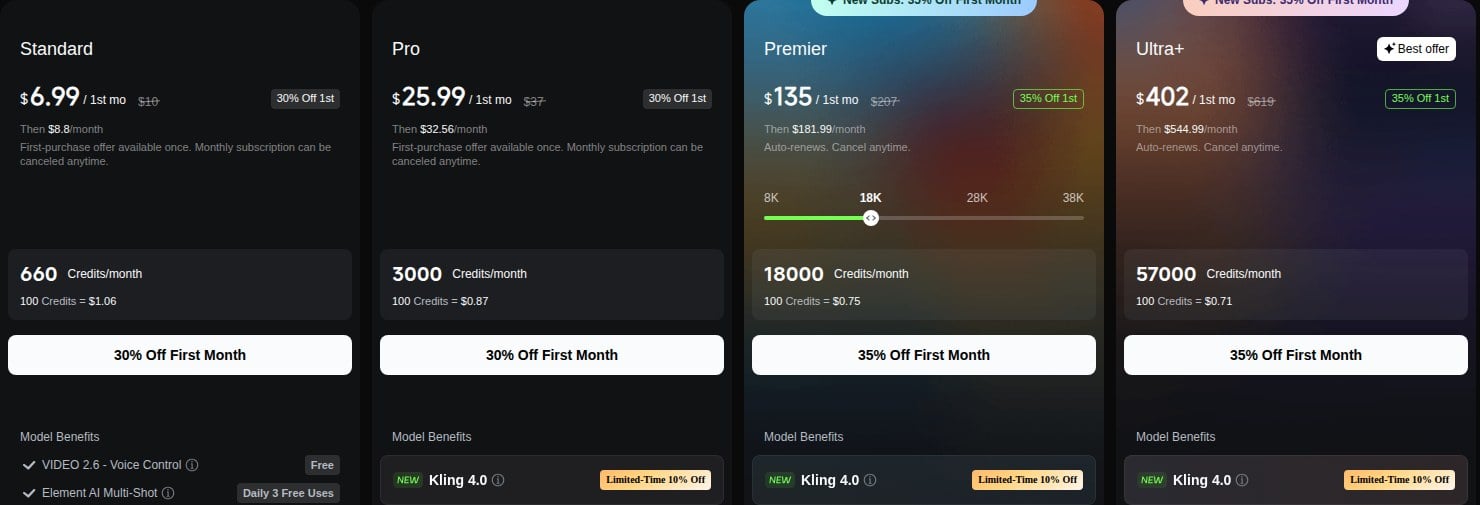
Kling AI offers five pricing plans:
- Basic: Free forever, for no monthly credits and no commercial use of generated content.
- Standard: $6.99 for the first month, then $8.80/month, for 660 credits a month, accelerated generation and daily free credits for subscribers.
- Pro: $25.99 for the first month, then $32.56/month, for 3,000 credits a month.
- Premier: $135 for the first month, then $181.99/month, for 18,000 credits a month, with credit tiers from 8,000 to 38,000.
- Ultra+: $402 for the first month, then $544.99/month, for 57,000 credits a month.
Try Kling AI today with the free plan.
6. Higgsfield
Our Verdict — Best For Camera Control
Price: Starts at $19/month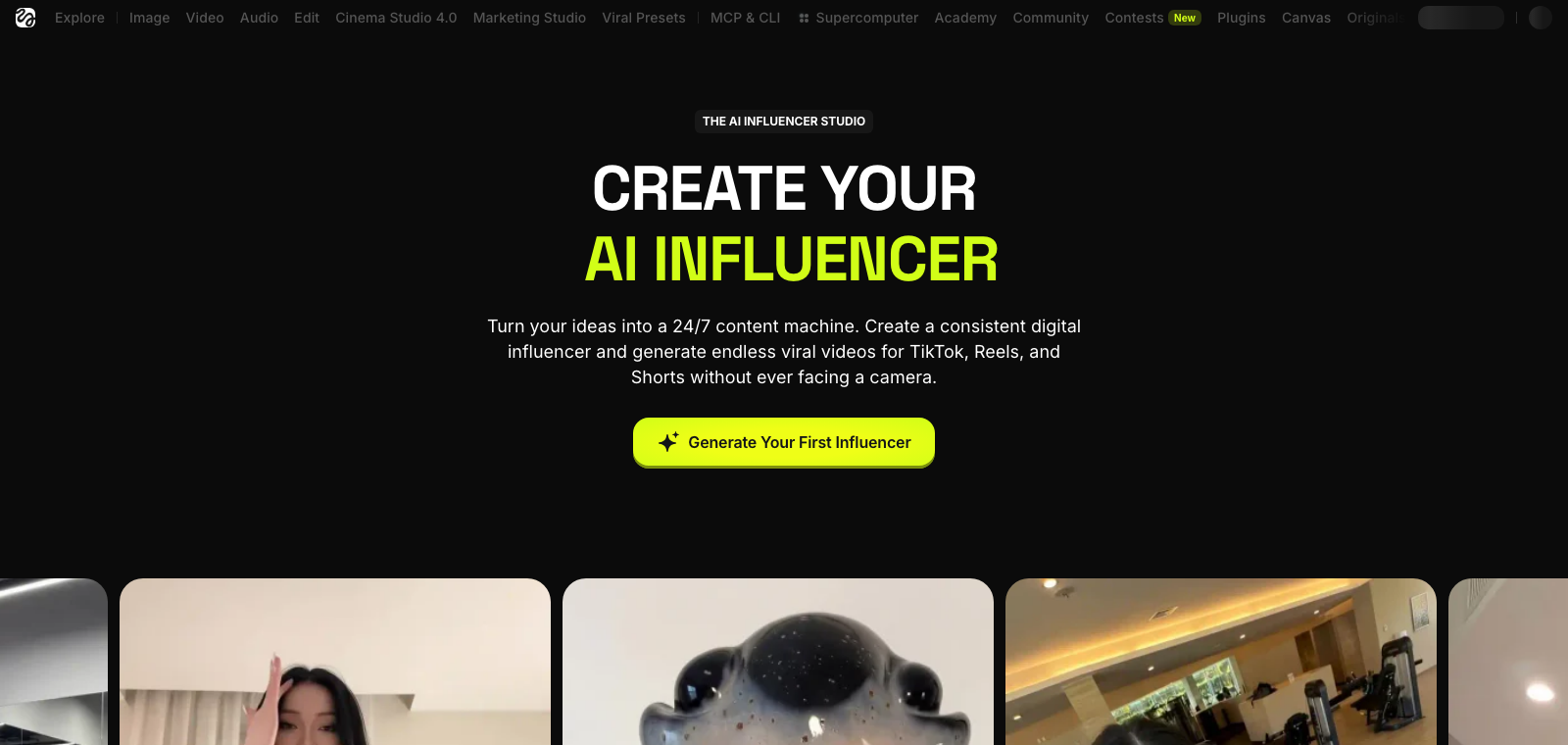
Filmmakers keep landing on Higgsfield, and for good reason. It earns the best for camera control slot with 50+ cinematic motion presets in its camera library, a virtual rig of four camera bodies and five lenses, and a Cinema Studio that locks your look in place before a single frame generates.
The Best Part:
Directed, not prompted. Most video tools make you beg for a camera move in the prompt box and hope. Higgsfield hands you the rig — you pick the move, the body and the lens, and the shot obeys.
The Worst Part:
Unlimited is paid in waiting. The pricing page itself warns of “dynamic speed adjustments” at busy hours, and one reviewer this month clocked a queue of over an hour on the unlimited models.
Get it if you want to pick the camera move yourself instead of gambling on prompt wording.
I recommend you get started with the free plan, then upgrade to Plus for $59/month.
(free plan)
Best For
Higgsfield is best for anyone who storyboards the camera move before writing the prompt.
Top Features
A 50+ preset camera library. Crash zooms, spin-around orbits, drone fly-throughs — you pick camera moves from a menu that would need a crane or a stabilizer on a real set.
Build the rig first. Choose from four camera bodies, five lenses and three aperture presets, and Cinema Studio carries that exact look across every shot in the project.
Light the scene, too. A two-source lighting console ships six presets — from backlit silhouette to soft window light — plus manual adjustment, so the camera work lands in the right mood.
Shots run to 30 seconds. Cinema Studio 4.0 generates shots up to 30 seconds long, in up to 1080p — long enough to hold a full camera move without cutting away.
Every big model under one roof. Kling 3.0, Veo 3.1 and Seedance 2.0 all run inside Higgsfield, with the same direction layer on top.
Pricing
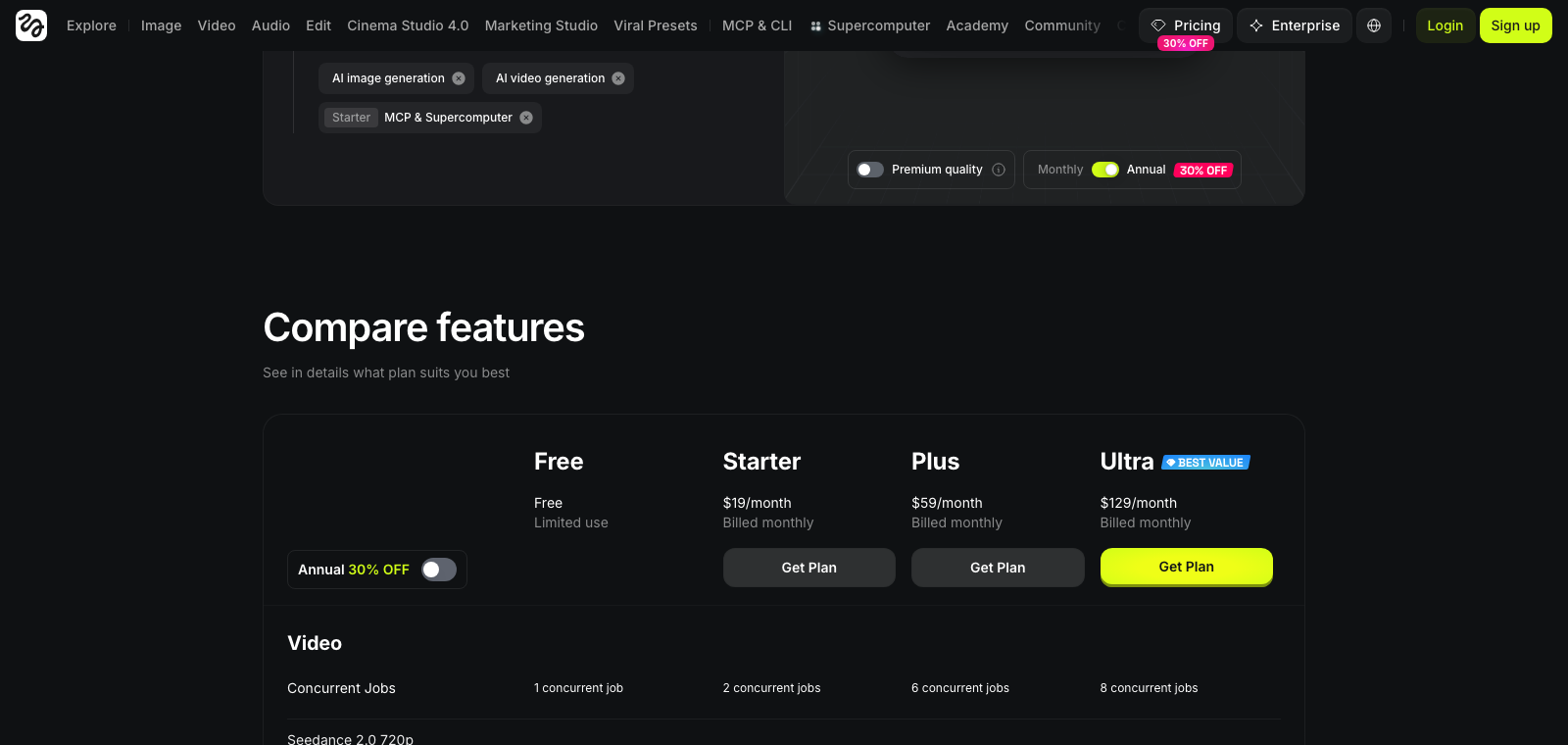
Higgsfield offers seven pricing plans:
- Free: Free forever, for no recurring monthly credits and limited access, with no commercial-use rights.
- Starter: $19/month for 270 credits a month, up to 108 character generations, access to Supercomputer and to Seedance 2.0 Fast/Mini only, up to 2 concurrent video and 4 concurrent image jobs.
- Plus: $59/month for 1,200 credits a month, up to 480 character generations, full access to all Seedance 2.0/2.5 models, Higgsfield Speak lipsync and UGC builder, 7-day unlimited Nano Banana 2, up to 6 concurrent video and 8 concurrent image jobs.
- Ultra: $129/month for 3,000 credits a month (selectable up to 6,000 or 9,000), up to 1,200 character generations, 7-day unlimited Nano Banana Pro and Nano Banana 2, unlimited paid parallel generations across all models.
- Team: $79/month for 1,000 credits per seat a month (5,000 total across the minimum 5 seats), shared credit pool and workspace for 2-9 members, single sign-on, admin spend control, priority queue.
- Scale: $215/month for 2,500 credits per seat a month (12,500 total across the minimum 5 seats), shared workspace for 5-15 members, detailed analytics, priority support and priority queue.
- Enterprise: Custom pricing, for custom credits per seat, unlimited seats, custom model access and volume rollover credits, dedicated capacity with a guaranteed service-level agreement, enterprise-level analytics, personal AI educator and Slack support.
Annual subscriptions provide up to a 30% discount.
Try Higgsfield today with the free plan.
7. Pollo AI
Our Verdict — Best Budget Pick
Price: Starts at $15/month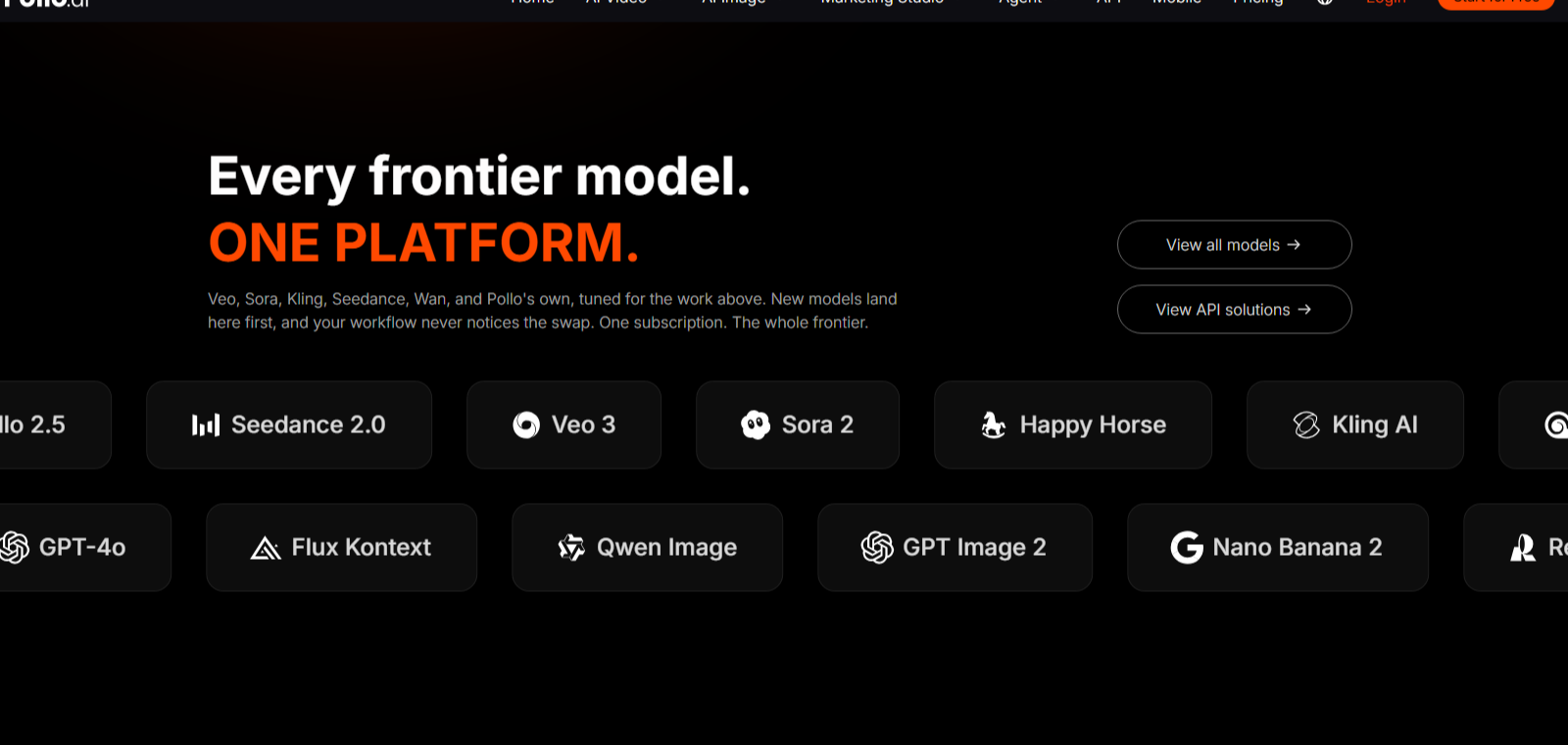
Pollo AI wins the best budget pick because one subscription opens a deep model library — Kling 3.0, Veo 3, Seedance 2.5, Wan 3.0 and more. Google Flow and Kling AI have cheaper entry tiers, but each locks you into a single vendor's models — Pollo is the cheapest way to test them side by side, and reviewers actually rate it well, a rarity among AI video generators.
The Best Part:
One subscription, many models. Pollo AI is an aggregator — you switch between Kling 3.0, Veo 3, Seedance 2.5, Wan 3.0 and MiniMax H3 without opening a second account.
The Worst Part:
Credits vanish on the premium models. Seedance 2.5 costs 37 credits per five-second clip, and the top Trustpilot complaint is how fast video allowances run out.
Get it if you want every major video model under one cheap subscription.
I recommend you get started with the free plan, then upgrade to Lite for $15/month.
(free plan)
Best For
Pollo AI is best for filmmakers who want maximum models per dollar, not the sharpest single frame in the category.
Top Features
Draft cheap, spend late. Pollo 2.5 costs five credits per five-second 720p clip, so Lite's 400 monthly credits cover up to 80 videos — burn the cheap takes first and save the premium models for the keepers.
A full finishing toolbox. Upscale a clip, sync lips, swap a face or strip subtitles without leaving the app.
Sound lives here too. Voice cloning, text to speech and a sound-effect generator cover the audio side of a cut.
Reviewers actually like it. Pollo AI holds a 4.3 TrustScore across more than 5,000 Trustpilot reviews in a category where the leaders sit near one star.
Cheap to start. At $15/month, Lite is one of the cheapest paid plans of our seven — and it still unlocks the whole model library.
Pricing
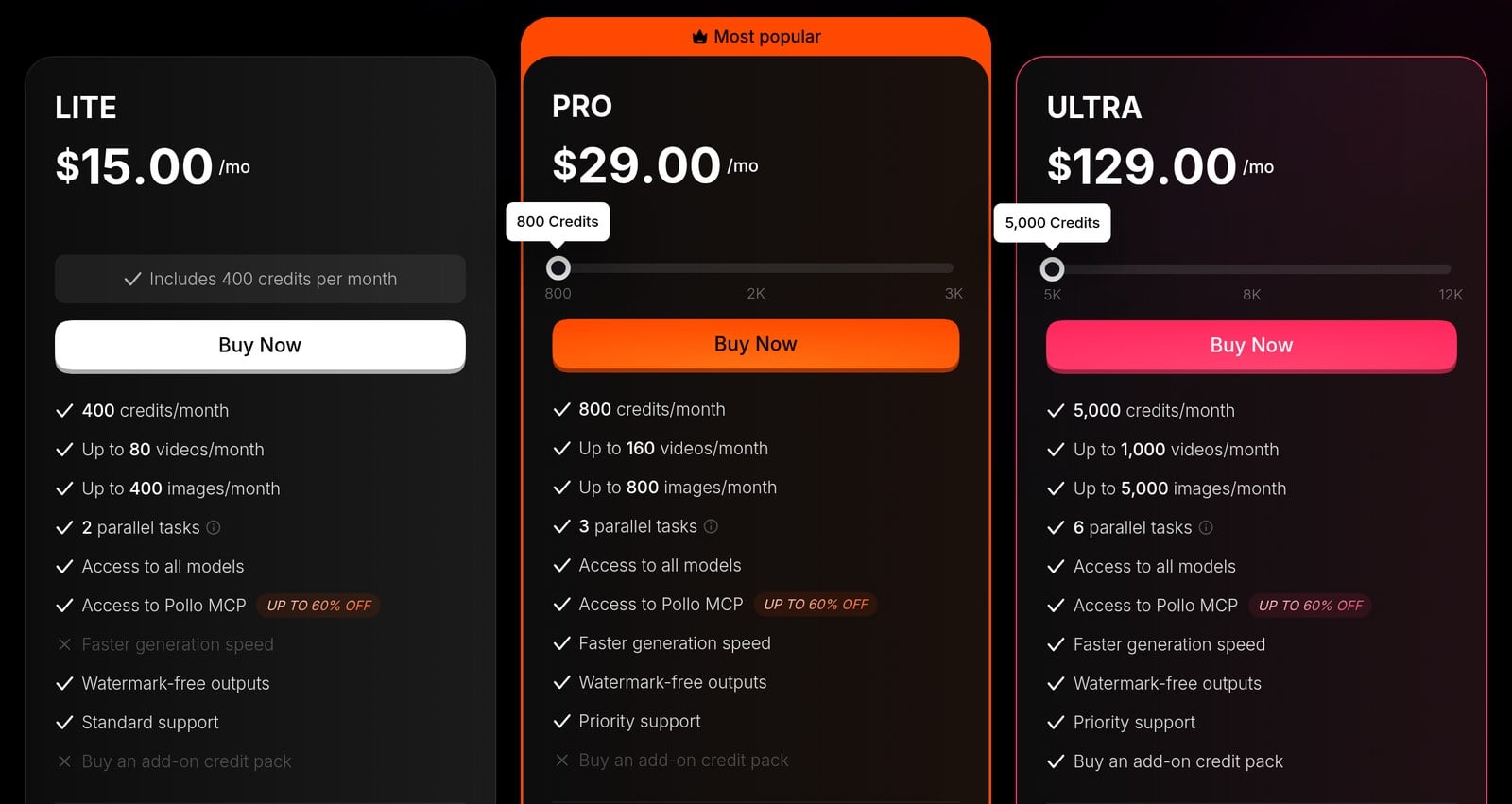
Pollo AI offers four pricing plans:
- Free: Free forever, for 20 credits to try the multi-model library.
- Lite: $15/month for 400 credits a month, up to 80 videos and 400 images, and two parallel tasks.
- Pro: $29/month for 800 credits a month, up to 160 videos and 800 images, and three parallel tasks.
- Ultra: $129/month for 5,000 credits a month, up to 1,000 videos and 5,000 images, and six parallel tasks.
Try Pollo AI today with the free plan.
Our Top Three Picks
Here's a quick summary of our top three picks:
- Runway — best of the best
- LTX Studio — best all-in-one film studio
- Google Flow — best for cinematic realism
Here's a quick comparison of our top seven picks:
Tool | Entry Offer | Pricing |
|---|---|---|
Runway | Free plan | Starts at $15/mo |
LTX Studio | Free plan | Starts at $15/mo |
Google Flow | Free plan | Starts at $4.99/mo |
ComfyUI | Free plan | Starts at $20/mo |
Kling AI | Free plan | Starts at $6.99/mo |
Higgsfield | Free plan | Starts at $19/mo |
Pollo AI | Free plan | Starts at $15/mo |
Here are the top 50 AI filmmaking tools we considered in this review:
- Runway
- LTX Studio
- Google Flow
- ComfyUI
- Kling AI
- Higgsfield
- Pollo AI
- Descript
- Midjourney
- Adobe Firefly
- Luma Dream Machine
- Kapwing
- ElevenLabs
- Fliki
- DomoAI
- InVideo
- Hailuo AI
- MiniMax
- Boords
- Wan 2.2
- Pika
- CapCut
- Topaz Video AI
- Colourlab AI
- Filmustage
- StudioBinder
- Suno
- Frame.io
- Krea
- Happy Horse
- Storyboarder
- PixVerse
- Grok Imagine
- Melies
- LongStories.ai
- Katalist AI
- Cuebric
- Wonder Studio
- Move.ai
- Largo.ai
- Studiovity
- FinalBit
- MITO
- ShotPro
- Utopai Studios
- Escape.ai
- Storyflow
- Mootion
- ImagineArt
- Hedra
Frequently Asked Questions About AI Filmmaking Software
What is AI filmmaking software?
AI filmmaking software is the tool that turns raw AI video engines into a working film set — covering your script, storyboard, camera moves, character consistency and editing, sometimes in one app and sometimes as a stack — so you can go from a one-line idea to a full music video or a short film.
Which AI filmmaking software is best overall?
Runway is our top pick overall. It's the platform Lionsgate has taken into final production, it funds real films through the Hundred Film Fund, and it refunds your credits when a generation fails — something most rivals still won't do.
How do free and paid AI filmmaking tools differ?
On hosted tools, free tiers cap your generations, resolution or queue priority — and several block commercial use of the output. Paid plans buy more generations and faster queues, and on several of these tools they are also what unlocks commercial rights. ComfyUI is the exception: it runs free on your own hardware. Start free to learn a tool's style, then pay once you know which one fits your film.
Which AI filmmaking software is the best budget pick?
Pollo AI is our budget pick because one subscription opens a library of leading video models instead of locking you into one engine — and its Trustpilot record is one of the strongest on this list.
What is the best AI filmmaking software for cinematic realism?
Pick Google Flow when cinematic realism is the brief — motion obeys real-world physics, and Flow generates the dialogue, ambience and sound effects together with the picture.
Which AI filmmaking software is best for camera control?
Camera control is Higgsfield's whole pitch. You pick the move from a library of cinematic presets instead of describing it and hoping, then choose the camera body, lens and aperture — the way a director of photography builds a shot on a real set.
What should I look for when choosing AI filmmaking software?
Focus on character consistency across shots, camera control, and whether the tool covers your whole pipeline or just single clips. Then check the fine print: what happens to credits when a generation fails, which tier carries commercial rights, and whether the free tier lets you test it for real.
How long can an AI-generated video clip be?
Most engines generate in short bursts — a few seconds to around half a minute per clip — then let you extend the shot or chain several together. That is why multi-shot control and character consistency matter more than raw clip length: a finished film is cut from dozens of generations, not shot in one.
Runway vs ComfyUI: which one should I choose?
Runway is our best overall pick, while ComfyUI is the way to get top-tier video without a subscription. Go with Runway for the full package with no setup, and ComfyUI if you own a serious graphics card and want unlimited takes for free.
The Bottom Line
To recap, here are the best AI filmmaking tools to try this year:
- Runway — best of the best
- LTX Studio — best all-in-one film studio
- Google Flow — best for cinematic realism
- ComfyUI — best free option
- Kling AI — best for multi-shot scenes
- Higgsfield — best for camera control
- Pollo AI — best budget pick