

Today there are more than 50 different AI music video generators. We compared the top 50 to find the seven best you can use to turn a finished track into a music video today.
What is the Best AI Music Video Generator?
- Neural Frames — best of the best
- Kaiber — best for stylized music videos
- Runway — best for professionals
- Freebeat — best free option
- Kling AI — best for realistic motion
- VEED — best for lyric videos
- Rotor Videos — best for pay-per-video
Our Verdict — Best Of The Best
Price: Starts at $39/month
Neural Frames sets the bar for AI music videos right now. We think it's the best of the best because it listens to your track before it draws a frame — it splits your song into eight stems and syncs the visuals to your drums, bass and vocals — and musicians have already made more than two million videos with it.
The Best Part:
Sync you can hear. Neural Frames extracts up to eight stems from your song and drives the visuals with them, so the video pulses with your kick drum instead of drifting over the track like wallpaper.
The Worst Part:
Credits meter everything. Renders draw from a monthly credit pool, and the $39 Neural Knight card itself warns it is not recommended for Autopilot — full songs on autopilot want the bigger plans. Match the plan to the length of what you release.
Get it if you want a music video that actually moves with your song, not just behind it.
I recommend you start on the free tier, then upgrade to Neural Knight for $39/month — or Neural Ninja for $99/month if you want Autopilot on full songs.
(free plan)
Best For
Neural Frames is best for independent musicians who want frame-perfect sync without touching a video editor.
Top Features
Upload, pick, download. Autopilot reads your song's lyrics, storyboards the scenes, then hands you a finished music video in about 10-15 minutes.
Make every beat move something. The audio engine splits your track into stems and exposes 10+ modulation parameters, so the zoom hits on the snare because you told it to.
Lyric videos included. The lyric video maker pulls the words out of the audio and times them to the track, so you're not typing timestamps by hand.
4K masters. Neural Ninja and higher plans upscale your video to 4K for YouTube, with 1080p included on every plan.
Failed renders cost nothing. Generations that fail never burn your credits, which takes the sting out of experimenting with wilder styles.
Pricing
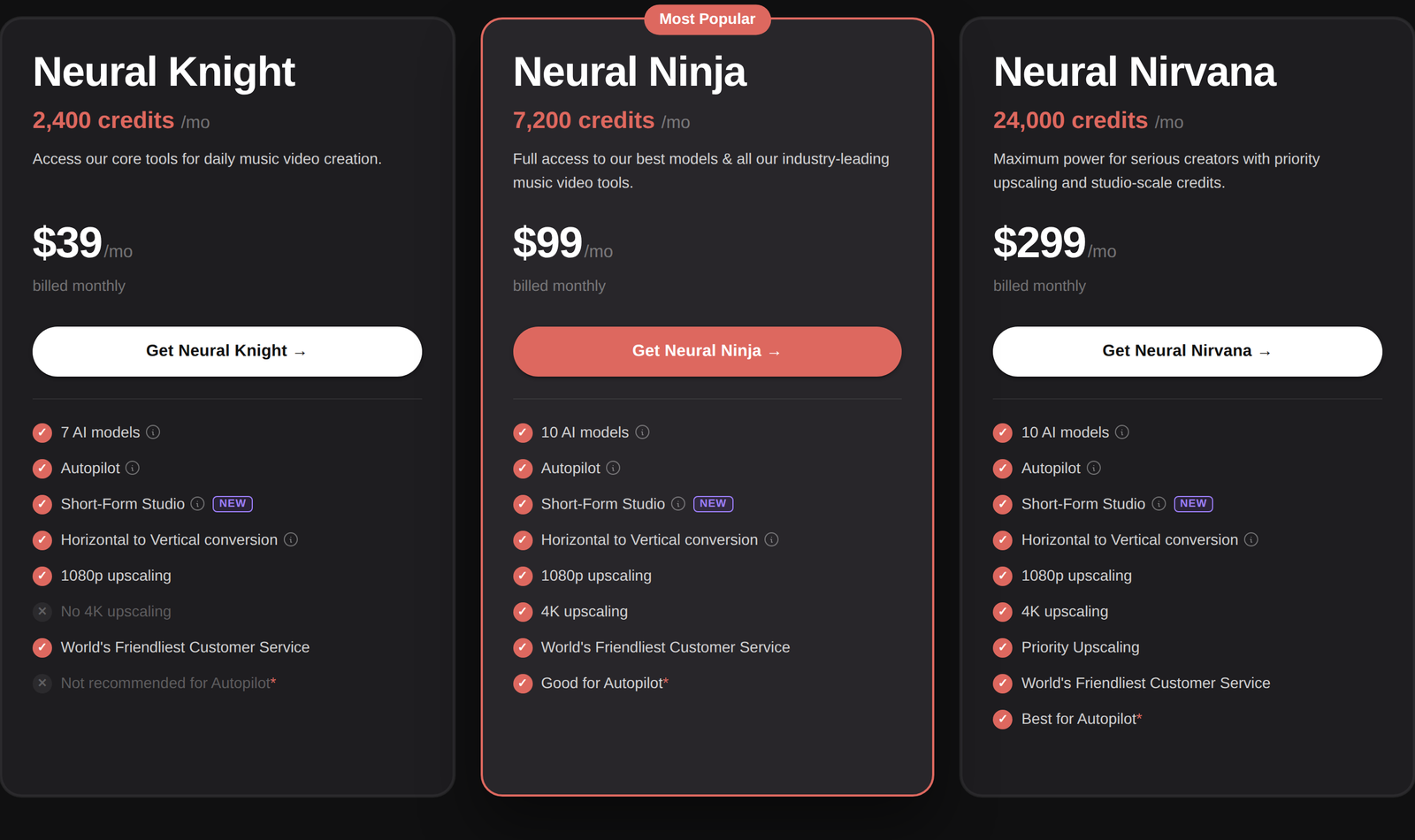
Neural Frames offers three pricing plans:
- Neural Knight: $39/month for 2,400 credits a month and seven AI models.
- Neural Ninja: $99/month for 7,200 credits, 10 AI models and 4K upscaling.
- Neural Nirvana: $299/month for 24,000 credits and priority upscaling.
Annual subscriptions provide a 33% discount.
Try Neural Frames today with the free plan.
2. Kaiber
Our Verdict — Best For Stylized Music Videos
Price: Starts at $10/month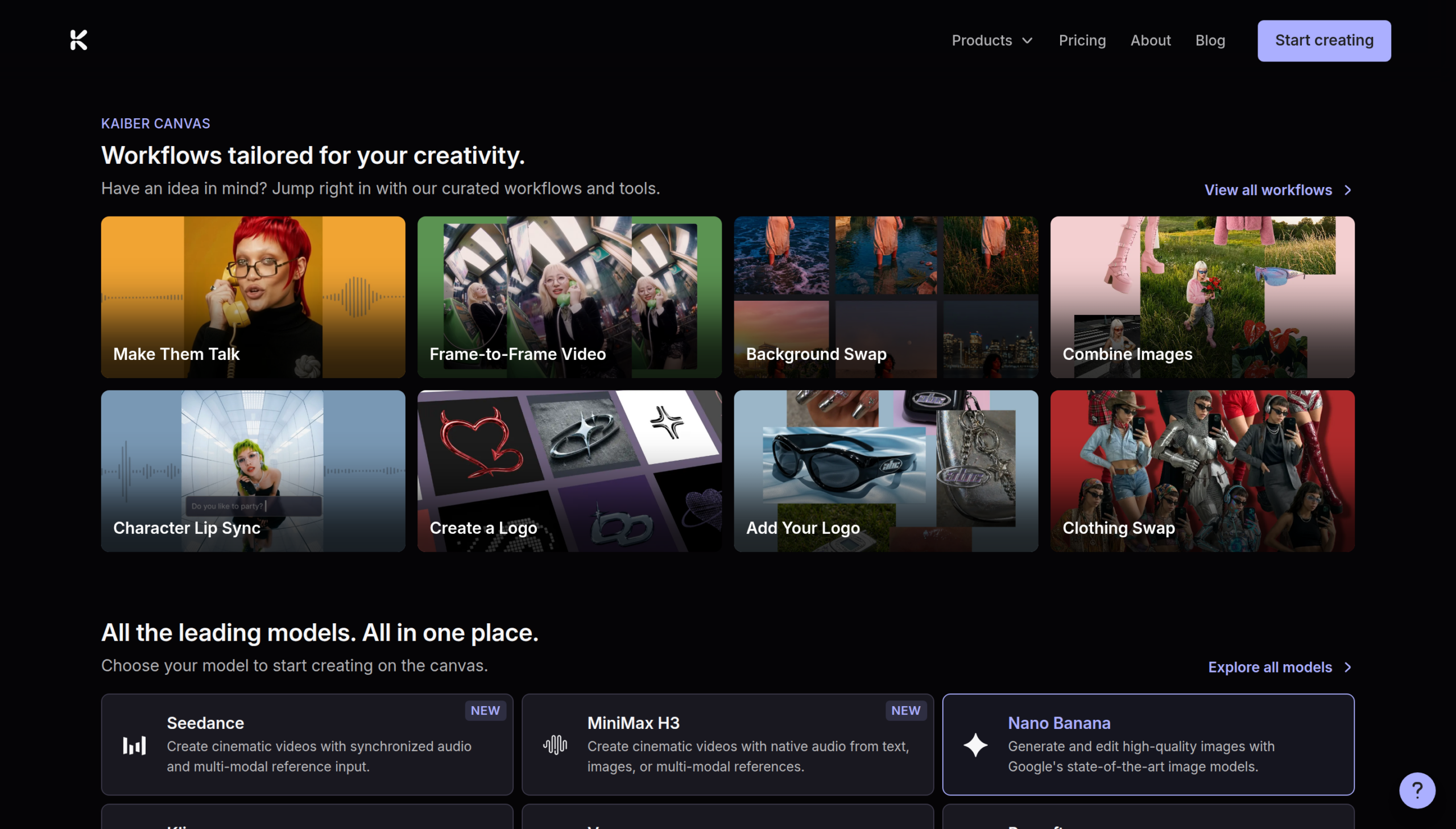
Kaiber is the tool musicians already trust with their look — it handled the AI production on Linkin Park's official video for Lost. We think it's the best for stylized music videos because Beat Sync cuts your visuals to the track automatically and the whole canvas is built for stylized looks rather than photorealism.
The Best Part:
Drop assets, get videos. Beat Sync takes your images or clips plus a track, finds the beats and returns finished videos — up to 10 in one batch on Pro — with no prompting at all.
The Worst Part:
Starter is a look, not a workflow. The $10 plan has no Beat Sync access at all, so the feature musicians come for actually starts at the $29 Creator plan. Treat Starter as a tour of the canvas.
Get it if you want your visuals stylized and cut to the beat while you do something else.
I recommend you take the $5 five-day trial with full access, then keep Creator at $29/month.
($5 trial)
Best For
Kaiber is best for artists who care about a signature visual style more than photorealism.
Top Features
Lyrics land on the beat. Beat Sync detects your lyrics and overlays them as styled text, timed to the music instead of typed onto timestamps.
The leading models in one canvas. Superstudio runs Sora 2, Seedance 2.0, Veo 3.1 and Hailuo 2.3 side by side, so you pick the engine per shot instead of per subscription.
Credits that keep. Unused credits roll over month to month instead of expiring, which fits the feast-and-famine rhythm of actual release schedules.
Workflows, not prompts. Curated flows like Make Them Talk and Character Lip Sync get a specific job done in a couple of inputs.
Your camera roll becomes b-roll. Scene Cut and Auto-Clipping trim your raw footage into pieces Beat Sync can cut to the track, so real clips and generated ones share the same video.
Pricing
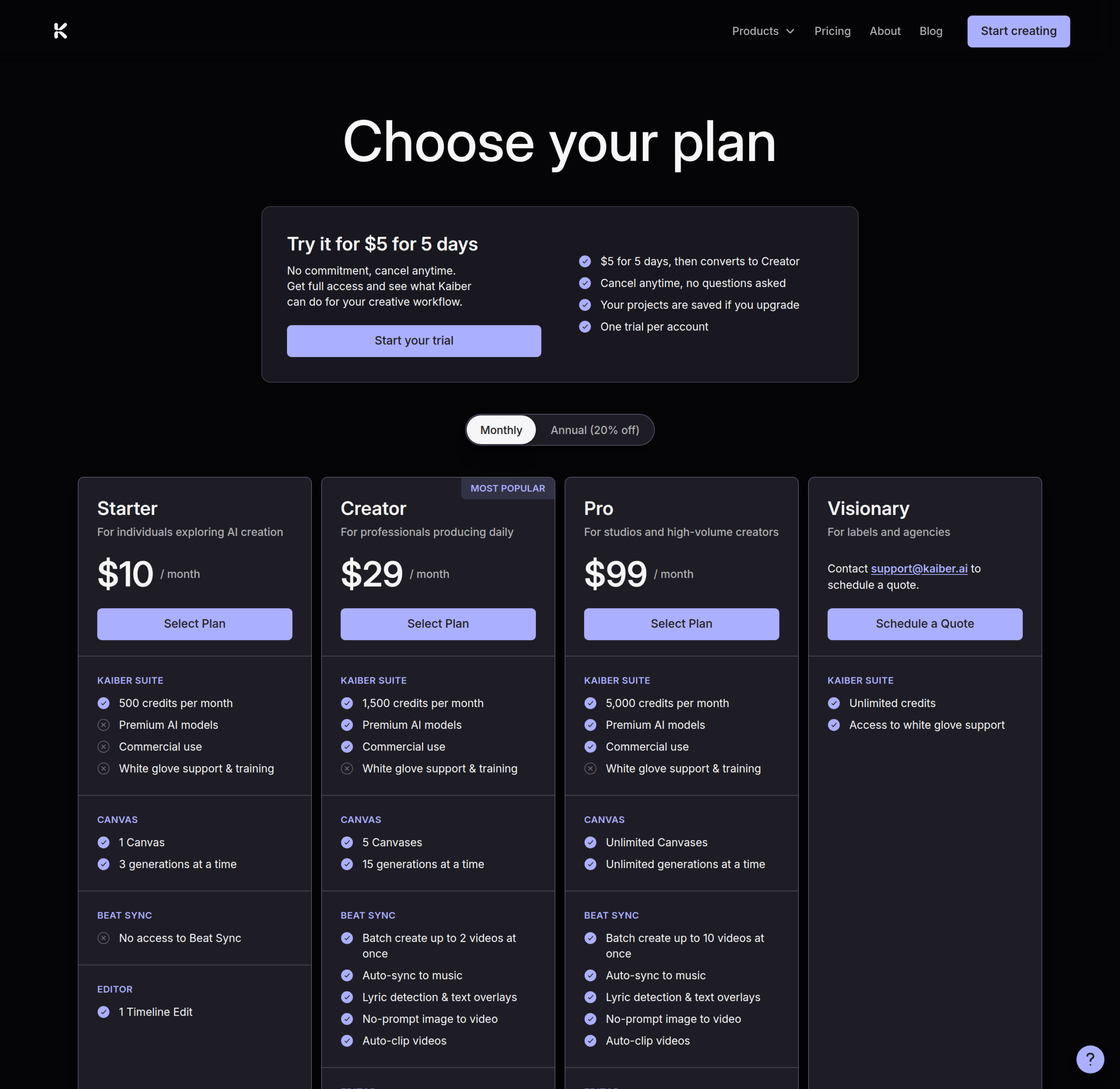
Kaiber offers four pricing plans:
- Starter: $10/month for 500 credits a month.
- Creator: $29/month for 1,500 credits a month.
- Pro: $99/month for 5,000 credits a month.
- Visionary: Custom pricing, for labels and agencies that need unlimited credits.
Annual subscriptions provide a 20% discount.
Try Kaiber today with the $5 five-day trial.
3. Runway
Our Verdict — Best For Professionals
Price: Starts at $15/month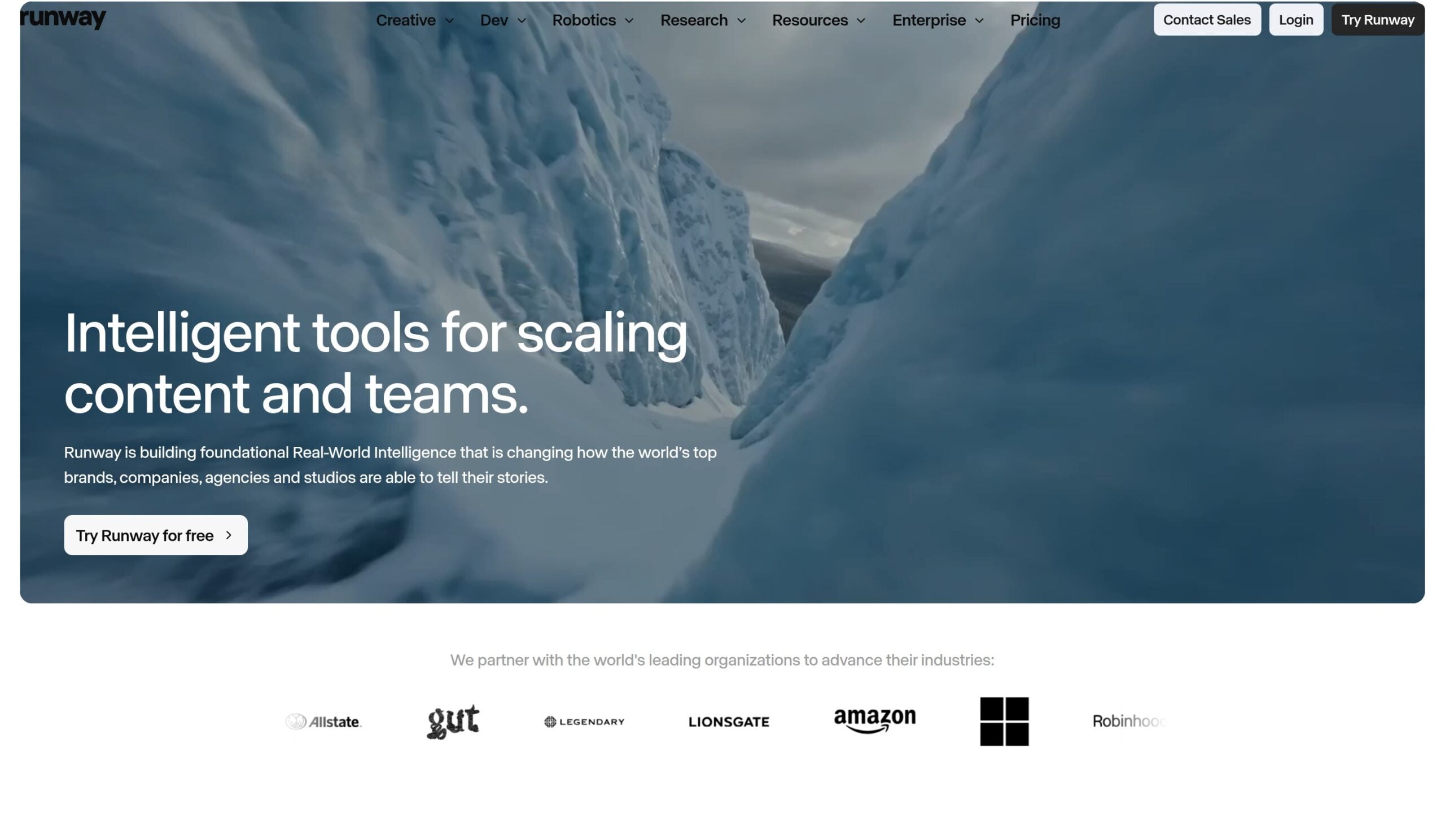
Runway built its name on one thing: motion that looks filmed with a camera, not generated by AI. It takes the best for professionals slot because Gen-4.5 renders the kind of footage a label video calls for, and Act-Two maps a real performance onto any character you design.
The Best Part:
Footage that cuts in. Put a Gen-4.5 clip next to your real footage and the switch won't pull viewers out of the video — some shots are filmed.
The Worst Part:
No beat sync. Runway does not listen to your song — you generate the shots, then cut them to the track in an editor. Budget the edit time the dedicated music tools save you.
Get it if some of your video is filmed and the AI shots have to match.
I recommend you get started with the 125 free credits, then upgrade to Standard for $15/month.
(free plan)
Best For
Runway is best for artists making a cinematic video, where every shot is art-directed.
Top Features
Perform once, cast anyone. Act-Two captures your head, face, body and hand movement from a performance video and maps it onto a generated character.
Your voice, cloned for lip sync. Pro plans create Custom Voices from a short audio sample, so the character on screen can sing the hook in your voice.
Edit the shot you liked. Aleph 2.0 is Runway's editing model — it reworks a finished shot in Edit Studio instead of forcing a fresh roll.
Every model on every plan. All paid plans include the full lineup — Gen-4.5, Veo 3.1, Kling 3.0 and more — plus 4K upscaling, so the cheap tier renders with the same engines as the big ones.
Help is everywhere. Runway sits in real studios' workflows with 60M+ creators, so tutorials, presets and answers for music work are a search away.
Pricing
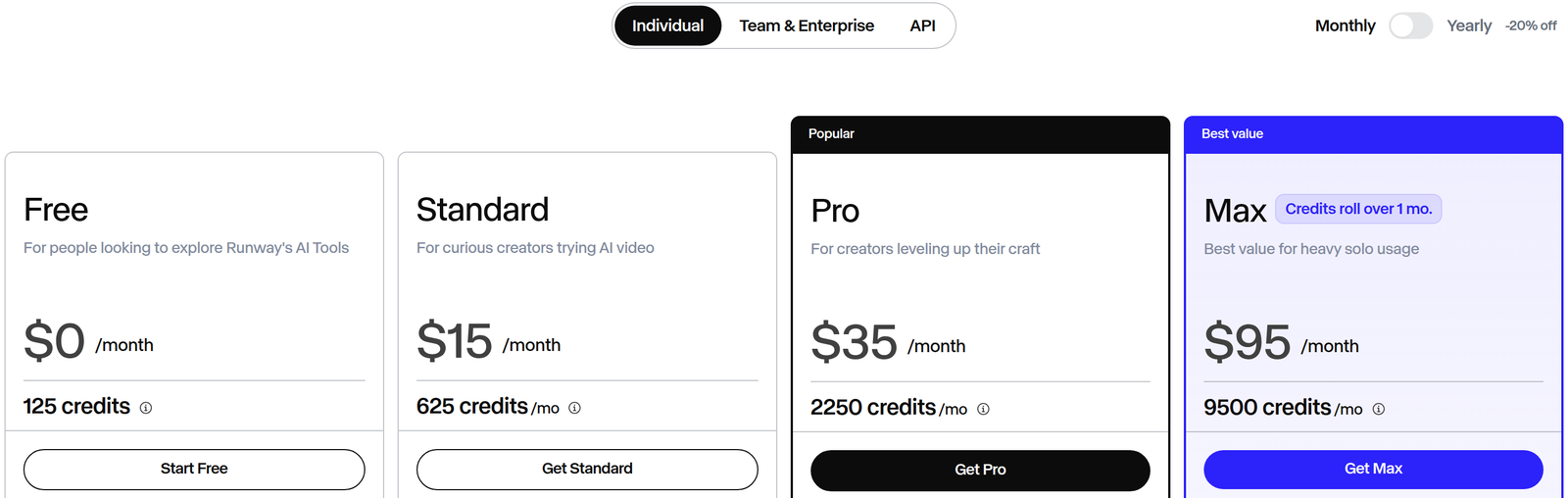
Runway offers three pricing plans:
- Standard: $15/month for 625 credits a month.
- Pro: $35/month for 2,250 credits a month.
- Max: $95/month for 9,500 credits a month.
Annual subscriptions provide a 20% discount.
Try Runway today with the free plan.
4. Freebeat
Our Verdict — Best Free Option
Price: Starts at $4.99/week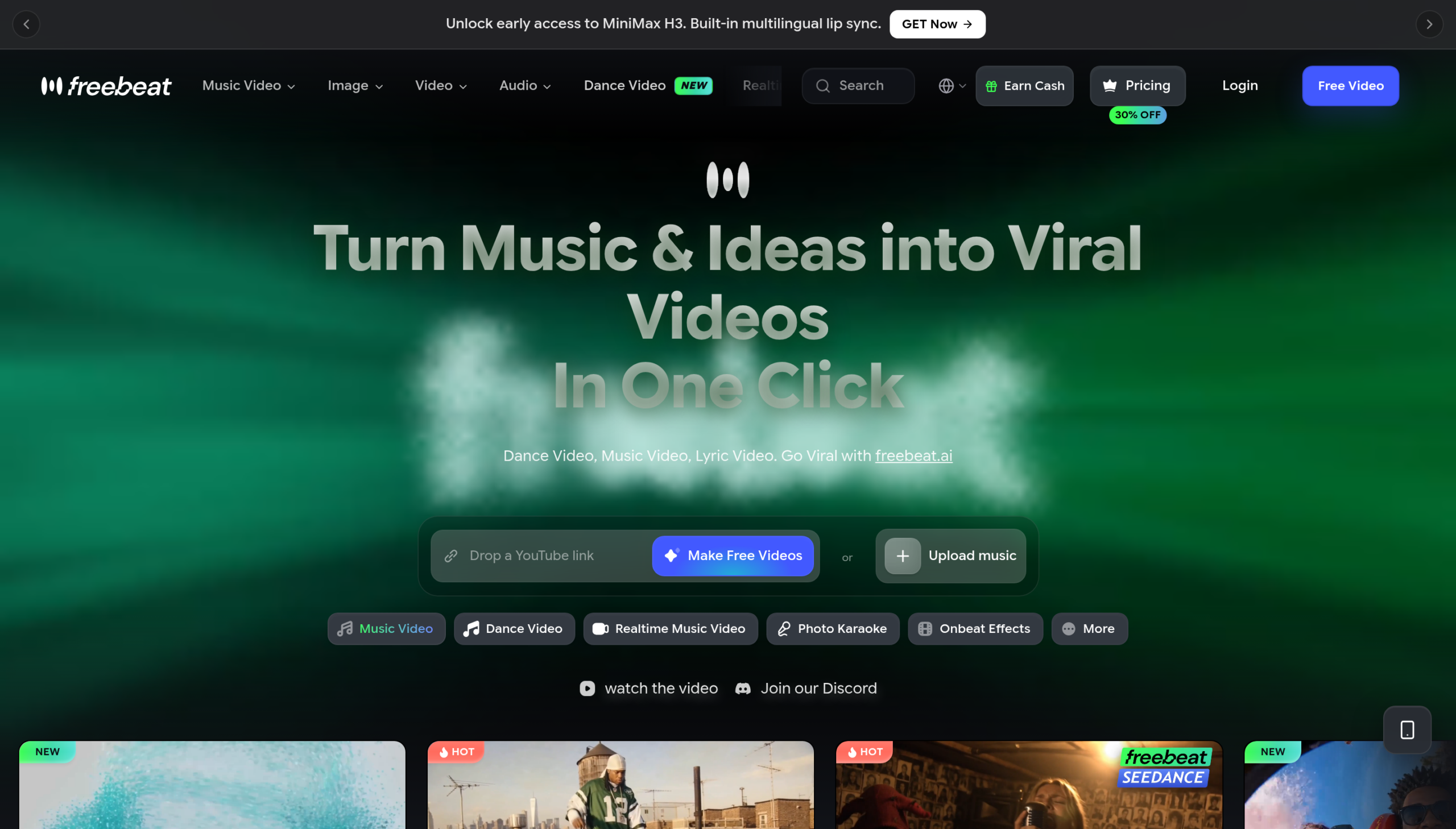
You don't need a budget to put out a music video anymore. Freebeat earns the best free option slot because you drop a YouTube link or an audio file, press one button and get a beat-synced video without paying anything first.
The Best Part:
It plans the video for you. Freebeat reads your track in eight dimensions — BPM, beat grid, energy curve, song structure — then plans the shots, camera moves and transitions like a director would.
The Worst Part:
The interface sells hard. Every screen pushes an upgrade, a badge or a bonus model, and the constant promos make the app feel busier than the work you came to do.
Get it if you want a finished music video out of a song link before spending a cent.
I recommend you make your first videos free, then upgrade to Pro at $26.99/month, currently marked down from $34.99.
(free plan)
Best For
Freebeat is best for artists who release often and need a video for every drop, not a masterpiece for one.
Top Features
Suno in, video out. Paste a link to a track you made in Suno, the AI song generator, and Freebeat returns a beat-synced music video in about five minutes.
Dance videos on demand. The dance generator choreographs AI performers to your track in four styles, from hip-hop to swing, so the same song becomes short dance clips for TikTok and Reels.
A music video, live. Realtime mode plans the visual story and streams the video to your browser as it generates — Forbes called it “the world's first real-time music video AI.”
Lyric videos too. Lyric video is a first-class mode next to music and dance videos, so one upload covers the visualizer, the lyric video and the clip.
The big engines underneath. Freebeat runs PixVerse, Veo, Kling and Wan under the hood, so the free button is backed by the same models the paid tools sell.
Pricing
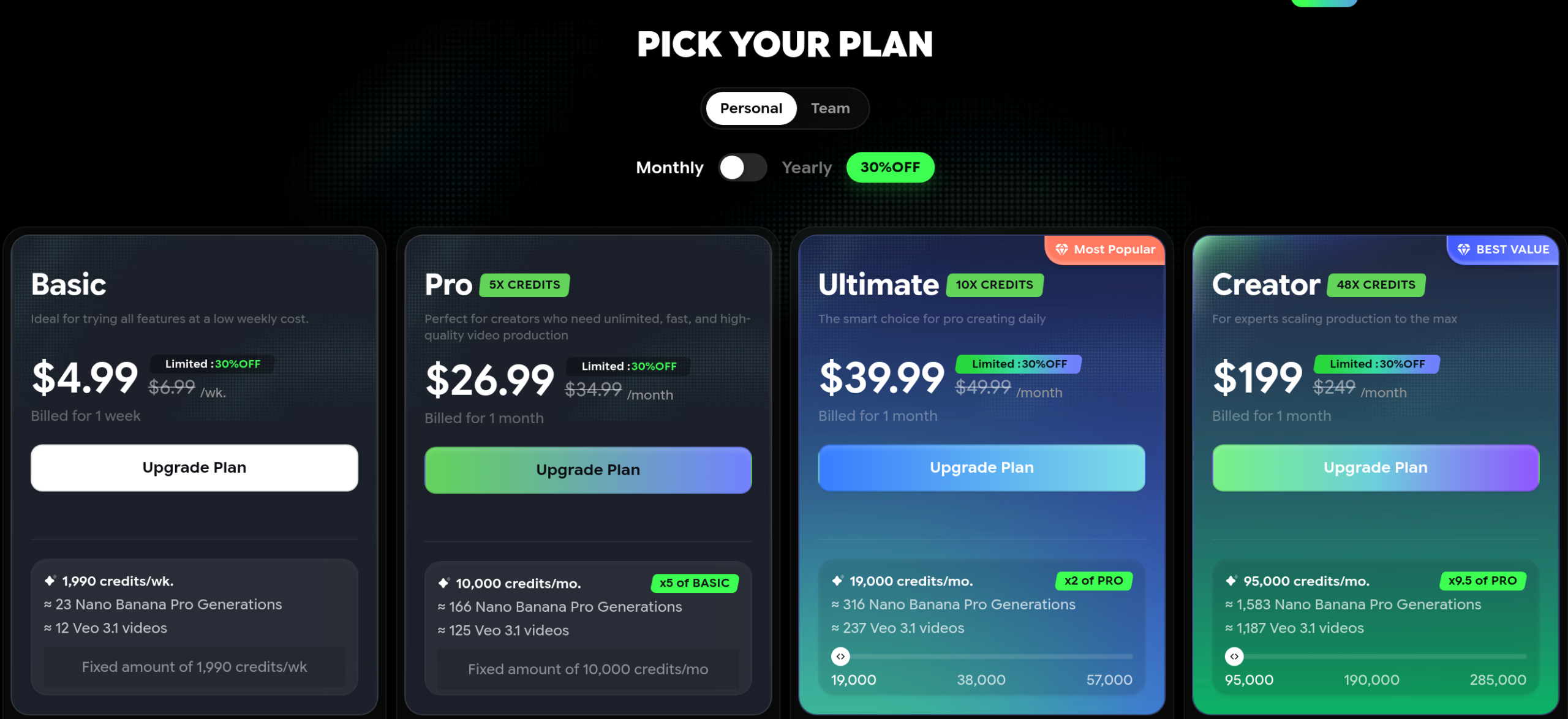
Freebeat offers five pricing plans:
- Free: Free forever, for making your first videos before you pay.
- Basic: $4.99 a week, currently marked down from $6.99, for 1,990 credits — the low-commitment way in.
- Pro: $26.99/month, currently marked down from $34.99, for 10,000 credits a month.
- Ultimate: $39.99/month, currently marked down from $49.99, for 19,000 credits a month.
- Creator: $199/month, currently marked down from $249, for 95,000 credits a month.
Try Freebeat today with the free plan.
5. Kling AI
Our Verdict — Best For Realistic Motion
Price: Starts at $6.99/month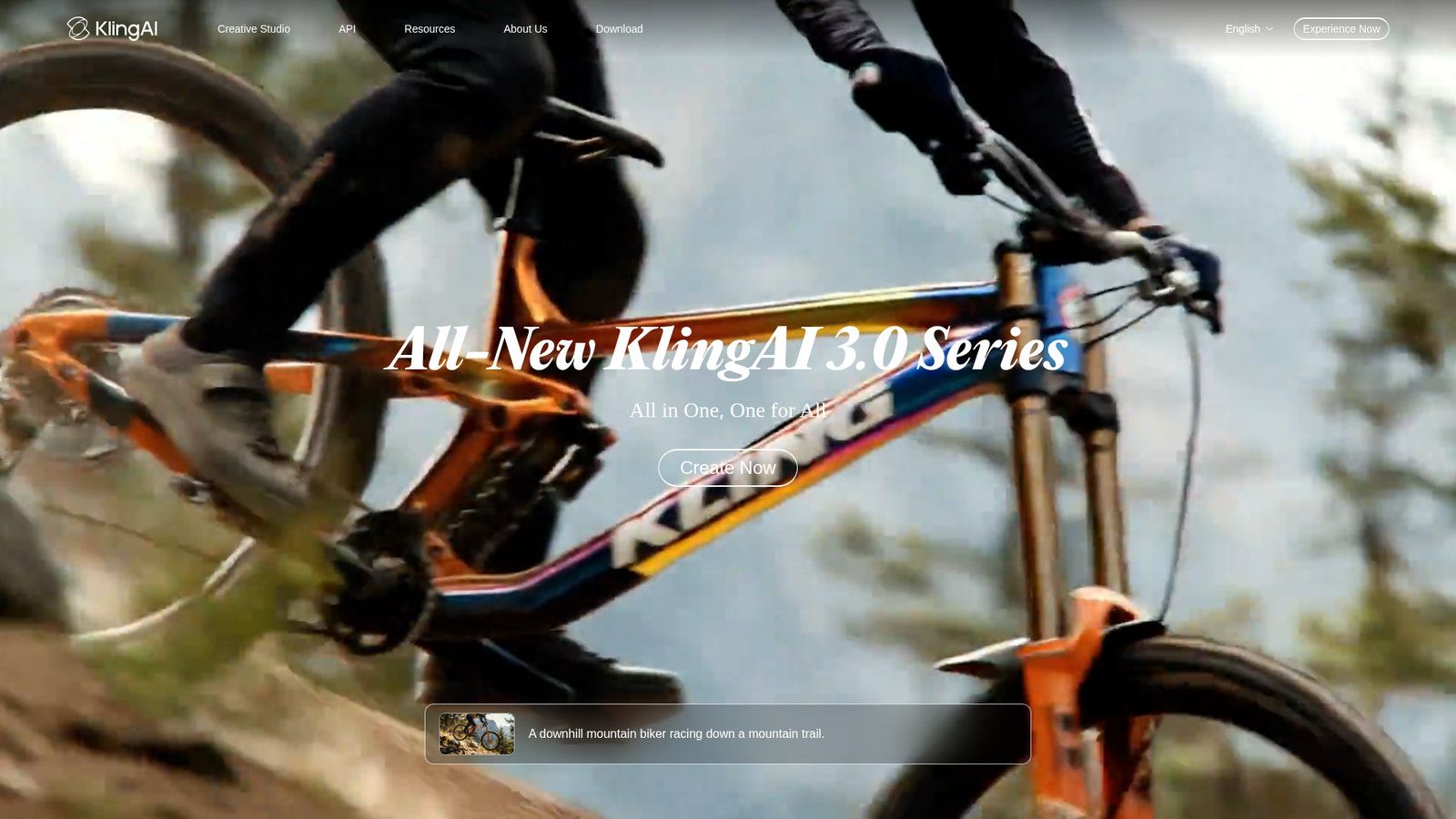
Kling AI is what the pros reach for when the video needs a human being in it. We think it's the best for realistic motion because people move like people — walking, dancing, hands that behave — and its 3.0 series added sound and a multi-shot storyboard, with the all-new Kling 4.0 pushing the audio-visual performance further.
The Best Part:
Performance shots that look filmed. Kling's specialty is human motion — the artist can walk, dance or sing on camera and stay believable, which is exactly the shot most AI tools ruin.
The Worst Part:
Promo maze. Kling AI's checkout is a wall of first-month discounts, so the price you pay today is rarely the price you'll pay in month two. Check the renewal price before you commit.
Get it if your video needs a person on screen that looks real.
I recommend you get started with the free daily credits, then upgrade to Standard at $6.99 for the first month and $8.80/month after that.
(free plan)
Best For
Kling AI is best for performance-style videos, where the singer, the band and the crowd have to look filmed.
Top Features
Lip-sync that lands. Voice control and lip-sync arrived with version 2.6, so your character can mouth the hook convincingly instead of missing every syllable.
Direct shot by shot. The storyboard mode in the 3.0 series lets you set each shot's length, angle and camera move, then generates the sequence in one go.
Video and sound arrive together. The 3.0 models generate footage and audio in the same take, in five languages, and Kling 4.0 builds on that audio-visual performance.
15-second takes. The 3.0 series stretches a single generation to 15 seconds, which covers a full lyric line or a chorus hit without stitching.
Free credits every day. The daily allowance refreshes instead of expiring monthly, so you can practice performance shots for free before a release week.
Pricing
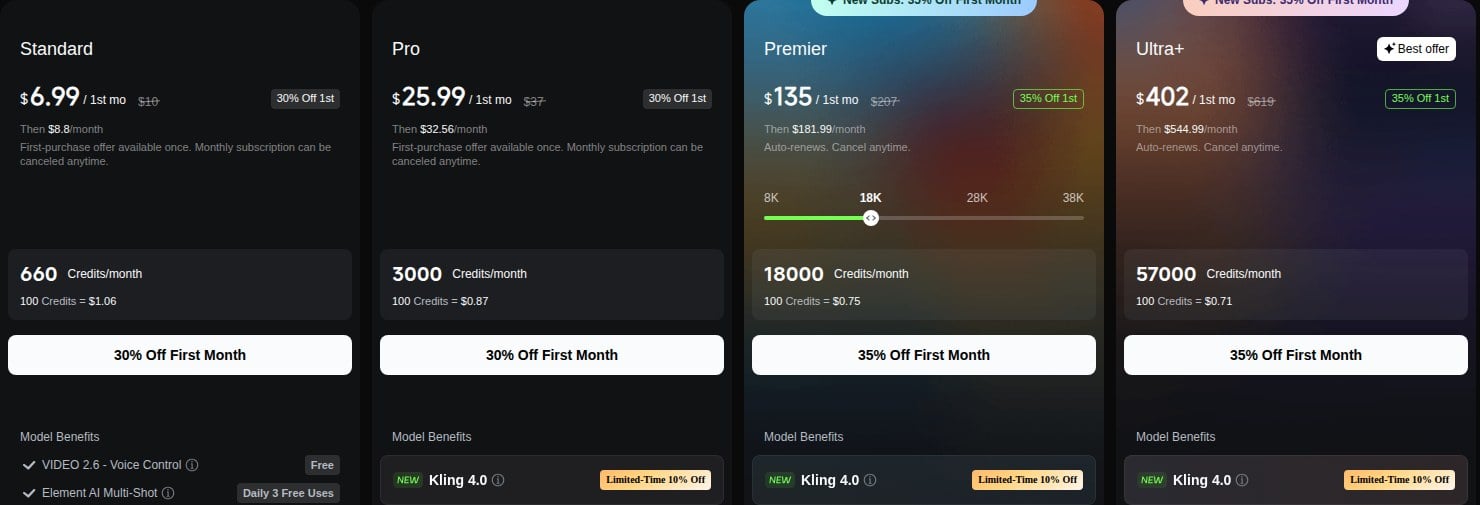
Kling AI offers five pricing plans:
- Free: Free forever, for credits that refresh daily.
- Standard: $6.99 for the first month, then $8.80/month, for 660 credits — enough to test real workloads.
- Pro: $25.99 for the first month, then $32.56/month, for 3,000 credits.
- Premier: $135 for the first month, then $181.99/month, for 18,000 credits, with credit tiers from 8,000 to 38,000.
- Ultra+: $402 for the first month, then $544.99/month, for 57,000 credits.
Try Kling AI today with the free plan.
6. VEED
Our Verdict — Best For Lyric Videos
Price: Starts at $25/month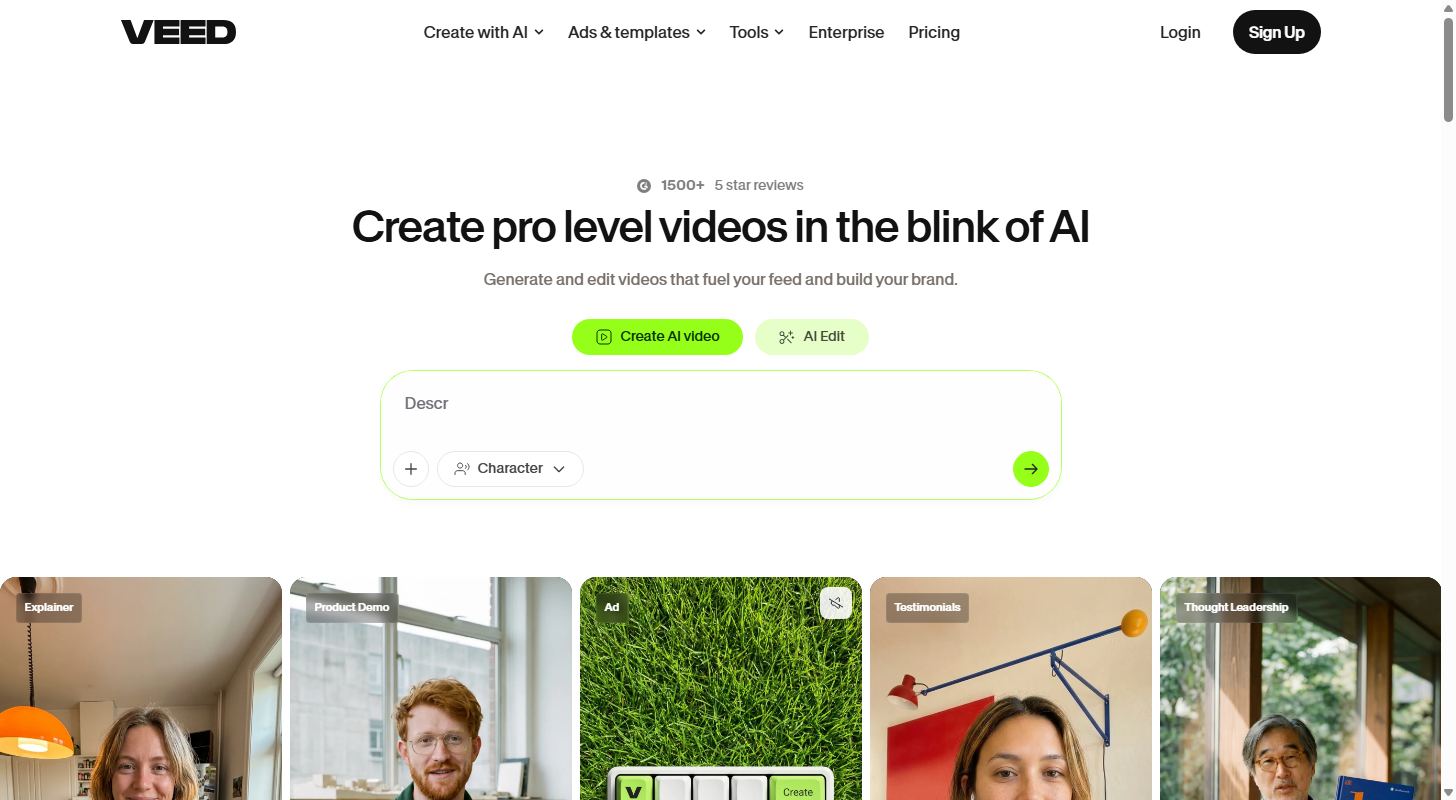
For every release that gets a full video, there are lyric videos to ship too — and VEED was built for them. It earns the best for lyric videos slot because its auto subtitles are the best in the business, and the visualizer animates to your track's actual frequencies.
The Best Part:
Subtitles that carry the song. VEED's auto subtitles transcribe your vocal and time each line to the song, then let you style the text like a title card instead of a caption.
The Worst Part:
Generalist pricing. You're buying a full video suite even if all you make is lyric videos, and the AI credits that power the generative features expire monthly.
Get it if your releases need clean lyric videos and visualizers on a schedule.
I recommend you get started with the free plan, then upgrade to Creator for $25/month.
(free plan)
Best For
VEED is best for artists and channels that publish lyric content weekly and edit in the browser.
Top Features
Waves that follow the song. The music visualizer animates sound waves from the real frequencies of your audio — and the visualizer tools are free to use.
One take, 50 languages. Pro translates your subtitles into 50+ languages, so the lyric video your fans share in Mexico City is the same upload.
Brand kit on every frame. Fonts, colors and logos apply across videos automatically, so your channel's lyric videos all look like yours.
Stock to fill the gaps. The full audio and video catalog is included, so verses with nothing to show get stock clips without a second subscription.
No watermark from the first paid tier. Creator removes the watermark and keeps unlimited auto subtitles, which is all a lyric channel needs.
Pricing
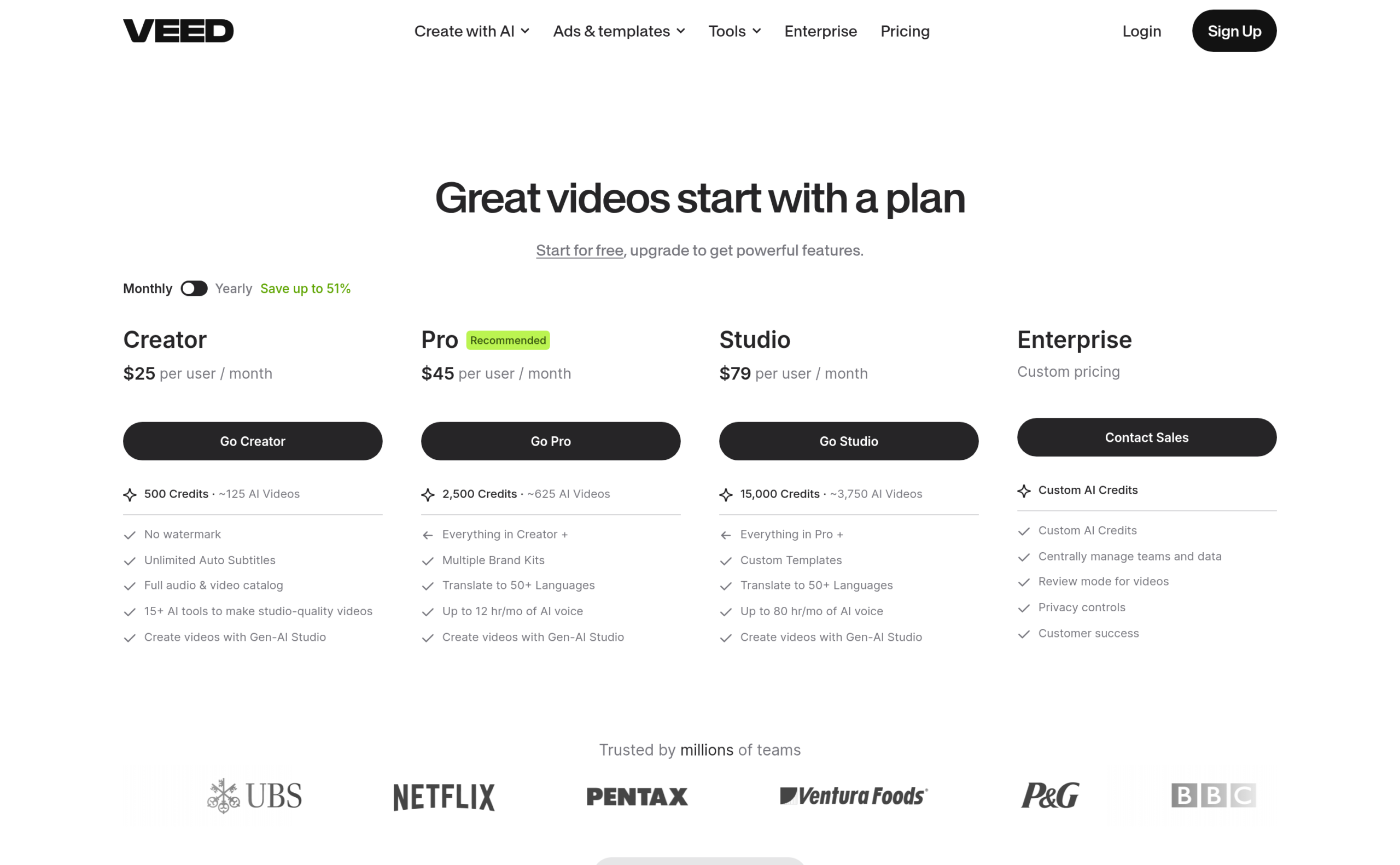
VEED offers four pricing plans:
- Creator: $25/month for 500 credits a month.
- Pro: $45/month for 2,500 credits a month.
- Studio: $79/month for 15,000 credits a month.
- Enterprise: Custom pricing, for teams that need custom AI credits and central management.
Annual subscriptions provide up to a 51% discount.
Try VEED today with the free plan.
7. Rotor Videos
Our Verdict — Best For Pay-Per-Video
Price: Starts at $9.99 per credit
Rotor Videos asks nothing of you before it delivers. It wins the best for pay-per-video slot because you make the whole video free — the engine cuts 17 million stock clips to your track — and you only pay the day you download one.
The Best Part:
No subscription needed. Credits are one-off and never expire — a music video costs three, a lyric video four — so a single release doesn't sign you up for a monthly bill.
The Worst Part:
Stock, not generated. Rotor edits real stock footage to your music rather than generating scenes, so you get polish and speed instead of a surreal AI aesthetic. If you want dreamlike visuals, pick one of the tools above.
Get it if you release a few videos a year and refuse to rent software monthly.
I recommend you build your video free, then buy the 5-credit bundle for $44.99 when you're ready to download.
(free preview)
Best For
Rotor Videos is best for musicians who want a finished, professional-looking video for a single release.
Top Features
It cuts to your song. The engine analyzes your track and auto-edits the clips to its rhythm, so the cuts land on the beat without a timeline in sight.
17 million clips included. The stock library is part of the price of a download, so you never license footage separately.
150+ styles and filters. Audio-reactive effects and styles — VHS included — make stock footage feel styled, and you preview the video before you spend a credit.
Clips for Spotify and Apple Music. Spend one credit on a Spotify Canvas loop or two on an Apple Music Album Motion — the streaming surfaces most video tools ignore.
Your rights stay yours. Rotor retains no rights over your creations — the video you download is yours.
Pricing
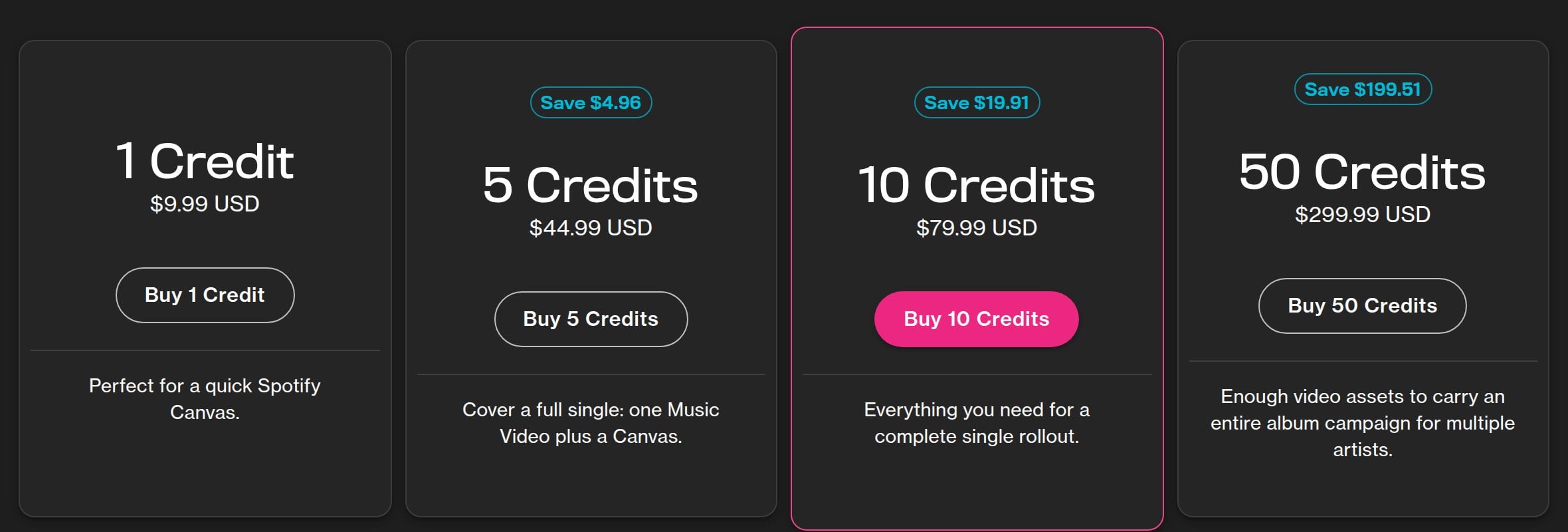
Rotor Videos offers five pricing plans:
- Free: Free forever, for creating and previewing any video — you only pay to download.
- 1 credit: $9.99, enough for a quick Spotify Canvas.
- 5 credits: $44.99 at $9 per credit — a music video costs three credits, a lyric video four.
- 10 credits: $79.99 as the per-credit rate drops to $8.
- 50 credits: $299.99 as the per-credit rate drops to $6.
Try Rotor Videos today with a free preview.
Our Top Three Picks
Here's a quick summary of our top three picks:
- Neural Frames — best of the best
- Kaiber — best for stylized music videos
- Runway — best for professionals
Here's a quick comparison of our top seven picks:
Tool | Entry Offer | Pricing |
|---|---|---|
Neural Frames | Free plan | Starts at $39/mo |
Kaiber | $5 trial | Starts at $10/mo |
Runway | Free plan | Starts at $15/mo |
Freebeat | Free plan | Starts at $4.99/wk |
Kling AI | Free plan | Starts at $6.99/mo |
VEED | Free plan | Starts at $25/mo |
Rotor Videos | Free preview | Starts at $9.99 |
Here are the top 50 AI music video generators we considered in this review:
- Neural Frames
- Kaiber
- Runway
- Freebeat
- Kling AI
- VEED
- Rotor Videos
- Revid AI
- Kapwing
- Luma Dream Machine
- Sora
- TopMediai
- One More Shot AI
- Renderforest
- EchoWave
- Vidnoz AI
- InVideo AI
- Plazmapunk
- Pictory
- Specterr
- Vizzy
- Videobolt
- WZRD
- CapCut
- ShortGenius
- Pollo AI
- Vidu
- Hailuo AI
- PixVerse
- Seaweed
- Wan
- ElevenLabs Flows
- LTX Studio
- Canva
- Somio AI
- LyricEdits
- Steve.AI
- Capify
- Clipchamp
- Banger.Show
- Decoherence
- VibeMV
- AirMusic
- Google Veo
- Hedra
- D-ID
- Wav2Lip
- Deforum
- AnimateDiff
- Suno
Frequently Asked Questions About AI Music Video Generators
What is an AI music video generator?
An AI music video generator is software that turns a finished song into a video. The dedicated tools analyze your track's beat, energy and lyrics and sync the visuals automatically, while generalist engines generate the shots and you cut them to the music. The current generation covers full music videos, lyric videos and visualizers, with output up to 4K.
Which AI music video generator is best overall?
Neural Frames is our top pick overall. It splits your song into stems and syncs the visuals to them, Autopilot turns a track into a finished video in minutes, and more than two million music videos have shipped through it.
How do free and paid AI music video generators differ?
Free tiers cap your credits, resolution or speed. Paid plans buy more generations, higher resolution and commercial rights. Start free to learn how a tool hears your music, then pay only when you know which engine fits your sound.
Which AI music video generator is best for pay-per-video?
Rotor Videos is our pay-per-video pick because credits are one-off and never expire — a music video costs three credits, and creating and previewing is free. Reach for it if one release a quarter doesn't justify a subscription.
What is the best AI music video generator for realistic motion?
Pick Kling AI when your video needs believable people — they walk, dance and sing naturally, and the 3.0 series added sound and a shot-by-shot storyboard for performance sequences.
Which AI music video generator is best for lyric videos?
VEED is our pick for lyric videos. Its auto subtitles lock every word to the vocal, the visualizer animates to your track's real frequencies, and Pro translates the same lyric video into 50+ languages.
What should I look for when choosing an AI music video generator?
Focus on how the tool listens to your music: beat sync, stem separation and lyric timing separate music tools from generic video generators. Then check the practical side: resolution, credit prices, commercial rights, and whether the free tier is enough to test a real song.
Can I publish an AI music video on YouTube and Spotify?
Yes, provided your plan grants commercial rights to the output — check that first, because free tiers often withhold it. YouTube also asks you to disclose realistic synthetic content when you upload, and Spotify's Canvas slot takes a short looping clip, which most of these tools export by default.
Neural Frames vs Freebeat: which one should I choose?
Neural Frames is our best overall pick, while Freebeat is the one to reach for if you want a finished video for free. Go with Neural Frames for stem-level control and quality, and Freebeat if your budget starts at zero.
The Bottom Line
To recap, here are the best AI music video generators to try this year:
- Neural Frames — best of the best
- Kaiber — best for stylized music videos
- Runway — best for professionals
- Freebeat — best free option
- Kling AI — best for realistic motion
- VEED — best for lyric videos
- Rotor Videos — best for pay-per-video