

Today there are 87 different AI image generators. We spent 170 hours comparing the top 50 to find the seven best you can use to generate your images with.
What is the Best AI Image Generator?
- getimg.ai — best of the best
- DeepSwap — best for image face swaps
- Fotor — best for text to image
- Midjourney — best for creative outputs
- DreamStudio — best for flexibility
- GPT Image — best for illustrations
- OpenArt — best free plan
1. getimg.ai
Our Verdict — Best Of The Best
Price: Starts at $15/month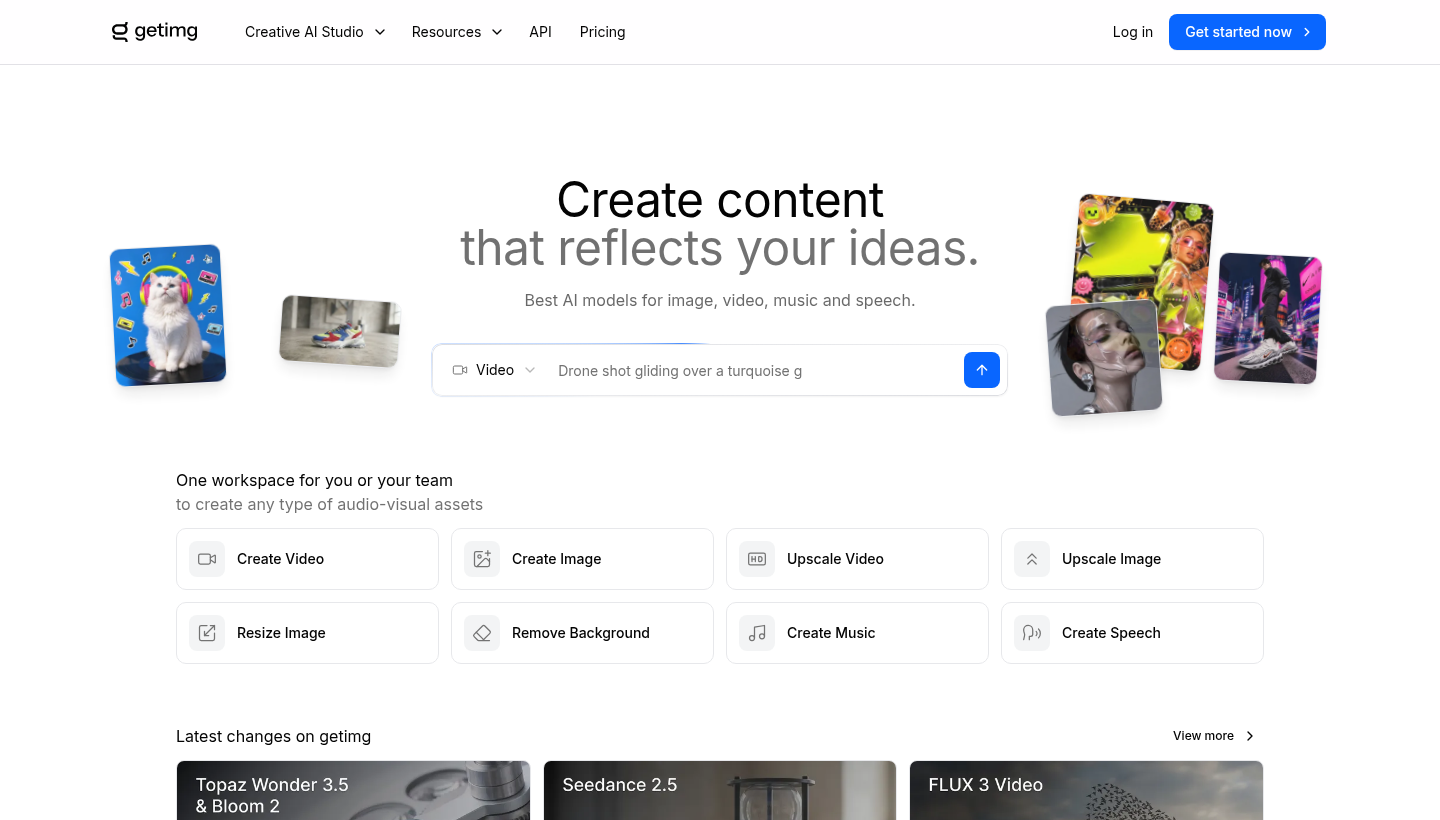
The Best Part:
- Every top model in one subscription. getimg.ai gives you access to the leading image and video models in one workspace, and new models land as they come out.
The Worst Part:
- No free plan. There’s no free tier on the pricing page — the Entry plan at $15/month is the way in.
Get it if you want one workspace that generates, edits, and upscales images with the best AI models around.
I recommend you get started with the Entry plan for $15/month.
Best For
getimg.ai is best for creators and teams that want custom, incredible images for their content pieces without hopping between tools.
Top Features
Every model in one place. Generate with the best AI models for image, video, music, and speech in one workspace, and switch as new ones come out.
Beyond image generation. Upscale images and video, resize, and remove backgrounds from the same workspace your images come out of.
Built for teams. One workspace for you or your team, with per-seat plans for creating any type of audio-visual asset.
Commercial rights included. Every plan comes with commercial rights, so you can use what you create in client and business work.
Credits that match your pace. Plans scale from 3,000 to 100,000 credits a month, so you pay for the volume you actually generate.
Pricing
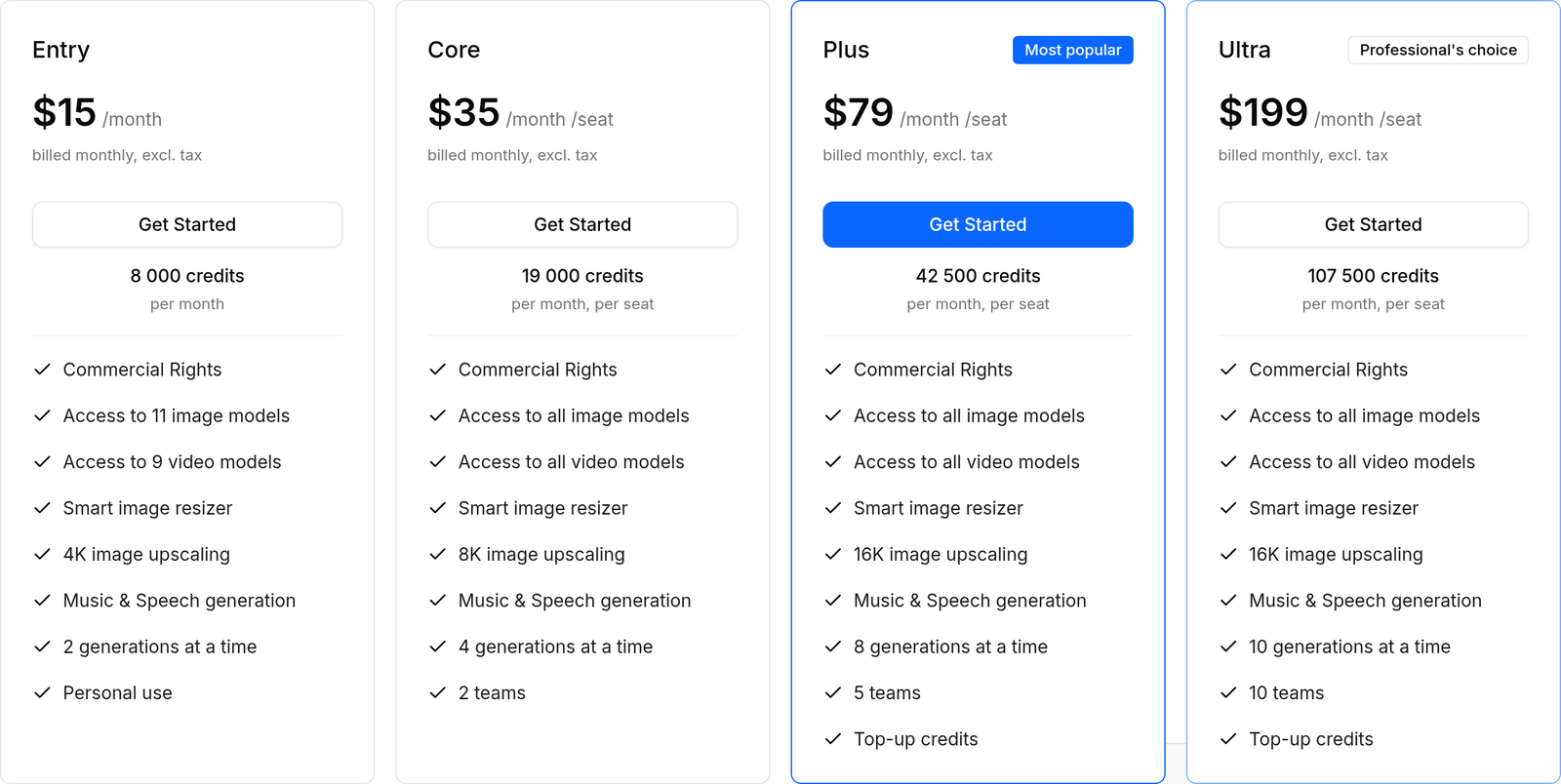
getimg.ai offers four pricing plans:
- Entry: $15/month, with 8,000 credits per month for creators getting started with AI images.
- Core: $35/month per seat, with 19,000 credits per month for regular creators and small teams.
- Plus: $79/month per seat, with 42,500 credits per month for teams that generate every day.
- Ultra: $199/month per seat, with 107,500 credits per month for professionals producing at serious scale.
Annual subscriptions provide up to a 26% discount.
Try getimg.ai today.
2. DeepSwap
Our Verdict — Best For Image Face Swaps
Price: Starts at $9.99/month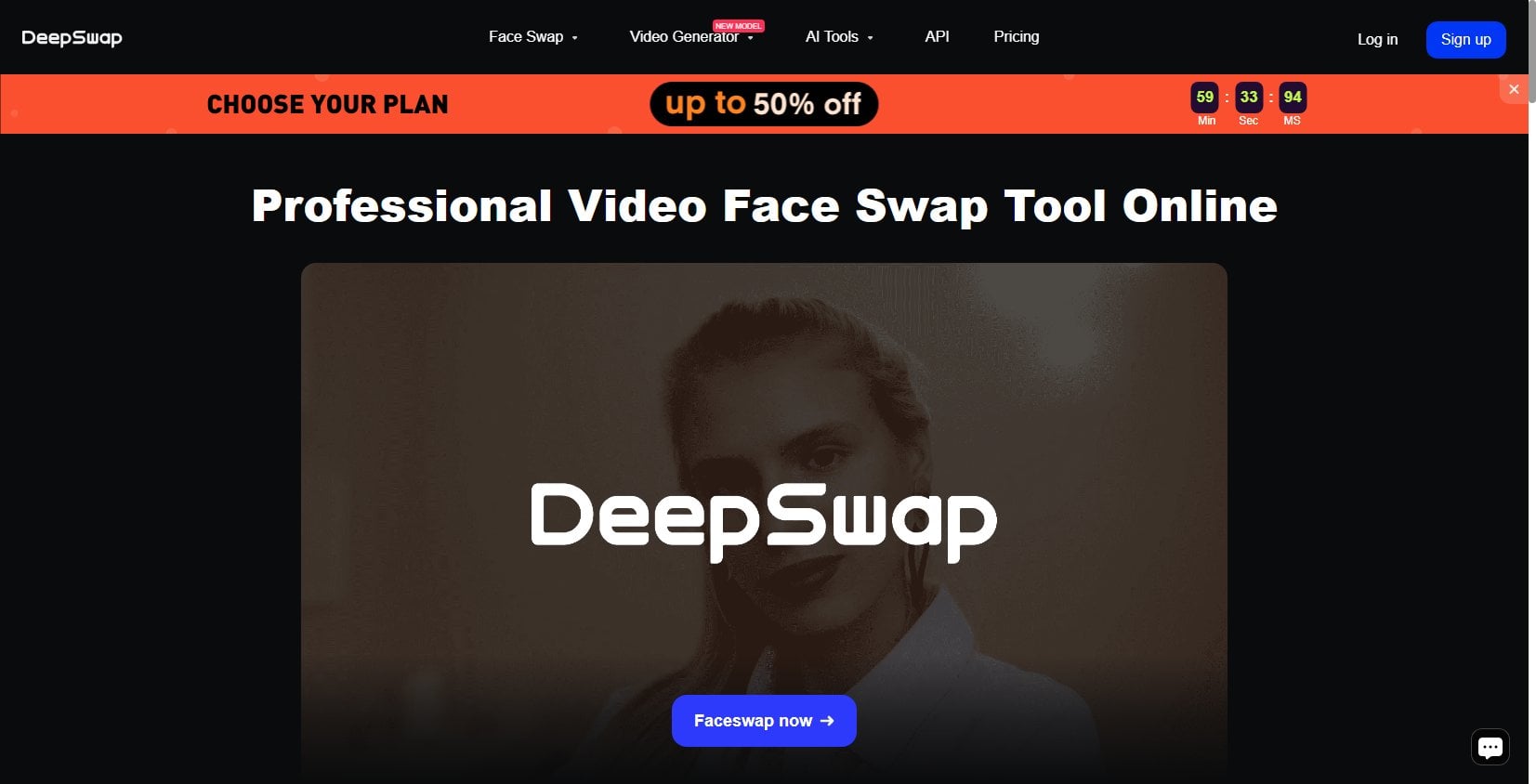
DeepSwap is the absolute best face swapper out there. We think it’s the best for creating face swaps because it makes it so easy to create content by refacing pictures, videos, memes, old movies, GIFs… You name it.
The Best Part:
- My granny could use it. DeepSwap is really straightforward. It’s a breeze to learn its ins and outs, and you’ll be creating fun faceswaps in no time.
The Worst Part:
- The credit-based system can get confusing. You can upload and swap faces at will, but you will have limited uploads for GIFs and videos every month… It can confuse some people.
Get it if you want the best face swaps you can get with almost no effort at all.
I recommend you get started with the Monthly plan for $9.99/month.
Best For
DeepSwap is best for people who want to have fun swapping faces with memes, celebrities, and more.
Top Features
It swaps up to five faces in a single file. DeepSwap's AI is able to identify and swap up to five faces in a single image or video, while many competitors can only do one or two at a time.
It works on all kinds of file types. With DeepSwap you can swap faces on your videos, GIFs, photos, cartoons… Sky’s the limit.
Massive annual discounts. When you stick with DeepSwap for the whole year, you’ll get a whopping 58% discount. This is great for anyone who needs to create a lot of face swap images, every month.
It leaves competitors eating dust. It’s incredible how fast DeepSwap works, while being so simple, so easy to use. Fast and furious.
100% web-based. No need to download or install anything. Just log in to your account and create your face swaps from anywhere you are.
Pricing
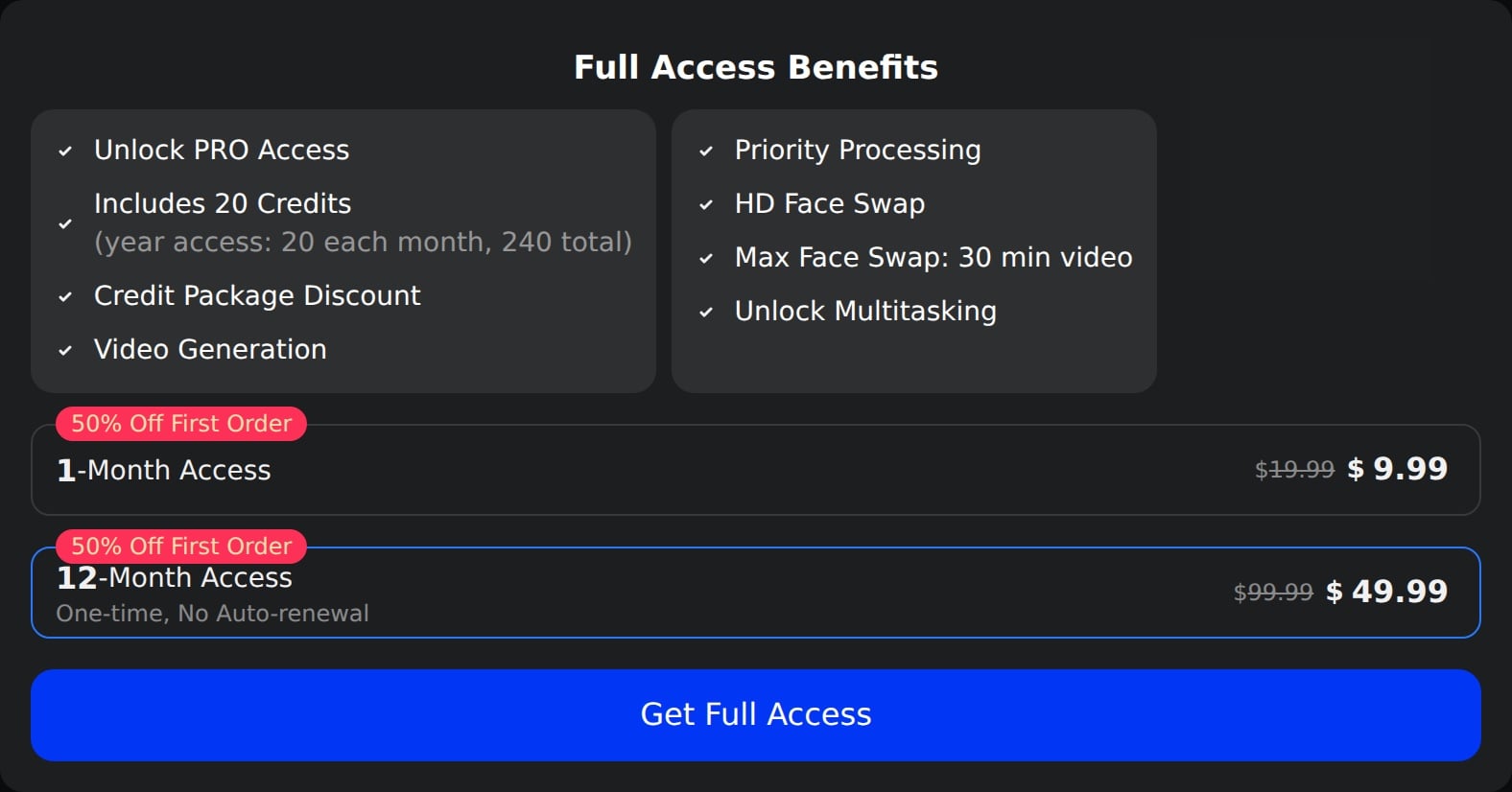
DeepSwap offers two pricing plans:
- 1 Month: $9.99 for the first month, then $19.99/month for people getting started with AI image generation.
- 12 Months: $49.99 one-time for the first order, normally $99.99, with no auto-renewal, for businesses that need to generate their AI images in the long term.
Annual subscriptions provide a 58% discount.
Try DeepSwap today with two free deepswaps.
3. Fotor
Our Verdict — Best For Text-To-Image
Price: Starts with a free plan
Fotor is a full-blown online photo editor that sports an incredibly easy-to-use AI image generator. We think it’s the best for text-to-image because of its user-friendly interface and the direct integration with all the image editing features, which make it much easier to have your images ready to go.
The Best Part:
- Simple and easy. Unlike some other options out there, Fotor is incredibly simple to use. Even if you don’t know how to create great prompts yet, Fotor will produce great looking images.
The Worst Part:
- Not as flexible as other options. In order to keep it simple and easy, Fotor doesn’t give you access to some of the more advanced tweaks other competitors may offer, such as number of steps, or strength. Although, when you’re a beginner, that can be a good thing.
Get it if you want a simple, straightforward way to generate incredible images without having to spend hours and hours learning how to best create AI images.
I recommend you get started with the free Fotor Basic plan to get the hang of the tool, then upgrade to a paid plan, in order to generate unlimited images.
(free plan)
Best For
Fotor is best for beginners who want to get started generating great AI images as soon as today.
Top Features
Many cool styles. Fotor allows you to become a painting master, a world-class photographer, or an amazing cartoonist on a whim. Just choose the right style, and your images will look juuust right.
Lots of switches. Fotor makes it easier for you to get the right feel for your images by offering a lot of switches you can turn on or off, like “Ultra Realistic”, "Studio Lighting”, or “Macro Photography”.
Powerful ‘Image to Image’ capabilities. If you want to transform images and pictures you already have, you can use the Image to Image tool to change them into something new, like cartoons.
Amazing output for human faces. Forget stock photos. Fotor can create incredible-looking images of humans that no one will ever know they’re fake.
Direct integration with the tool. Once you’ve created an image you like, click the edit button and you’ve got yourself a powerful toolbox to edit your image as you wish, including upscaling, background remover, object remover, and much more.
Pricing
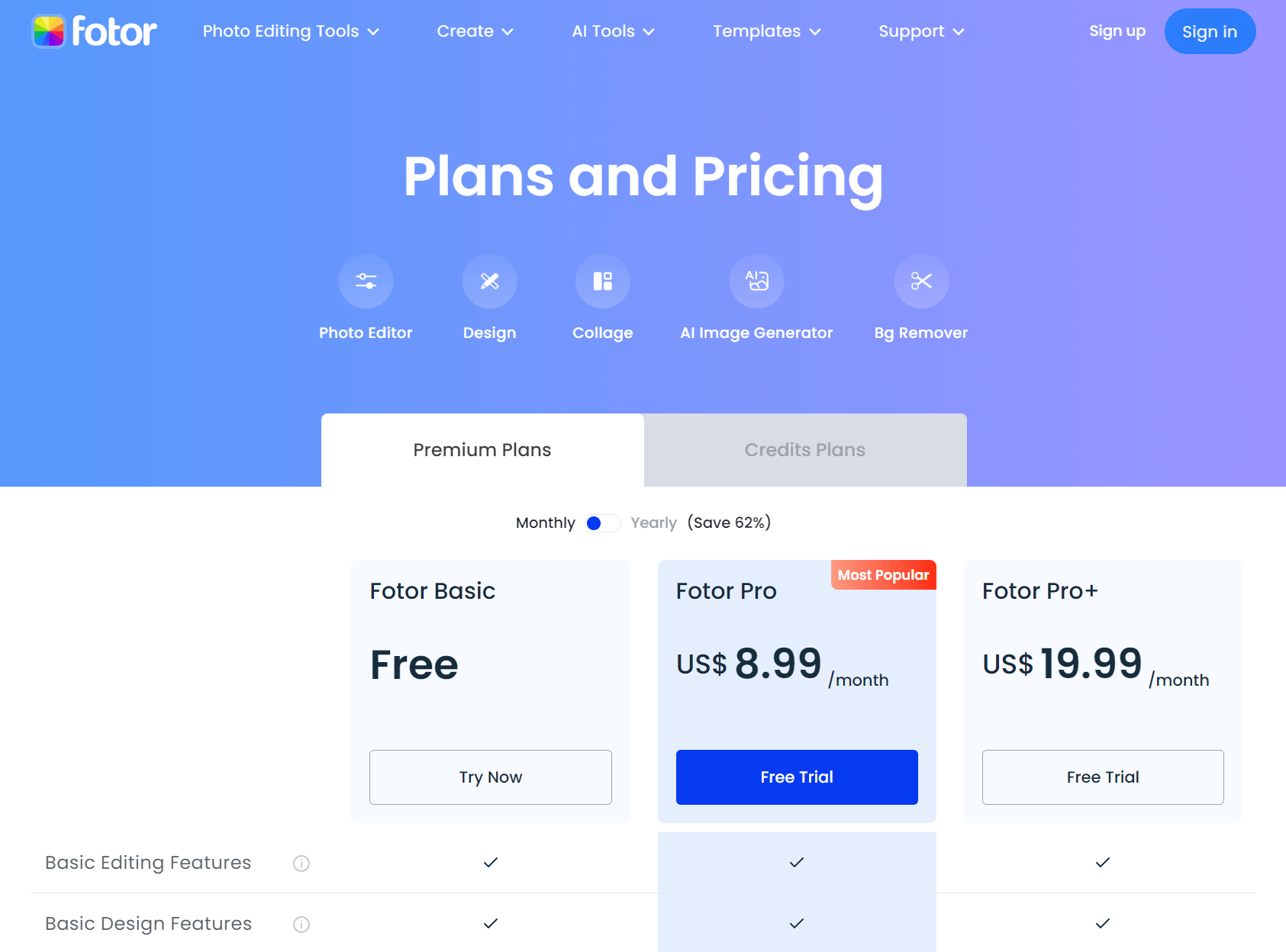
Fotor offers three pricing plans:
- Fotor Basic: Free forever for people getting their toes wet in the AI generation world.
- Fotor Pro: $8.99/month for people who want to generate unlimited images.
- Fotor Pro+: $19.99/month for people who want to generate unlimited images and use the full power of Fotor’s image editing software.
Annual plans provide a 63% discount.
Try Fotor today with the free plan.
Our Top Three Picks
Here’s a quick summary of our top three picks:
Here’s a quick comparison of our top seven picks:
Tool | Entry Offer | Pricing |
|---|---|---|
getimg.ai | Up to 26% off yearly | Starts at $15/mo |
DeepSwap | 14-day free trial | Starts at $9.99/mo |
Fotor | Free plan | Starts at $8.99/mo |
Midjourney | First 25 images free | Starts at $10/mo |
DreamStudio | Free plan | $10 per every ~5,000 images |
GPT Image | Free plan | Starts at $20/mo |
OpenArt | Free plan | $9.99/mo |
Here are the top 50 AI image generators tools we considered in this review:
- getimg.ai
- DeepSwap
- Fotor
- Midjourney
- DreamStudio
- GPT Image
- OpenArt
- NightCafe Creator
- Dream by Wombo
- Starry AI
- Deep Dream Generator
- DeepAI
- BigSleep
- Lensa AI
- Runway ML
- Reface App
- Artbreeder
- Dawn AI
- Stablecog
- Lexica Aperture
- Mage Space
- Playground AI
- Stable Horde
- Pixray
- Dezgo
- AIPaintr
- Craiyon
- Photosonic
- RunDiffusion
- Deep Art
- PicsArt
- Simplified
- Neural.Love
- ChatSonic
- Hotpot AI
- NeuroFlash
- AdCreative.ai
- YouCam Makeup
- Canva
- Remini
- FaceApp
- AISEO Art
- Wonder
- AI Picasso
- MagicAI
- Photoleap
- Hypotenuse AI
- Ostagram
- Pikazo
- Adobe Firefly
Frequently Asked Questions About AI Image Generators
What is the best AI image generator overall?
getimg.ai is our top pick overall. It generates images in seconds with the leading AI models, all inside one workspace.
What is getimg.ai best for?
getimg.ai is our pick for fast, high-quality image generation across the top AI models. It produces images in seconds and starts at $10/month, with commercial rights on every plan.
Which AI image generator has the best free plan?
OpenArt is our pick for the best free plan. You get a free plan, with paid tiers available when you need more usage.
Are there any free AI image generators?
Yes. Fotor, DreamStudio, GPT Image, and OpenArt all have free plans. Each also offers paid tiers for more usage.
What is Midjourney best for?
Midjourney is our pick for creative outputs. It is known for stylized, artistic images and gives you free images to start before you move to a paid plan.
Which AI tool is best for swapping faces in images?
DeepSwap is our pick for image face swaps. It swaps multiple faces and works on videos, GIFs, and photos.
Which AI image generators are worth trying first?
Start with getimg.ai overall, OpenArt for a free plan, Midjourney for creative work, and GPT Image for illustrations. Weigh photorealism, negative prompt support, model and style range, speed, and credit limits when you choose.
Which AI image generator is best for illustrations?
GPT Image is our pick for illustrations. It is built into ChatGPT, and the free plan includes it, so it is an easy way to start creating illustrated images.
Is Fotor good for turning text into images?
Fotor is our pick for turning text into images. You get a free Basic plan, with paid plans for more advanced features.
What to look for when buying an AI image generator?
- Ability to create photorealistic images
- Support for negative prompts for all your AI-generated art
- Many image models that can product detailed images in different image styles
- How many images per prompt it can generate
- How fast are the generation speeds
- The right art creator should offer many customization options for all your AI-generated content
- Check if there's a limit to generative credits
- Ability to extract the right concepts from images
- Ability to produce useful images, like header images and blog hero images for example
- The most innovative tools offer a wide range of features
- Check if it produces high-quality, photo-realistic images with natural depth of field
- Ability to handle lengthy prompts
The Bottom Line
To recap, here are the best AI image generator software to try this year: