

Today there are dozens of different AI interior design apps. We compared the top 50 to find the seven best you can use to see your own room redesigned from a photo, before you spend money on furniture or a renovation.
What is the Best AI Interior Design App?
- Planner 5D — best of the best
- REimagineHome — best for shopping real furniture
- HomeDesigns AI — best for exteriors and gardens
- Collov AI — best for real estate listings
- DecorAI — best for unlimited designs
- Spacely AI — best for interior designers
- GenRoom — best for no subscription
1. Planner 5D
Our Verdict — Best Of The Best
Price: Starts at $19.99/month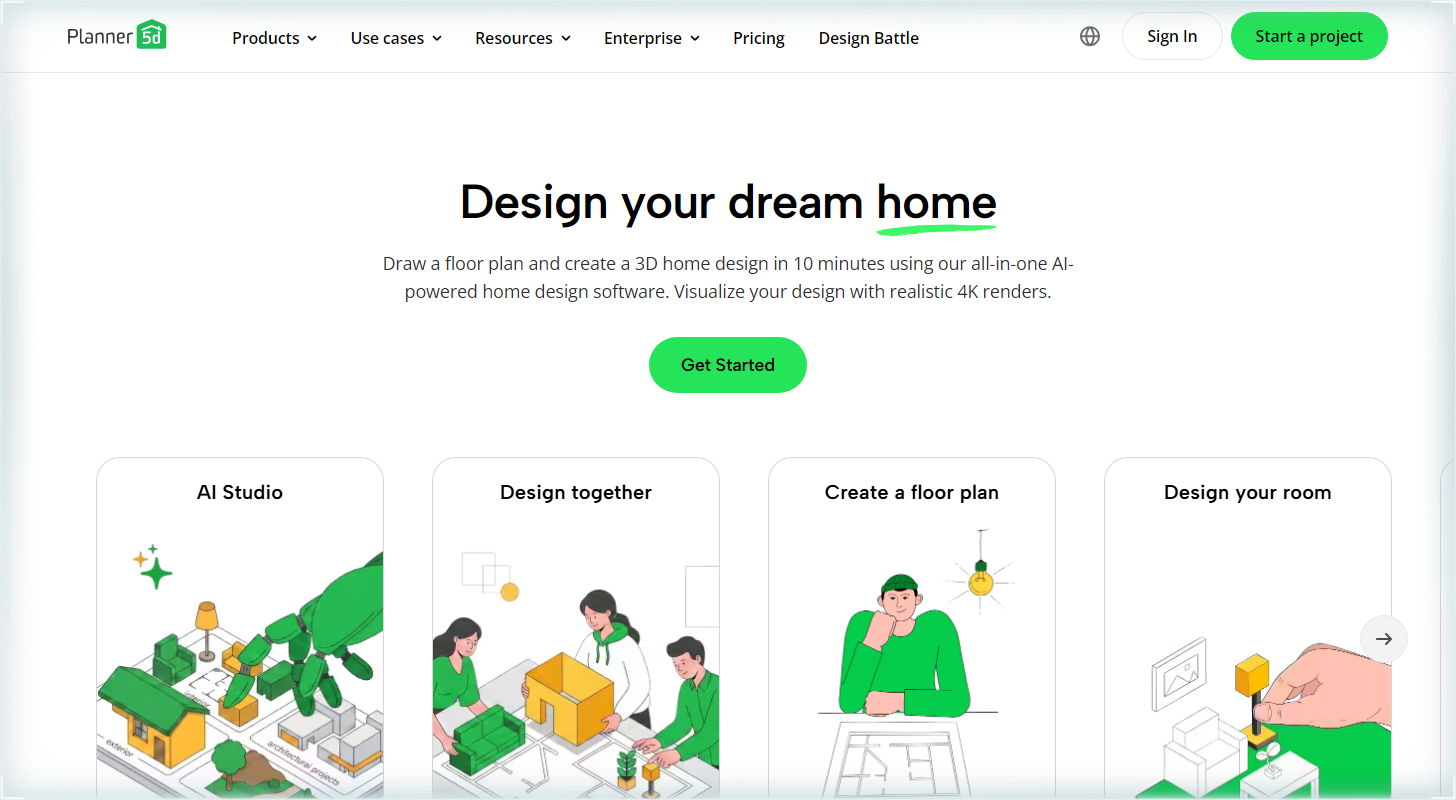
Planner 5D is a 2D and 3D home planner with AI built in. We think it's the best of the best because of its free planner, plus AI Studio, which restyles a room from your photo, and floor plan recognition — both unlocked when you upgrade to Premium.
The Best Part:
Design and edit in one place. Most AI apps stop at a picture. Planner 5D lets you keep going, with a catalog of 10,000+ furniture items on Premium and a room you can view in 2D and 3D.
The Worst Part:
Billing complaints. Planner 5D has a 2.6 Trustpilot score, and billing is the sore spot. One reviewer wrote “I signed up for a month and was charged for a year upfront.” Read the billing terms before you enter a card.
Get it if you want AI room ideas and a full 2D/3D home planner in one app.
I recommend you start with the free plan, then upgrade to Premium for $19.99/month when you want AI Studio credits.
(free plan)
Best For
Planner 5D is best for anyone who wants to plan a whole room, not just look at a nice picture of one.
Top Features
Start from a photo. On Premium, upload a room photo, a floor plan or a sketch, or type a prompt, and AI Studio builds the new design from there.
Keep your walls. Planner 5D says AI Studio restyles your interior while preserving the room's layout and structure, so the new look still fits the room you actually have.
Furnish empty rooms. Smart Wizard suggests furniture placement based on the room's function, your design style and the layout, so you don't start from a blank floor.
Turn a plan into 3D. On Premium, upload a photo of a floor plan and the AI recognizes it and builds an editable 3D model you can open on web or mobile.
Track your budget. The Budget Widget on Premium lets you plan and track project costs, so you see what the redesign will cost before you buy anything.
Pricing
Planner 5D offers four pricing plans:
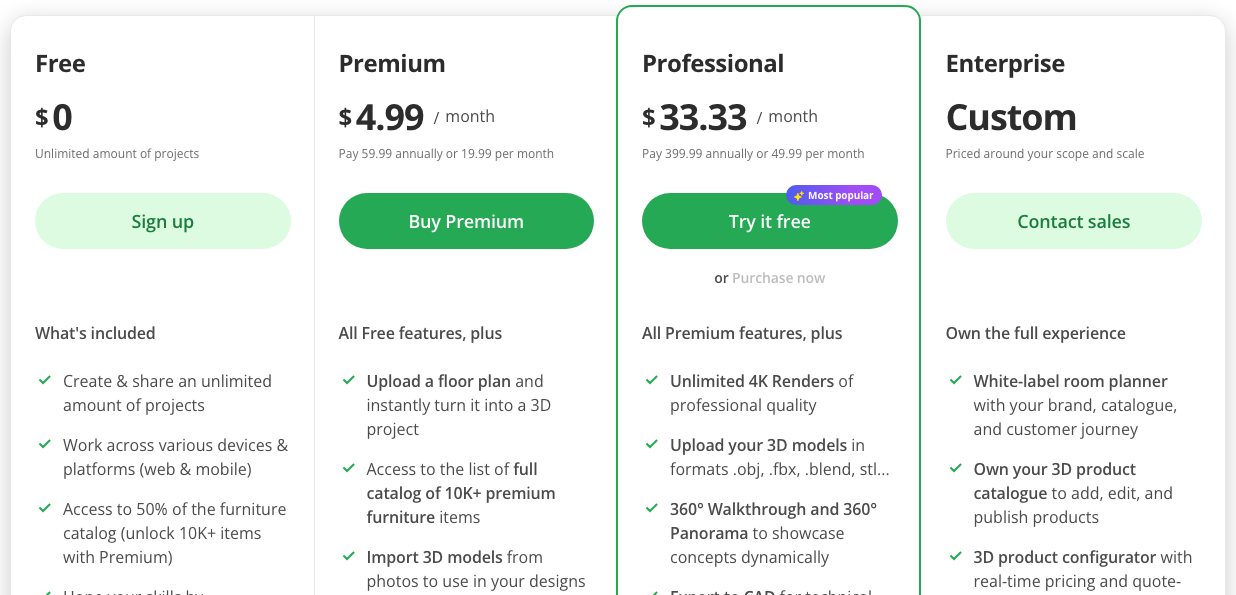
- Free: Free forever, for unlimited projects and half of the furniture catalog.
- Premium: $19.99/month for the full 10,000+ item catalog and 100 AI credits a month.
- Professional: $49.99/month for unlimited 4K renders and 1,000 AI credits a month.
- Enterprise: Custom pricing, for companies that want their own branding and furniture catalog.
Annual subscriptions provide up to a 75% discount. Try Planner 5D today with the free plan.
Our Verdict — Best For Shopping Real Furniture
Price: Starts at $19/month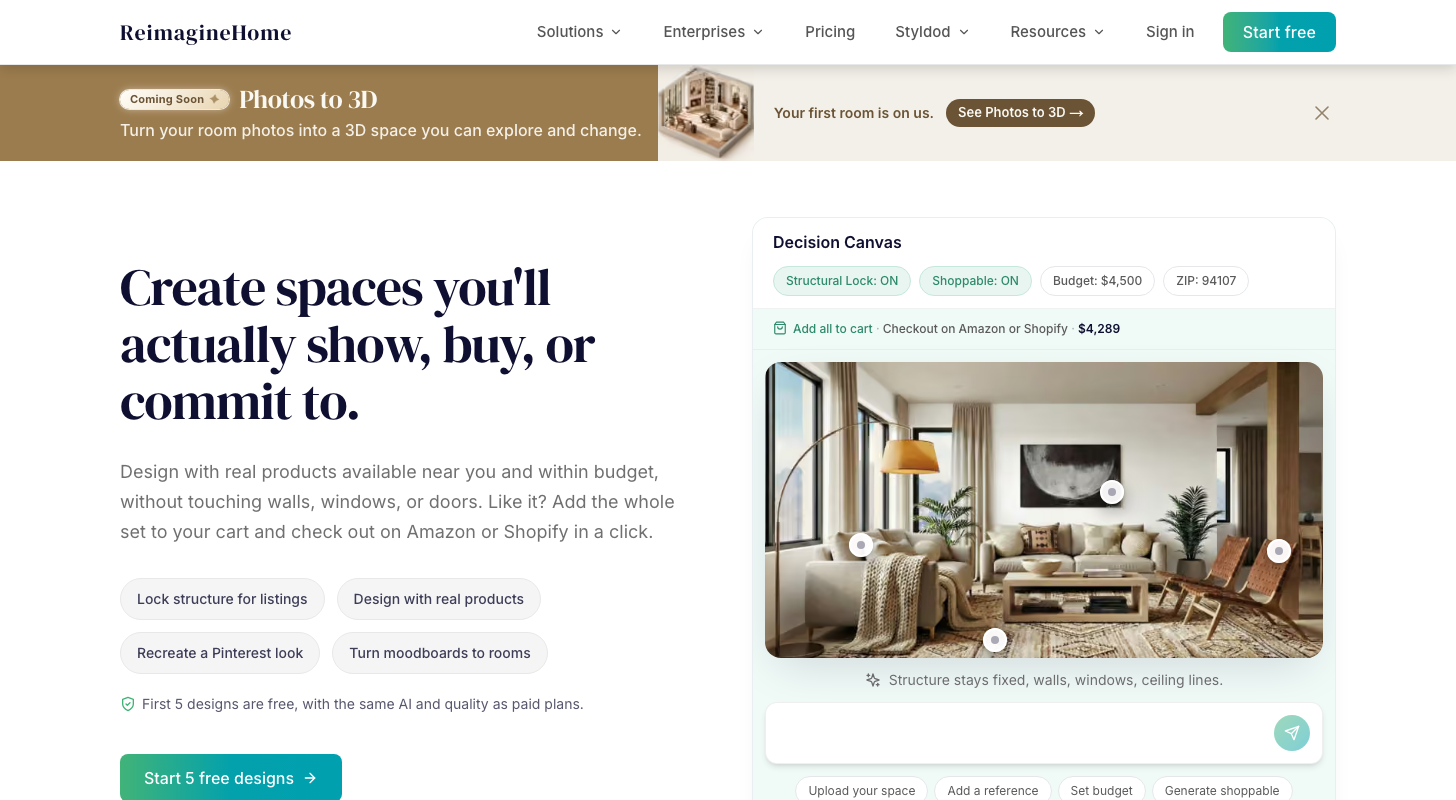
REimagineHome redesigns a photo of your room with furniture you can actually buy. It earns the best for shopping real furniture slot with Real Products Discovery, a Structural Lock that it says keeps walls and windows in place, and one-click checkout on Amazon or Shopify.
The Best Part:
Shop the room you just designed. Set a budget and REimagineHome fills the redesign with real products, then lets you add the whole set to your cart and check out on Amazon or Shopify.
The Worst Part:
Shopping costs extra. Real products start on the $36/month Pro plan, and a design with real products takes two credits instead of one. The $19/month Essential plan has none.
Get it if you want to redesign your room with furniture you can buy.
I recommend you get started with the five free designs, then upgrade to Pro for $36/month.
(five free designs)
Best For
REimagineHome is best for anyone redecorating a room who wants a shopping list at the end, not just a nice picture.
Top Features
Keep your walls. REimagineHome says Structural Lock holds walls, windows and ceiling lines fixed, so only the furniture and decor change.
Stay on budget. You set a budget before you generate, and REimagineHome picks real products that fit it.
Copy a look. On Pro and higher, add a reference photo, like a Pinterest image or a moodboard, and REimagineHome recreates that style in your room.
Check out in a click. On Pro and higher, the whole set goes to your cart at once, so you buy it on Amazon or Shopify without hunting each item down.
See before and after. A side-by-side comparison shows your original room next to the redesign.
Pricing
REimagineHome offers four pricing plans:
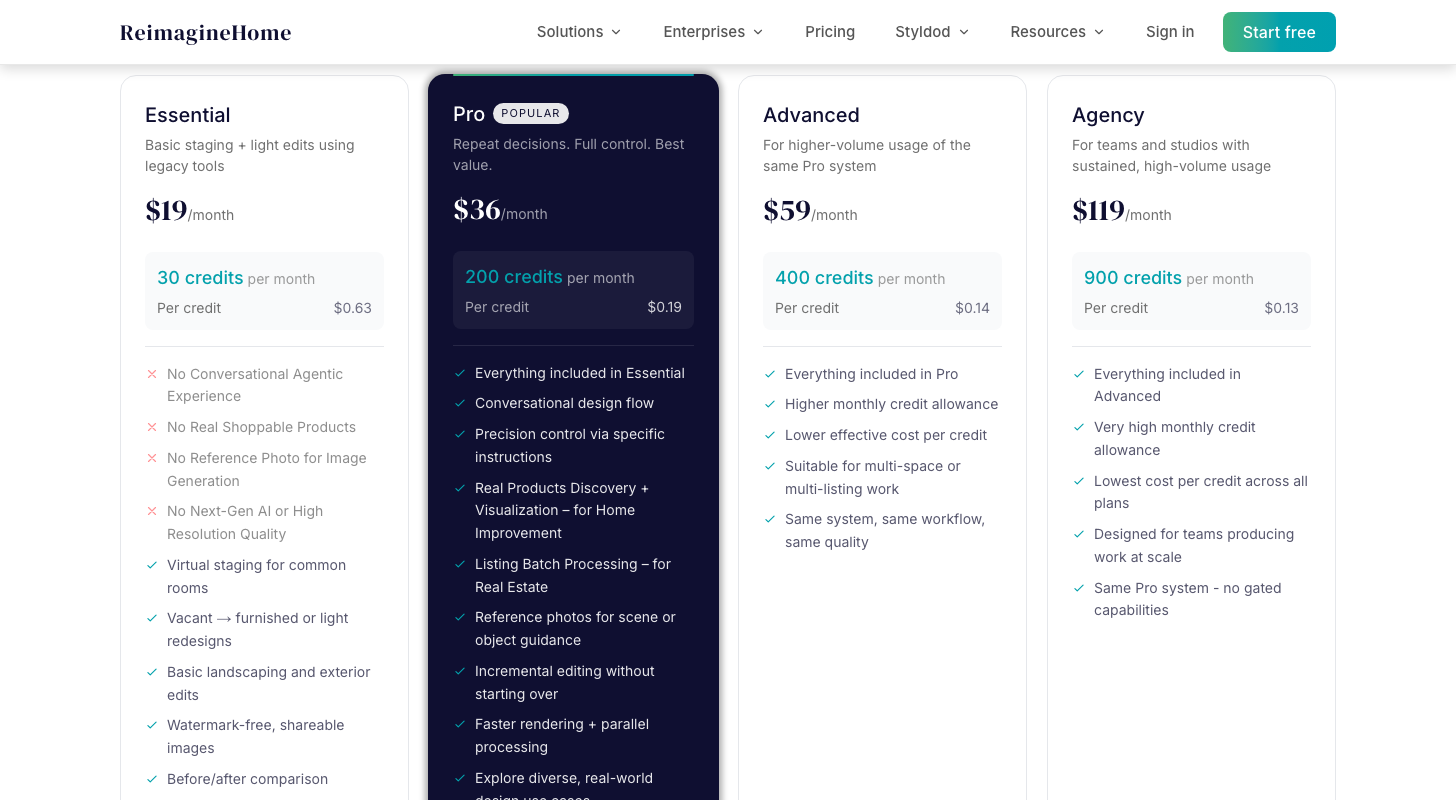
- Essential: $19/month for 30 credits a month and basic virtual staging.
- Pro: $36/month for 200 credits a month and real product shopping.
- Advanced: $59/month for 400 credits a month.
- Agency: $119/month for 900 credits a month for teams and studios.
Try REimagineHome today with five free designs.
Our Verdict — Best For Exteriors And Gardens
Price: Starts at $27/month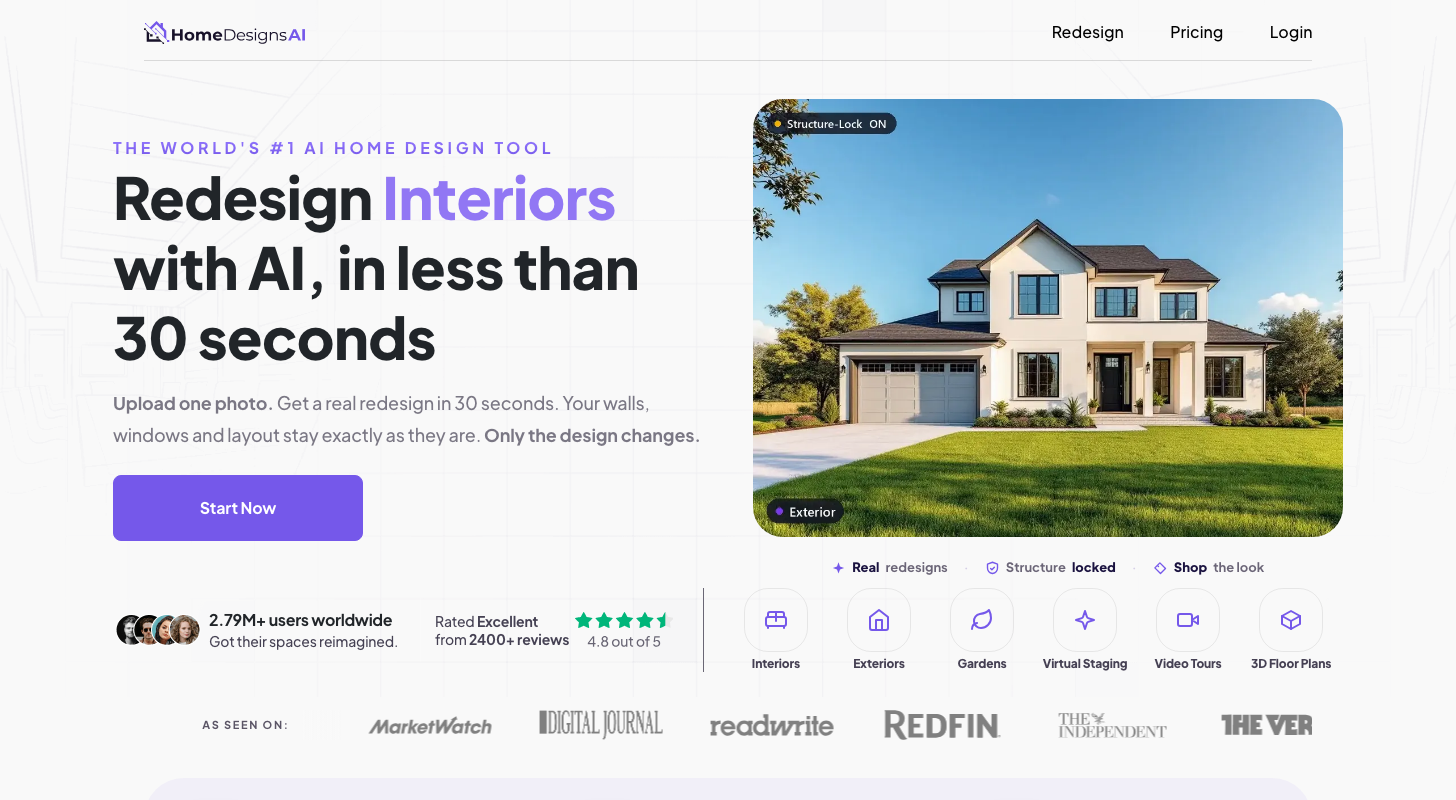
HomeDesigns AI gives you separate Interiors, Exteriors and Gardens tabs for redesigning a photo. It takes the best for exteriors and gardens slot because of those tabs and its Structure-Lock, which the company says keeps your real walls and windows in place while the design changes.
The Best Part:
Your house stays your house. HomeDesigns AI says Structure-Lock holds the layout of your photo, so the redesigned house or yard still looks like yours, just with a new facade, new planting or a fresh coat of paint.
The Worst Part:
A tight refund window. Refund requests after seven days, or after more than 50 designs in the billing cycle, aren't eligible. The Individual plan also caps you at 100 designs a month.
Get it if you want to redesign a house exterior or a garden from a single photo.
I recommend you get started with the free AI tools on the homepage, then move up to the Individual plan for $27/month.
(free AI tools)
Best For
HomeDesigns AI is best for homeowners and landlords who want to see a new facade, garden or room before they pay for the work.
Top Features
Redo the outside. Exteriors and Gardens tabs sit right next to Interiors, so one app covers the facade, the yard and the living room.
Swap the sky. Sky Colors, included on Pro, changes the sky and weather in your photo, so you can judge a paint color in different light.
Empty it, then stage it. On Pro and Expert, clear a room in one click, and virtual staging — filling an empty room with digital furniture — dresses it back up for a listing.
Know the cost. The Expert plan adds a budget estimator, so a redesign you like comes with a rough price tag attached.
Client-ready on Pro. Pro and Expert come with a commercial license, so finished images are ready for client work.
Pricing
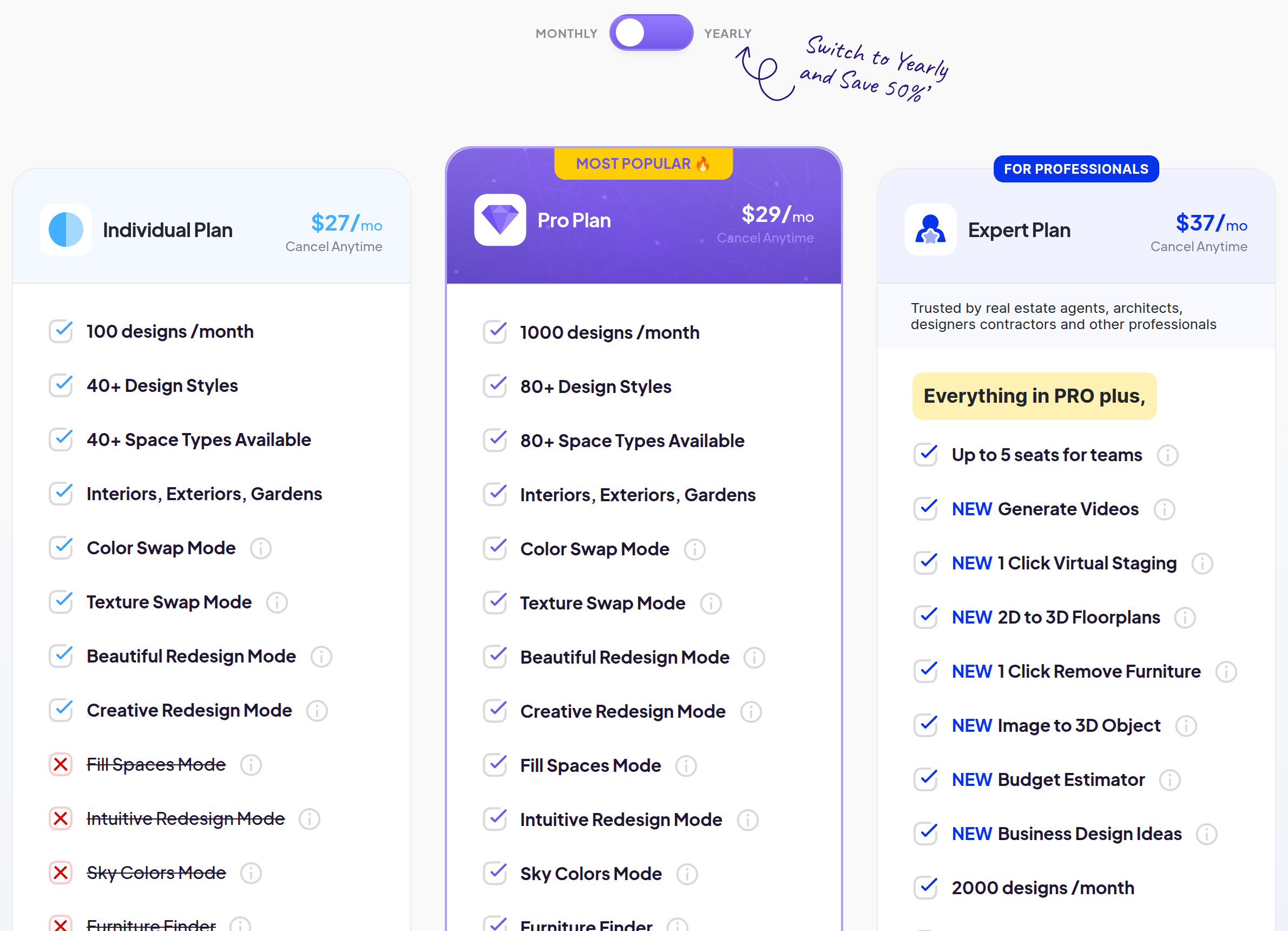
HomeDesigns AI offers three pricing plans:
- Individual: $27/month, or $8/month billed annually, for 100 designs a month.
- Pro: $29/month, or $11/month billed annually, for 1,000 designs a month.
- Expert: $37/month, or $14/month billed annually, for 2,000 designs a month and up to 5 seats.
Annual subscriptions provide up to a 70% discount.
Try HomeDesigns AI today.
4. Collov AI
Our Verdict — Best For Real Estate Listings
Price: Starts at $27/month
Selling a house with empty rooms is hard. Collov AI fixes that with virtual staging, which means adding digital furniture to a photo of an empty room. It earns the best for real estate listings slot because of its one-click staging, its furniture removal tool and its commercial photo license.
The Best Part:
Listing-ready in seconds. Standard promises a 10-second turnaround plus unlimited regeneration, so you can keep re-rolling a room until the sofa looks right.
The Worst Part:
Mixed reviews on billing. Collov AI sits at 2.8 out of 5 on Trustpilot, and the recurring complaints are altered room dimensions, charges with no credits to show for them and refunds that are hard to get.
Get it if you want staged photos for a property listing without hiring a photographer or a staging crew.
I recommend you get started with the Try It Free button, then move to the Standard plan at $27/month.
(try it free)
Best For
Collov AI is best for agents, landlords and sellers who need clean, furnished listing photos fast and want the right to use them commercially.
Top Features
Stage in one click. Upload a photo of an empty room, pick a style and Collov AI furnishes it. All room types and styles are included from the first plan.
Clear the clutter. The furniture removal tool takes out what's already in the photo, so you can restage a lived-in room from a clean slate.
No watermark. Standard downloads come in high resolution and without a watermark, so the photo can go straight onto your listing.
Fix more than furniture. Photo editing covers twilight shots, lawn replacement and seasons, which helps when the exterior photo is as dull as the living room.
Commercial license included. Standard comes with a commercial photo license, so you don't have to wonder whether you can use the images in client work.
Pricing
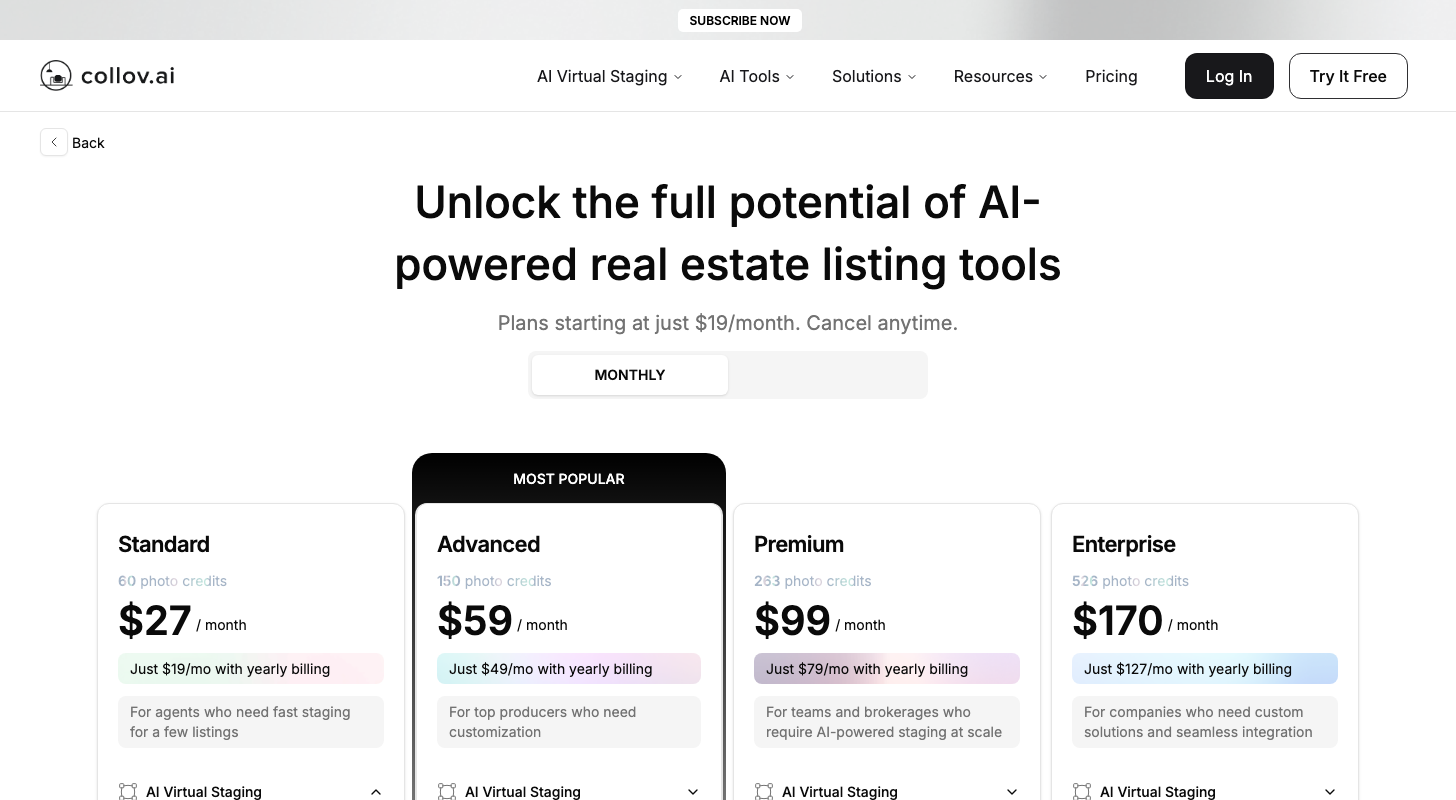
Collov AI offers four pricing plans:
- Standard: $27/month for 60 photo credits.
- Advanced: $59/month for 150 photo credits.
- Premium: $99/month for 263 photo credits.
- Enterprise: $170/month for 526 photo credits and API access.
Annual subscriptions provide up to a 30% discount.
Try Collov AI today.
5. DecorAI
Our Verdict — Best For Unlimited Designs
Price: Starts at $24/month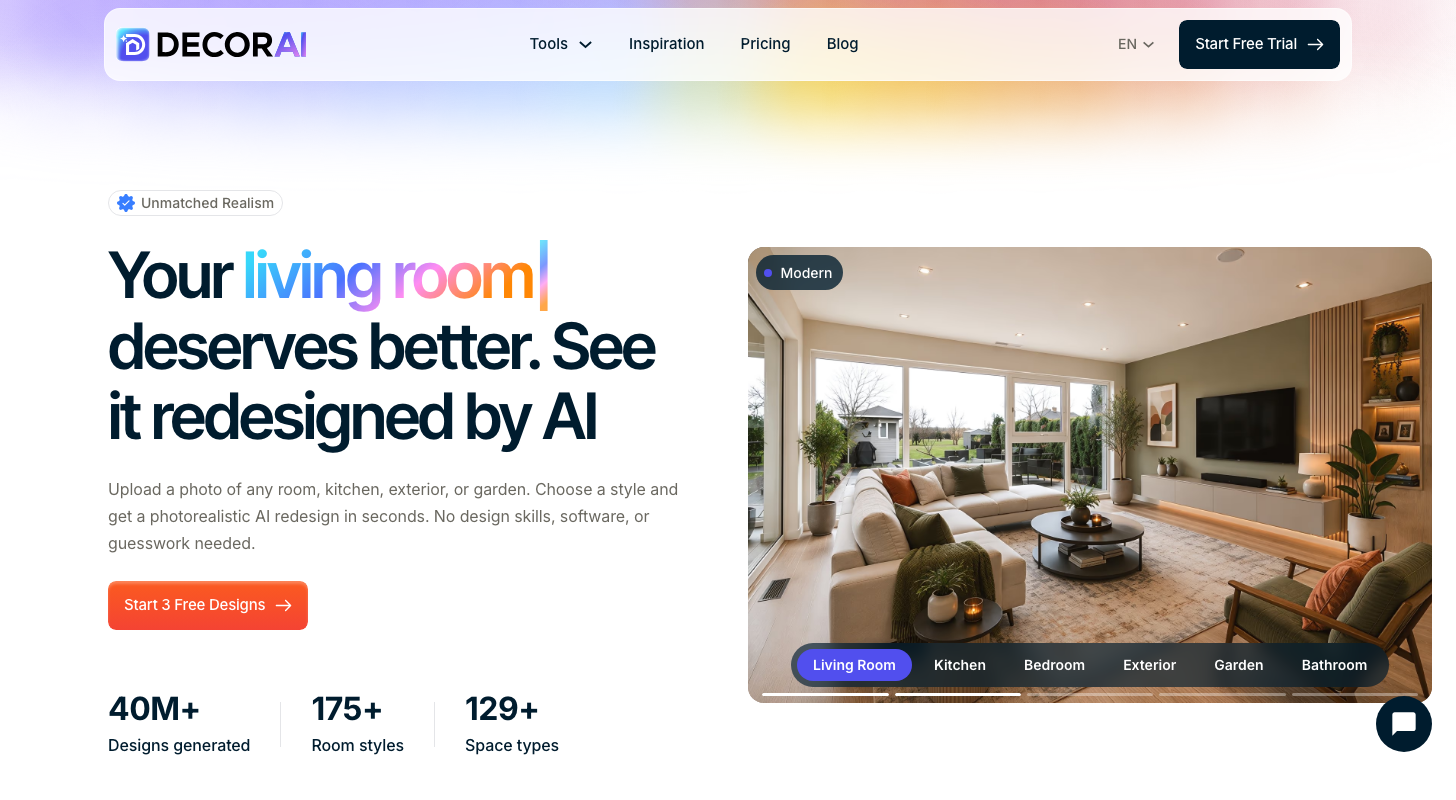
DecorAI is the app you open when one redesign is never enough. We think it's the best for unlimited designs because every paid plan lets you generate as many room redesigns as you like. It covers interiors, exteriors and gardens, and the output comes without a watermark.
The Best Part:
Redesign without counting. Every paid plan includes unlimited AI designs, so you can try a room in one style, then another, then another, and never watch a credit meter drop.
The Worst Part:
The free trial bills you. The three free designs come with a $24/month plan attached — if you don't cancel during the trial period, DecorAI charges you $24 a month. Set a reminder the day you sign up.
Get it if you want to test every style on your room before you pick a paint color.
I recommend you start with the three free designs, and cancel during the trial if you don't want to keep paying $24/month.
(three free designs)
Best For
DecorAI is best for anyone who wants to try dozens of looks on one room without worrying about a credit limit.
Top Features
Pick from 175 styles. DecorAI lists 175 design styles and more than 100 space types, so a kitchen, a bathroom and a backyard each get their own options.
Inside and out. Upload a photo of a room, kitchen, exterior or garden, choose a style, and DecorAI redesigns it. There are separate tools for rooms, kitchens, bathrooms and landscapes.
Clean, sharp results. Output is watermark-free and you can upscale images up to 4x, so a favorite design is ready to print or send to a contractor.
Use it for work. All plans include commercial usage rights and a private generation mode, so client rooms stay off public feeds. DecorAI also says it never trains on your data.
Cheaper if you commit. Half-Yearly is $120 every six months and Yearly is $240 for the whole year, against $24 a month, and you get a 30-day money-back guarantee.
Pricing
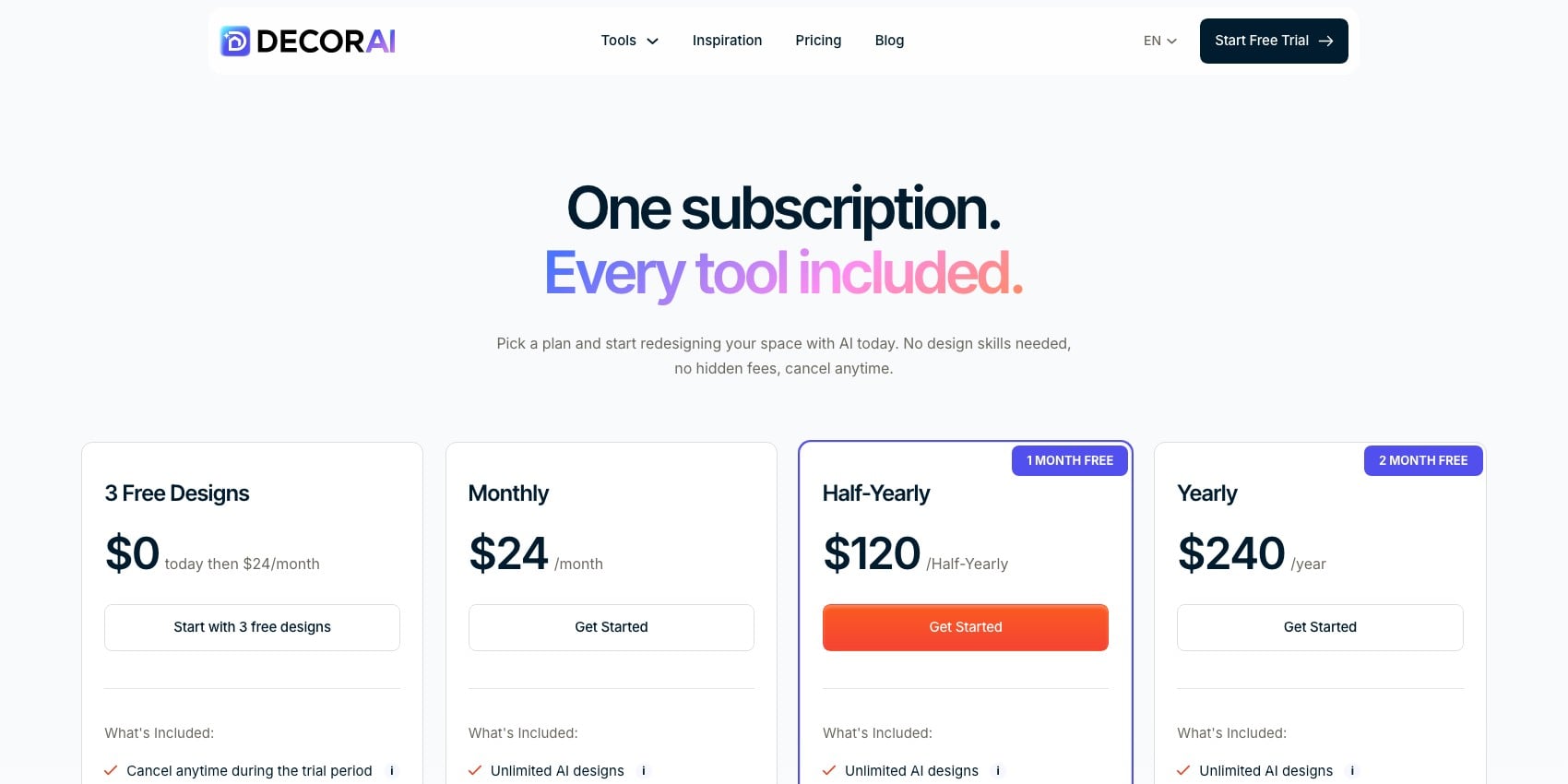
DecorAI offers three pricing plans:
- Monthly: $24/month for unlimited designs and up to 20 AI videos.
- Half-Yearly: $120 every 6 months for unlimited designs and up to 120 AI videos.
- Yearly: $240/year for unlimited designs and up to 240 AI videos.
Annual subscriptions provide a 17% discount. Try DecorAI today with three free designs.
6. Spacely AI
Our Verdict — Best For Interior Designers
Price: Starts at $25/month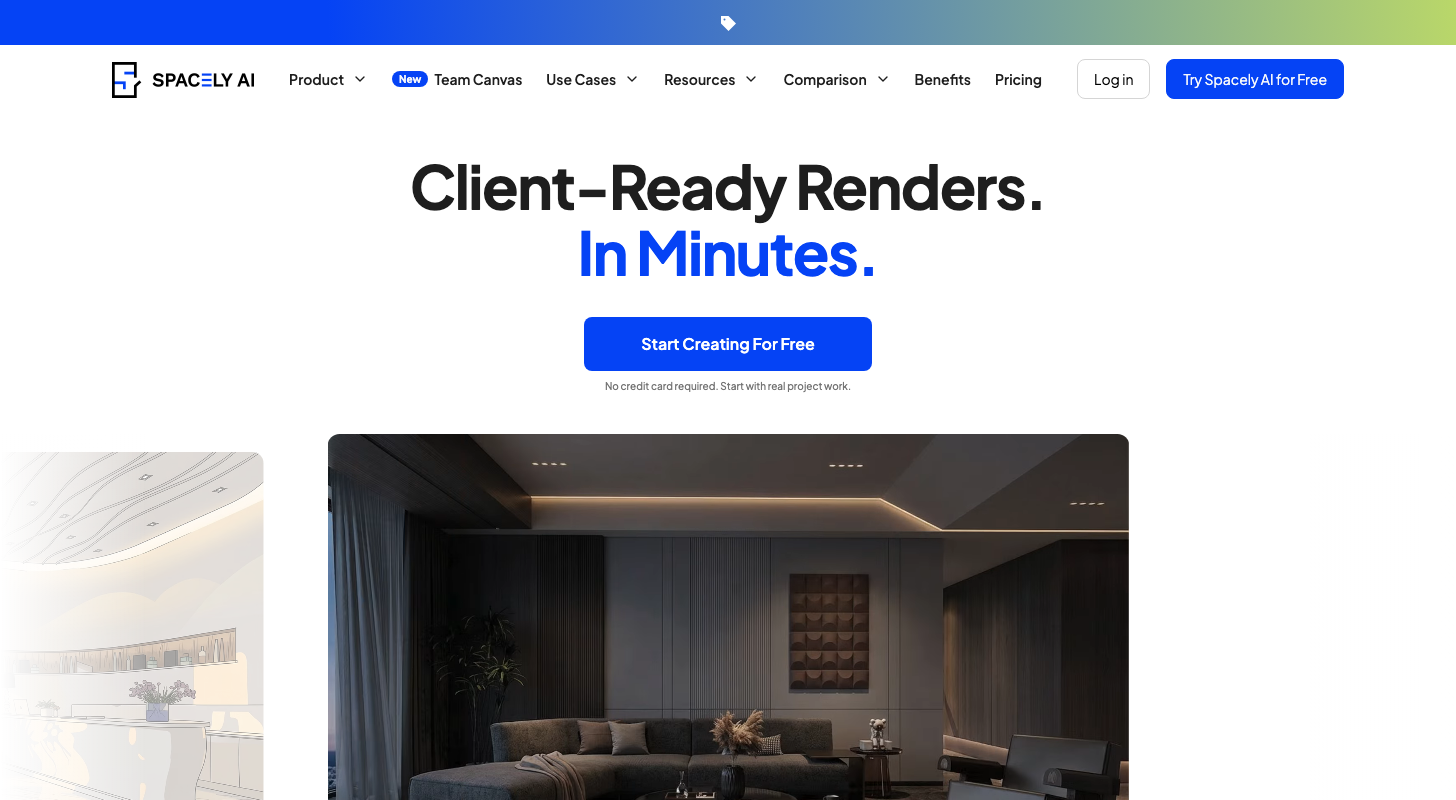
Spacely AI is built for people who design rooms for a living. We think it's the best for interior designers because of its plugins for SketchUp, Revit, AutoCAD and Rhino, a commercial license on every plan, and renders that never carry a watermark.
The Best Part:
Free, without a watermark. The free plan includes private mode and a commercial license, and nothing you make carries a watermark. What it holds back is credits.
The Worst Part:
Forty credits don't go far. The free plan is a pool of 40 trial credits, and top-ups are for subscribers only — so when the credits run out, you pay $25/month for Personal or you stop. 4K downloads are paid-only too.
Get it if you want client-ready room renders and want to test them before you pay.
I recommend you sign up for the free plan, test your 40 trial credits on one room first, then move to Personal at $25/month if you want more.
(free plan)
Best For
Spacely AI is best for interior designers, architects and renovators who want polished renders for clients without outsourcing them.
Top Features
Rough it in, then render. Collage to Render turns a rough mix of pictures and notes into a realistic render, so you can show a client the direction before anything is built.
Change one thing, not the room. Point and Edit lets you select a part of the image and revise only that, like swapping a sofa without redoing the whole scene.
Let it furnish for you. Auto Furnish fills an empty room with furniture, and you can steer the look with a prompt like “Modern classic style, olive green velvet sofa.”
Stay in your drawing tools. Plugins for SketchUp, Revit, AutoCAD and Rhino connect Spacely AI to the software designers already use.
Keep your work private. Private mode and a commercial license come on every plan, so client images stay yours to use.
Pricing
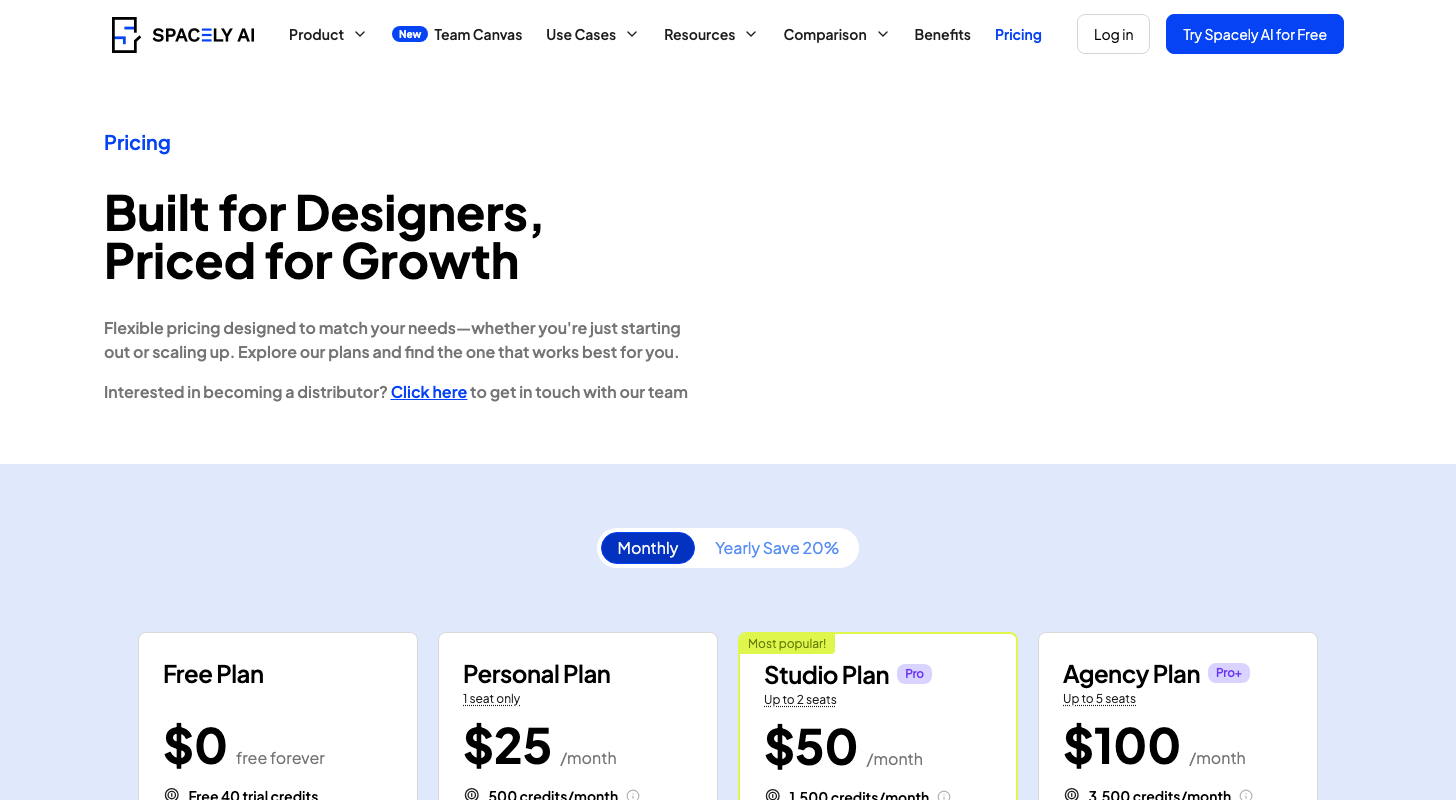
Spacely AI offers four pricing plans:
- Free: Free forever, for 40 trial credits, with no credit card.
- Personal: $25/month for 500 credits a month, or about 250 renders.
- Studio: $50/month for 1,500 credits a month and up to two seats.
- Agency: $100/month for 3,500 credits a month and up to five seats.
Annual subscriptions provide a 20% discount.
Try Spacely AI today with the free plan.
7. GenRoom
Our Verdict — Best For No Subscription
Price: Starts at $9.99 one time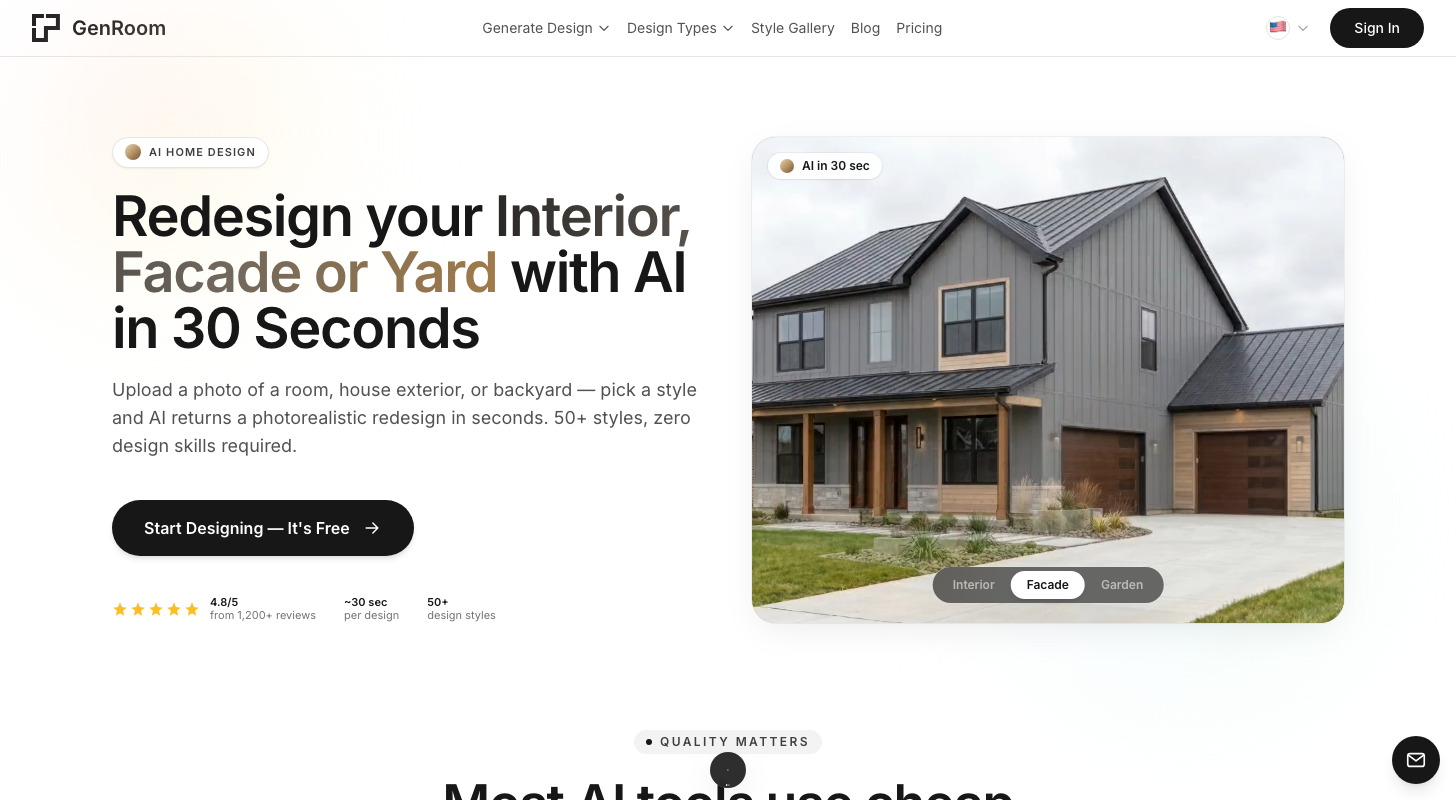
GenRoom is the only app in our top seven that never asks you to subscribe. We think it's the best for no subscription because you buy a pack of credits once, use them within 180 days, and get redesigns for rooms, house exteriors and yards from a single photo.
The Best Part:
Pay once, design later. Each credit pack is a one-time purchase, so there is no monthly charge to cancel and no card left running in the background.
The Worst Part:
Credits expire. Every pack is valid for 180 days, and the free credits you get at sign-up come without the no-watermark benefit that paid packs include.
Get it if you want to redesign a room, a facade or a yard without signing up for a monthly plan.
I recommend you start with the six free credits you get after sign-up, enough for three designs, then buy the Start pack for $9.99 if you want more.
(six free credits)
Best For
GenRoom is best for anyone with a one-off project, like a single room refresh or a yard makeover, who wants to see the result before spending on paint or furniture.
Top Features
Keep your credits safe. If a generation fails, the credits go back to your balance, so you only pay for designs you actually get.
Edit with words. Describe a change or paint over the spot with a brush to adjust a design after the first result.
Move things around. You can move or remove objects in your photo, which helps when a sofa or a stray chair is in the way.
See before and after. A built-in comparison puts your original photo next to the redesign, so the change is easy to judge.
Start from a floor plan. GenRoom can build every room from a floor plan, handy when the space doesn't exist yet or you don't have a good photo.
Pricing
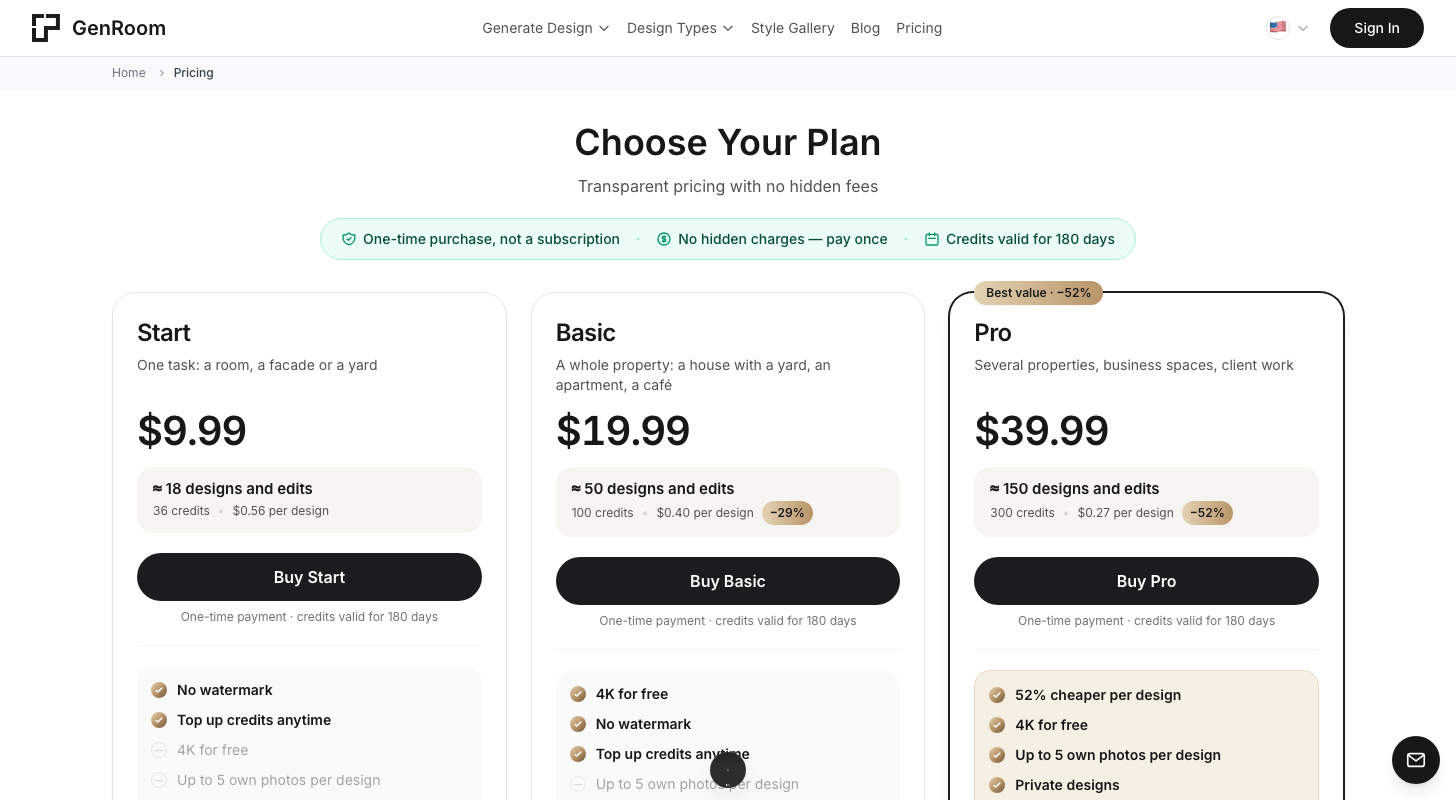
GenRoom offers three pricing plans:
- Start: $9.99 one time, for 36 credits valid for 180 days, or about 18 designs.
- Basic: $19.99 one time, for 100 credits valid for 180 days, or about 50 designs.
- Pro: $39.99 one time, for 300 credits valid for 180 days, or about 150 designs.
Try GenRoom today with six free credits.
Our Top Three Picks
Here's a quick summary of our top three picks:
- Planner 5D — best of the best
- REimagineHome — best for shopping real furniture
- HomeDesigns AI — best for exteriors and gardens
Here's a quick comparison of our top seven picks:
Tool | Entry Offer | Pricing |
|---|---|---|
Planner 5D | Free plan | Starts at $19.99/mo |
REimagineHome | Five free designs | Starts at $19/mo |
HomeDesigns AI | Free AI tools | Starts at $27/mo |
Collov AI | Free credits | Starts at $27/mo |
DecorAI | Three free designs | Starts at $24/mo |
Spacely AI | Free plan | Starts at $25/mo |
GenRoom | Free credits | Starts at $9.99 one time |
Here are the top 50 AI interior design apps we considered in this review:
- Planner 5D
- REimagineHome
- HomeDesigns AI
- Collov AI
- DecorAI
- Spacely AI
- GenRoom
- ReRoom AI
- RoomGPT
- Interior AI
- Homestyler
- Remodel AI
- SketchUp Diffusion
- Home AI
- Decory
- Laurel & Wolf
- Paintit.ai
- Room AI
- MyRoomDesigner.AI
- Dehome
- HomeVisualizer.AI
- VisualizeAI
- MyArchitectAI
- mnml.ai
- Styly
- HouseGPTs
- RoomCalm
- Roomagic
- MeltFlex
- First Chair
- AI Renovation
- HomeGPT
- Arch
- DecAI
- Restyle AI
- Room Genius
- RoomX AI
- DecorlyAI
- Layoutly
- InstantDecoAI
- Virtual Staging AI
- IKEA Kreativ
- PromeAI
- Decoratly
- Coohom
- Foyr Neo
- ArchitectGPT
- DecorMatters
- Maket
- Gepetto
Frequently Asked Questions About AI Interior Design Apps
What is an AI interior design app?
An AI interior design app takes a photo of your room and shows it redesigned in a new style, with different furniture, colors and finishes. You upload the picture, pick a look, and get a before and after. For full kitchen layouts with cabinets and measurements, kitchen design software is the better fit.
Which AI interior design app is best overall?
Planner 5D is our top pick overall. On Premium, its AI Studio restyles a room from your photo (Planner 5D says it keeps the layout), Smart Wizard furnishes a room for you, and there is a free plan with no time limit. It runs on web, iOS and Android, so it is the one to start with.
How do free and paid AI interior design apps differ?
Free options give you a taste: Planner 5D has a free plan with half of its furniture catalog, REimagineHome gives new users five free designs, and Spacely AI gives you trial credits with no credit card. Paid plans mostly buy you more AI credits and extra tools. Try a free one first, then pay once you know the look you want.
Which AI interior design app is best for real estate listings?
Collov AI is our pick for real estate listings. It is built around virtual staging, which means adding furniture to photos of empty rooms so buyers can picture living there. Every plan runs on photo credits, and you also get a furniture removal tool.
Which AI interior design app is best for exteriors and gardens?
Pick HomeDesigns AI when the project goes beyond the living room. It has separate Interiors, Exteriors and Gardens tabs, and the company says it keeps your walls, windows and layout in place while the design changes.
Which AI interior design app is best for shopping real furniture?
REimagineHome is our pick for shopping. Its Real Products Discovery redesigns your room with furniture you can actually buy, and you can check out on Amazon or Shopify. That feature comes with the Pro plan.
What should I look for when choosing an AI interior design app?
Check whether it keeps your walls and windows fixed, and whether the furniture it shows can be bought. Then look at the practical side: how many designs your credits cover, whether the output has a watermark, and whether a free plan or free designs let you test it on your own room.
Can AI keep my walls and windows in place?
Yes, several apps do this on purpose. HomeDesigns AI says your walls, windows and layout stay exactly as they are, and only the design changes. REimagineHome says the same about walls, windows and ceiling lines with its Structural Lock. Planner 5D says its AI Studio also preserves a room's layout and structure.
Planner 5D vs REimagineHome: which one should I choose?
Planner 5D is our best overall pick, while REimagineHome is the one to reach for if you want to buy what you see. Go with Planner 5D for the all-around planner, which you can start on the free plan. Choose REimagineHome if you want shoppable furniture: new users get five free designs to test it.
The Bottom Line
To recap, here are the best AI interior design apps to try this year:
- Planner 5D — best of the best
- REimagineHome — best for shopping real furniture
- HomeDesigns AI — best for exteriors and gardens
- Collov AI — best for real estate listings
- DecorAI — best for unlimited designs
- Spacely AI — best for interior designers
- GenRoom — best for no subscription