

Today there are 147 different face editing apps. We spent 75 hours comparing the top 50 to find the seven best you can use to retouch your headshots and selfies like a pro.
What is the Best Face Editing App?
- DeepSwap — best of the best
- SoulGen — best natural language editor
- Pixlr E — best for advanced photo editing
- YouCam Makeup — best for virtual cosmetic effects
- Facetune — best for detailed retouching
- Perfect365 — best for customizable makeup designs
- Reface — best for swapping faces with celebrities
1. DeepSwap
Our Verdict — Best Of The Best
Price: Starts at $9.99/month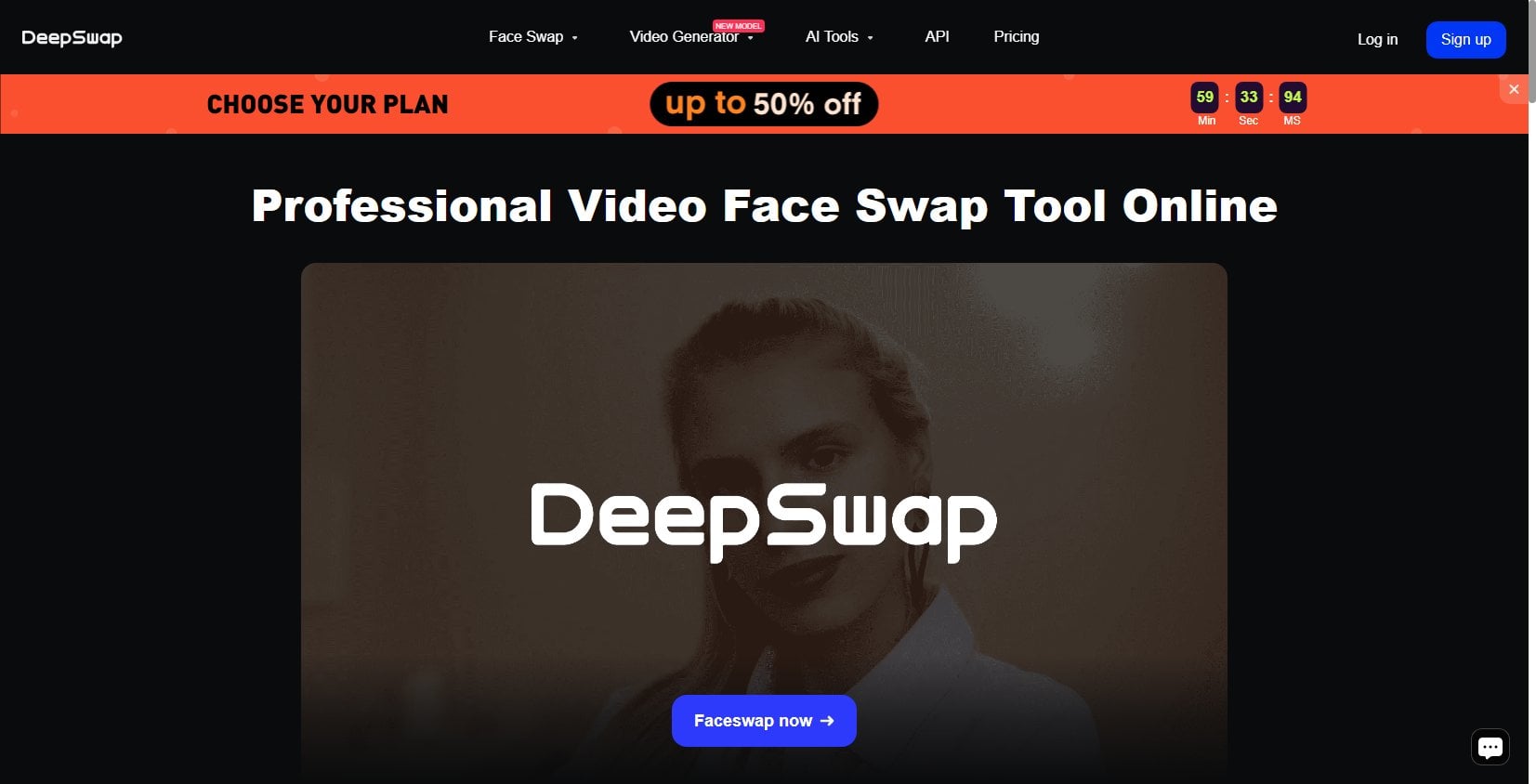
DeepSwap is a state-of-the-art AI face editing app that lets you effortlessly swap faces. We think it’s the best because of its seamless face-swapping capability, user-friendly interface, and high-quality output.
The Best Part:
DeepSwap's top-notch AI technology. This isn't just smoke and mirrors; DeepSwap uses advanced artificial intelligence algorithms that can swap faces with unbelievable accuracy. The results will be shockingly good, every single time.
The Worst Part:
Capped uploads per month. Despite its many perks, DeepSwap limits on how many videos you can upload each month. But you still get unlimited face swaps with all your uploaded videos and gifs (images have no limits).
Get it if you want an easy-to-use tool that lets you swap faces in photos, videos, or GIFs with incredible realism.
I recommend you get the Yearly plan for $49.99/year for the first year.
Best For
DeepSwap is best for anyone who wants to play around with AI-powered face swaps.
Top Features
Super-fast processing time. DeepSwap creates AI images within seconds while videos only take a few minutes.
Multi-face swap feature. Why stop at one? With DeepSwap, you can swap up to five faces in one go.
Great deal for first-timers. Newbies hit the jackpot with a whopping 50% off on their first-term subscription, for both monthly and yearly subscriptions.
Create hilarious GIFs. DeepSwap lets you create and edit funny face-swapped GIFs, ready to tickle the funny bones of your friends and followers.
Seamless video swaps. Whether you're stepping into a superhero's shoes, joining the cast of Friends, or hitting a home run as Babe Ruth, with DeepSwap, you can easily morph into your favorite characters in any video clip.
Pricing
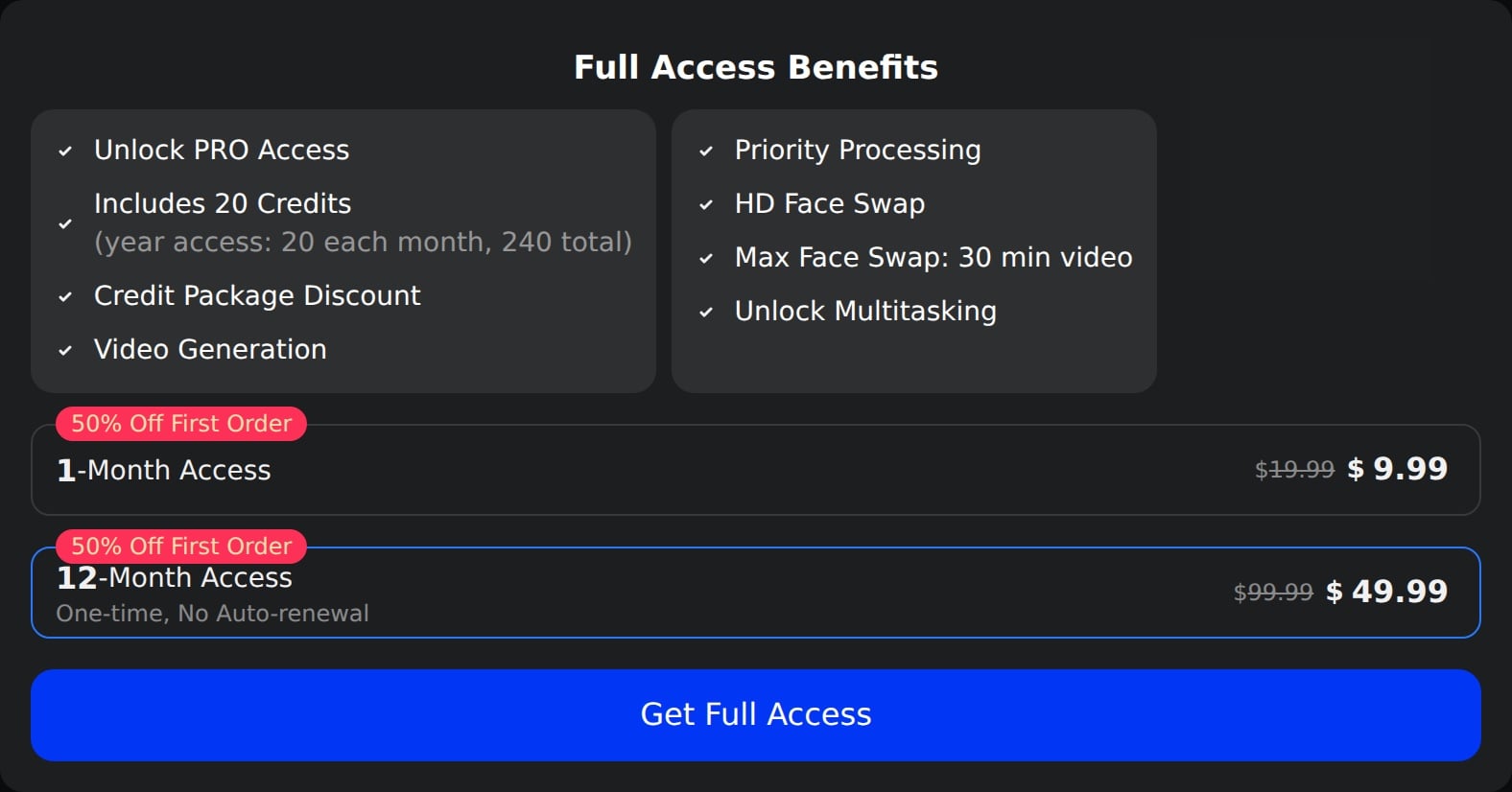
Deepswap offers two pricing plans:
- 1 month: $9.99/month for casual users who want to experiment with face swapping and AI editing features.
- 12 months: $49.99/year for avid users who want to regularly generate unique, high-quality deepfakes throughout the year.
Annual subscriptions provide a 58% discount.
Try Deepswap today with two free face swaps.
2. SoulGen
Our Verdict — Best Natural Language Editor
Price: Starts at $12.99/month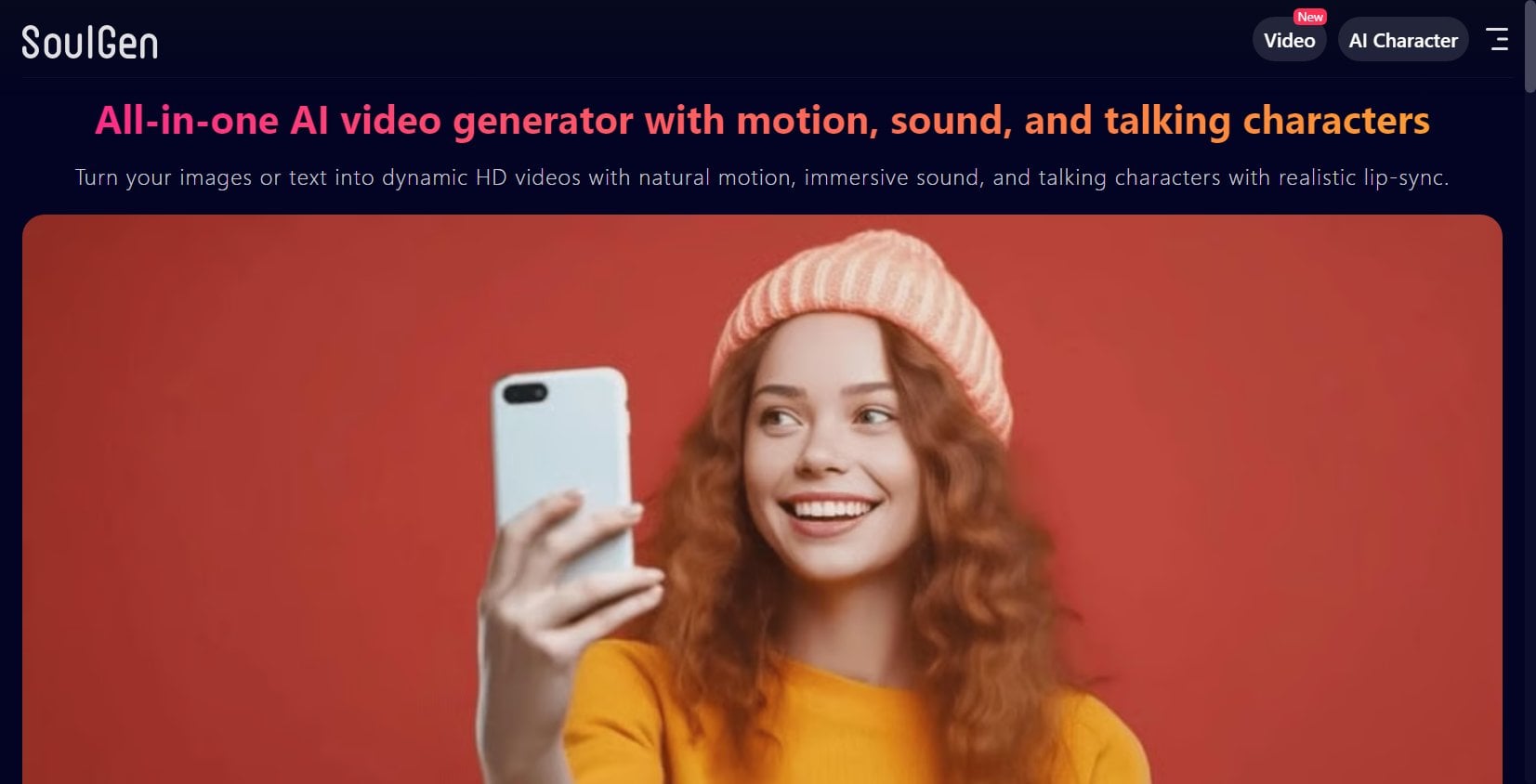
SoulGen is an innovative, AI-powered face editing app that stands out for its unique natural language editing feature. We think it’s the best natural language editor because of its ability to apply edits via text prompts, support for real and fictional characters, and high-quality image outputs.
The Best Part:
AI-powered editing. SoulGen allows you to tailor faces using simple text prompts, giving you complete control over every aspect of their appearance. Whether you want blue eyes or green hair, all it takes is typing in a prompt!
The Worst Part:
Weak free trial. SoulGen’s free trial is quite limited and doesn't fully showcase the app's potential. To get a real feel for what this tool can do, check out their showcase on the site’s homepage.
Get it if you've always dreamed of seeing what you'd look like with different facial features.
I recommend you start with the free trial to get a feel of SoulGen's features, then get a Pro plan for $12.99/month.
Best For
SoulGen is best for individuals who want to bring their imagined looks, styles, and features to life using advanced AI editing.
Top Features
Speedy as a cheetah. Convert any photo of yourself or your friends into an eye-catching portrait within seconds using SoulGen.
AI-based customization. Modify every facial detail of your generated character simply by entering descriptive text prompts. Want a sharper jawline, fuller lips, or sparkling blue eyes? SoulGen has got you covered.
Warm welcome for newbies. New users get up to 42% off their first purchase, for unlimited face edits.
Easy does it. The user interface is easy as pie, making it easy for you to tweak faces and headshots simply by typing what you want.
The king of customization. From hair color to facial features and jewelry, customize every little detail of your face just by typing text prompts.
Pricing
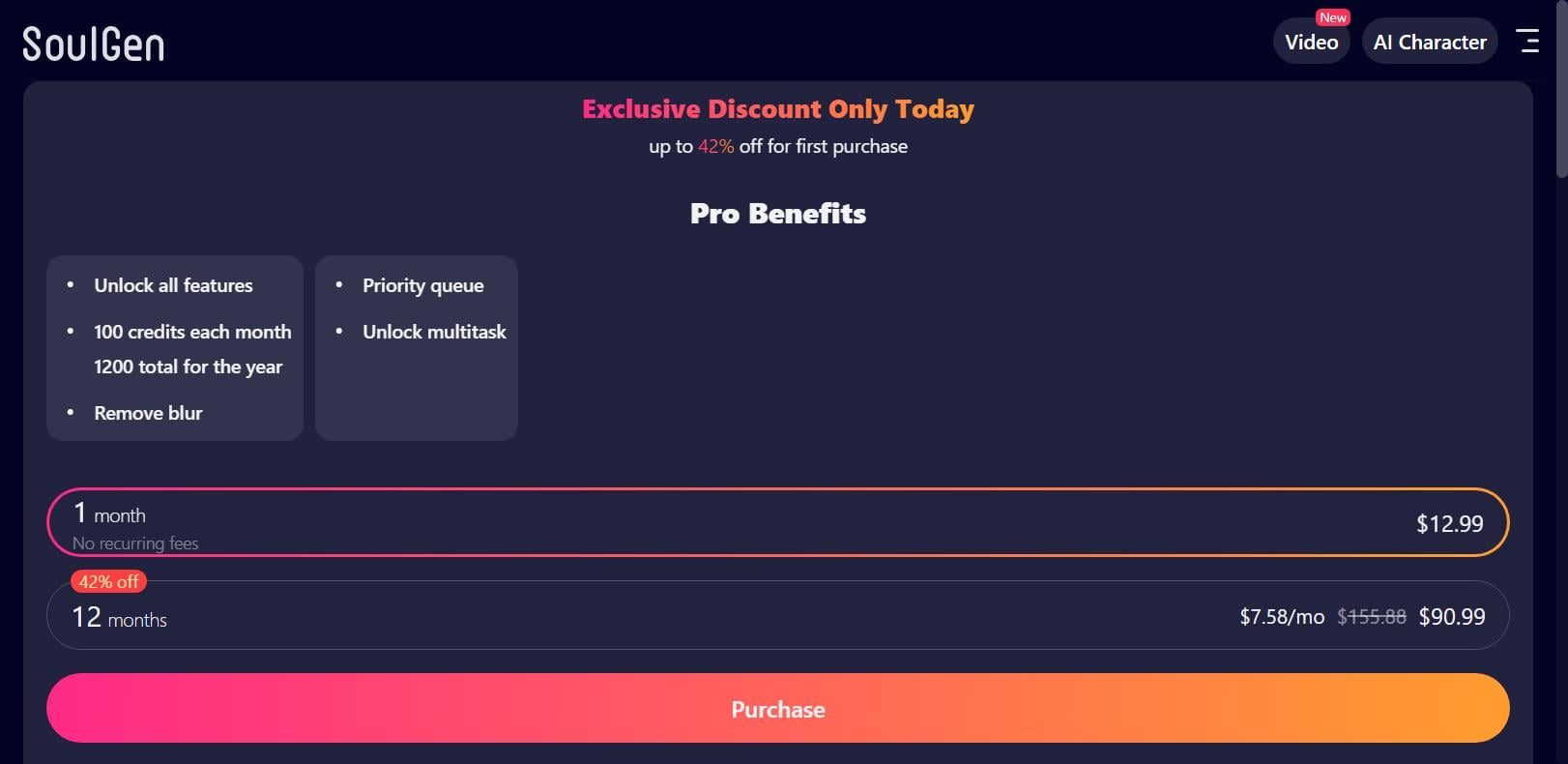
SoulGen offers two pricing plans:
- 1 month: $12.99 one-time payment, for casual users who occasionally fancy turning photos and headshots into striking, AI-edited pics.
- 12 months: $90.99/year for the first year, then $155.88/year for regular users who need frequent AI image editing to try out different looks consistently.
Annual subscriptions provide a 42% discount.
Try SoulGen today with a free trial.
3. Pixlr E
Our Verdict — Best For Advanced Photo Editing
Price: Starts at $1.99/month
Pixlr E stands as a cutting-edge face editing alternative to Photoshop, available right out of your browser. We think it’s the best for advanced photo editing because of its intuitive user interface, extensive range of tools and filters, and high-resolution support.
The Best Part:
It's incredibly versatile. Pixlr E offers an array of features that let you edit your portraits to perfection, whether you're removing blemishes or adding artistic effects.
The Worst Part:
Ads in the free version. Pixlr E's free plan includes ads, which can be a bit annoying. If you want to completely remove these ads, you can upgrade for just $1.99/month.
Get it if you want to edit your pictures using professional-grade photo editing capabilities, at a low price.
I recommend you get a 30-day free trial, then get the Premium plan for $7.99/month to unlock complete access.
(30-day free trial)
Best For
Pixlr E is best for anyone who wants to edit their photos with professional-grade editing tools without breaking the bank.
Top Features
User-friendly interface. Pixlr E offers Photoshop-like face swapping features without the steep learning curve. Even if you're new to photo editing, you'll find its intuitive interface a breeze to navigate and use.
Plenty of effects to choose from. Pixlr E is like a digital art store, providing access to over 50,000 templates, fonts, stickers, and overlays. Plenty of options and effects to perfect your face edits.
Nail down the perfect vibe. From adding a soft glow to creating dramatic contrast, Pixlr E lets you tweak effects to your liking
High-quality exports. Pixlr E's supports resolutions up to 8196x8196, keeping your face edits remain razor sharp — whether you're zooming in on a selfie or printing out a poster-sized portrait.
Layer management made easy. Pixlr E allows you to work on different parts of an image, like adding a new outfit, changing hair color, or polishing eye makeup, without affecting other elements in the photo.
Pricing

Pixlr E offers four pricing plans:
- Free: Free forever, for beginners who want to explore basic face editing features.
- Plus: $1.99/month for individuals who want a better, ad-free experience.
- Premium: $7.99/month for advanced users who want a full suite of tools to transform faces in photos into professional-looking portraits — with the ability to export high-quality resolutions.
- Team: $12.99/month for teams working together on projects that involve extensive face editing and require collaborative features along with high-priority support.
Annual subscriptions provide up to a 68% discount.
Try Pixlr E today with a free 30-day trial.
Our Top Three Picks
Here’s a quick summary of our top three picks:
- Deepswap — best of the best
- SoulGen — best natural language editor
- Pixlr E — best for advanced photo editing
Here’s a quick comparison of our top seven picks:
Tool | Entry Offer | Pricing |
|---|---|---|
Deepswap | Two free face swaps | Starts at $9.99/mo |
SoulGen | Free trial | Starts at $12.99/mo |
Pixlr E | 30-day free trial | Starts at $1.99/mo |
YouCam Makeup | Free plan | Starts at $5.99/mo |
Facetune | Free plan | Starts at $4.99/mo |
Perfect365 | Free plan | Starts at $5.99/mo |
Reface | Free plan | Starts at $6.99/wk |
Here are the top 50 face editing apps we considered in this review:
- Deepswap
- SoulGen
- Pixlr E
- YouCam Makeup
- Facetune
- Perfect365
- Reface
- PicsArt
- FaceApp
- AirBrush
- VSCO
- Snow
- BeautyPlus
- MakeupPlus
- B612
- Sweet Selfie
- Voilà AI Artist
- Meitu
- FaceLab
- BeautyCam
- SKRWT
- TouchRetouch
- Photo Editor by Aviary
- Snapseed
- PhotoDirector
- Afterlight
- Facetune Fix
- 100% Perfect Me
- PicMonkey
- PhotoWonder
- BeFunky
- PhotoLayers
- Facetune Video
- FilmoraGo
- InShot
- VivaVideo
- KineMaster
- PowerDirector
- YouCam Perfect
- Retrica
- Cymera
- Camera360
- Camera MX
- Sweet Snap
- Makeup Camera
- Beauty Camera
- Bazaart
- Lensa AI
- Fotor
- Photoleap
Frequently Asked Questions About Face Editing Apps
What is the best face editing app overall?
DeepSwap is our top pick because you get seamless AI face-swapping and high-quality output. It works on photos, videos, and GIFs, and can swap multiple faces at once, so it covers most jobs in one app.
What does DeepSwap do best?
DeepSwap is our best overall pick for its seamless AI face-swapping and high-quality output. It works on photos, videos, and GIFs, swaps multiple faces at once, and gives you free swaps to start.
Is there a free face editing app?
Yes. Pixlr E is free with an ad-supported tier, and YouCam Makeup, Facetune, Perfect365, and Reface each give you a free plan. Pixlr E also includes a free trial.
Which face editing app is best for editing with text prompts?
SoulGen is the one to reach for when you want to edit with text. You describe the change in plain language and it applies the edit, so you can customize facial details without fiddly tools.
Which app is best for advanced photo editing?
Pixlr E is our pick for advanced photo editing. It is browser-based with professional-grade capabilities, a large library of templates, fonts, and stickers, support for very high resolutions, and layer management.
Which face editing apps are worth trying first?
Start with DeepSwap as the all-around pick, then match the rest to your job: SoulGen for text-prompt edits, Pixlr E for advanced photo editing, Reface for celebrity swaps, and YouCam Makeup or Perfect365 for makeup effects.
Which app is best for swapping faces with celebrities?
Reface is the one to reach for on celebrity swaps, and it gives you a free plan to start.
Can I use a face editing app for makeup effects?
Yes. Reach for YouCam Makeup for virtual cosmetic effects and Perfect365 for customizable makeup designs. Both give you a free plan.
Which apps are popular for photo editing?
Popular photo editing software includes Adobe Photoshop, Adobe Lightroom, and Google Photos. DeepSwap and SoulGen have also gained a lot of attention lately.
The Bottom Line
To recap, here are the best face editing apps to try this year: