

Today there are over 100 different AI lip sync tools. We compared the top 50 to find the seven best you can use to make any video or photo talk in sync with new audio.
What is the Best AI Lip Sync Tool?
1. HeyGen
Our Verdict — Best Of The Best
Price: Starts at $29/month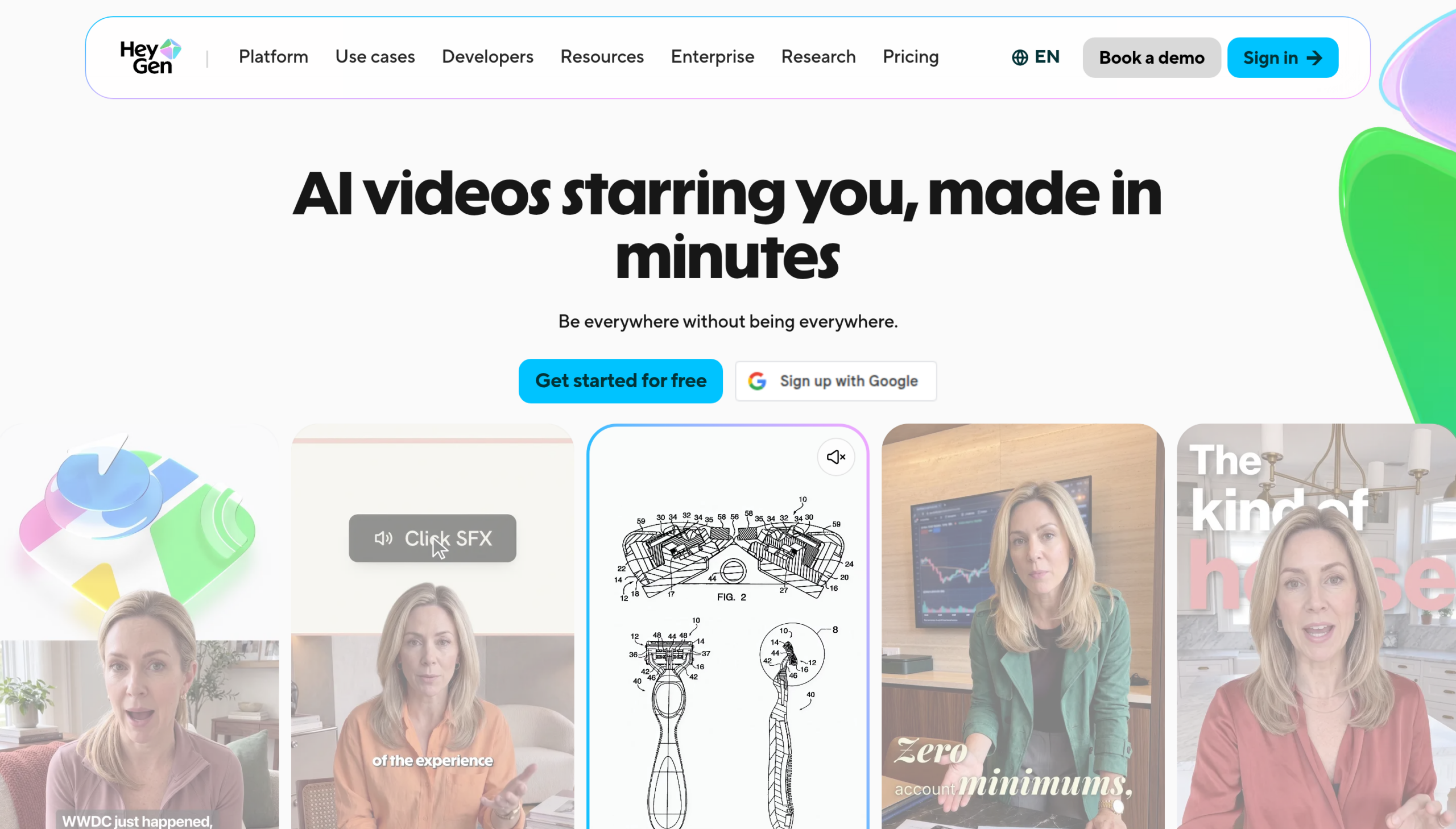
HeyGen is an AI lip sync tool: you give it text or audio, and it gives back a talking video with a HeyGen avatar or your own footage. We think it's the best of the best because it handles both, covers 175+ languages, and has lip-sync translation built in.
The Best Part:
Your footage or an avatar. Upload your own video or pick a HeyGen avatar, add a script or audio, and the mouth follows the new words.
The Worst Part:
Credit math. Creator comes with 600 credits, and Trustpilot reviewers complain about credits running out faster than expected and about daily generation limits. Watch your balance.
Get it if you want a talking video from text or audio, with an avatar or your own footage.
I recommend you start on the free plan (three videos a month, up to one minute each), then upgrade to Creator at $29/month for 1080p and no watermark.
(free plan)
Best For
HeyGen is best for anyone who wants their own face or avatar speaking a script in 175+ languages.
Top Features
Text or audio in. Type a script or upload an MP3 or WAV file, and HeyGen builds a talking video around it, using one of its avatars or your own footage.
Translate and keep the mouth in sync. HeyGen's lip-sync translation moves a video into another language with the lips matched to the new words. The free plan gives you limited trial access to it.
Your own voice, cloned. Creator and up include Voice Cloning, so you can narrate every version of a video in a voice that's yours.
Long videos, clean export. Creator runs videos up to 30 minutes at 1080p with the watermark removed. Pro steps up to 4K.
Pick a voice. The lip sync page lists 300+ AI voices across 175+ languages, so you can skip the microphone when you'd rather not record.
Pricing
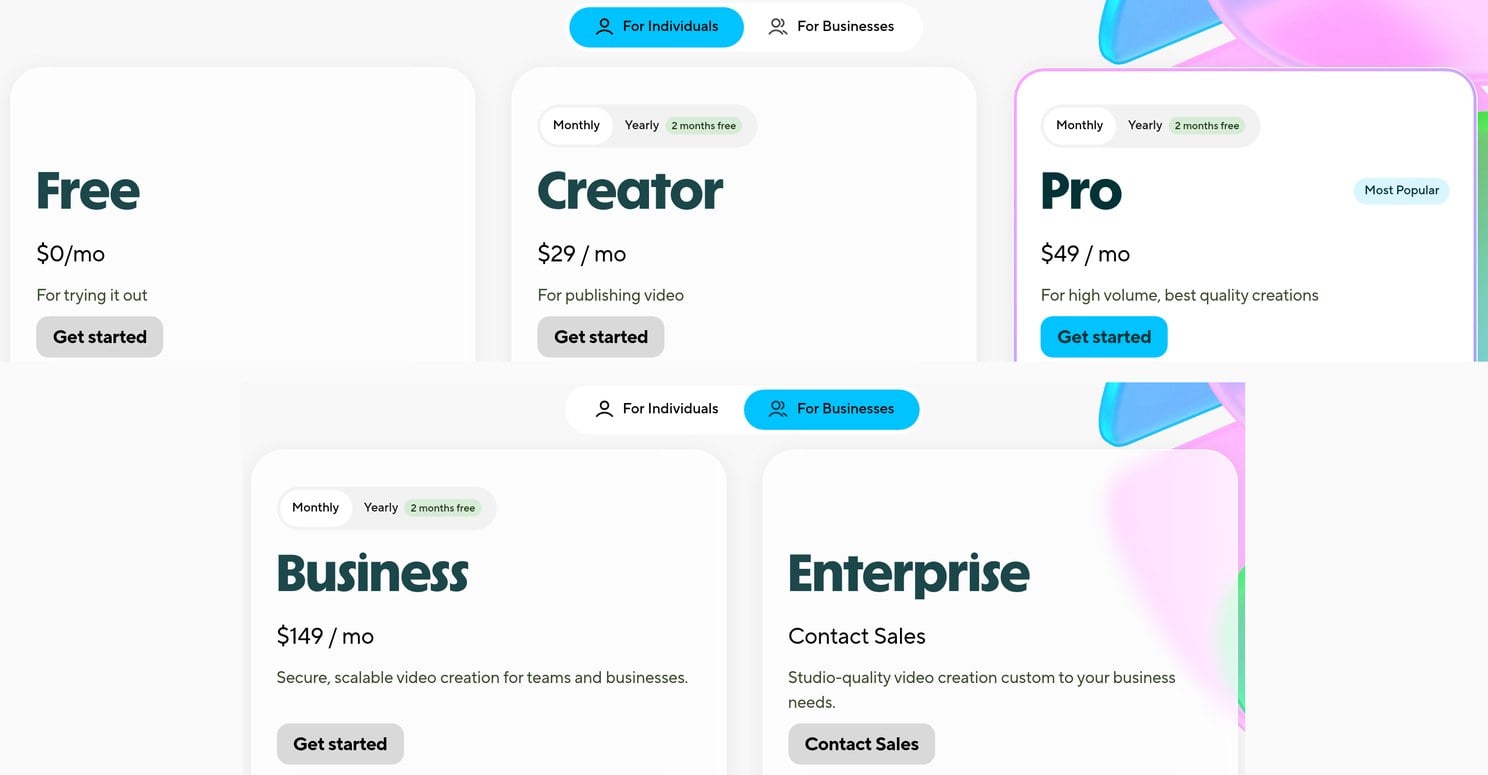
HeyGen offers three pricing plans:
- Free: Free forever, for three videos a month, up to one minute each.
- Creator: $29/month for 600 credits a month and videos up to 30 minutes.
- Pro: $49/month for 1,000 credits a month and 4K exports.
Annual subscriptions provide up to a 17% discount. Try HeyGen today with the free plan.
2. Sync Labs
Our Verdict — Best For Realistic Lip Sync
Price: Starts at $5/month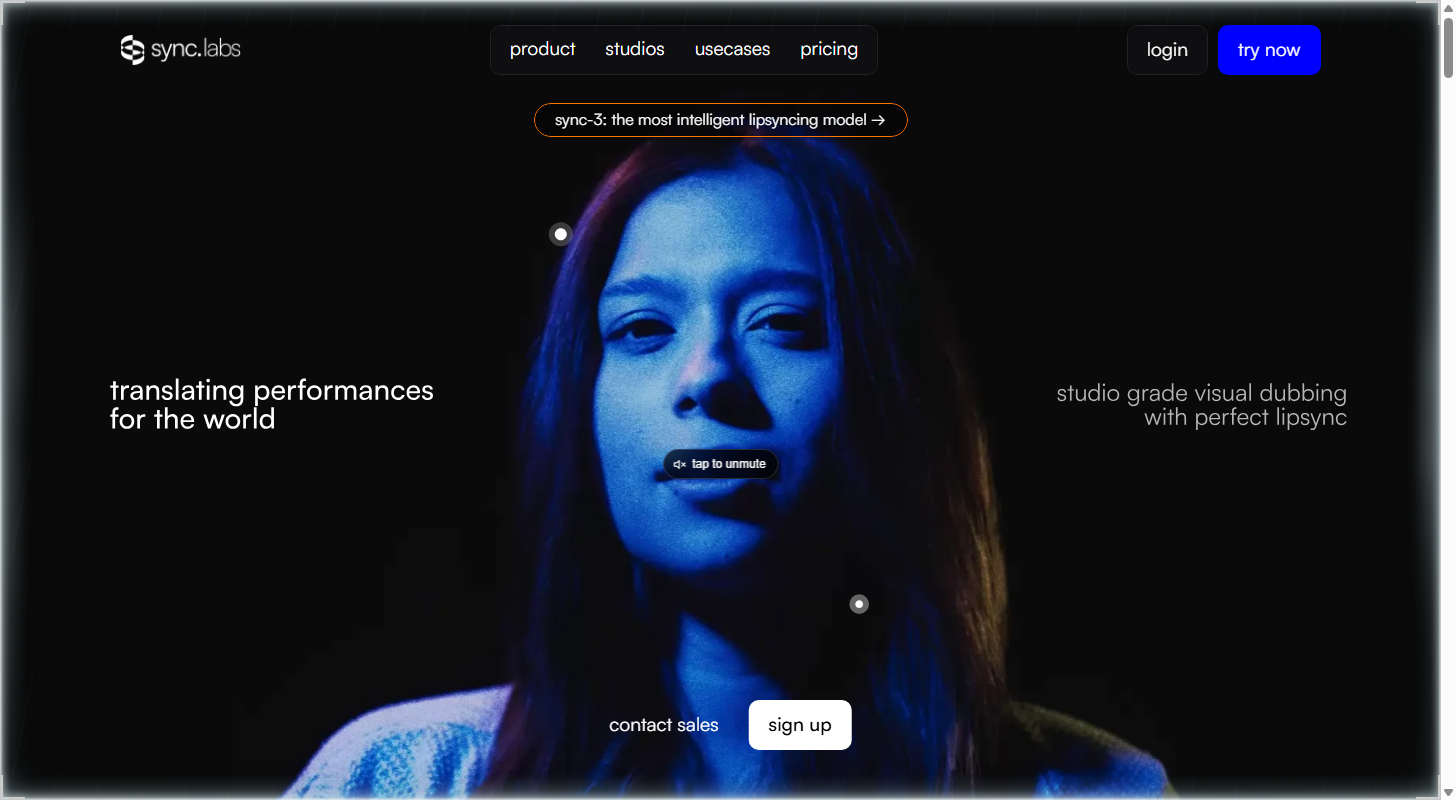
Sync Labs is a lab built only for lip sync: you upload a video you already have, add new audio, and the mouth follows. We think it's the best for realistic lip sync because of its sync-3 model, its handling of covered and multiple faces, and its 4K output.
The Best Part:
No timeline. Upload a video, give it a voice by cloning yours, generating one or reusing the clip's own audio, and get your lip sync back. Nothing to learn.
The Worst Part:
You pay by the second. Every plan adds a per-second charge on top of the monthly fee, and the newest model, sync-3, costs $0.1334 per second on the Hobbyist and Creator plans — do the math before you sync a long video.
Get it if you want to re-sync the mouth in a video you already have, without opening an editor.
I recommend you start on Hobbyist for $5/month, then move to Creator at $19/month once you need no watermark.
(starts at $5/month)
Best For
Sync Labs is best for anyone dubbing their own videos, podcasts or game clips, where a mouth that drifts off the audio gives the whole thing away.
Top Features
Hard footage is fine. Sync Labs lists support for faces blocked by objects, multiple faces, multiple camera angles and low light, so your shot doesn't need to be a clean close-up.
Dub in 29 languages. Its dubbing grid lists 29 languages, so one clip can reach several audiences without a reshoot.
4K output. sync-3 and lipsync-2-pro are marked 4K, so your result holds up on a big screen.
Fits your workflow. Every plan includes the API, so developers can automate lip sync, and there are plugins for Premiere and ComfyUI, so you can use it inside the editing tools you already have.
Longer clips as you grow. Videos run up to one minute on Hobbyist, five minutes on Creator and 30 minutes on Scale.
Pricing
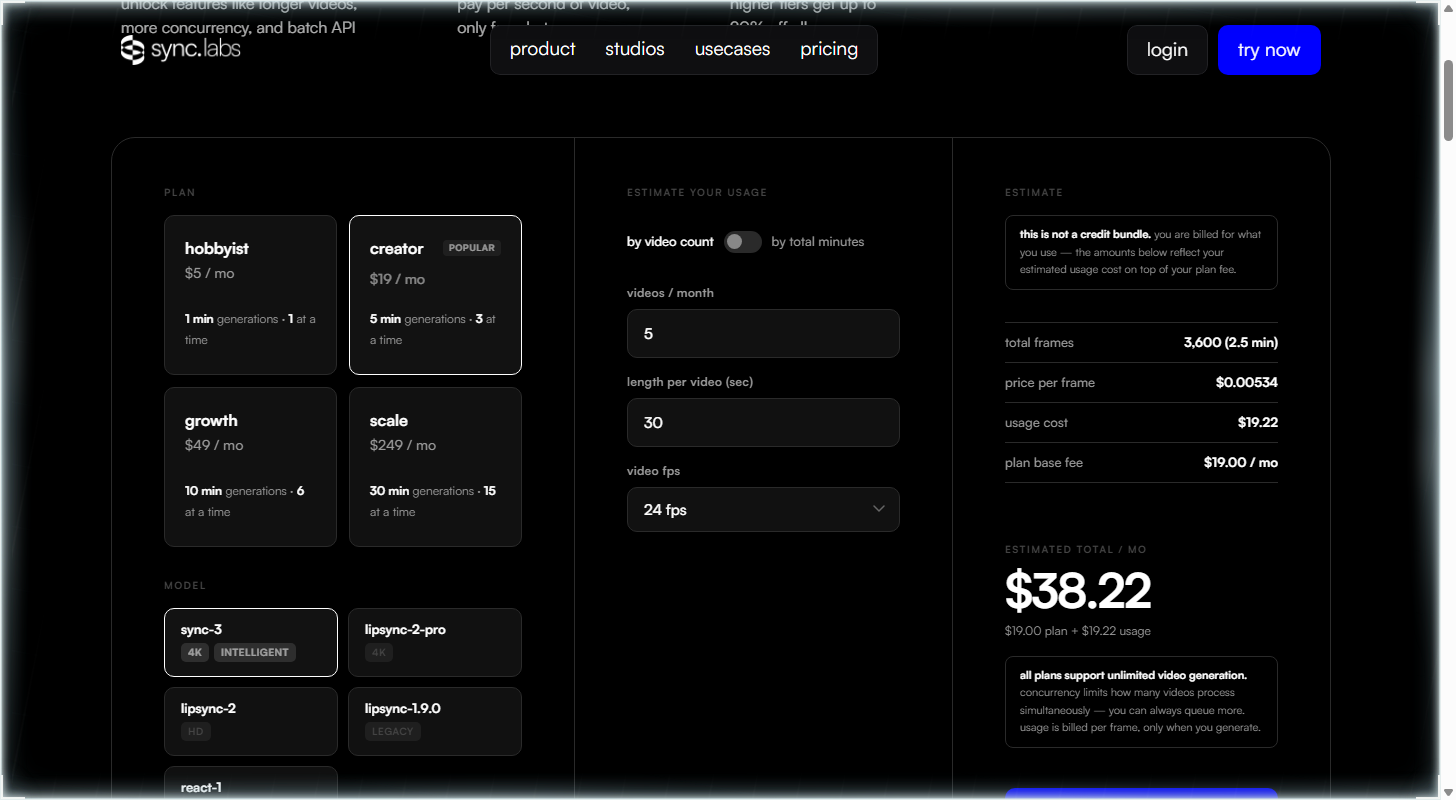
Sync Labs offers four pricing plans:
- Hobbyist: $5/month for videos up to one minute, plus usage billed by the second.
- Creator: $19/month for videos up to five minutes with no watermark, plus usage billed by the second.
- Growth: $49/month for videos up to 10 minutes, three seats and a 5% usage discount, plus usage billed by the second.
- Scale: $249/month for videos up to 30 minutes, five seats and a 20% usage discount, plus usage billed by the second.
Try Sync Labs today.
3. LipDub AI
Our Verdict — Best For Dubbing Videos
Price: Starts at $29/month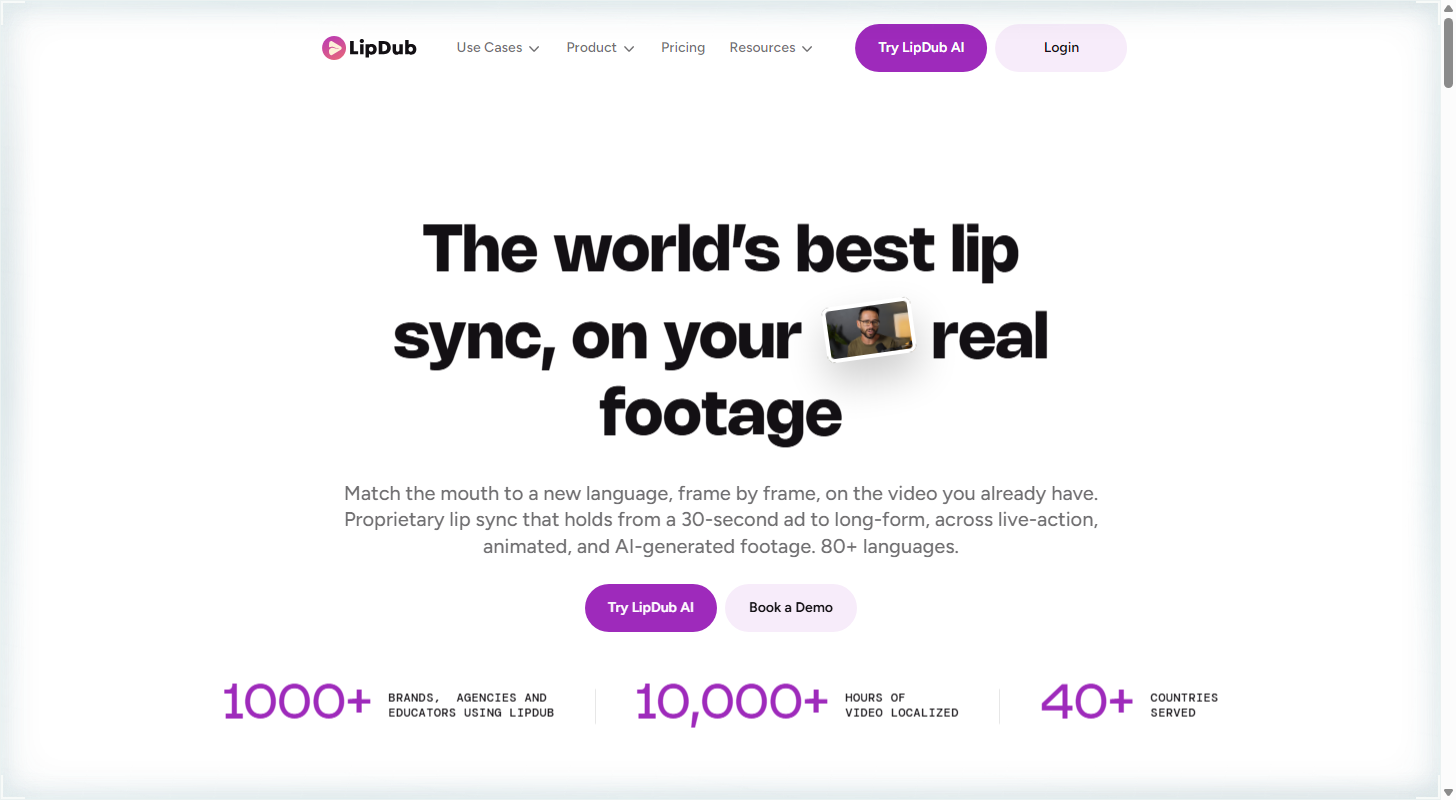
LipDub AI matches a speaker's mouth to a new language, frame by frame, on the video you already have. We think it's the best for dubbing videos because of its 80+ languages, voice cloning on the Growth plan and control over how much the mouth moves.
The Best Part:
Your cut, new language. LipDub AI works on live-action, animated and AI-generated footage, so it slots in right after AI filmmaking software, when the cut is locked and the language isn't.
The Worst Part:
The subscription is non-refundable. LipDub AI's refund policy says “Payments for subscription services are non-refundable,” and lip sync is billed by the minute (from $3.50) on top of the monthly fee.
Get it if you want a finished video dubbed into a new language with the mouth to match.
I recommend you start with the Core plan at $29/month, then pay for lip sync by the minute.
(starts at $29/month)
Best For
LipDub AI is best for anyone dubbing their own videos into other languages, from a 30-second ad to long-form.
Top Features
Dub what you already shot. Upload finished footage and LipDub AI matches the mouth to the new language, frame by frame, with no reshoot.
Sync only what you pick. Select the regions of the video to lip sync and leave the rest of the shot untouched.
Dial the mouth up or down. You can tune the expressivity of the mouth, so the dub matches the energy of the original take.
Works on animation too. The lip sync covers live-action, animated and AI-generated footage, so a cartoon or an AI clip gets the same treatment.
Bring your own audio. From the Growth plan at $99/month you can upload audio you already have, or clone a voice (yours, or one you have permission to use) for the dub.
Pricing
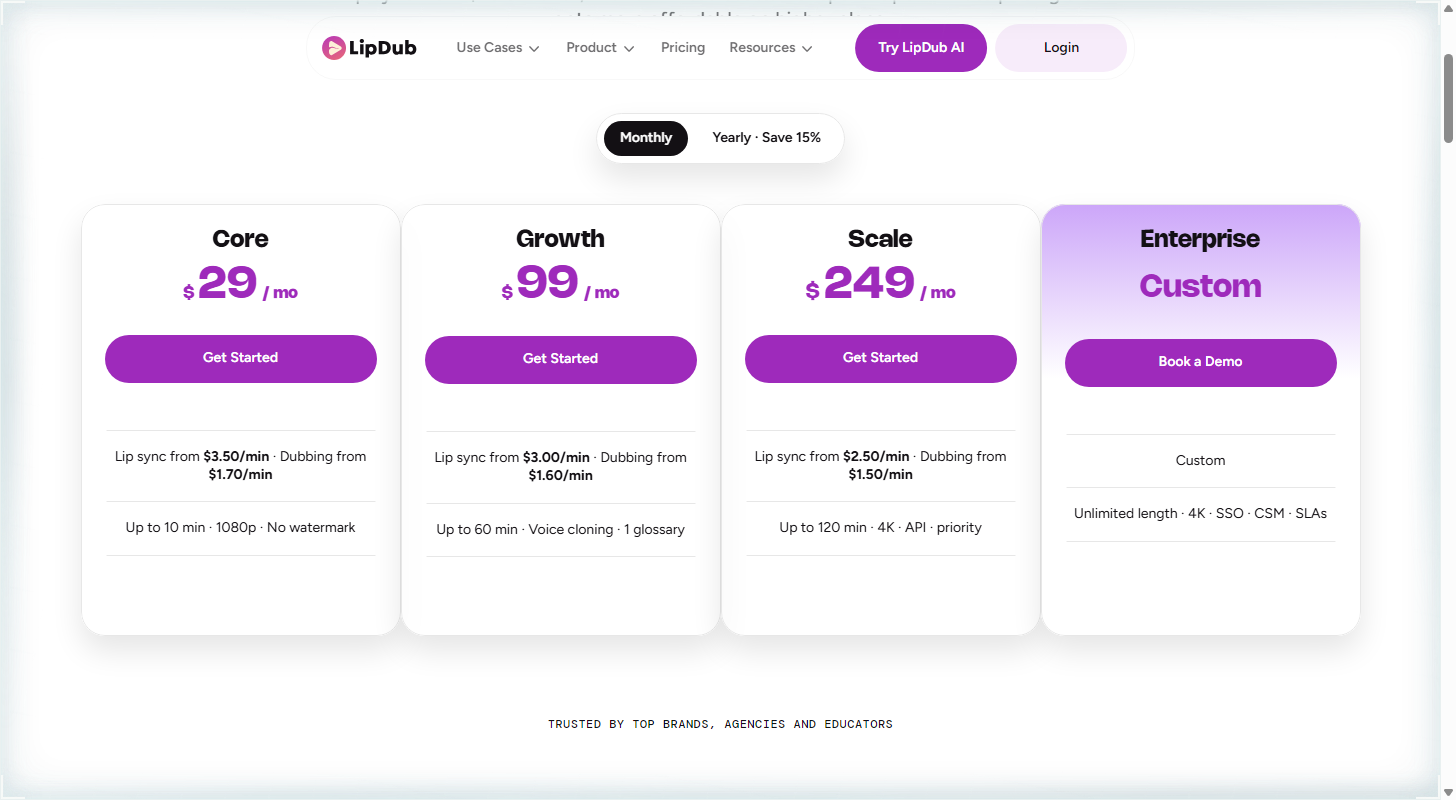
LipDub AI offers four pricing plans:
- Core: $29/month for lip sync from $3.50 a minute and videos up to 10 minutes.
- Growth: $99/month for lip sync from $3.00 a minute, videos up to 60 minutes and voice cloning.
- Scale: $249/month for lip sync from $2.50 a minute, 4K exports and API access.
- Enterprise: Custom pricing, for teams that need unlimited video length.
Try LipDub AI today.
4. Vozo
Our Verdict — Best Free Option
Price: Starts at $29/month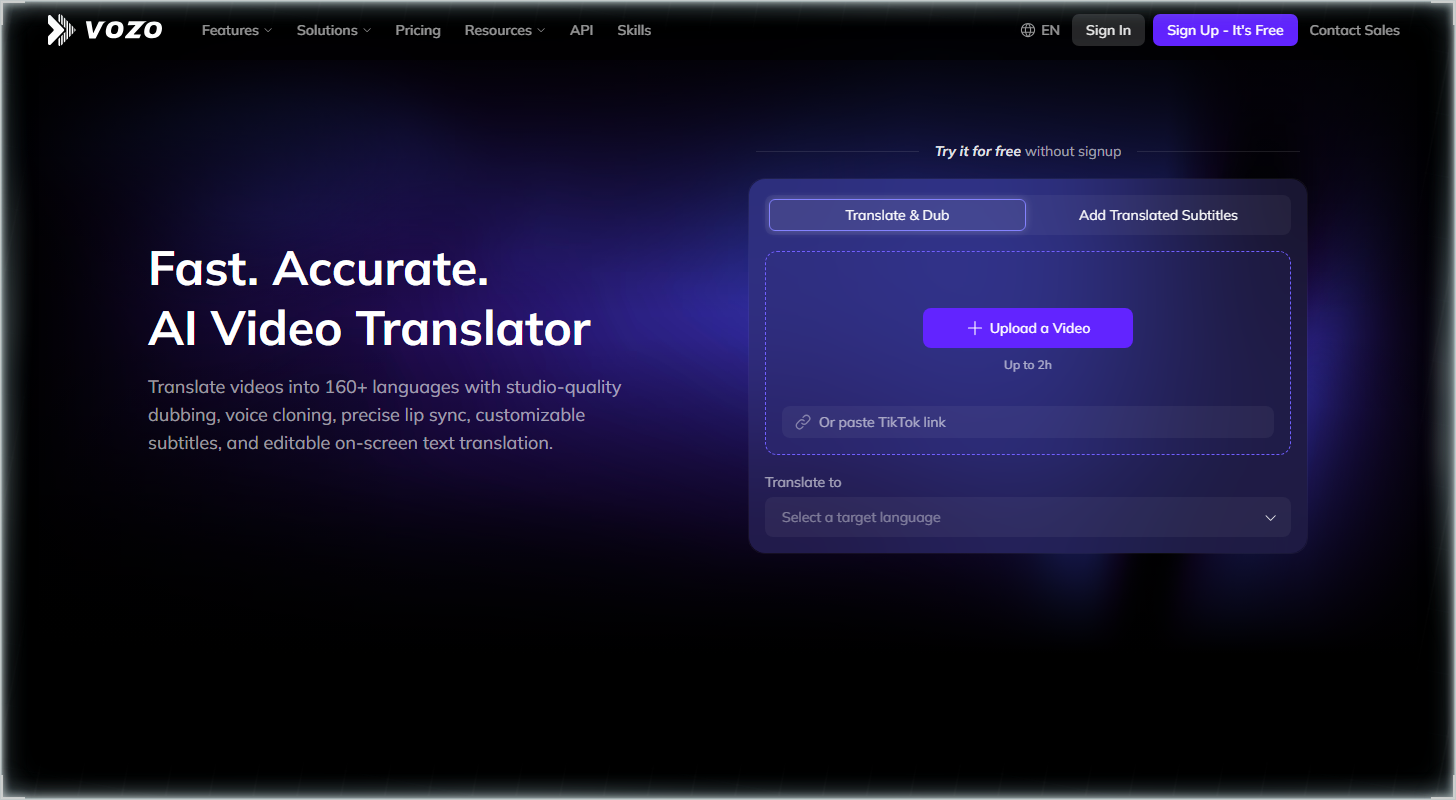
Vozo lip syncs any video to any audio, including scenes with more than one speaker. We think it's the best free option because you get 20 AI points (about two minutes of lip sync) with no credit card, plus a Precision Mode built for real footage.
The Best Part:
Handles real footage. Precision Mode (LipREAL) is built for real video, side angles and beards, and in a multi-speaker scene you choose which faces get synced.
The Worst Part:
Not for everything. Cartoons and animals don't work, and the free two minutes or so of lip sync run out fast once you start testing clips.
Get it if you want to try lip sync on your own footage before paying a cent.
I recommend you start with the 20 free AI points (no credit card), then upgrade to Creator for $29/month.
(free trial)
Best For
Vozo is best for anyone who wants to dub or fix the speech in their own videos and test it for free before committing to a plan.
Top Features
Pick the faces you sync. In a scene with several speakers, you choose which faces get lip sync, and you can fix a wrong face-to-voice match by hand.
Fast or precise, your call. Standard Mode is the quick option. Precision Mode takes on real video, non-frontal angles, beards and piercings.
Bring any audio. Upload a new audio file or keep the one already in your video, in any language, even dialects.
A free start with real room. Free gives you 20 AI points for trial use, about two minutes of lip sync, and videos up to 20 minutes, with no credit card.
Room to grow. Creator at $29/month gives you 150 AI points a month, about 15 lip sync minutes, videos up to 60 minutes and API access.
Pricing
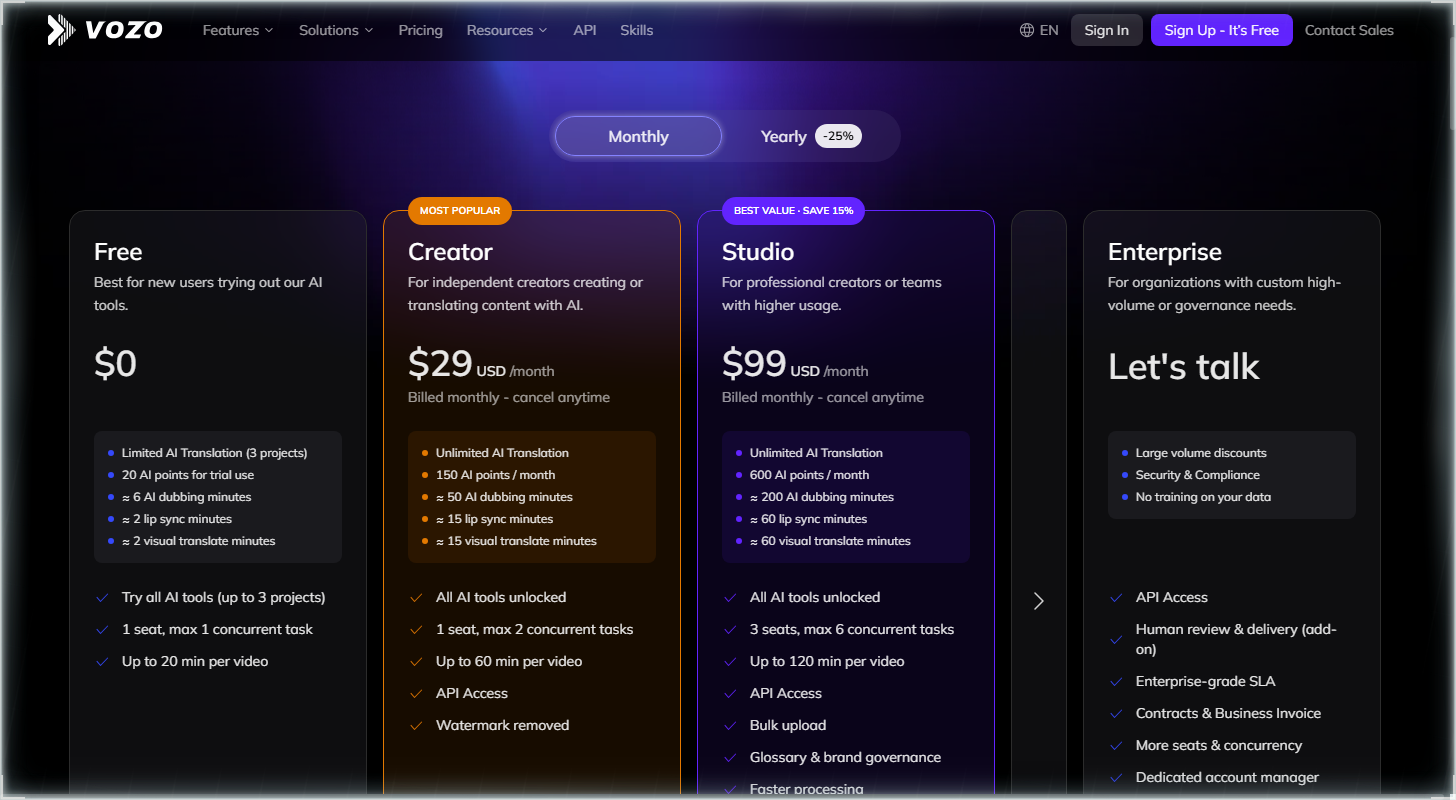
Vozo offers four pricing plans:
- Free: Free, for 20 AI points to try it, about two lip sync minutes.
- Creator: $29/month for about 15 lip sync minutes a month.
- Studio: $99/month for about 60 lip sync minutes a month and three seats.
- Enterprise: Custom pricing, for teams with high-volume needs.
Annual subscriptions provide a 24% discount. Try Vozo today with the free trial.
5. Hedra
Our Verdict — Best For Talking Photos
Price: Starts at $20/month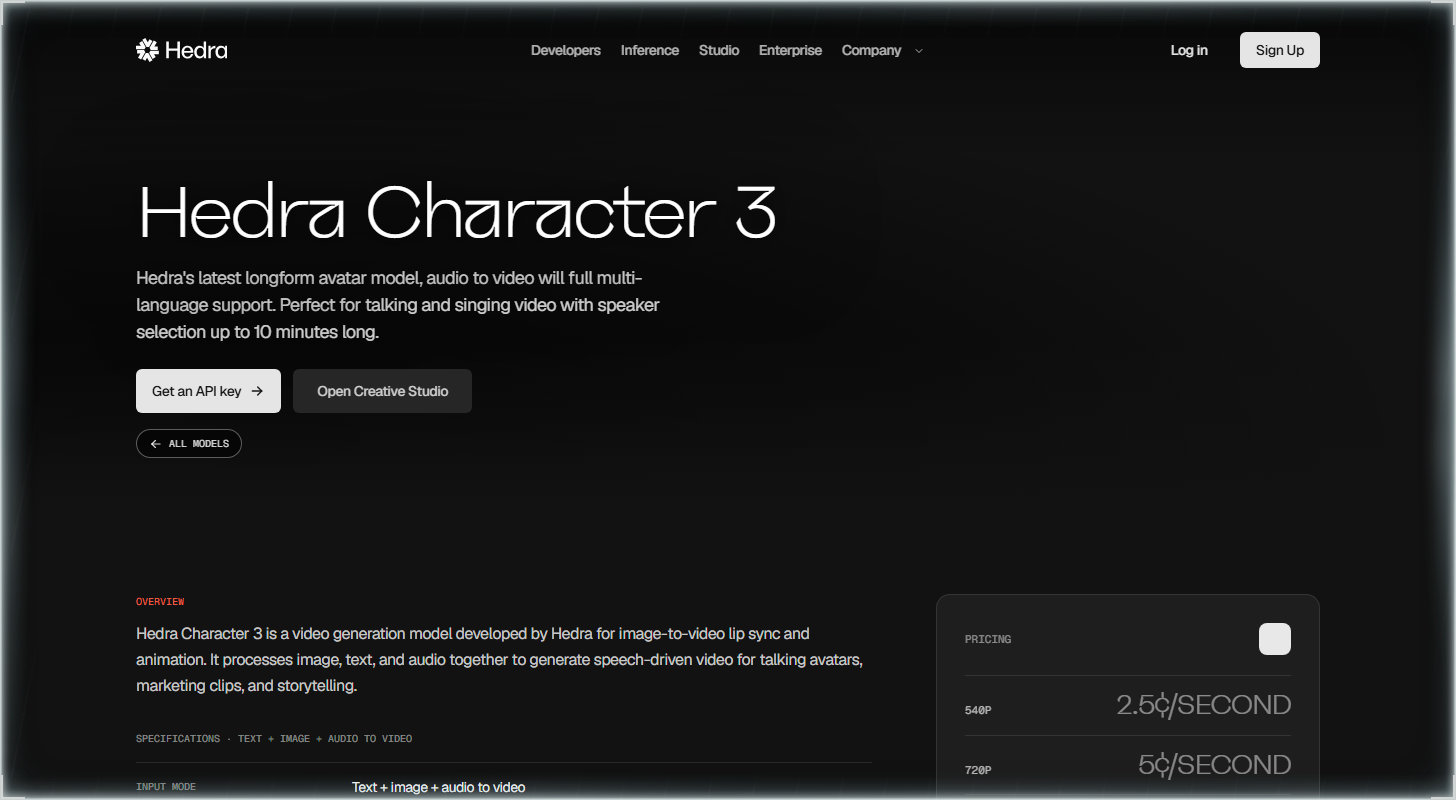
Hedra turns one photo and an audio file into a talking or singing video. We think it's the best for talking photos because its Character-3 model animates a single image to your audio for up to 10 minutes, works on characters as well as people, and exports up to 1080p.
The Best Part:
Characters that talk. Upload one photo and an audio file and Character-3 makes it speak or sing — a talking bear and a claymation musician are two of Hedra's own examples.
The Worst Part:
Rough Trustpilot reputation. Hedra has a low Trustpilot rating, and the main complaints are subscriptions that renew unexpectedly and refunds that get denied. Check your renewal date the day you pay.
Get it if you want to turn a single photo into a speaking character.
I recommend you start with Basic at $20/month, which includes 2,000 credits and commercial use.
(starts at $20/month)
Best For
Hedra is best for anyone who wants a talking character and is also shopping forAI UGC video generators.
Top Features
One photo, one audio file. Character-3 takes a start image plus your audio and returns a video of that image speaking or singing.
Up to 10 minutes. A single clip can run that long, so a full talk or a whole song fits in one video.
Characters work too. You're not limited to human portraits — a bear, a claymation figure or a cartoon-style mascot can carry the audio.
Pick your resolution. Export at 540p, 720p or 1080p, in formats from square 1:1 to vertical 9:16 and widescreen 16:9.
Commercial use included. Every paid plan, starting with Basic at $20/month, covers commercial use.
Pricing
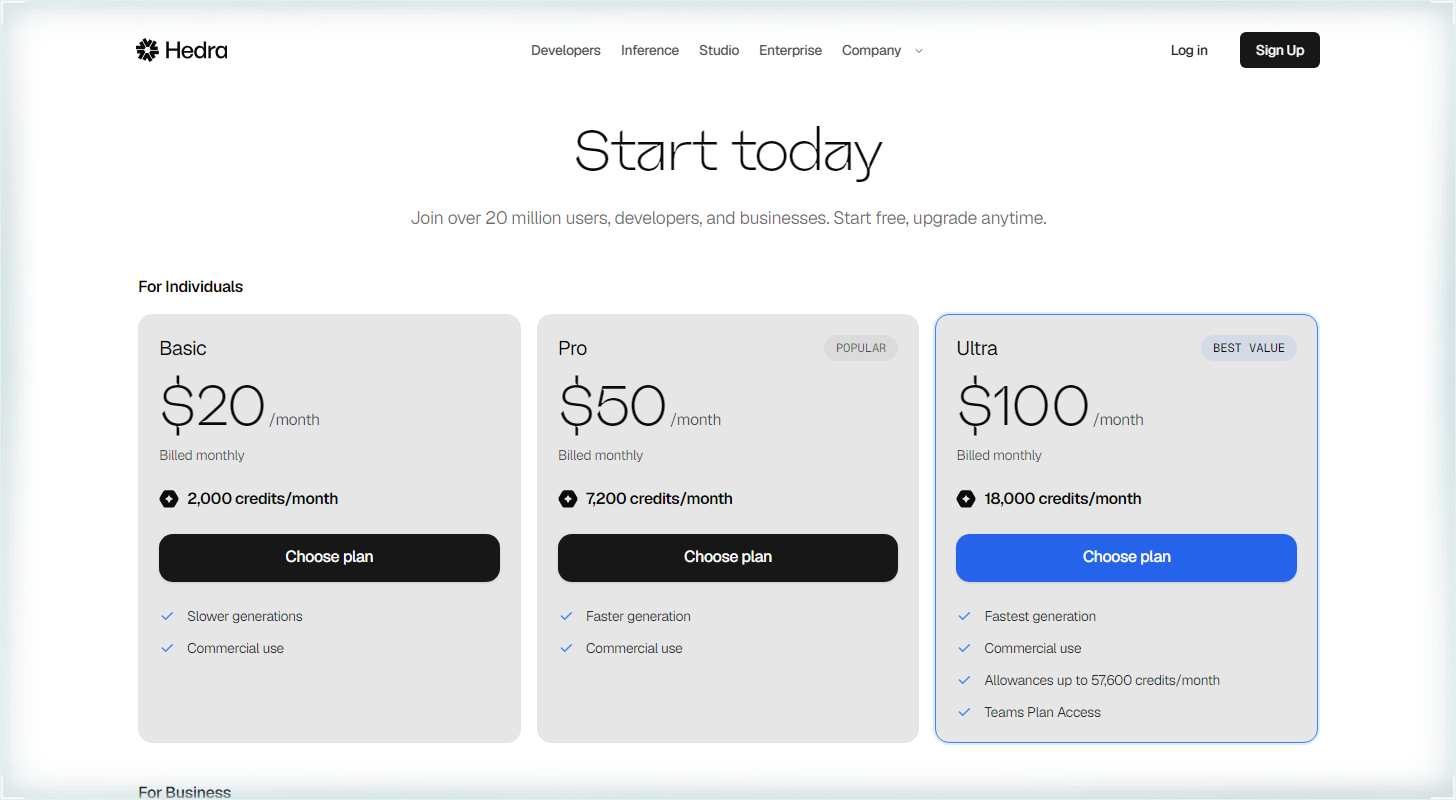
Hedra offers three pricing plans:
- Basic: $20/month for 2,000 credits a month and commercial use.
- Pro: $50/month for 7,200 credits a month and faster generations.
- Ultra: $100/month for 18,000 credits a month and the fastest generations.
Try Hedra today.
6. Higgsfield
Our Verdict — Best For Trying Different AI Models
Price: Starts at $19/month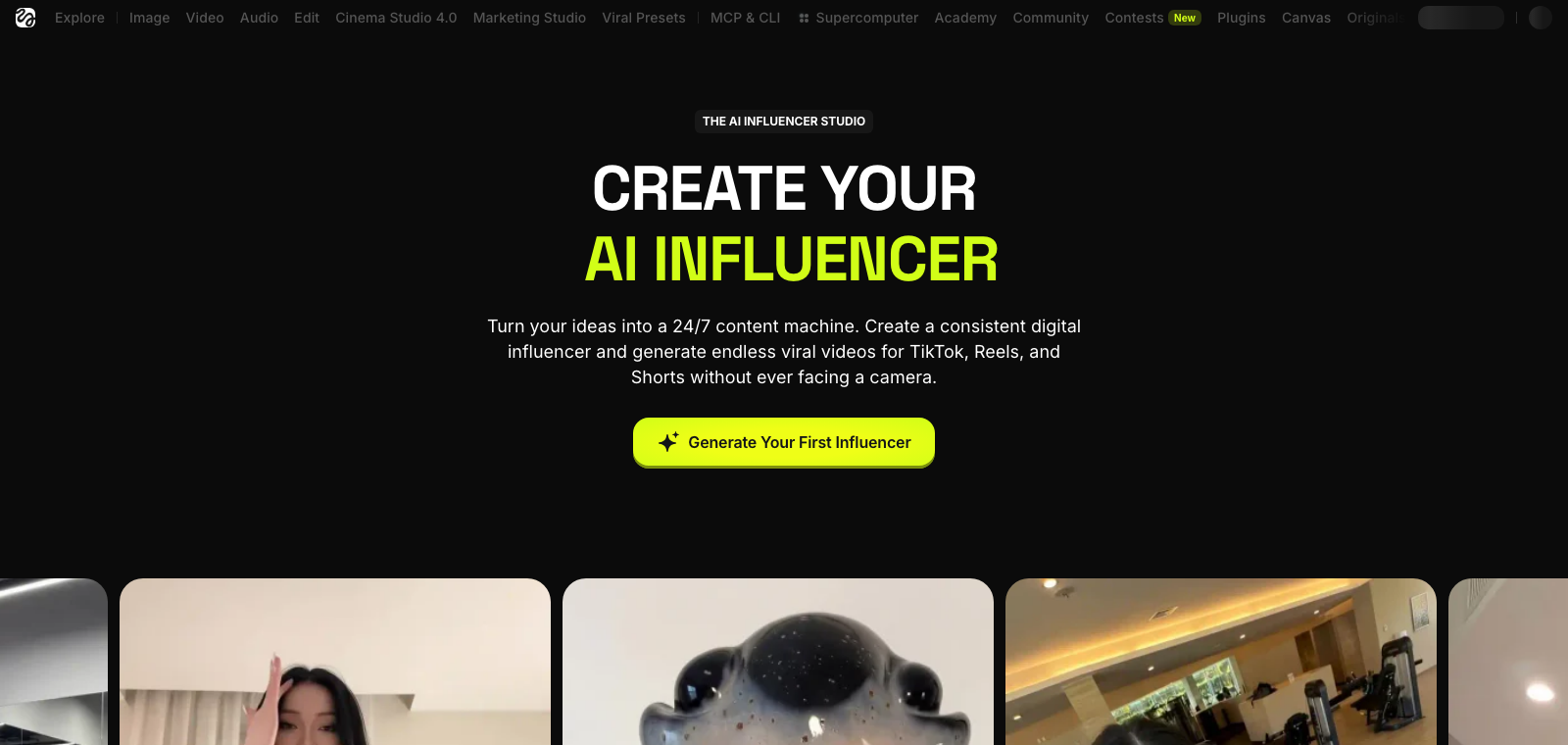
Higgsfield puts a pile of AI video models under one roof, and its Lipsync Studio is where the talking happens. We think it's the best for trying different AI models because of its eight lip sync models, its scene templates, and three ways to bring in audio.
The Best Part:
Two ways in. Start from a video you already have (Kling Lipsync or Sync Lipsync 3) or from a single character image (Veo 3.1, Kling 2.6 Lipsync, Wan 2.5 Speak and more) and make it talk.
The Worst Part:
Starter skips the lineup. The $19/month Starter plan only covers the Seedance models, and the full set of models starts at Plus for $59/month — so the cheap plan can't test much.
Get it if you want to try several lip sync models in one place instead of signing up for each.
I recommend you get started with the Plus plan for $59/month.
(starts at $19/month)
Best For
Higgsfield is best for anyone who wants to test different lip sync models on their own footage, photos or characters.
Top Features
Video or photo. Kling Lipsync and Sync Lipsync 3 re-sync footage you already shot, while the image models turn one picture of your character into a talking clip.
Pick the scene first. The studio shows scene templates like Selfie, Podcast and Car Talking, so the setup is chosen before you hit generate.
Three ways to add audio. Type the text, change the voice, or translate the speech into 18 languages.
Up to 4K on your own footage. Sync Lipsync 3 works on existing video at up to 4K, which covers most uses.
Clone only your own voice. Higgsfield says to clone a voice that is your own or one you have the person's permission to use.
Pricing
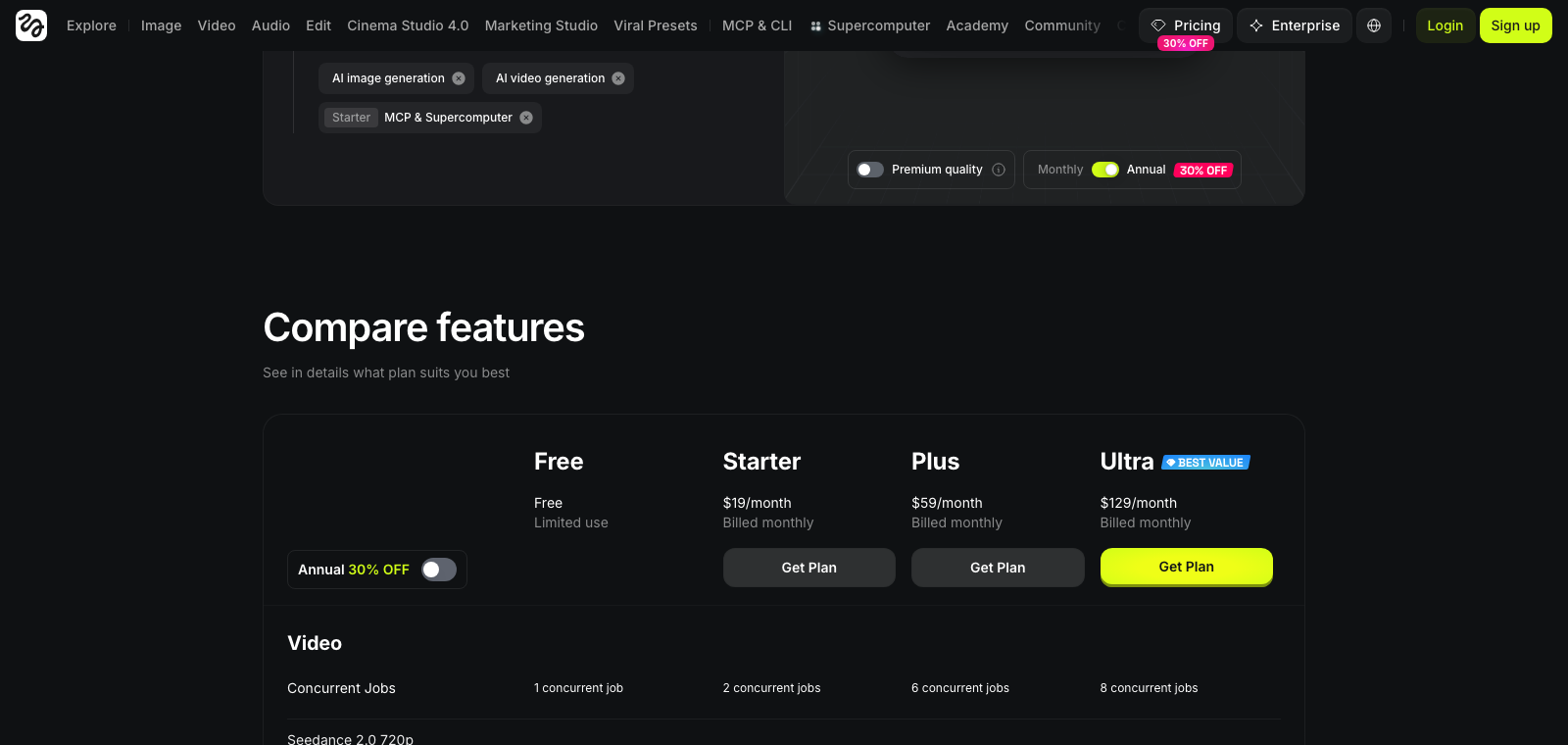
Higgsfield offers three pricing plans:
- Starter: $19/month for 270 credits a month for the Seedance video models only.
- Plus: $59/month for 1,200 credits a month and access to all models.
- Ultra: $129/month for 3,000 credits a month.
Annual subscriptions provide up to a 23% discount.
Try Higgsfield today.
7. D-ID
Our Verdict — Best For Small Budgets
Price: Starts at $5.90/month
D-ID is an AI video platform that turns a photo or a script into a talking avatar and translates your existing videos with matching lip movement. We think it's the best for small budgets because of its cheap Lite plan, its talking photos and its AI Video Translate tool.
The Best Part:
Your video, in a new language. AI Video Translate adapts lip movements to the new language and clones the speaker's voice — keep it to your own face and voice.
The Worst Part:
Watermarks, then a $29 jump. Lite puts a D-ID watermark on your videos, and the commercial use license only starts at Pro for $29/month.
Get it if you want a cheap way to make talking photos and translate your own videos.
I recommend you get started with the 14-day trial (three minutes of video), then move to Lite for $5.90/month.
(14-day free trial)
Best For
D-ID is best for anyone who wants to test lip sync on a tight budget, not ship branded client work.
Top Features
Talk with a photo. Photo Avatars take a photo plus a script or a voice and turn it into a talking video — use your own photo or a character you made.
29 languages in one batch. Bulk Rendering translates a video into as many as 29 languages without redoing the work for each one.
Your voice carries over. Video Translate clones the speaker's voice automatically, so use your own or one you have permission for.
Studio or API. Click through the self-service studio when you're testing, or plug in the API when you want to automate.
Cheap to start. Lite is $5.90/month, or $4.70/month billed yearly, and includes 10 minutes a month — the lowest flat subscription price on this list.
Pricing
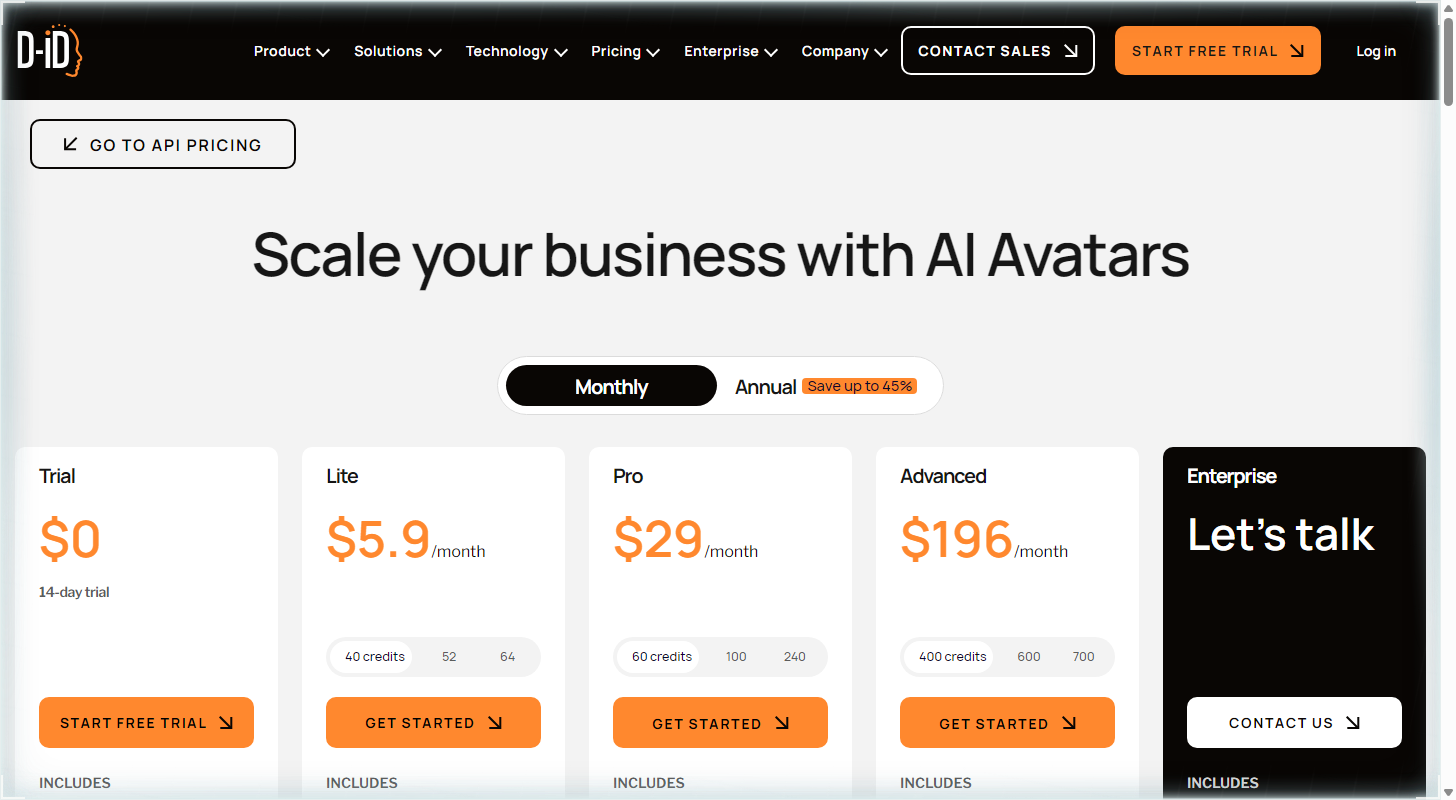
D-ID offers five pricing plans:
- Trial: Free, for 14 days and three video minutes.
- Lite: $5.90/month for 10 video minutes a month, with a D-ID watermark.
- Pro: $29/month for 15 video minutes a month and a commercial license.
- Advanced: $196/month for 100 video minutes a month.
- Enterprise: Custom pricing, for teams that need unlimited video minutes.
Annual subscriptions provide up to a 45% discount.
Try D-ID today with the free trial.
Our Top Three Picks
Here's a quick summary of our top three picks:
Here's a quick comparison of our top seven picks:
Tool | Entry Offer | Pricing |
|---|---|---|
HeyGen | Free plan | Starts at $29/mo |
Sync Labs | Try for free | Starts at $5/mo |
LipDub AI | Paid only | Starts at $29/mo |
Vozo | Free trial | Starts at $29/mo |
Hedra | Start free | Starts at $20/mo |
Higgsfield | Limited free use | Starts at $19/mo |
D-ID | Free trial | Starts at $5.90/mo |
Here are the top 50 AI lip sync tools we considered in this review:
- HeyGen
- Sync Labs
- LipDub AI
- Vozo
- Hedra
- Higgsfield
- D-ID
- Magic Hour
- Kling AI
- Synthesia
- Rask AI
- Wav2Lip
- SadTalker
- VEED
- Runway
- AI Studios
- VideoDubber
- LatentSync
- Pika
- Vidnoz
- Captions
- Colossyan
- Pipio
- Tavus
- Freebeat
- Hailuo
- MuseTalk
- Animaze
- Pollo AI
- CapCut
- PixVerse
- Morphic
- Creatify
- Pixbim Lip Sync AI
- Gooey.ai
- GoEnhance
- Jogg AI
- DreamTalk
- LivePortrait
- Pippit
- Perso AI
- Video Retalking
- VMEG
- Dzine
- Dreamina
- LemonSlice
- LipSync.video
- Vidduo
- Arcads
- Media.io
Frequently Asked Questions About AI Lip Sync Tools
What is AI lip sync?
AI lip sync is software that makes the mouth in a video or photo follow a new audio track. You use it to dub your own content into another language, fix a line you flubbed, or turn a photo into a talking clip. A full music video is a different job, closer to what AI music video generators do.
Which AI lip sync tool is best overall?
HeyGen is our top pick overall. You can turn text or audio into a talking video with a HeyGen avatar or your own footage, in 175+ languages on the Creator plan, and the Free plan gives you three videos a month of up to one minute to test it.
How do free and paid AI lip sync tools differ?
Free plans and trials cap how much you can make. HeyGen's free plan gives you three videos a month of up to one minute, and Vozo's free trial gives you 20 AI points, about two minutes of lip sync. Paid plans stretch the length (HeyGen Creator goes to 30 minutes) and remove watermarks, so check what each plan includes before you pay.
Which AI lip sync tool is best for small budgets?
D-ID is our pick for small budgets. Its Lite plan has the lowest flat subscription price on this list, and the 14-day trial lets you test it first. Lite adds a D-ID watermark, and commercial use starts at the Pro plan.
What is the best AI lip sync tool for realistic results?
Pick Sync Labs when realism is the point. It is a lab built only for lip sync, and it handles covered faces, multiple faces, several camera angles and low light. Sync Labs says its sync-3 and lipsync-2-pro models work in 4K.
Which AI lip sync tool is best for trying different AI models?
Higgsfield is our pick for trying different models. Its Lipsync Studio puts several of them in one place, including Kling Lipsync and Sync Lipsync 3 for existing video. The Starter plan covers only the Seedance models, so you need the Plus plan for “all models.”
What should I look for when choosing an AI lip sync tool?
Start with what you are syncing: your own video, a photo or a character. Then check the length limit, watermarks, languages and how the tool charges: by subscription, by the minute or by the second. A free plan or trial is the cheapest way to see how it handles your footage.
Do I need permission to lip sync someone else's face or voice?
Yes. HeyGen's moderation policy requires the “explicit consent” of the person being represented, and Vozo's terms require the written consent of each identifiable person in your video. The safe route is your own face and voice, an avatar, or an actor who signed a consent form.
HeyGen vs Sync Labs: which one should I choose?
HeyGen is our best overall pick: avatars, your own video and a free plan to start. Sync Labs is the one to reach for when you want realistic lip sync on a video you already have, and it charges per second of video on top of its plan fee.
The Bottom Line
To recap, here are the best AI lip sync tools to try this year: