

Today there are over 80 different AI video translators. We compared the top 50 to find the seven best you can use to dub your videos into other languages today.
What is the Best AI Video Translator?
1. HeyGen
Our Verdict — Best Of The Best
Price: Starts at $29/month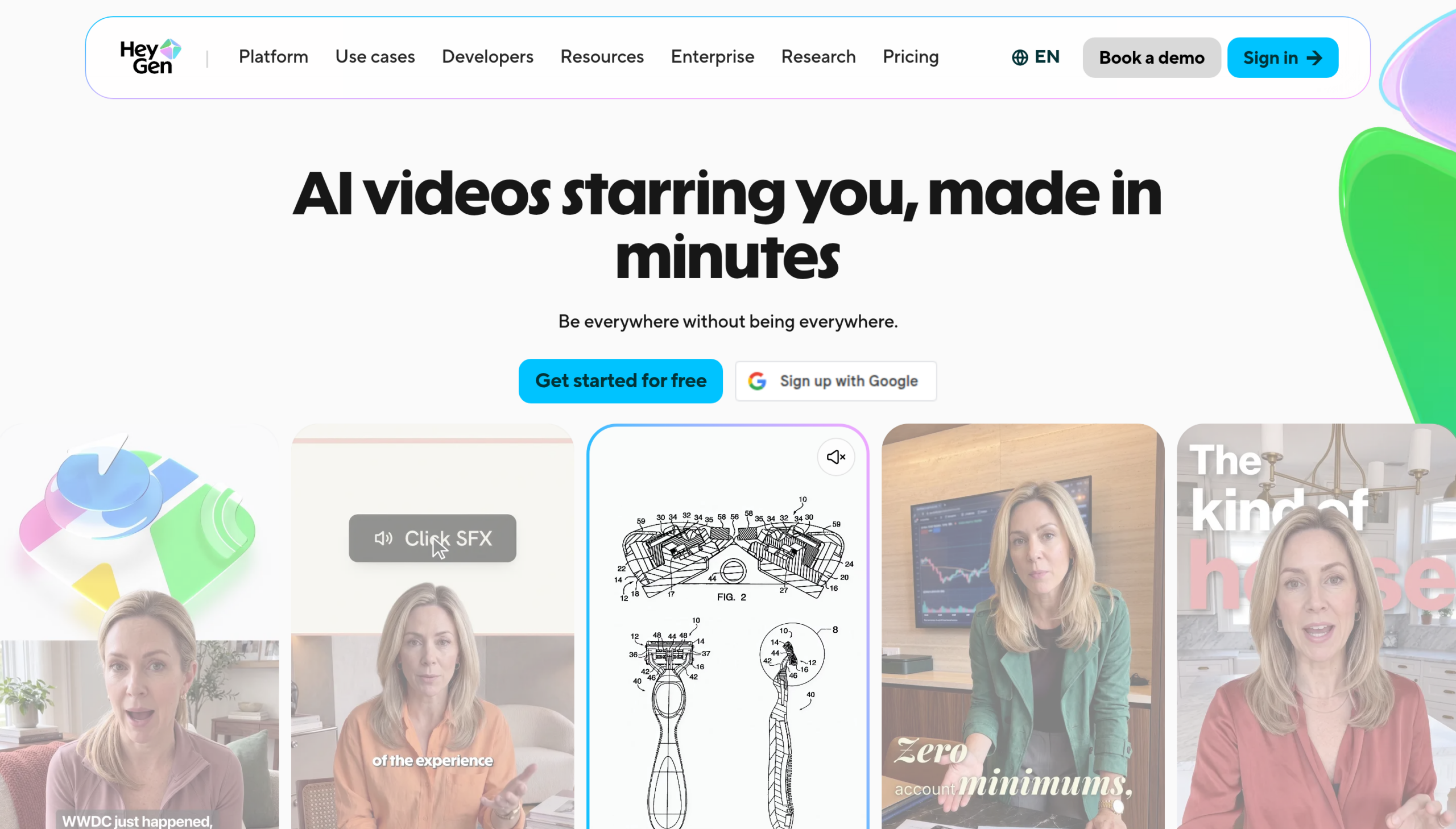
HeyGen is the translator most people try first, and for good reason. We think it's the best of the best because of its 175+ languages and dialects, a translated voice that keeps your original tone, and lip sync, so the speaker's mouth follows the new language.
The Best Part:
One upload, many languages. You can pick up to 10 target languages at the same time, so a single video becomes a full set of dubbed versions in one pass.
The Worst Part:
Credits drain fast. Reviewers on Trustpilot (4.1 from 4,195 reviews) keep flagging “unexpected credit depletion,” and the Free plan caps translation at one minute. Watch your balance on longer videos.
Get it if you want your own voice, lip-synced, in as many languages as possible.
I recommend you start on the Free plan — three videos a month, up to one minute each, no credit card — then move to Creator at $29/month when you need videos up to 30 minutes.
(free plan)
Best For
HeyGen is best for anyone who wants the same video in other languages without re-recording a word.
Top Features
Keep your own voice. HeyGen clones the original speaker's voice, so your tone and delivery carry over into every language instead of a generic narrator taking over.
Mouths that match. The lip sync adjusts the speaker's lip movements to the translated speech, so viewers aren't watching English mouth shapes with Spanish audio.
Subtitles built in. Add subtitles in the same pass and refine the tone, then embed a multilingual player so viewers pick their language.
175+ languages and dialects. The Creator plan covers the full list, which is wide enough for most YouTube channels and course libraries.
Proofread before you publish. Click Edit & Review to fix the translated script before finalizing. That editor is on the Pro plan ($49/month).
Pricing
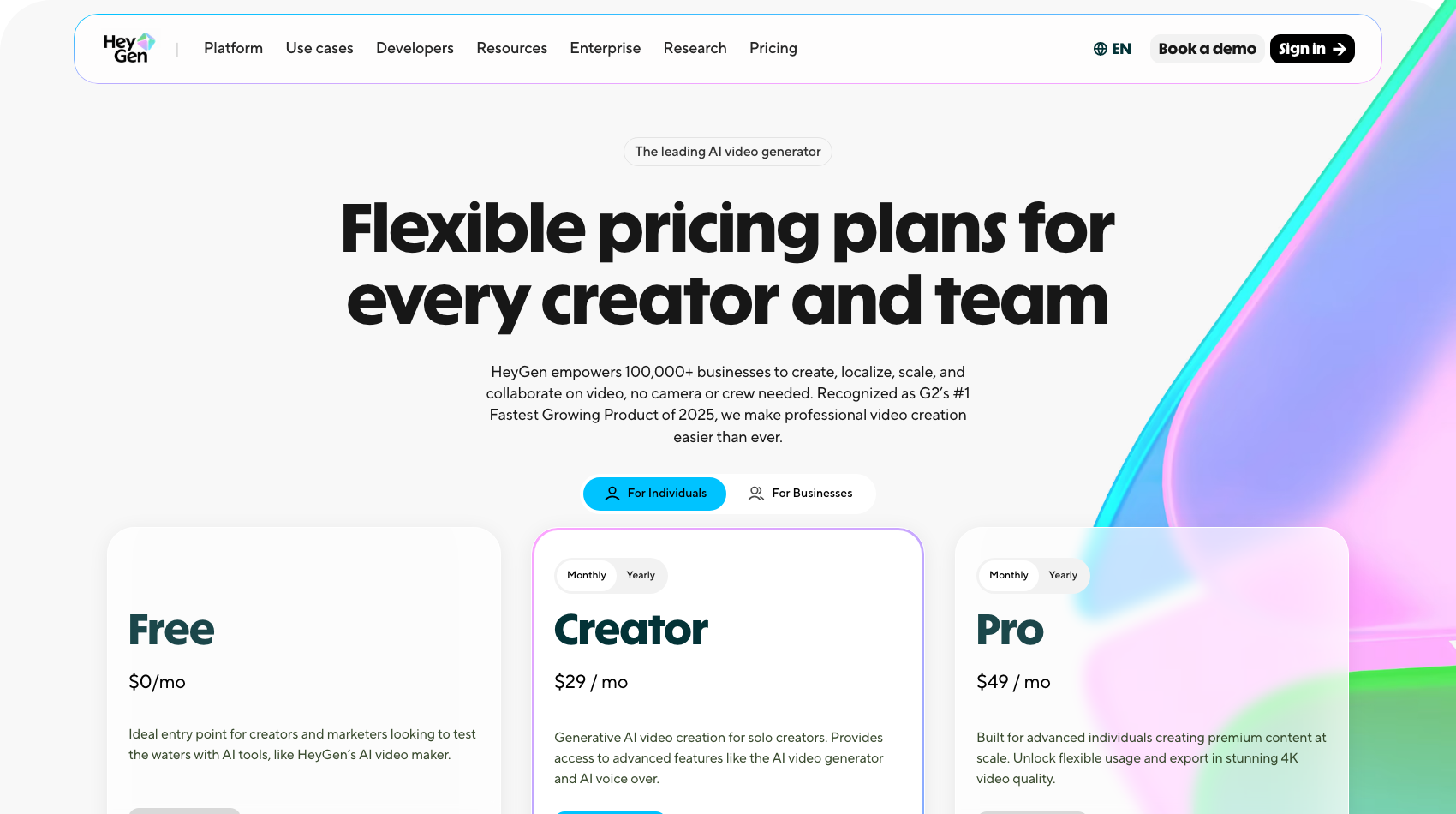
HeyGen offers three pricing plans:
- Free: Free forever, for three videos a month, up to one minute each.
- Creator: $29/month for 600 credits a month and videos up to 30 minutes.
- Pro: $49/month for 1,000 credits a month and 4K exports.
Annual subscriptions provide up to a 17% discount. Try HeyGen today with the free plan.
2. Vozo
Our Verdict — Best For Realistic Lip Sync
Price: Starts at $29/month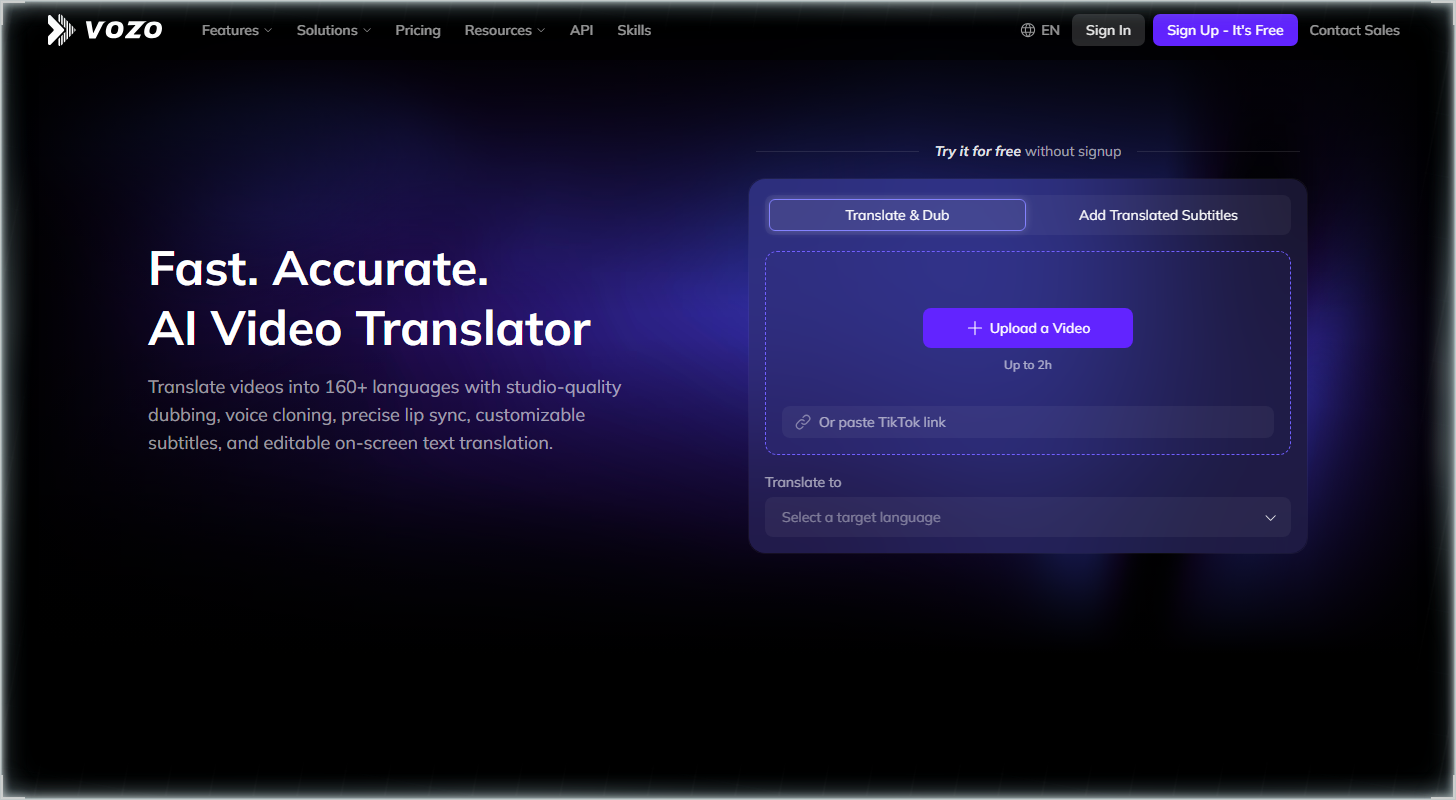
Vozo is an AI video translator built around lip sync. We think it's the best for realistic lip sync because of its LipREAL lip sync, its VoiceREAL cloned voice, and 165 target languages.
The Best Part:
Lip sync that follows the dub. LipREAL reshapes the speaker's mouth to match the translated speech, so your viewers aren't watching a Spanish voice on an English mouth.
The Worst Part:
No refunds. Vozo says it doesn't offer refunds on paid plans, and lip sync draws from your points separately — Creator covers about 15 minutes of it a month, versus about 50 of plain dubbing.
Get it if you want your own video dubbed with a voice and lip movement that match the original speaker.
I recommend you start on the free plan (20 AI points, about six minutes of dubbing), then move to Creator at $29/month.
(free plan)
Best For
Vozo is best for anyone who wants a talking-head video to look like it was shot in the new language.
Top Features
Your voice, in every language. VoiceREAL clones the original speaker's voice for the dub, so the translation still sounds like you and not a stock narrator.
Fix the script before you export. A line-by-line proofreading editor lets you correct any translated sentence, and a glossary keeps your brand and product names spelled right.
Subtitles on tap. Export translated or bilingual subtitles, and Vozo can translate the text burned into the picture too.
Wide language coverage. Vozo reads 111 source languages and dubs into 165, so you can reach a niche market without a separate tool.
Room for long videos. Free handles clips up to 20 minutes, and Creator takes videos up to 60 minutes with the watermark removed.
Pricing
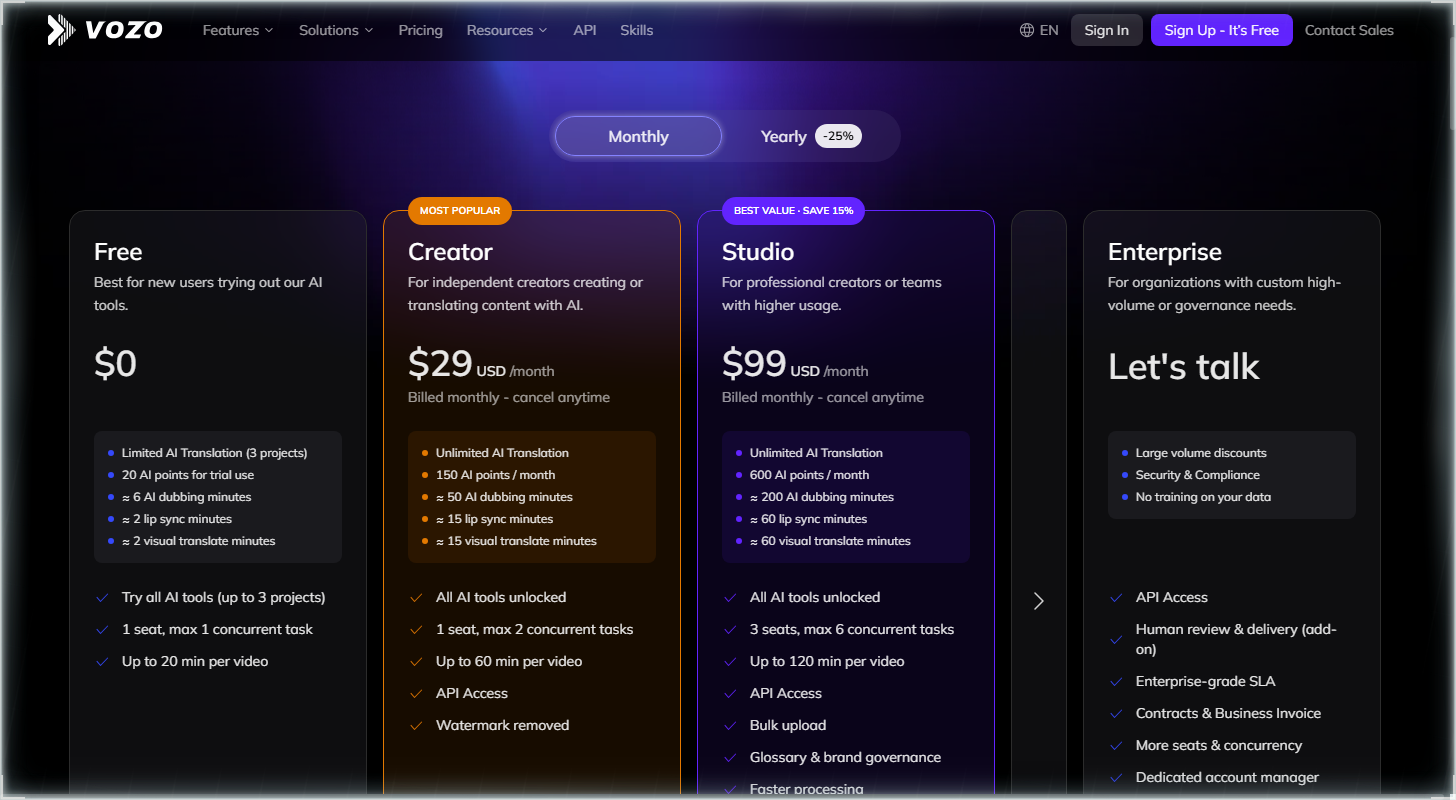
Vozo offers four pricing plans:
- Free: Free, for 20 AI points to try it, about six AI dubbing minutes.
- Creator: $29/month for about 50 AI dubbing minutes a month.
- Studio: $99/month for about 200 AI dubbing minutes a month and three seats.
- Enterprise: Custom pricing, for teams with high-volume needs.
Annual subscriptions provide a 24% discount.
Try Vozo today with the free plan.
3. ElevenLabs
Our Verdict — Best For Natural-Sounding Voices
Price: Starts at $6/month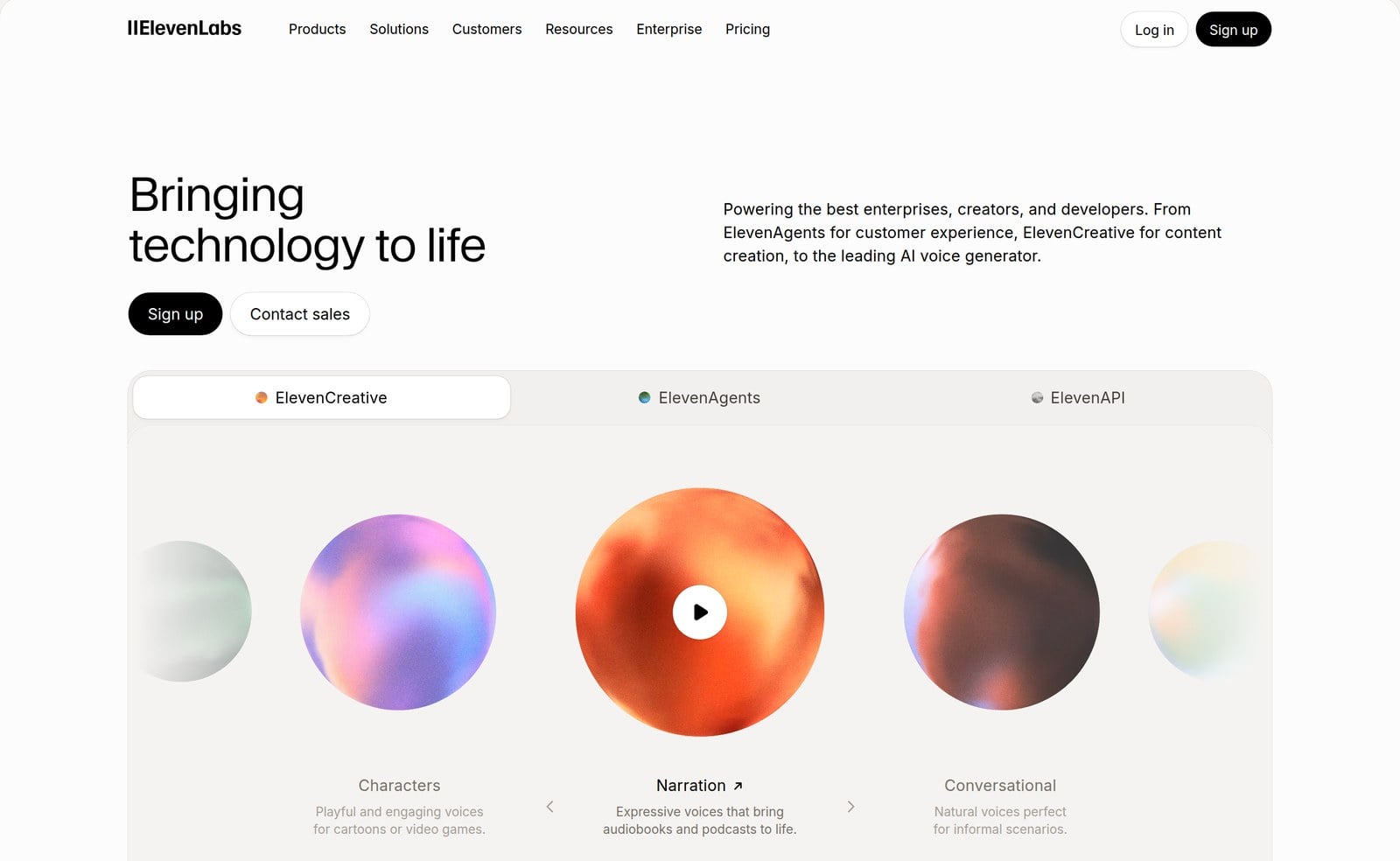
ElevenLabs is a voice AI company, and its Dubbing Studio translates your video into 90+ languages. We think it's the best for natural-sounding voices because of its automatic voice cloning and speech timing that follows the original.
The Best Part:
Your voice, every language.ElevenLabs clones the original speaker's voice for each translation, with no manual setup — so a tutorial, a vlog or even an AI-made short film still sounds like you in Spanish, not like a stock narrator reading your script.
The Worst Part:
Timing, not lips. The Dubbing Studio page promises speech that starts and stops in step with the original, but it doesn't promise lip sync, so don't count on the mouth matching the new language. Credits also drain fast, a common complaint behind its 3.1 Trustpilot score.
Get it if you want your dubbed video to sound like you.
I recommend you start on the free plan, then move to Starter for $6/month.
(free plan)
Best For
ElevenLabs is best for anyone dubbing courses, interviews or talking-head videos, where the voice carries the content.
Top Features
Your own voice. Each translation comes out in a clone of the original speaker's voice, automatically, so viewers hear the same person in every language.
90+ languages. Upload one video and localize it across more than 90 languages, instead of recording each version yourself.
Timing that holds. The starts and stops of the new speech align with the original, so the dub lands where your words did.
Start from a link. Upload a file or paste a URL, and add source text or target text if you already have a script.
Commercial license on Starter. The $6/month plan includes a commercial license and Dubbing Studio, so you can use dubs in client or paid work.
Pricing
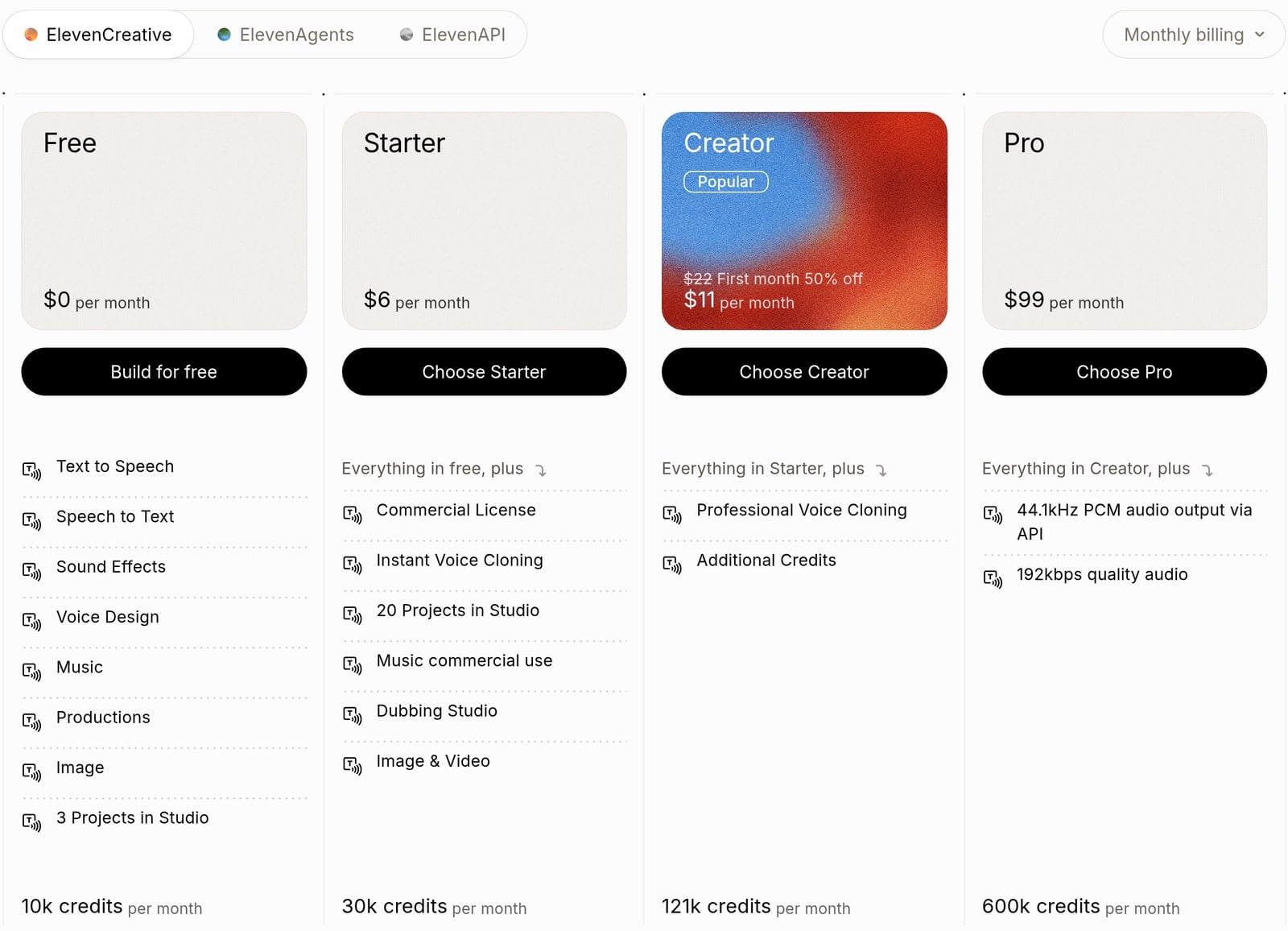
ElevenLabs offers four pricing plans:
- Free: Free forever, for 10,000 credits a month and watermarked dubbing.
- Starter: $6/month for 30,000 credits a month and a commercial license.
- Creator: $11 for the first month, then $22/month for 121,000 credits a month.
- Pro: $99/month for 600,000 credits a month.
Annual subscriptions provide a 17% discount.
Try ElevenLabs today with the free plan.
4. Synthesia
Our Verdict — Best Free Option
Price: Starts at $29/month
Synthesia is an AI video platform best known for avatars, but its free AI video dubbing page turns your existing video into other languages while keeping your voice and accent. We think it's the best free option because of its $0 Basic plan and a dubbing tool that keeps how you sound.
The Best Part:
Your voice, new language. Synthesia says it preserves the speaker's voice in every language, so the dubbed version still sounds like you, accent included.
The Worst Part:
Free has strings. Basic videos carry a Synthesia watermark, and dubbing uses 76 credits per minute, so the 500 free credits a month only cover a few minutes.
Get it if you want to test AI dubbing before paying anything.
I recommend you start on the $0 Basic plan, then move to Starter at $29/month when you want the logo gone and up to 16 minutes of dubbing.
(free plan)
Best For
Synthesia is best for anyone who wants to try dubbing a YouTube video or course clip in their own voice without opening a wallet first.
Top Features
Paste a link, get a dub. Upload an MP4, MOV or WebM file, or drop in a YouTube link, and Synthesia handles the translation from there.
Natural-looking lip sync. Synthesia says the lip sync holds up across fast cuts and transitions, so the dubbed mouth movement doesn't drift mid-scene.
Fix the script, retranslate free. Edit the text in the original or the dubbed language, then retranslate at no extra cost. A glossary of rules keeps your brand terms consistent.
Handle more than one speaker. The Multi-voice option matches speech to the correct person on screen, so interviews and panels don't collapse into one voice.
Subtitles on request. Tick the Generate subtitles option in the dubbing form and you get translated captions along with the new audio.
Pricing
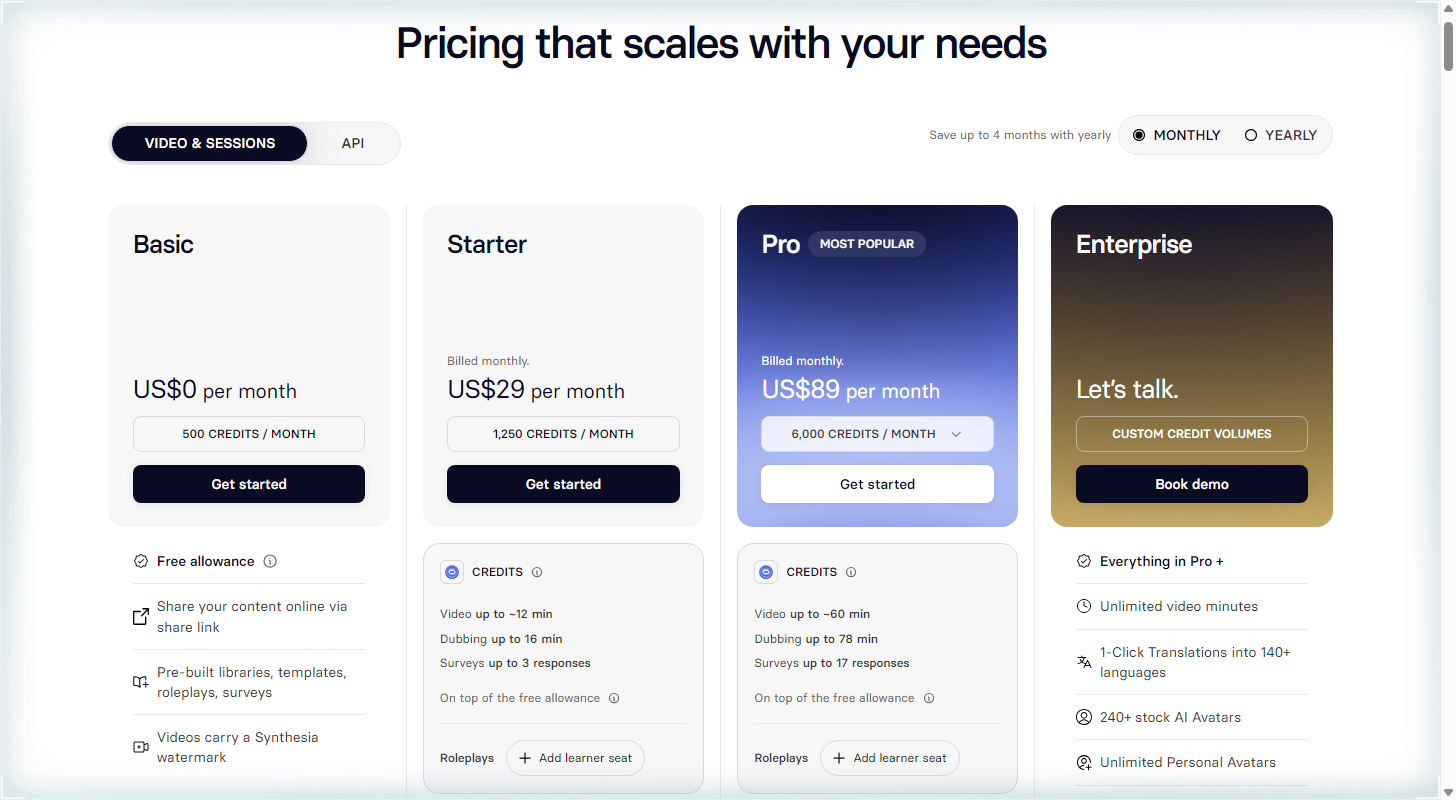
Synthesia offers four pricing plans:
- Basic: Free forever, for 500 credits a month, with a Synthesia watermark.
- Starter: $29/month for 1,250 credits a month, up to 16 dubbing minutes.
- Pro: $89/month for 6,000 credits a month, up to 78 dubbing minutes.
- Enterprise: Custom pricing, for teams that need translations into 140+ languages.
Annual subscriptions provide up to a 38% discount. Try Synthesia today with the free plan.
5. Rask AI
Our Verdict — Best For Videos With Multiple Speakers
Price: Starts at $39/month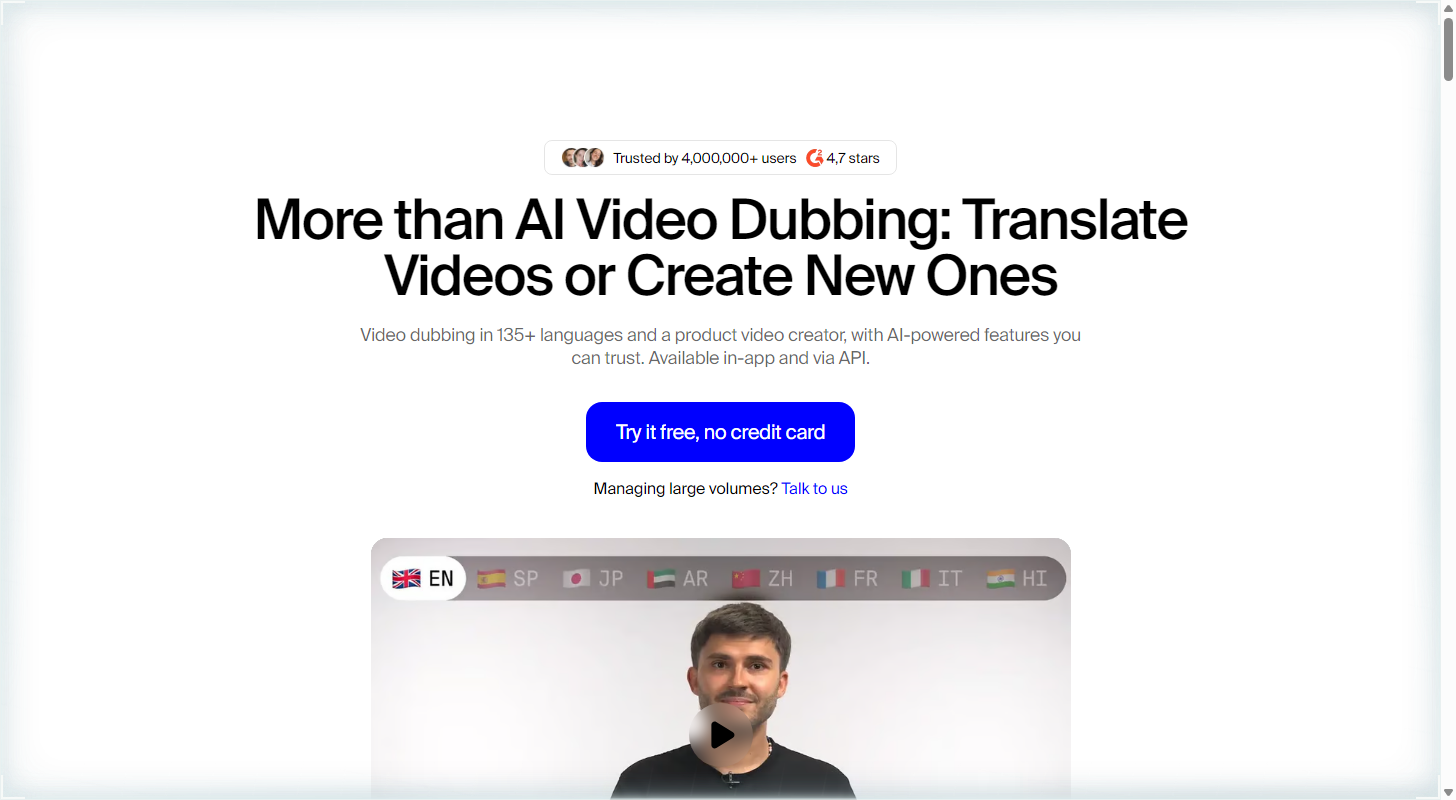
Rask AI translates and dubs your videos into more than 135 languages. It earns best for videos with multiple speakers because it detects how many people are talking and gives each one a cloned voice of their own.
The Best Part:
One voice per speaker. Rask AI counts the people talking in your video and gives each one a cloned voice in the new language, so a two-person interview doesn't turn into one narrator.
The Worst Part:
Minutes run out fast. Creator costs $39/month for 25 minutes, and a five-minute video into two languages eats 10. On monthly plans, unused minutes don't carry over. Reviews split too: Trustpilot 2.3, G2 4.7.
Get it if you want interviews, panels, or podcasts dubbed with every speaker still sounding like themselves.
I recommend you get started with the free trial (three minutes, no credit card), then upgrade to Creator at $39/month, or Creator Pro at $99/month if you need lip sync.
(free trial)
Best For
Rask AI is best for anyone turning UGC videos, interviews or panels with more than one voice into other languages.
Top Features
Know who's talking. Rask AI's multi-speaker feature detects how many people speak, so each voice gets handled on its own instead of blended into one.
Sound like yourself. Rask AI clones the speaker's voice in 32 languages, so the dubbed version keeps the tone people already know.
Match mouth to words. Creator Pro adds lip sync, so the speaker's mouth follows the translated audio, and Rask AI lists multi-speaker lip sync in its plan comparison.
Fix it before you export. The built-in editor lets you fine-tune the translation, and annual plans add unlimited re-editing and redubbing.
Start from nearly any language. Rask AI translates from nearly any language into more than 135, with auto-generated captions to go with the dub.
Pricing
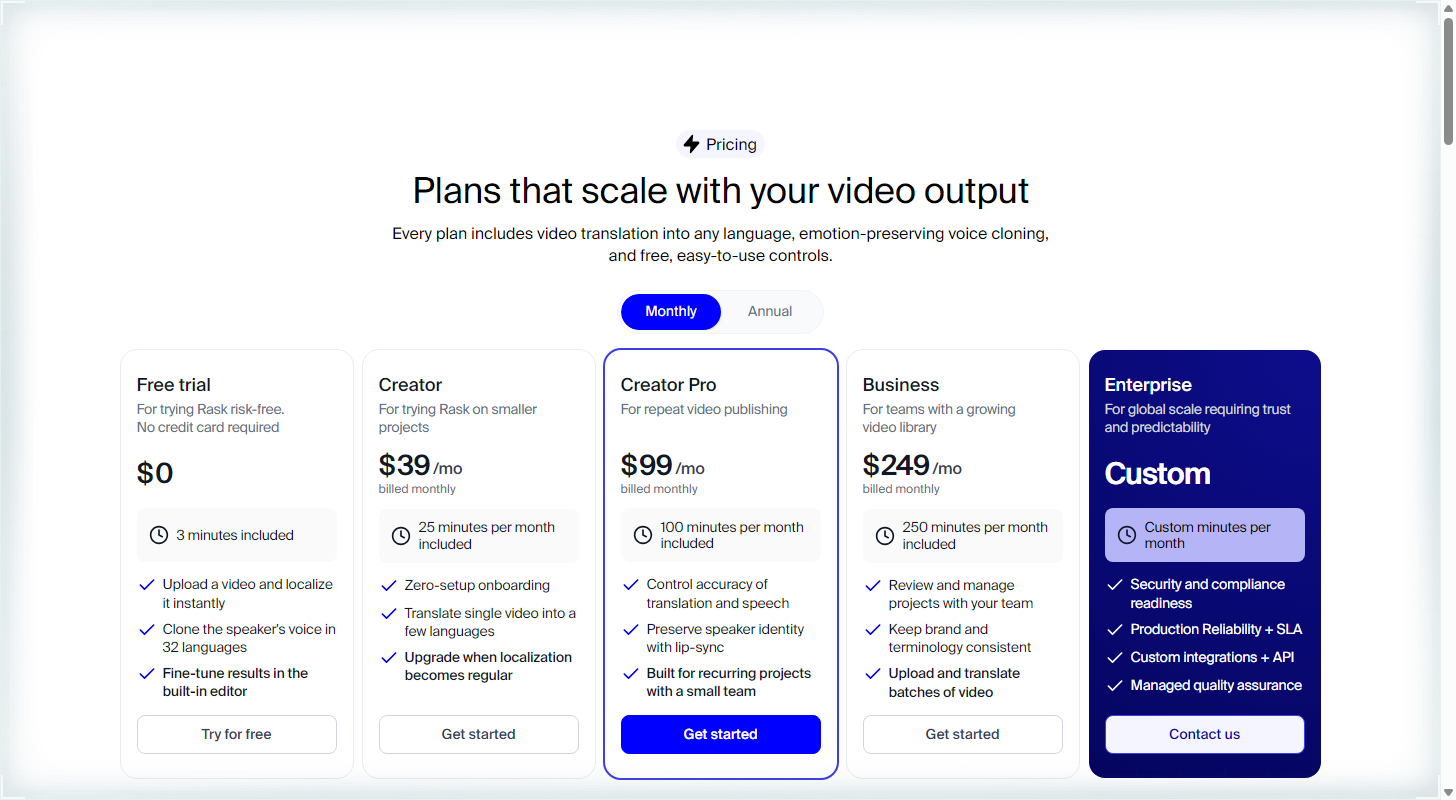
Rask AI offers five pricing plans:
- Free trial: Free, for three minutes of translation, with no credit card.
- Creator: $39/month for 25 minutes a month.
- Creator Pro: $99/month for 100 minutes a month and lip-sync.
- Business: $249/month for 250 minutes a month.
- Enterprise: Custom pricing, for custom minutes and API access.
Annual subscriptions provide up to a 33% discount. Try Rask AI today with the free trial.
6. VEED
Our Verdict — Best For Editing Translated Videos
Price: Starts at $25/month
VEED is a video editor with the translator built in, so you dub and fix the result in the same place. We think it's the best for editing translated videos because of its voice-preserving dubbing in 29 languages, optional lip sync, and subtitles in 125+ languages.
The Best Part:
Translate and edit in one tab. You review the translation, tweak the subtitles and cut the video without exporting to another app. Most translators stop at the dub — VEED keeps going.
The Worst Part:
Minutes add up. Translation is minute-based: a 30-minute video into Spanish uses 30 minutes, each extra language uses 30 more, and unused minutes do not roll over. Trustpilot reviewers (4.2) also complain about auto-renewal and refunds.
Get it if you want to translate a video and polish it in the same editor.
I recommend you start for free, then upgrade to Pro for $45/month. Pro is where “Translate to 50+ Languages” shows up; Creator at $25/month is the editor's entry plan.
(free plan)
Best For
VEED is best for anyone who already edits their videos and wants translation in the same workflow.
Top Features
Keep your own voice. The dubbing preserves the speaker's voice across 29 languages, or you can pick one of VEED's AI voices instead.
Make the mouth match. Turn on lip sync so the speaker's mouth follows the new language, and the background audio stays intact.
Subtitles in 125+ languages. Add translated captions to any video and download them as TXT, VTT or SRT files.
Fix the translation yourself. VEED lets you review the translation and edit the subtitles before you export, so a bad line never goes live.
Plenty of AI voice time. Pro includes up to 12 hours of AI voice a month and Studio up to 80 — that's AI voice time, not translation minutes.
Pricing
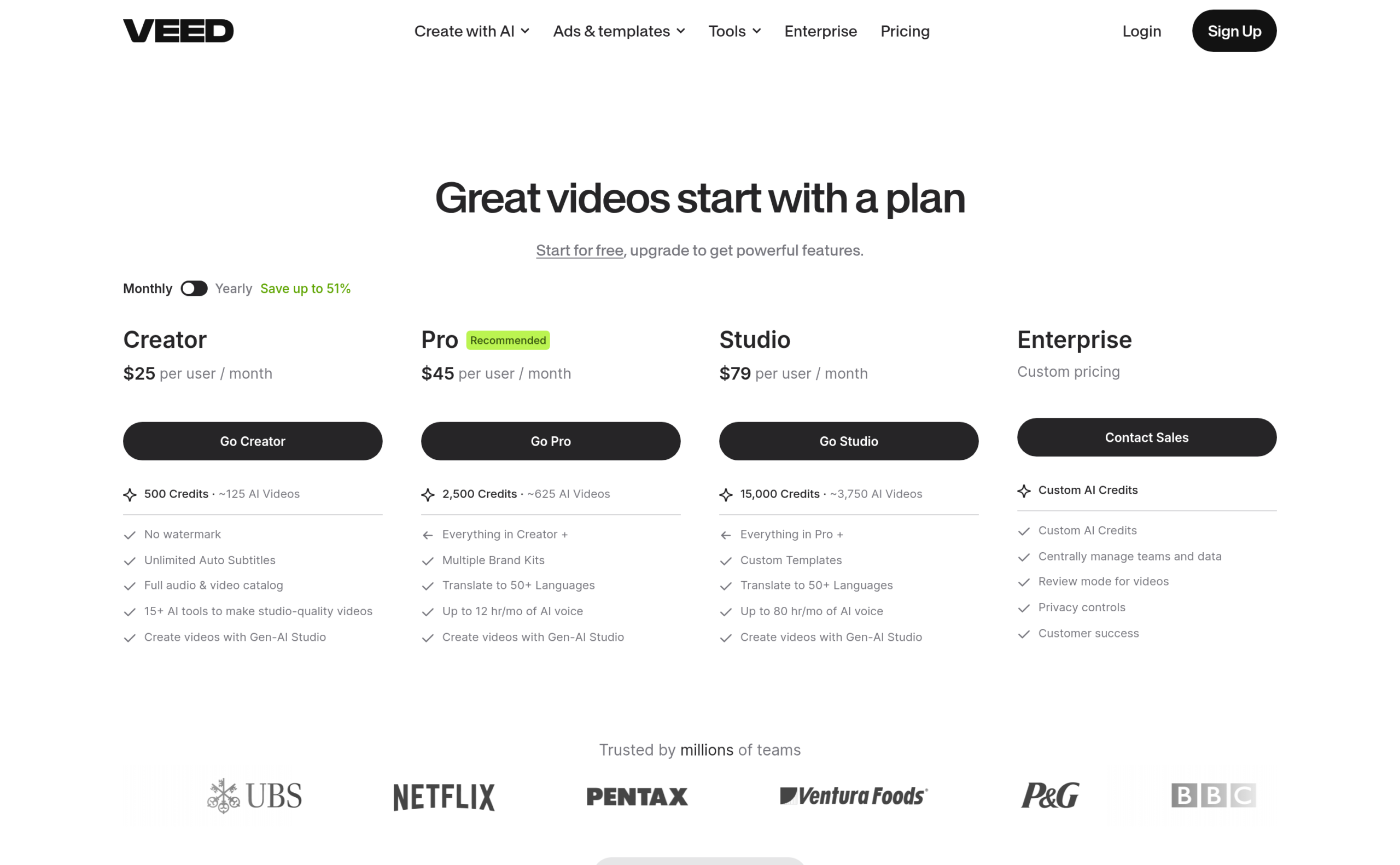
VEED offers four pricing plans:
- Creator: $25/month for 500 credits a month.
- Pro: $45/month for 2,500 credits a month and translation into 50+ languages.
- Studio: $79/month for 15,000 credits a month.
- Enterprise: Custom pricing, for teams that need custom AI credits.
Annual subscriptions provide a 51% discount.
Try VEED today with the free plan.
7. Perso AI
Our Verdict — Best For Small Budgets
Price: Starts at $6.99/month
Perso AI sells its dubbing tool as Perso Dubbing. You upload a video, pick a language, and get it back in another voice. We think it's the best for small budgets because of its low-cost Starter plan, its built-in Lip Dubbing and its script editor.
The Best Part:
Lip sync on the cheap. Starter runs $6.99/month ($3.49 for your first month) and already includes Lip Dubbing, a watermark-free export and unlimited regenerations, so you can fix a line without paying for it twice.
The Worst Part:
Seven minutes go fast. Starter gives you about seven minutes of dubbing a month, with videos capped at three minutes. Trustpilot is rough too: 2.2 stars, though from only 10 reviews. The main complaint is that “unlimited” comes with a daily cap.
Get it if you want to dub short videos into another language with lip sync for the price of a coffee.
I recommend you get started with the free trial (one free generation on sign-up), then move to Starter at $6.99/month. Your first month is $3.49.
(free trial)
Best For
Perso AI is best for anyone dubbing short clips on a tight budget, not for long videos or a big monthly volume.
Top Features
Your script, your call. Script Editing lets you fix a translated line before you render, and a Custom Glossary keeps your brand and product names the way you spell them.
More than one speaker. Multi-Speaker Support lets you check which voice goes to which person, handy for interviews and podcasts.
Subtitles included. Download translated subtitles as an SRT file, so viewers can read along in their own language.
Mouth matches the words. Lip Dubbing is its own allowance: two minutes a month on Starter, 13 on Creator and 60 on PRO.
Room to grow. Creator at $29/month gives you about 40 minutes of dubbing and videos up to 15 minutes, and PRO adds 4K and 111 languages.
Pricing
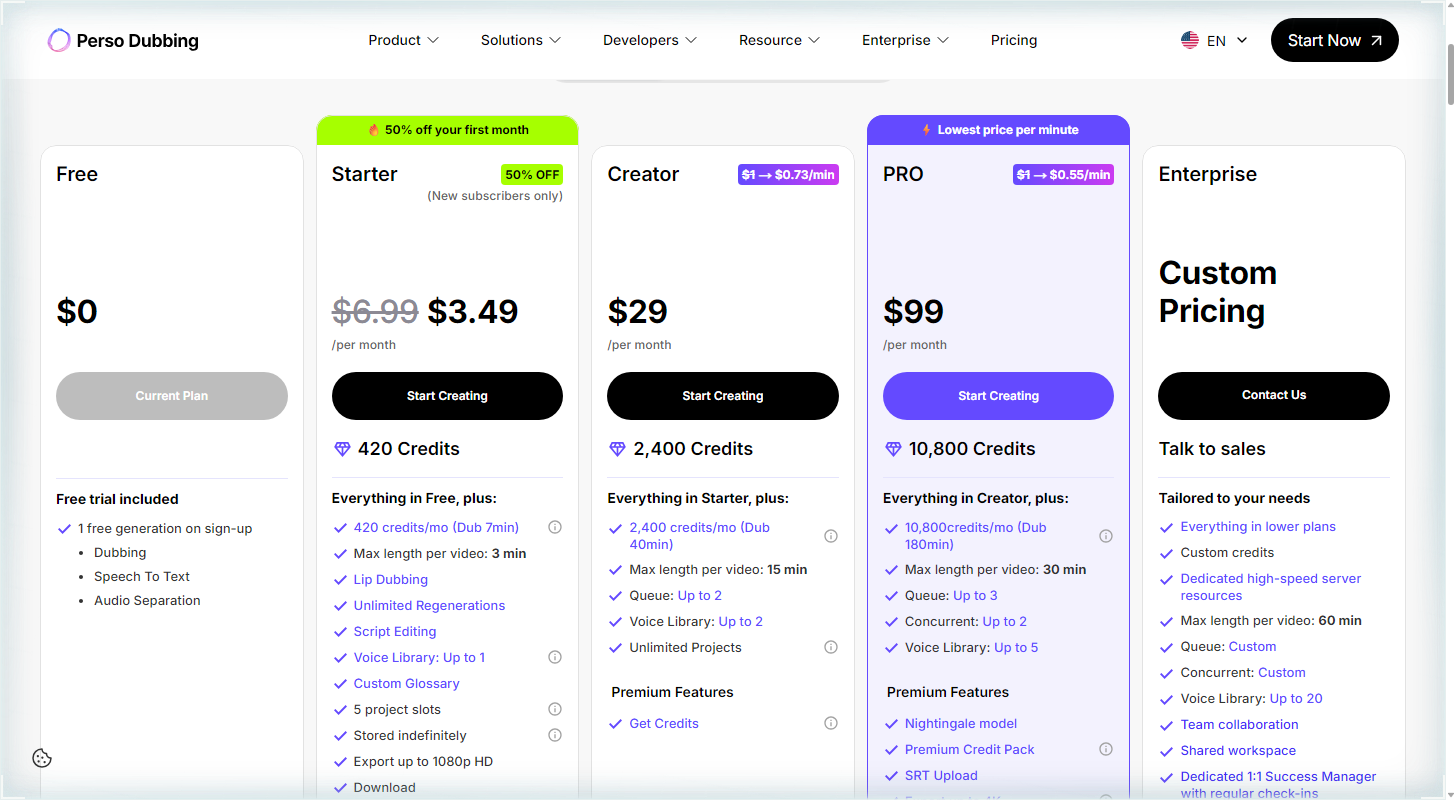
Perso AI offers five pricing plans:
- Free: Free, for one free generation on sign-up.
- Starter: $3.49 for the first month, then $6.99/month for about seven dubbing minutes a month.
- Creator: $29/month for about 40 dubbing minutes a month.
- PRO: $99/month for about 180 dubbing minutes a month.
- Enterprise: Custom pricing, for teams that need custom credits.
Try Perso AI today with the free trial.
Our Top Three Picks
Here's a quick summary of our top three picks:
- HeyGen — best of the best
- Vozo — best for realistic lip sync
- ElevenLabs — best for natural-sounding voices
Here's a quick comparison of our top seven picks:
Tool | Entry Offer | Pricing |
|---|---|---|
HeyGen | Free plan | Starts at $29/mo |
Vozo | Free plan | Starts at $29/mo |
ElevenLabs | Free plan | Starts at $6/mo |
Synthesia | Free plan | Starts at $29/mo |
Rask AI | Free trial | Starts at $39/mo |
VEED | Free plan | Starts at $25/mo |
Perso AI | Free trial | Starts at $6.99/mo |
Here are the top 50 AI video translators we considered in this review:
- HeyGen
- Vozo
- ElevenLabs
- Synthesia
- Rask AI
- VEED
- Perso AI
- Maestra
- Dubverse
- Kapwing
- Murf
- Deepdub
- CAMB.AI
- Descript
- DittoDub
- Wavel AI
- AllVoiceLab
- Happy Scribe
- AI Studios
- Canva
- Elai
- Captions
- Checksub
- Colossyan
- Dubly AI
- Fliki
- Pictory
- Smartcat
- VideoDubber
- Vidnoz
- Wondershare Virbo
- 3Play Media
- D-ID
- Dubformer
- Flixier
- InVideo
- LipDub AI
- Lovo
- Notta
- Rev
- Resemble AI
- Translate.video
- Vidby
- Vmeg
- BlipCut
- CapCut
- DubSmart
- Filmora
- Media.io
- Panjaya
Frequently Asked Questions About AI Video Translators
What is an AI video translator?
An AI video translator is software that dubs your video into another language, usually in a clone of your own voice. Some also add lip sync, which makes the speaker's mouth follow the new words. It's built for talking videos; songs are a different job, closer to what AI music video generators do.
Which AI video translator is best overall?
HeyGen is our top pick overall. You get 175+ languages and dialects, a translation that keeps the original speaker's voice, lip sync, and up to 10 languages at the same time from a single video.
How do free and paid AI video translators differ?
Free plans cap how long your videos can be and how much you can translate, and some add a watermark. HeyGen's Free plan, for example, only translates short clips, while its paid plans handle long videos and remove the watermark. Start free to hear your cloned voice, then pay once you know it sounds right.
Which AI video translator is best for small budgets?
Perso AI is our pick for small budgets. Its Starter plan is one of the cheapest ways in, and it still includes Lip Dubbing, script editing and a custom glossary. Keep each video short on the entry plan, since longer videos need a higher tier.
What is the best AI video translator for natural-sounding voices?
Pick ElevenLabs when the voice matters most. Dubbing Studio covers 90+ languages and delivers each translation in a clone of the original speaker's voice, with no manual setup.
Which AI video translator is best for editing translated videos?
VEED is our pick for editing. The translator sits inside a full video editor, so you can review the translation, fix subtitles and dub in 29 languages without leaving the page. Translation into 50+ languages comes with the Pro and Studio plans.
What should I look for when choosing an AI video translator?
Check how many languages it covers, whether it keeps your voice, and whether lip sync and a script editor are included. Then check the practical side: how long each video can be, how much you can translate on your plan and whether the free plan is enough to test it.
Can an AI video translator keep my own voice?
Yes. HeyGen, Vozo, ElevenLabs, Synthesia, Rask AI and VEED all keep the original speaker's voice when they dub, so the translated video still sounds like you. Rask AI goes a step further and detects every person who speaks, giving each one their own cloned voice. Clone only your own voice, or the voice of someone who gave you permission.
HeyGen vs Synthesia: which one should I choose?
HeyGen is our best overall pick, while Synthesia is the one to reach for if you want a free option. HeyGen gives you 175+ languages and dialects, lip sync and long videos on its paid plans. Synthesia's Basic plan is free, with a watermark on your videos. Go with HeyGen for the strongest all-around package, and Synthesia if your budget starts at zero.
The Bottom Line
To recap, here are the best AI video translators to try this year:
- HeyGen — best of the best
- Vozo — best for realistic lip sync
- ElevenLabs — best for natural-sounding voices
- Synthesia — best free option
- Rask AI — best for videos with multiple speakers
- VEED — best for editing translated videos
- Perso AI — best for small budgets