

Today there are dozens of tools promising faceless video. We compared the top 50 to find the seven best you can use to run a channel without ever showing your face.
What is the Best Faceless Video Generator?
1. Fliki
Our Verdict — Best Of The Best
Price: Starts at $28/month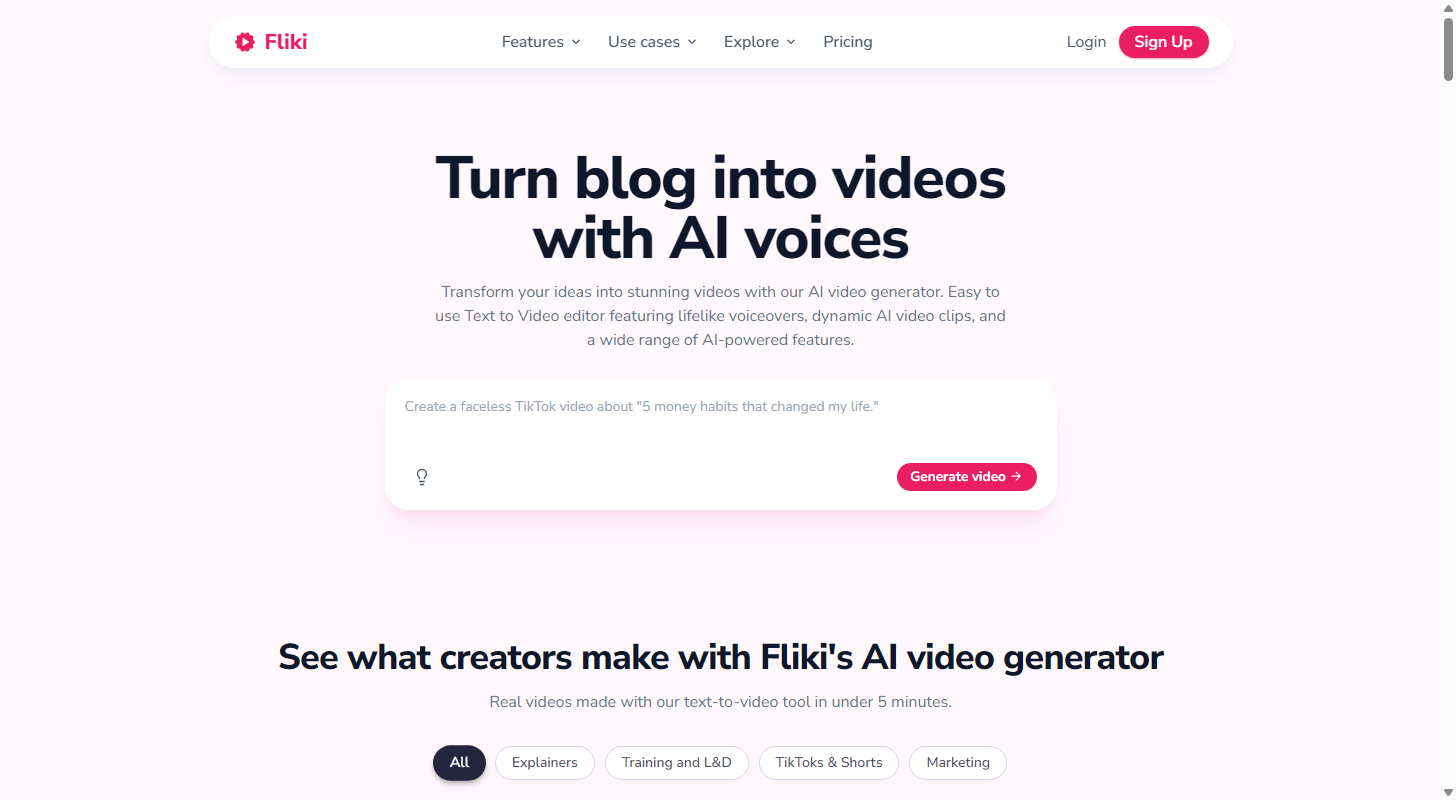
Start here. Fliki carries you through the whole faceless job inside one product — it writes a script, reads it in one of 2,000+ voices, builds the visuals, burns the captions and exports the file. That is why it takes best of the best.
The Best Part:
The widest voice bench. You get 2,000+ AI voices across 80+ languages and dialects — more range than anything else on this list.
The Worst Part:
Text that isn't text. Reviewers report Fliki's AI-generated visuals sometimes bake in gibberish — pseudo-text artifacts that look like words but aren't. Check the visuals closely before you publish.
Get it if you want one tool that runs the entire faceless pipeline without switching apps.
I recommend you start on the free plan to feel the voices out, then upgrade to Standard for $28/month.
(free plan)
Best For
Fliki is best for creators who want script, voice, visuals and export in one place.
Top Features
Digital Twin. Record yourself once and Fliki builds an avatar that keeps your face and voice, so you can present scripts in 80+ languages without re-filming a thing.
Every model in one flow. third-party engines like Veo, Kling and Seedance, all without leaving the editor.
Clone your own voice. Feed Fliki a short sample and it clones your voice, so you can narrate any script from there.
1080p on every paid plan. You get 1080p rendering the moment you upgrade — the free plan tops out at 720p, with a watermark and a five-minute export cap.
Straight to YouTube. Standard pushes finished videos to your channel; Premium adds Zapier and Make, so the pipeline ends in your workflow, not a download folder.
Pricing
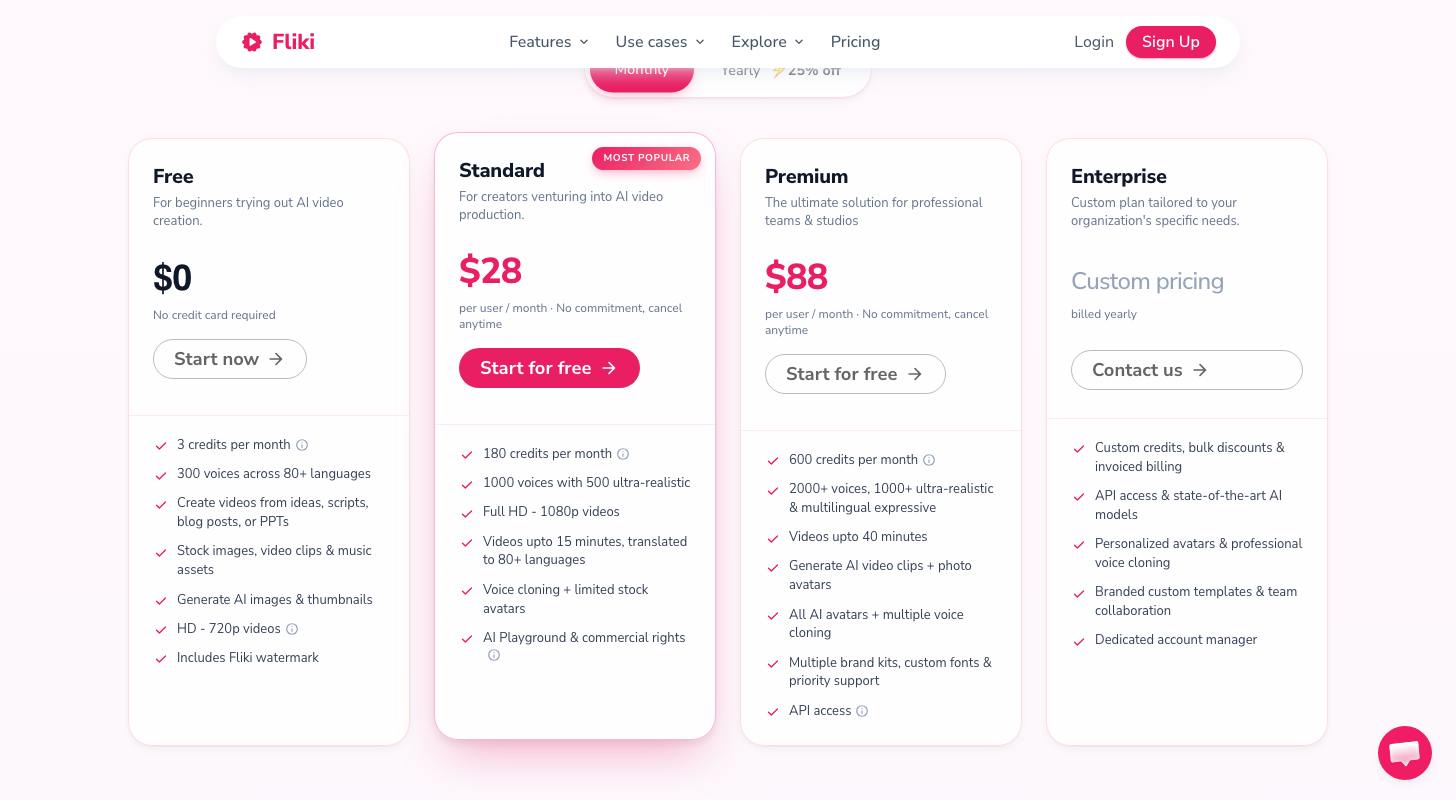
Fliki offers four pricing plans:
- Free: Free forever, for three credits a month, with a Fliki watermark.
- Standard: $28/month for 180 credits a month.
- Premium: $88/month for 600 credits a month and videos up to 40 minutes.
- Enterprise: Custom pricing, for teams that need custom credits and invoiced billing.
Annual subscriptions provide a 25% discount.
Try Fliki today with the free plan.
2. Pictory
Our Verdict — Best For Blog-To-Video
Price: Starts at $29/month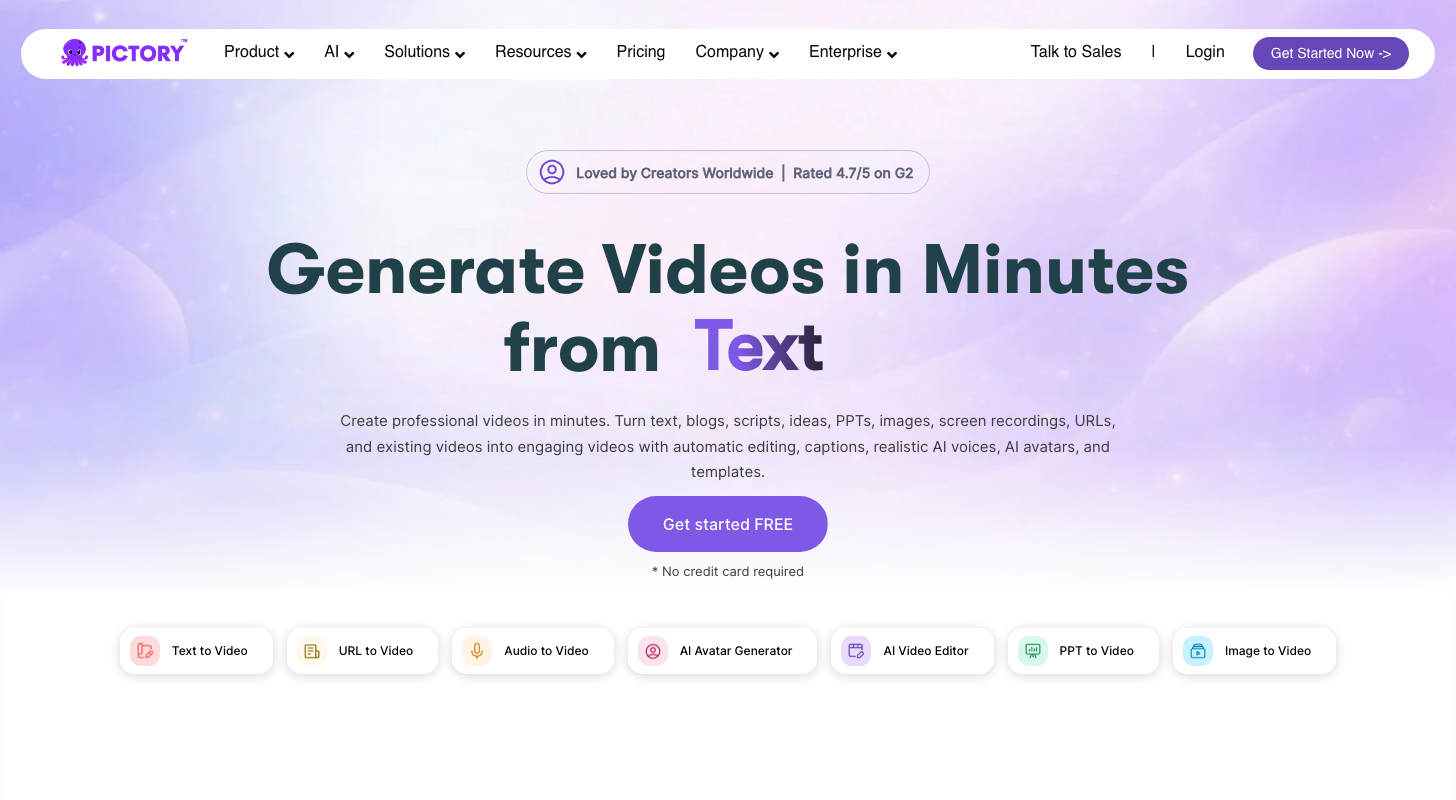
Pictory is where a blog post turns into a video without you opening a timeline. It takes best for blog-to-video because it has creation modes built for the writing you already have — blog, URL, PDF, slide deck, doc.
The Best Part:
Nine doors in. Idea, script, URL, blog post, PDF, slide deck, doc, audio, or image — Pictory turns whichever one you already have into a video, so you skip writing a fresh prompt.
The Worst Part:
Stock, not synthesis. Pictory's B-roll comes from Getty Images and Storyblocks matched by keyword, not generated — when the match misses your topic, you fix it by swapping clips yourself.
Get it if you want to turn articles you've already written into video, fast.
I recommend you run one article through the free trial first, then take Starter at $29/month.
(free trial)
Best For
Pictory is best for bloggers and marketers turning existing articles into video, not scripting from scratch.
Top Features
Cloning sits a tier up. Voice cloning and custom avatars live on the Professional plan — the entry tier gives you standard ElevenLabs voices in 29 languages instead.
Five million clips on tap. The Getty Images and Storyblocks library behind your B-roll runs to 5 million assets, so an ordinary topic almost always finds a matching shot.
Thirty-minute exports. Videos run up to 30 minutes at 1080p, watermark-free — enough for a full article.
ElevenLabs voice-over included. The entry plan bundles 60 minutes of ElevenLabs voice-over a month in 29 languages — Professional doubles that to 120 minutes for daily output.
Up to 30 minutes per video. A single Pictory render can run half an hour, so a long article becomes one video instead of a series.
Pricing
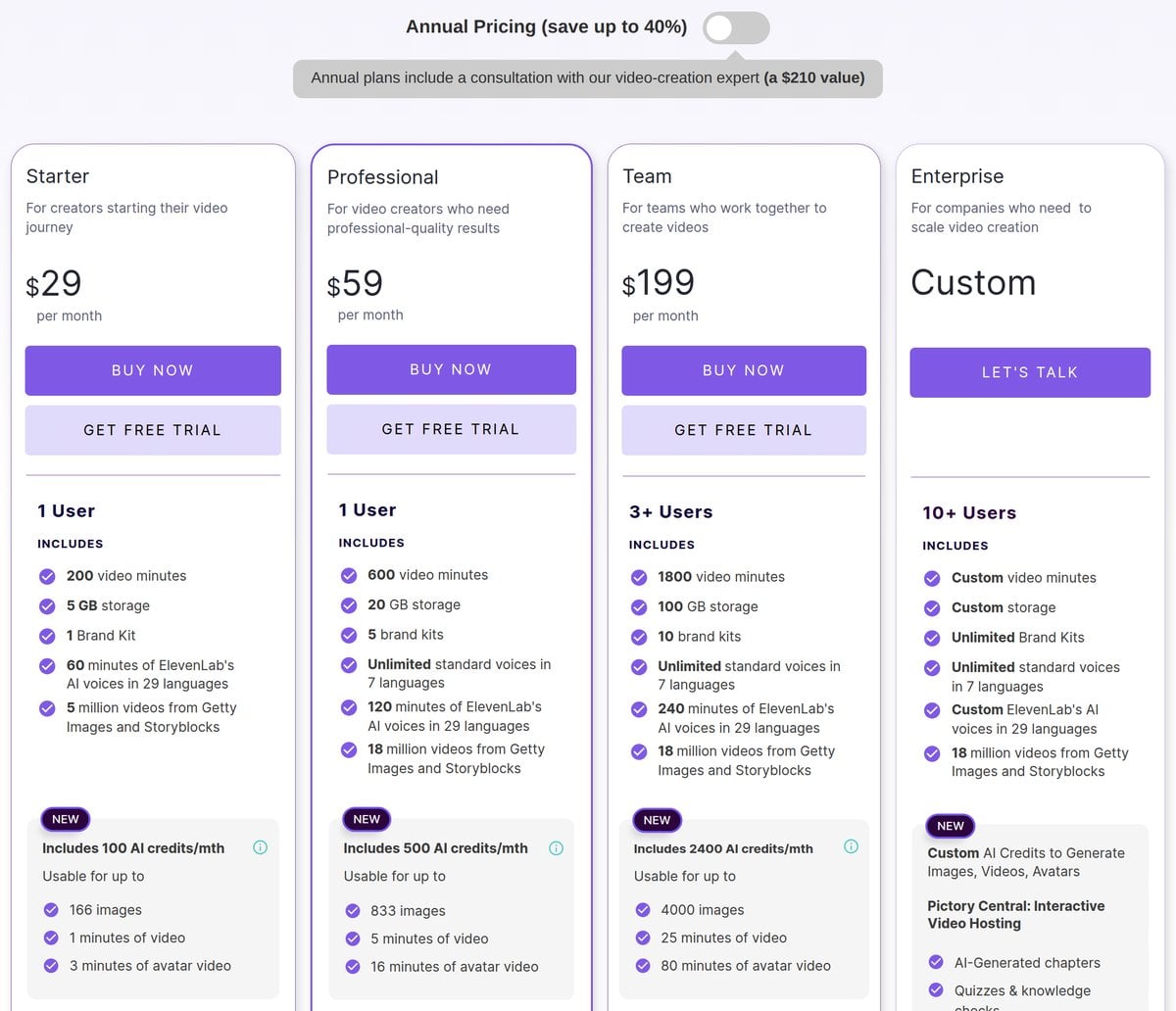
Pictory offers four pricing plans:
- Starter: $29/month for 200 minutes of video a month.
- Professional: $59/month for 600 minutes a month and five Brand Kits.
- Team: $199/month for 1,800 minutes a month across three or more seats.
- Enterprise: Custom pricing, for teams that need a custom minute allowance.
Annual subscriptions provide up to a 41% discount.
Try Pictory today with a free trial.
3. Zebracat
Our Verdict — Best For AI B-Roll
Price: Starts at $39/month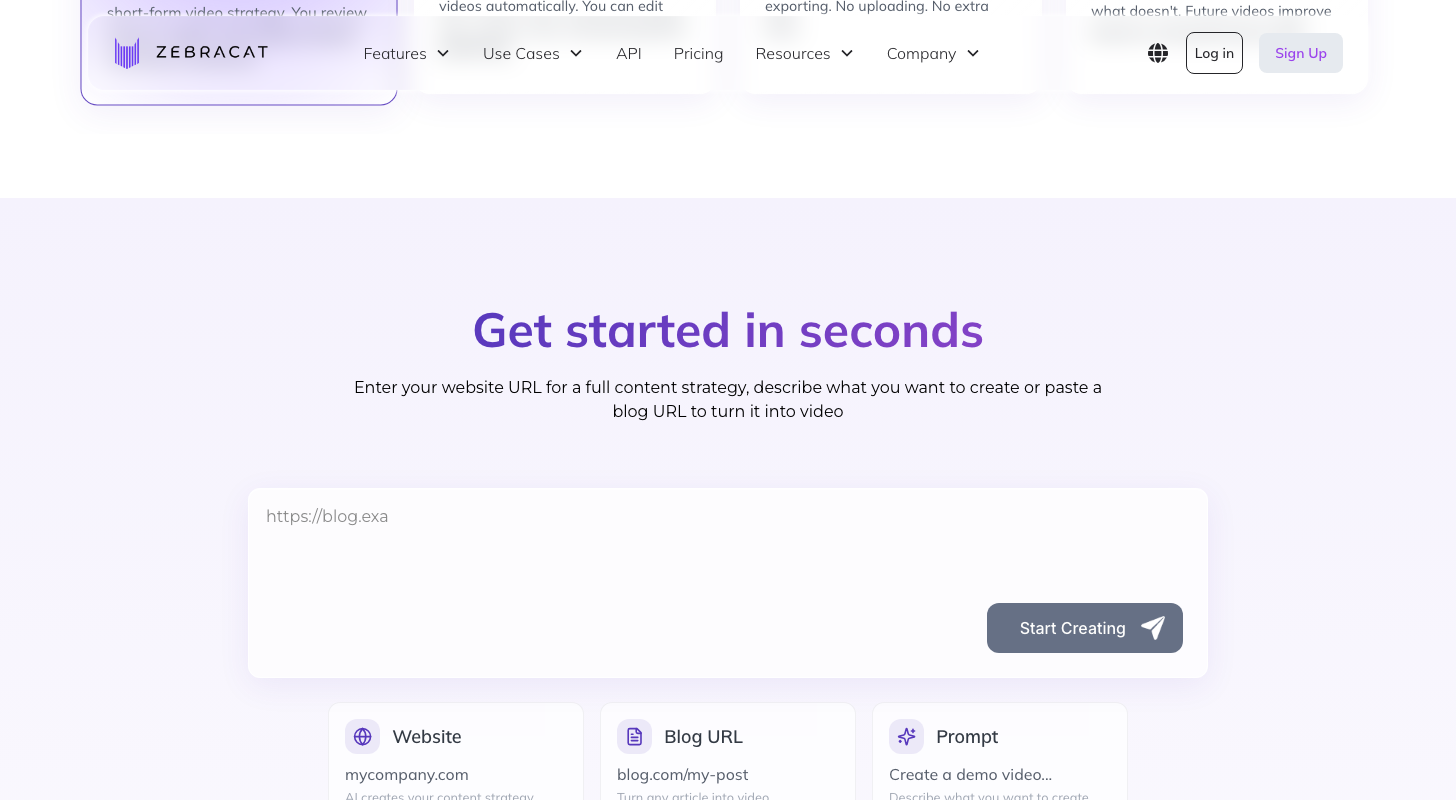
Zebracat built its name on one thing: it builds the scene instead of finding one. It takes the best for AI b-roll slot because the AI Scene Generator creates video backgrounds and action straight from your script, and Super Cat unlocks the models behind it.
The Best Part:
Scenes it builds, not finds. Zebracat's AI Scene Generator creates the video's background and action straight from your script, instead of matching stock footage to a keyword — the fix for interchangeable-looking b-roll.
The Worst Part:
Faces still look synthetic. Scenes with people or natural lifestyle settings are where the AI struggles most, and there's no manual timeline to fix it — the AI decides how long each scene runs, not you.
Get it if you want AI-generated scenes instead of stock clips.
I recommend you spend the five free videos on your own script, then move to Cat Mode for $39/month.
(free plan)
Best For
Zebracat is best for creators who want a scene built from their script instead of pulled from a stock library.
Top Features
Clone a voice and a face. Super Cat gives you five voice clones and five custom avatars a month; Cat Mode has neither.
More volume, longer runs. Cat Mode caps you at 15 videos a month, two minutes each. Super Cat lifts that to 40 videos, up to five minutes, still in 1080p.
Reach past English. Paid plans cover 170+ languages, with translation into 25+ of them once you are on Super Cat.
Five brand kits. Super Cat gives you five Brand Kits to keep logos, colors and fonts consistent across every video you generate — Cat Mode gives you one.
Outside engines bundled. VEO3, Kling, Seedance and Nano Banana all sit inside Super Cat alongside Zebracat's own engine — one subscription instead of five separate ones.
Pricing
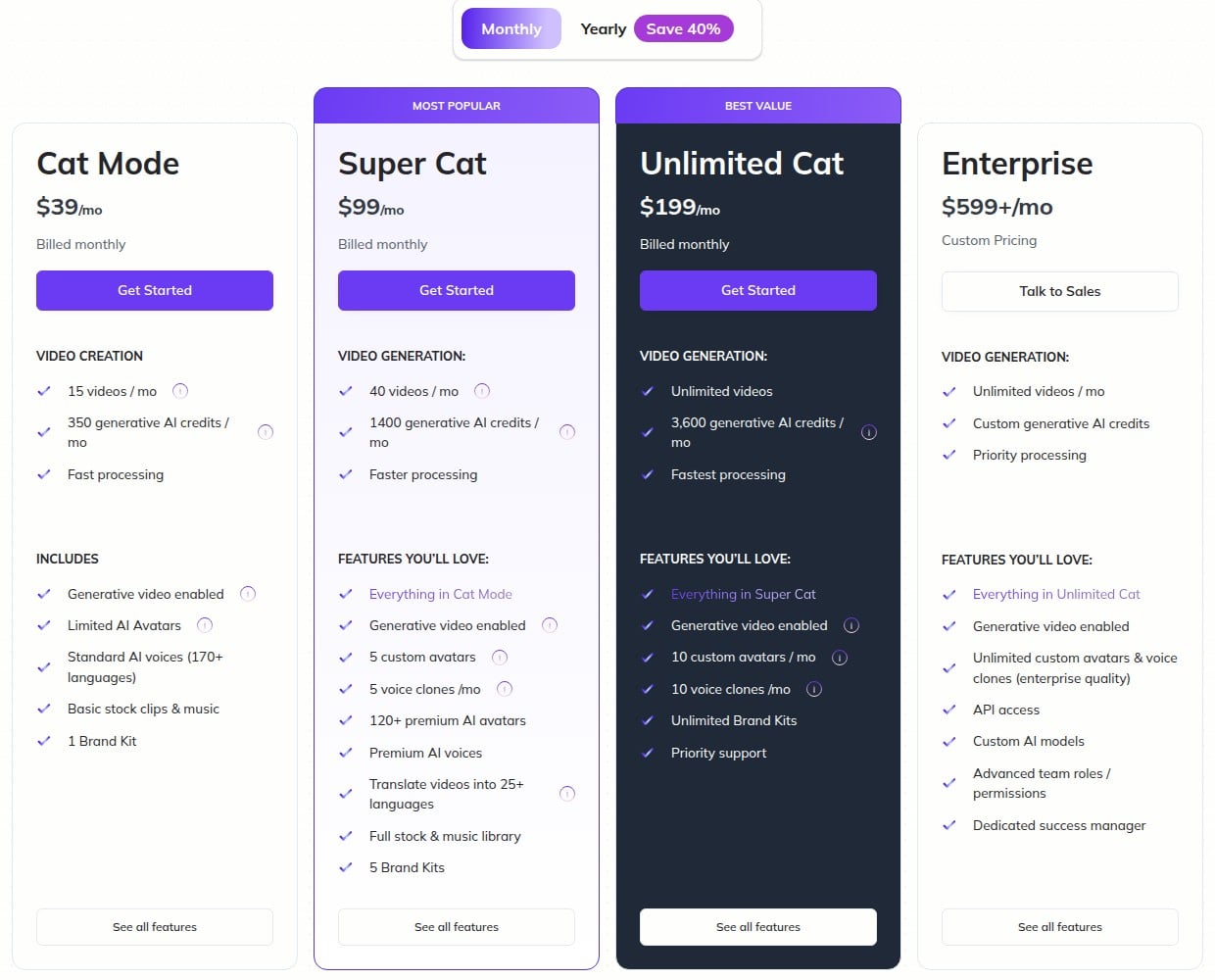
Zebracat offers five pricing plans:
- Free: Free forever, for five videos a month at 720p, capped at 30 seconds each.
- Cat Mode: $39/month for 15 videos a month.
- Super Cat: $99/month for 40 videos a month and translation into 25+ languages.
- Unlimited Cat: $199/month for unlimited videos and unlimited Brand Kits.
- Enterprise: Starts at $599/month for unlimited videos with enterprise-quality avatars and voice clones.
Annual subscriptions provide up to a 41% discount.
Try Zebracat today with the free plan.
4. Hypernatural
Our Verdict — Best Premium Option
Price: Starts at $39/month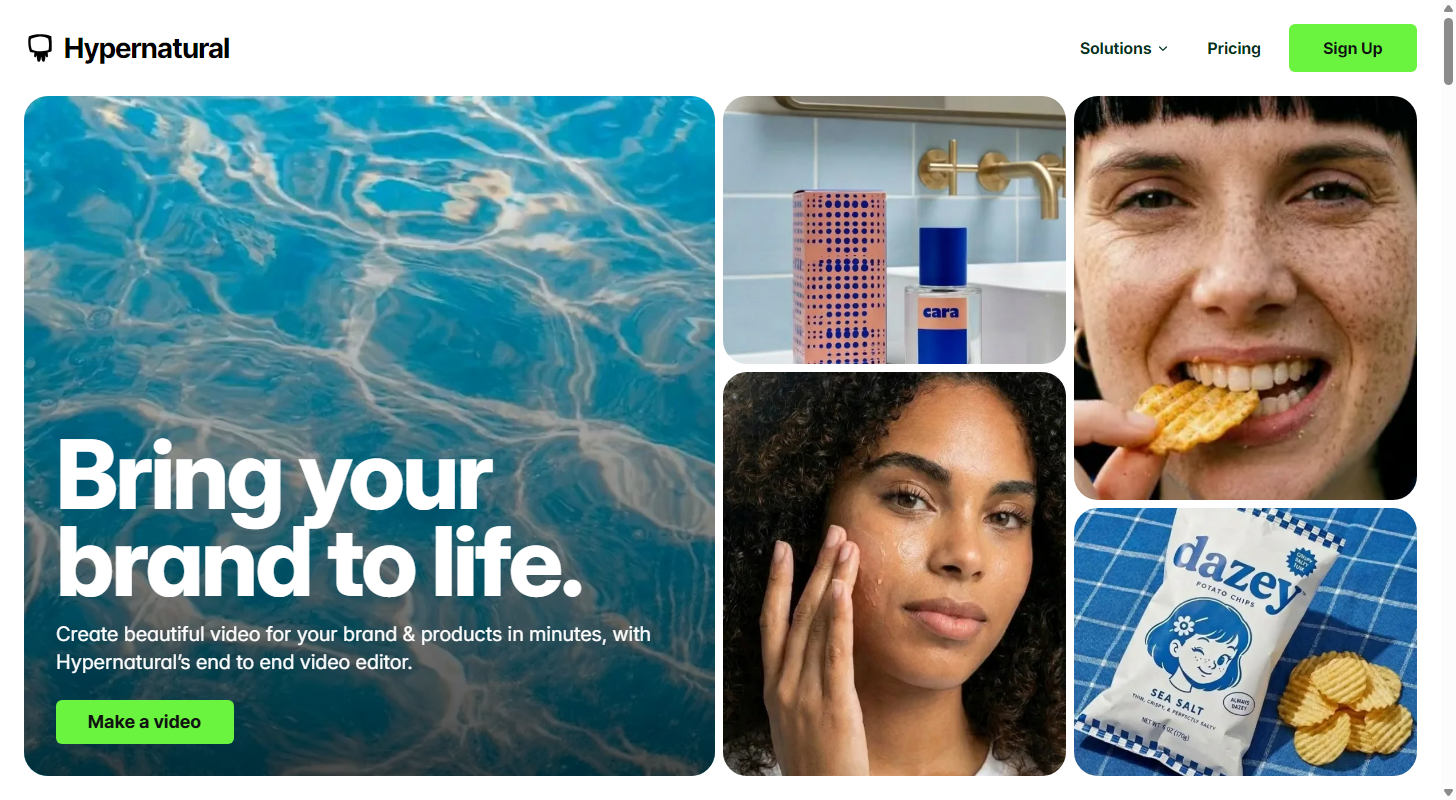
Every tool on this list can churn out clips fast. Hypernatural earns the best premium option slot because it charges like a production tool and behaves like one: it keeps the same character consistent from scene to scene, instead of handing you shots that could belong to any topic on the internet.
The Best Part:
The same face, every scene. Hypernatural keeps your character's look consistent across every shot it generates, instead of restarting from scratch each cut — the trait most faceless generators skip when they optimize for speed.
The Worst Part:
Your prompt is the ceiling. Output quality tracks how well you write the prompt, and abstract concepts often render wrong on the first pass. Regenerating a scene burns credits, and there's no free plan to practice on first.
Get it if you will pay more for consistent characters over fast output.
I recommend you start on Starter for $39/month and only climb when the credits run dry.
(paid only)
Best For
Hypernatural is best for creators who want the footage to look real and the character to stay the same in every scene.
Top Features
B-roll that matches the script, not stock footage. Hypernatural generates its b-roll with AI instead of pulling from a stock library, with a backup of close to 2 million AI-generated clips for a fast fallback.
A storyboard, not a prompt box. You plan scenes and edit the full sequence inside Hypernatural's built-in editor, closer to a production tool than a one-shot generator.
No watermark on any paid plan. Even the cheapest tier exports in HD with no logo burned into the corner, so you're not upgrading just to remove branding.
Custom voices, one tier up. The Starter plan ships without custom voices — cloning starts on Pro and widens from there.
Reference images hold the look. You feed Hypernatural your own reference images so the visuals stay yours instead of drifting between scenes.
Pricing
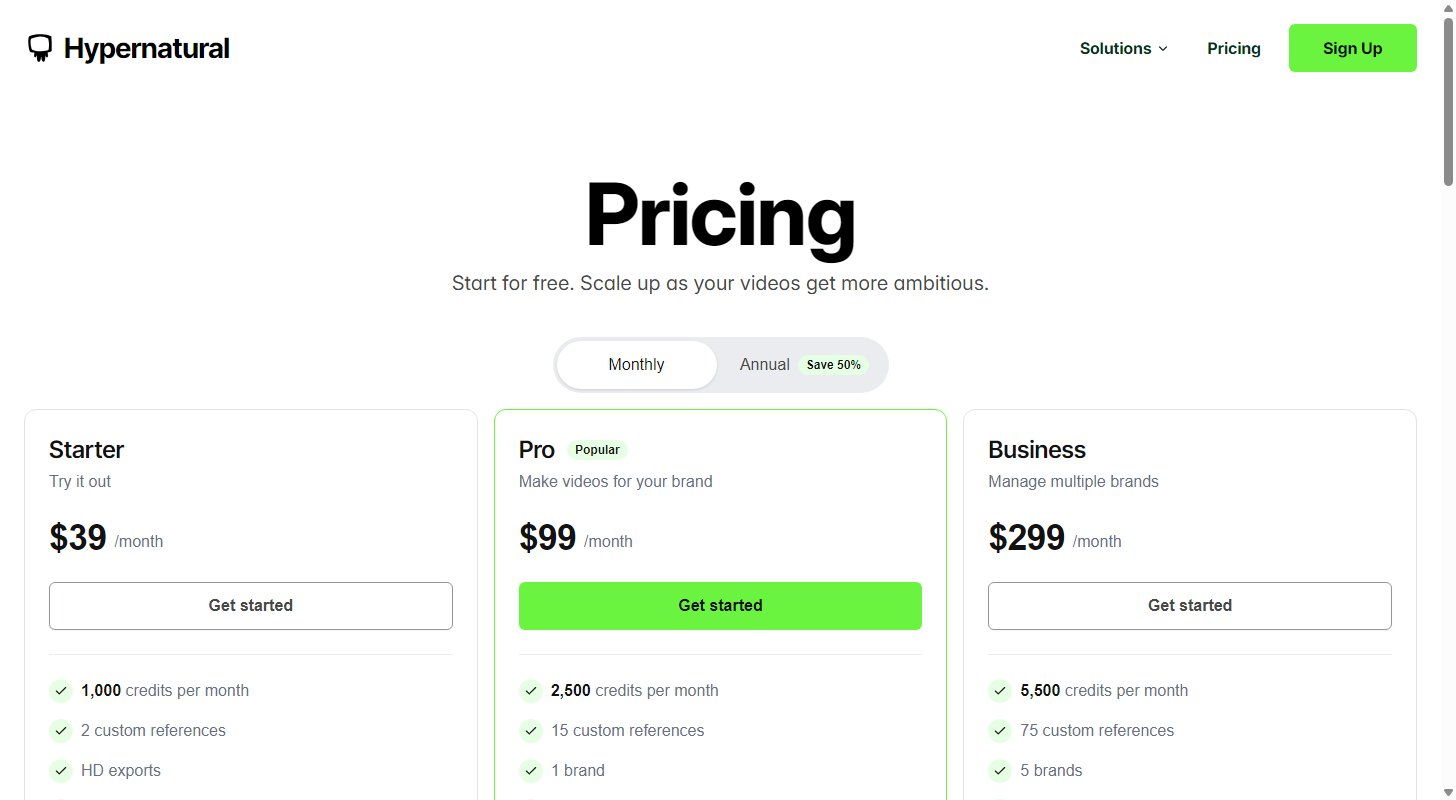
Hypernatural offers four pricing plans:
- Starter: $39/month for 1,000 credits a month.
- Pro: $99/month for 2,500 credits a month and custom voices.
- Business: $299/month for 5,500 credits a month.
- Enterprise: Custom pricing, for teams that need a custom credit allowance.
Every plan comes with watermark-free exports, however long the video runs.
Annual subscriptions provide up to a 50% discount.
Try Hypernatural today.
5. Submagic
Our Verdict — Best For Captions
Price: Starts at $19/month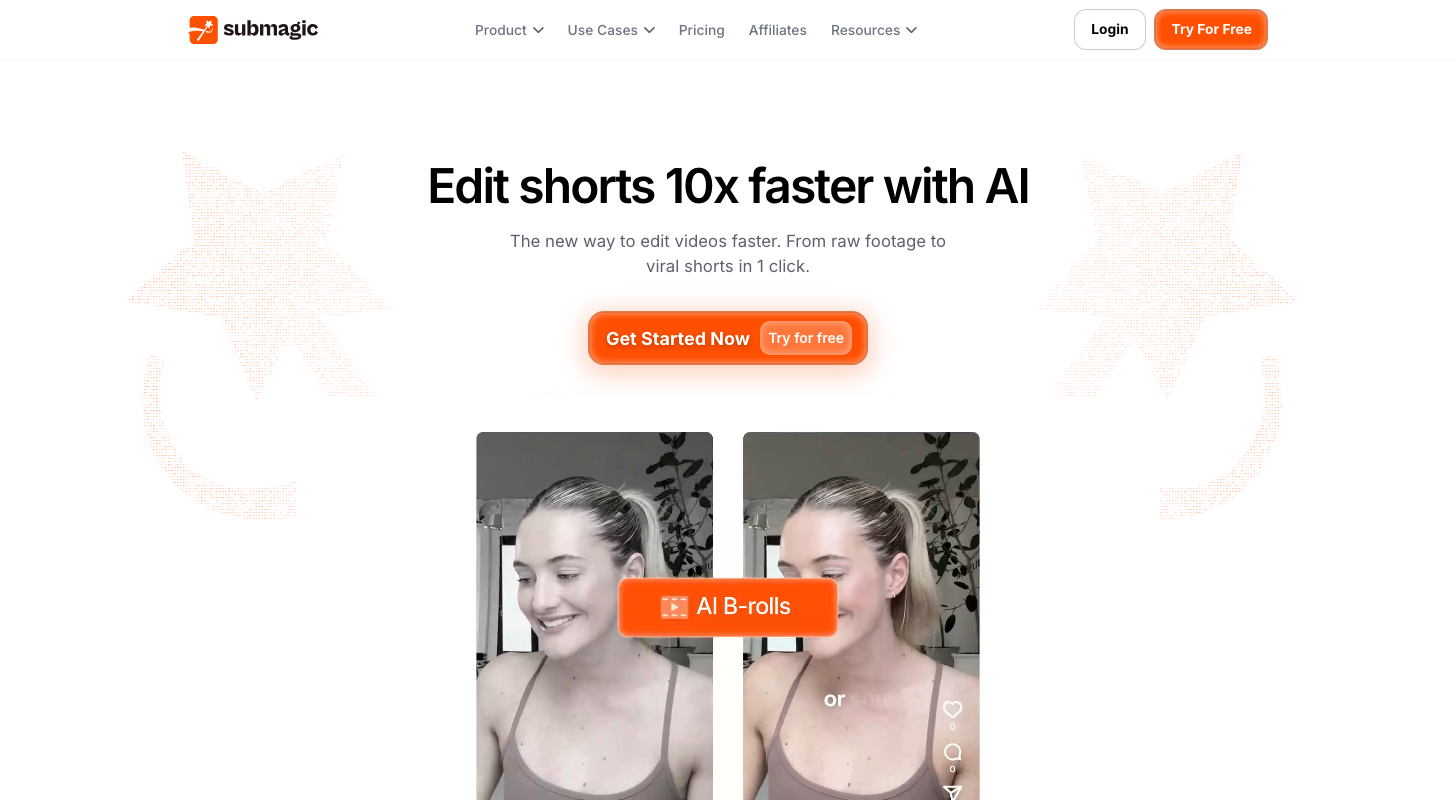
Submagic is where raw footage becomes a caption-first short. We think it's best for captions because it generates viral caption styles in 123 languages at 99% accuracy, edits by transcript instead of timeline, and publishes straight to TikTok, Reels, Shorts, and LinkedIn without leaving the app.
The Best Part:
Captions that actually land. Submagic generates viral caption styles in 123 languages, and claims 99% transcription accuracy on clean audio.
The Worst Part:
Starter plan is tight. The entry paid tier caps you at 15 videos a month, two minutes each — thin for real posting pace. Users also report glitchy exports and plan features changing without warning.
Get it if you want raw footage turned into publish-ready shorts fast.
I recommend you caption three videos free, then take Starter at $19/month.
(free plan)
Best For
Submagic is best for anyone captioning raw footage.
Top Features
123 languages, 99% accuracy. Submagic transcribes and captions in 123 languages; heavy accents and noisy rooms still need a pass from you.
B-roll, auto-inserted. It finds your key moments, trims dead air, and drops in B-roll automatically — a raw take turns into a paced short without you touching a timeline.
Publish without an export step. Submagic schedules straight to TikTok, Reels, Shorts, Facebook Reels, and LinkedIn from inside the app.
Edit by transcript, not timeline. Cut, trim, or remove a line by deleting it from the text — Submagic re-cuts the video to match, so editing a short feels like editing a doc.
4K export, Business only. Exports hit 4K at 60fps, but that ceiling belongs to the top Business plan — lower tiers cap out well below it.
Pricing
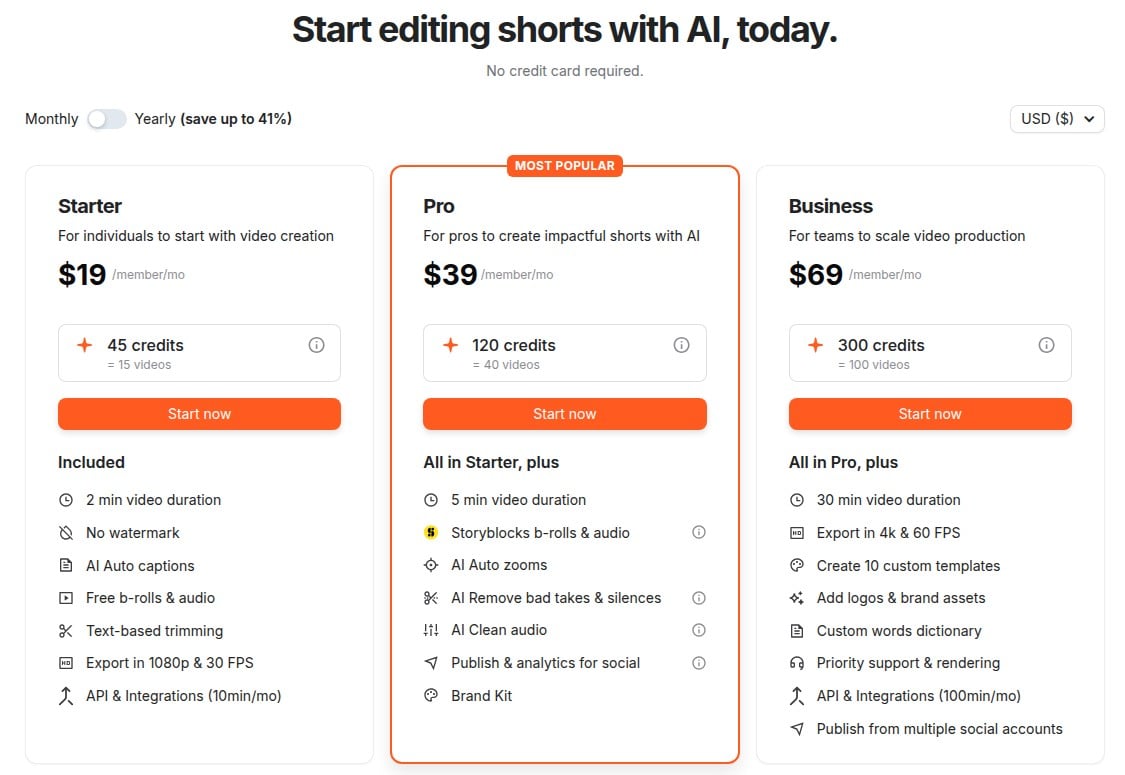
Submagic offers five pricing plans:
- Free: Free forever, for three watermarked videos a month.
- Starter: $19/month for 15 videos a month, up to two minutes each.
- Pro: $39/month for 40 videos a month, up to five minutes each.
- Business + API: $69/month for 100 videos a month, up to 30 minutes each.
- Custom Plan: Custom pricing, for teams that need their own video and credit allowance.
Annual subscriptions provide up to a 41% discount.
Try Submagic today with the free plan.
6. Syllaby
Our Verdict — Best For Consistency
Price: Starts at $9/month
Faceless creators keep landing on Syllaby, and the reason isn't render speed. It earns the best for consistency slot because it's the one tool on this list built around what happens after the clip is done — a built-in content calendar, bulk scheduling and cross-platform publishing analytics, not just a finished file and a goodbye.
The Best Part:
Built to outlast week three. Syllaby keeps working after the video is finished — a content calendar, bulk scheduling and publishing analytics sit in the same product.
The Worst Part:
Voice clones start a tier up. Starter at $9 has no voice clone and no characters, and Basic, Standard and Premium are listed billed yearly, so cloning your voice means committing to Basic at $29/month.
Get it if you want scheduled publishing built in — plan on finishing zooms and pans in an outside editor.
I recommend you start on Starter for $9/month to schedule a real week, then move to Basic at $29/month once you want your own voice clone.
(Starter plan)
Best For
Syllaby is best for creators publishing on a schedule, not chasing one finished video.
Top Features
Record once, reuse forever. Upload a sample and reuse your cloned voice across every video, on top of 100+ AI voices in 29+ languages.
Named presenters, not stock footage. Pick a ready-made avatar like Sofia, Emma or Chen, or clone yourself with a Real Clone avatar and let your own likeness read the script.
4K, every aspect ratio covered. Export at 16:9 for YouTube, 9:16 for TikTok and Reels, 1:1 for Instagram or 4:5 for Facebook without re-cutting the shot.
Automate it end to end. Syllaby has an API, so you can wire generation into your own tools.
Scheduling without a cap. Every plan, Starter included, bulk-schedules posts with no limit, and Basic adds 5GB of storage.
Pricing
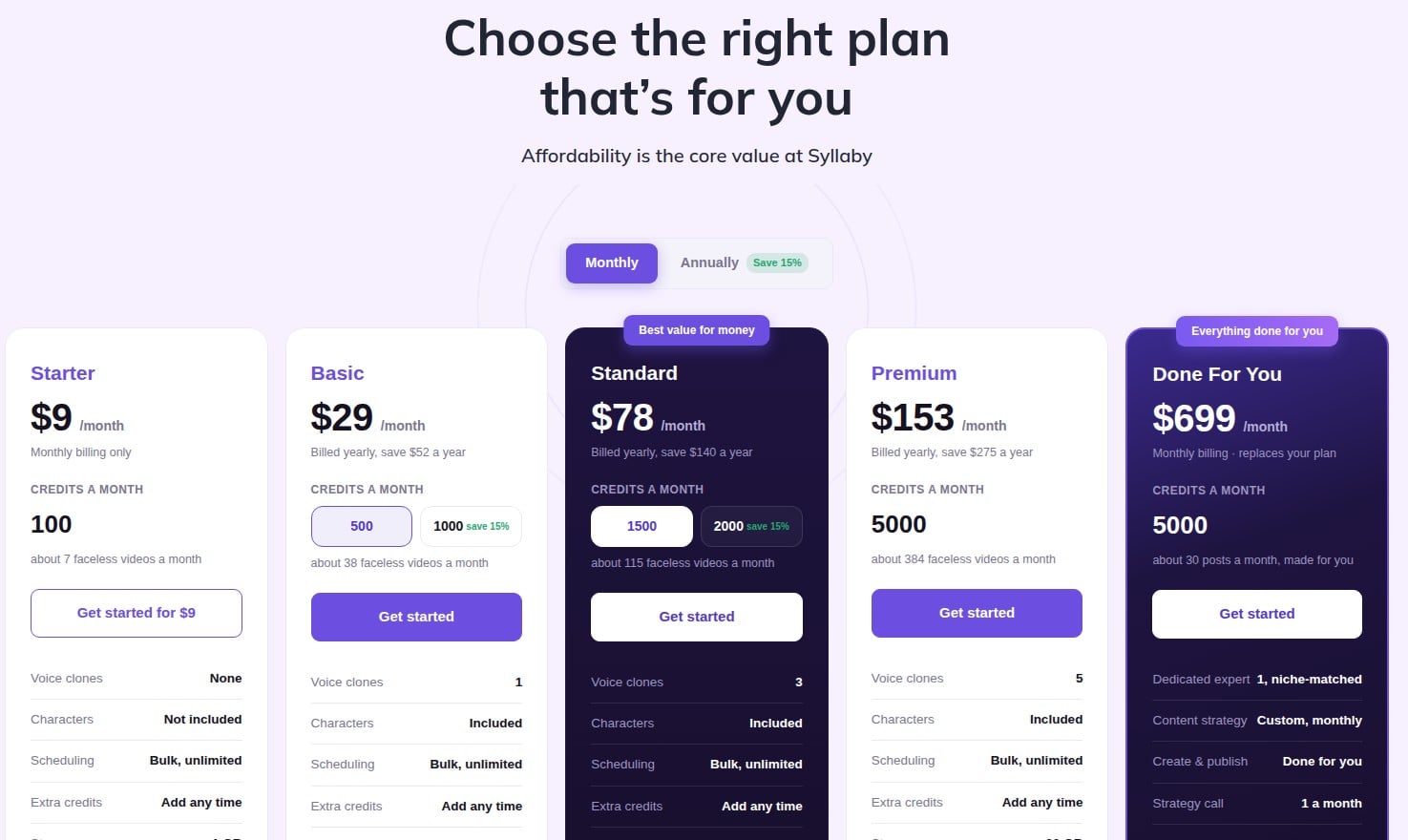
Syllaby offers six pricing plans:
- Starter: $9/month for 100 credits a month, billed monthly only.
- Basic: $29/month billed yearly, for 500 credits a month and one voice clone.
- Standard: $78/month billed yearly, for 1,500 credits a month and three voice clones.
- Premium: $153/month billed yearly, for 5,000 credits a month and five voice clones.
- Done For You: $699/month for 5,000 credits a month and a dedicated expert who creates and publishes about 30 posts a month for you.
- Enterprise: Custom pricing, for teams that need a custom credit allowance.
Try Syllaby today with the Starter plan.
7. VEED
Our Verdict — Best Free Option
Price: Starts at $25/month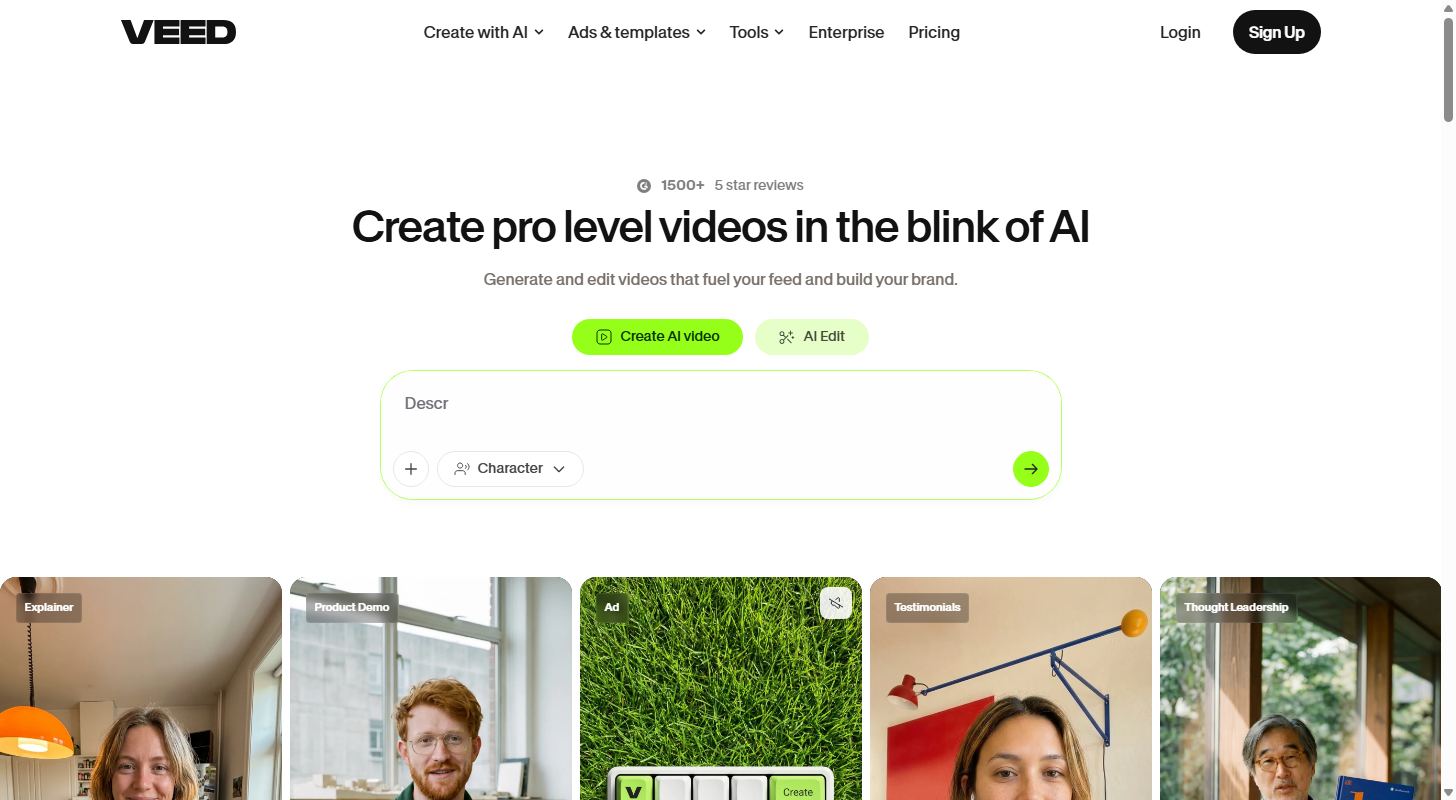
VEED asks nothing of you before it delivers. It wins best free option because the free plan drops you straight into a browser editor carrying the widest AI toolkit here — avatars, lip sync, voice cloning, dubbing.
The Best Part:
The whole toolkit, one login. Avatars, lip sync, voice cloning, dubbing and a full editor sit in the same browser tab, so you're not stitching four subscriptions together to finish one video.
The Worst Part:
Free means watermarked. The free plan exports at 720p with a VEED watermark, and the browser editor slows down on long videos and big files.
Get it if you want to try VEED's whole AI video suite without paying first.
I recommend you build one video on the free plan first, then go Creator at $25/month.
(free plan)
Best For
VEED is best for creators testing every AI video tool at once before committing to one workflow.
Top Features
Avatars without filming. VEED generates a presenter that reads your script, so a talking-head video never needs a camera — how much you can generate is metered by plan.
Your own voice, with strings. Voice cloning works, but keeping a cloned voice live means staying on a paid plan.
Dub into 50+ languages. VEED translates your voice-over into 50+ languages, with the allowance rising by plan.
Wire it into your own tools. VEED opens its editing and subtitle features to developers, so a build team can call them from your product.
Built on frontier models. VEED plugs Fabric 1.0, Sora 2, Veo 3.1 and Kling AI into one interface, not locked to a single model.
Pricing
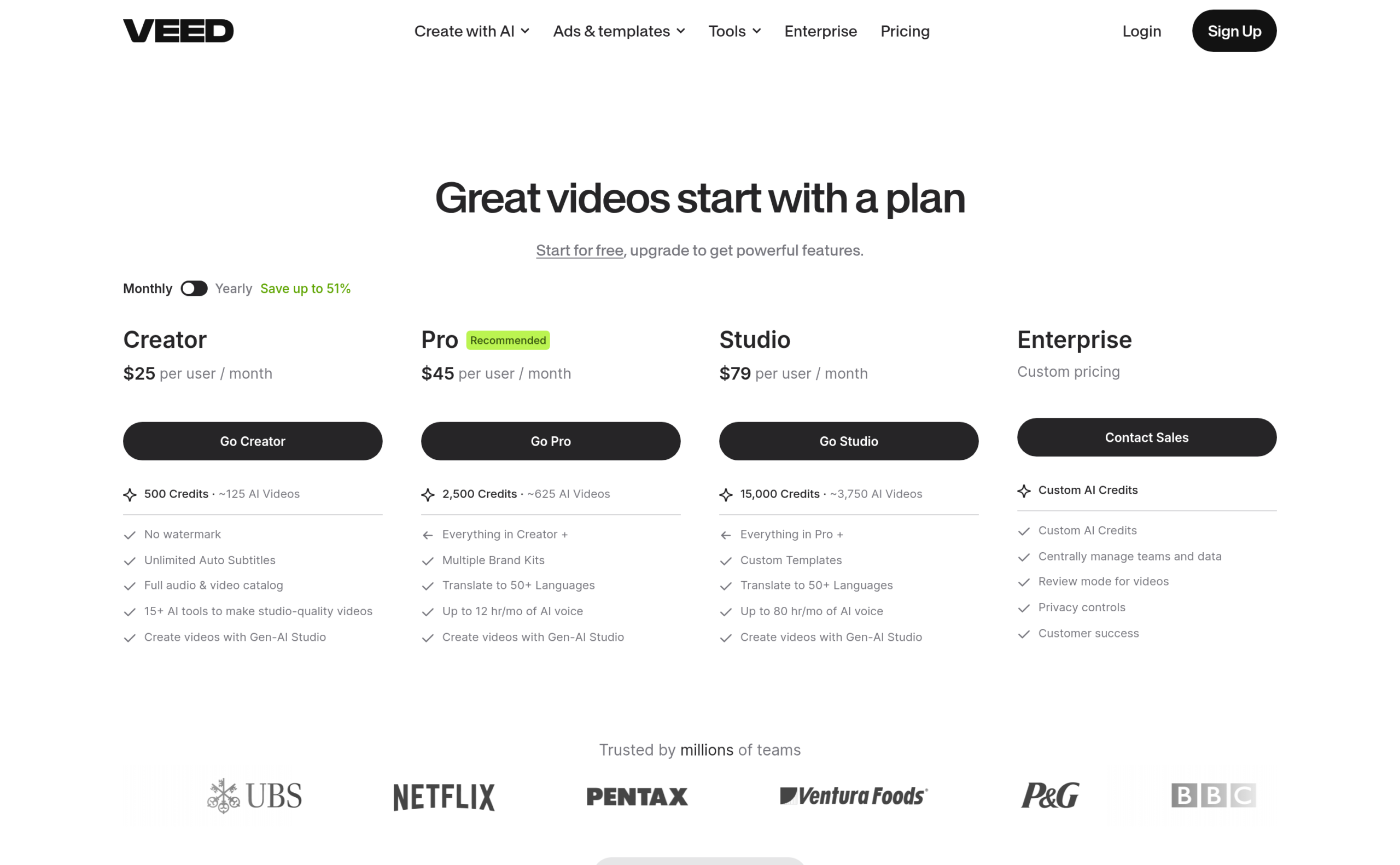
VEED offers five pricing plans:
- Free: Free forever, for 10-minute exports at 720p with a VEED watermark.
- Creator: $25/month for 500 credits a month.
- Pro: $45/month for 2,500 credits a month.
- Studio: $79/month for 15,000 credits a month.
- Enterprise: Custom pricing, for teams that need custom AI credits.
Annual subscriptions provide up to a 51% discount.
Try VEED today with the free plan.
Our Top Three Picks
Here's a quick summary of our top three picks:
Here's a quick comparison of our top seven picks:
Tool | Entry Offer | Pricing |
|---|---|---|
Fliki | Free plan | Starts at $28/mo |
Pictory | Free trial | Starts at $29/mo |
Zebracat | Free plan | Starts at $39/mo |
Hypernatural | Paid only | Starts at $39/mo |
Submagic | Free plan | Starts at $19/mo |
Syllaby | Starter plan | Starts at $9/mo |
VEED | Free plan | Starts at $25/mo |
Here are the top 50 faceless video generators we considered:
- Fliki
- Pictory
- Zebracat
- Hypernatural
- Submagic
- Syllaby
- VEED
- InVideo AI
- Revid.ai
- AutoShorts.ai
- Faceless.so
- FlowShorts
- GhostShorts
- FluxNote
- Kineclip
- ReelForge AI
- Clippie AI
- LongStories.ai
- Zoice
- Quso
- Crayo
- Videoinu
- Sendshort
- ShortsNinja
- ReelFarm
- Klap
- Vizard
- OpusClip
- Munch Studio
- Steve.ai
- Lumen5
- Descript
- Kapwing
- Simplified
- Vadoo
- NullFace AI
- EasyVid
- aicut
- Vidnoz
- CapCut
- Faceless.video
- ElevenLabs
- Murf AI
- Speechify
- Cartesia
- Synthesia
- HeyGen
- Runway
- Google Veo
- Kling AI
Frequently Asked Questions About Faceless Video Generators
What is a faceless video generator?
A faceless video generator is software that turns a script into a video you never appear in — it generates the voice-over, pulls or creates the visuals, adds the captions and hands you a finished video.
Which faceless video generator is best overall?
Fliki is our top pick. It carries the whole pipeline in one product — script, voice, visuals, captions, export — with 2,000+ AI voices in 80+ languages, and it publishes straight to YouTube.
How do free and paid faceless video generators differ?
Free tiers cap your minutes, your resolution and your export length, and most of them stamp a watermark on the result. Paying lifts the caps and unlocks the voices and models worth publishing. Submagic and VEED keep the most usable free plans here.
Which faceless video generator is the best free option?
VEED is our pick. You get a browser editor with the widest AI toolkit here and a free plan to work in, though free exports come out at 720p with a VEED watermark and the heavier AI tools sit on paid tiers.
What is the best faceless video generator for realistic videos?
Pick Hypernatural when the footage has to look real. It generates its b-roll with AI instead of pulling stock clips, and holds the same character steady from scene to scene.
Which faceless video generator is best for consistency?
Syllaby is our pick. It's the tool here built around what happens after the video is finished — a content calendar, bulk scheduling and publishing analytics all live in the same product.
What should I look for when choosing a faceless video generator?
Start with where the visuals come from. Generated b-roll looks less interchangeable than stock clips matched to a keyword, and interchangeable is what YouTube's sweep of AI slop punishes. Then weigh the voices, the captions, and whether it helps you keep posting.
Will YouTube demonetize a faceless AI channel?
Not for being faceless, and not for using AI. What gets demonetized is mass-produced, repetitive content with nothing added — the policy targets the template, not the tool. An original script, real research and a point of view keep a faceless channel monetizable.
Fliki vs Hypernatural: which one should I choose?
Fliki is the better all-rounder — one product for the whole pipeline, the widest voice library, and a free plan to test on. Hypernatural is the one to pick when realism beats range, and it costs more to get in.